Android
2 Ways to Fix Android Auto Black Screen Issue
The Android Auto black screen issue has plagued several users. Are you one of them? If yes, here are some solutions to fix the problem.
By Sumukh Rao
Quick Tips
Toggle Wi-Fi and Bluetooth off and on, on your smartphone to disconnect and reconnect to Android Auto.
Turn off your car’s ignition and turn it back on. This will restart the car’s infotainment system.
Ensure your smartphone has enough battery to run Android Auto wirelessly, in case you’re not using a cable.
Basic Fixes
Let your phone cool down if it’s overheating: If your phone has been sitting in your car for a long time and it’s sunny outside, it’s possible your phone might reach high temperatures and overheat. If that’s the case, turn on Airplane mode and keep the phone away from sunlight to let it cool down.
Update Android Auto: The existing version of Android Auto on your phone could be buggy. Update Android Auto to the latest version to fix the black screen issue.
Use wired Android Auto instead of wireless: Whether it’s the black screen issue or Android Auto isn’t working at all, use a cable to connect your phone to the car instead of the wireless route.
Fix 1: Clear Cache of the Android Auto App
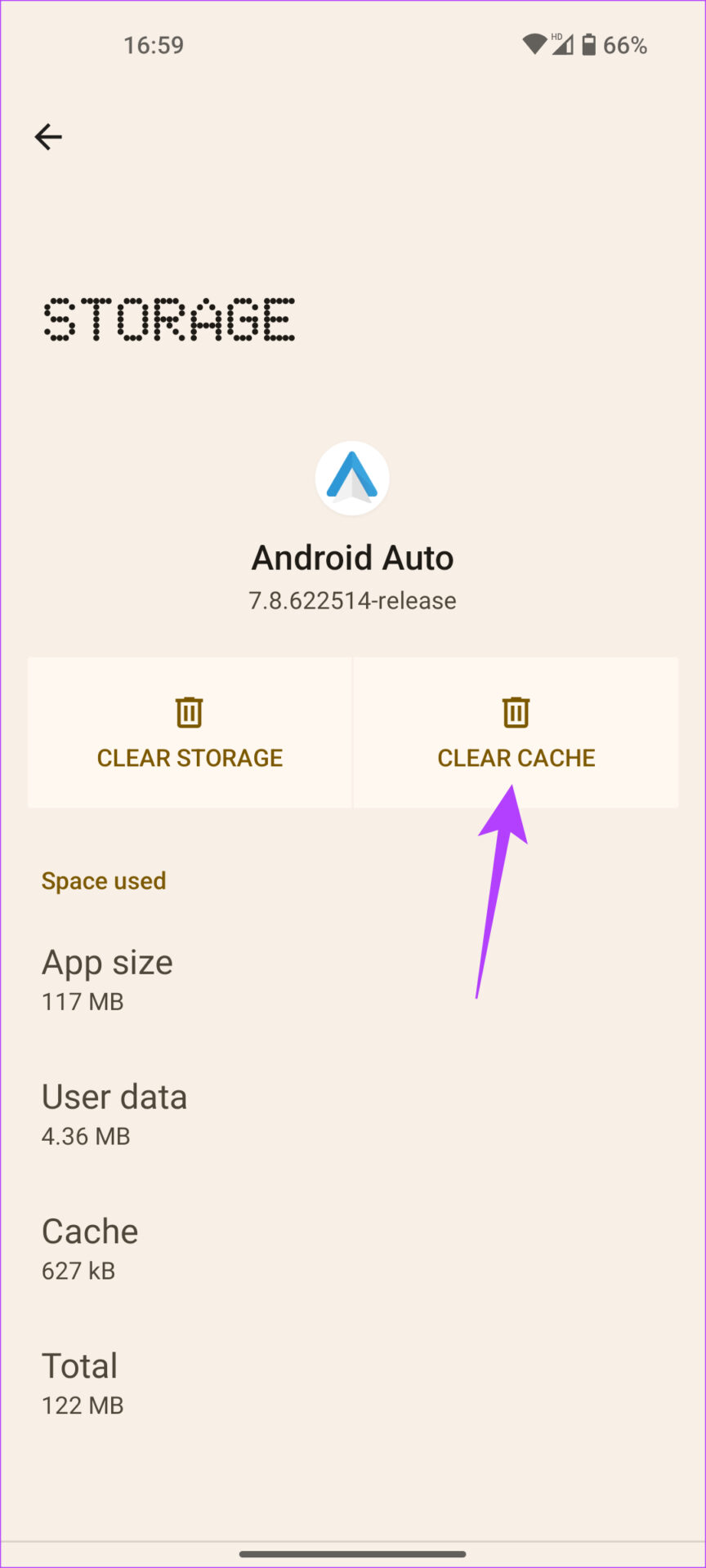
Clearing the cache of an app that isn’t functioning as intended often solves the issue. You can try doing this if Android Auto isn’t working as well. Here’s how you can clear the cache of Android Auto.
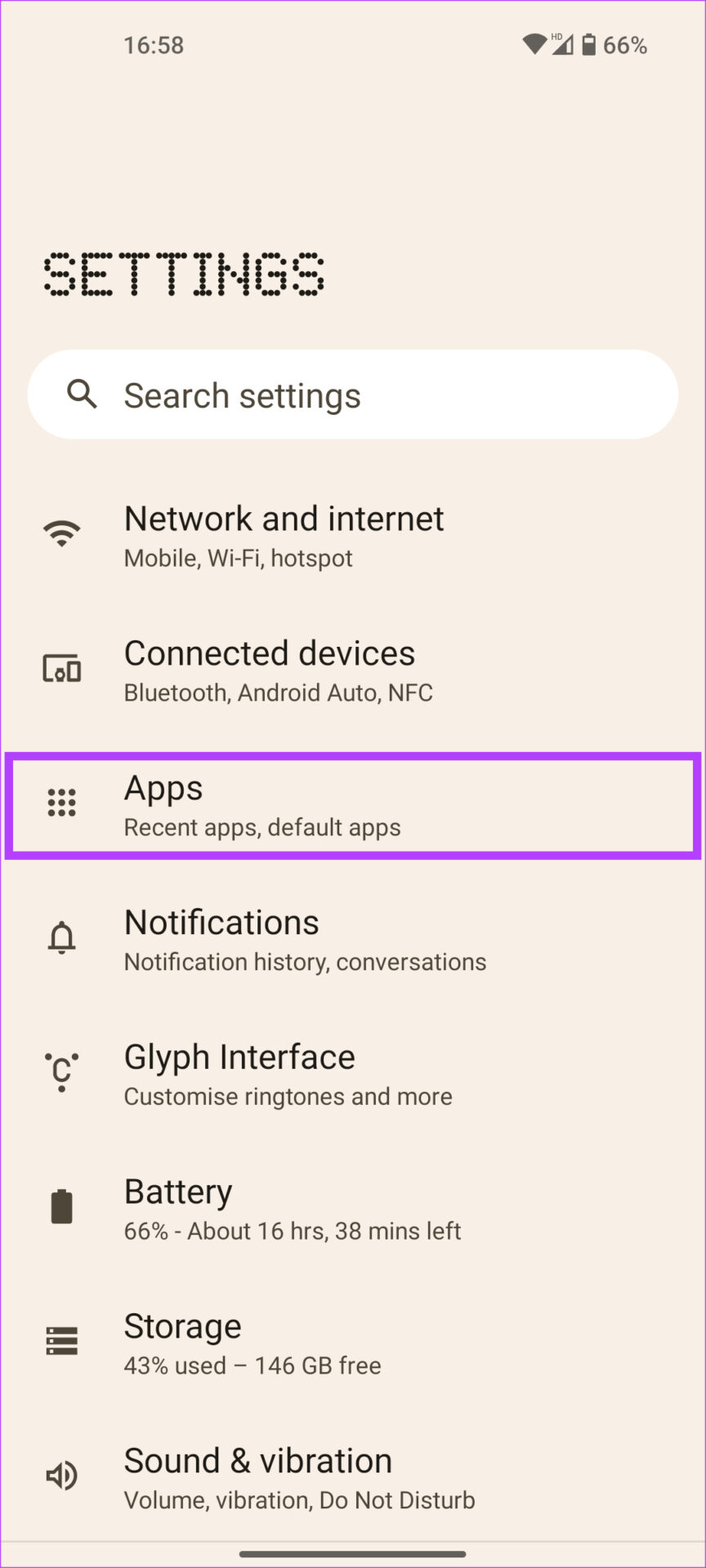
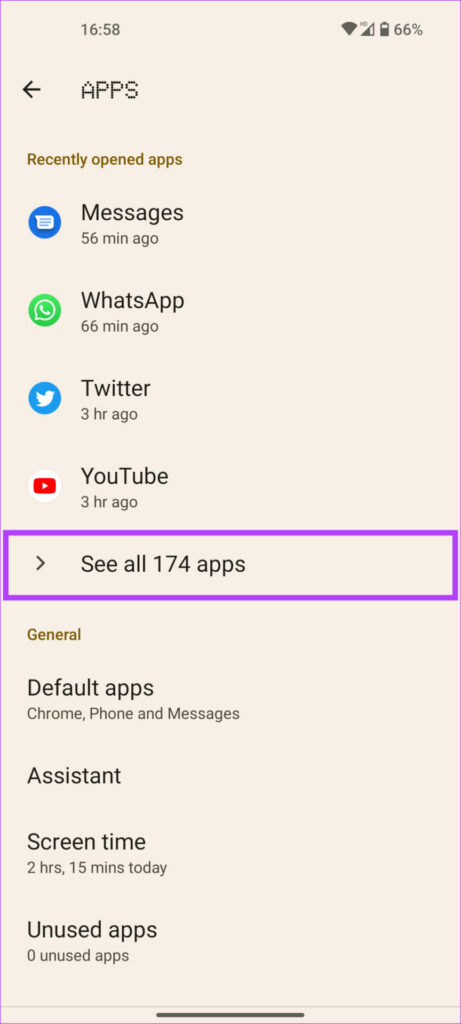
Step 1 : Open the Settings app on your smartphone and navigate to the Apps section. Tap on See all apps .
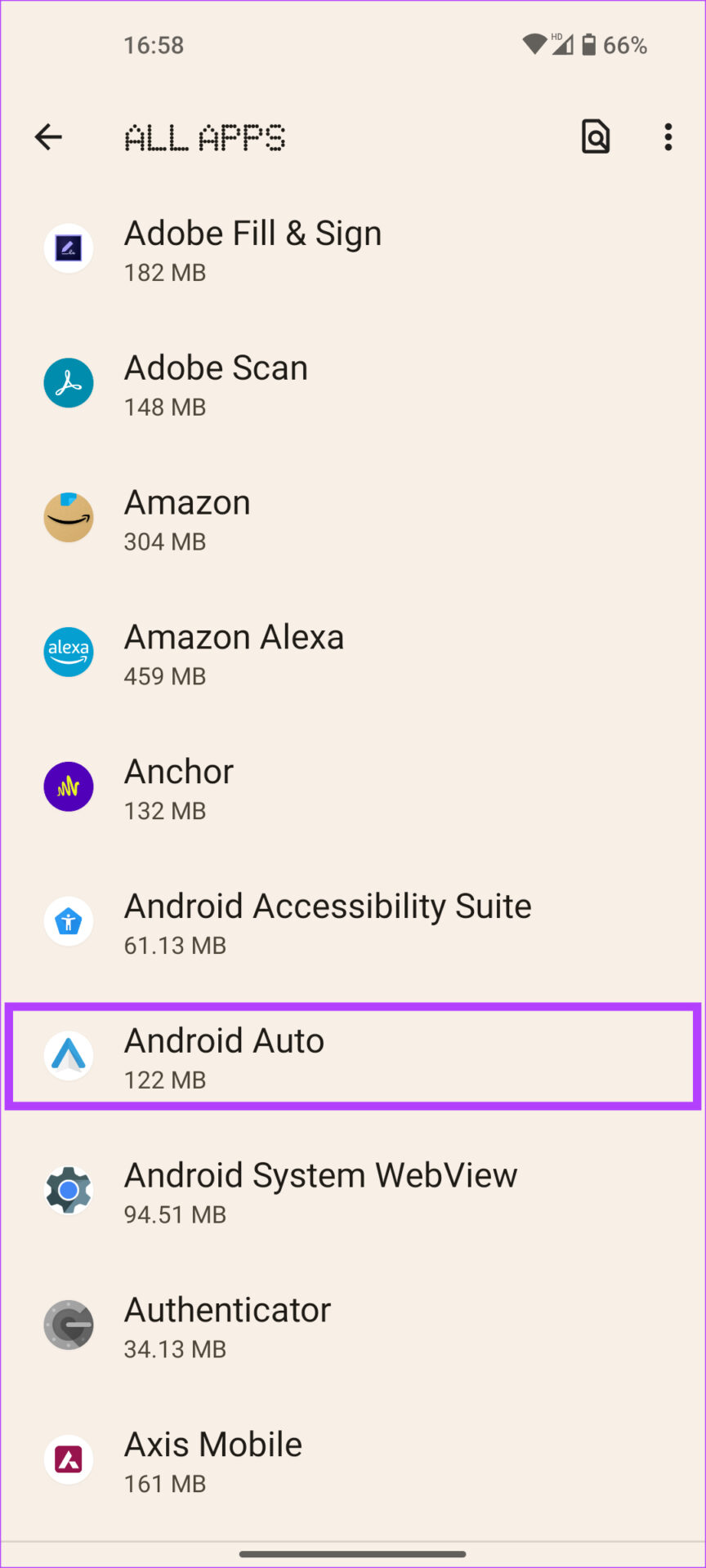
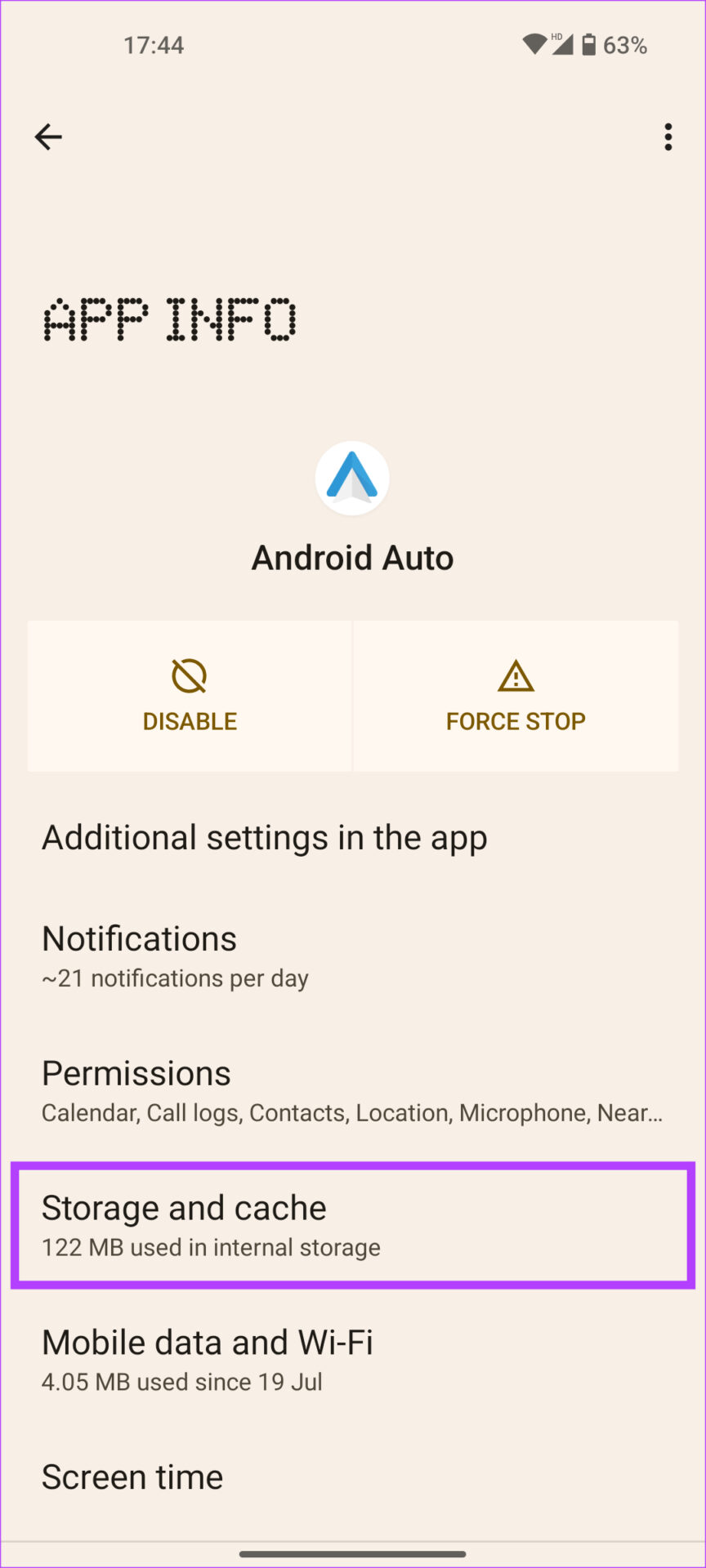
Step 2 : Scroll down and select Android Auto . Choose the Storage and cache option followed by Clear cache .
Fix 2: Unpair Your Phone and Pair It Back to the Car
The Android Auto app on your smartphone allows you to forget connected cars and disconnect from them. You can do this and pair the phone again with your car’s head unit. Here’s how it’s done.
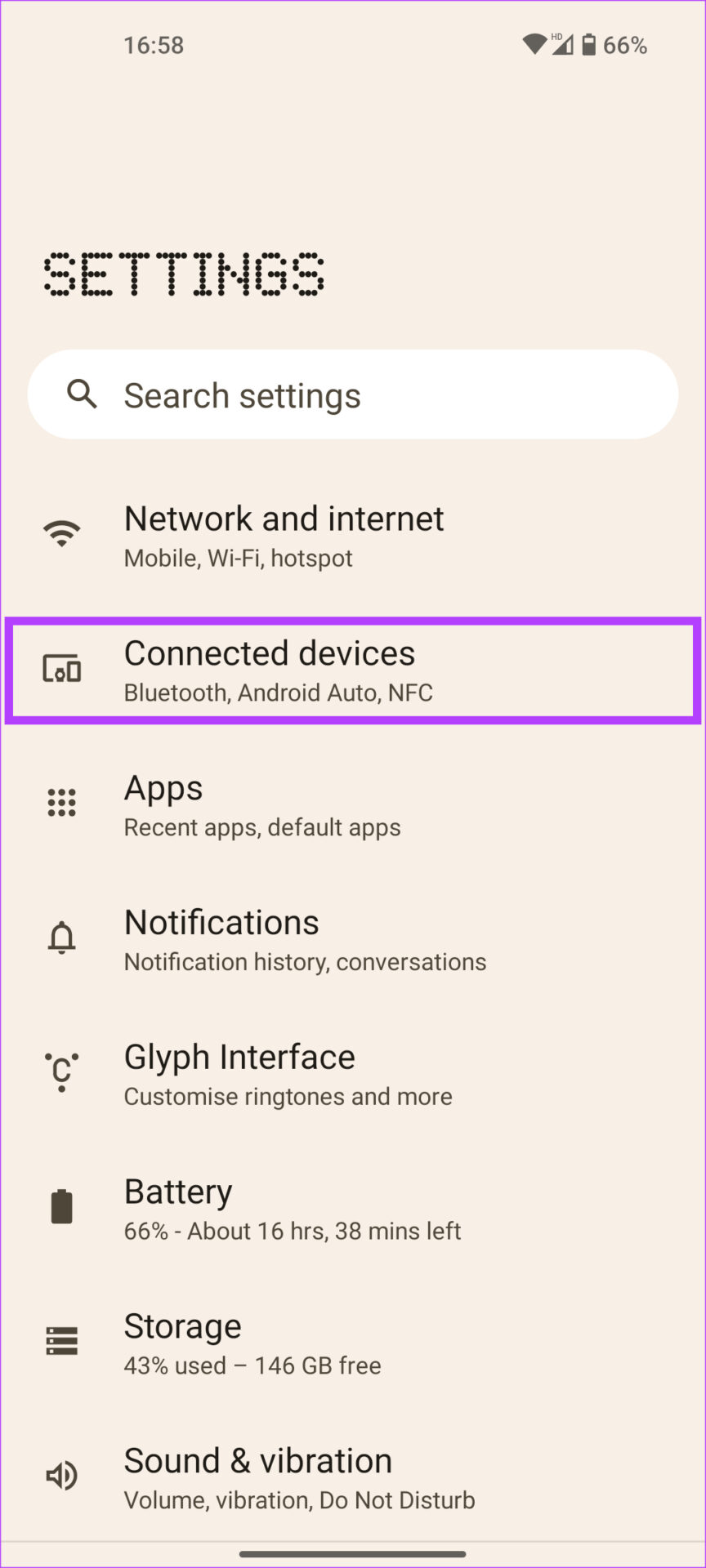
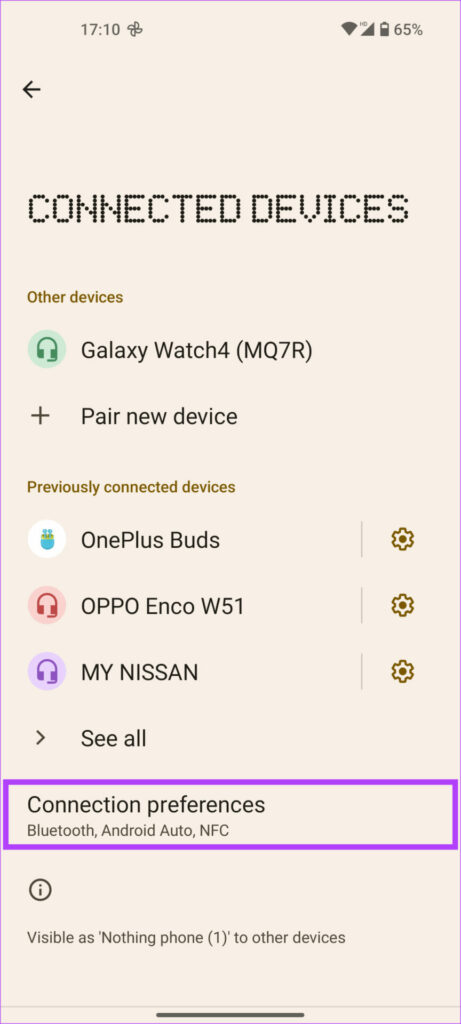
Step 1 : Open the Settings app on your smartphone. Navigate to the Connected devices section and tap on Connection preferences .
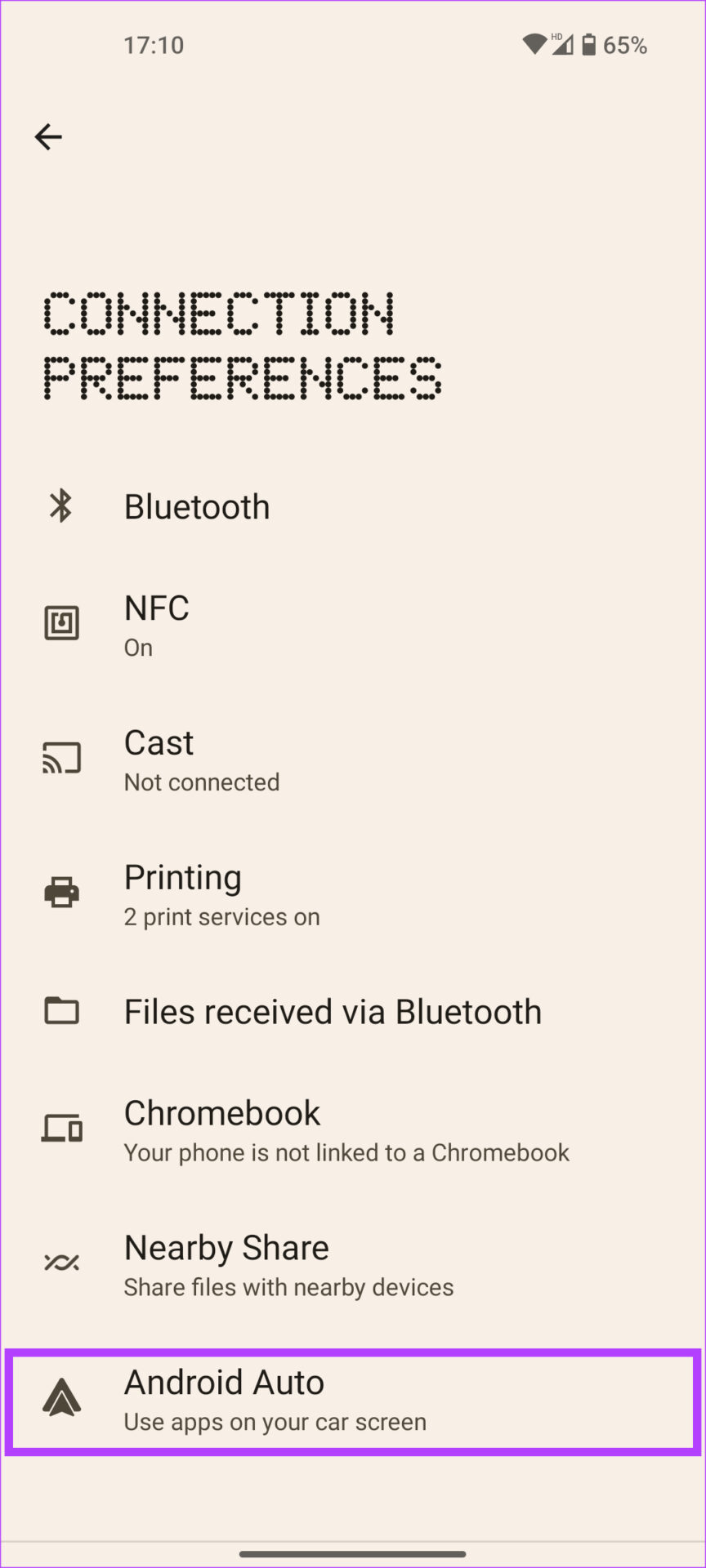
Step 2 : Select Android Auto . Tap on Previously connected cars .
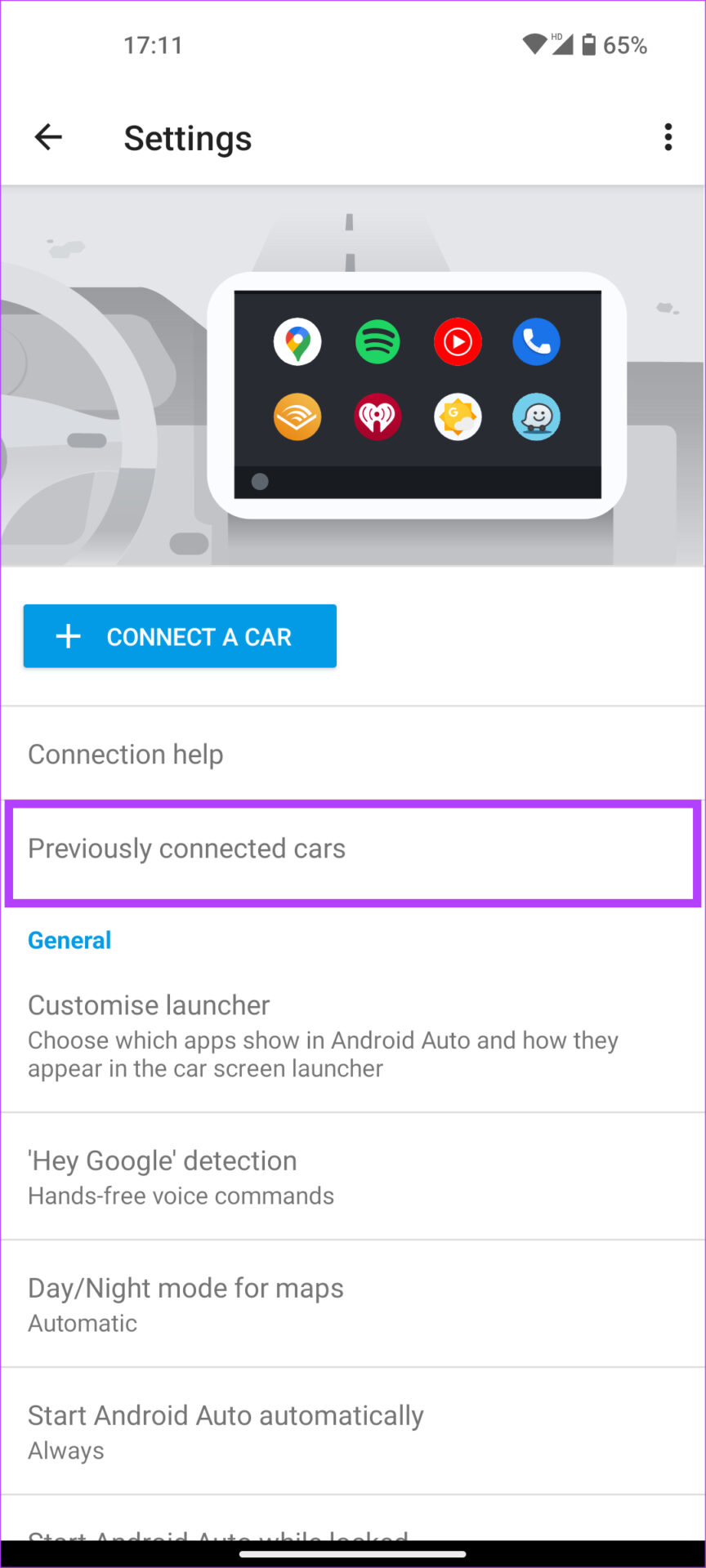
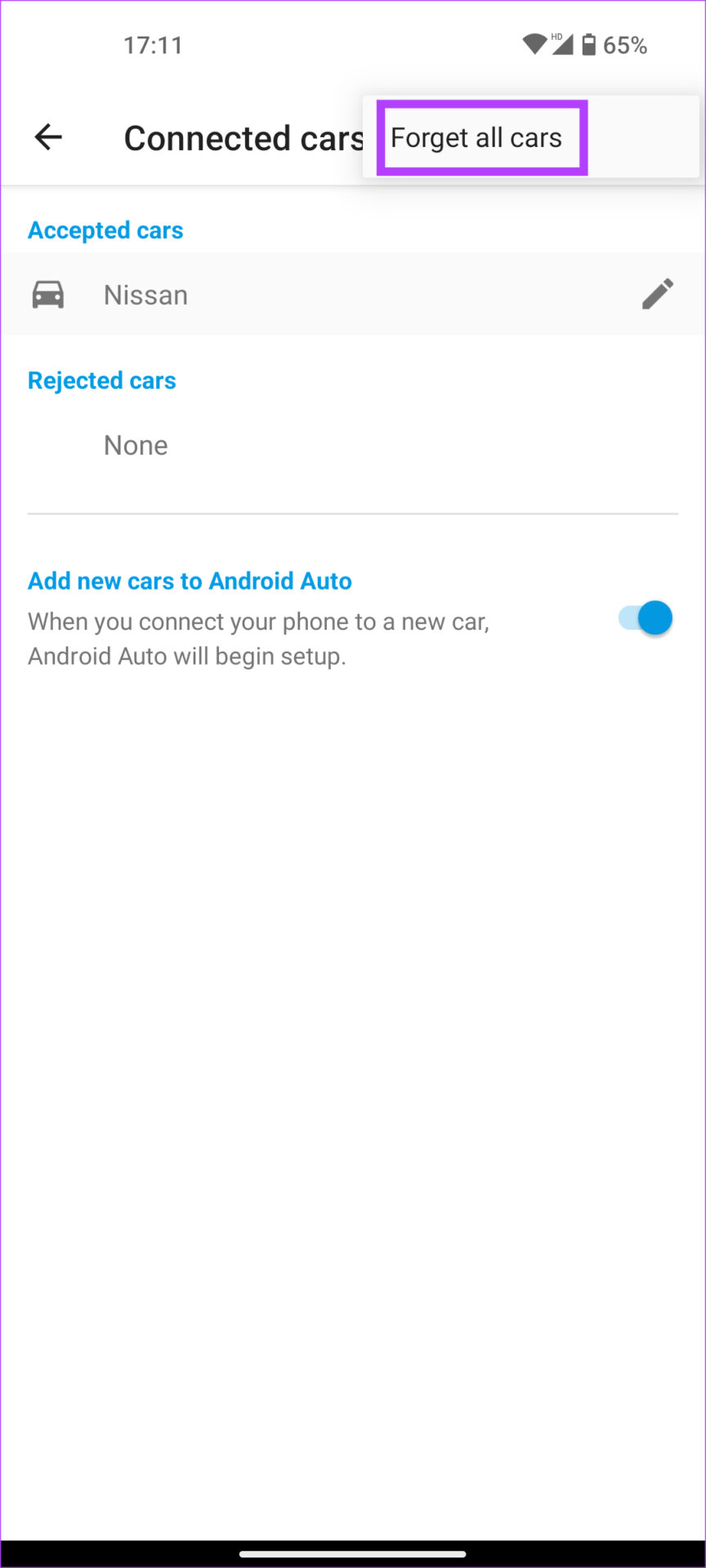
Step 3 : Select the three-dot menu at the top-right corner of the screen. Now, tap on Forget all cars .
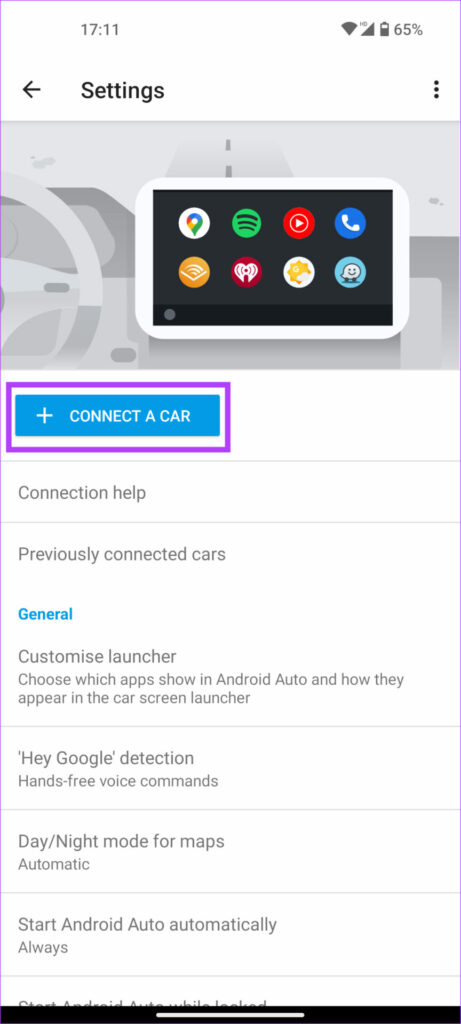
Step 4: Go back to the previous menu and select Connect a car . Follow the on-screen instructions.
Was this helpful?
Submit Cancel
Thanks for your feedback!
Keep reading