Android
5 Best Ways to Clear Storage on MIUI for More Space
Are you running low on storage on your Redmi, Poco, and Mi devices? Read our guide to clear storage on MIUI for more space!
By Supreeth Koundinya
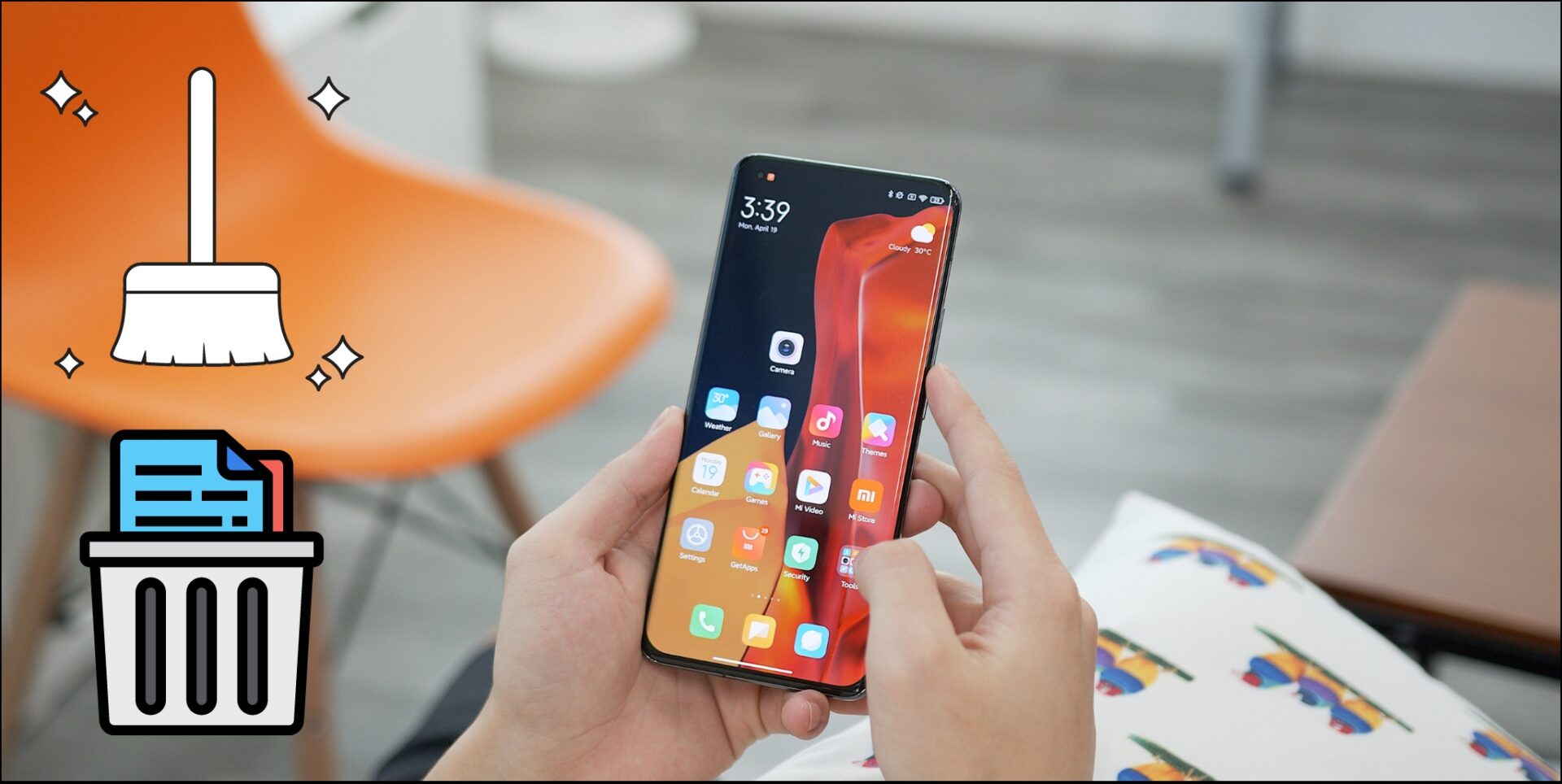
Over the years, Xiaomi did an excellent job of creating a skin for Android called MIUI. While it mostly provides a good experience, it is difficult to perform certain actions at times, unlike stock android . For instance, clearing storage on MIUI is not straightforward. There are various ways hidden underneath.
In this article, we have mentioned five effective ways to free up storage space on your Mi device. These tried and tested methods have helped us save a few gigabytes without affecting functionality. Besides, these steps work on all Poco and Redmi devices as well. Here’s a step-by-step guide for all these methods.
1. Use the Built-In Cleaner Tool
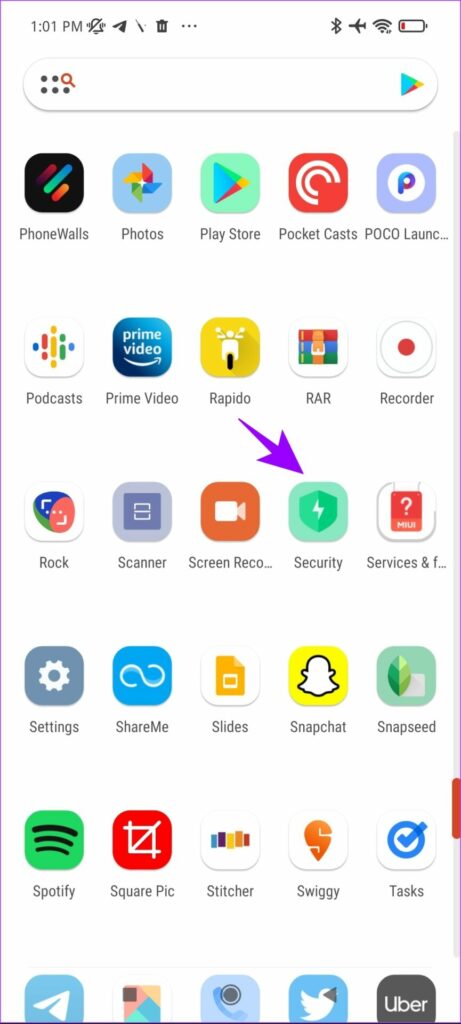
The pre-installed Security app is quite helpful to clean up your MIUI device storage. Here’s how you can use the cleaner to quickly free up some space.
Step 1: Open the Security app on your device.
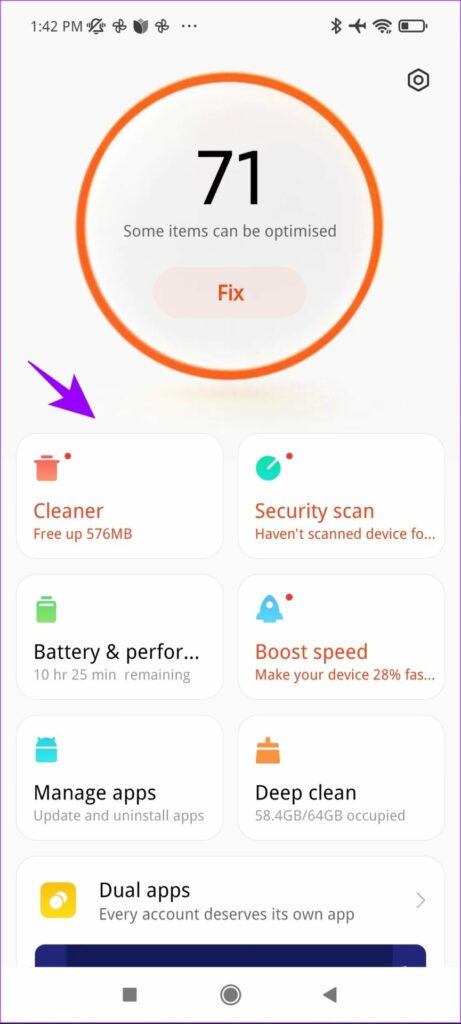
Step 2 : Tap on Cleaner.
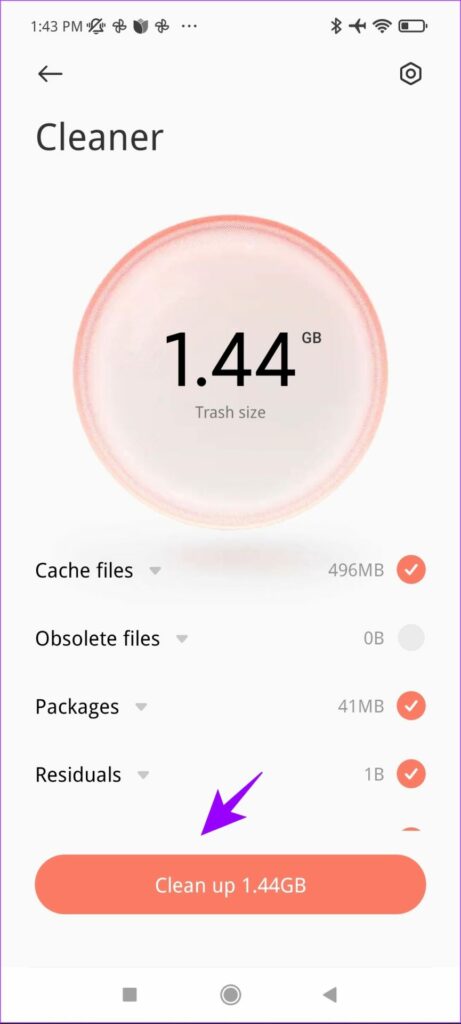
After it runs a scan, it shows you the space you can save called Trash Size.
Step 3: Now, tap on Clean Up. This will clear the data from the scan.
This method can be helpful to regularly free up some space. Besides, it does not take much time either. To clear more cache, and other residual files, the next few sections of the articles will help you.
2. Remove Large Files Using Built-In Deep Clean
Under the Security app, you also get a Deep Clean option. This feature helps you clear internal storage space on your MIUI devices. But while you delete these files, be careful to re-check what these files actually mean. Unless they are video and other media files, they are files related to updates and backups.
So, follow this method only if you are not planning to restore any backup soon.
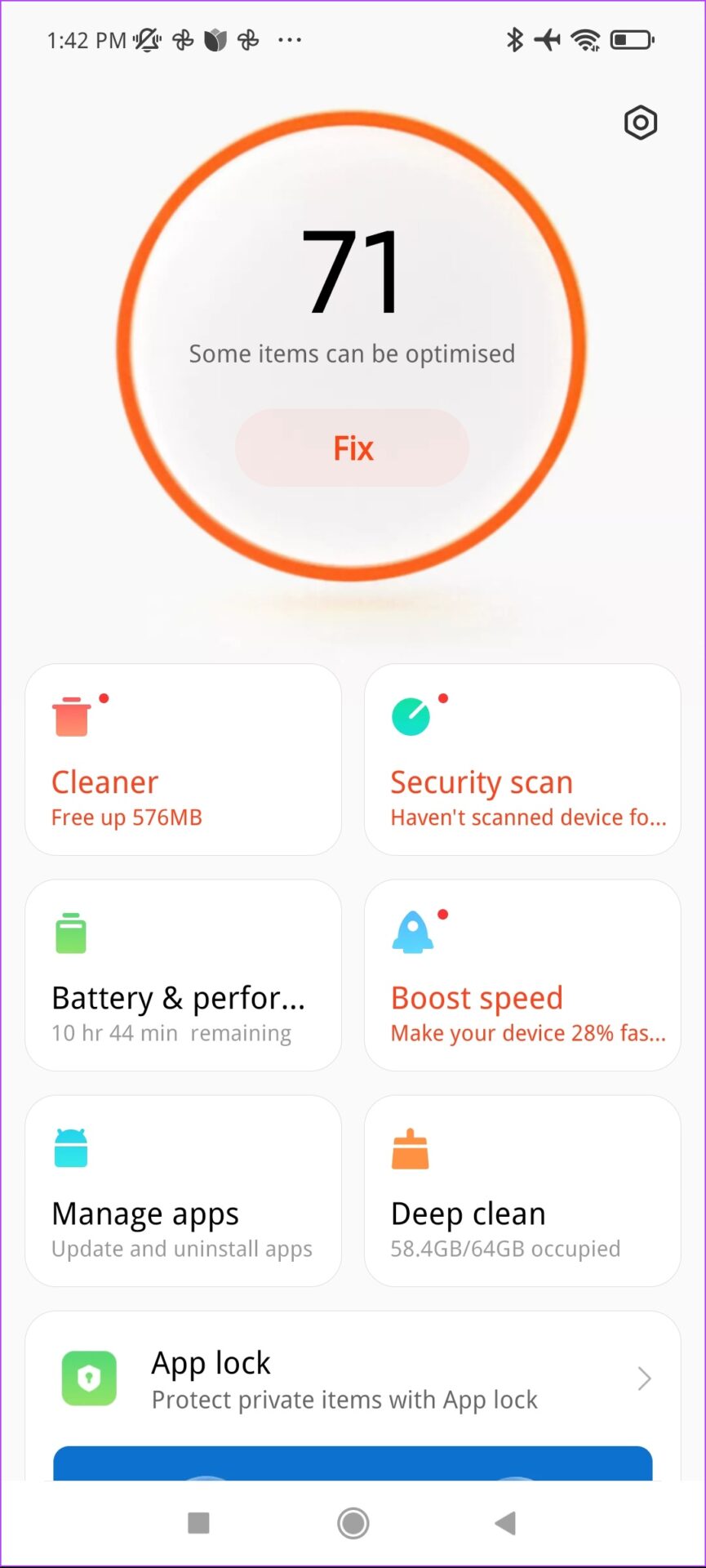
Step 1: Open the Security App and tap on Deep Clean.
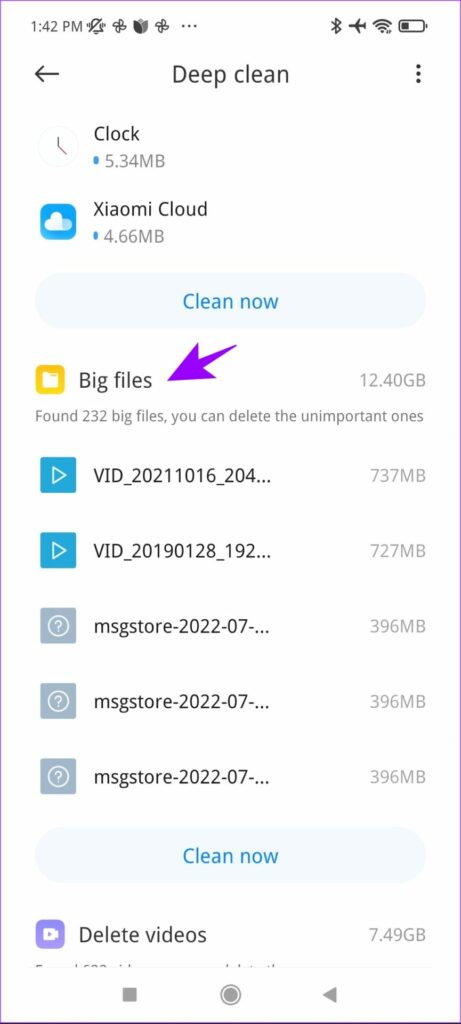
Step 2: Tap on Big files.
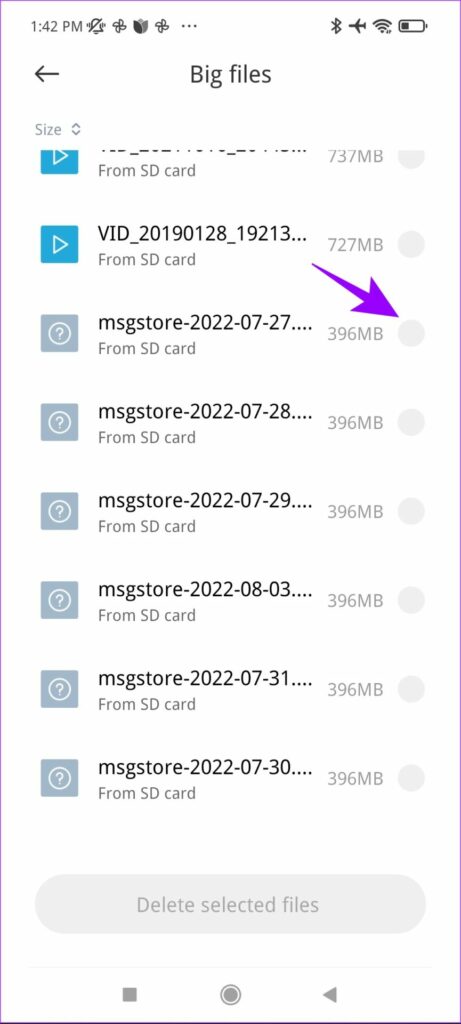
Step 3: Now, select the files large in size.
Note : All the files named ‘mgstore….” are local WhatsApp chat backups configured for auto-backup. So, if you are not planning to restore them, select these files for deletion. This won’t delete your WhatsApp chat messages.
Step 4: Tap on Delete selected files.
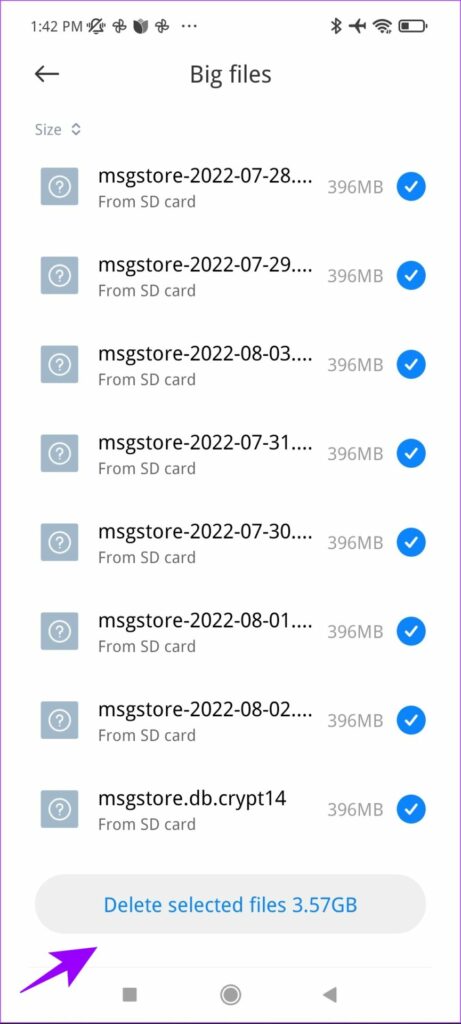
As you can see, these files occupied nearly 4GB of storage on the device. You can regularly perform this to free up some space and even disable automatic backup for WhatsApp to avoid this.
3. Clear Duplicate Files
Another effective way to clear storage on MIUI is by deleting duplicate and redundant files. This involves installing the FX File Explorer app from the Play Store. Here is a step-by-step procedure for the same.
Before you move on to the process, download and install the app from the below link.
Install FX File Explorer
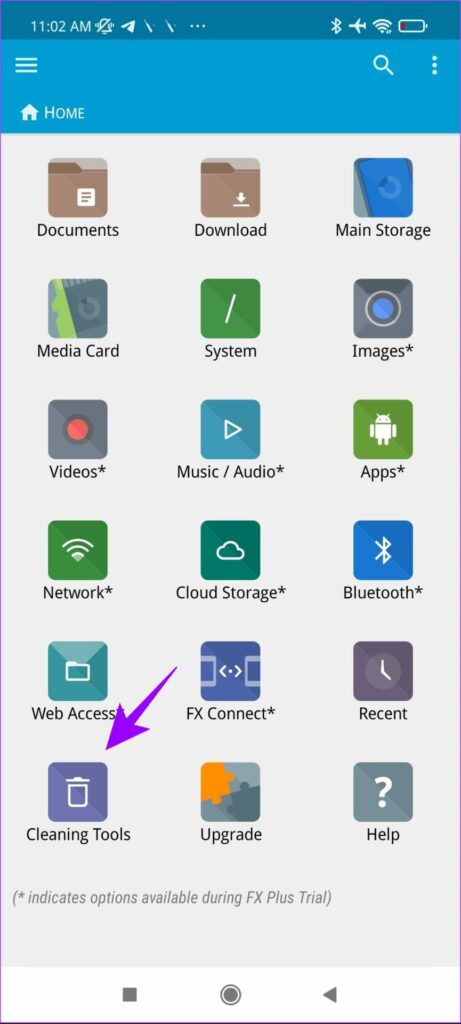
Step 1: Open the FX File Explorer app and select Cleaning Tools.
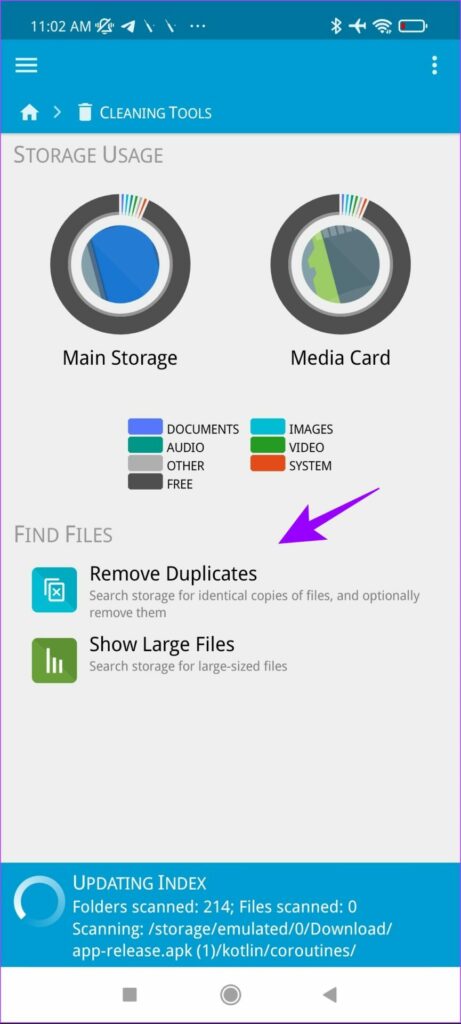
Step 2: Now, select Remove Duplicates.
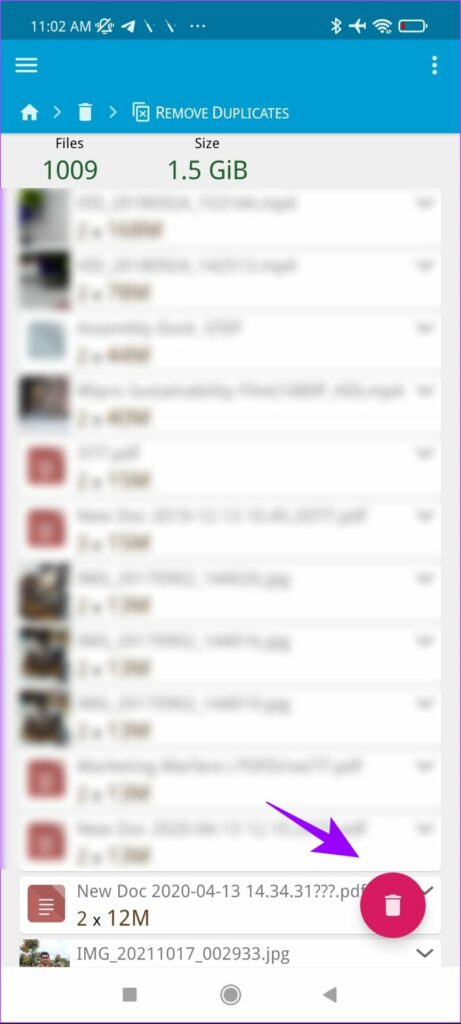
Step 3: Once the app completes the scan, tap on the delete icon to remove duplicate files.
4. Clear Gallery App Storage
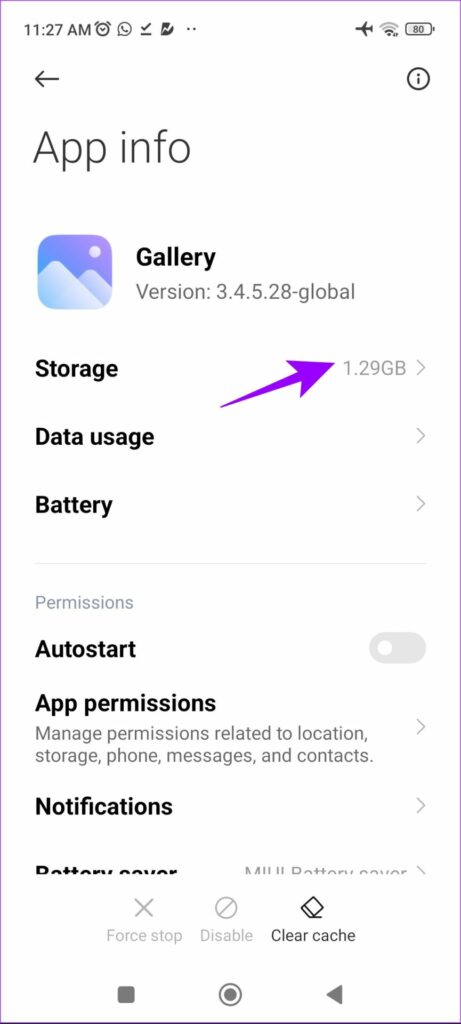
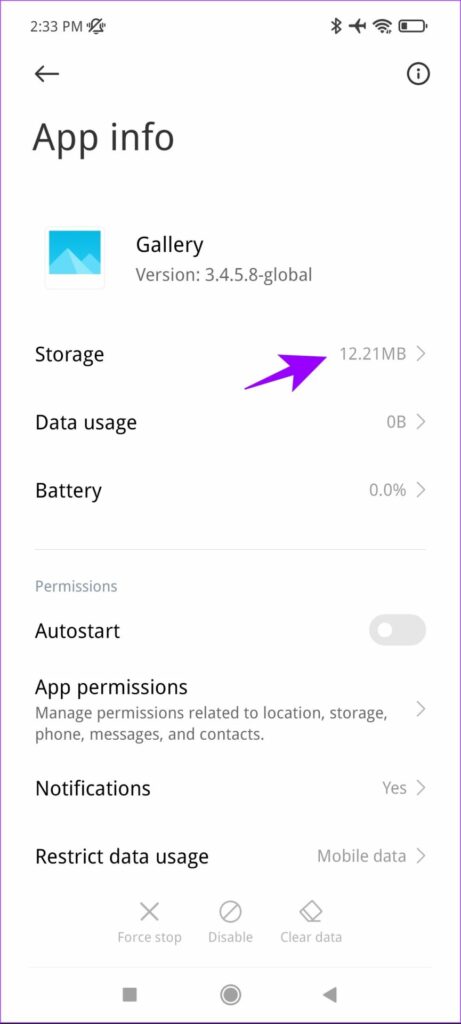
The gallery app on MIUI devices is infamous for accumulating over a gigabyte of storage for thumbnail and other residual data. As you can see in the screenshot below, the gallery app takes around 1.3GB of data.
Sadly, there is no way to clear that even within the app settings. However, there’s a workaround that takes a few additional steps. Here’s how you can use it to clear storage on MIUI.
Note : This will not delete any of your photos or videos.
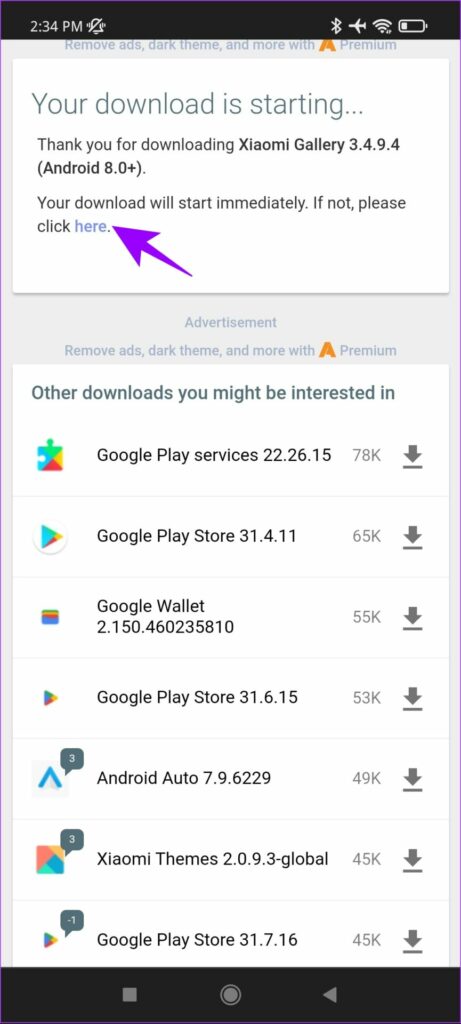
Step 1: Tap on the below link to download an APK file for the gallery app. The site we recommend here is safe and a reputed source to download APKs.
Download .apk fike on APK Mirror
Step 2: Tap on the ‘here’ button on the download page if the download does not start automatically.
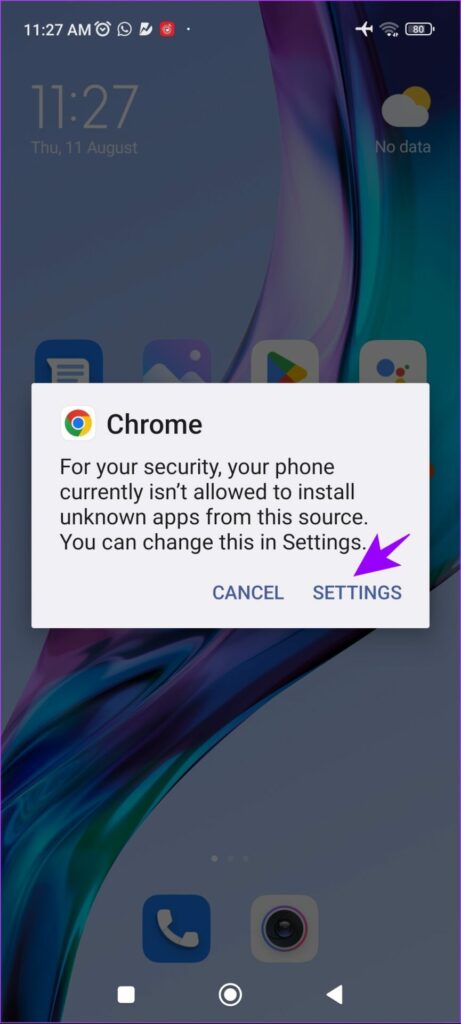
Step 3: Open the downloaded file and click on Settings in the pop-up box.
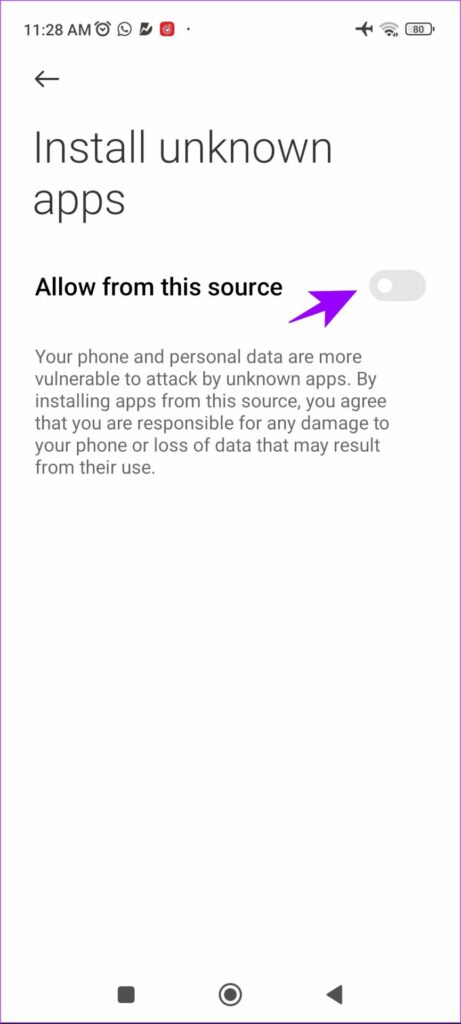
Step 4: Toggle on ‘Allow from this source.’
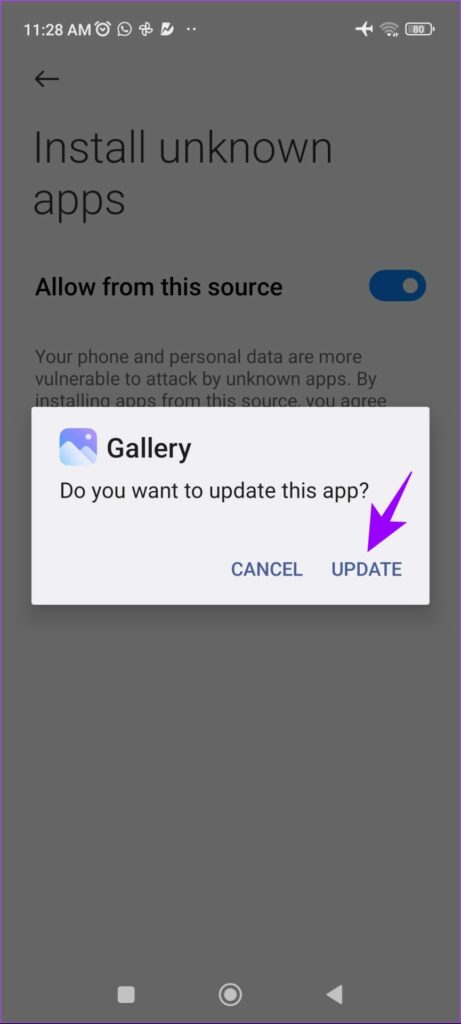
Step 5: Tap on Update.
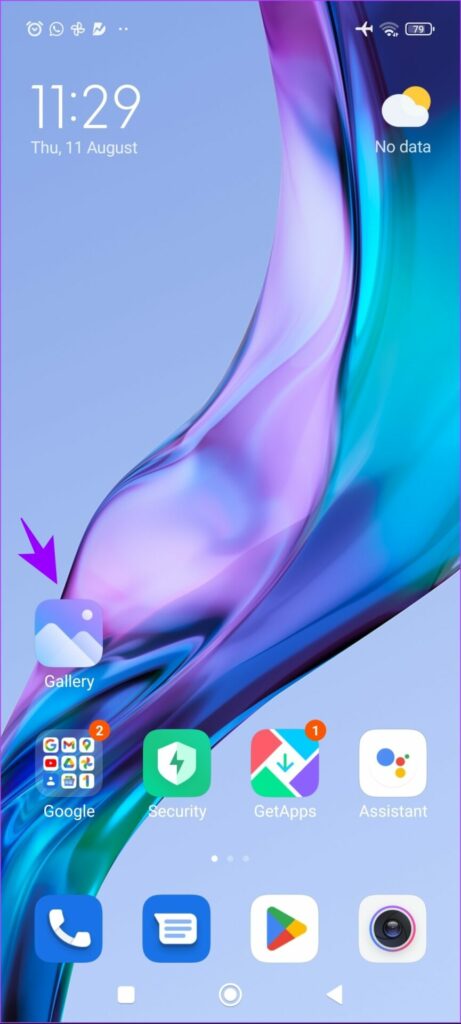
Step 6: Now, on the home screen, long-press on the Gallery app icon.
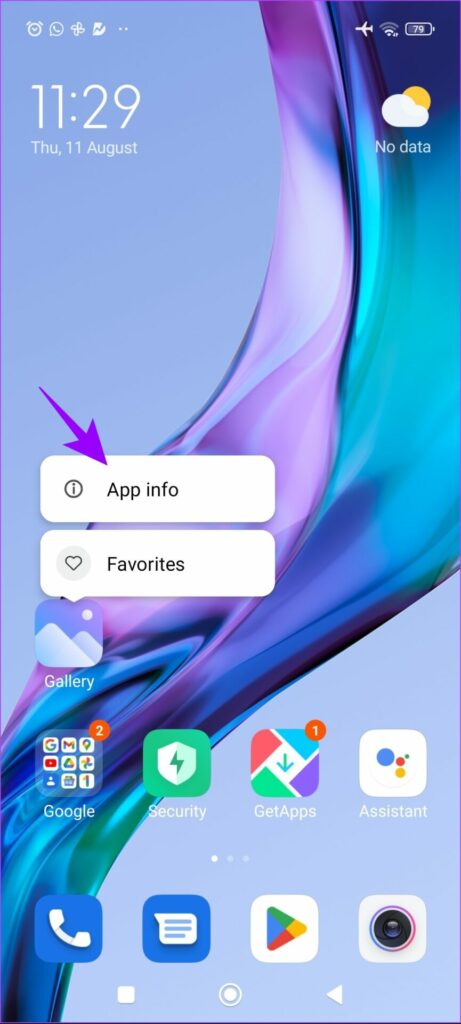
Step 7: Tap on App Info.
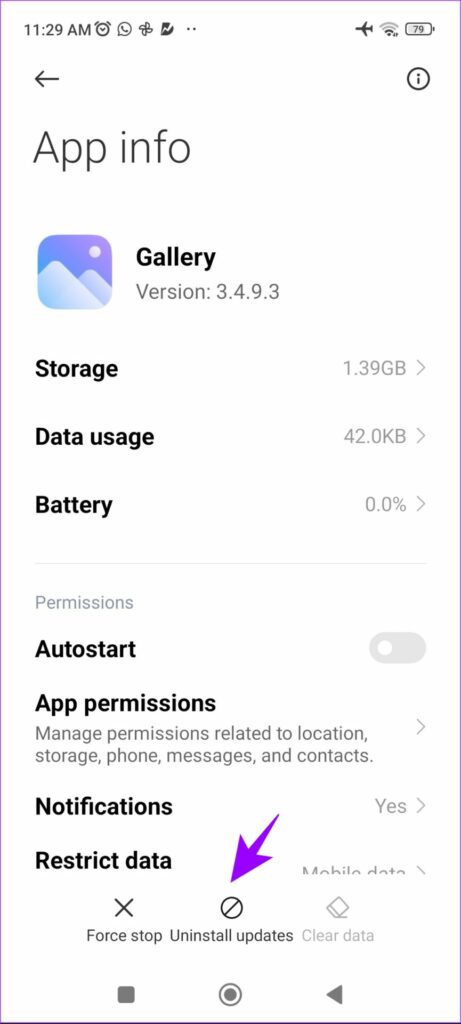
Step 8: Select Uninstall Updates.
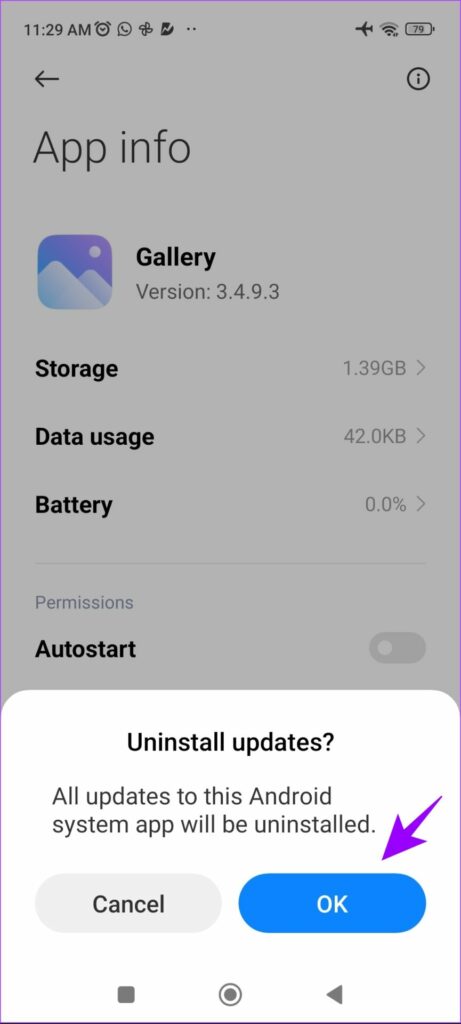
Step 8: Select OK to confirm.
As you can see, a large chunk of data has been cleared from the Gallery app.
5. Clear App Cache
Over time, apps tend to accumulate a lot of cache files. Although there is a limit for cache storage on any device and it can’t exceed it, you may clear the cache regularly to maintain adequate space.
There are two main ways to clear the cache on Mi devices. You can either clear it individually from apps, or you can clear it at once. However, the second option requires you to install a third-party app.
I. Clear App Cache Individually
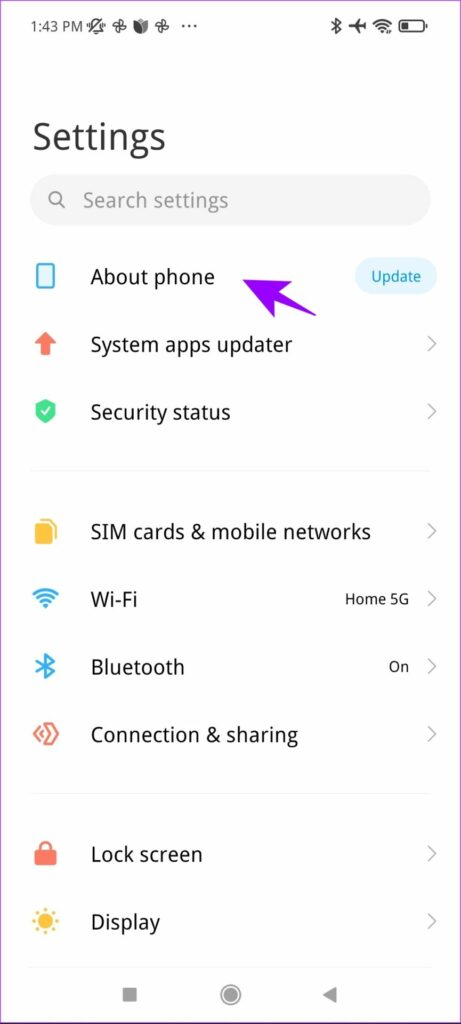
Step 1: Open Settings, and tap on About Phone.
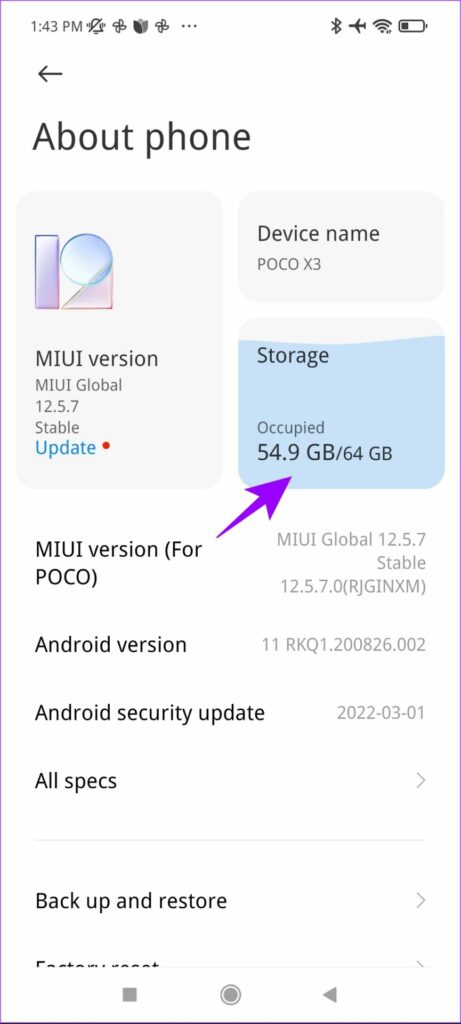
Step 2: Go to Storage.
Step 3: Now, tap on Apps and data.
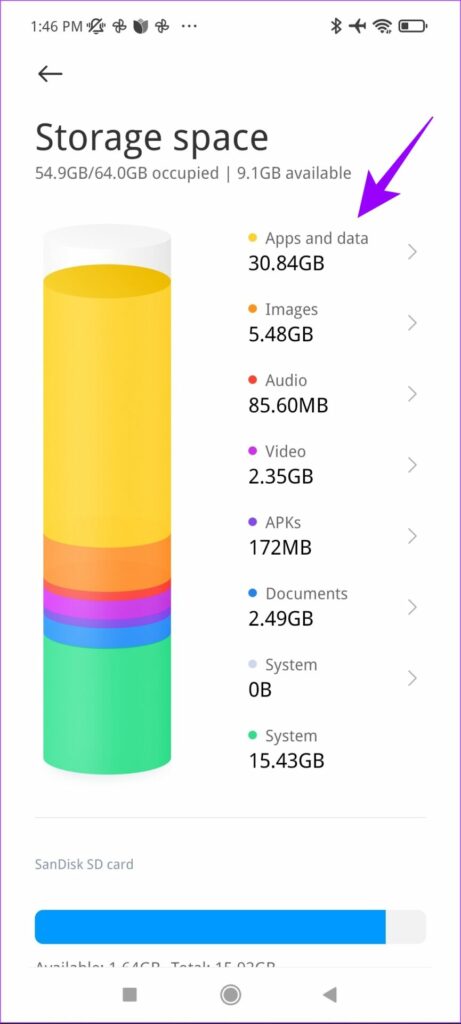
Step 4: Select the app from the list you want to clear cache for.
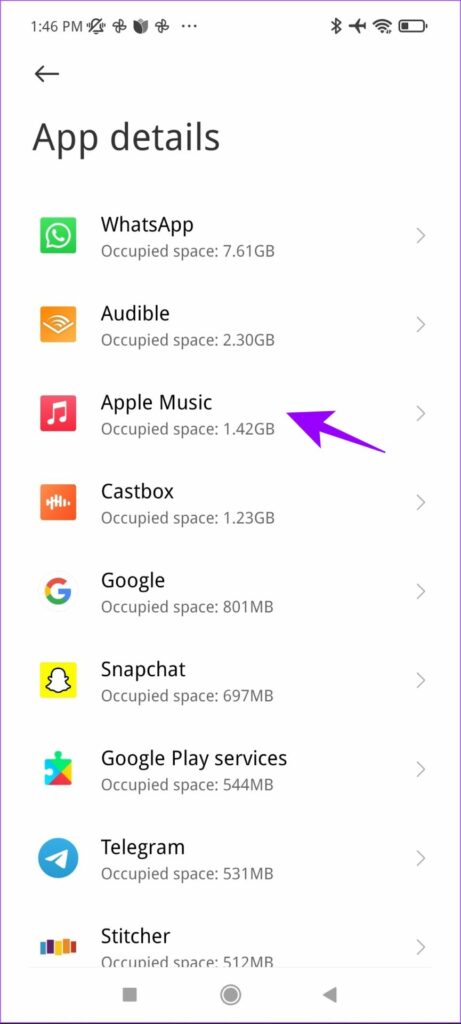
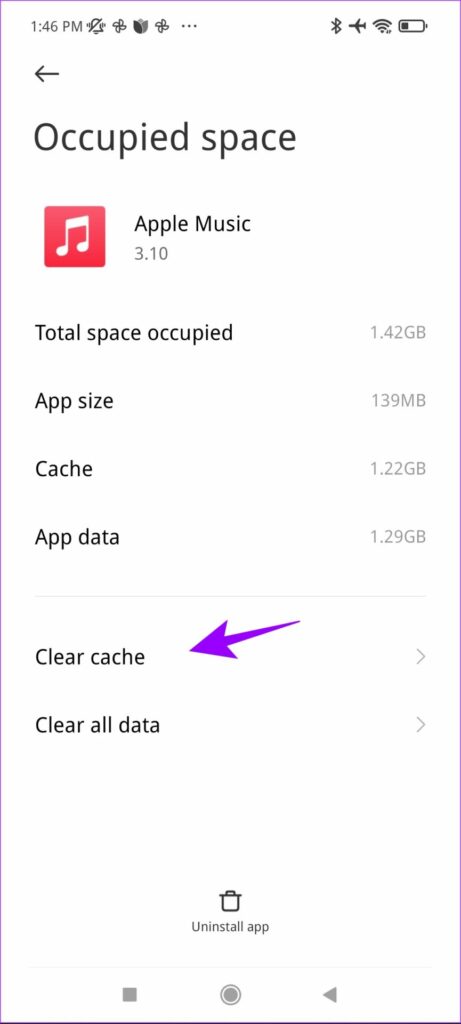
Step 5: Tap on Clear cache.
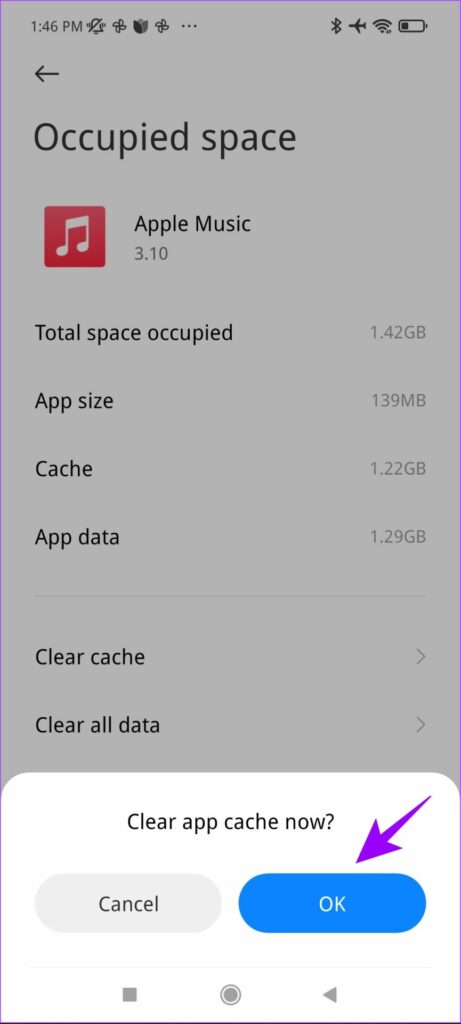
Step 6 : Hit OK to confirm.
II. Clear App Cache at Once
It gets tedious to clear the cache for apps individually. But there is an app called Activity Launcher on the Play Store that helps you clear it at once. You can install it from the link below.
Install Activity Launcher from Play Store
Step 1: Open the app and tap on Settings.
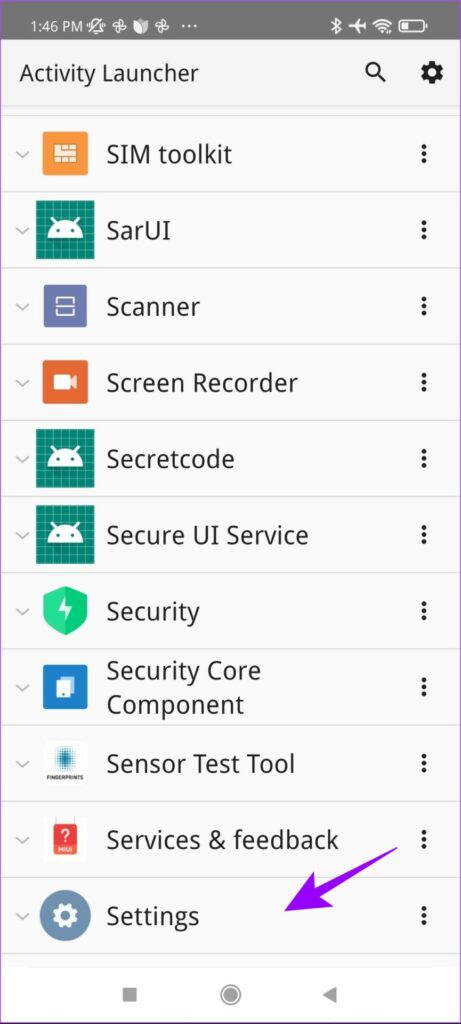
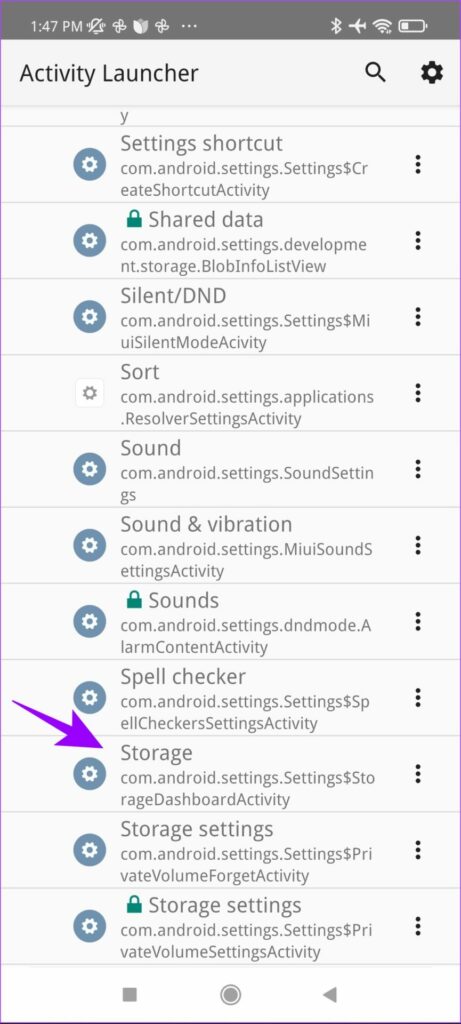
Step 2: Now, tap on Storage. Make sure you tap on the button with the keyword ‘StorageDashboardActivity.’
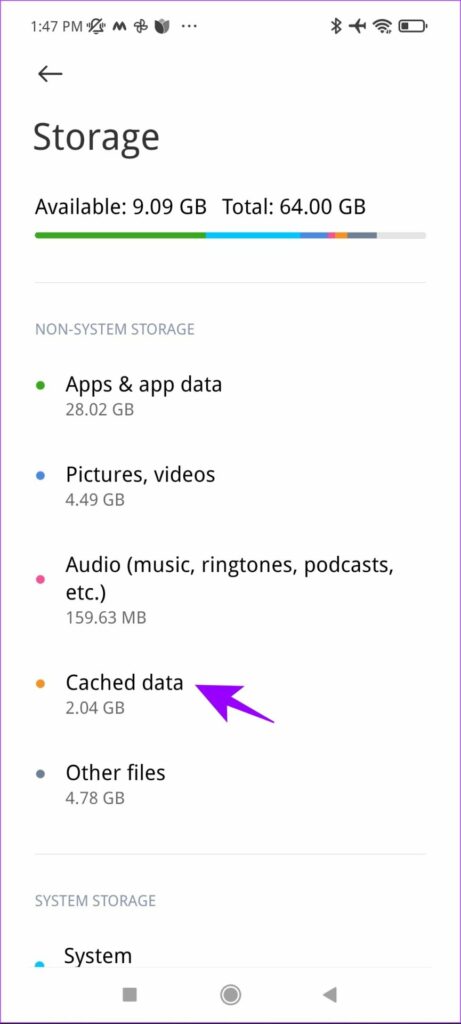
Step 3: You will be taken to the hidden Storage menu. Once there, select Cached data.
Step 5: Click OK to confirm.
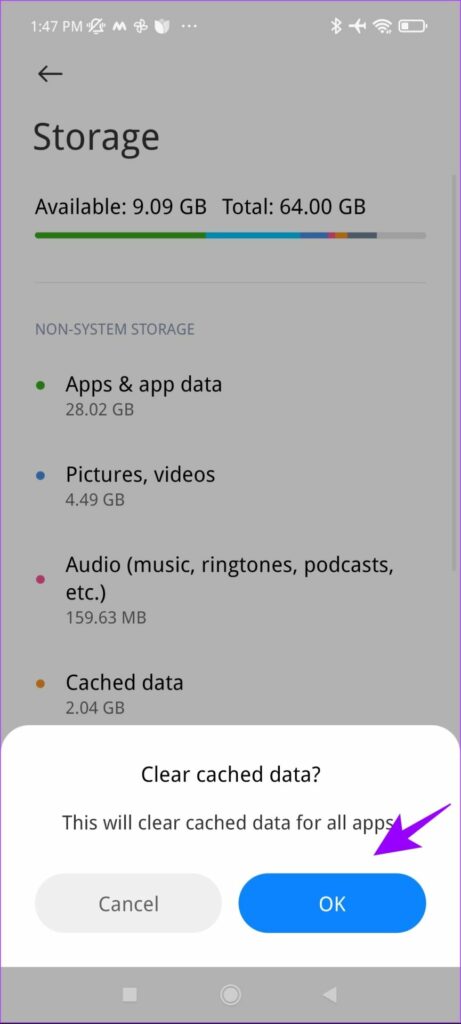
This is all you need to do to clear cache at once. Besides the above-mentioned steps, you can always delete downloads in the Streaming apps as they take up significant space. Have more questions? Move on to the next section
Frequently Asked Questions
1. Is it safe to clear the cache on MIUI? Yes, it is perfectly safe to clear the cache on MIUI. The functionality will not be affected as the cache is a temporary form of data.
2. How regularly do I need to clear storage on my device? We recommend keeping tabs on your storage and clearing it (if necessary) at least once a fortnight. This ensures that you have enough space required for important activities, say a large software update.
Free Up Storage on Your MIUI Device
These are some effective methods to clear storage on MIUI. We hope these methods helped you free up some space and get rid of the low storage warning. If you still feel that the current storage space is inadequate, you can always resort to the Cloud storage services like iCloud and Google Drive .
Was this helpful?
Submit Cancel
Thanks for your feedback!
Keep reading