Android
Where to Find Downloads on Samsung Galaxy Phones
Are you wondering where your downloaded files are saved on your Samsung Galaxy device? Learn how to find downloads on Samsung Galaxy phones.
By Mehvish
Quick Tips
Downloaded files appear in My Files > Downloads, and PDF files in the Documents category.
If you don’t see the Downloads category, navigate to Internal storage > Downloads.
There is a dedicated Downloads folder within the Samsung Internet browser.
Where to Find Downloaded Files on Samsung Galaxy Phone
If you’re new to Samsung Galaxy phones, you may wonder where your downloaded files are. Let’s explore it:
Using Download Category
Whenever you download files such as photos, videos, or documents, they are automatically saved in the Downloads category. To access this category, follow these steps:
Step 1: Open the My Files app on your device.
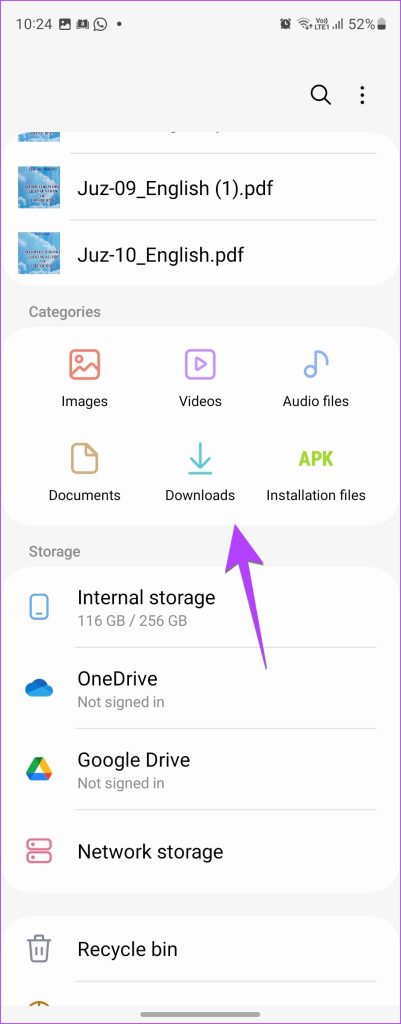
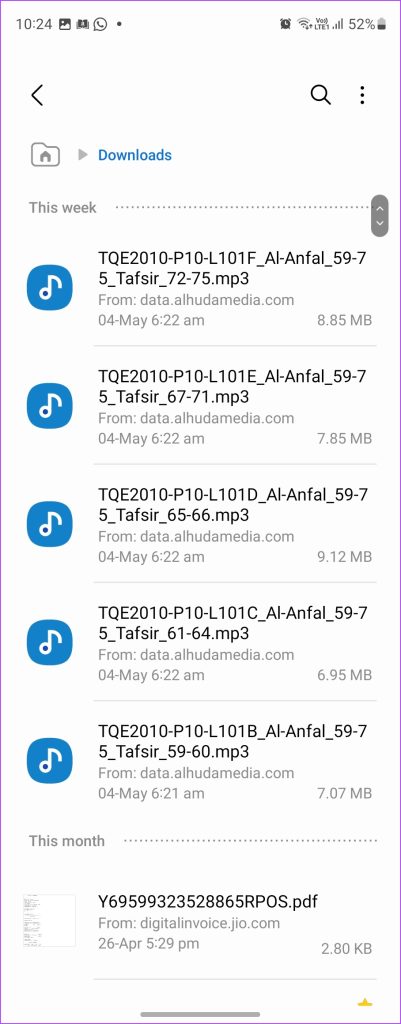
Step 2: Tap on Downloads under the Categories section.
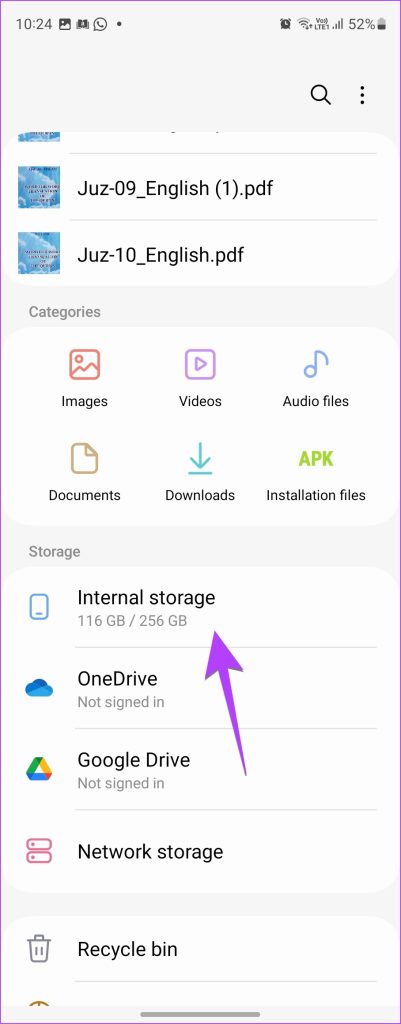
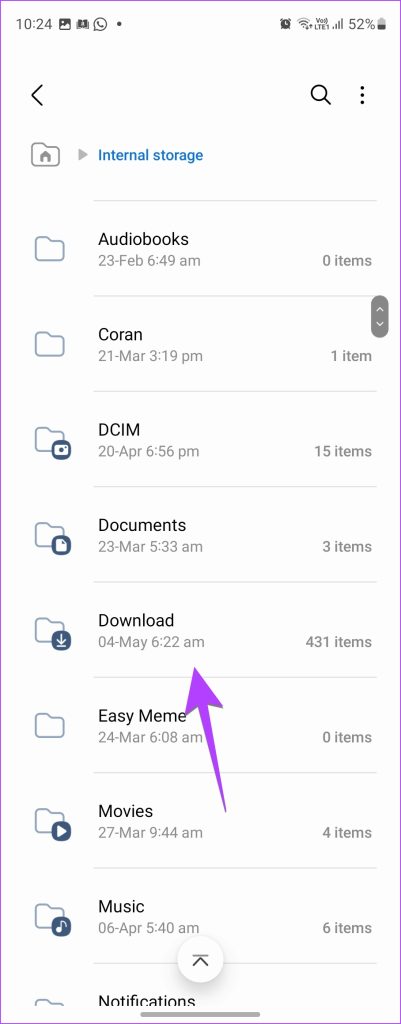
Step 3: If you don’t see the Downloads category, tap on Internal storage > Download .
You will find all your downloaded files here.
Also read: Samsung My Files vs Google Files: Which One Is Better
Where Are PDF Files Saved on Samsung Galaxy Phone
When you download a PDF file on your Samsung Galaxy phone, it is automatically stored in the Documents category. To access your files, follow these steps:
Step 1: Open the My Files app on your device.
Step 2: In the Categories section, tap on Documents .
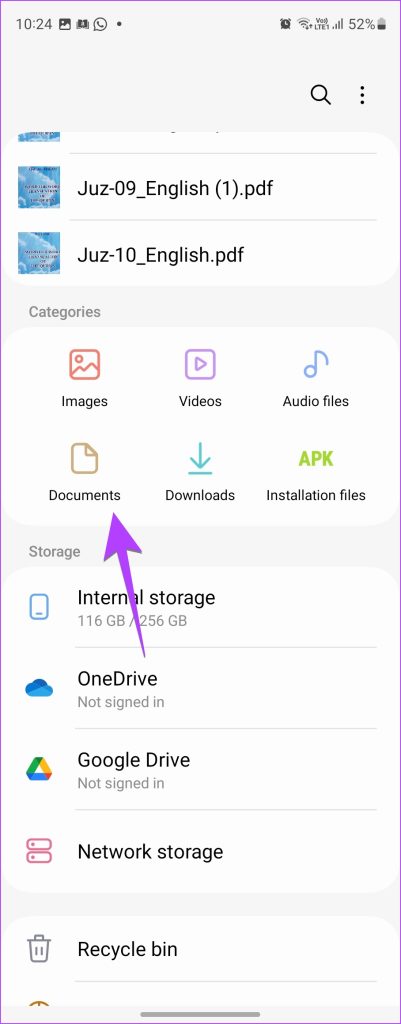
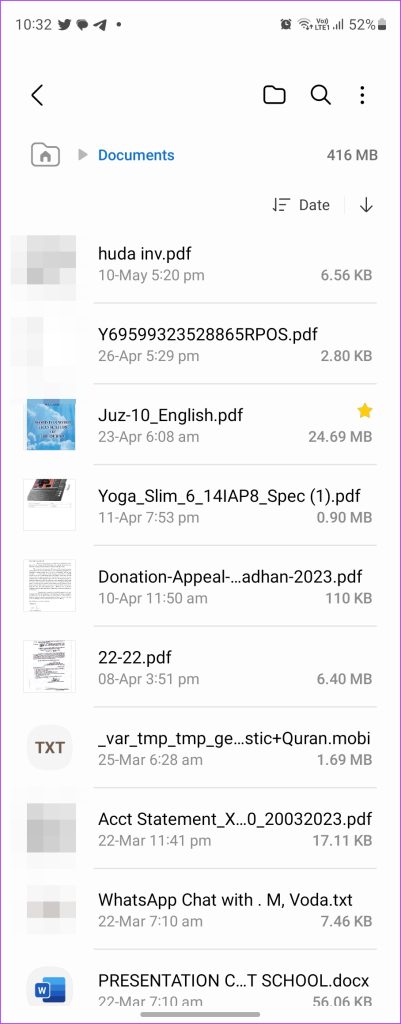
Here, you will find all your downloaded PDF files neatly organized
Also read: How to change the default PDF viewer on Android
Find Downloads From the Samsung Internet Browser
If you’ve downloaded files directly from the Samsung Internet browser, you can see them in the Downloads folder of the browser. To access it, follow these steps:
Step 1: Open the Samsung Internet app on your device.
Step 2: Tap on the three dots in the bottom right corner.
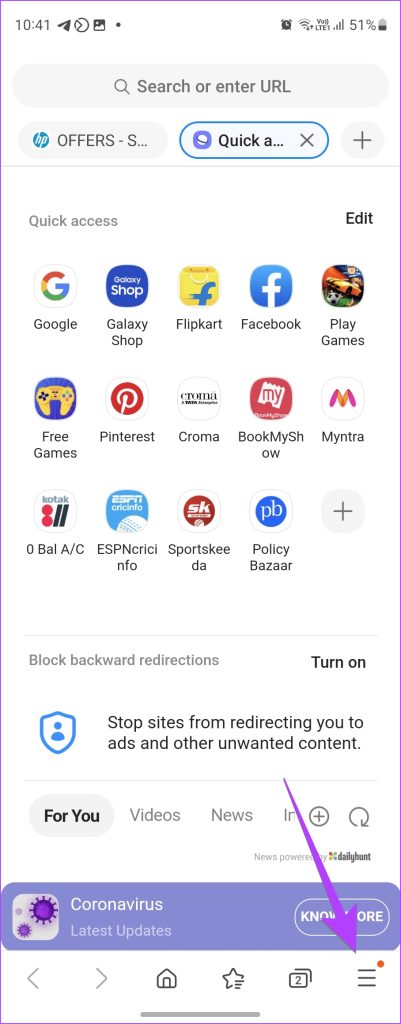
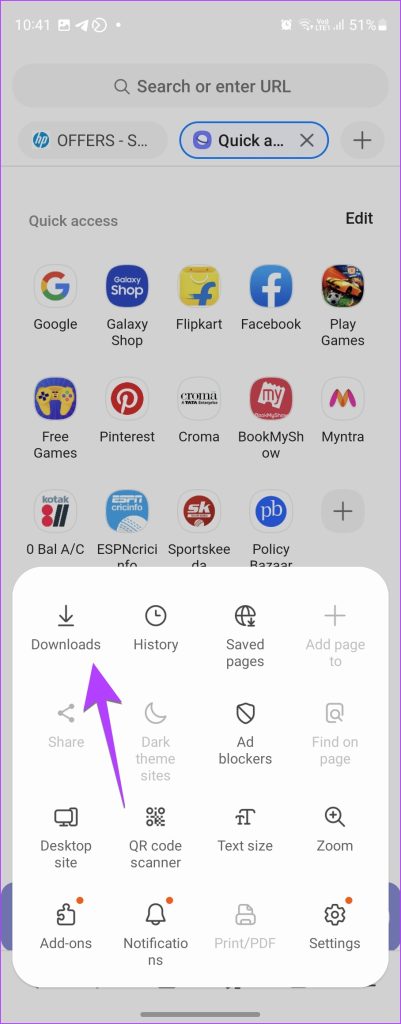
Step 3: Select Downloads from the options list.
You can see all your recent downloads from the internet browser here.
Access Chrome Downloads on Your Samsung Phone
If you’re using Google Chrome on your Samsung Galaxy phone to download files, you’ll find them here:
Step 1: Open the Google Chrome app.
Step 2: Tap on the three dots and select Downloads .

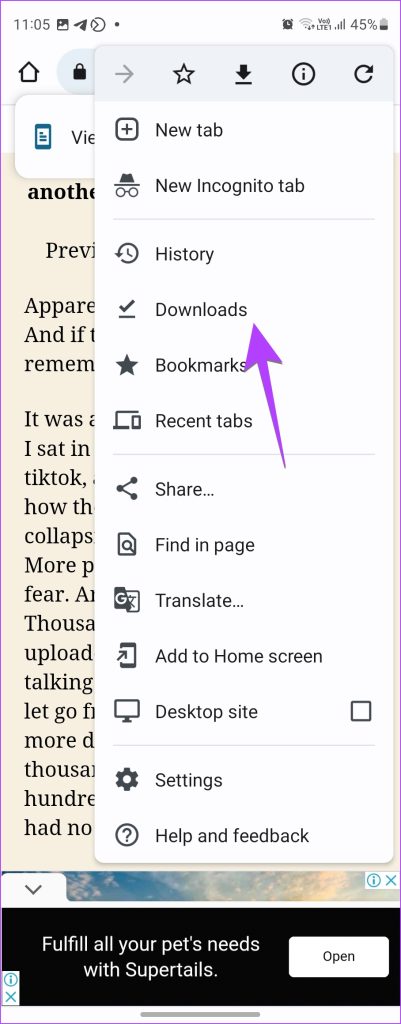
This will take you to a list of all your downloaded files from Google Chrome.
Was this helpful?
Submit Cancel
Thanks for your feedback!
Keep reading