Android
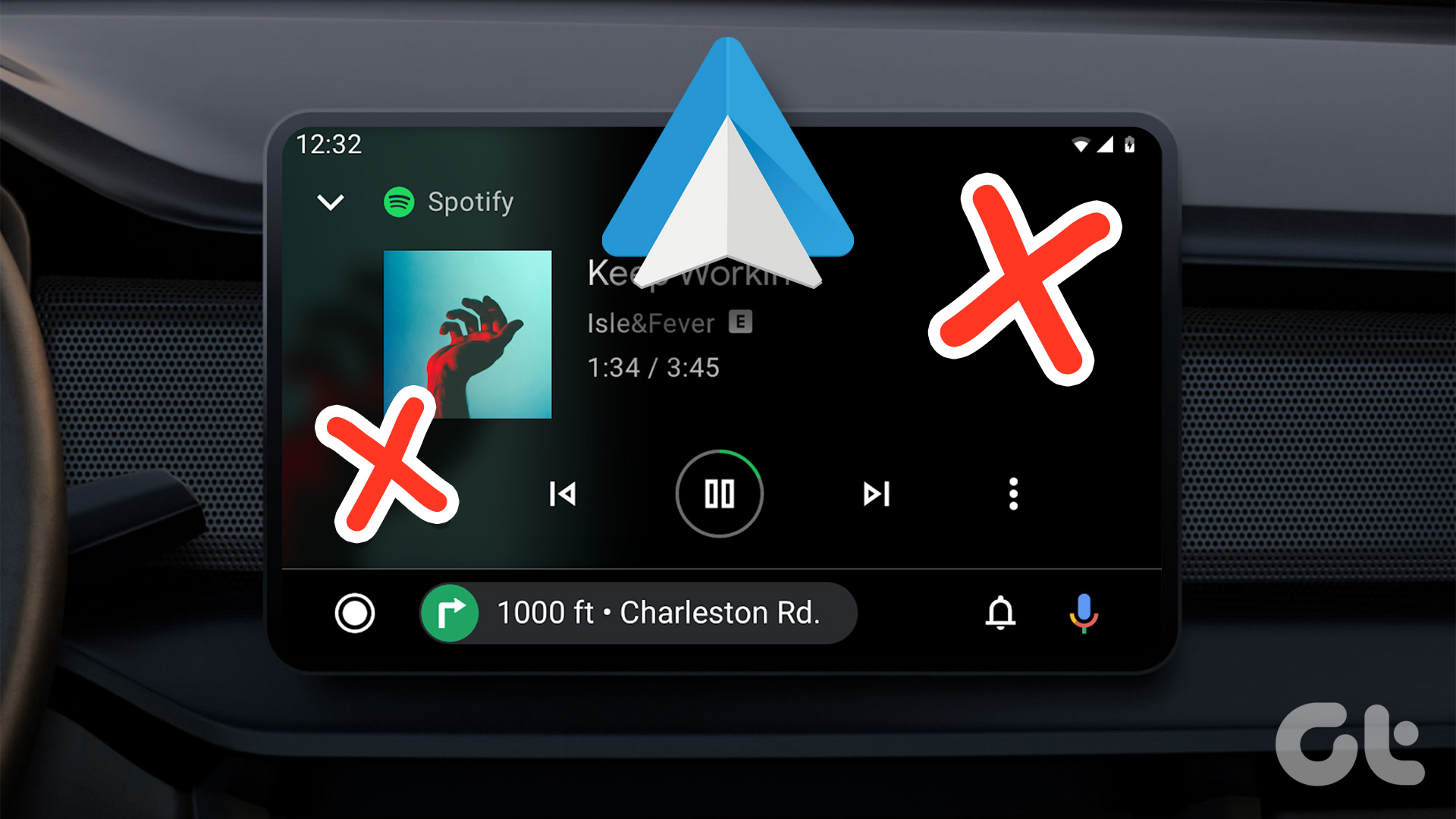
4 Fixes for Android Auto Not Playing Music From Spotify or YouTube Music
Is Android Auto not playing music from Spotify or YouTube Music in your car? Here are some simple and quick solutions to fix the problem.
By Sumukh Rao
Quick Tips
Restart your phone and the car’s infotainment system to eliminate any temporary bugs.
Check your car stereo’s volume levels and increase them if muted.
Toggle Wi-Fi and Bluetooth off before turning them back on.
Fix 1: Change the Default Music Streaming Service
Say you have a Spotify subscription. However, the default music streaming application is set to Apple Music. In this case, Android Auto may be unable to play your requested music. Here’s how to change it.
Step 1: Open Settings > go to Connected devices . Tap on Connection preferences . Then, select Android Auto .
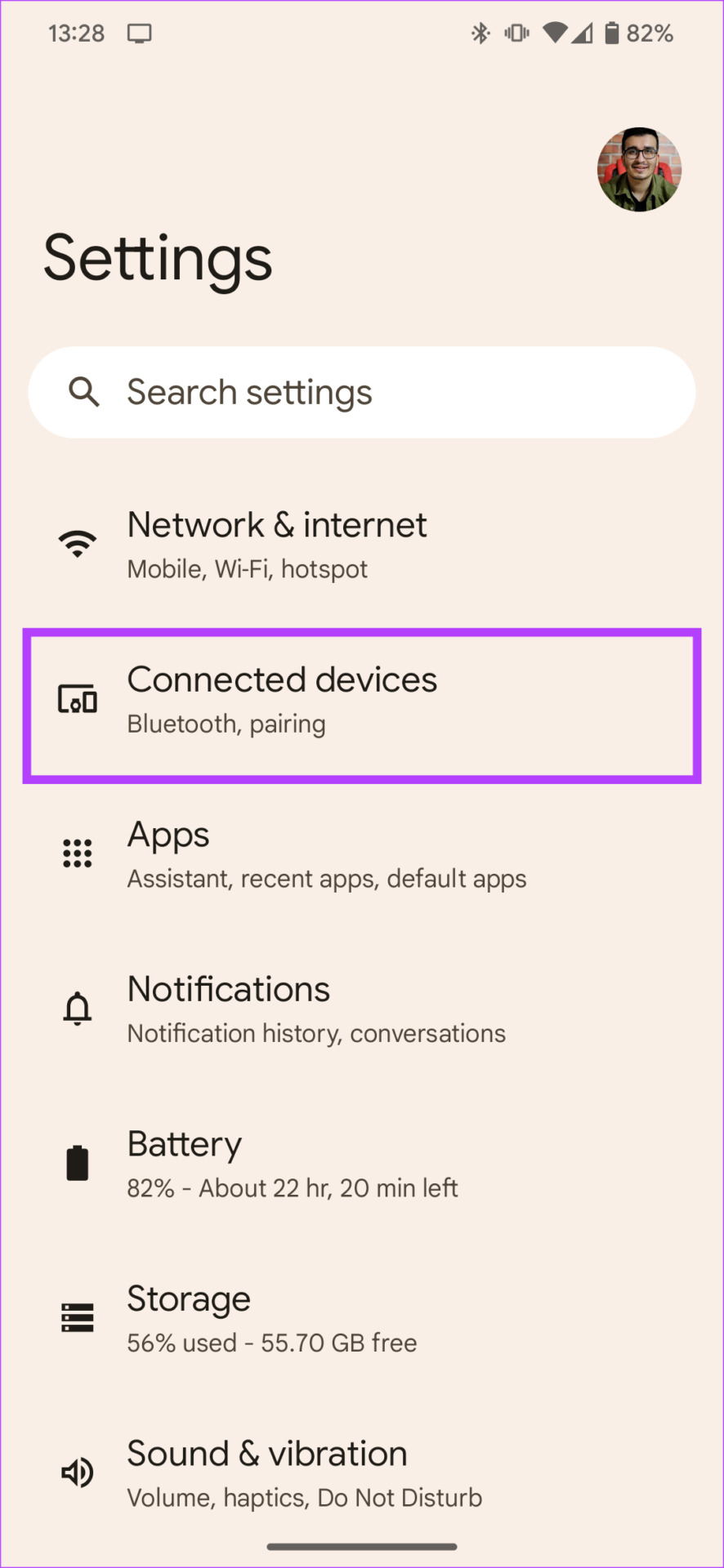
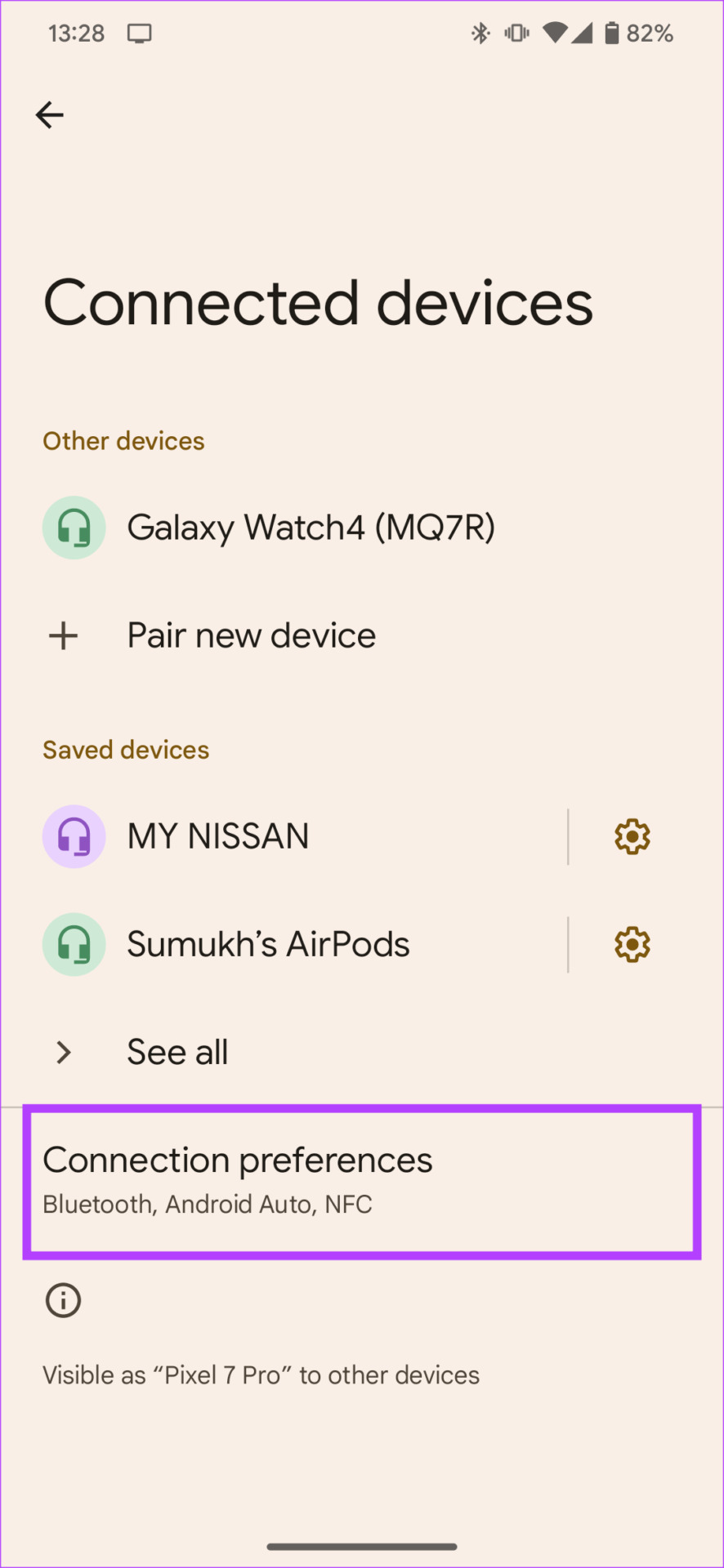
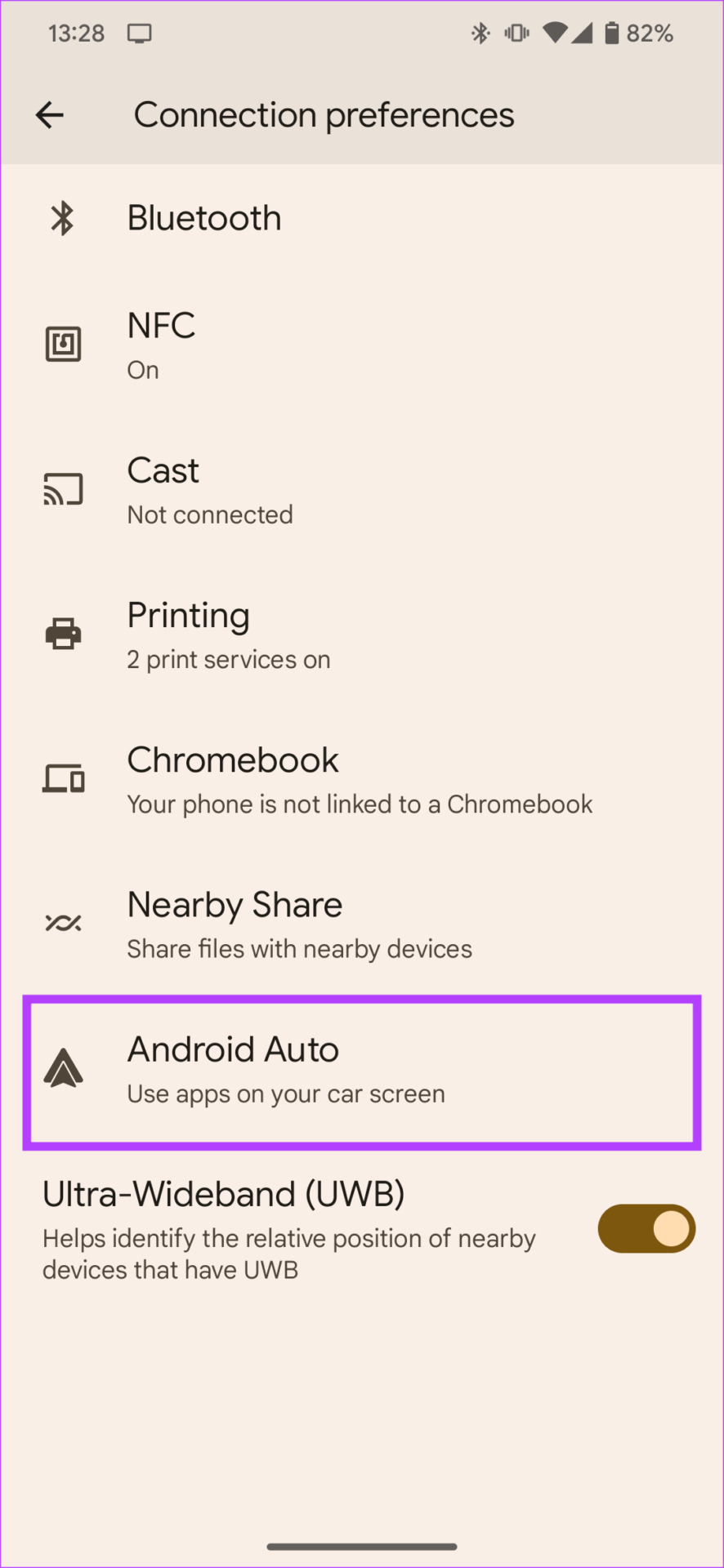
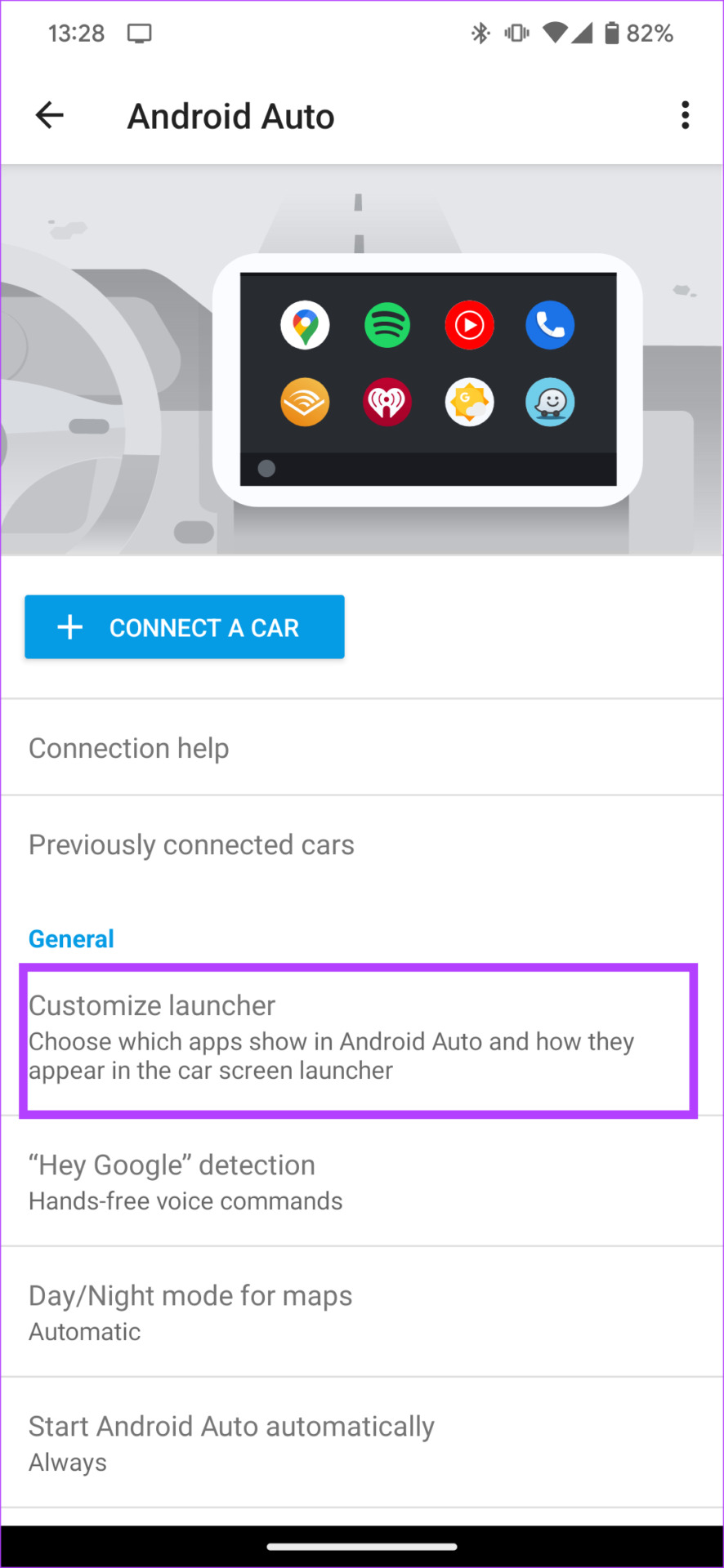
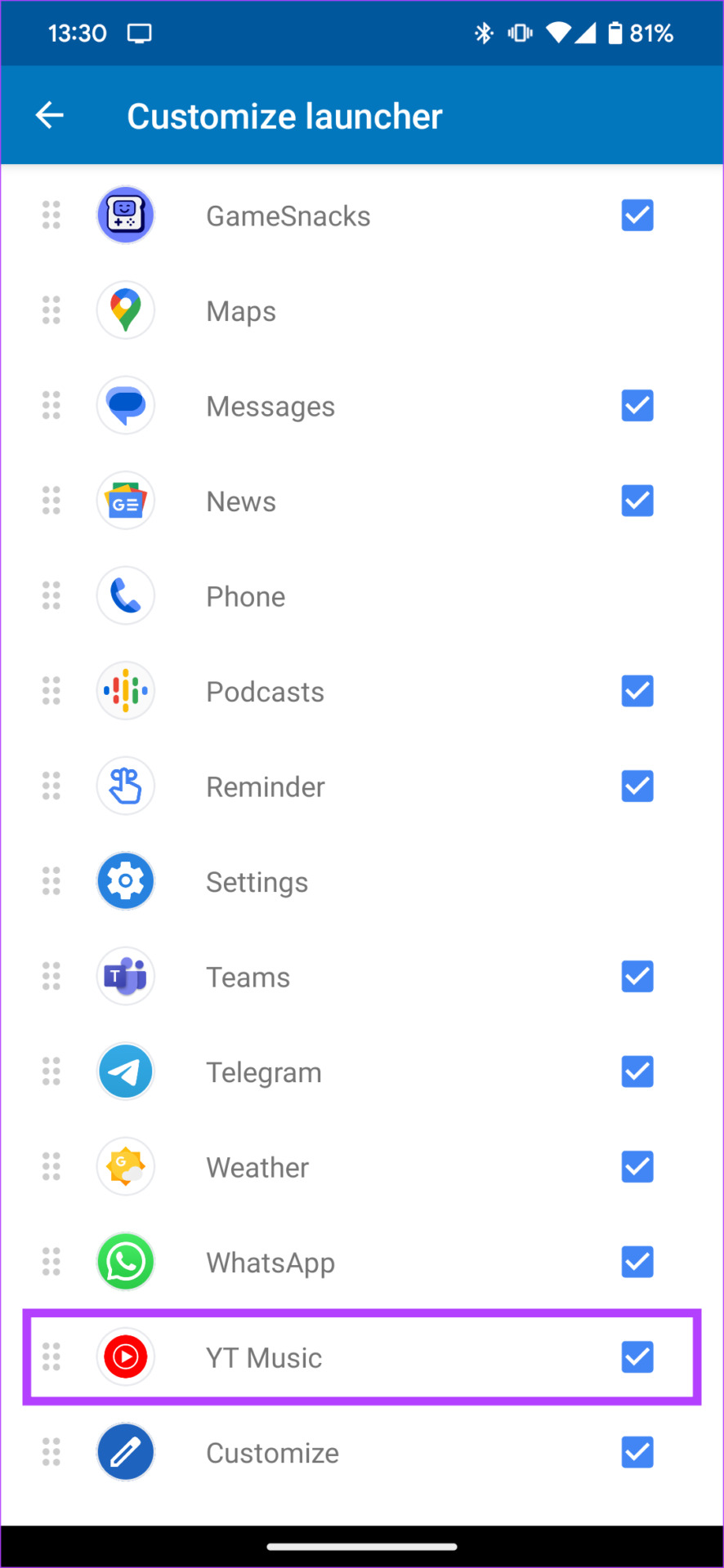
Step 2: Now, choose the Customize launcher option.
Step 3: Uncheck the music players that are not in use. Ensure you’ve only selected the music services to which you have a subscription.
Fix 2: Use Wired Android Auto Instead of Wireless
There’s a chance that your smartphone cannot establish a stable wireless connection with your car’s stereo system. To rule out the possibility of an error related to wireless Android Auto on your phone, try connecting it to the car via a USB cable. You can also use this method if you’re using a wireless Android Auto adapter that’s not working.
Fix 3: Use a High-Quality USB Cable
Using a good USB cable certainly helps you avoid any connection reliability issues with Android Auto. Not all USB cables are made the same way, and many are meant for charging and do not support data transfer. Such cables may be why Android Auto does not play music in your car. Look at some of the best USB-C cables for Android Auto for a reliable connection.
Fix 4: Clear the Cache of the Android Auto App
Clearing the cache of an app that isn’t functioning as intended often solves the issue on most Android devices.
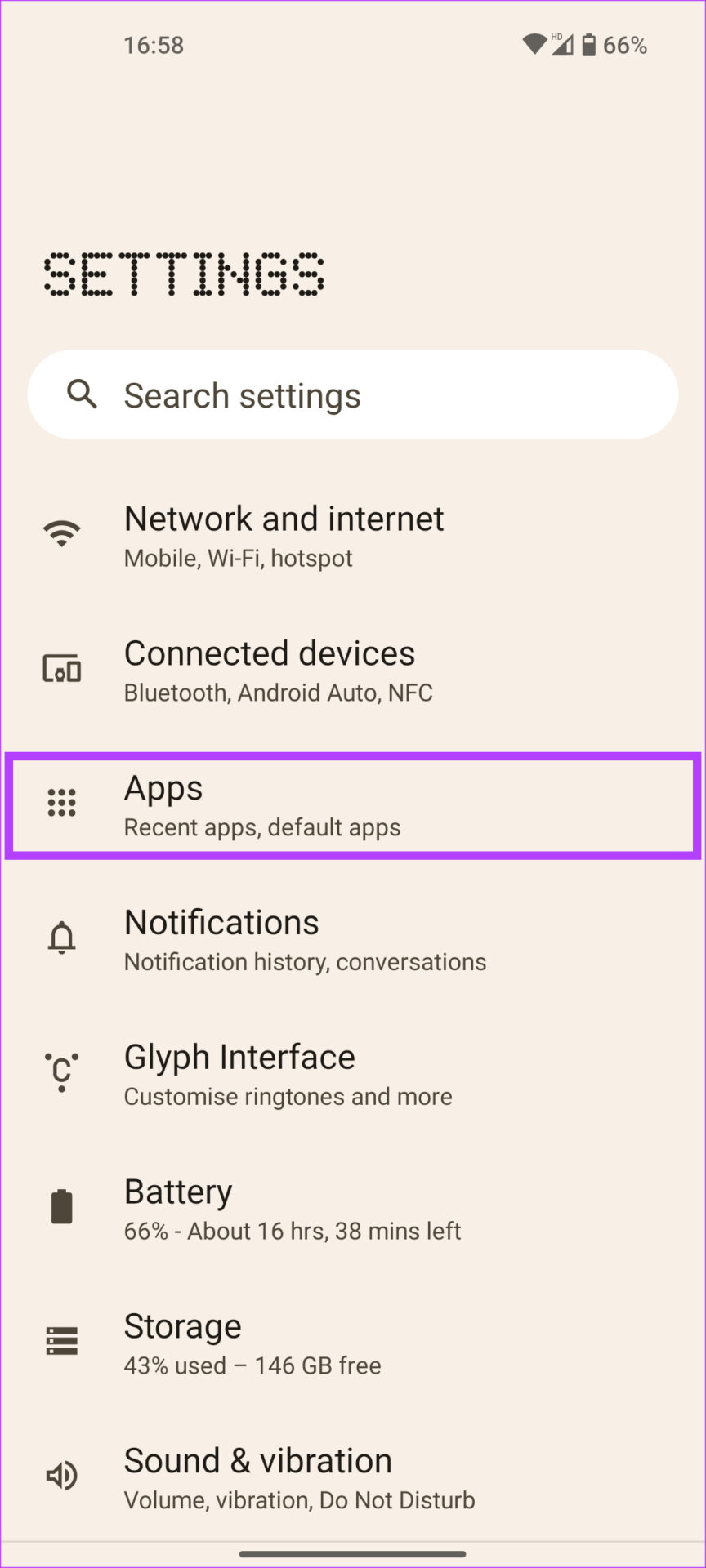
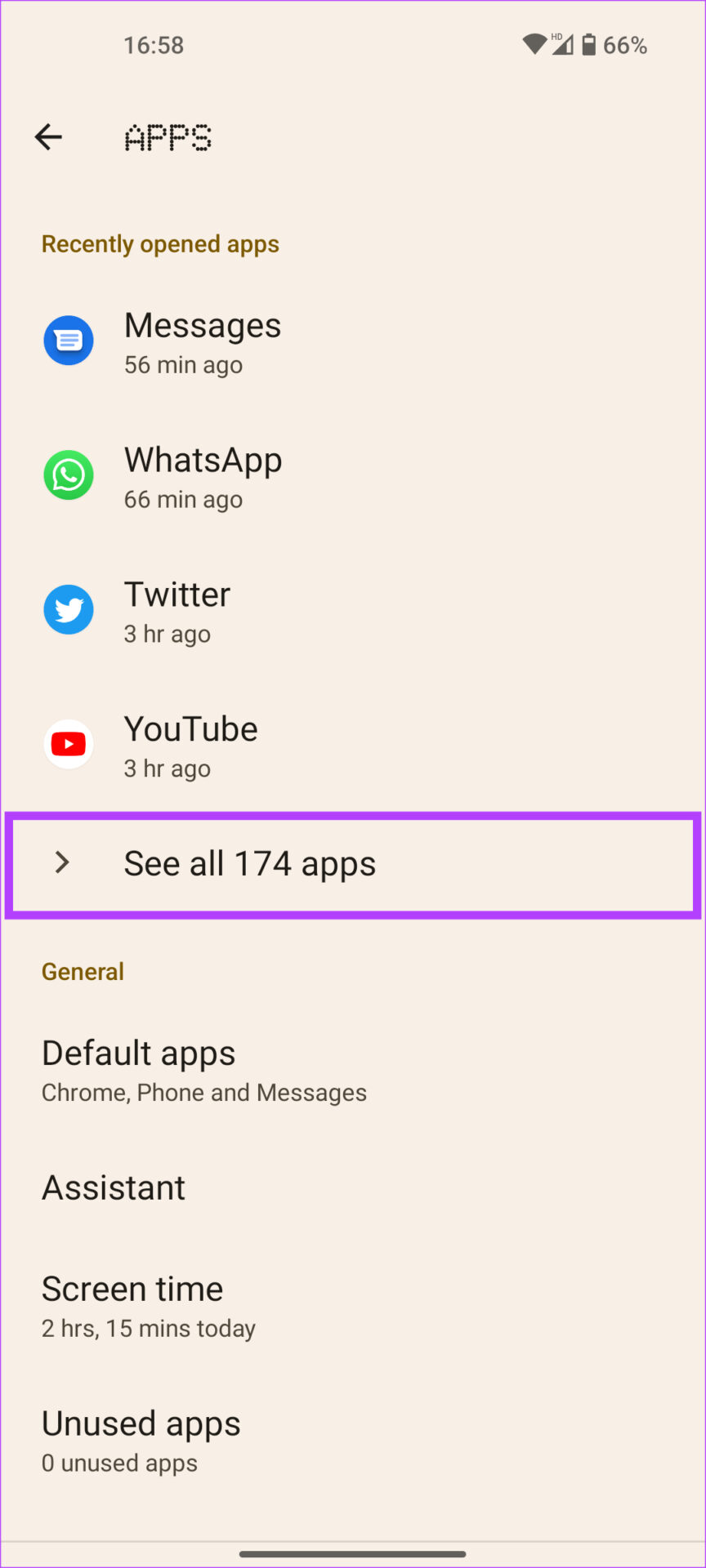
Step 1: Open Settings and navigate to the Apps section. Tap on See all apps .
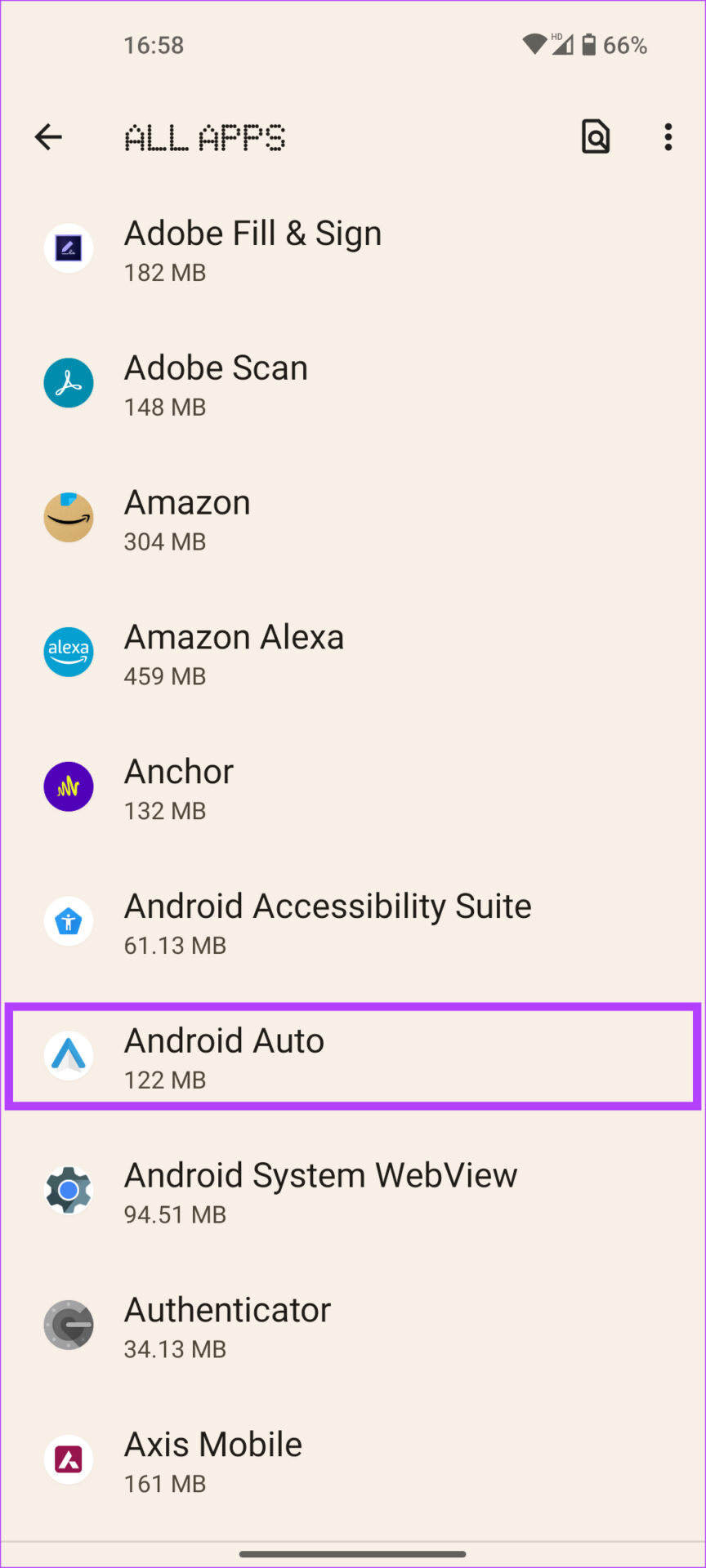
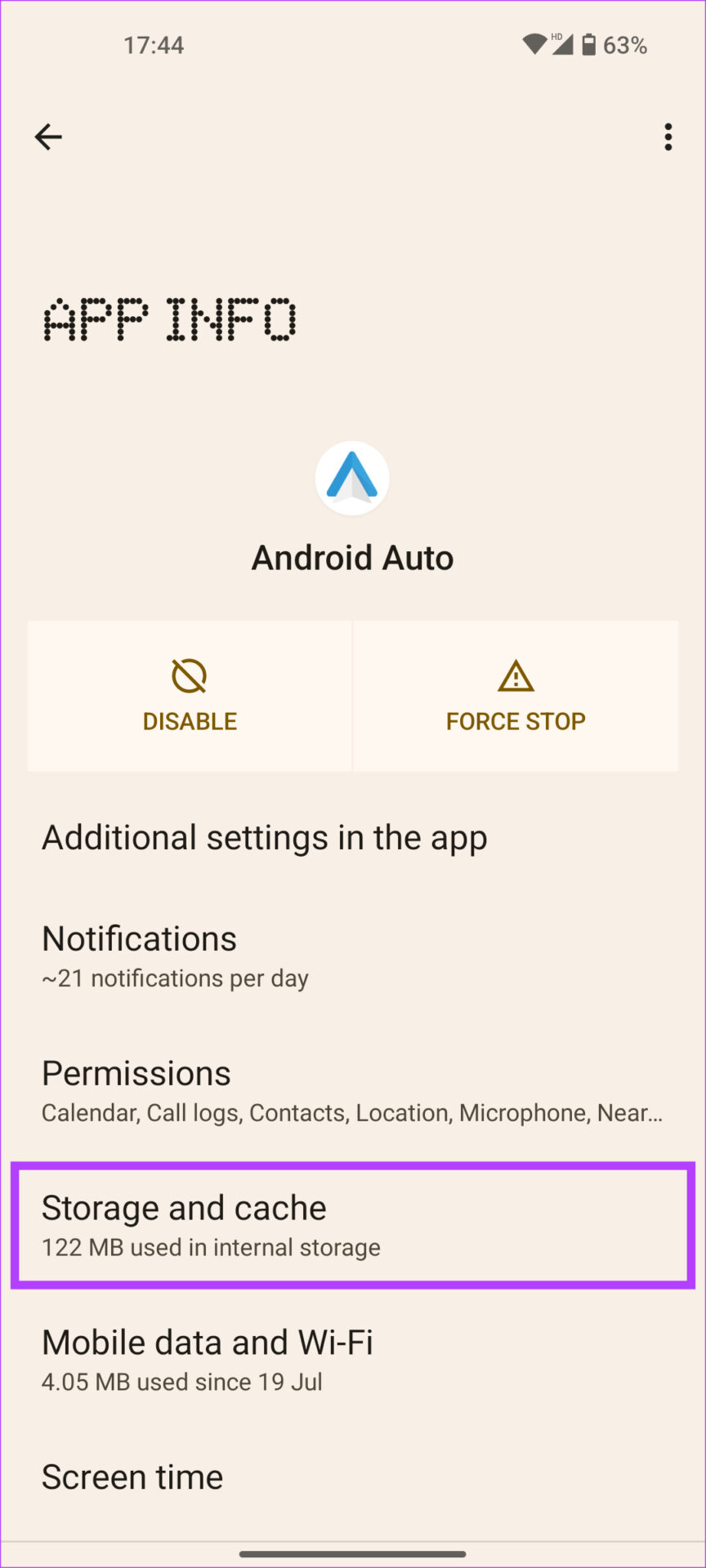
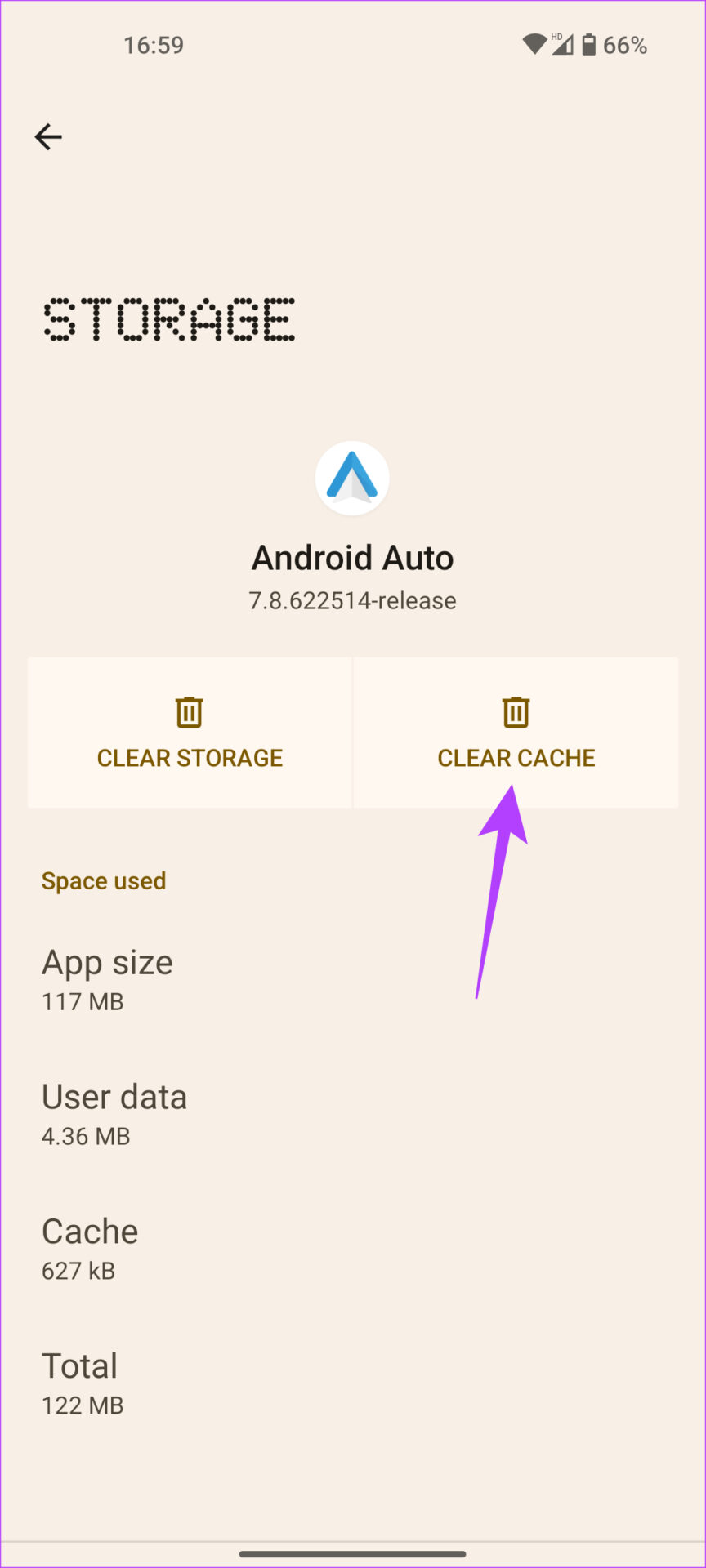
Step 2: Scroll down and select Android Auto . Choose Storage and cache > Clear Cache .
Was this helpful?
Submit Cancel
Thanks for your feedback!
Keep reading