Android
4 Ways to Fix Android Phone Keeps Losing Network Connection
Does your Android phone frequently lose network connection? Here are the best ways to troubleshoot network connection issues on Android.
By Parth Shah

Quick Tips
Enable data roaming services to use cellular services outside your coverage region.
5G services may not be strong in your area, try switching to 4G/LTE.
Try ejecting your SIM card and inserting it again.
Basic Fixes
Check network connection: Ensure there’s enough signal strength, or move to different surroundings.
Check SIM Plan: Ensure you have an active cellular plan on your SIM.
Eject and re-insert SIM: Eject the SIM card from your phone, and insert it again. This can help you refresh the network connection.
Restart device : Restart your Android device to fix temporary bugs and glitches.
Update device: Update your device to the latest available Android version for a bug-free experience.
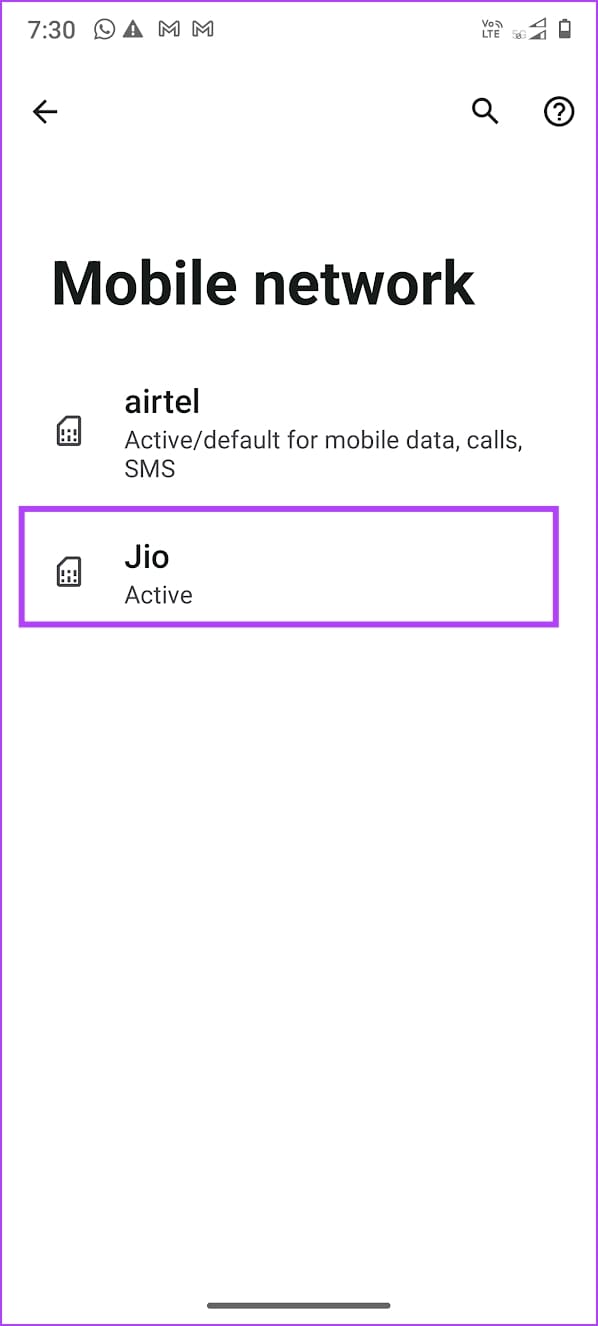
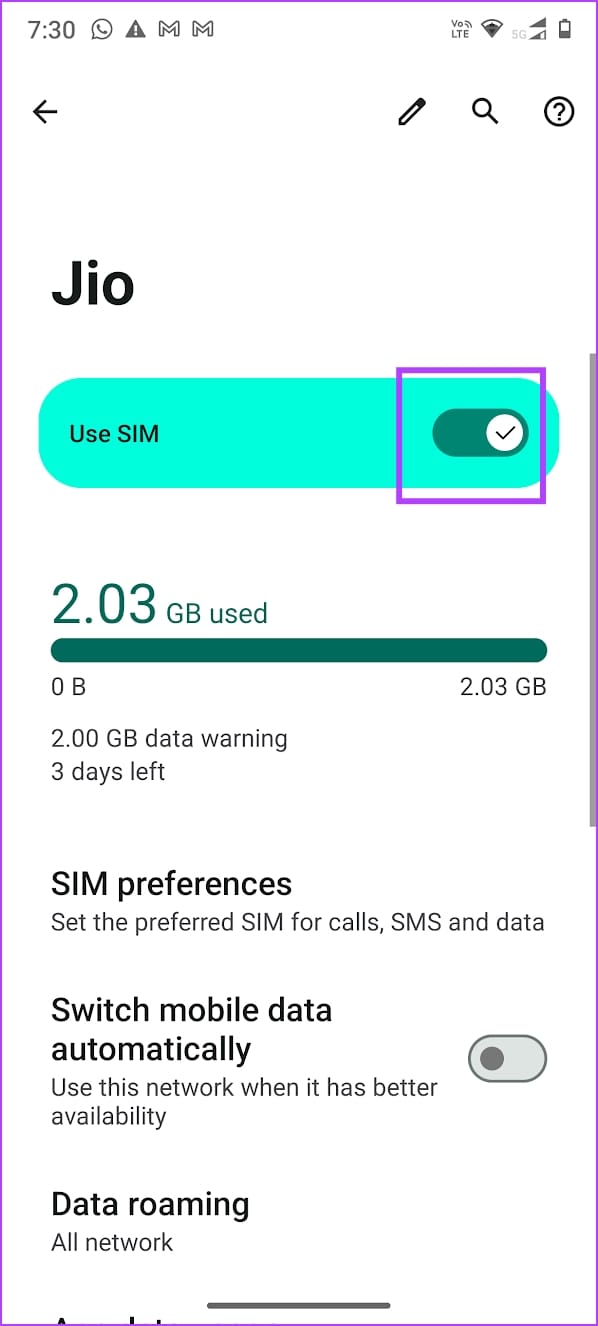
Fix 1: Disable and Enable SIM
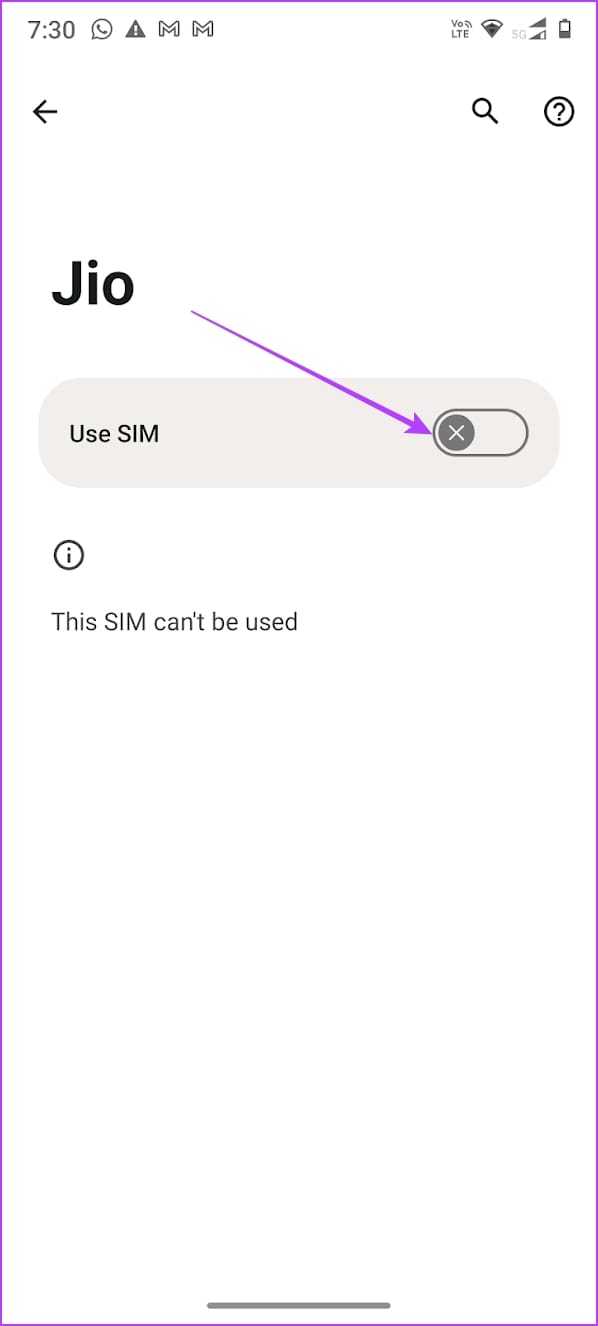
Re-activating SIM cards can establish a fresh connection, thereby removing any bugs.
Open Settings > Mobile network , select the SIM card, and turn it off and turn it on.
Fix 2: Enable Roaming
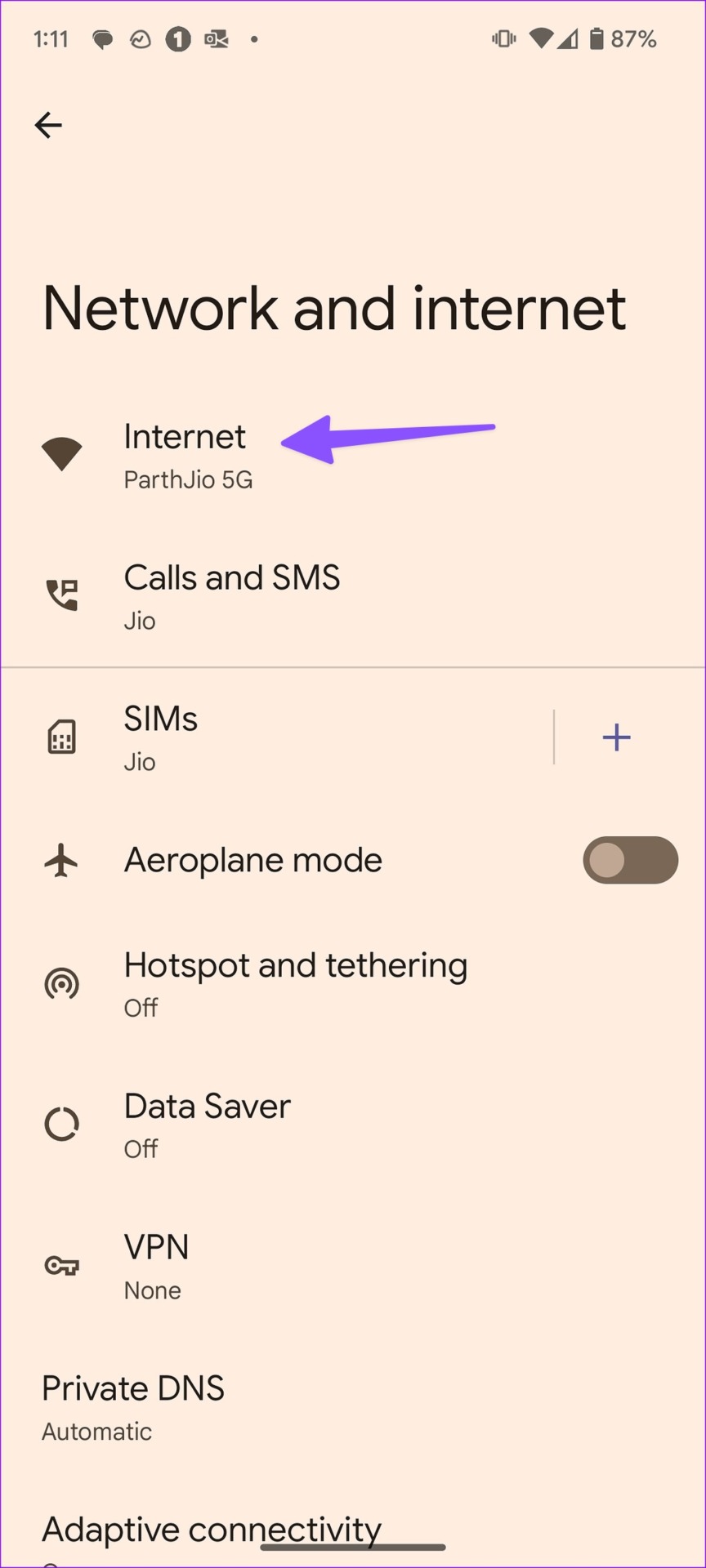
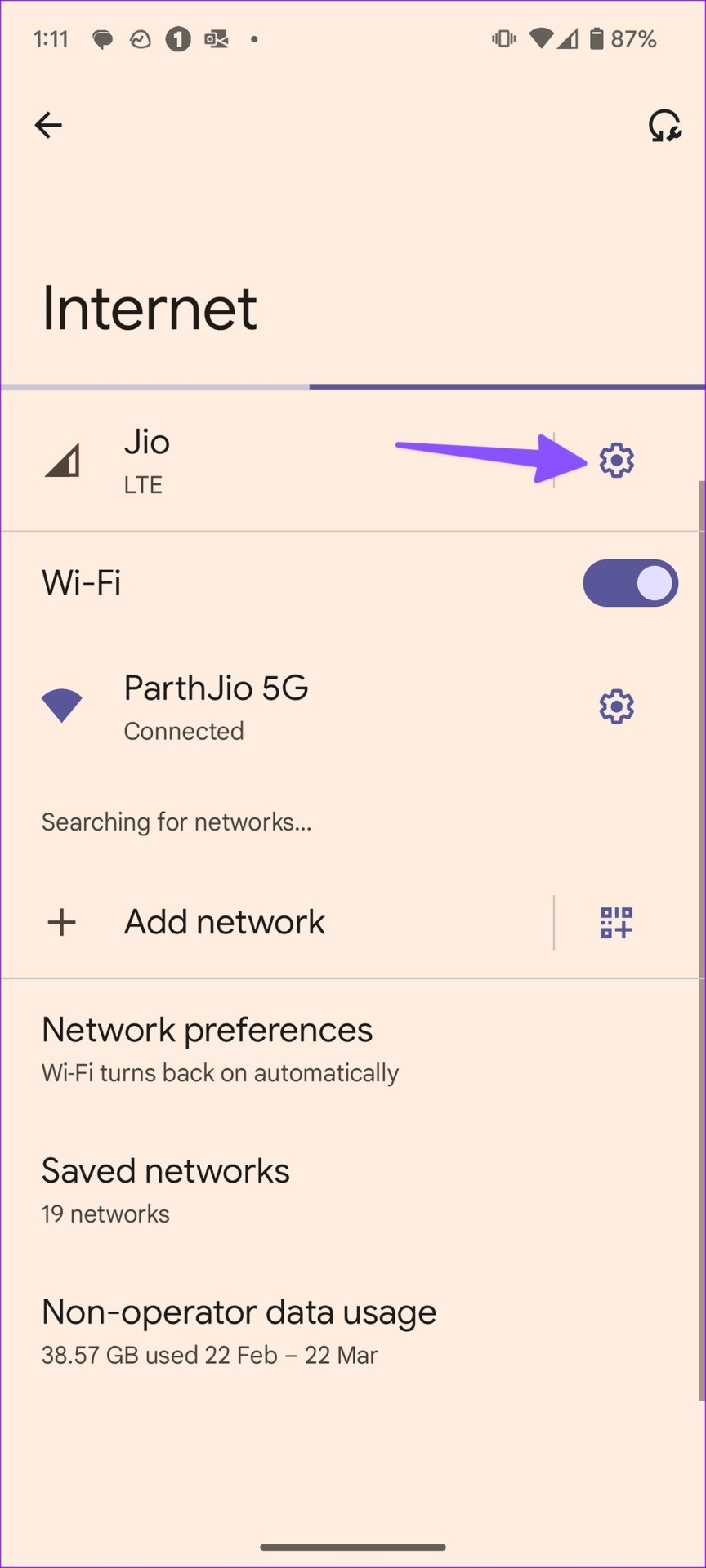
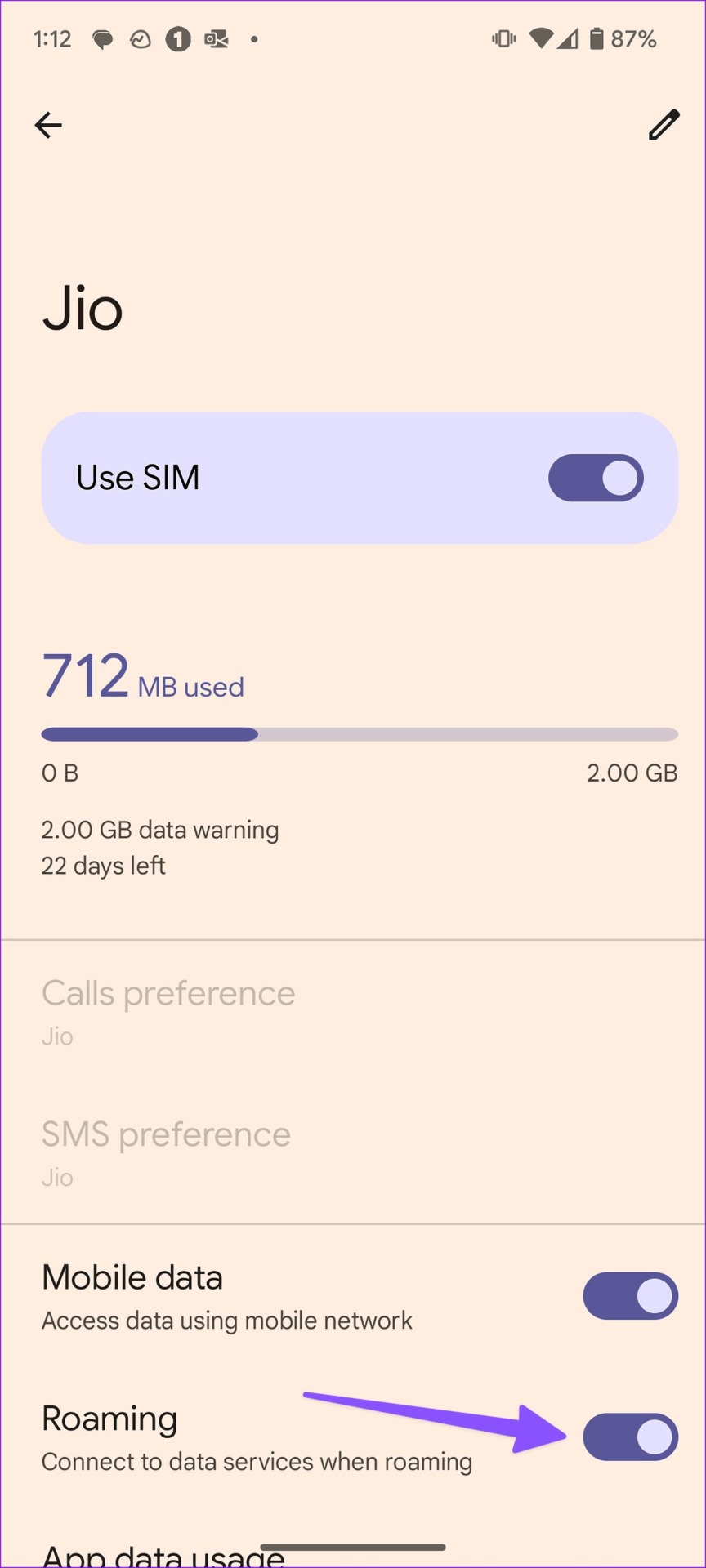
You’ll need to enable roaming on your Android phone; otherwise, data services may stop working outside your state.
Open Settings > Network and Internet > Internet , tap on the gear (settings) icon, and enable Roaming .
Fix 3: Disable 5G
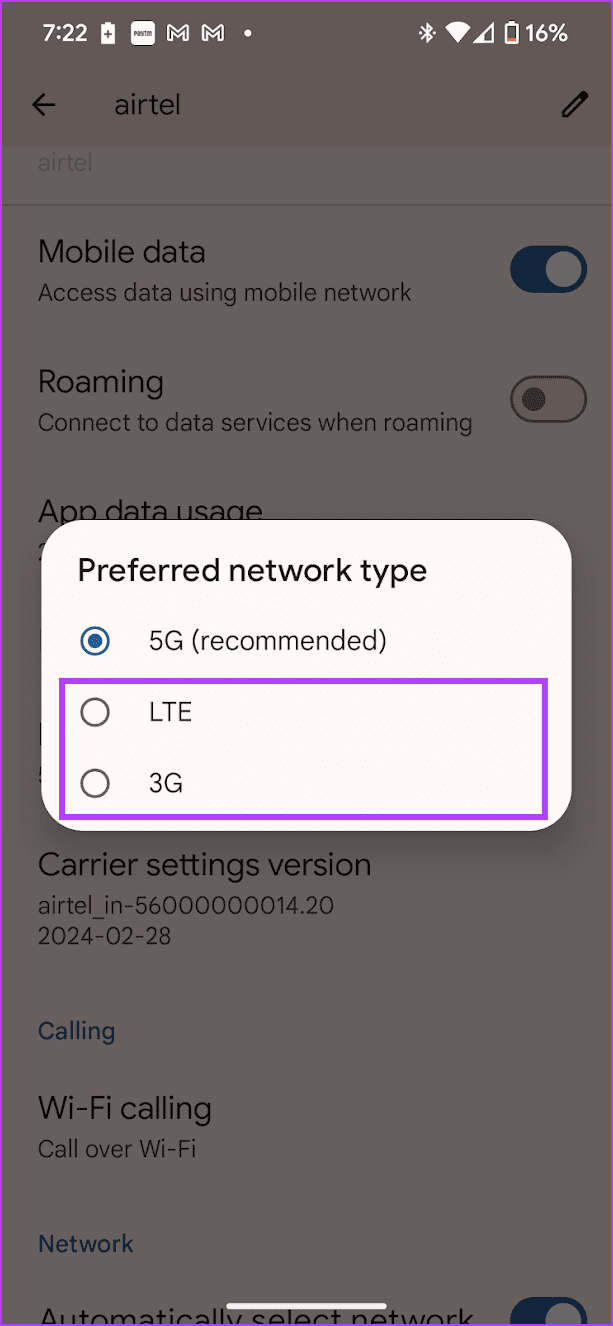
5G signals may not be strong in your region – try switching to LTE/4G.
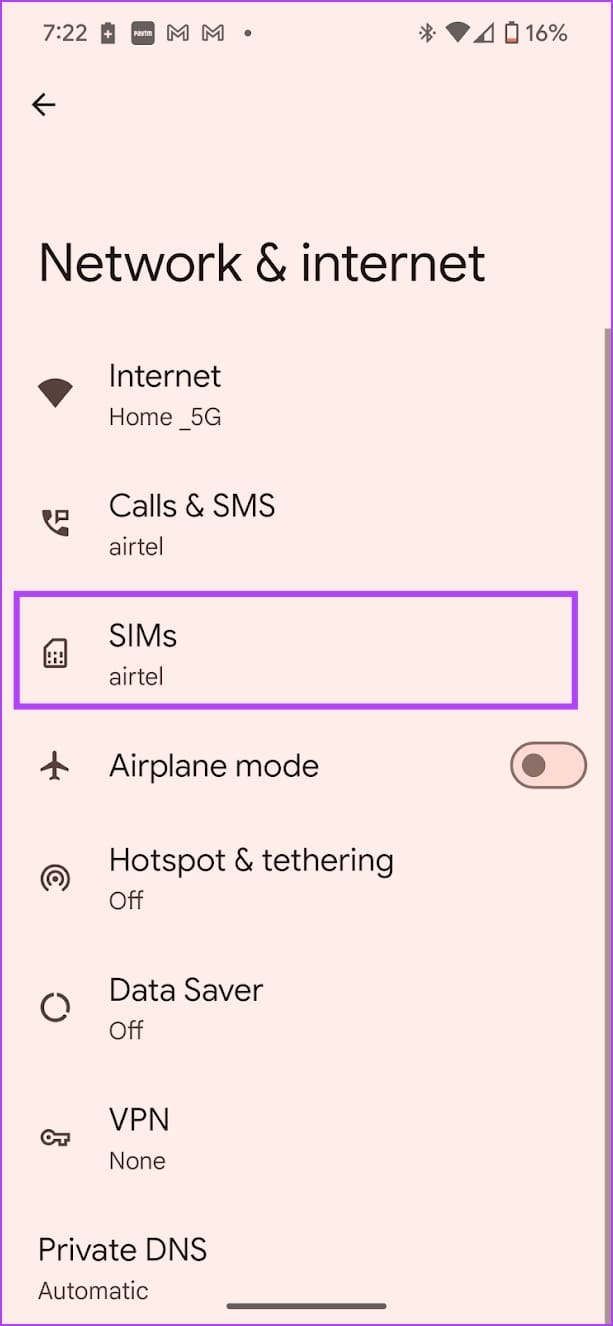
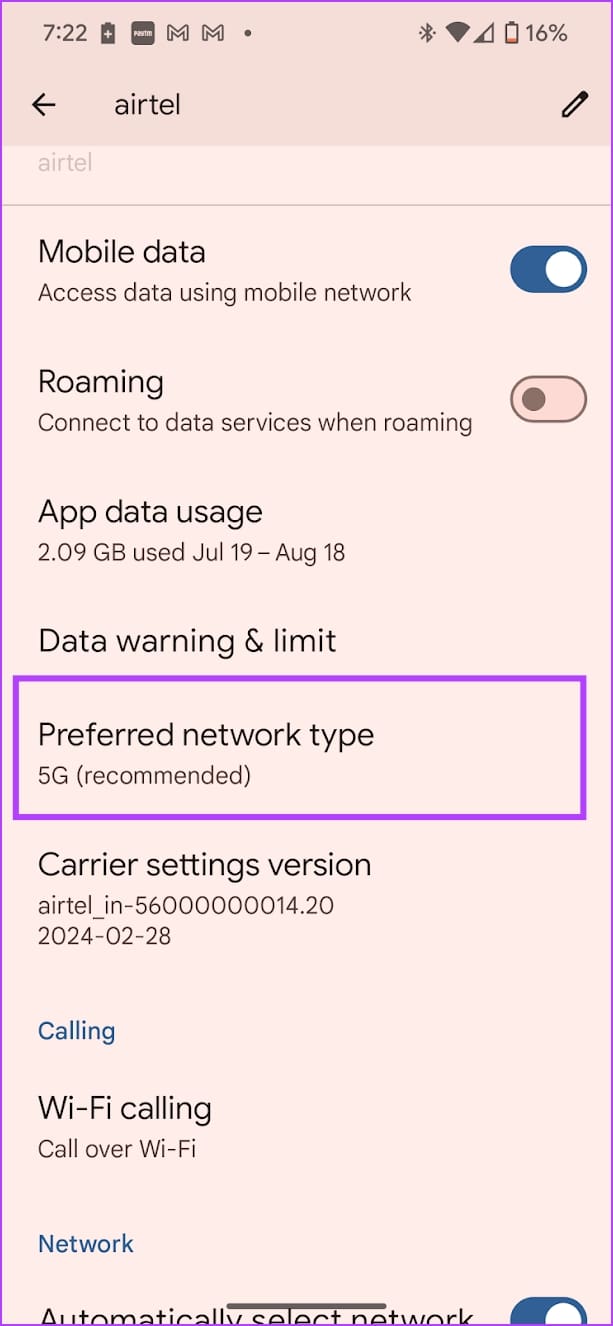
Open Settings > Network and Internet > SIMs > Preferred network type and select LTE or 3G .
Fix 4: Reset Network Settings
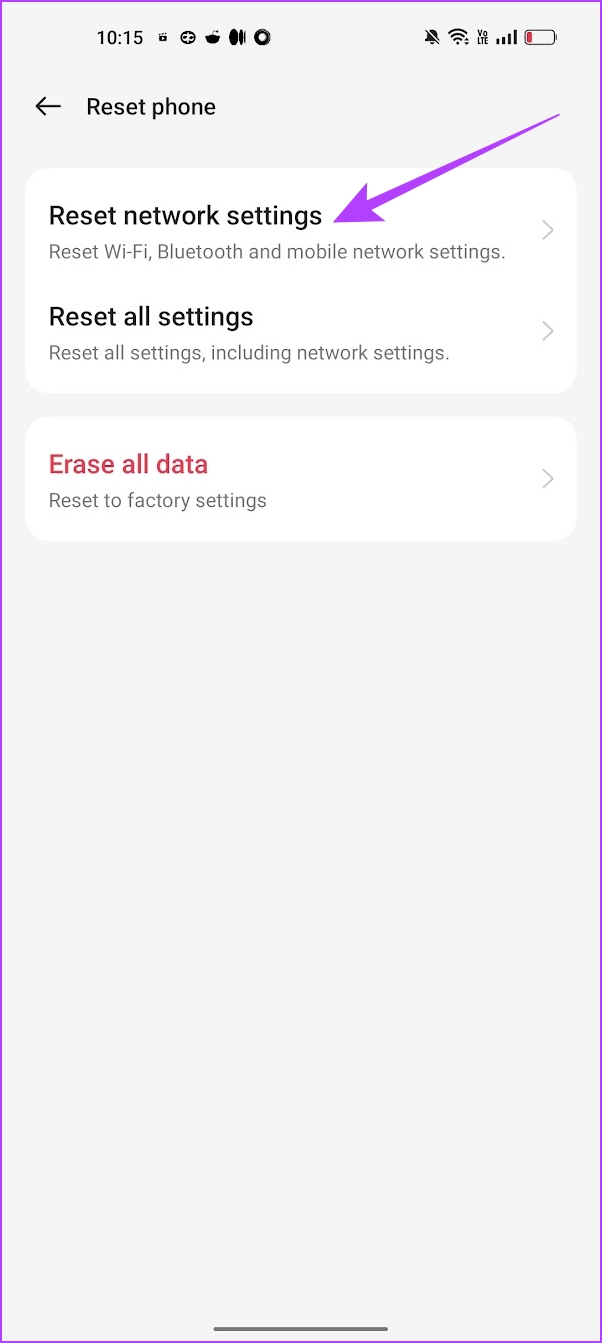
If you are facing any problems with Bluetooth connections , Wi-Fi network , cellular and GPS connectivity on your Android device – your best bet is to reset network settings.
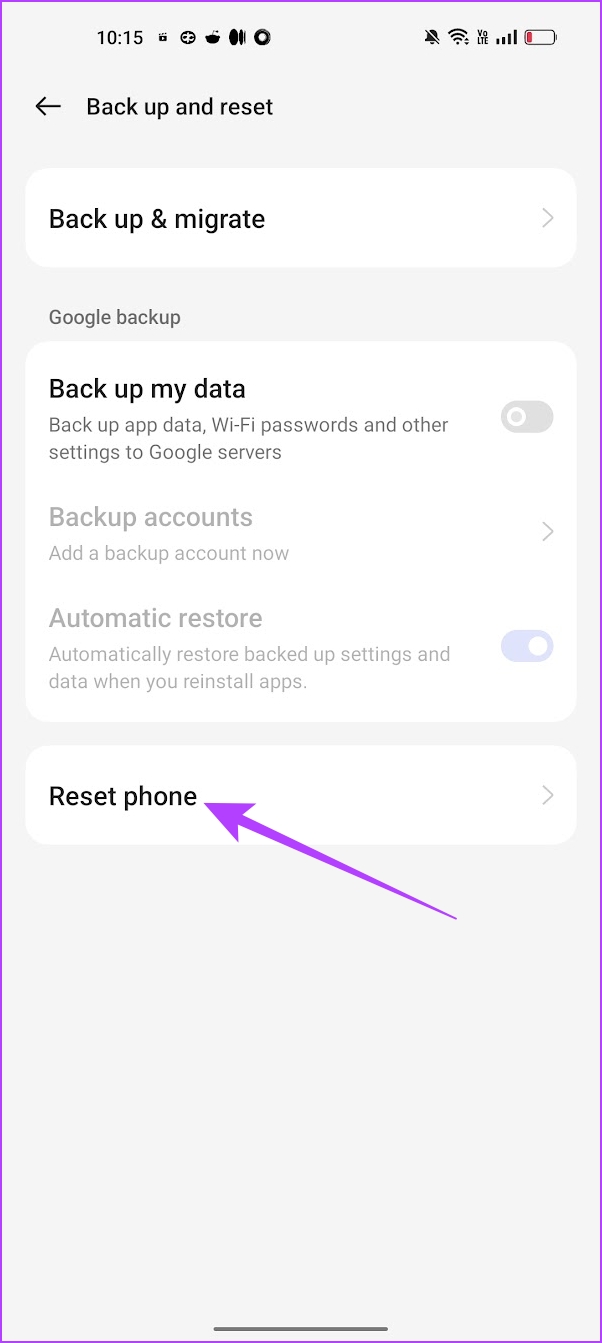
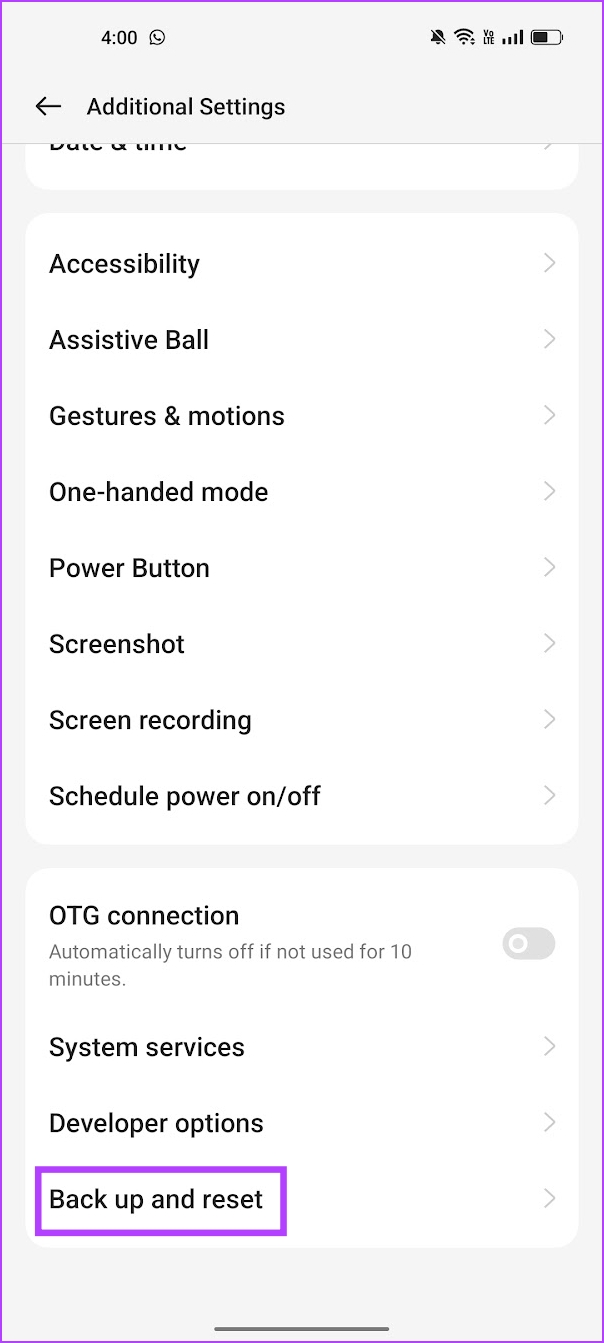
Open the Settings > Back up and Reset > Reset Phone and select Reset network settings .
If none of the above methods work, contact your network service provider. Your SIM card may be damaged, and you’ll have to get it replaced.
Was this helpful?
Submit Cancel
Thanks for your feedback!
Keep reading