Android
4 Ways to Fix Contacts Search Not Working on Android
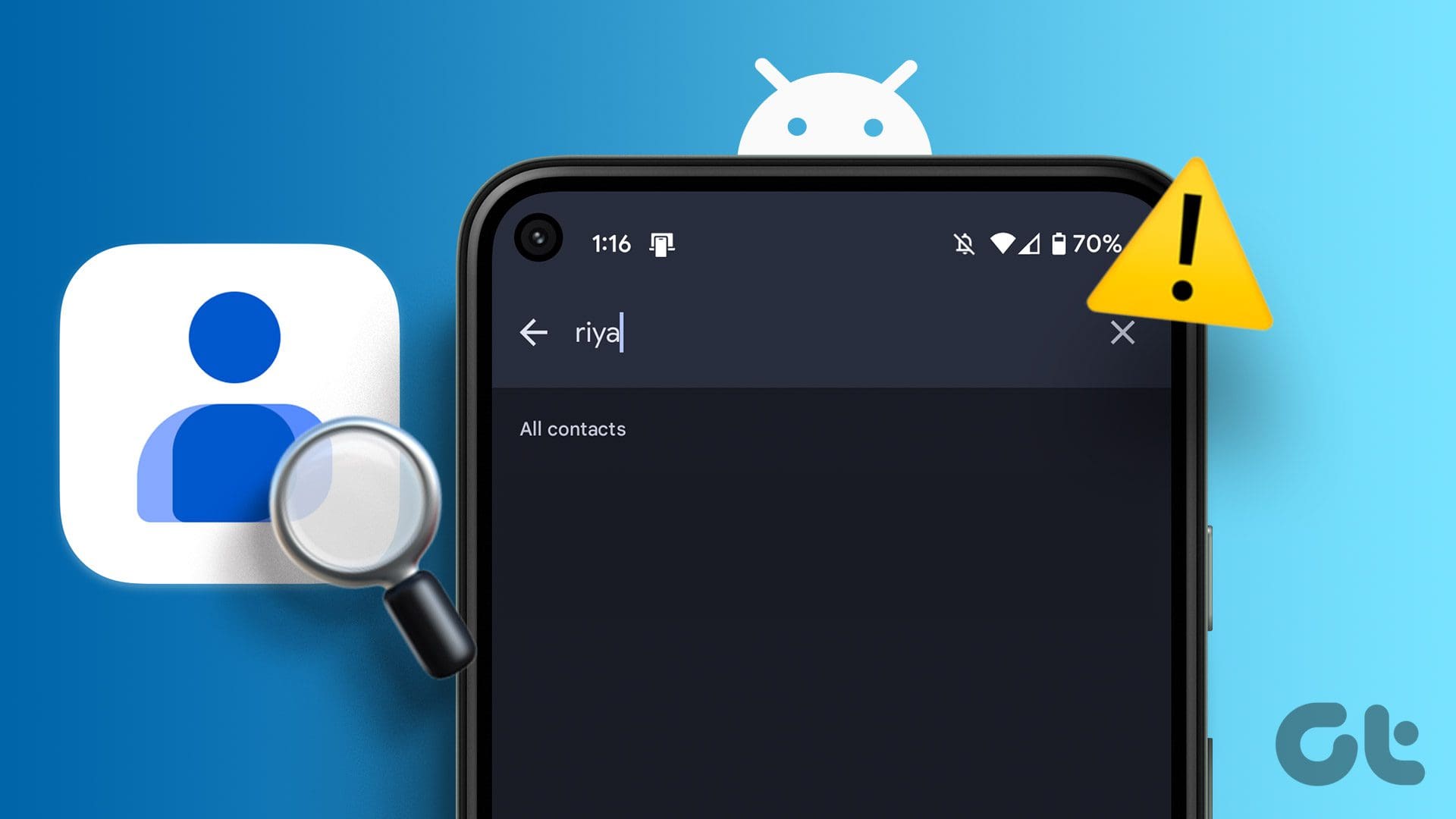
Can't search for contacts on your Android? Here’s how to fix the Contacts app search not working issue on your Android.
By Pankil Shah
Quick Tips
Ensure the Contacts app has all the necessary permissions, and re-sync all your contacts.
Clear the Contacts app cache and update it from the Play Store if the issue persists.
Try Basic Fixes
Restart your phone: The Contacts app may occasionally experience temporary glitches that cause the in-app search function to stop working on your Android. Restarting your phone should take care of this and other minor OS-related problems.
Update the app: The Contacts app on your phone may be buggy or outdated. If that’s the case, updating the Contacts app from the Play Store should help.
Fix 1: Allow the Necessary Permissions
The Contacts app on your phone requires a few permissions to operate seamlessly. If you have inadvertently denied any of these app permissions, you might run into issues. Here’s what you can do to fix it.
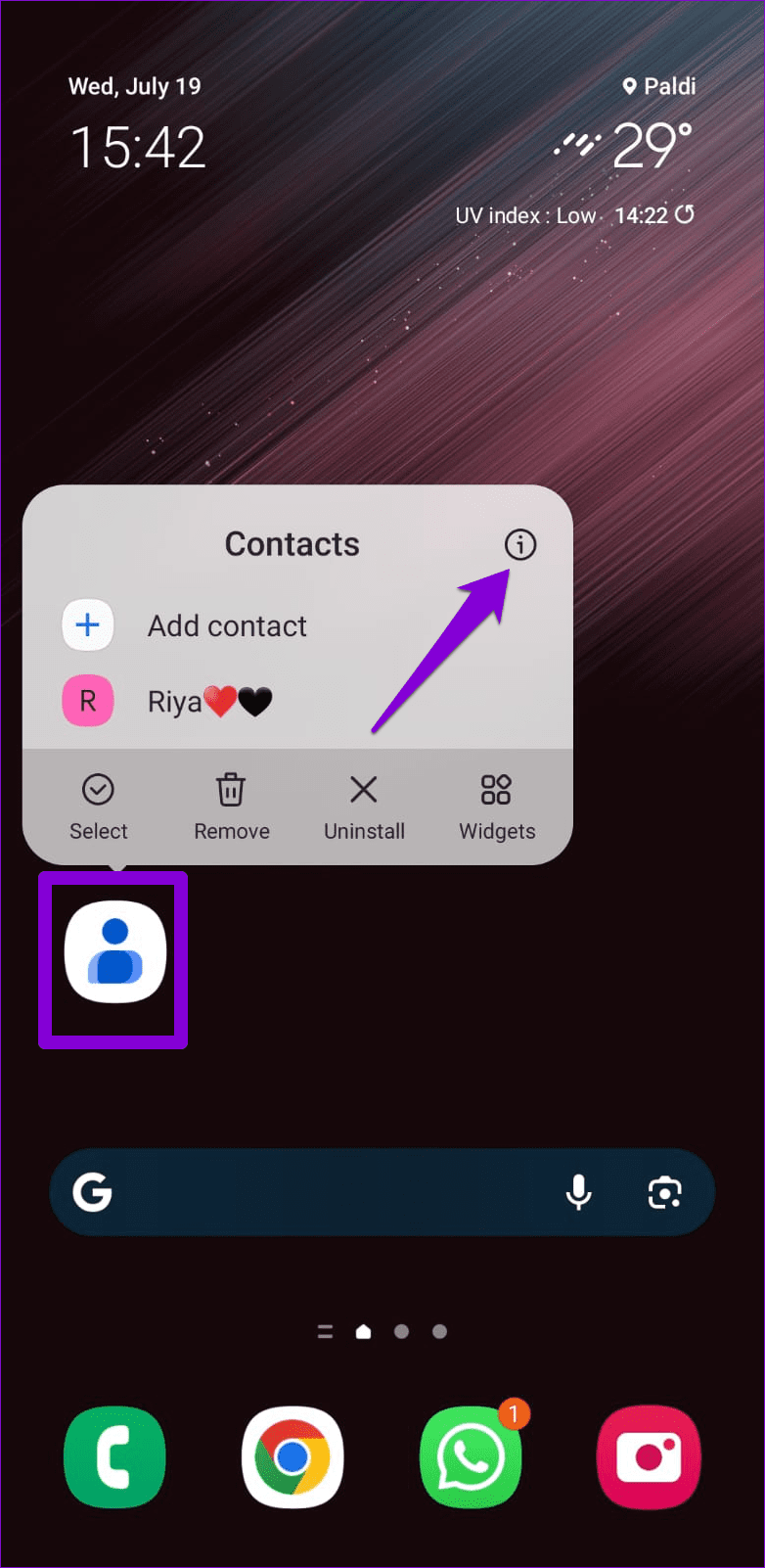
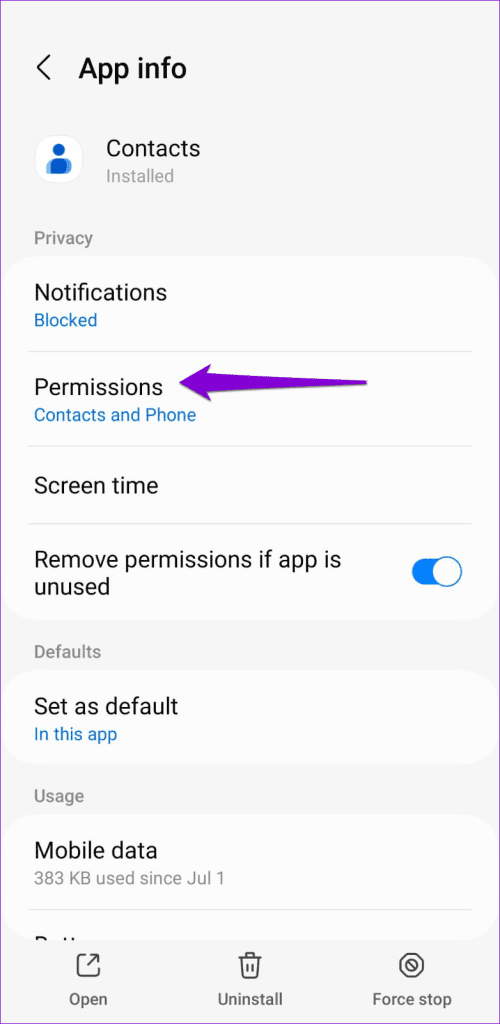
Step 1: Long-press on the Contacts app icon and tap the info icon from the menu that pops open. Then, go to Permissions .
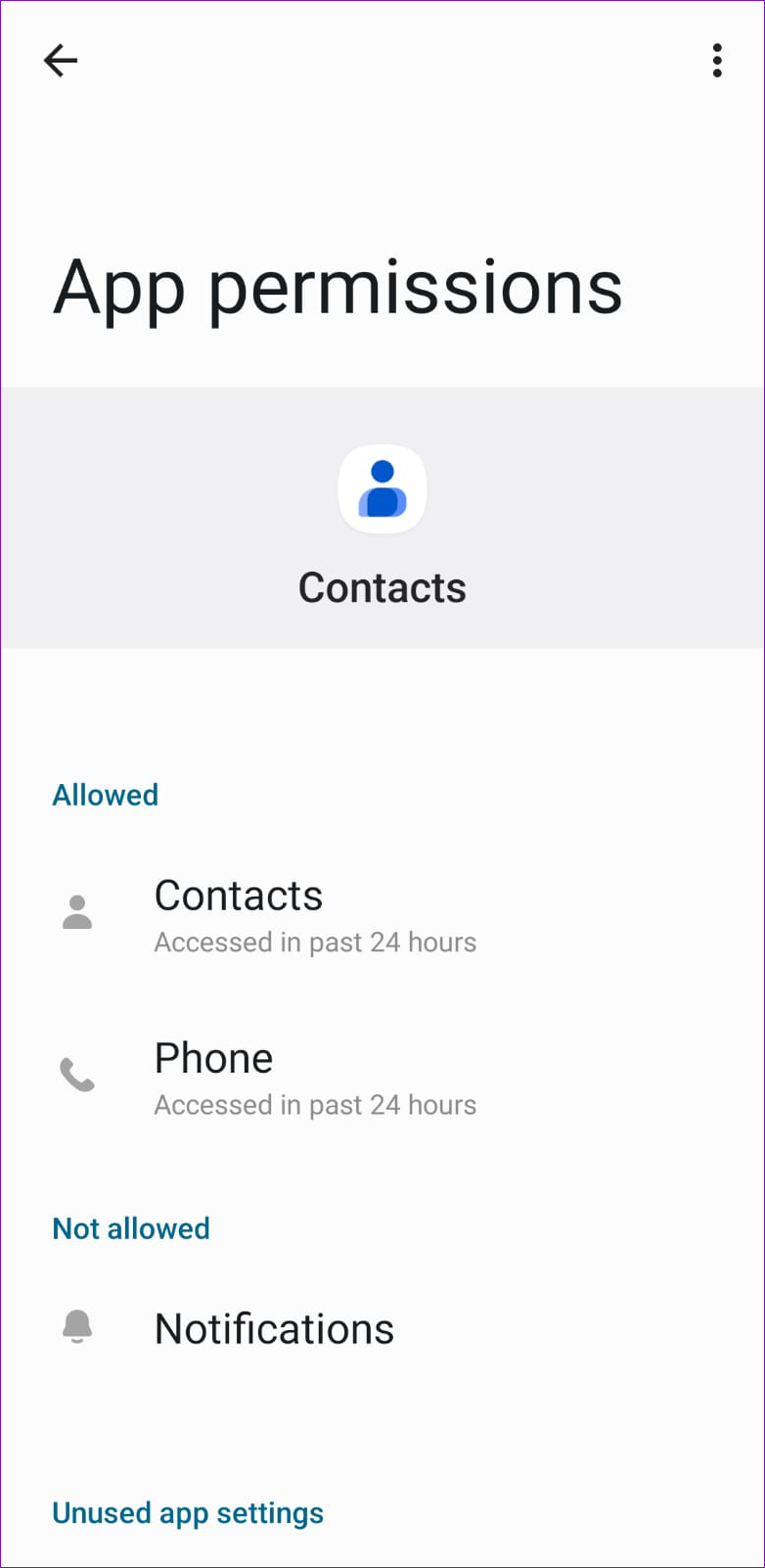
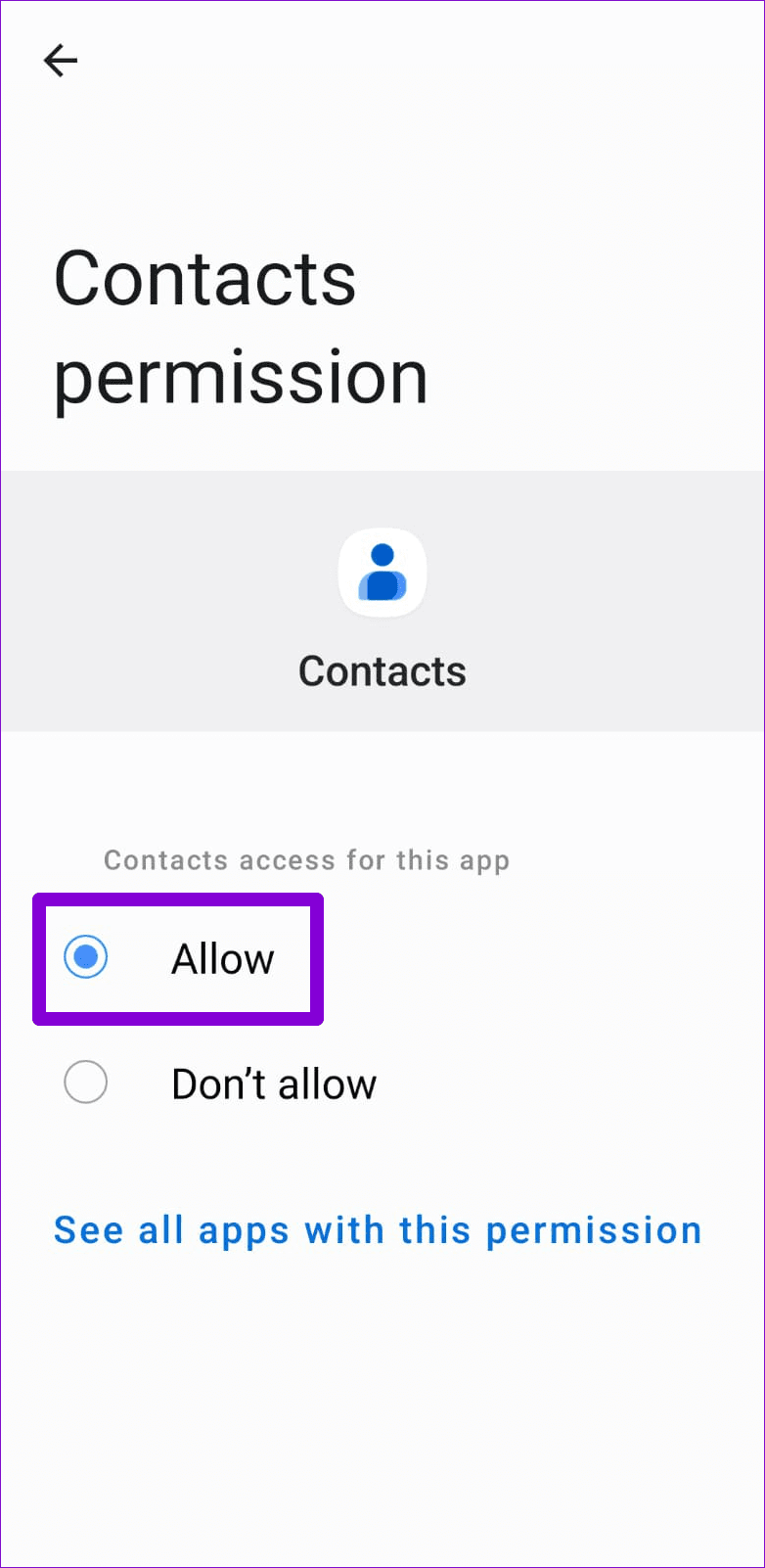
Step 2: Go through each permission one by one and allow it.
Fix 2: Re-Sync Your Contacts
Sync issues with the Contacts app can also lead to such anomalies. If you cannot search some of your contacts, try re-syncing contacts from your Google account and see if that helps.
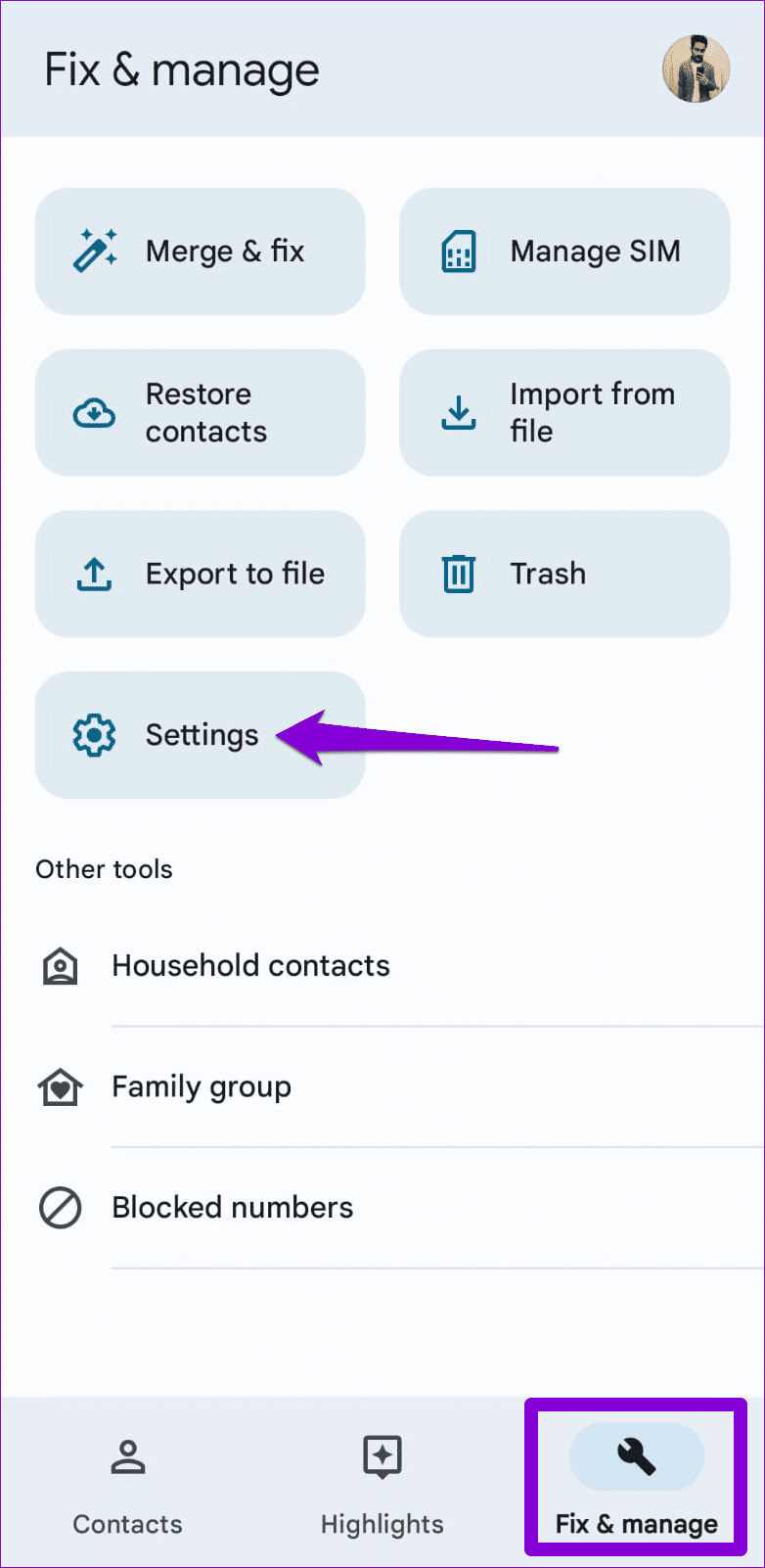
Step 1: Open the Contacts app on your phone. Switch to the Fix & manage tab in the bottom-right corner and tap on Settings .
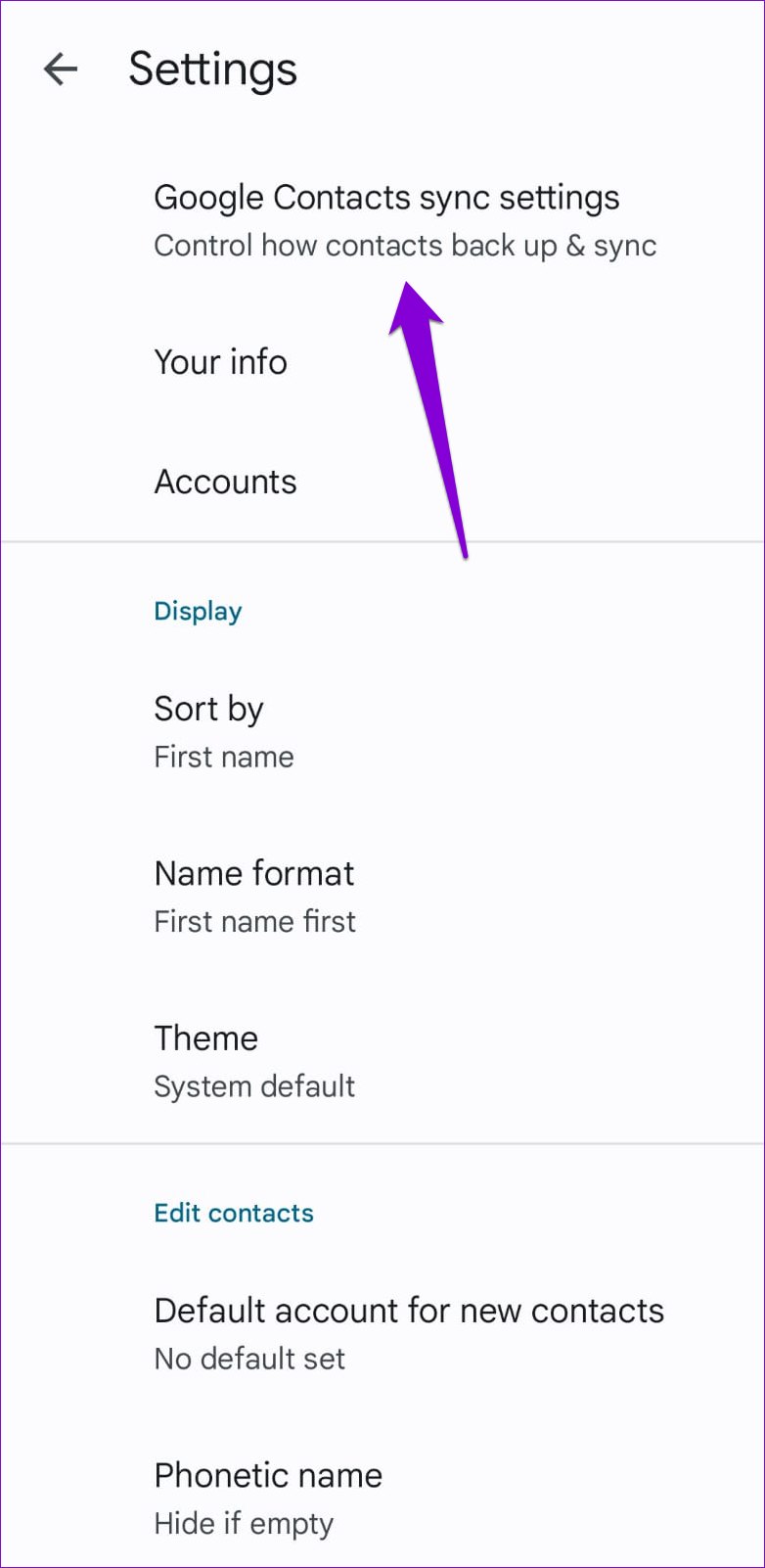
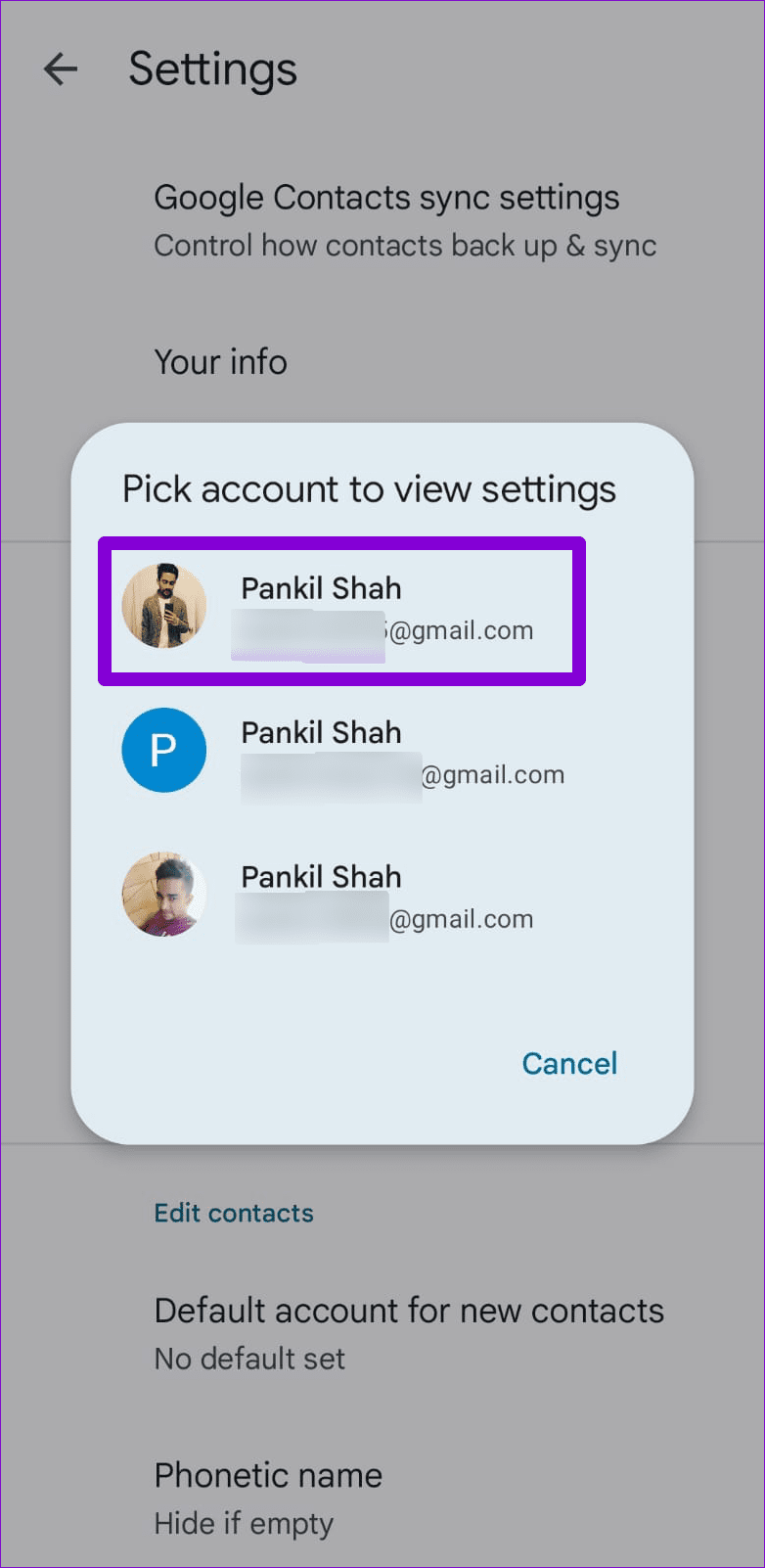
Step 2: Tap on Google Contacts sync settings and select your Google account.
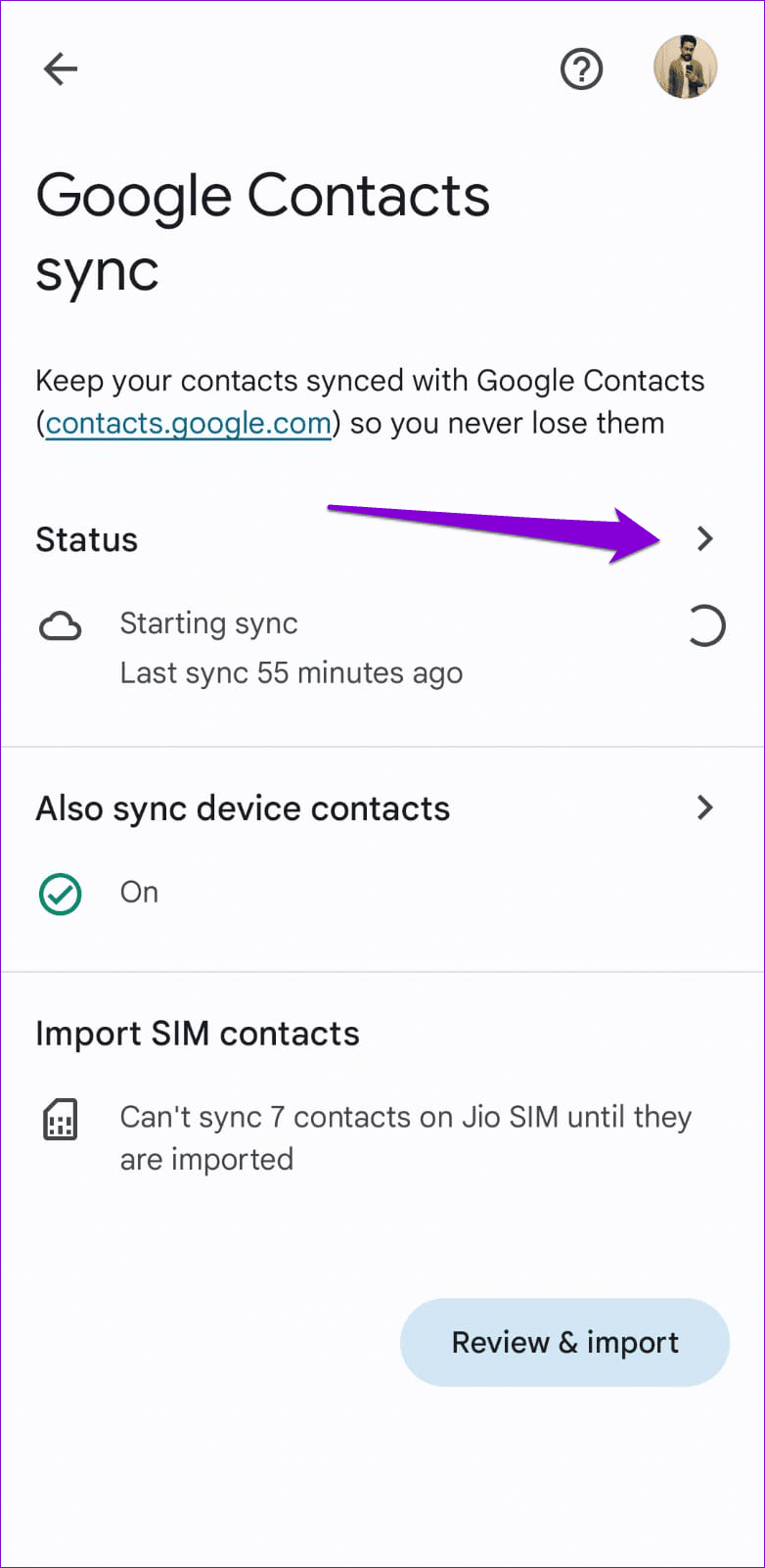
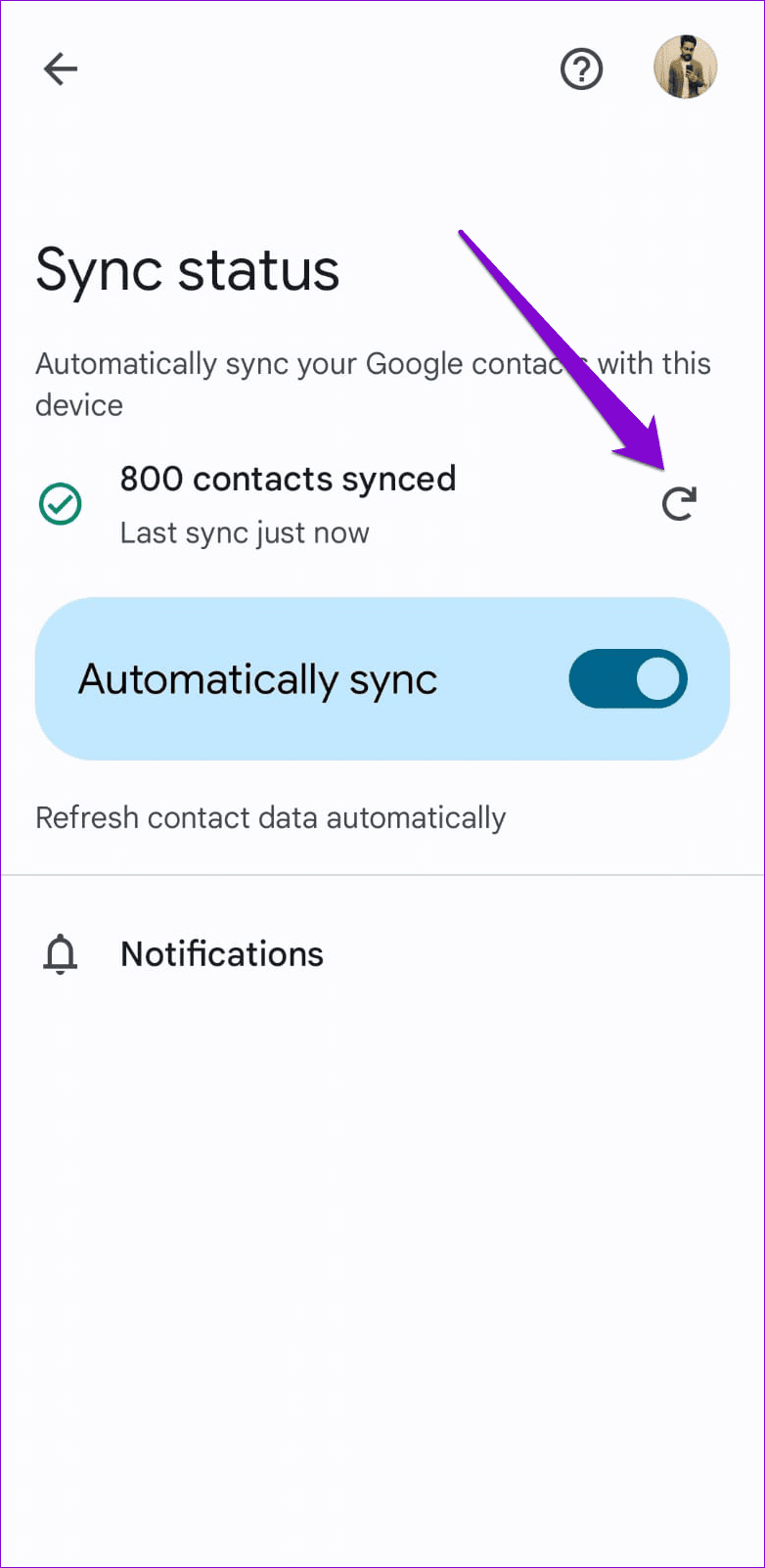
Step 3: Tap the arrow next to Status. Then, tap the refresh icon to sync your contacts.
Fix 3: Remove Your Google Account and Add It Back
If re-syncing your contacts proves ineffective, your next best option is to remove your Google account and add it back. Several users on the Google forums reported success in fixing search issues with the Contacts app using this trick. You can also give it a shot.
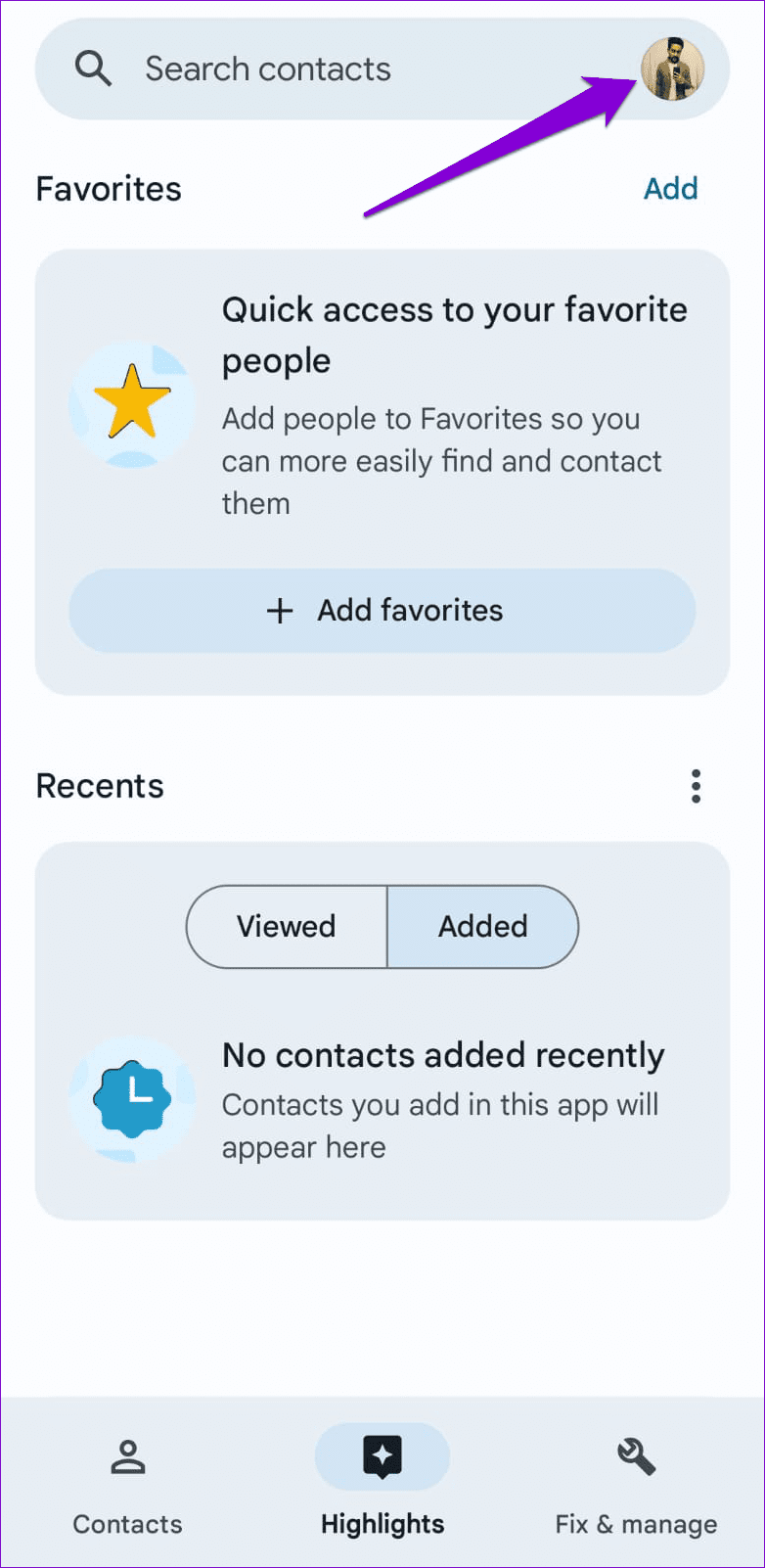
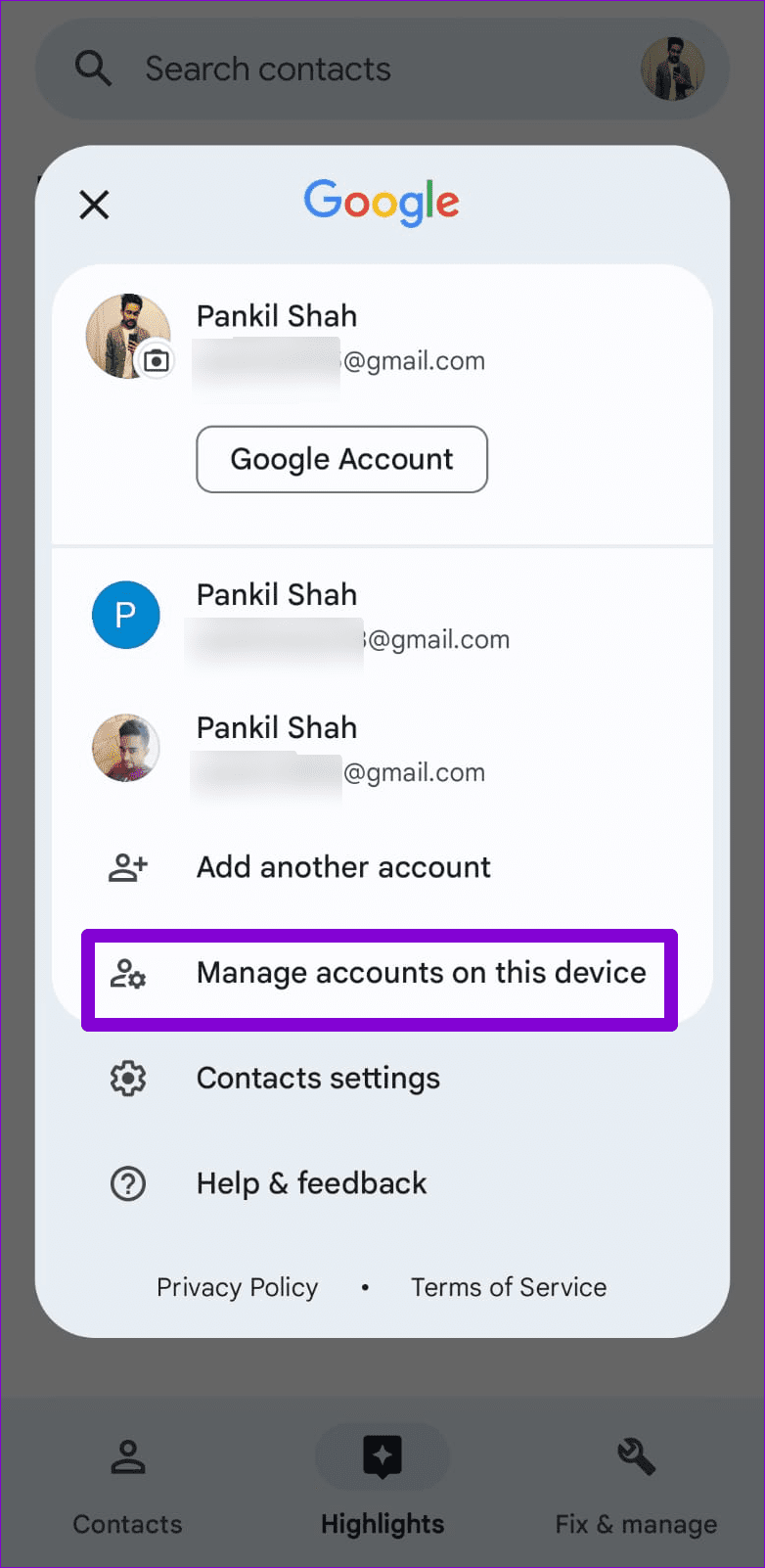
Step 1: Open the Contacts app, tap your profile icon in the top-right corner, and select Manage accounts on this device .
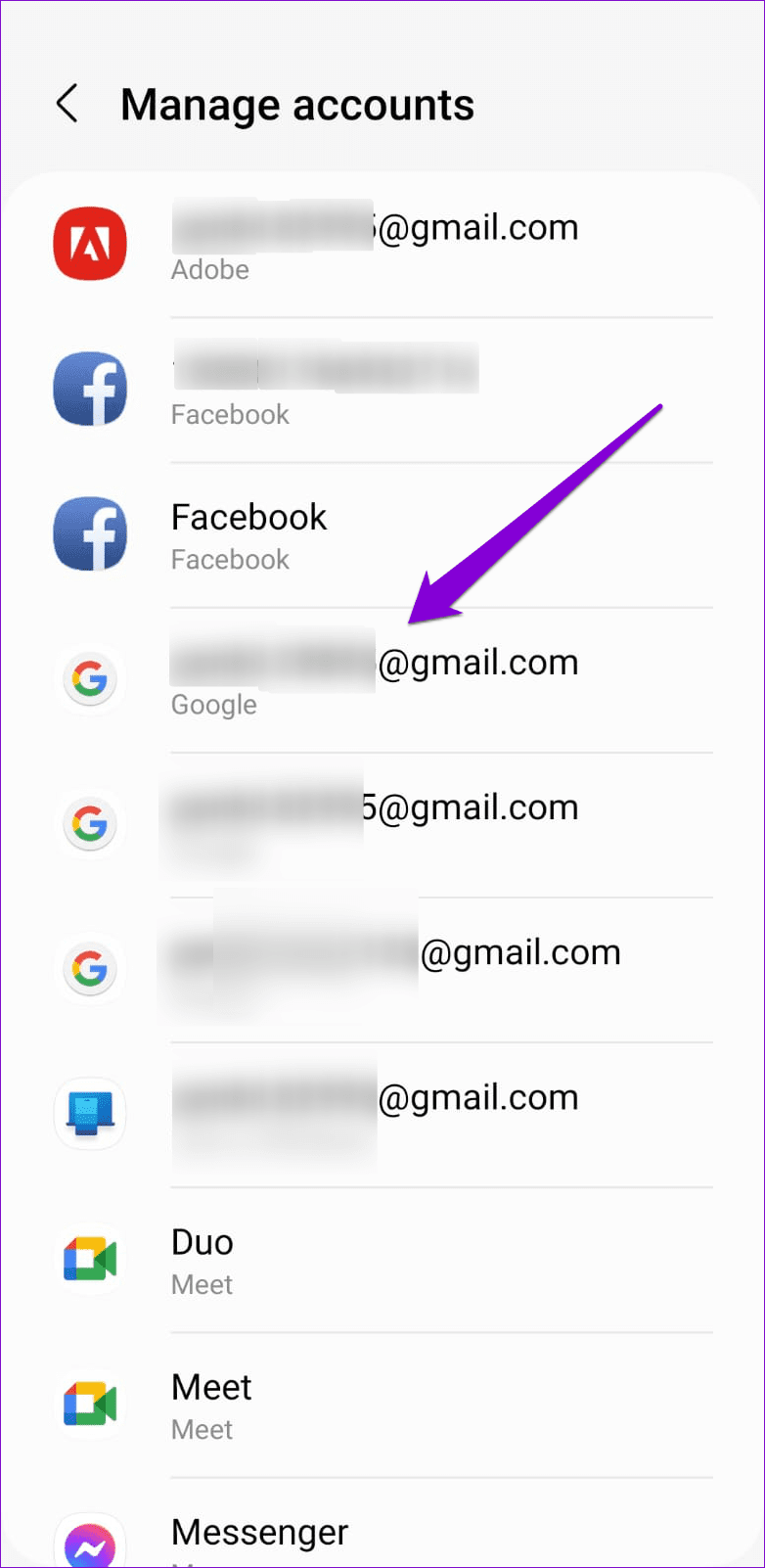
Step 2: Select the problematic Google account from the list.
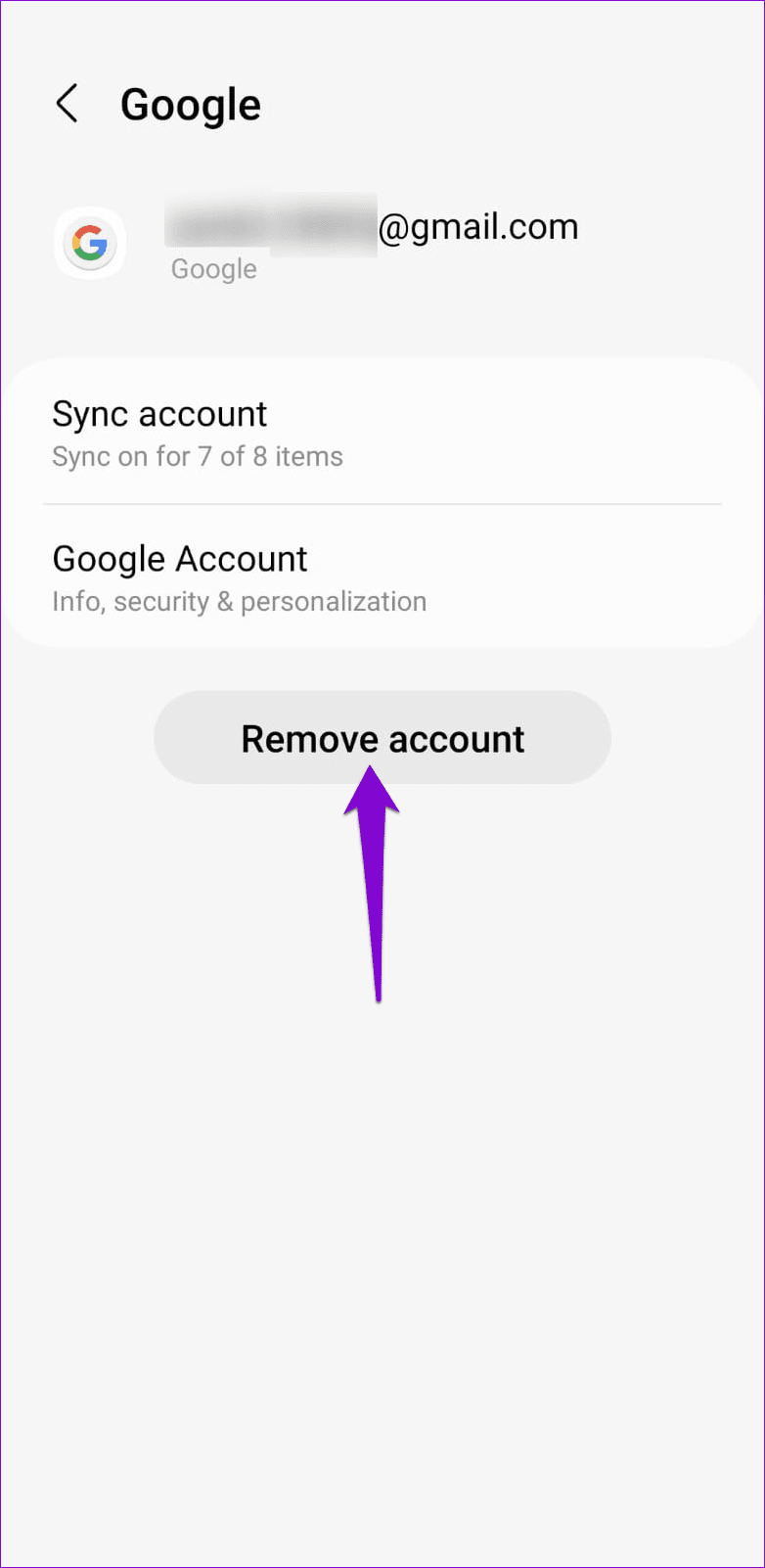
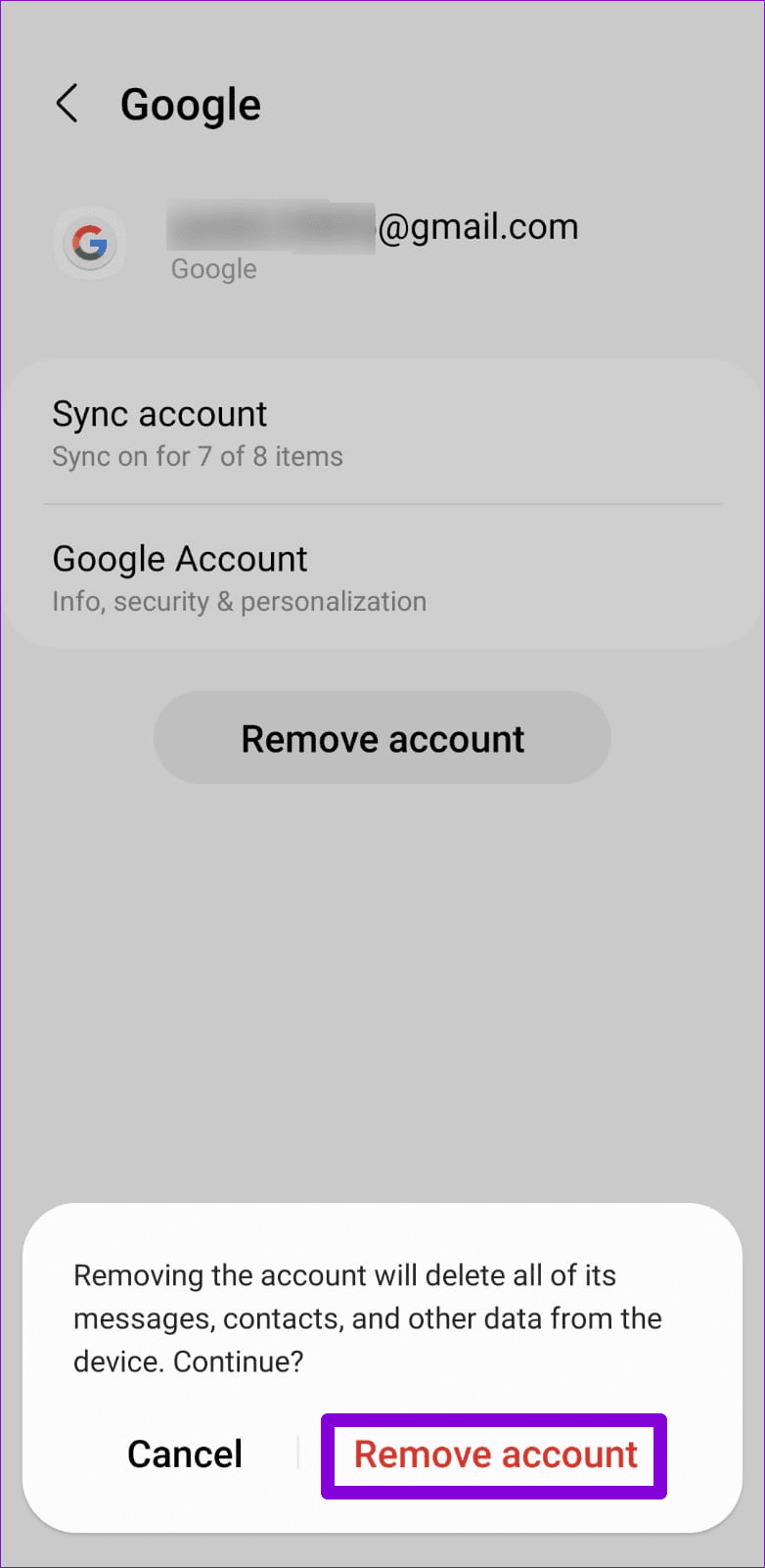
Step 3: Tap on Remove account and select Remove account again to confirm.
Step 4: Open the Contacts app again, tap the profile icon at the top-right corner, and select Add another account .
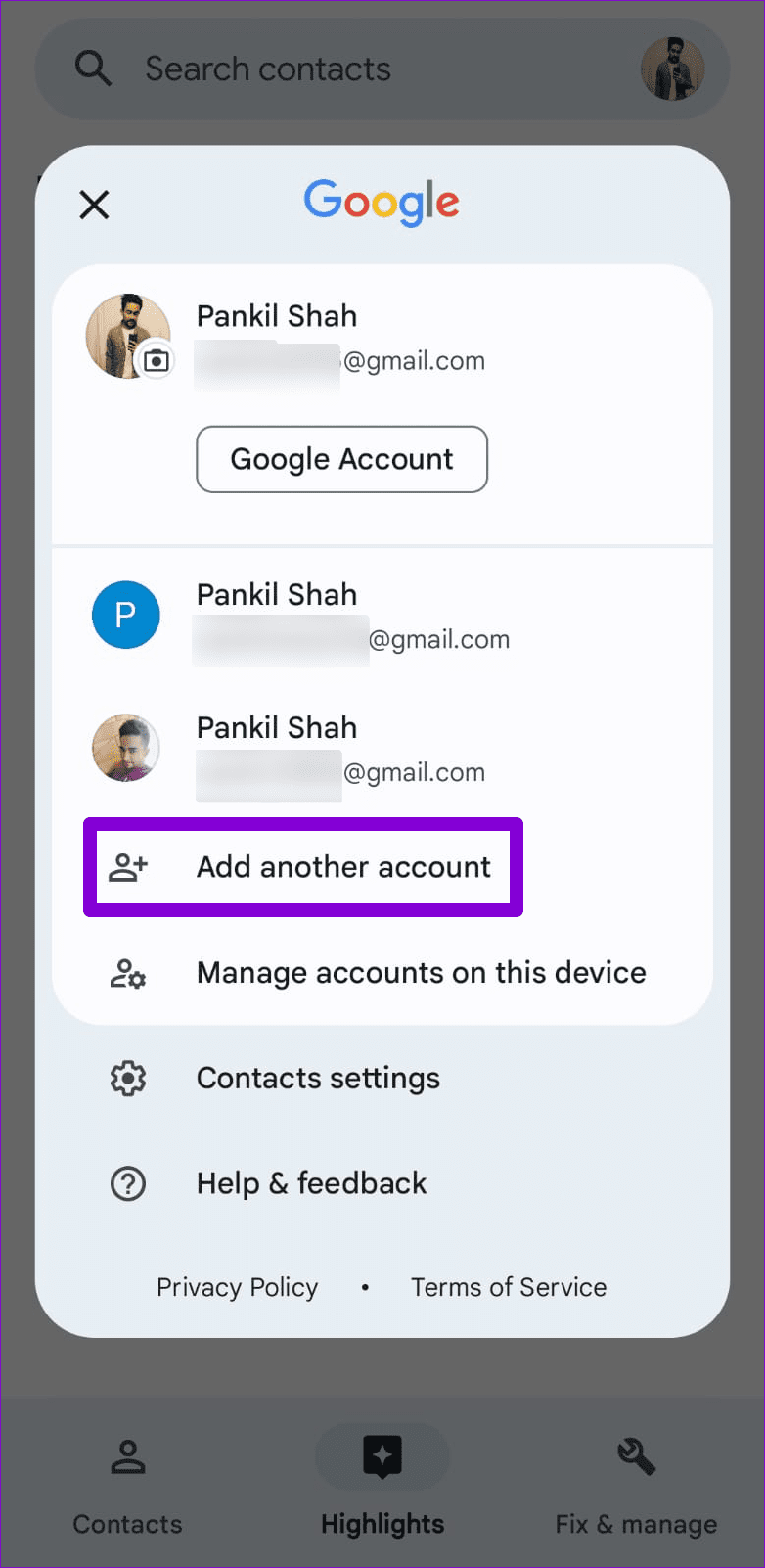
Follow the on-screen prompts to sign in with your Google account and check if the issue persists.
Fix 4: Clear the Contacts App Cache
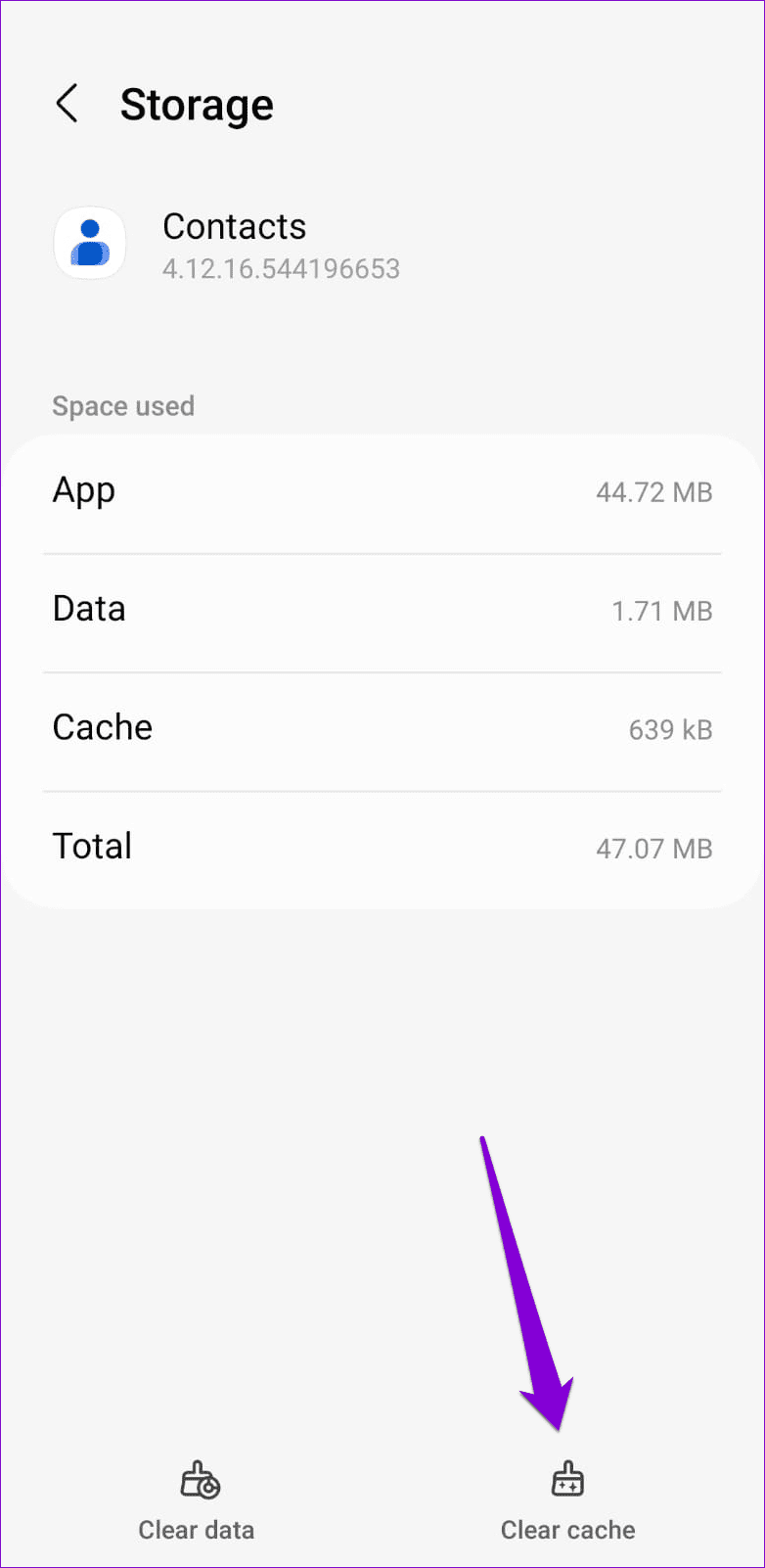
Clearing the cache for the Contacts app will delete any outdated or corrupted temporary files, forcing the app to recreate them from scratch. If the search feature is not working due to a damaged app cache, clearing it should solve your problem.
To clear the Contacts app cache on your Android, use these steps:
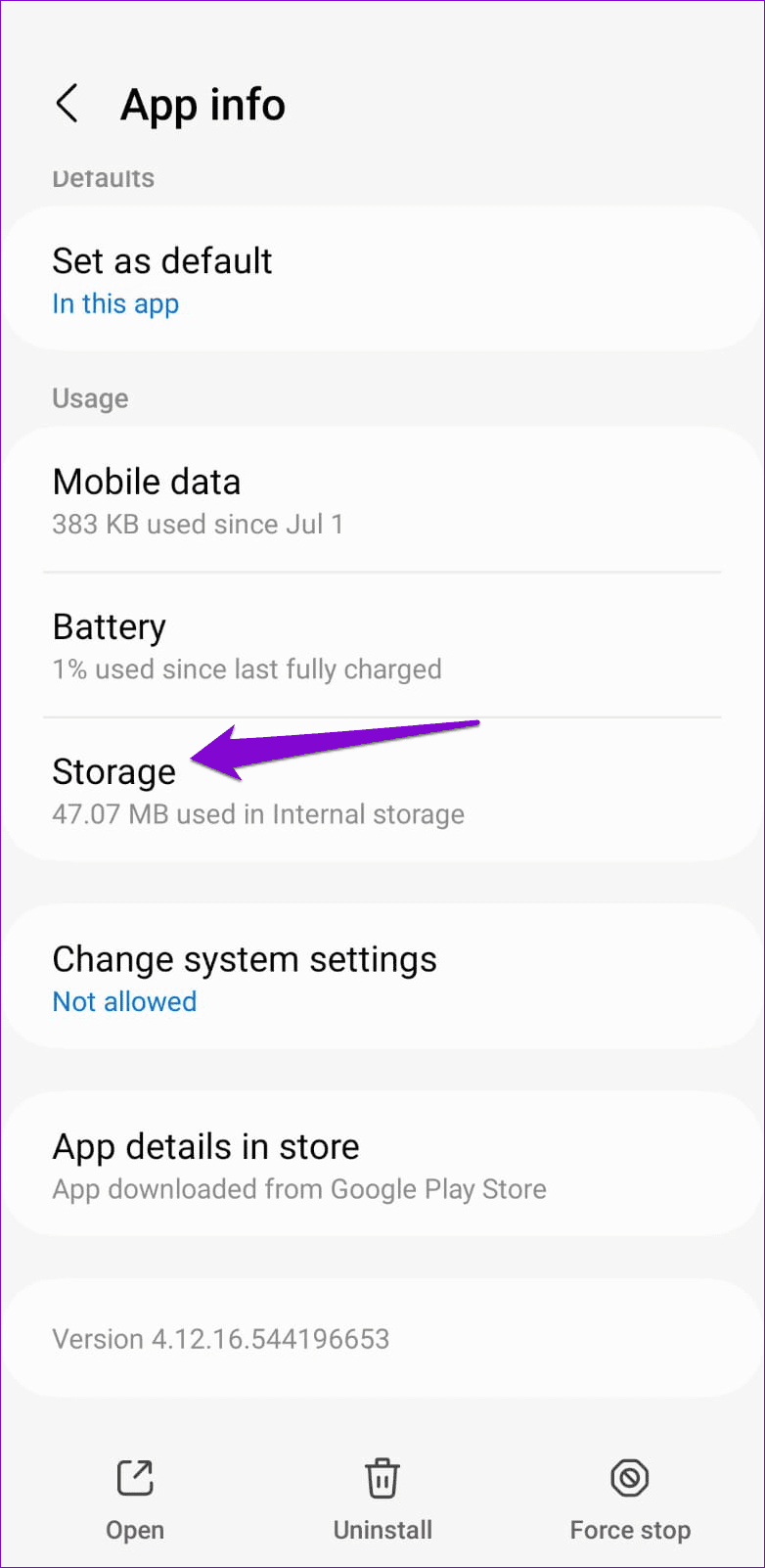
Step 1: Long-press on the Contacts app icon and tap the info icon from the menu that appears.
Step 2: Go to Storage and tap the Clear cache option at the bottom.
Was this helpful?
Submit Cancel
Thanks for your feedback!
Keep reading