Android
5 Ways to Fix Samsung Galaxy Phone Not Receiving Calls
Do you frequently face issues making or receiving calls on your Samsung Galaxy phone? Here are the best ways to fix the issue.
By Parth Shah
Quick Tips
Open Phone app settings > Block numbers > remove relevant numbers > turn off the Block unknown/private numbers toggle.
Open Settings > Connections > Mobile networks > Network mode > select LTE/3G/2G (auto connect).
Go to Connections settings > SIM manager > disable the SIM card toggle > enable it again after a while.
Basic Fixes:
Restart your phone: Long-press the power button and select Restart. Once done, it should fix any temporary glitches preventing calls from coming through.
Reinsert SIM: Use the SIM ejector tool to remove the SIM card from your phone. Check for wear and tear, clean it, and insert it back into the phone. Ensure the SIM card is correctly seated in the slot.
Disable DND: Is your Samsung phone on an active Do Not Disturb mode? If yes, you won’t receive calls and messages. So, disable DND and check again.
Clear the Phone app cache: Samsung uses its Phone app to enhance user experience. However, due to a corrupt cache, you may face issues making or receiving calls on your Samsung phone. So, clear the cache for your Samsung device’s Phone app and check.
Update the Phone app: Samsung regularly releases new software updates to fix bugs and add new features. So, launch the Settings app and install the latest One UI updates for your Samsung phone to fix related issues.
Fix 1: Check the Blocked Numbers List
Did you block several contacts or unknown numbers on your Samsung Galaxy phone? The phone blocks calls and messages from such contacts. It’s time to check the blocked numbers list and make the necessary changes. Here’s how.
Step 1: Open the Phone app and tap the three vertical dots menu . Tap on Settings .
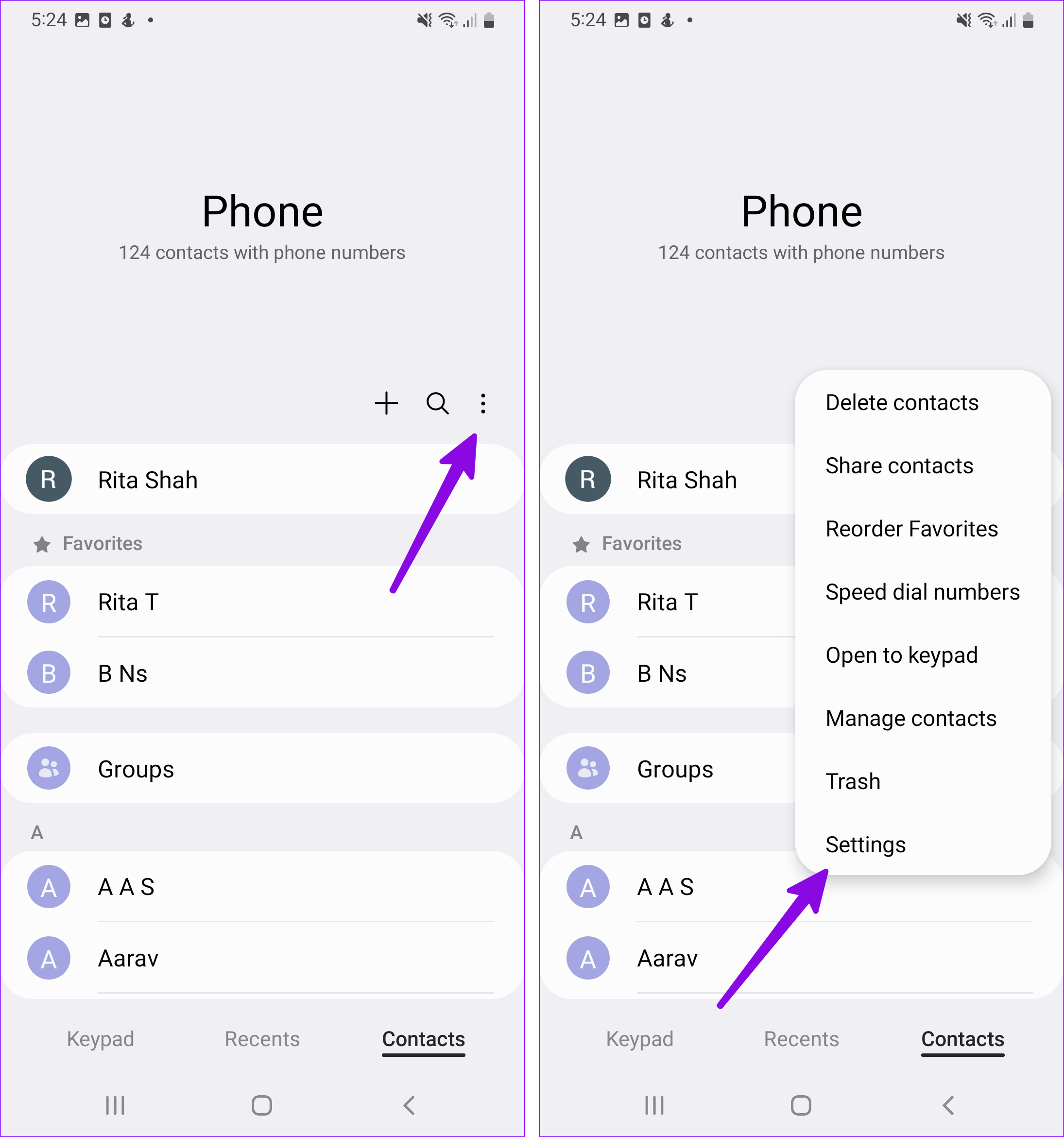
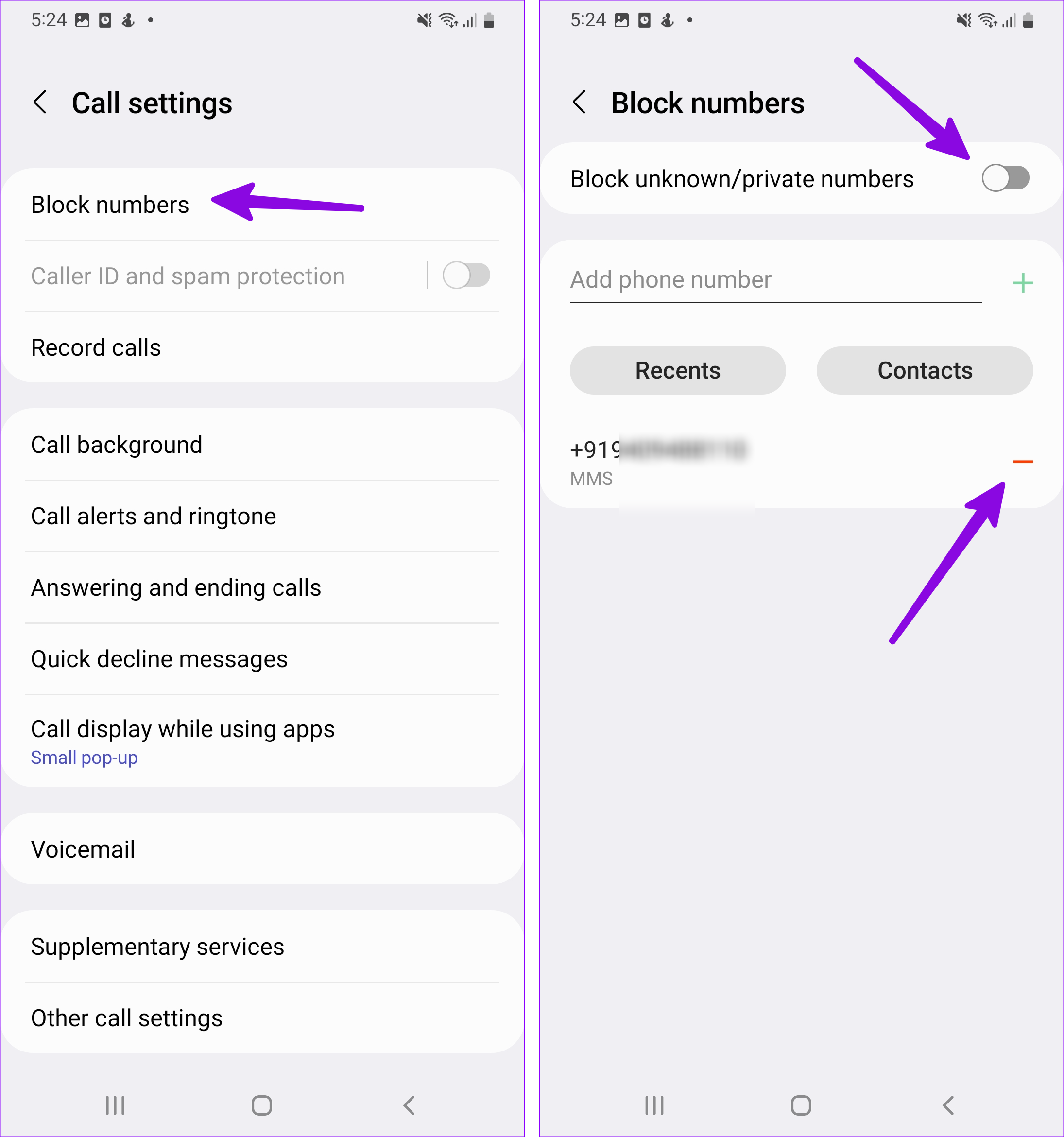
Step 2: Select Block numbers . Remove necessary numbers from the blocked list.
Step 3: Disable the Block unknown/private numbers toggle to stop blocking unknown callers.
Fix 2: Disable 5G
While the 5G network offers a high-speed internet speed, it’s unreliable and doesn’t have robust coverage in selected areas. So, when you face call issues, disable 5G on your Samsung phone. Here’s how to do it.
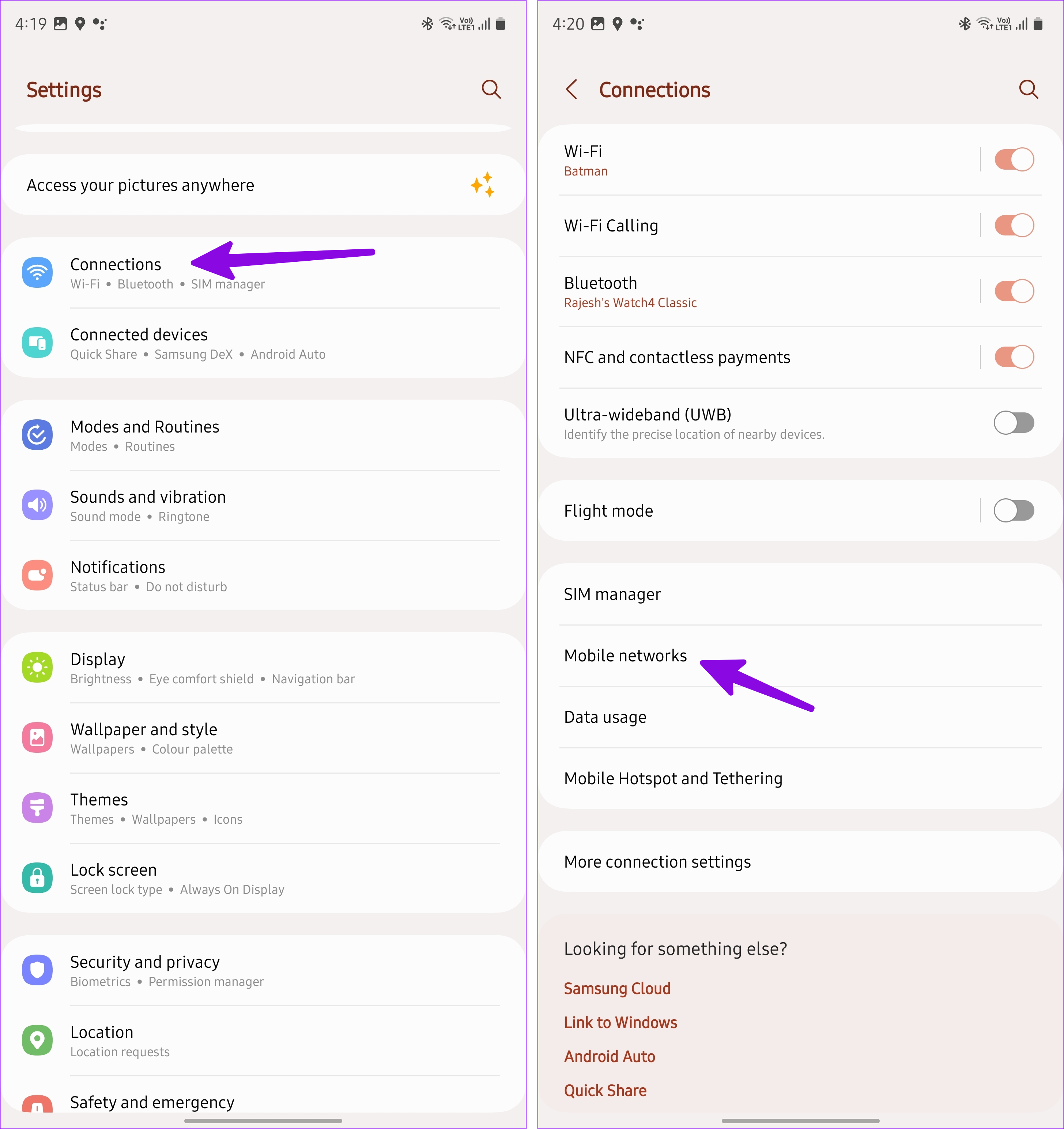
Step 1: Open Settings and select Connections . Tap Mobile networks .
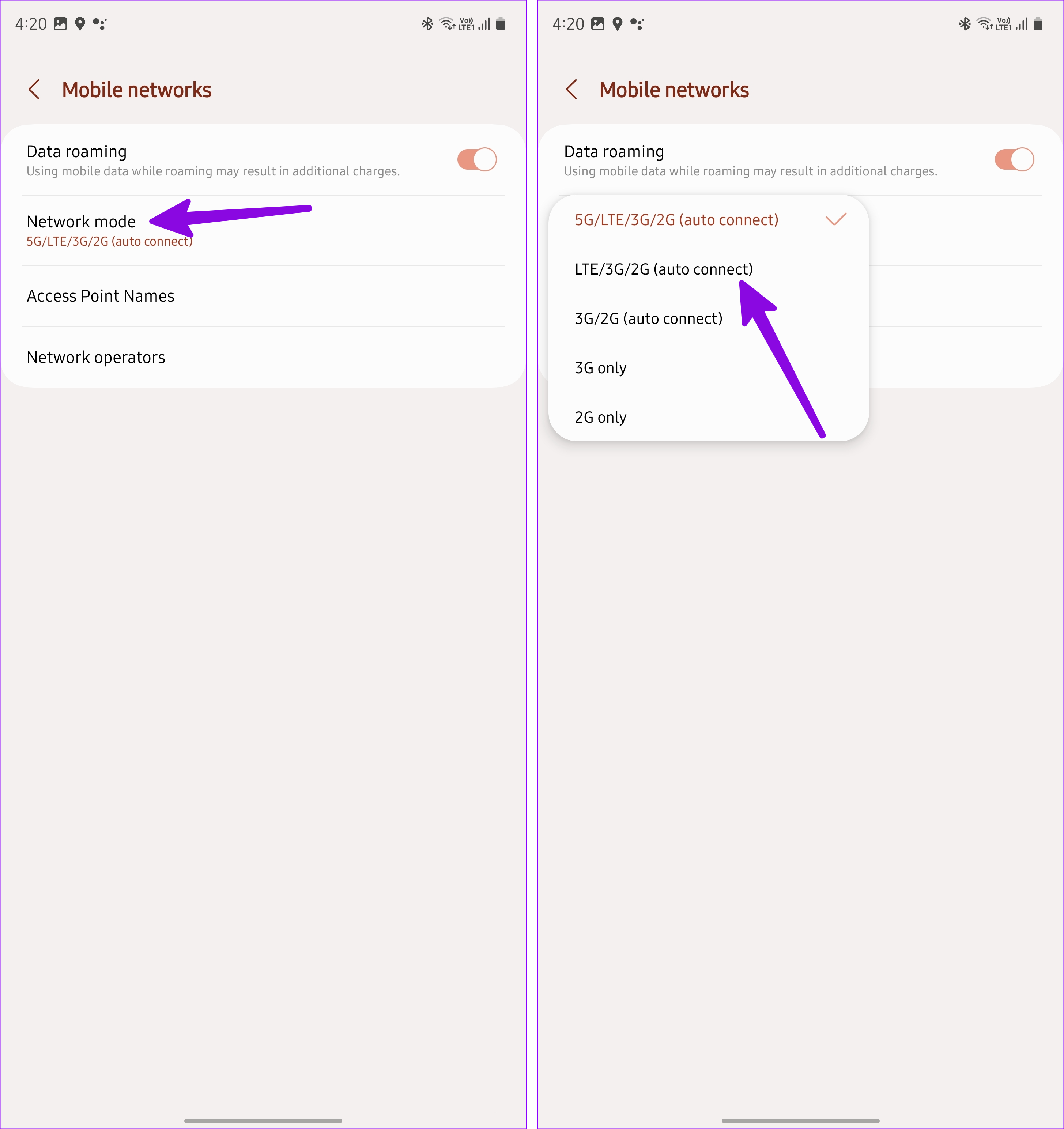
Step 2: Select Network mode . Tap LTE/3G/2G (auto connect) .
Also Read: How to fix call drop issue on Samsung Galaxy phones
Fix 3: Disable Wi-Fi Calling
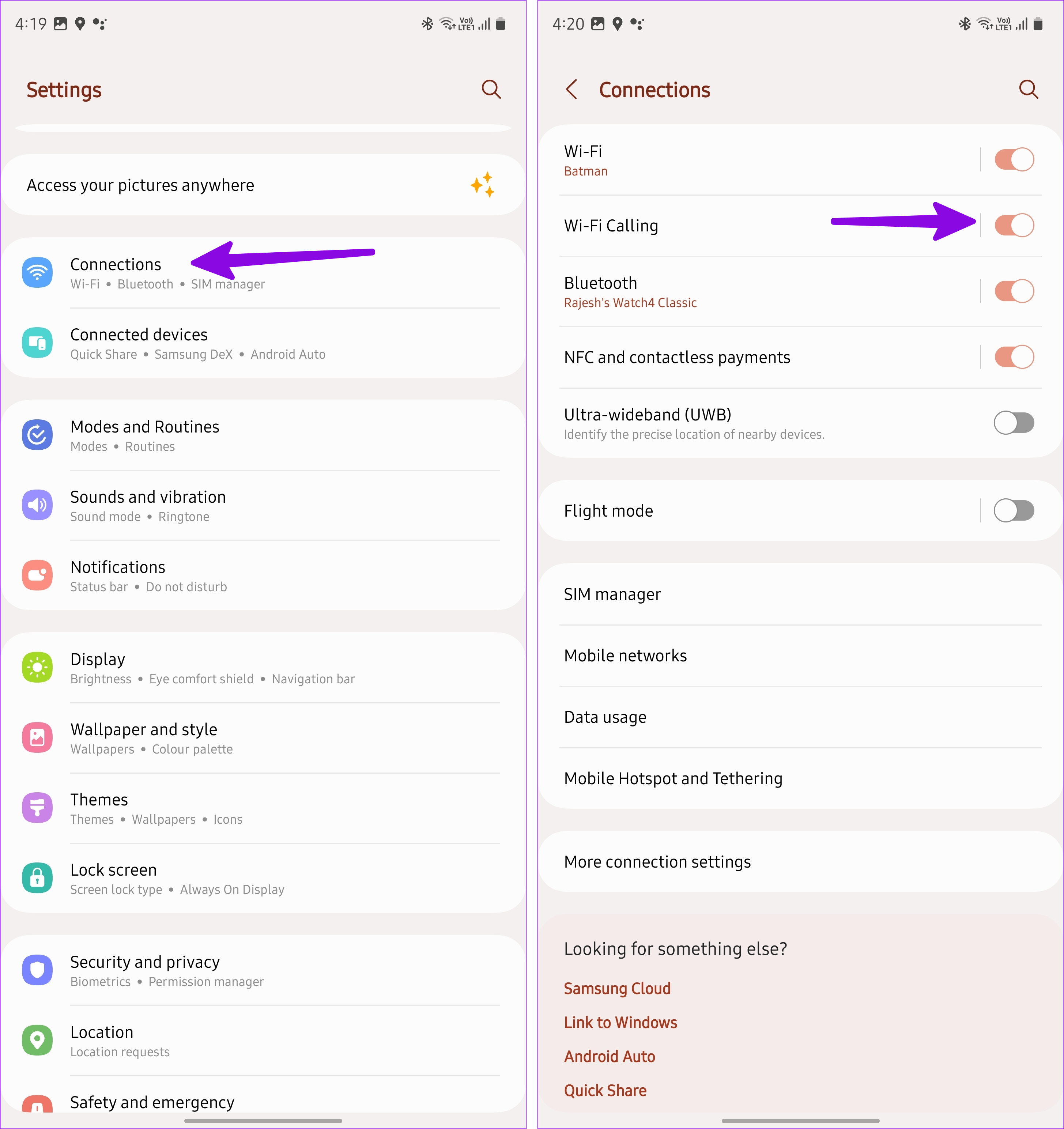
Wi-Fi calling helps use your device’s Wi-Fi connection to connect calls when network connectivity is low. However, this can also cause calls to fail. So, disable Wi-Fi calling and try receiving calls again. Follow the below steps to do it.
Step 1: Open Settings → Connections . Disable the Wi-Fi Calling toggle.
Fix 4: Re-Enable SIM
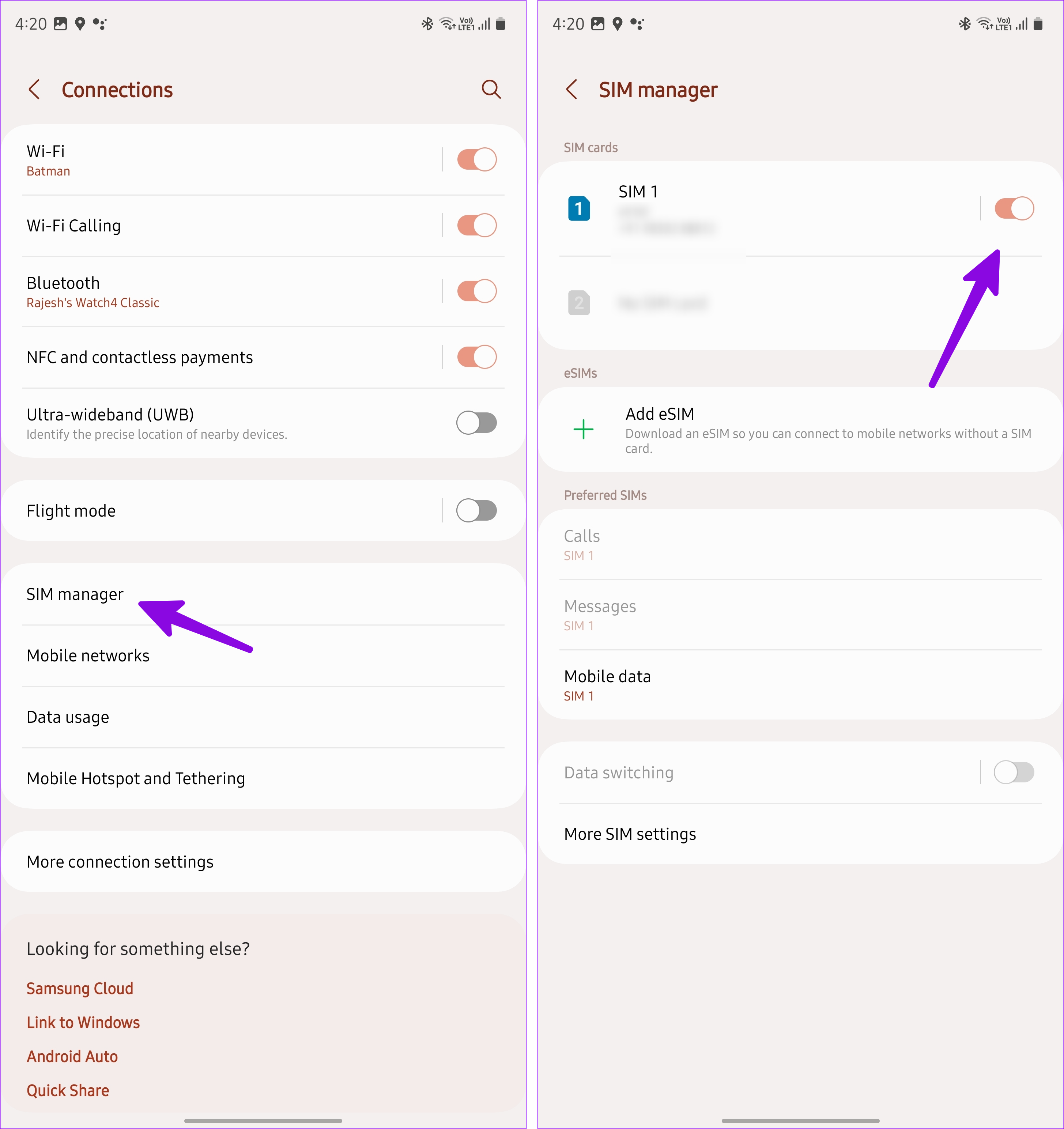
Due to incorrect SIM settings, you may face issues receiving or making calls. To refresh these settings, disable and re-enable the SIM card on your Samsung phone. Here’s how.
Step 1: Open Settings → Connections . Tap SIM manager .
Step 2: Disable the SIM card toggle and enable it after a minute or two.
Fix 5: Reset Network Settings
Is your Samsung Galaxy phone still not receiving calls? You can reset the network settings . This will remove any custom network settings that might prevent calls from coming through on your Samsung phone. Here’s how to do it.
Step 1: Open Settings and tap on General management . Tap Reset .
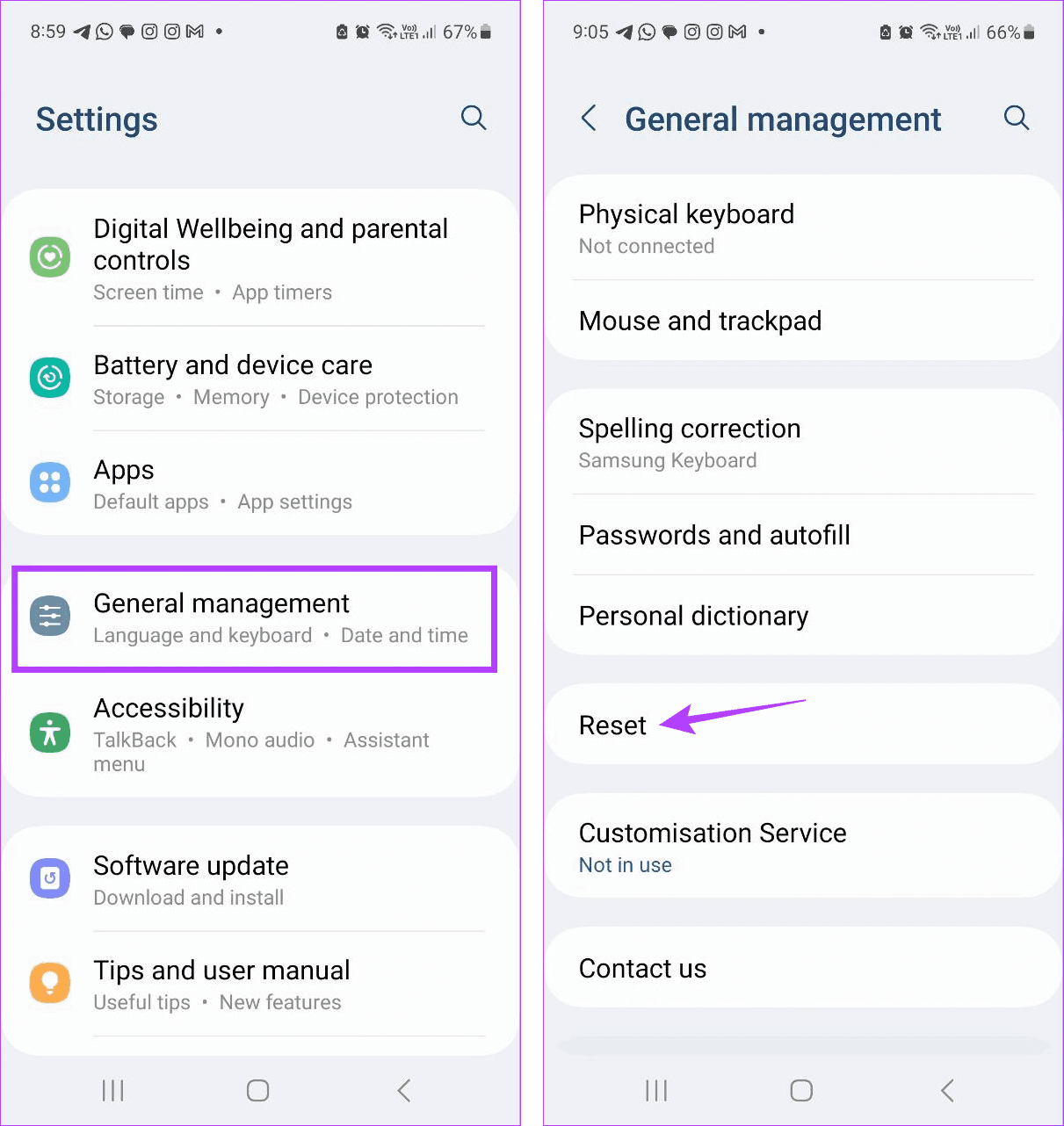
Step 2: Select Reset network settings and confirm the same.
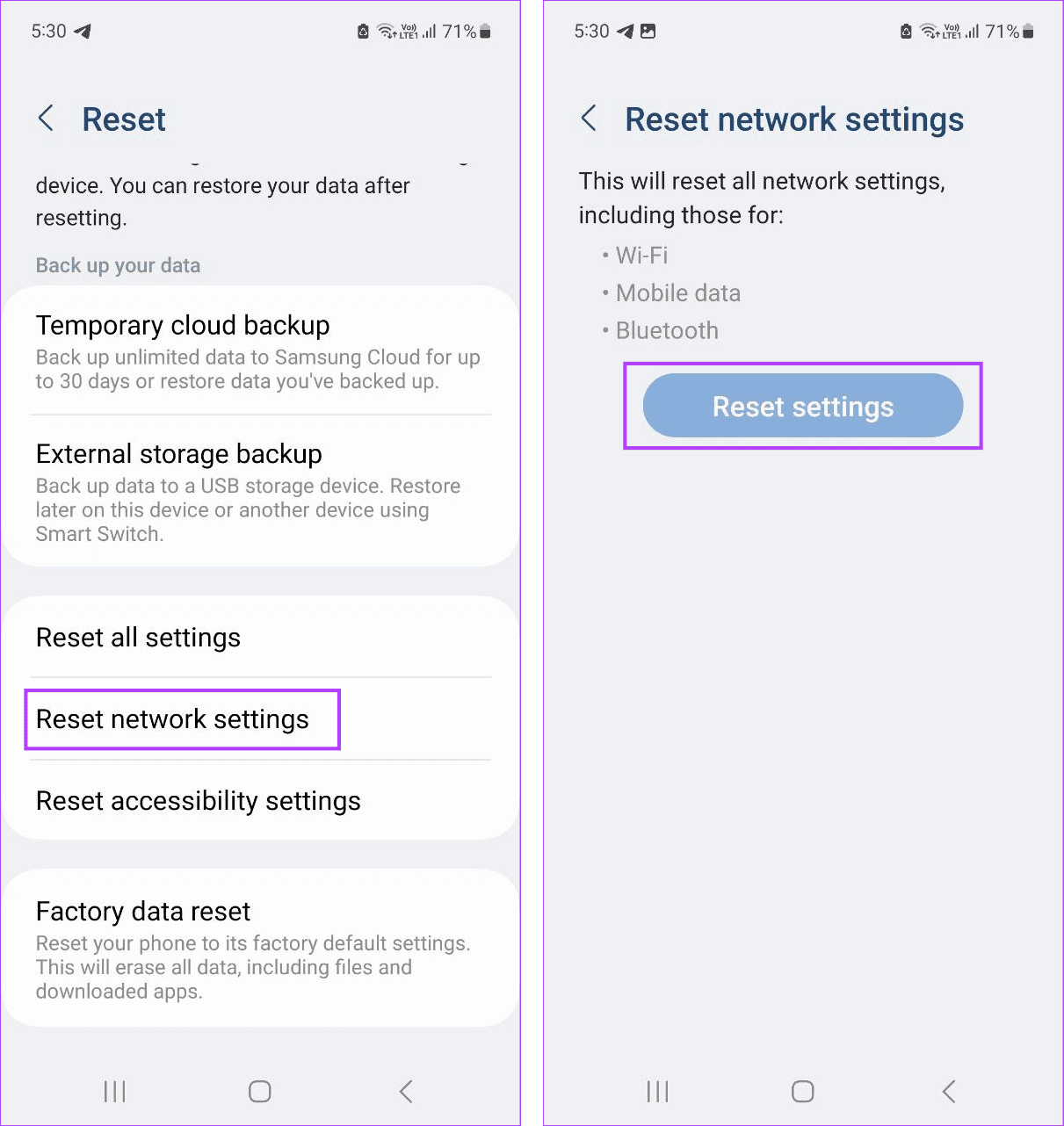
Wait for the reset process to finish. Then, ask someone to call you on your Samsung phone to see if the issue has been fixed.
Was this helpful?
Submit Cancel
Thanks for your feedback!
Keep reading