Android
How to Hide Your Profile Picture From Specific Contacts on WhatsApp
WhatsApp allows you to hide display picture (DP) from specific contacts. Read the post to learn how to do it on iPhone and Android.
By Parth Shah
Quick Tips
Open WhatsApp Settings > Privacy, and tap Profile photo to hide it from specific WhatsApp contacts on Android.
Select the Gear icon in the WhatsApp iOS app, tap Settings, and configure the Profile photo to conceal it from specific contacts.
What Happens When You Hide Your Profile Picture From Specific Contacts on WhatsApp
The selected WhatsApp contacts can no longer view your account photo. They’ll see a grey circle with a person icon instead of your WhatsApp profile picture.
You can view the selected contact’s profile photo without any problem.
The restricted contact can still see your last seen, view your status , and initiate a conversation on WhatsApp.
Hiding your profile picture can help maintain privacy or when you don’t wish to disclose your profile picture without blocking the WhatsApp contact .
Hide Your Profile Picture From Specific Contacts on WhatsApp
Thanks to its user-friendly interface, hiding your profile picture from specific contacts on WhatsApp is fairly straightforward. The feature is available on Android and iOS platforms but is still missing on WhatsApp Web .
On Android
Step 1: Open WhatsApp , tap the three-dot menu at the top right, and select Settings .
Step 2: Select Privacy and tap Profile photo under the ‘Who can see my personal info’ section.
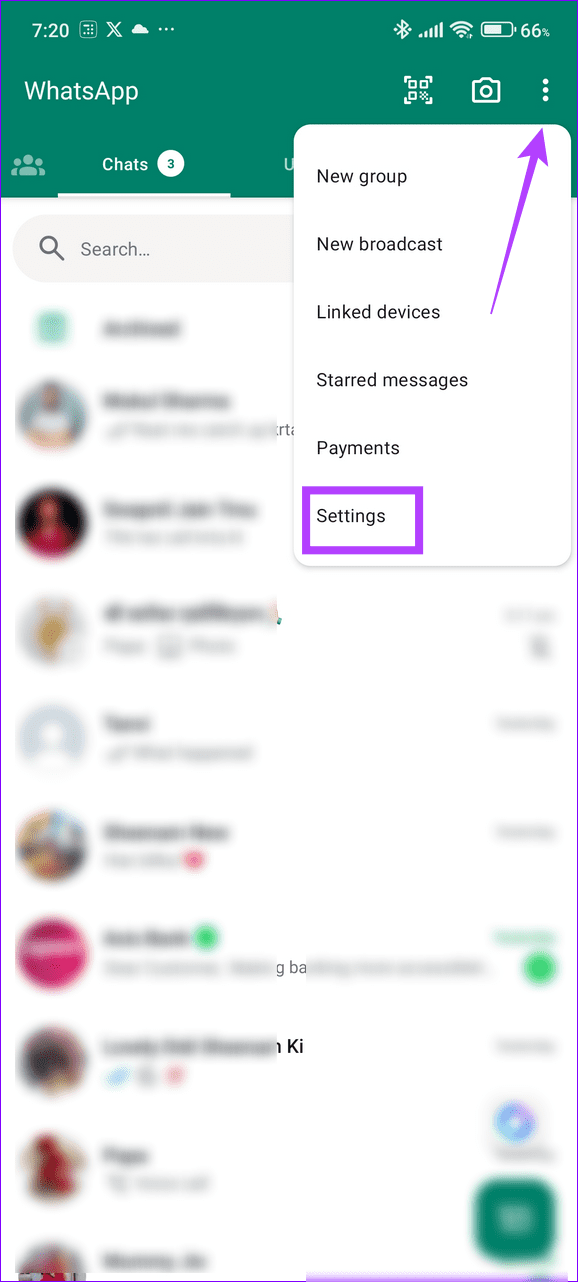
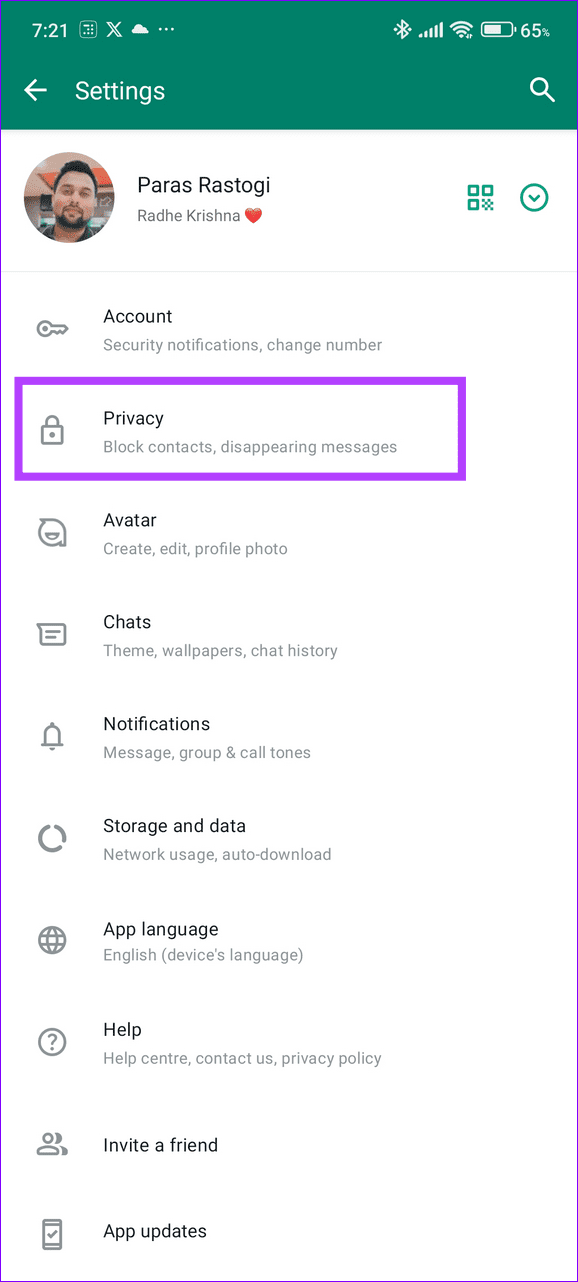
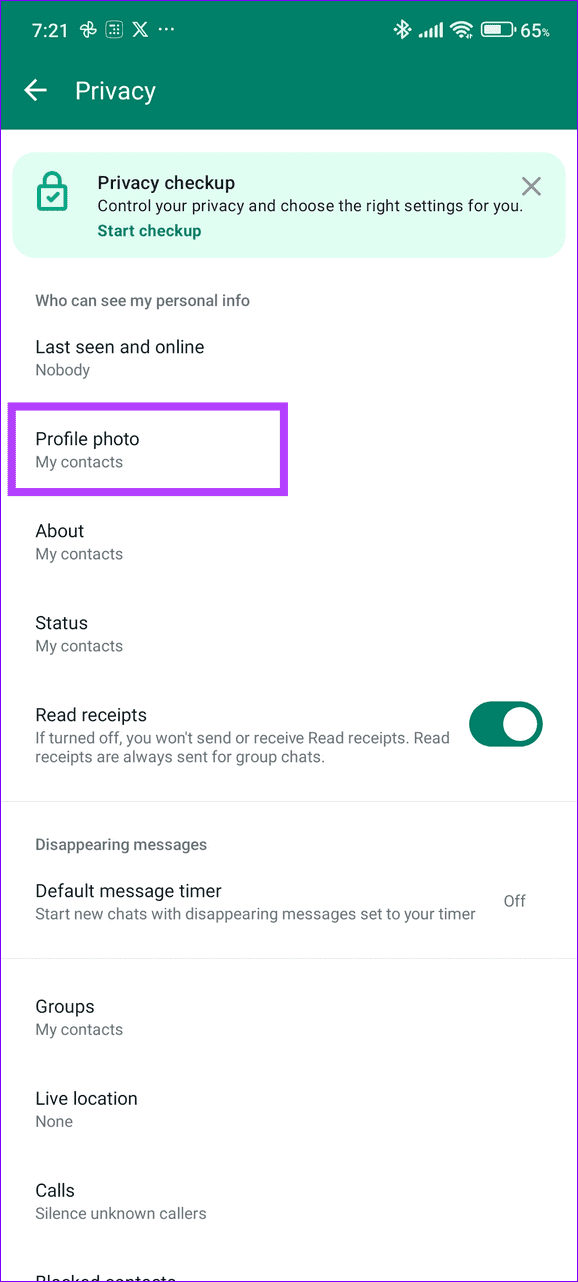
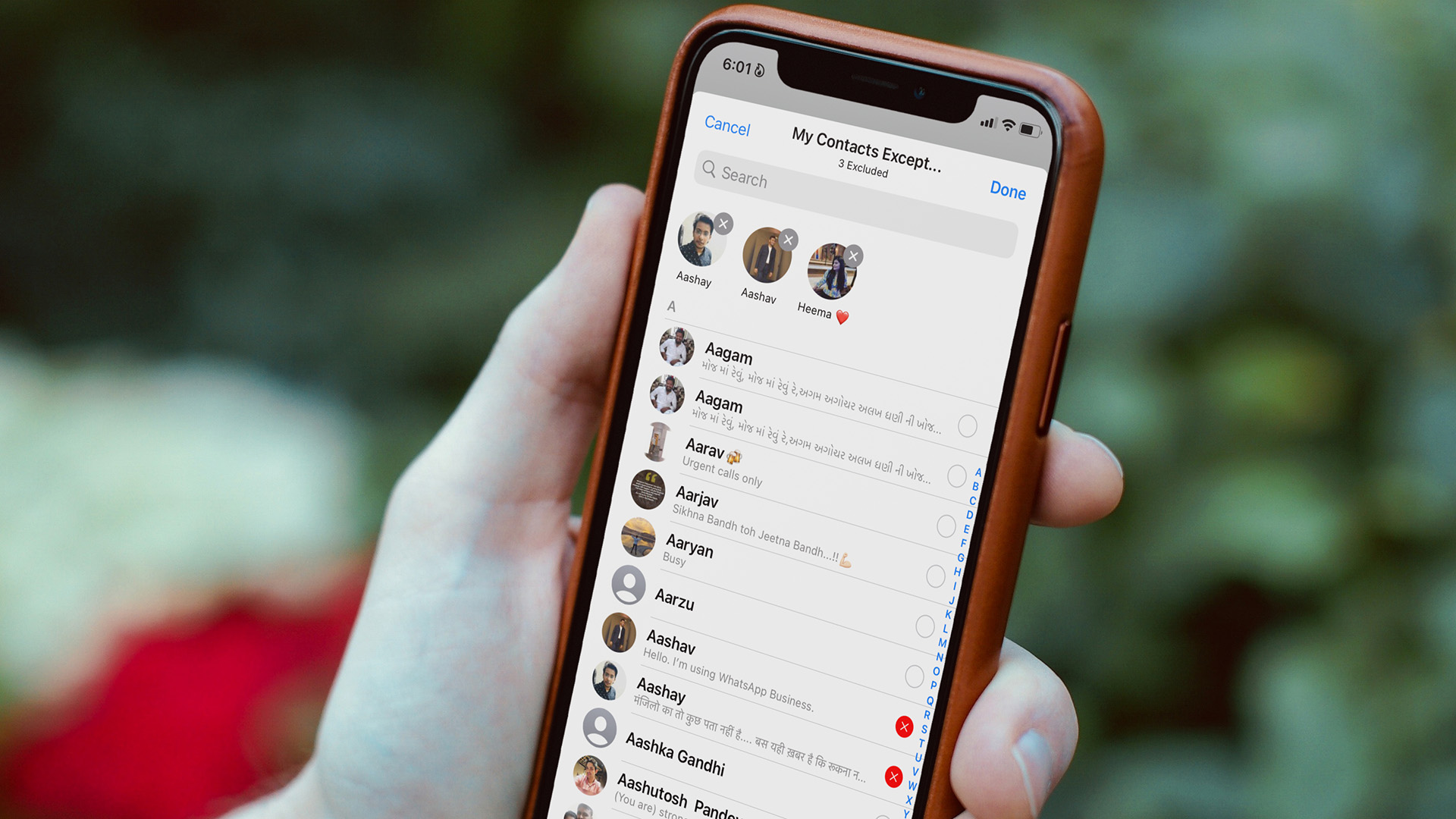
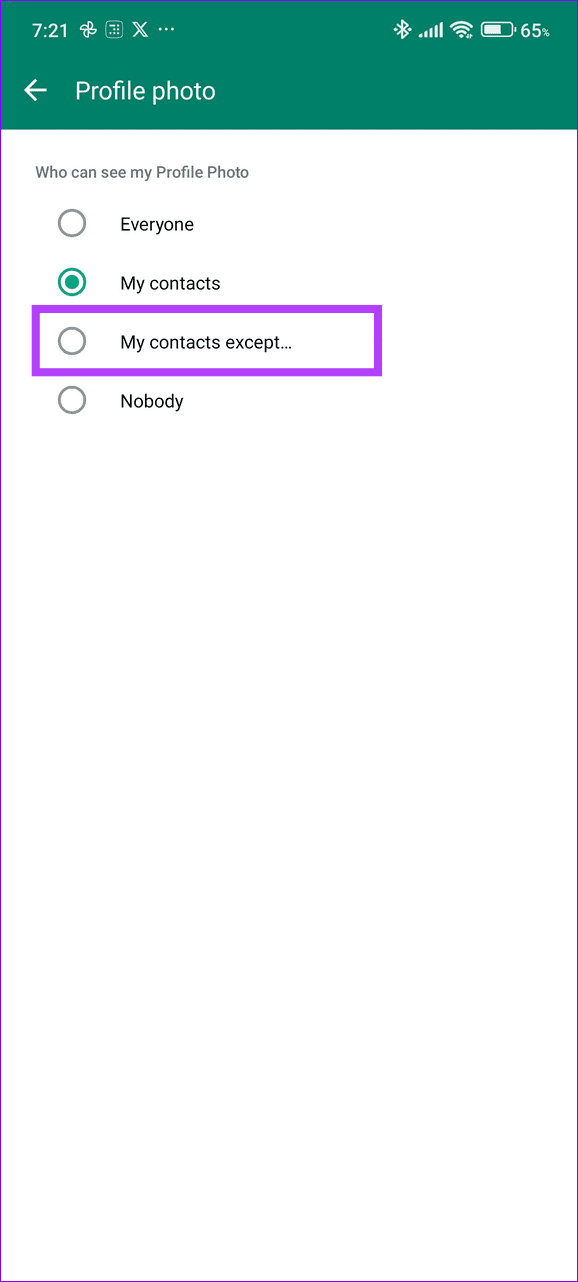
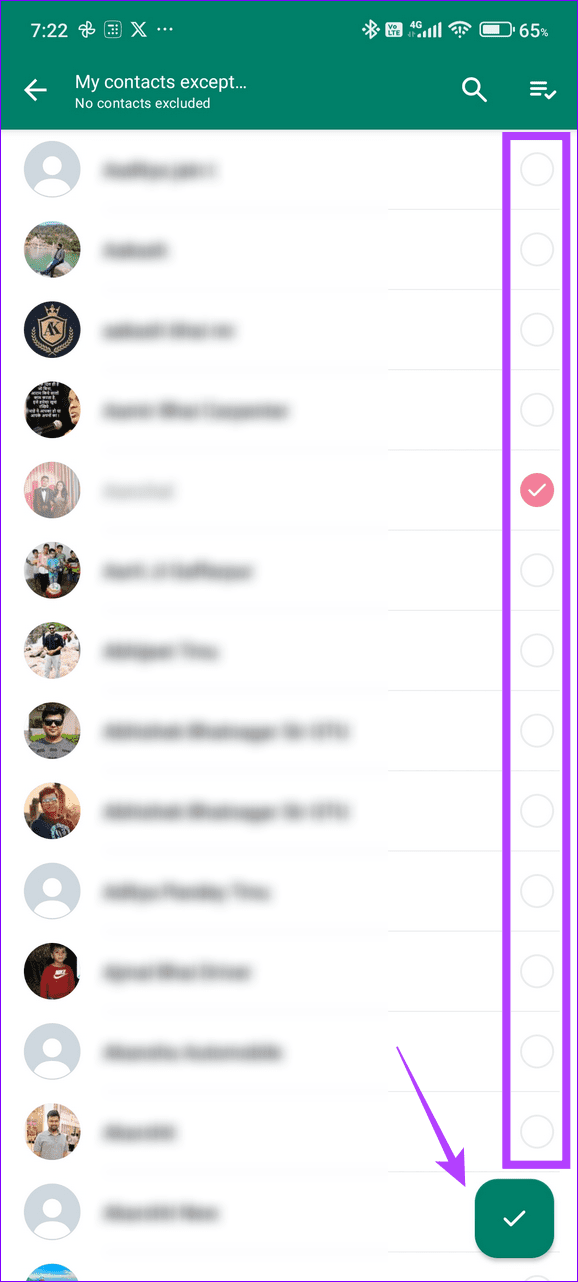
Step 3: Tap My contacts except and mark your desired contacts to exclude them from viewing your profile photo. Select the Green tick button at the bottom right to save changes.
On iOS
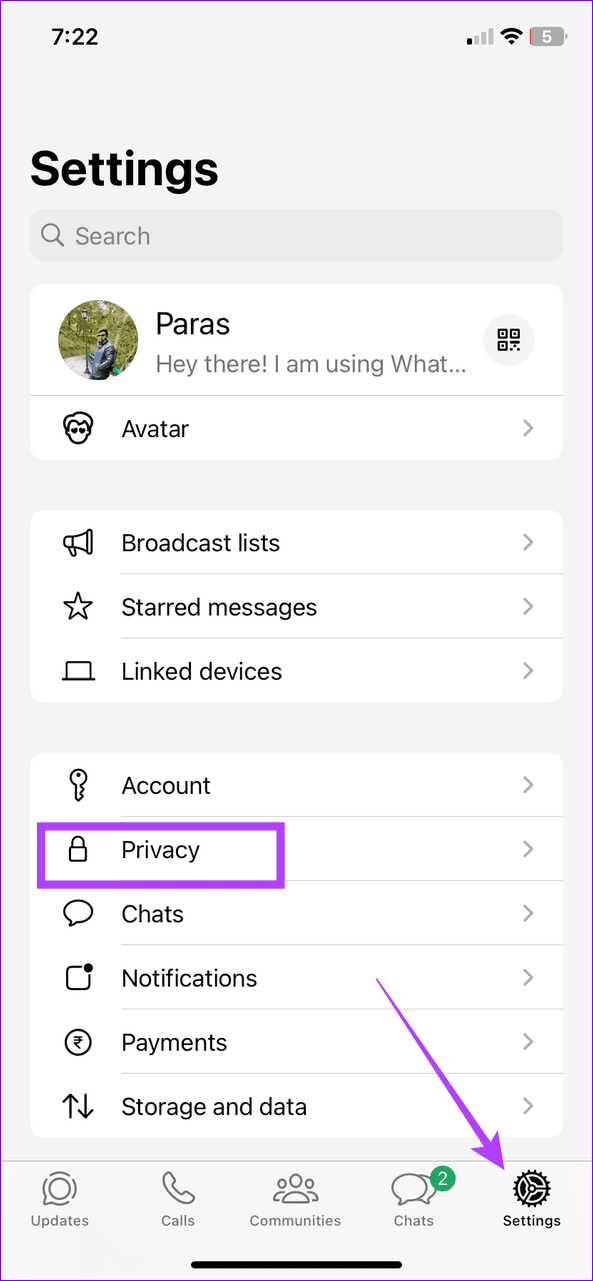
Step 1: Open WhatsApp , select the Settings tab at the bottom right, and tap Privacy .
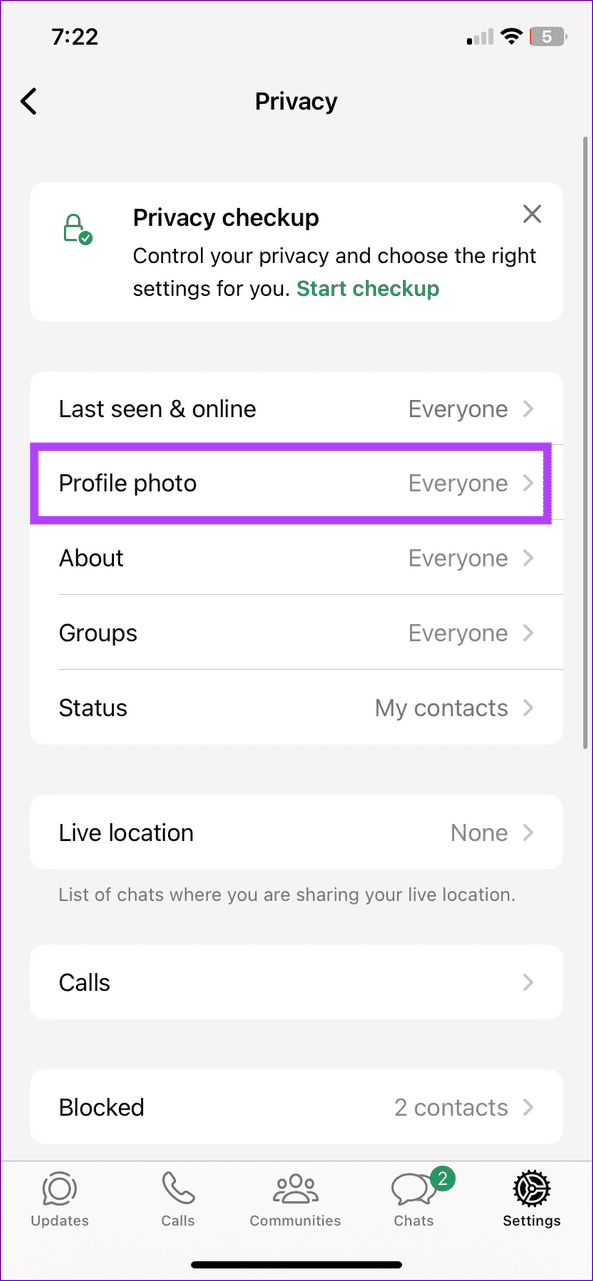
Step 2: Select Profile photo under the Privacy Checkup section.
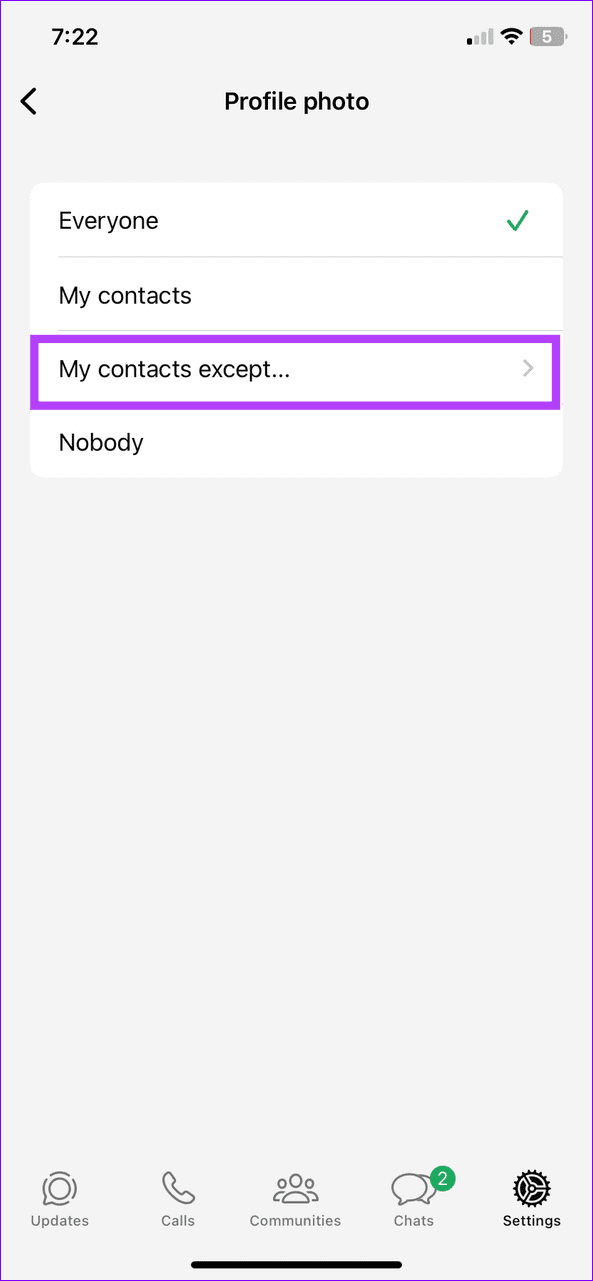
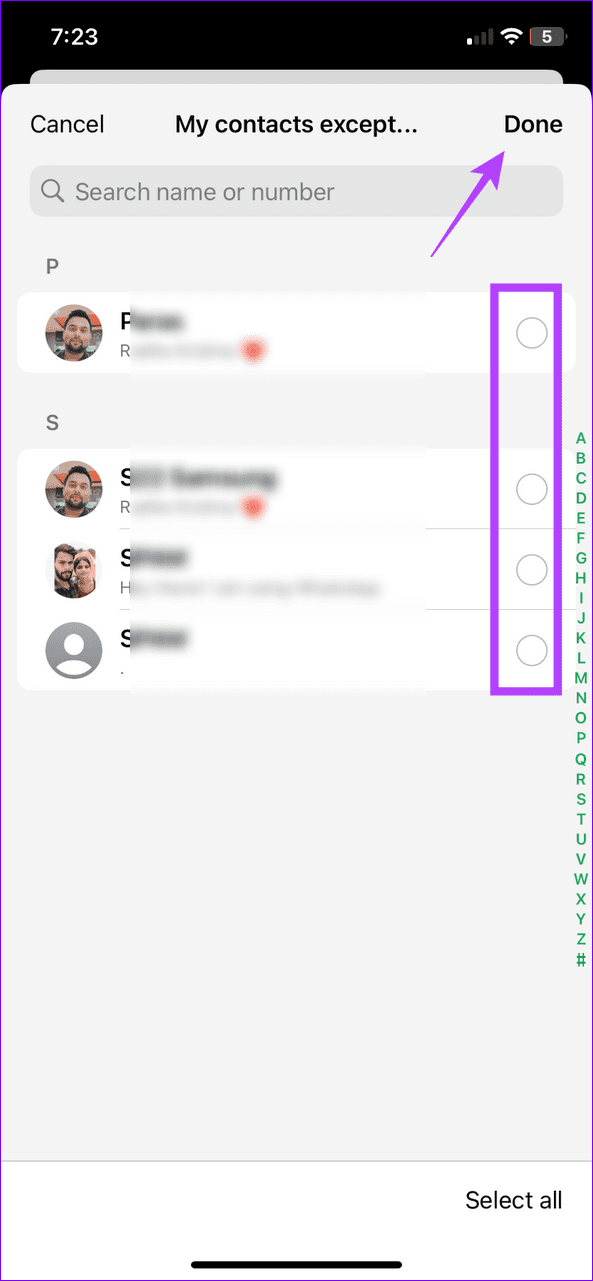
Step 3: Tap My contacts except , mark your desired contacts to exclude them from viewing your profile photo, and tap Done at the top right to save changes.
Was this helpful?
Submit Cancel
Thanks for your feedback!
Keep reading