Android
5 Ways to Make Your Android Phone Vibrate
Want to make your Android phone vibrate while in silent mode, when its ringing, or continuously? Here's how to put Android in vibration mode.
By Mehvish

Quick Tips
Press the volume up or down, and enable vibration from the sound settings bar.
You can also open the quick settings panel to enable vibration mode.
Alternatively, go to Settings > Sound and Vibration and enable it for calls and notifications.
Method 1: Using the Volume Button
On phones running Stock Android, you can put it on vibration mode using the volume button.
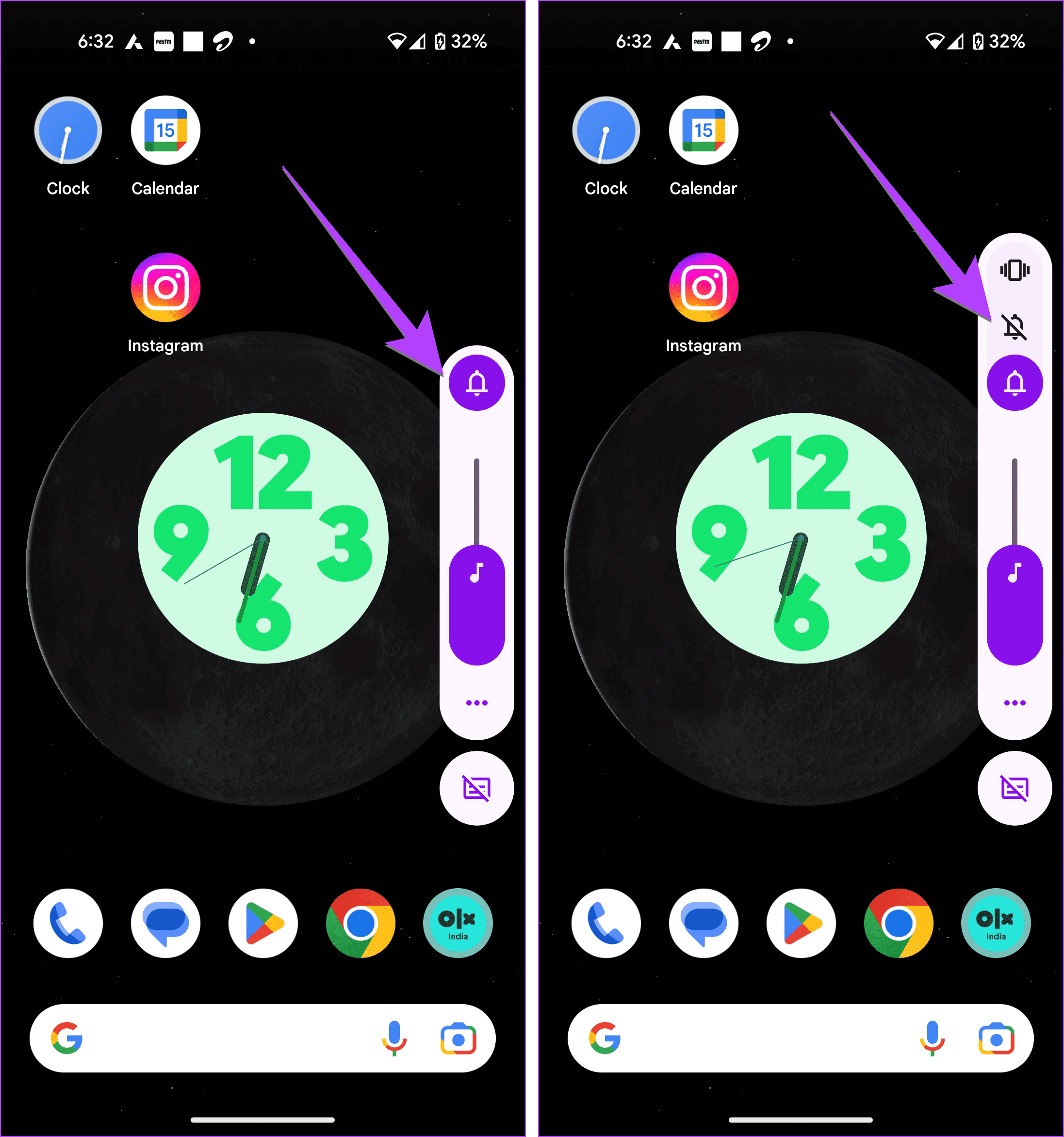
Press the Volume Up or Down button. Tap on the Bel l icon.
You will see two new icons: a bell with a bar on it and a vibration icon. The former puts your phone on mute without vibration, whereas the latter will make your Android phone vibrate on silent . Tap on the Vibration icon .
Tip: Learn how to fix volume buttons not working on Android.
Method 2: Using the Power + Volume Button
On some Android phones, you can quickly put your phone in vibration mode by pressing the Power and Volume Up buttons simultaneously. However, for this feature to work, it must be enabled in settings.
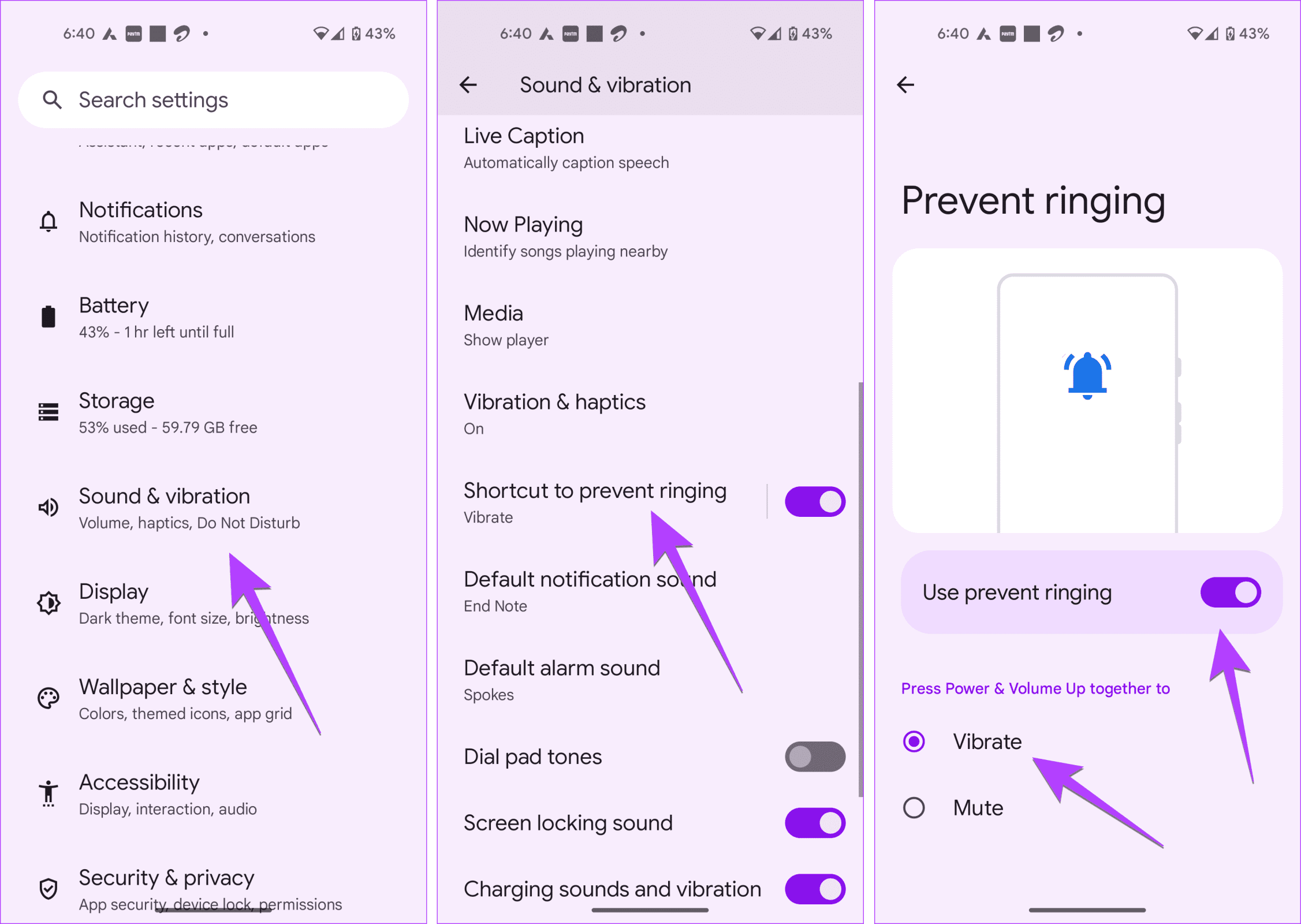
Step 1: Open Settings > Sound & Vibration , followed by Shortcut to prevent ringing . Make sure to tap on the text and not the toggle.
Step 2: Enable the toggle next to Use Prevent Ringing and select Vibrate under the list of options.
Now, whenever you want your phone to vibrate, just press the Power and Volume Up buttons together.
Tip: Learn how to fix the Android phone automatically goes into silent mode
Method 3: From Quick Settings
On Android phones from brands like Samsung, you can enable vibration mode using Quick Settings as well.
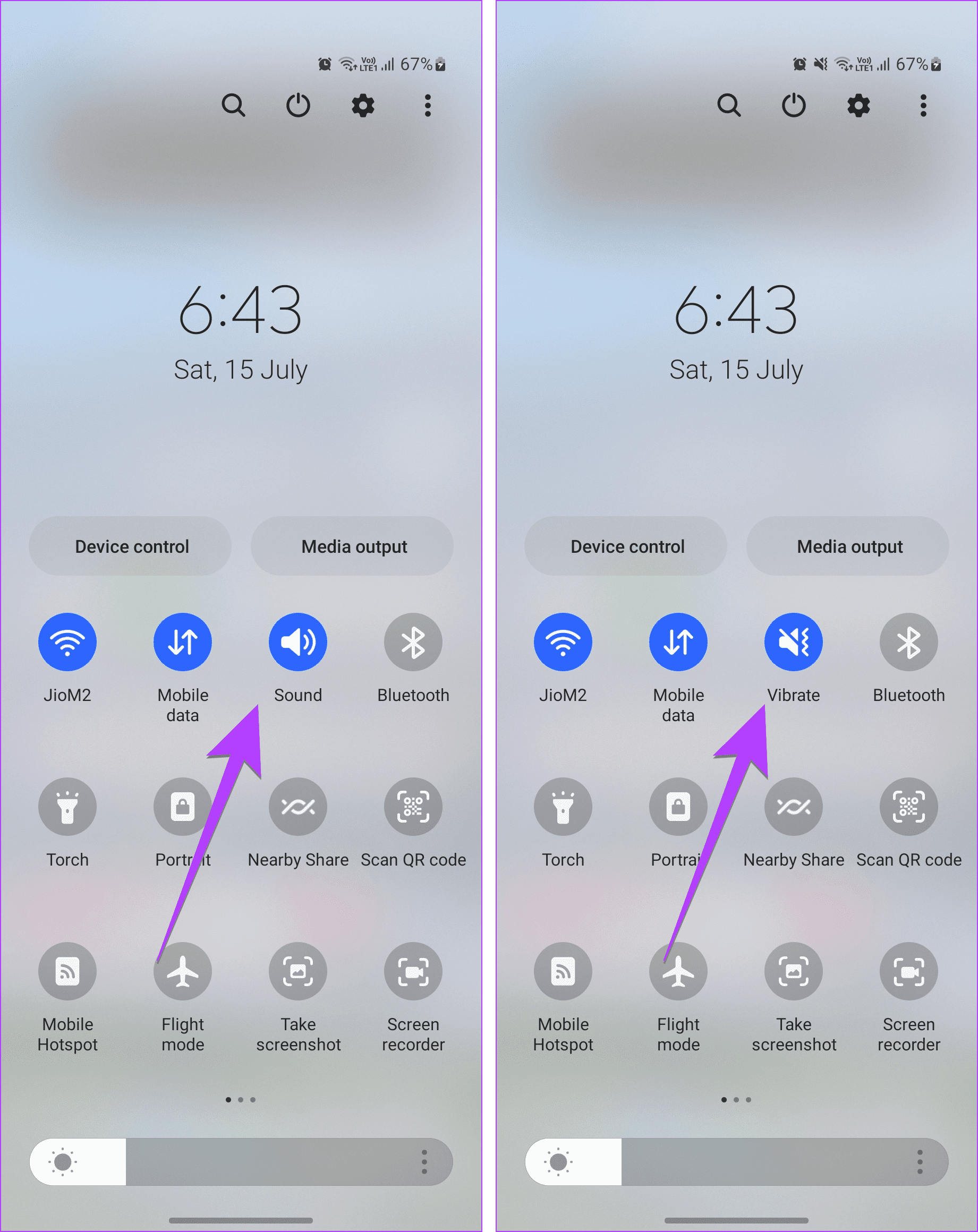
Step 1: Swipe down twice from the top of the screen to open the Quick Settings panel.
Step 2: Tap on the Sound icon , and it will turn to Vibrate.
That’s it. The vibration mode is now active on your phone.
Method 4: From Settings App
On Samsung Galaxy phones, you can enable vibration mode from Sound settings too.
Open Settings, go to Sounds and Vibration and select Vibrate .
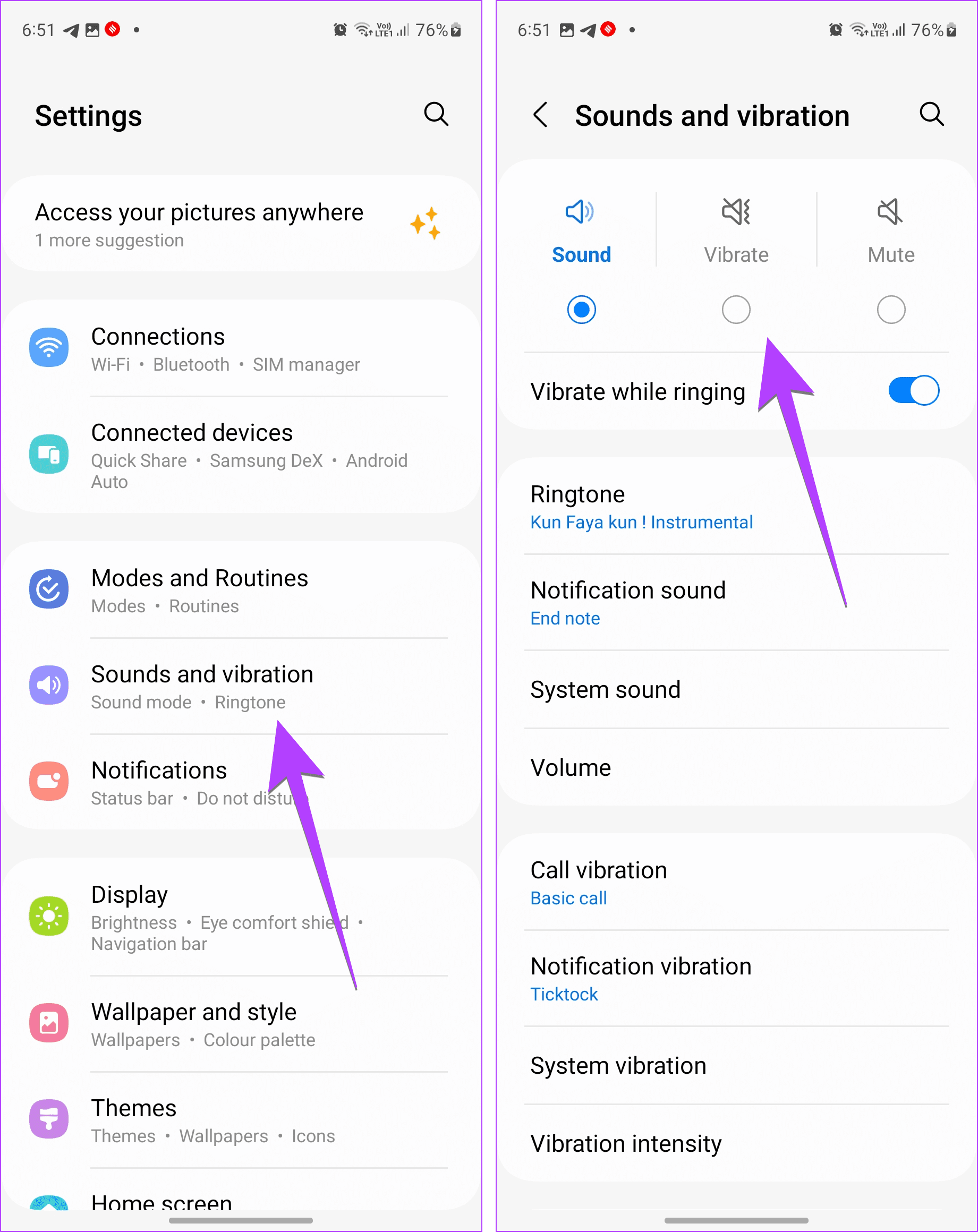
Method 5: Enable Vibration Along With Sound for Notifications
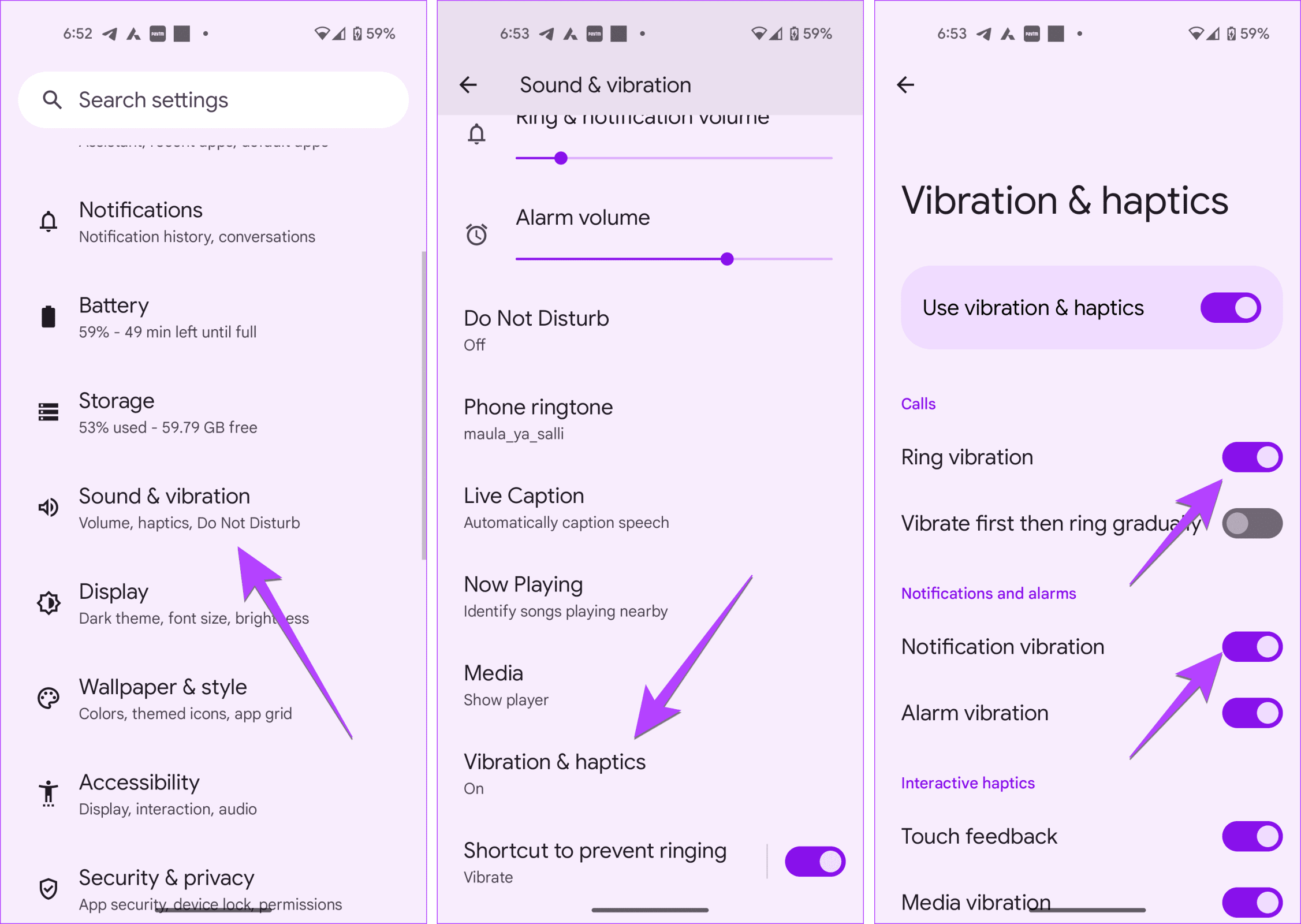
You can also make your Android device vibrate for incoming calls and notification alerts, as shown below:
Step 1: Open Settings > Sound & vibration , followed by Vibration & haptics .
Step 2: Enable the toggle next to Ring vibration or Notification vibration.
Also Read: How to fix Android smartphone vibrating randomly .
Was this helpful?
Submit Cancel
Thanks for your feedback!
Keep reading