Android
Google Now Allows Family Members to Share Passwords on Android: How It Works
Google now lets family members share access to passwords within the Password Manager on Android. Here's how you can use this feature.
By Shaurya Sharma
Password Sharing in Google Password Manager
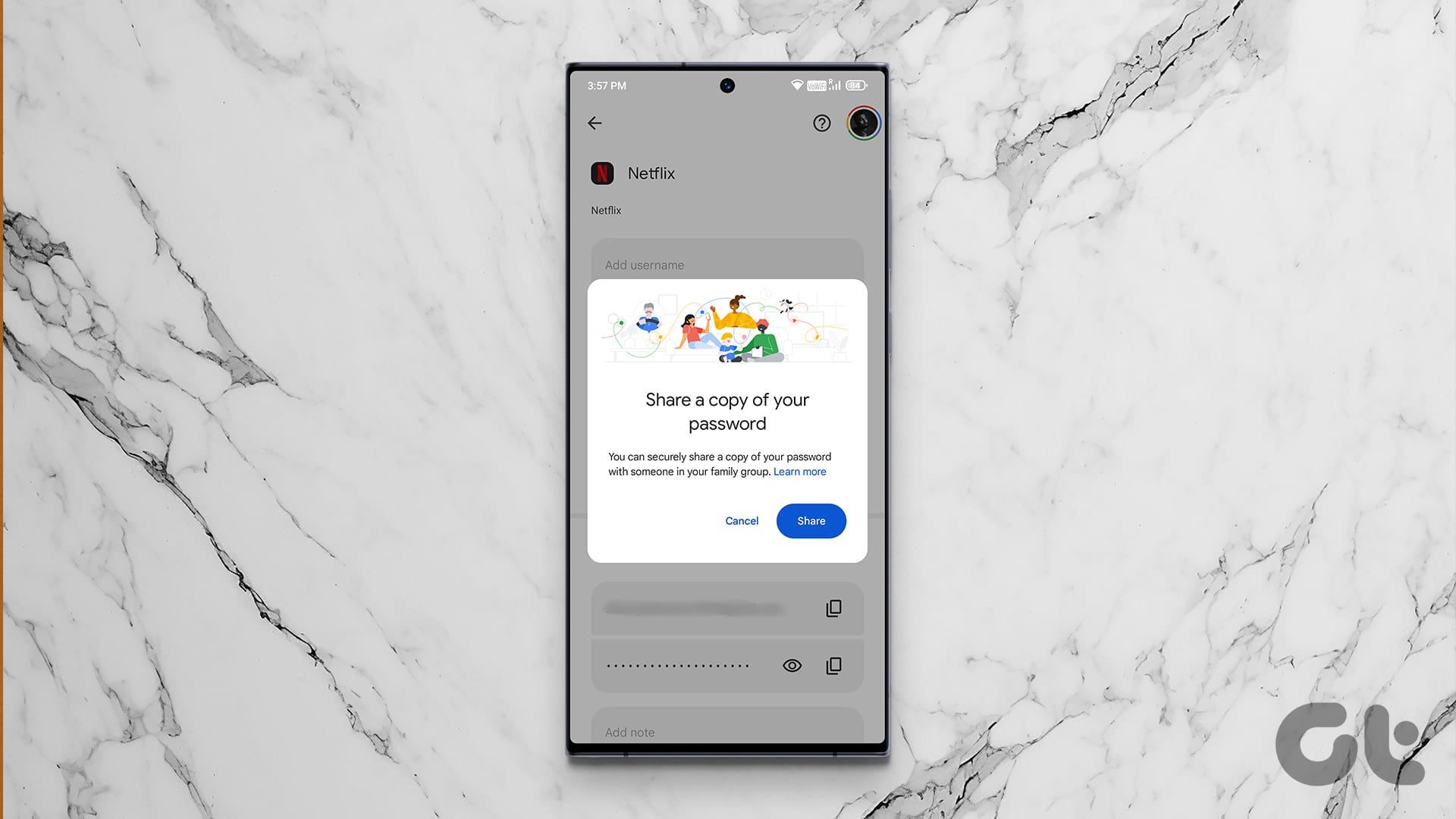
Have you ever needed the password for your sibling’s Amazon Prime account in the middle of the night? Google’s new Play Services update eliminates those late-night frustrations. This update lets household members share access to services like Netflix, Amazon, and more through Google Password Manager.
Google’s official system release notes explain that when you share a password, your family members receive a copy in their own Google Password Manager. However, this feature is limited to members within the same Google Family group and cannot be extended to other Google accounts.
Our research confirms that this feature works as advertised. However, as Android Authority notes , it currently only functions on mobile devices and is not yet available for Chrome on desktop.
How to Use and Who Is Eligible?
To use this feature, you need the May 2024 Google Play Services Version 24.20. If you haven’t received the update yet, don’t worry—it’s being rolled out in phases and should reach all eligible devices soon. If you have received the version, here’s how you can use the password sharing feature:
Step 1: On your Android device, go to Settings and navigate to Passwords and accounts .
Step 2: Open the Password Manager and find the service for which you want to share the password.
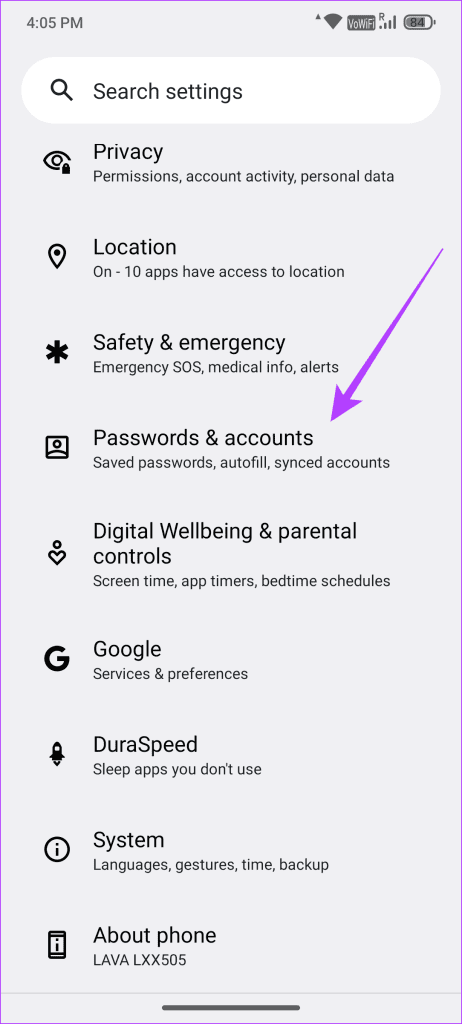
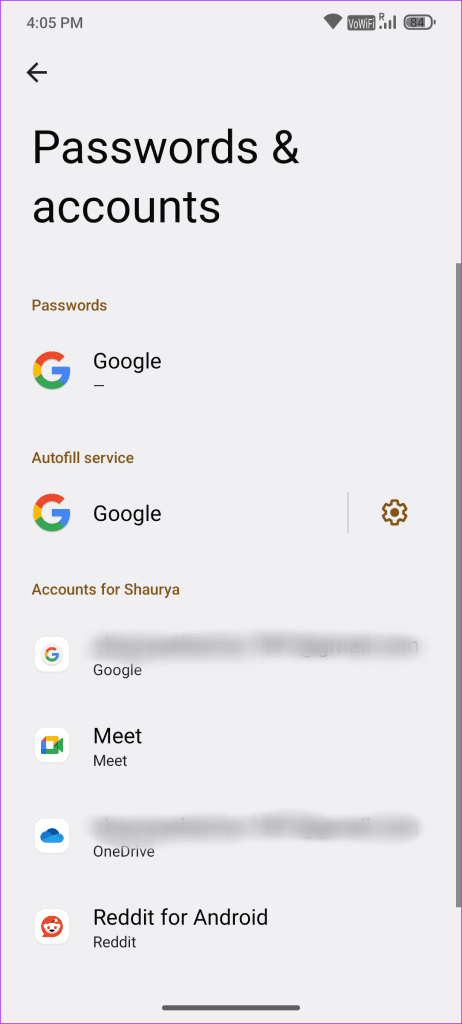
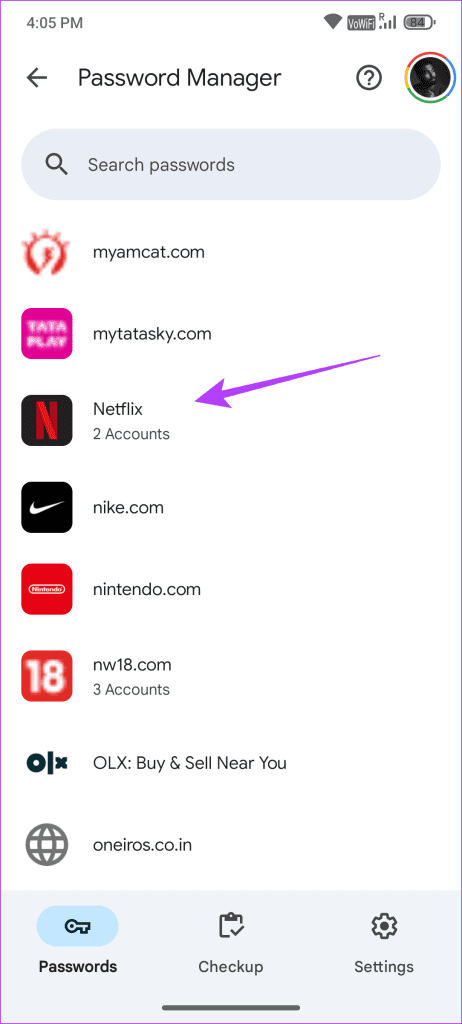
Note: If your phone’s UI is different, open Google Password Manager by searching for it.
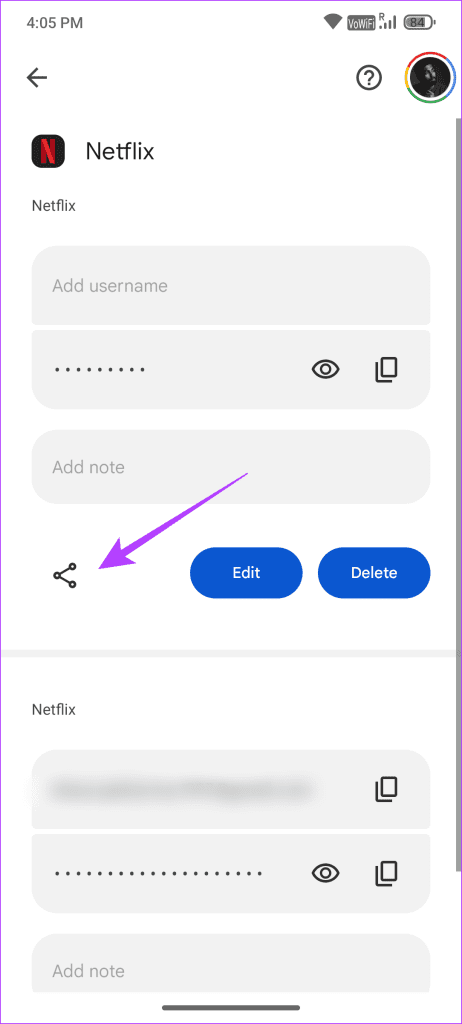
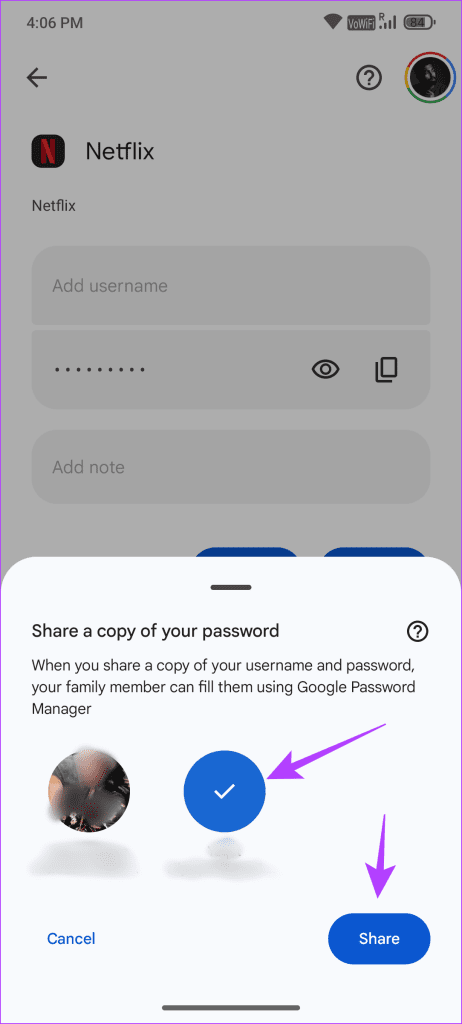
Step 3: Tap the share icon , select the family member you wish to share the password with.
Step 4: Tap Share . Now, your password can be accessed by your family member.
Why Use Google’s Password Sharing on Android?
1. For Sharing Common Passwords Like Netflix
If your family uses shared accounts for services like Amazon Prime and Netflix, this feature eliminates the hassle of constantly asking for login credentials. With a shared password, up to six members of a Google Family group can access these services seamlessly, even during inconvenient times like late at night.
2. More Secure Alternative
Sharing passwords through Google Password Manager is more secure than using instant messaging apps, where they might be vulnerable to prying eyes. Each family member receives a copy in their own password manager, enhancing security.
3. Parents Sharing Passwords With Kids
For parents, this feature simplifies sharing access to passwords for school services and assignments with their children. It ensures that both parents and children know which services are accessible and maintains security.
Was this helpful?
Submit Cancel
Thanks for your feedback!
Keep reading