Android
How to Tell if a Text Message Was Delivered on Android
Wondering how to tell if a text message was delivered on your Android phone? Here's how to enable it on popular messaging apps.
By Mitch Bartlett

Quick Tips
To tell if a text message was delivered on your Samsung phone, you can enable SMS delivery reports and read receipts in the Messages app settings.
You can also enable read receipts in instant messaging apps like WhatsApp, Instagram, and Messenger.
1. Enable Message Delivery Report on Google Messages
The Google Messages app is the default message app on most Android phones. If you use it to send SMS or RCS messages, here’s how to enable the delivery report.
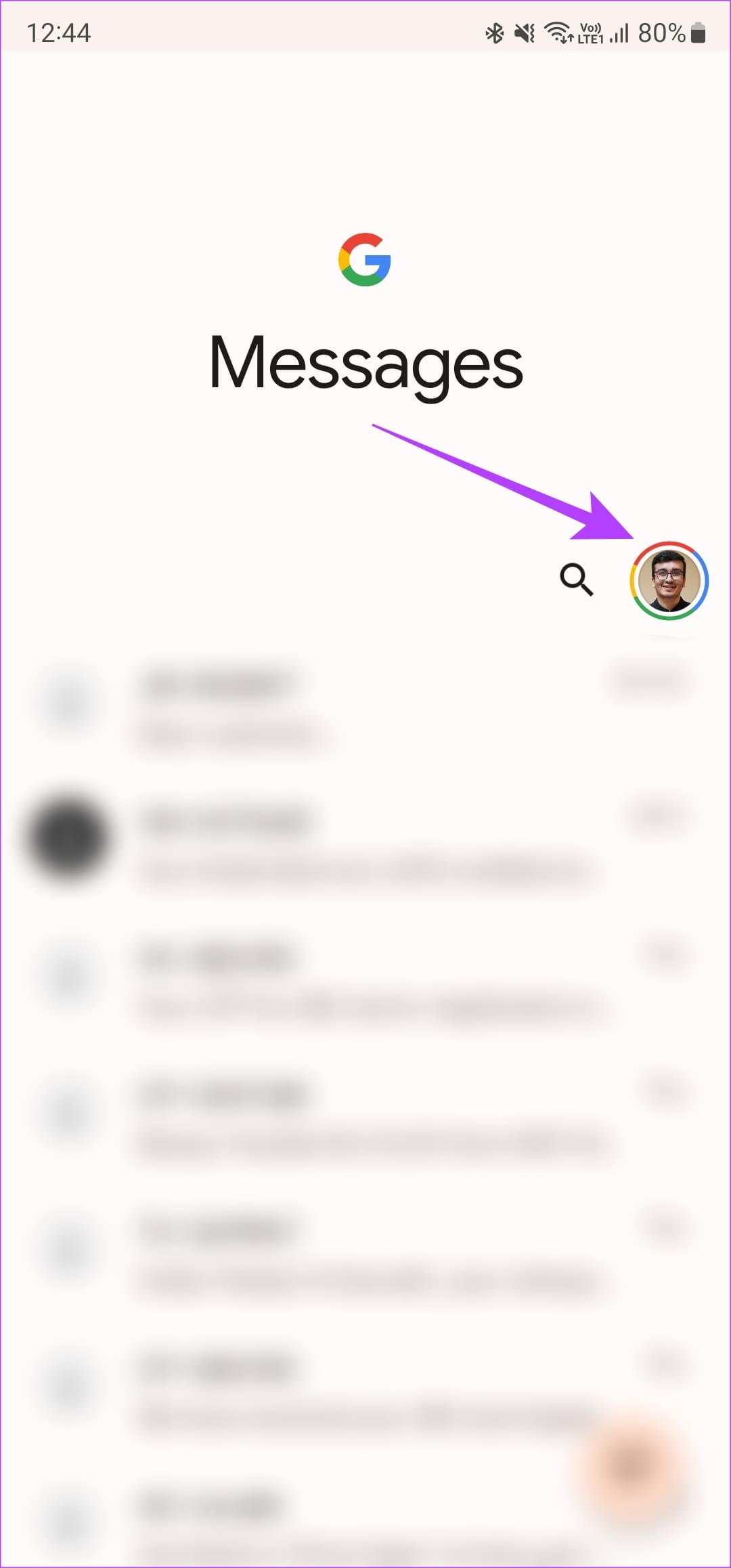
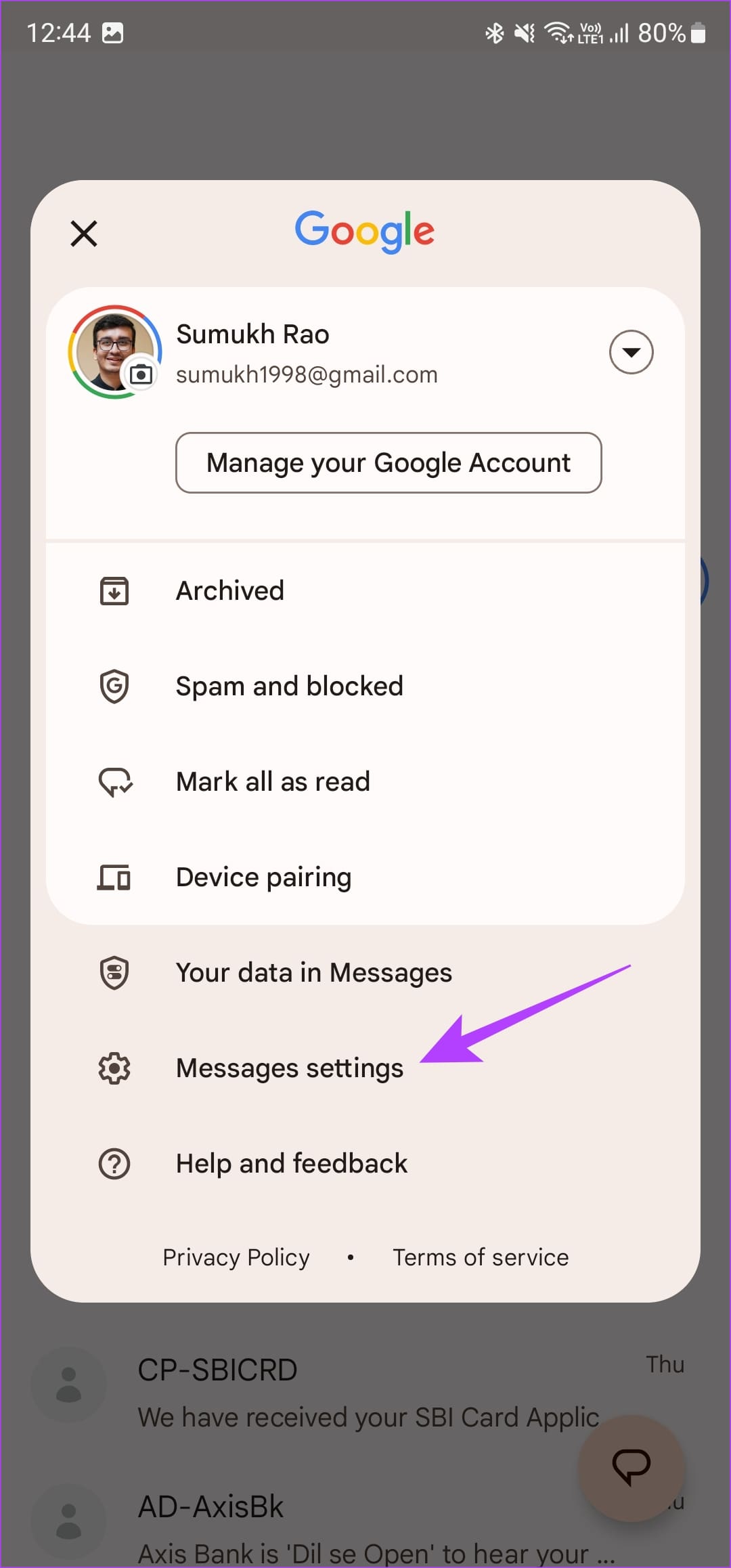
Step 1: Open the Messages app on your phone and tap your profile picture in the top-right corner. Then, select Messages settings .
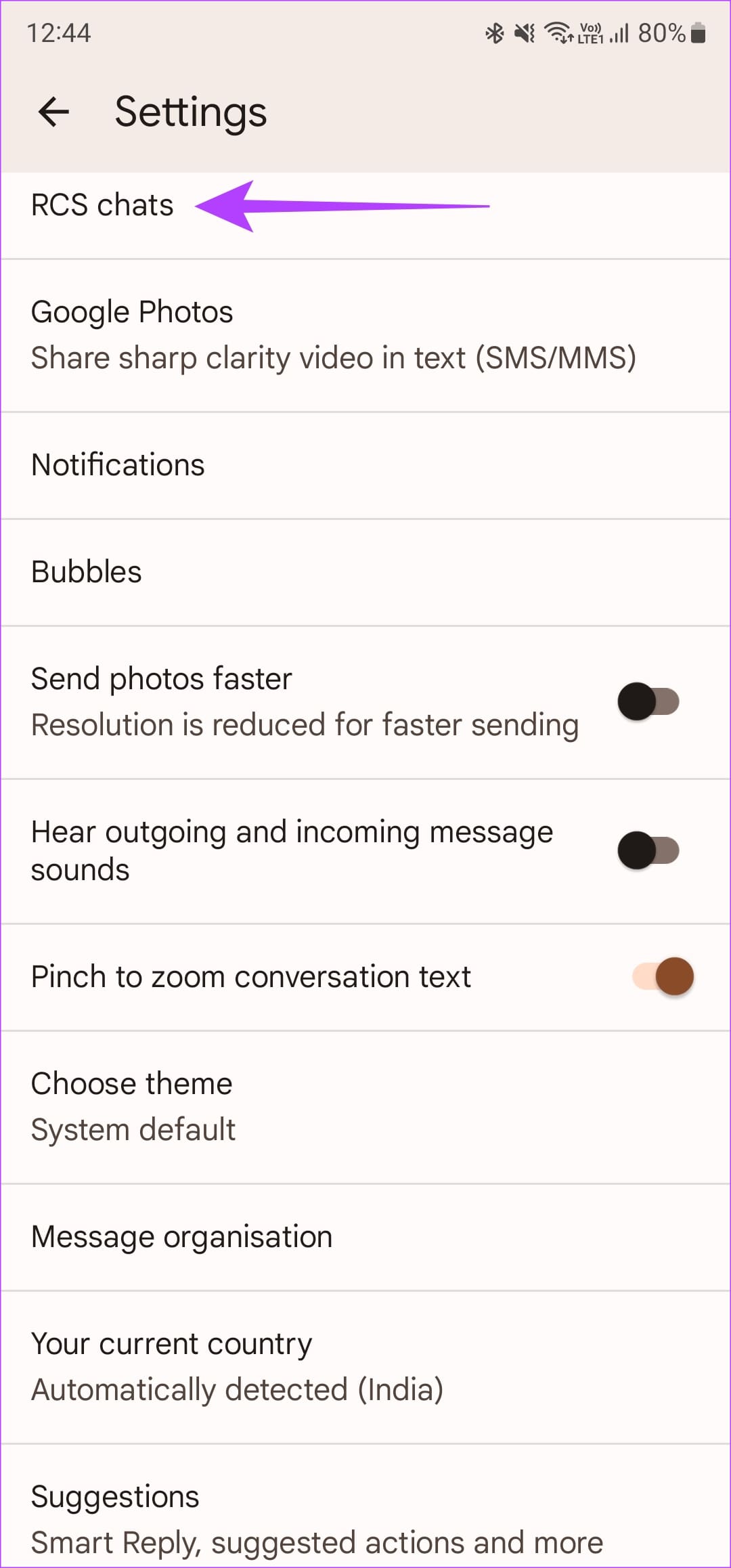
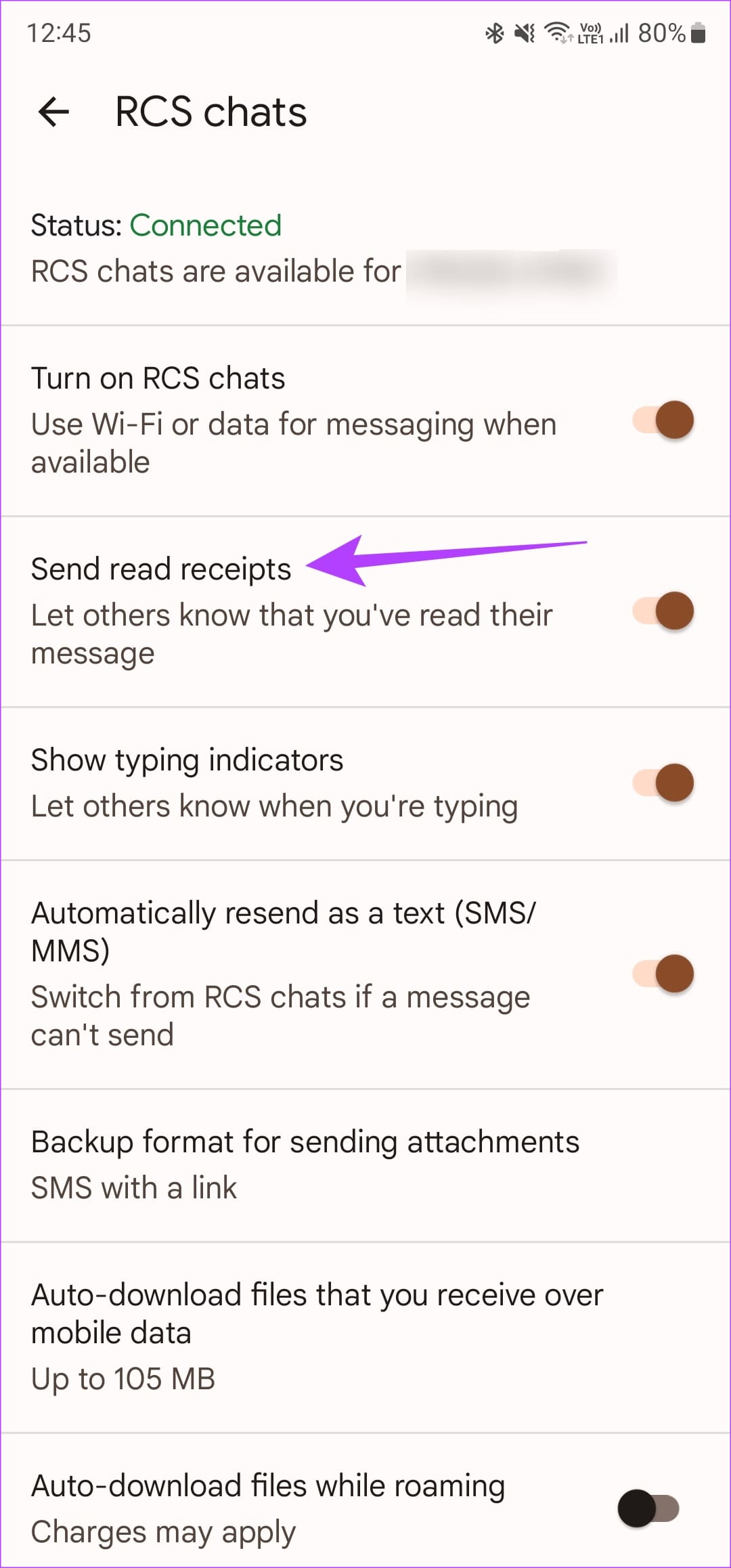
Step 2: Head over to the RCS chats option at the top. Turn on the toggle next to Send read receipts .
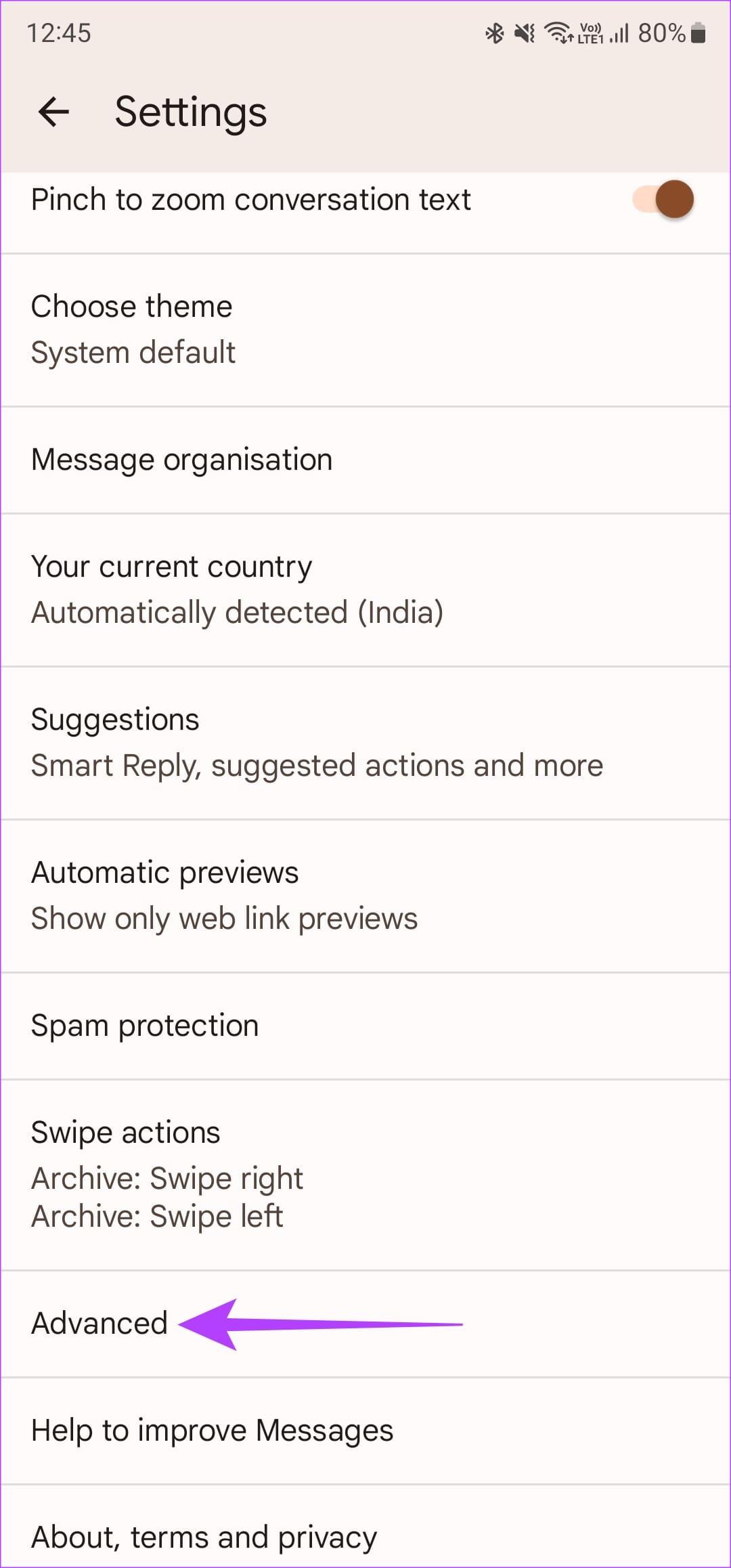
Step 3: Go back to the previous menu. Scroll all the way to the bottom and select Advanced . Enable the toggle next to Get SMS delivery reports .
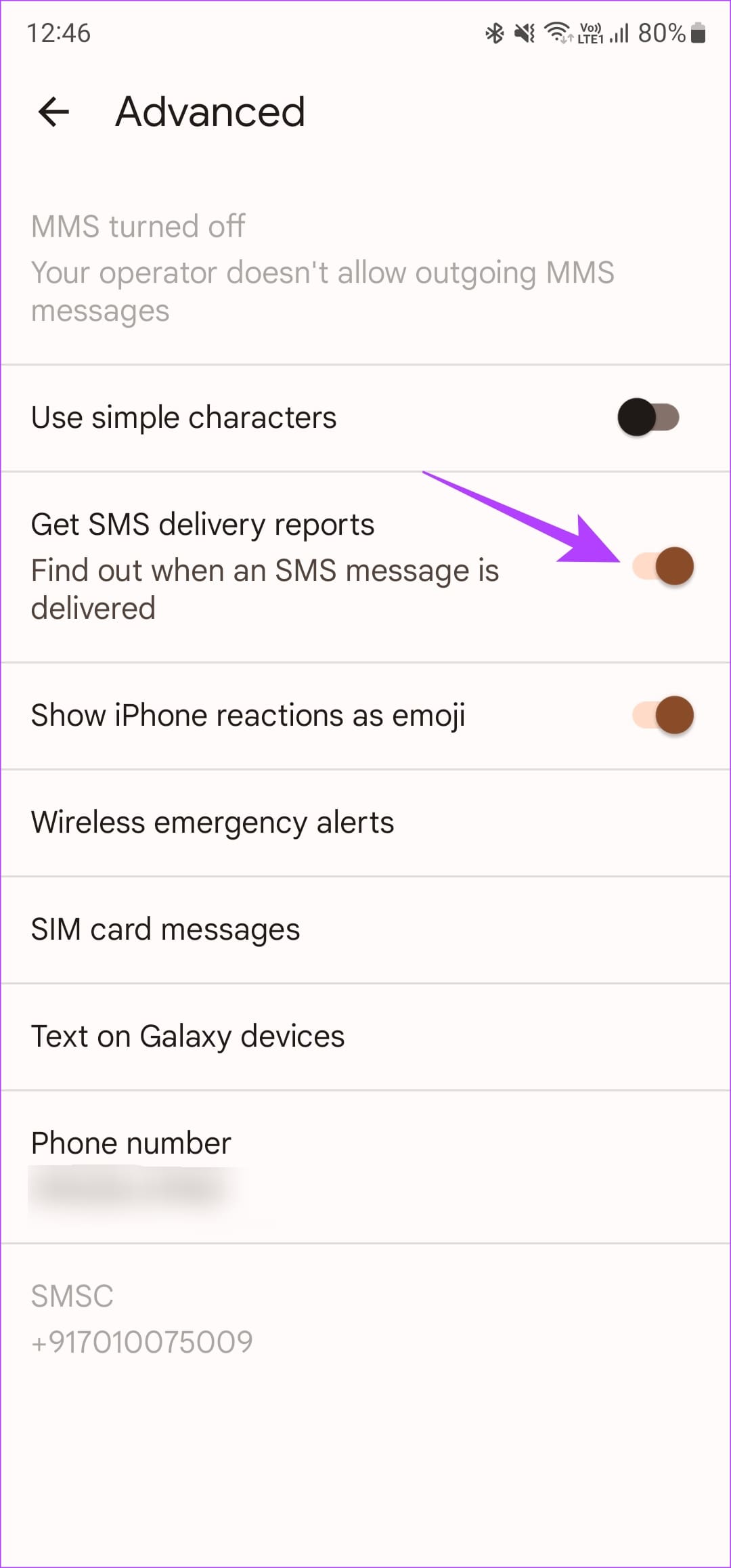
Now, you will see a single tick when your message is delivered. This is followed by a double tick when the other person reads the message.
2. Turn On Read Receipts on the Samsung Messages App
If you have a Samsung phone, you may be using Samsung Messages for exchanging texts. In that case, use these steps to turn on read receipts:
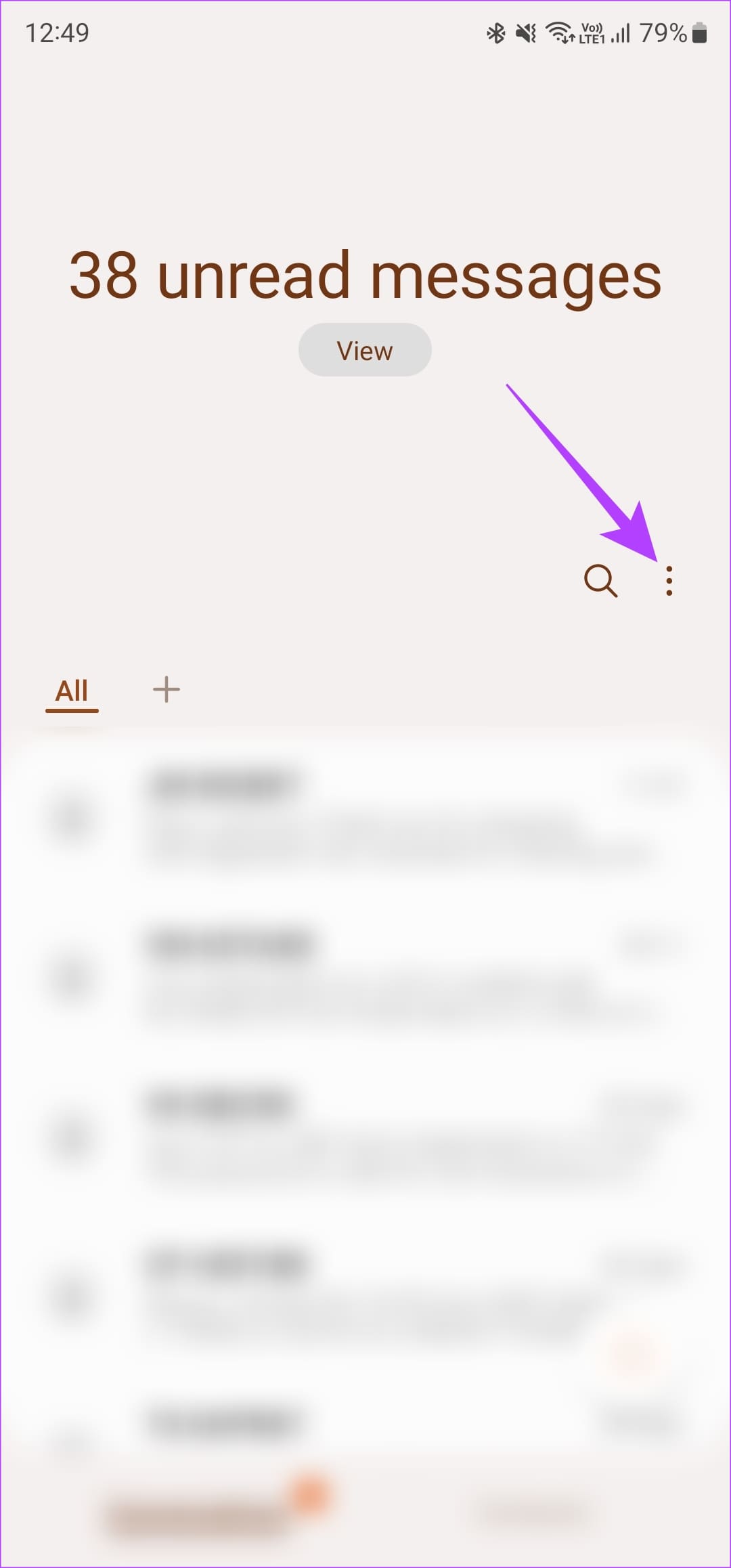
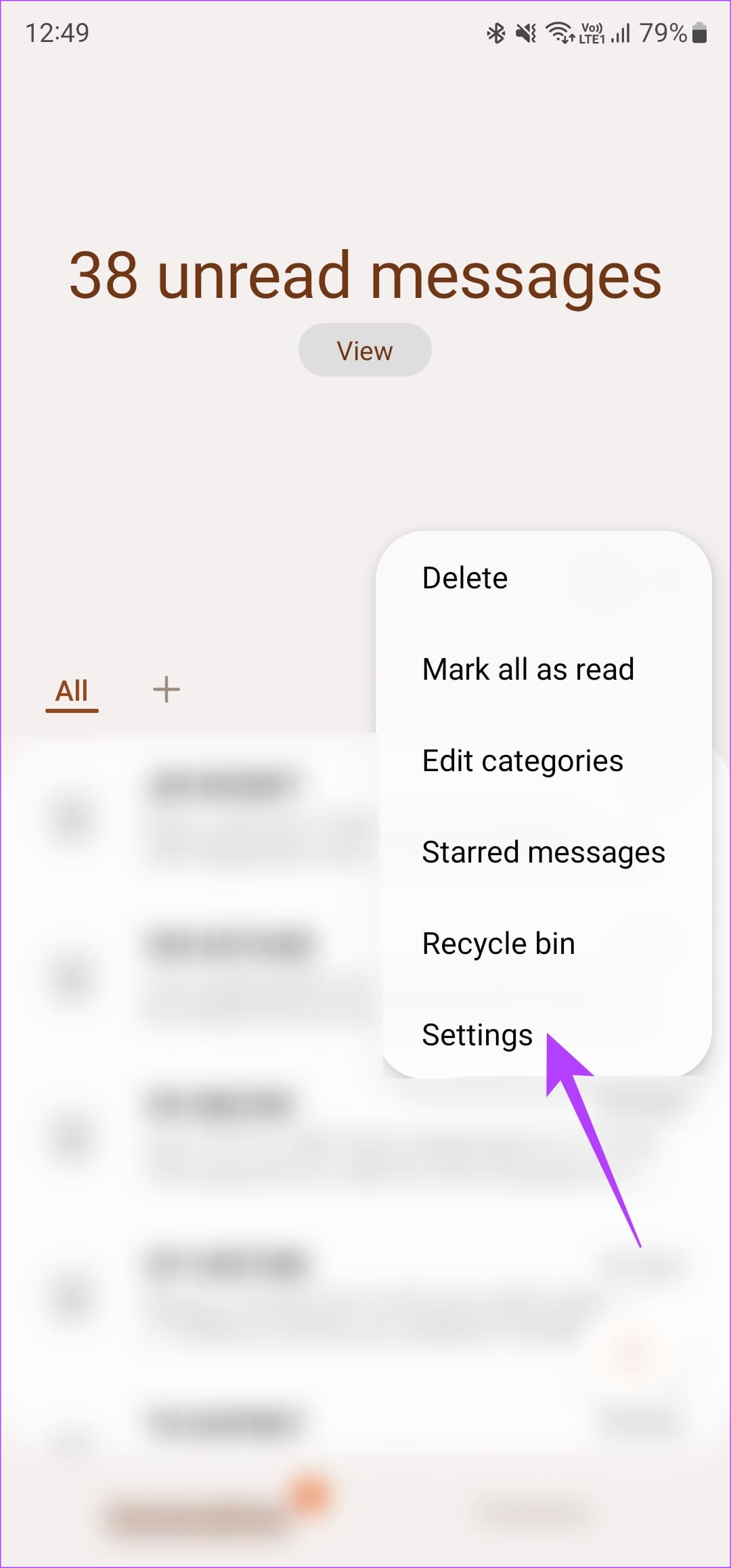
Step 1: Open the Samsung Messages app on your phone, tap on the three-dot menu and select Settings .
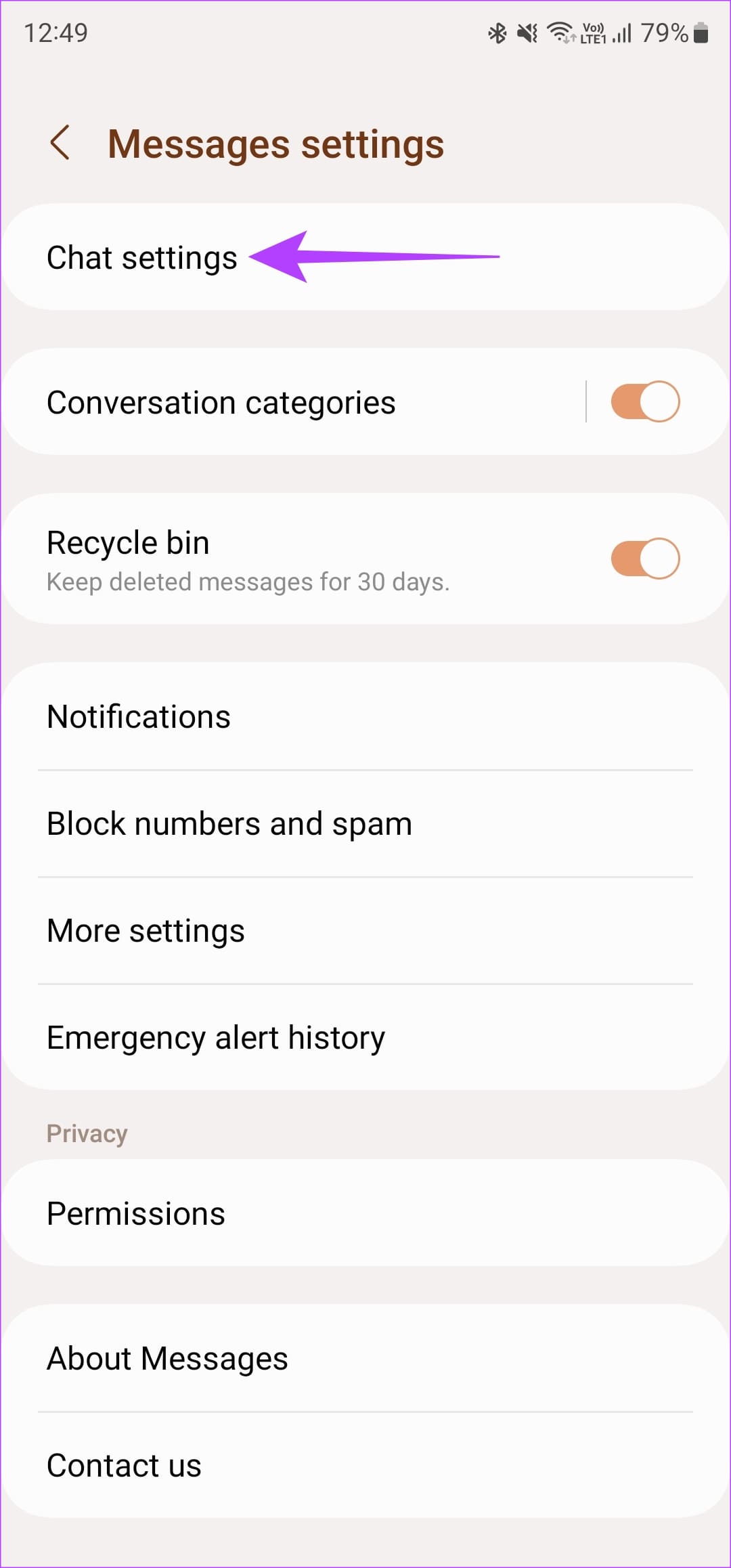
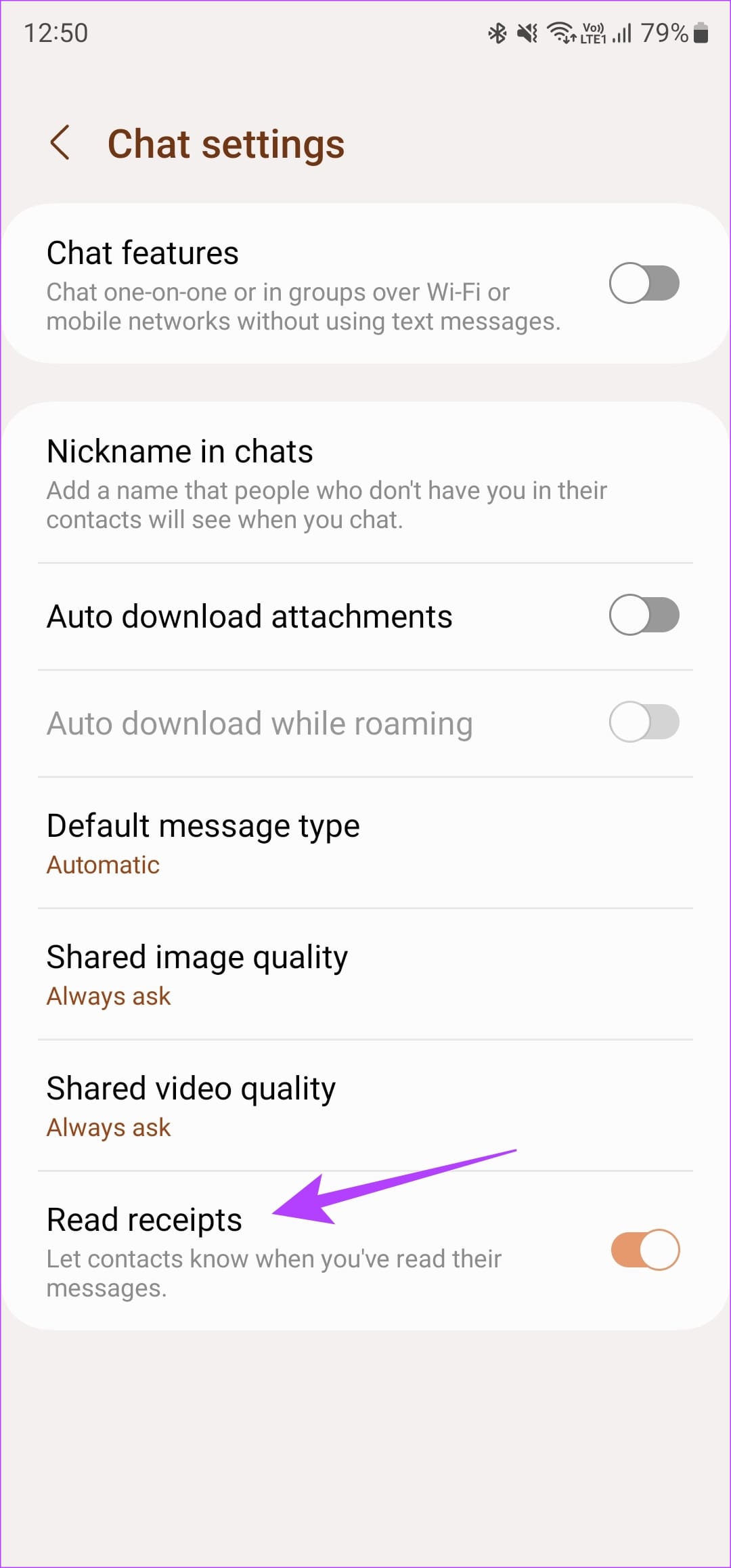
Step 2: Navigate to Chat settings . Turn on the Read Receipts toggle at the bottom.
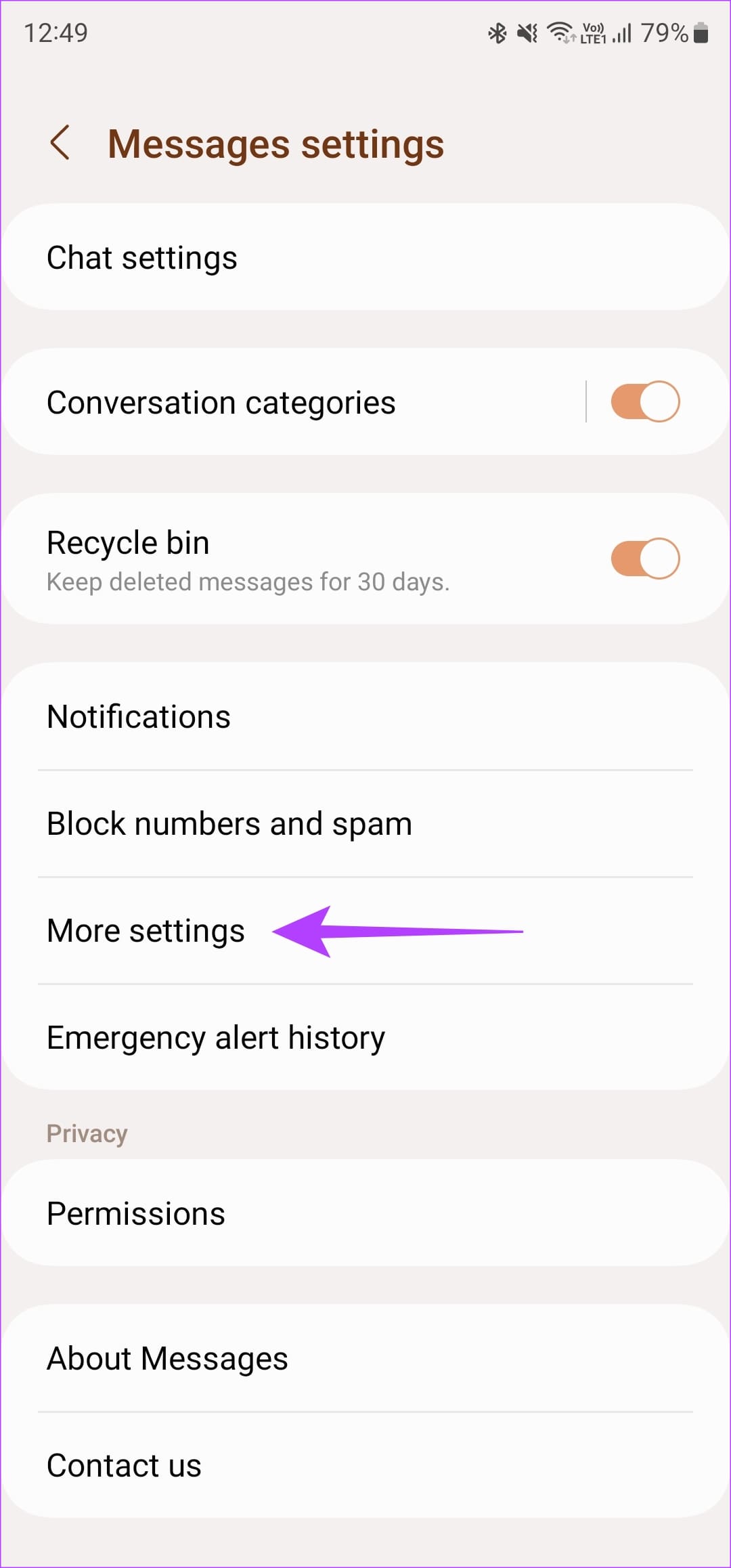
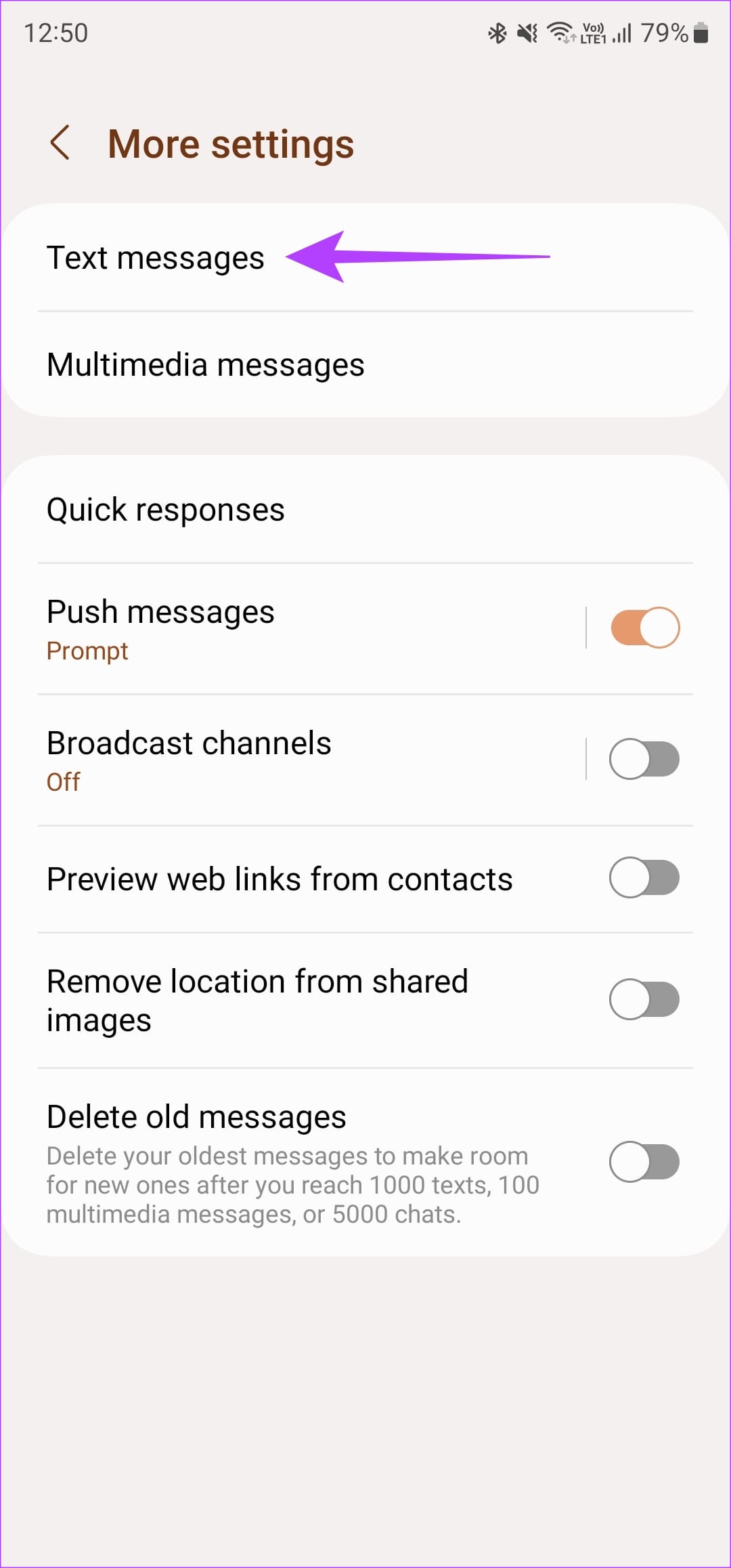
Step 3: Head back to the previous menu and choose More Settings . Then, tap on Text Messages .
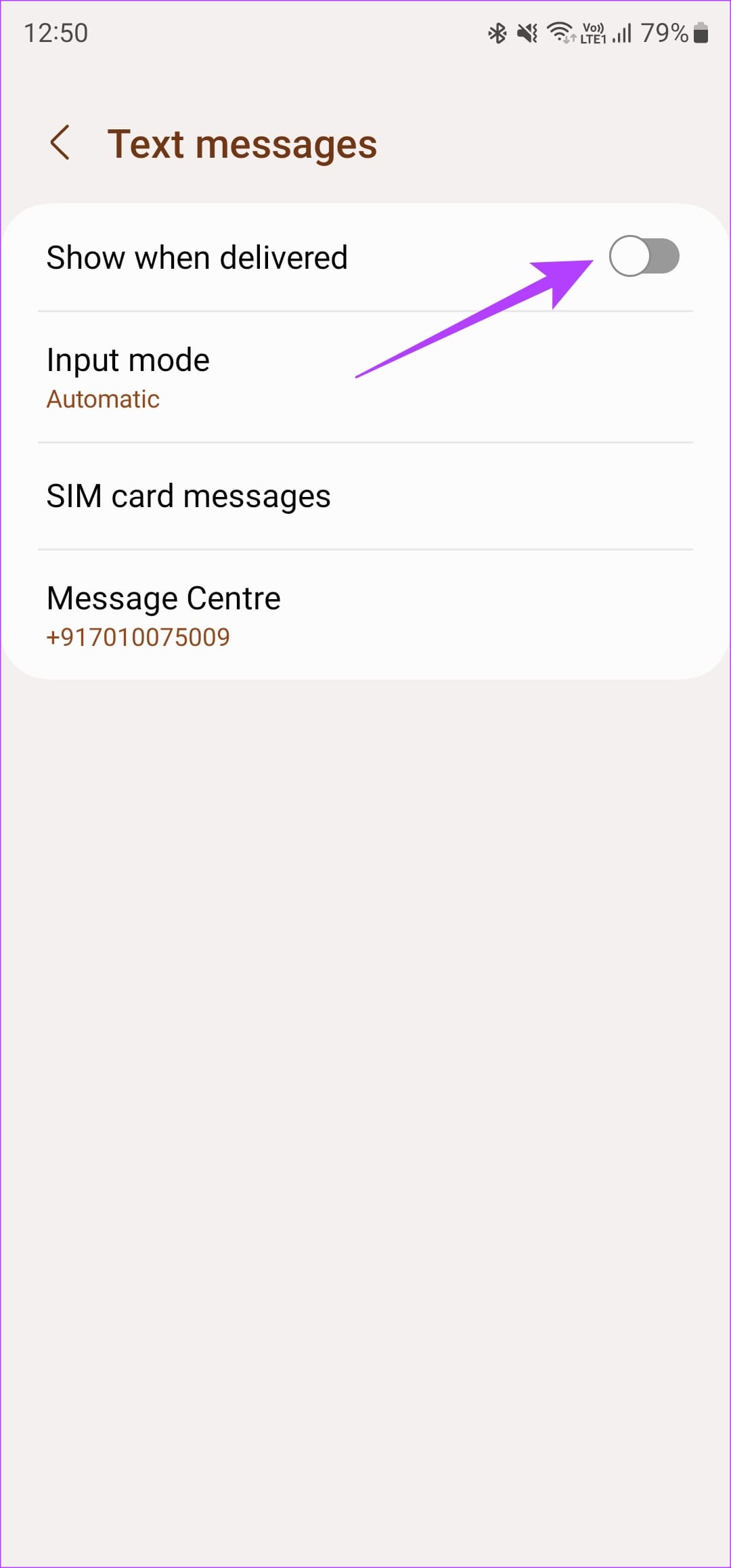
Step 4: Enable the toggle next to Show when delivered .
Just like the Google Messages app, following all the steps above enables delivery and reading reports for both SMS and RCS texts. You can see read receipts when texting both Android and iPhone users.
3. Enable Blue Ticks on WhatsApp for Read Receipts
WhatsApp is undoubtedly one of the most popular instant messaging services out there. The app has many features baked into it, including the ability to enable read receipts . Here’s how to use the feature.
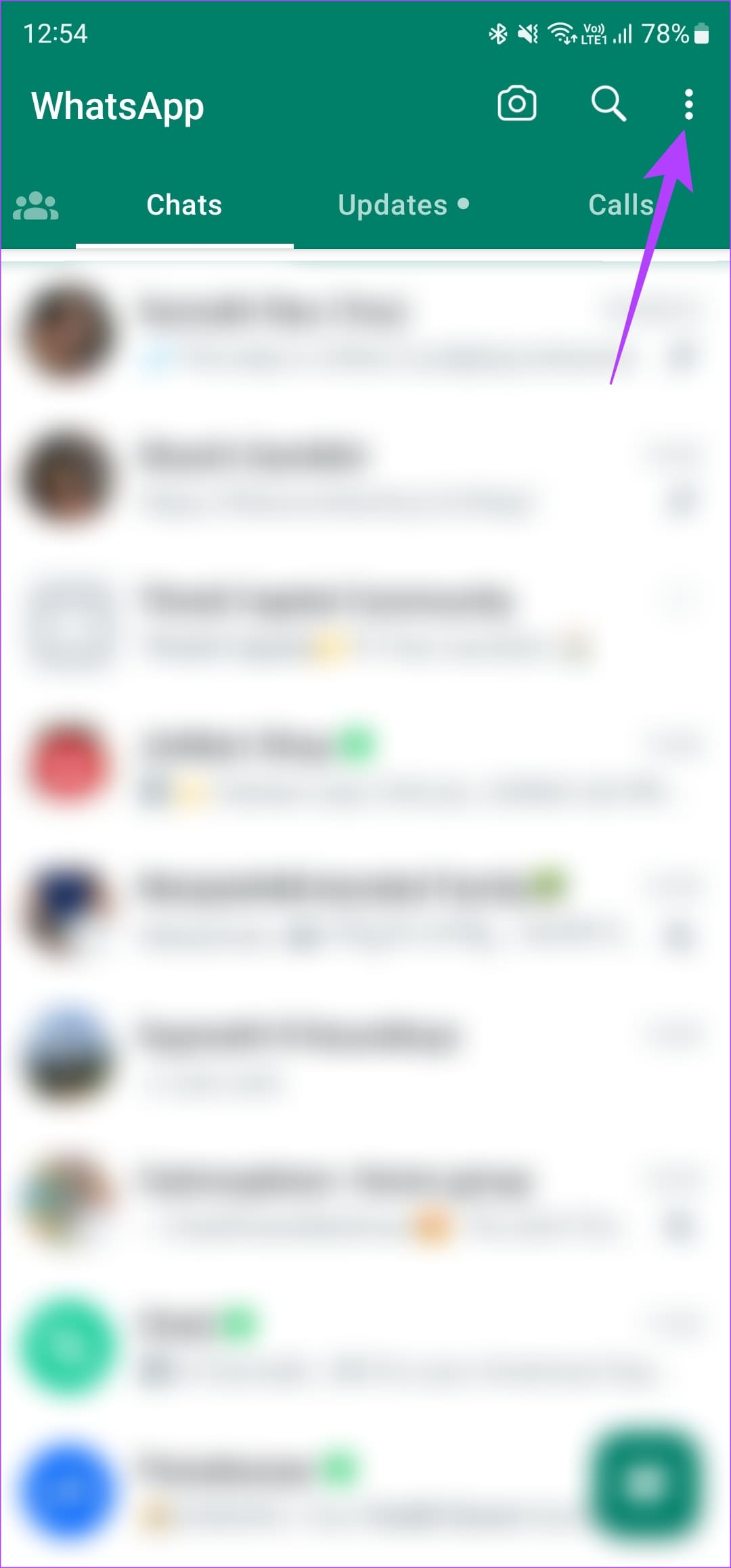
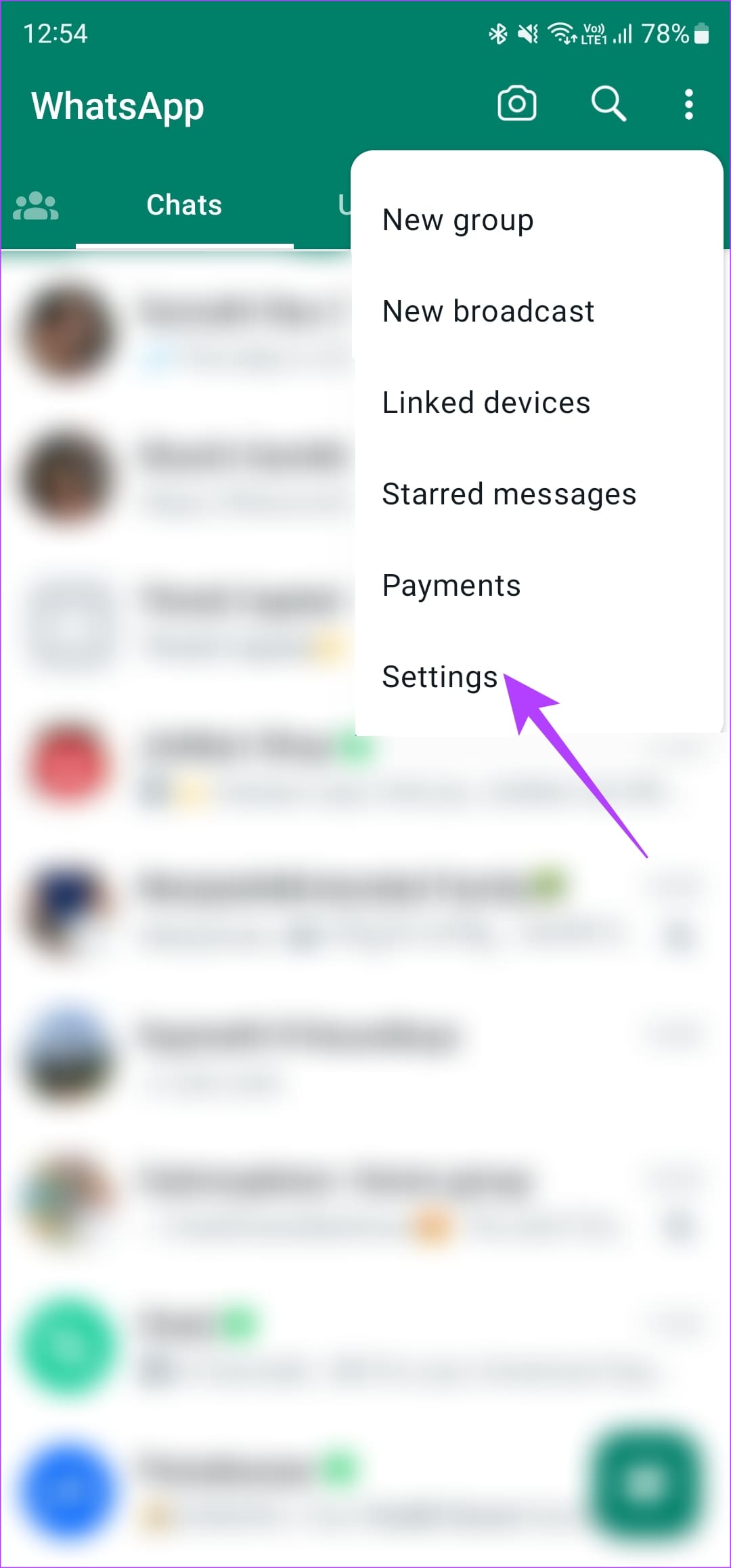
Step 1: Open WhatsApp on your Android device. Tap on the three-dot menu and select Settings .
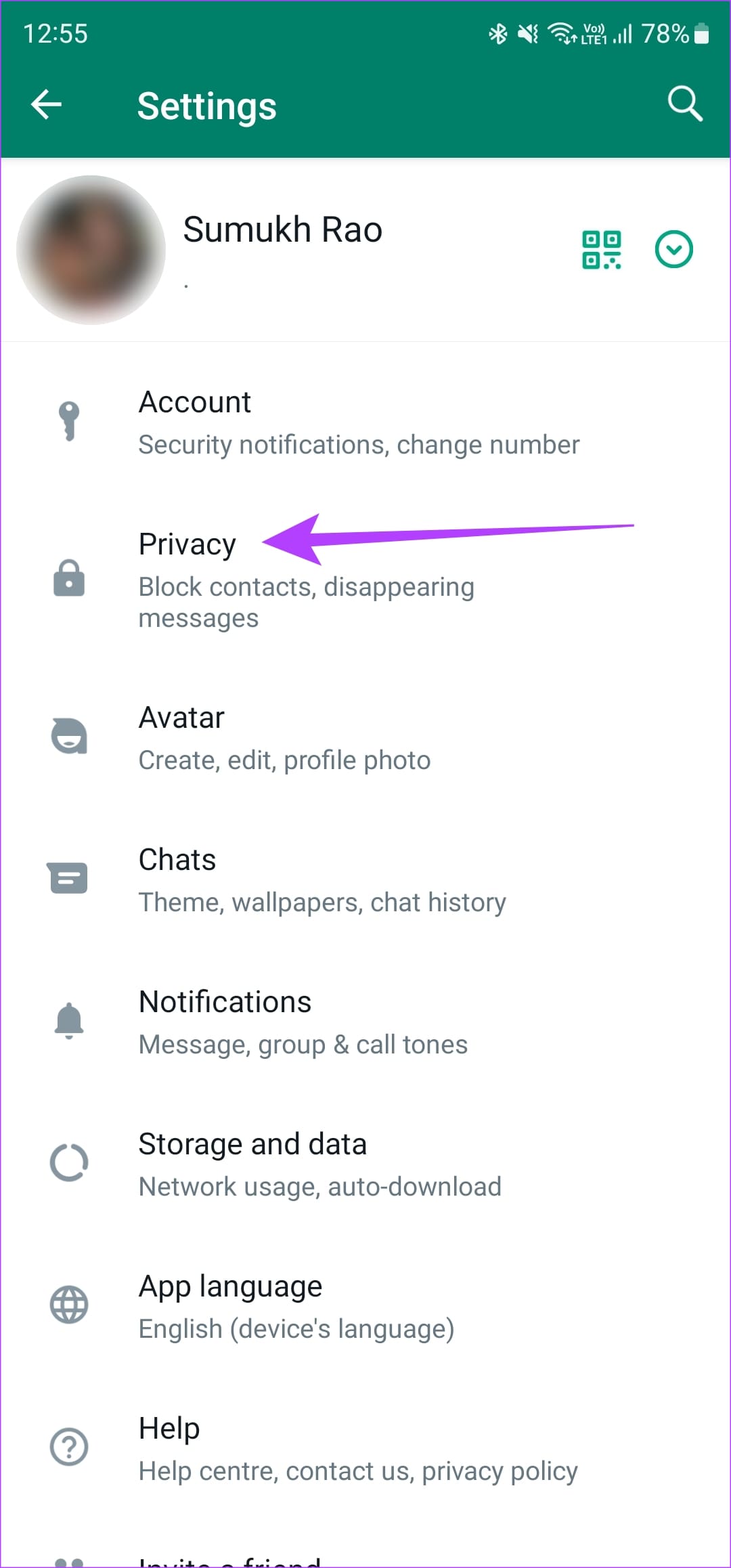
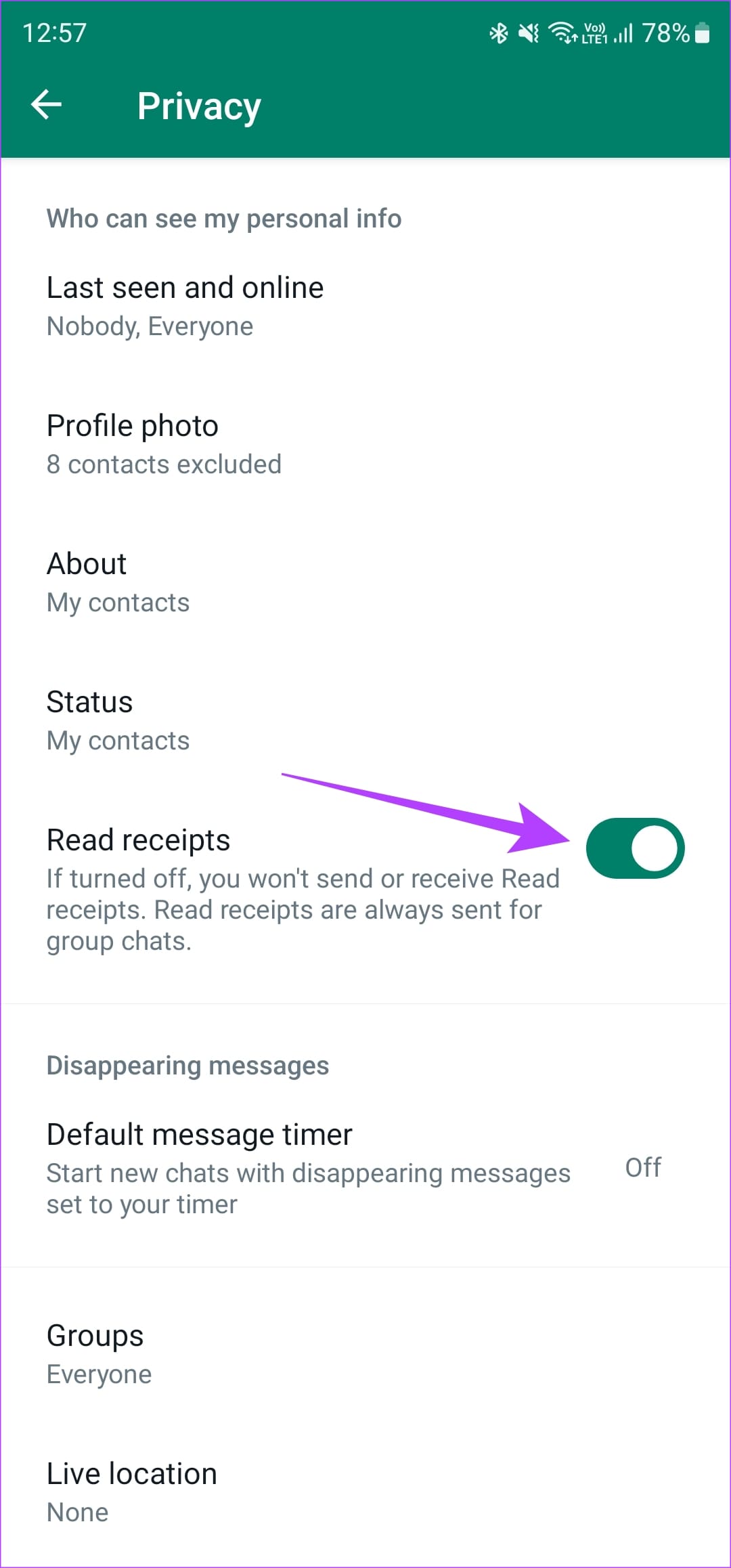
Step 2: Navigate to the Privacy section. Then, enable the toggle next to Read receipts .
WhatsApp notifies you when your message is delivered with a double tick. However, with Read receipts enabled, the ticks turn blue when the other person reads the message.
Other popular messaging platforms like Facebook Messenger and Instagram have delivery and read receipts turned on by default. If you use either of those apps, look out for a small display picture of the person you’re texting below a message. If their picture appears below a message you’ve sent, it implies they have seen your message.
Was this helpful?
Submit Cancel
Thanks for your feedback!
Keep reading