Android
3 Ways to Sync Outlook Contacts With Android
Not everyone prefers Gmail to manage contacts. If you use Outlook, read the post to add Outlook contacts on your Android phone.
By Parth Shah
Quick Tips
You can sync your contacts with the Outlook or Google Contacts apps on your Android phone.
You can set your Outlook account as default for saving new contacts on your Android phone.
Method 1: Use Outlook Android App
Step 1: Download the Outlook app and sign in using your Microsoft account details.
Step 2: When the app syncs your email, tap the Home icon at the top-left corner and go to Settings .
Step 3: Select Outlook under your mail accounts and turn on the toggle for Sync contacts .
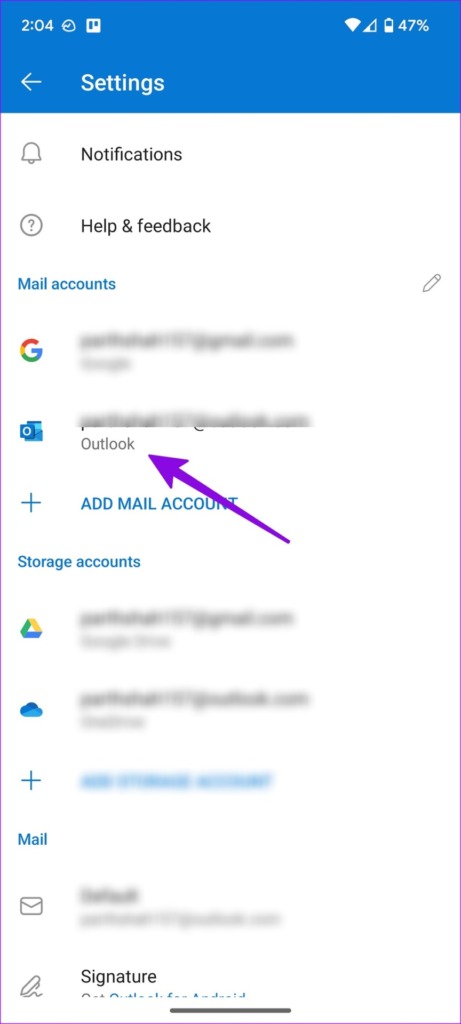
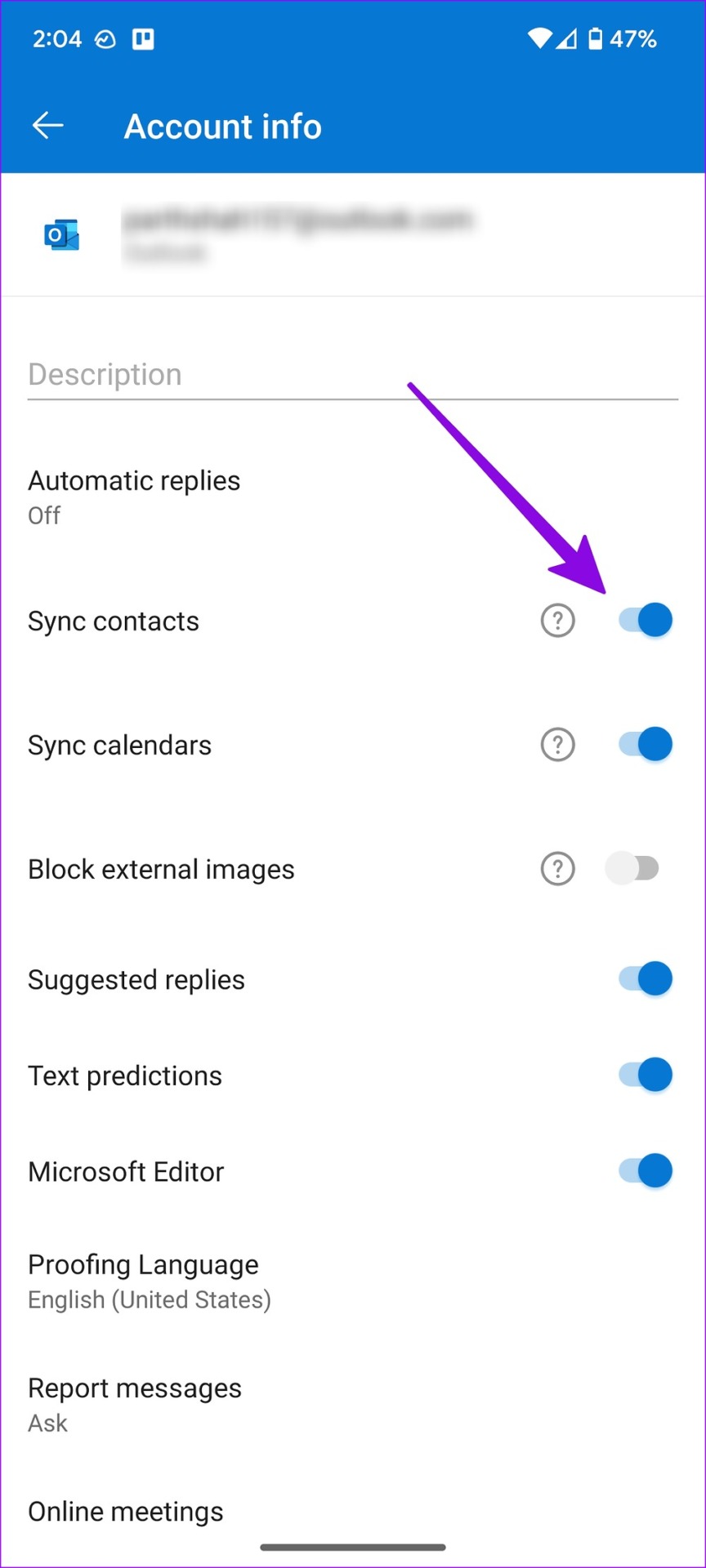
Return to the Home screen and open the Contacts app . The Outlook contacts will start to appear there.
Method 2: Use the Settings Menu
If the trick above doesn’t work, use the default Settings menu to sync Outlook contacts on Android.
Step 1: Set up the Outlook email app on Android.
Step 2: Open Settings on your Android phone and go to Password and accounts .
Step 3: Select Outlook from the following menu and tap on Account Sync . Then, enable the Contacts toggle from the following menu.
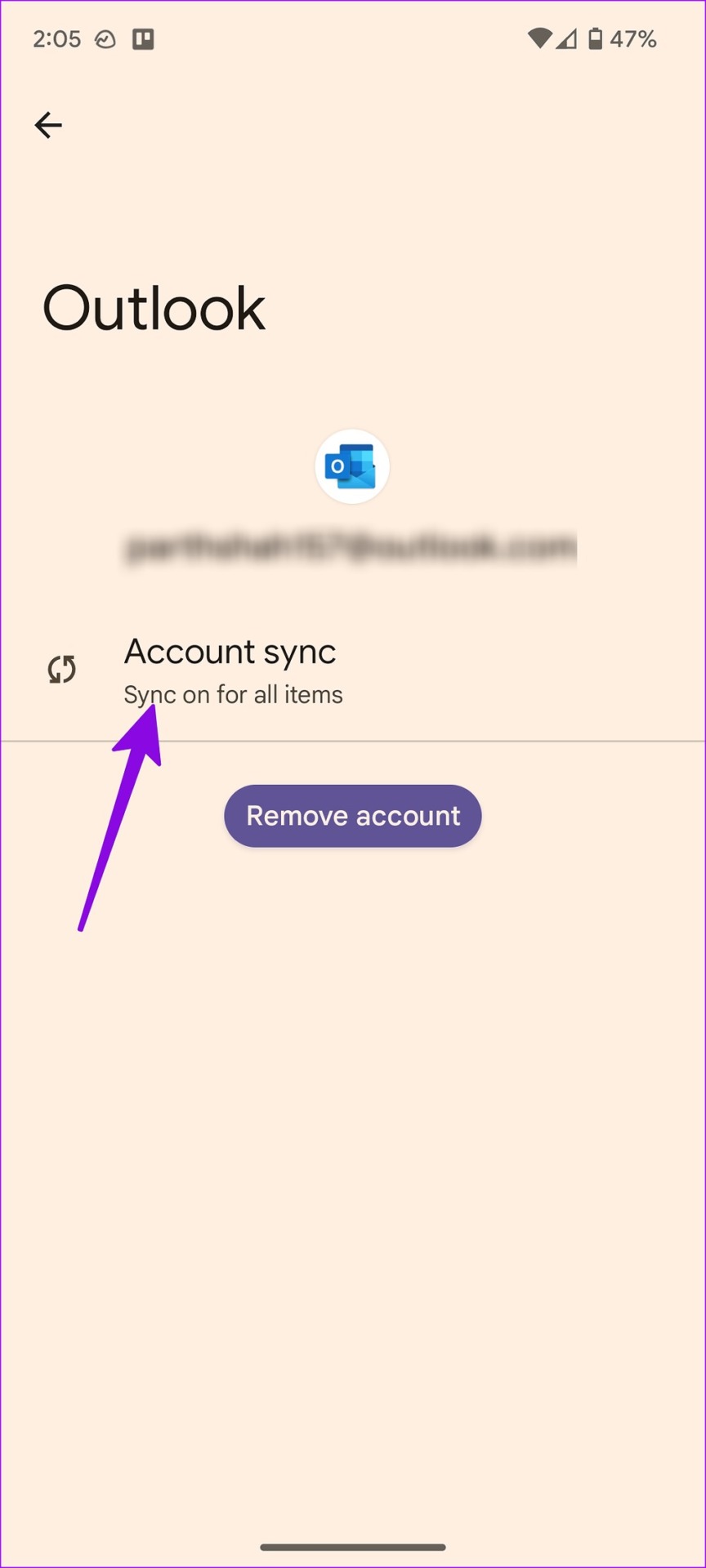
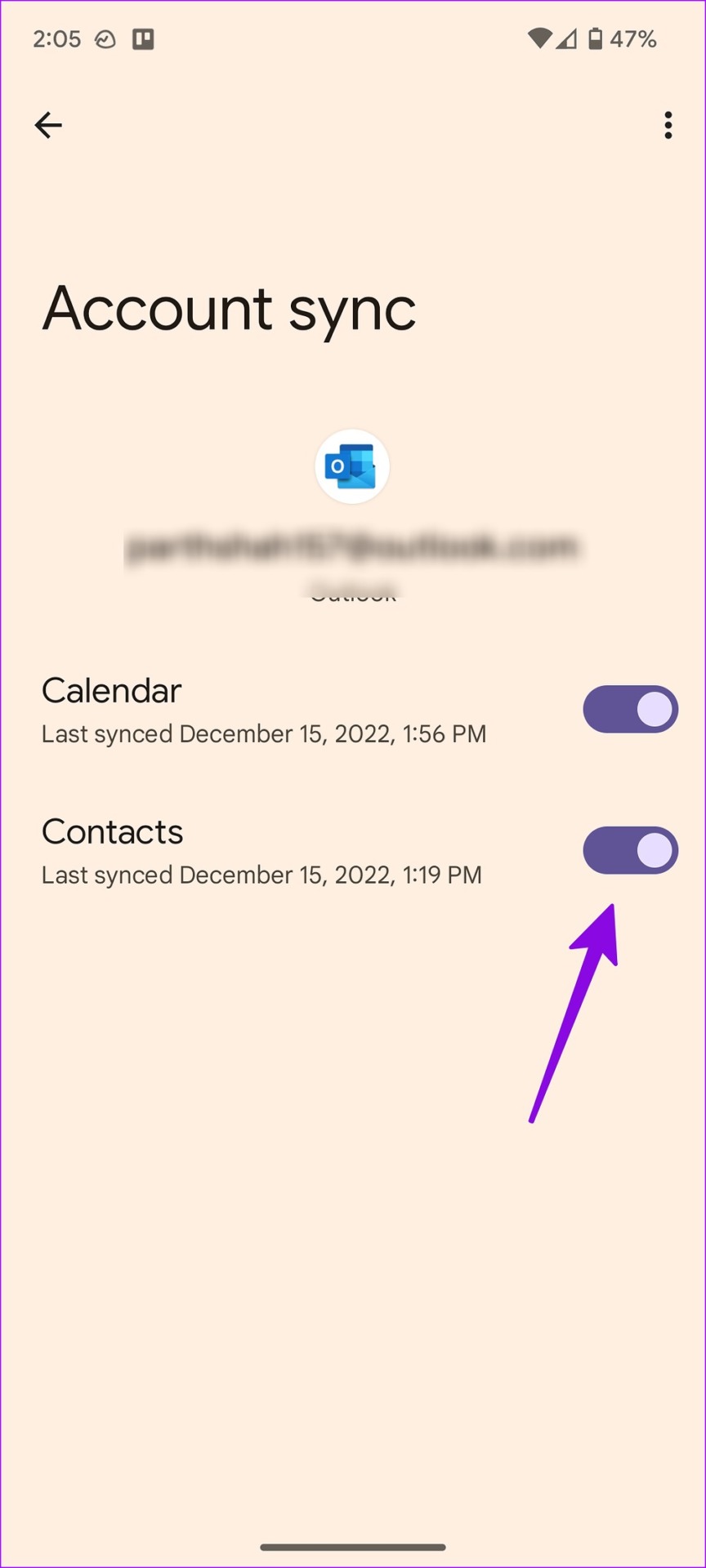
Method 3: Use the Google Contacts App
First, create a .VCF file from Outlook contacts and sync them with your Android phone using the Contacts app. We will use Outlook for web to generate a .CSV file and convert it to .VCF format.
Step 1: Visit Outlook on the desktop and move to the People tab.
Step 2: Enable the checkmark beside All contacts and open Manage Contacts at the top.
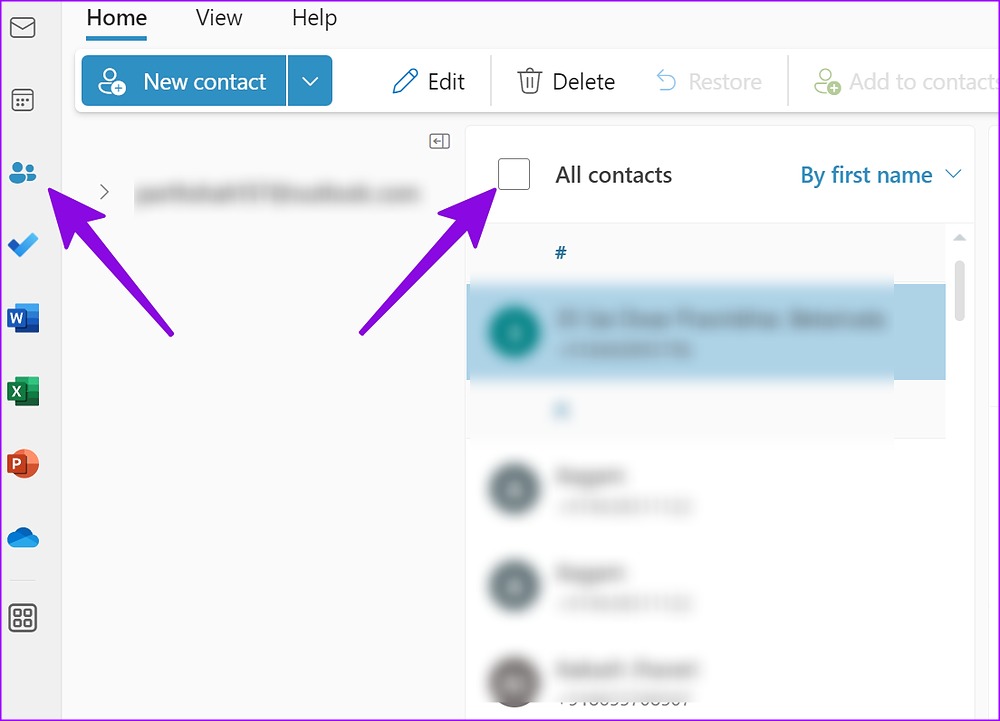
Step 3: Select Export Contacts and Outlook will save a file in .CSV format.
Step 4: Use online tools like Anyconv to convert your .CSV file to a .VCF format (since the default Contacts app on Android can’t read and import numbers from a .CSVfile).
When you have an Outlook contacts file in .VCF format, move it to your phone, and use the default Contacts app to import it.
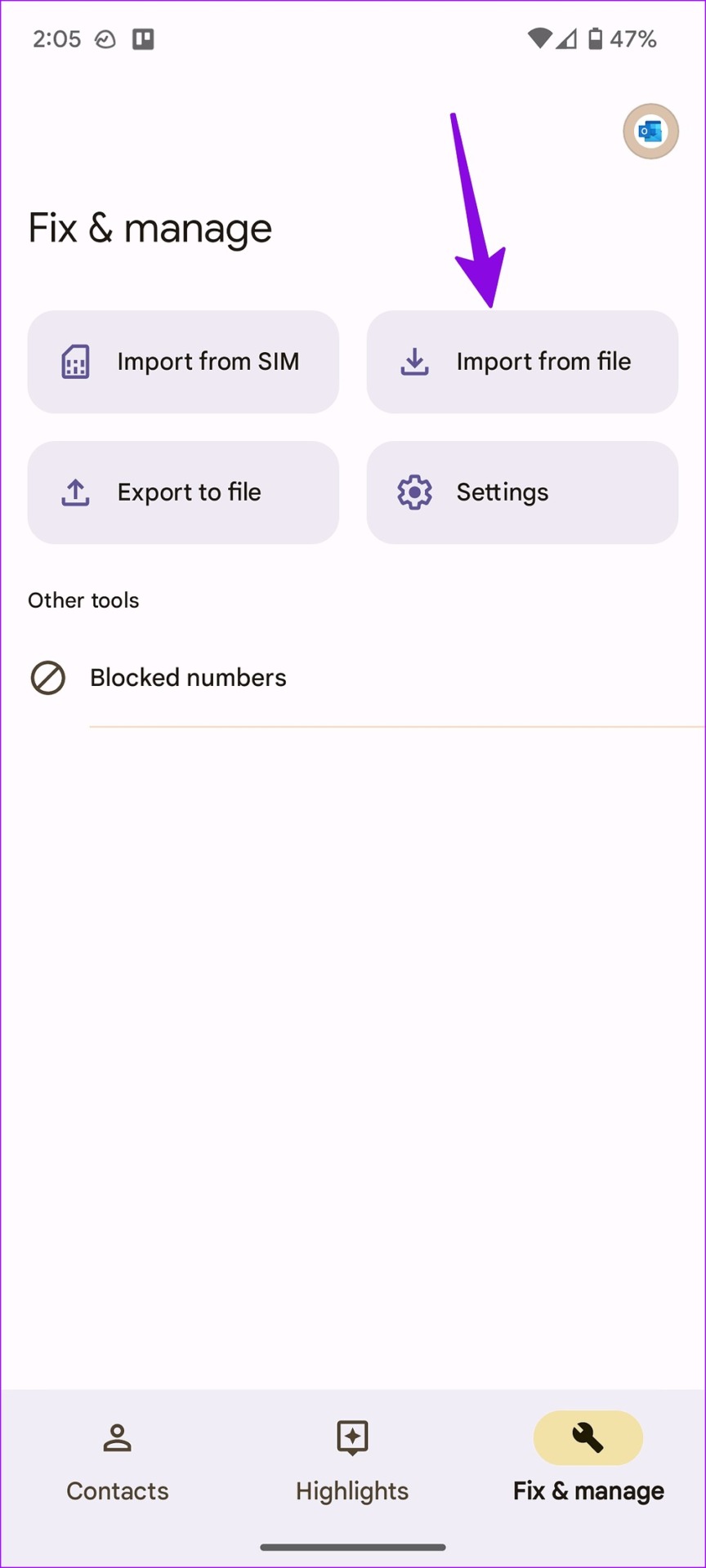
Step 5: Launch the Contacts app on your phone and go to the Fix & manage menu.
Step 6: Select Import from file > select email account or device to save imported contacts.
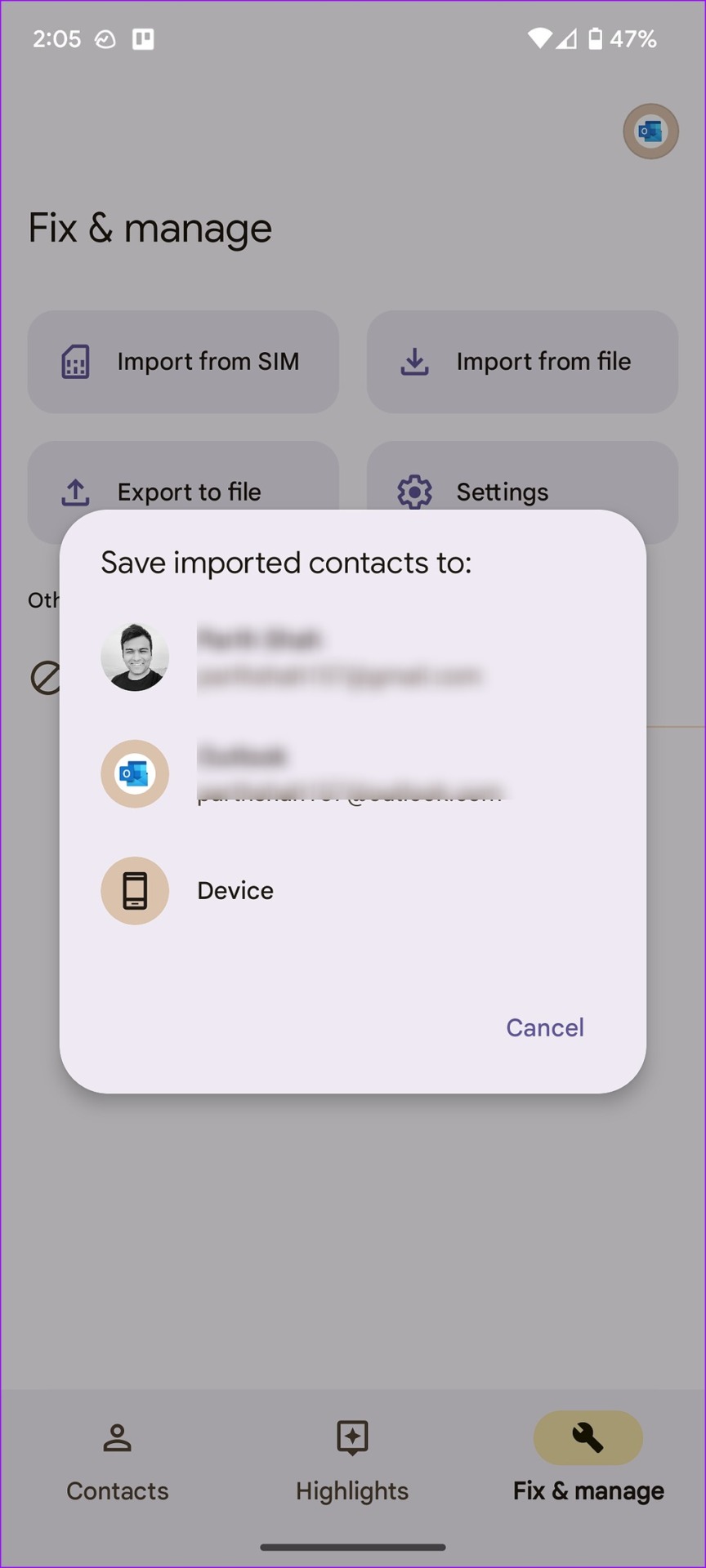
Step 7: It will open the default file manager menu. Find your .vcf file to import on Android.
Was this helpful?
Submit Cancel
Thanks for your feedback!
Keep reading