Android
3 Ways to Convert WEBP to JPG or PNG on Android
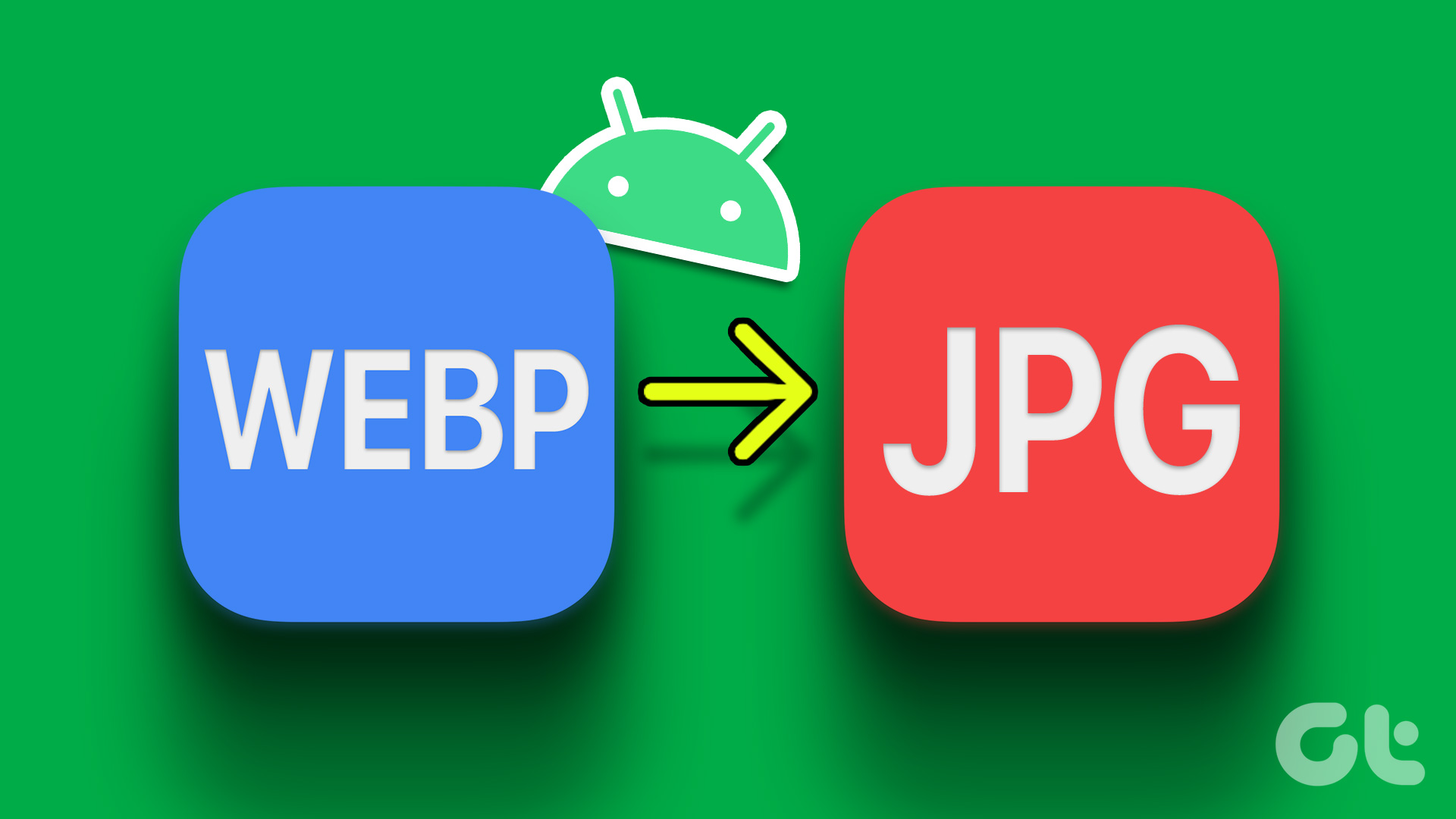
Some websites and apps may not support WEBP image format. Here are the best ways to convert WEBP to PNG or JPG on Android.
By Parth Shah
Quick Tips
Applying an edit to the image on Google Photos converts it to JPG format.
Resizing an image in the Gallery app on a Samsung Galaxy device converts the WEBP image to JPG.
Alternatively, you can use the Image Converter app from the Play Store to do it.
Method 1: Use Google Photos
While Google Photos doesn’t offer a native way to convert WEBP images to JPG or PNG, applying an edit does the job.
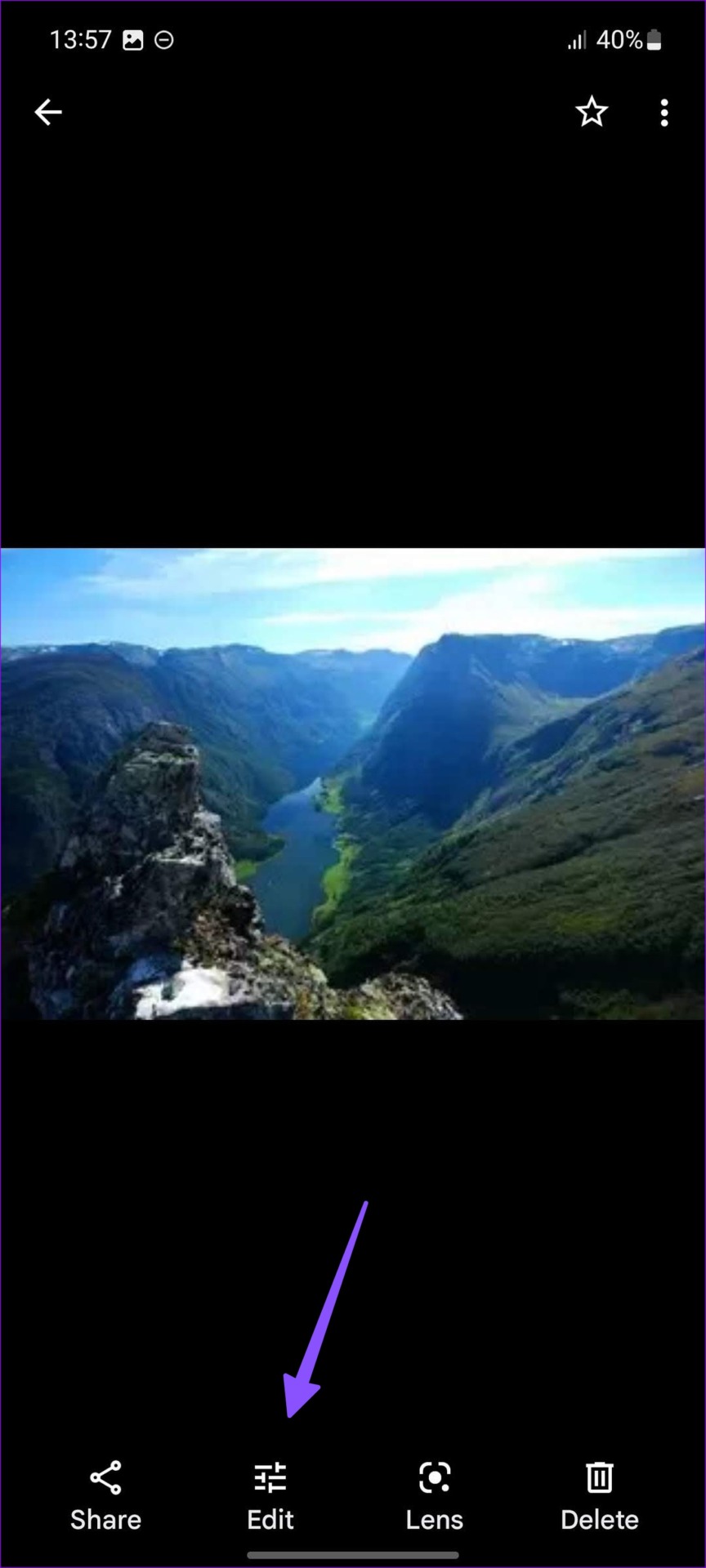
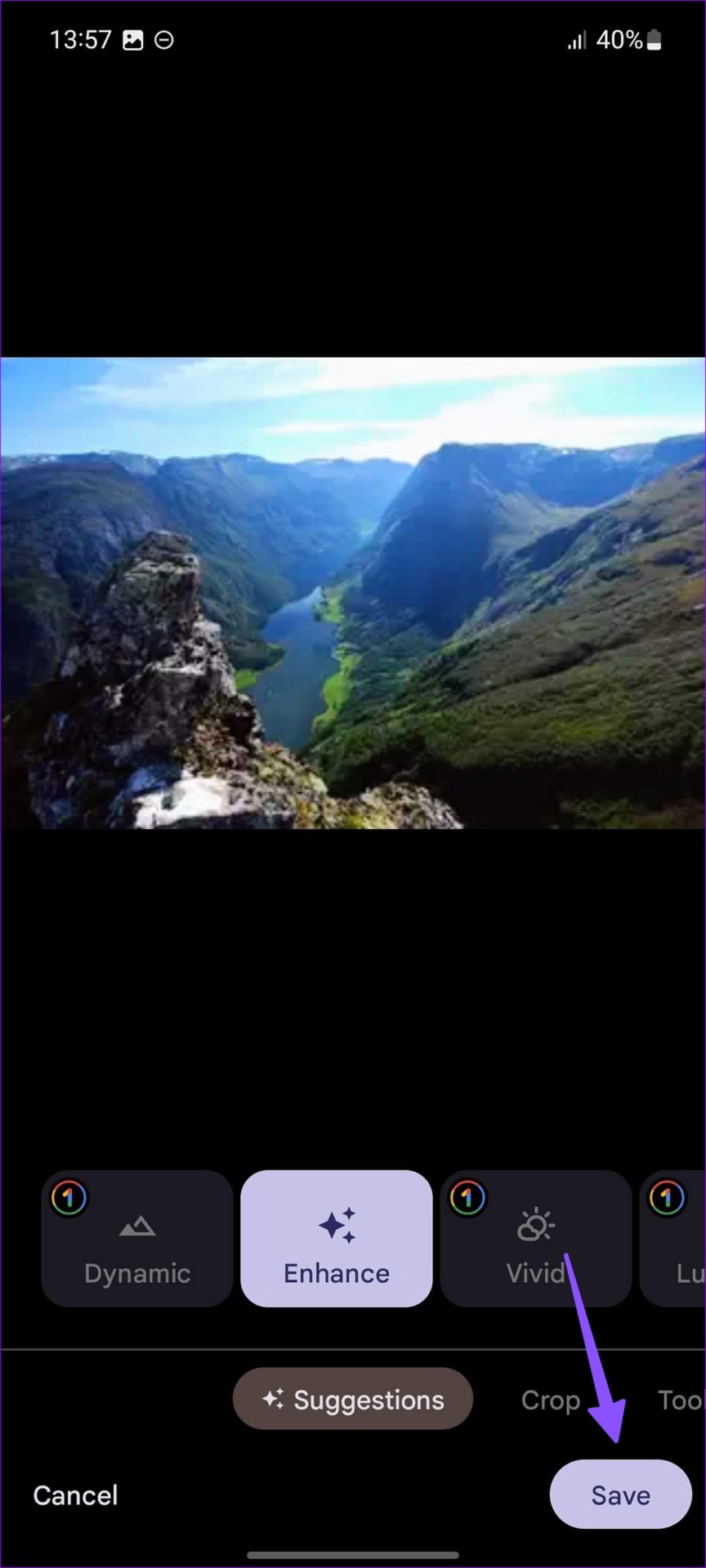
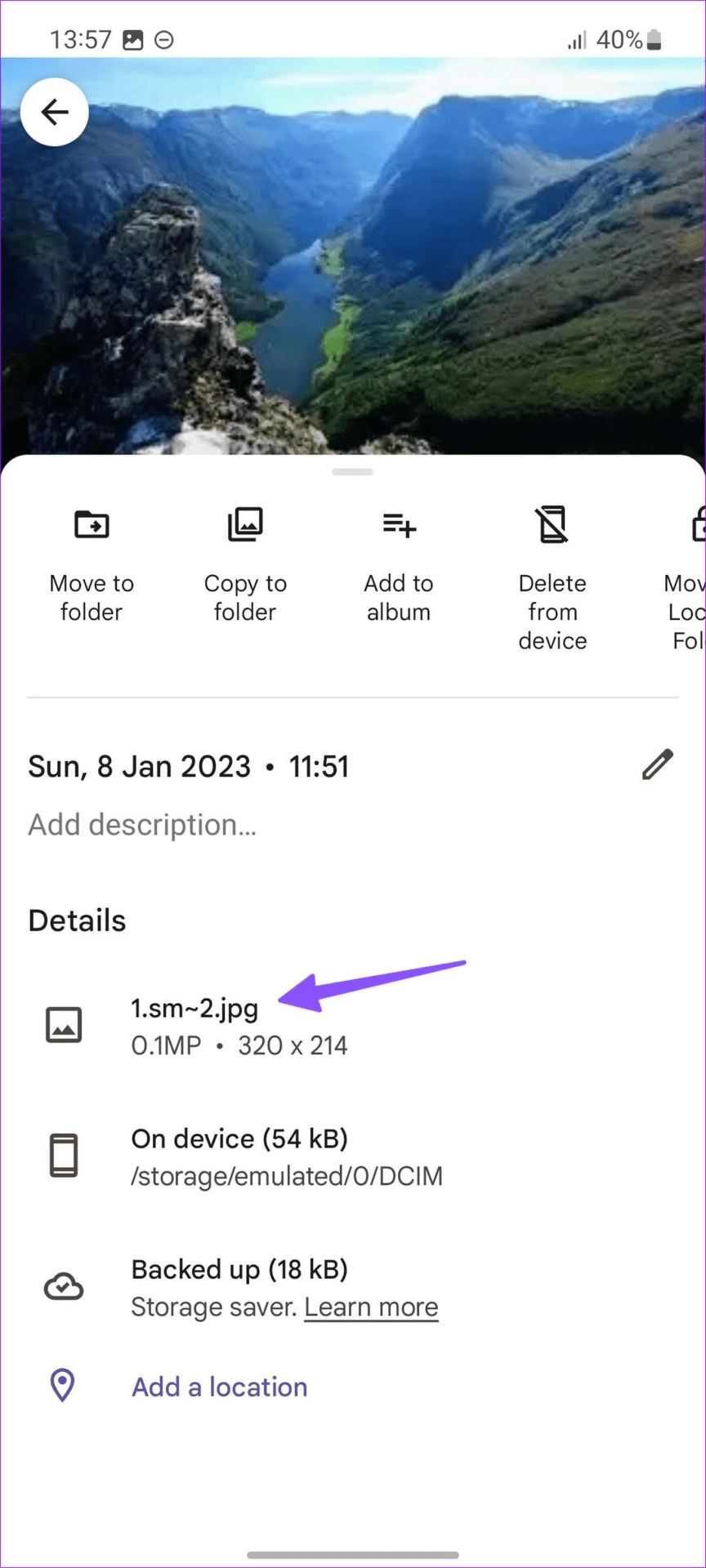
Open a WEBP photo in Google Photos > tap on Edit > apply minimal changes to the photo > hit Save . Swipe up to check the format of the saved image, this will show the .jpg extension.
Method 2: Convert the Image on a Samsung Galaxy Device
Resizing a WEBP image on the default Gallery app on your Samsung Galaxy device converts it to JPG.
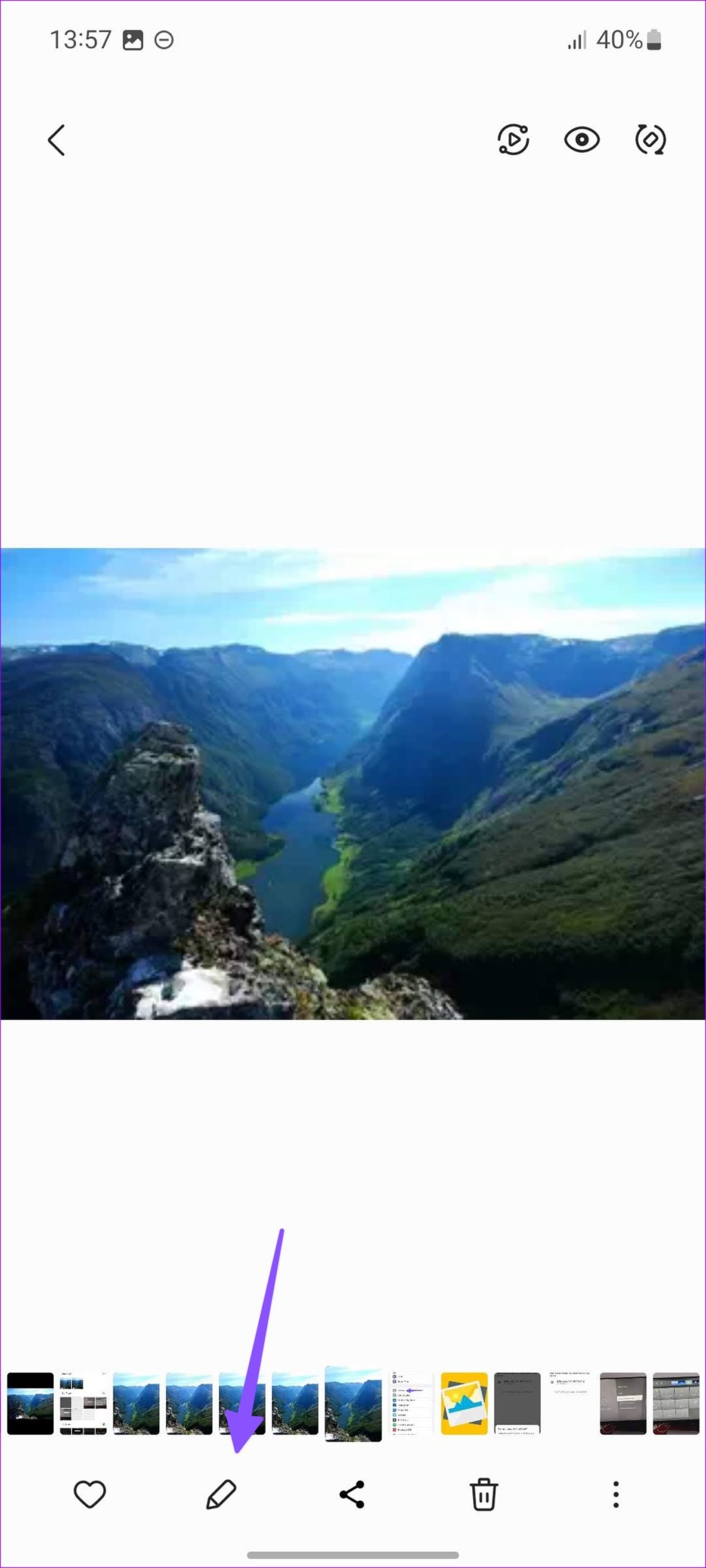
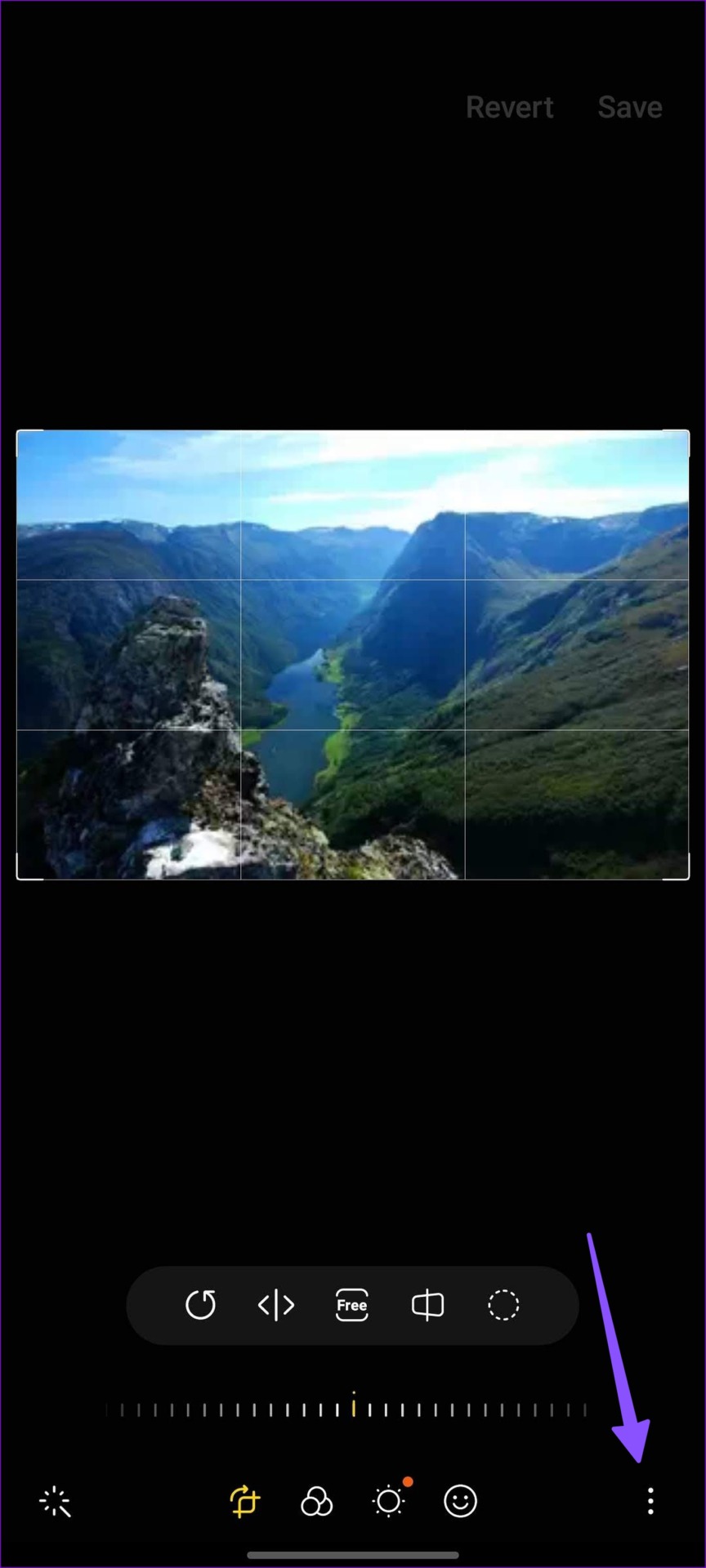
Step 1: Launch the Gallery app on a Samsung Galaxy phone. Open a WEBP image and hit the edit button.
Step 2: You can apply any filter, but to preserve the original look, resize the image. Tap the three-dot menu at the bottom-right corner and select Resize .
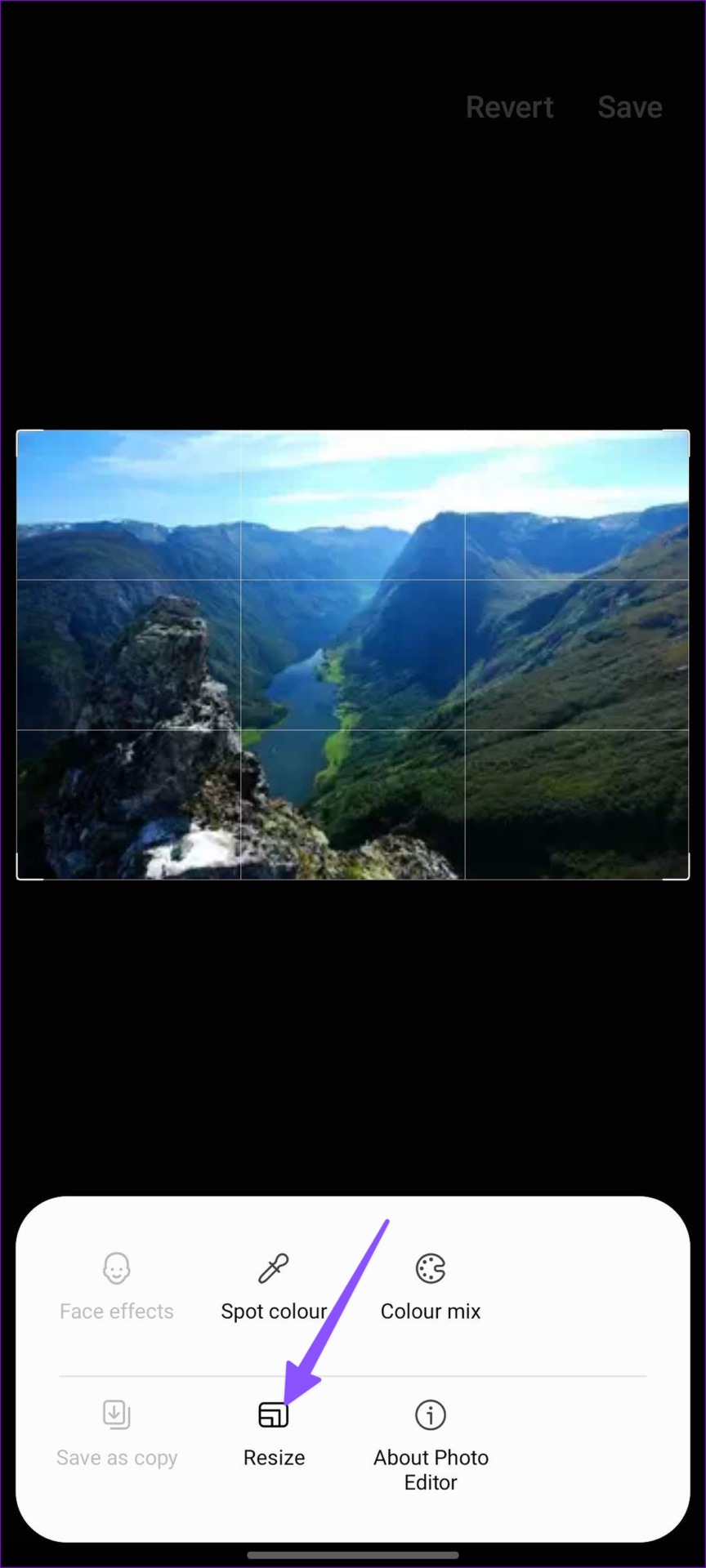
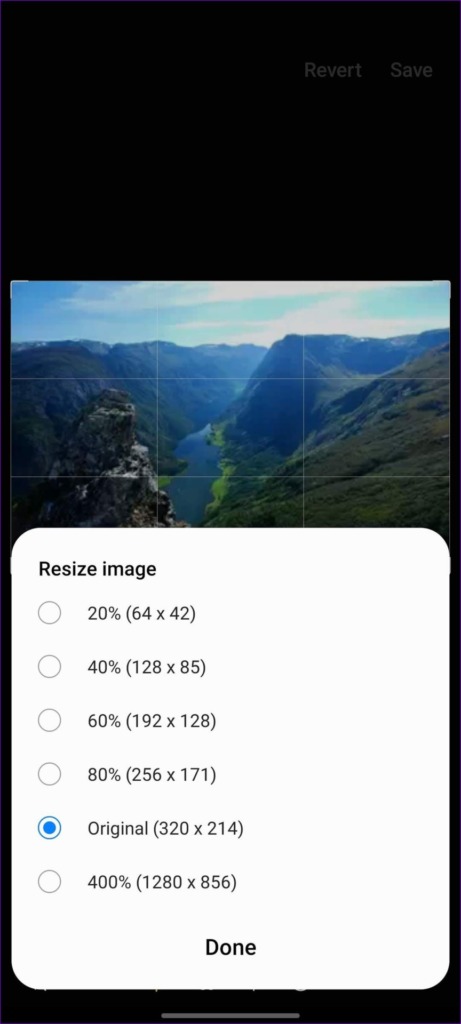
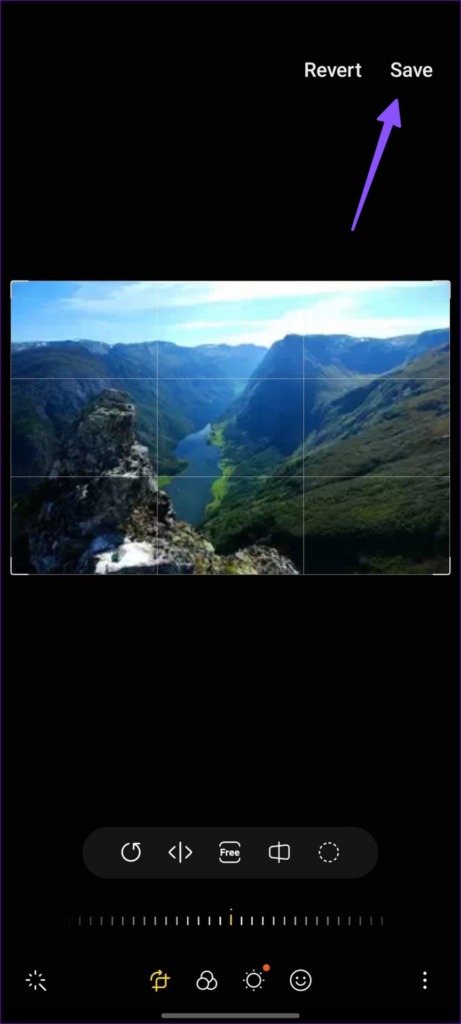
Step 3: You can increase or decrease the image resolution and hit Save at the top.
The Gallery app will save the new image in JPG format. Your photo is now ready to share and use.
Method 3: Use Third-Party Apps
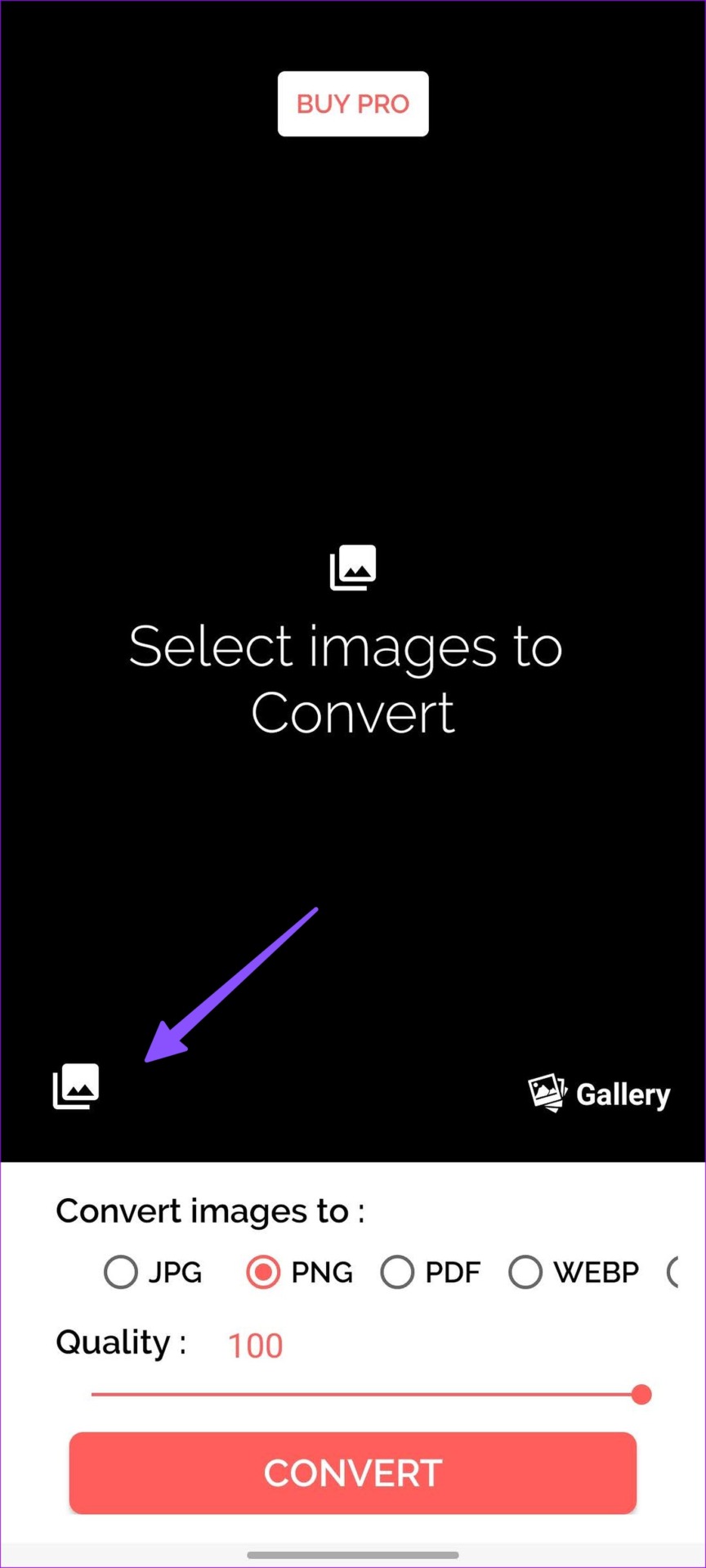
Step 1: Download and open the Image Converter app. Open the gallery and select pictures from the following menu.
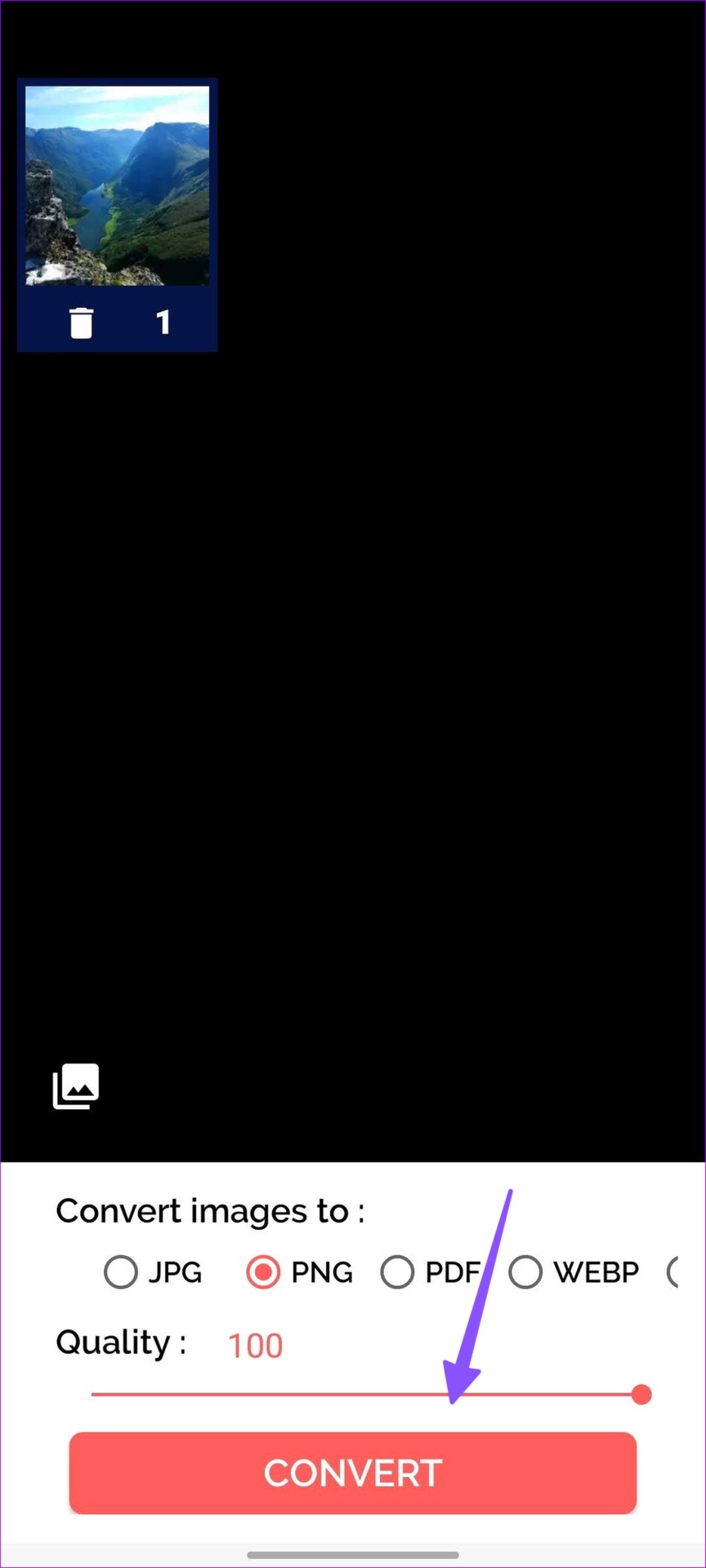
Step 2: You can select several images. Select the JPG or PNG format > set image quality to 100 > hit Convert .
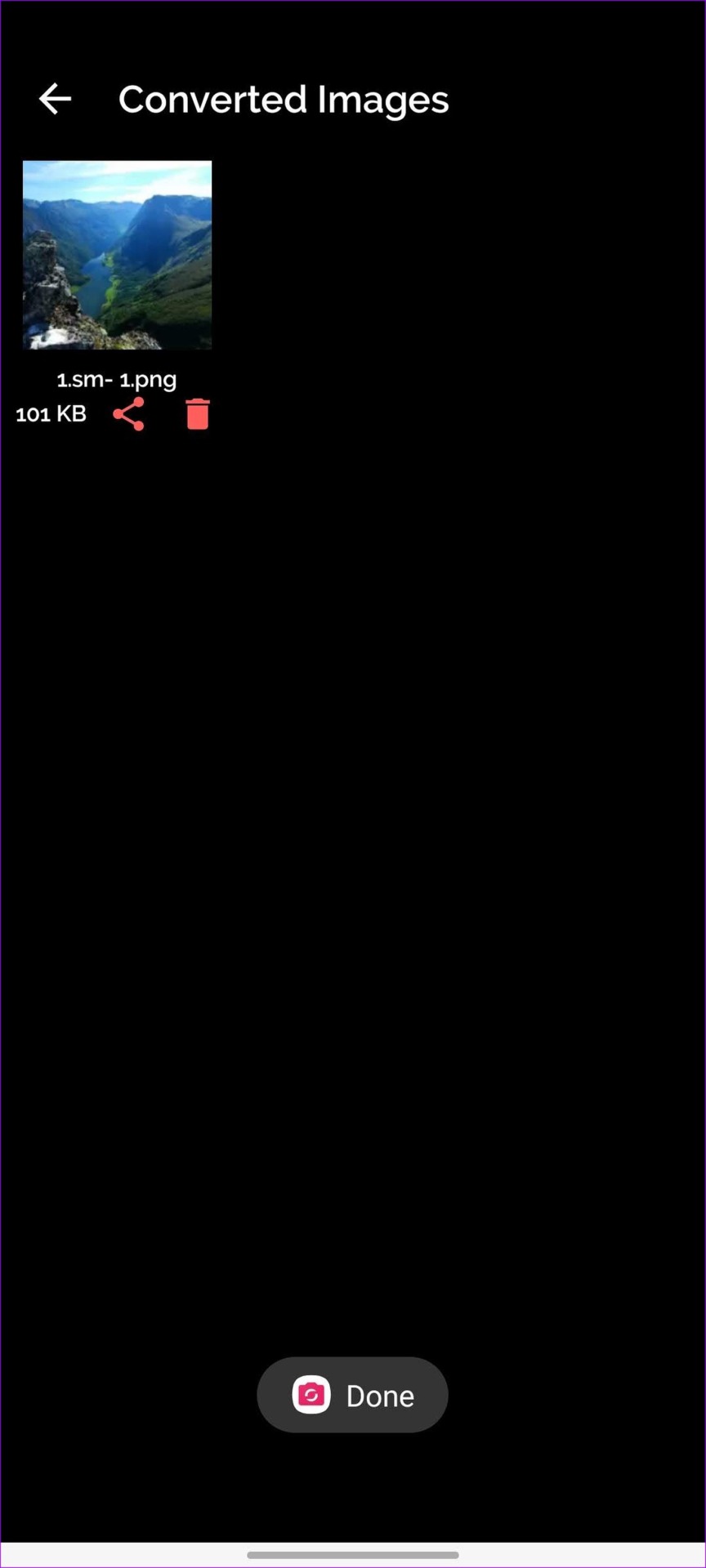
You can open Google Photo or your preferred gallery app and check converted pictures.
Also Read : How to convert WEBP images to JPG/PNG on iPhone
Was this helpful?
Submit Cancel
Thanks for your feedback!
Keep reading