Android
3 Fixes for “There Was a Problem Parsing the Package” Error on Android
Trying to install an APK and getting the infamous there was a problem parsing the package error? Don't worry, here are some ways to fix it!
By Sumukh Rao
Quick Tips
Ensure you’ve downloaded the right version of the APK file for your Android version from the right source.
Update your phone to the latest software version.
Disable any antivirus software on your phone.
Fix 1: Enable Installing Apps From Third-Party Sources
An Android phone disables the permission to install third-party apps. This is to prevent unauthorized apps from installing and ensure that other apps on your phone don’t install malware without your notice. Here’s how to enable it.
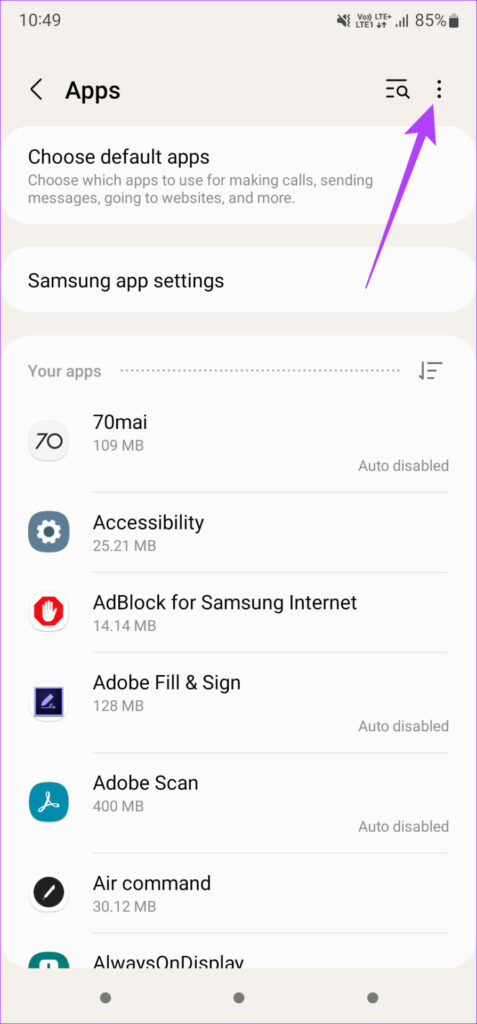
Step 1: Open the Settings app on your Android phone > navigate to the Apps section > tap on the three-dot menu at the top-right.
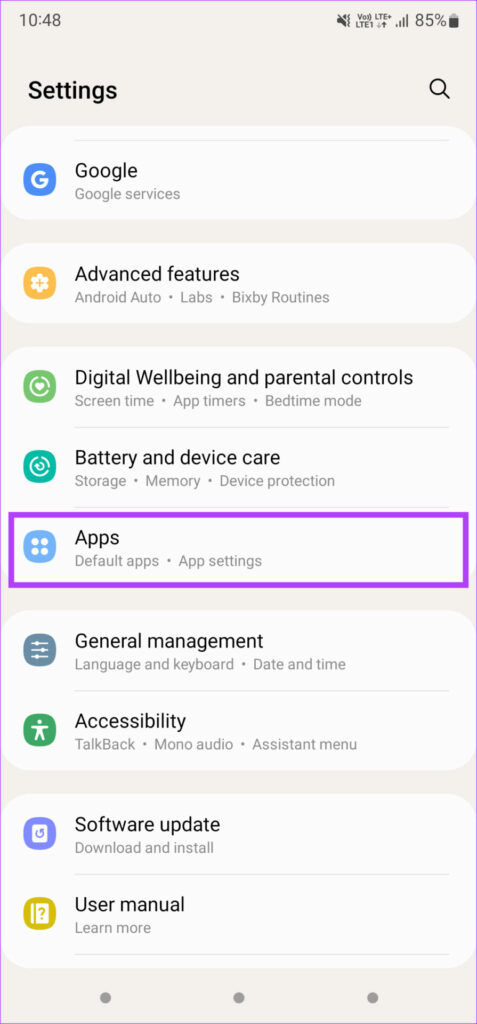
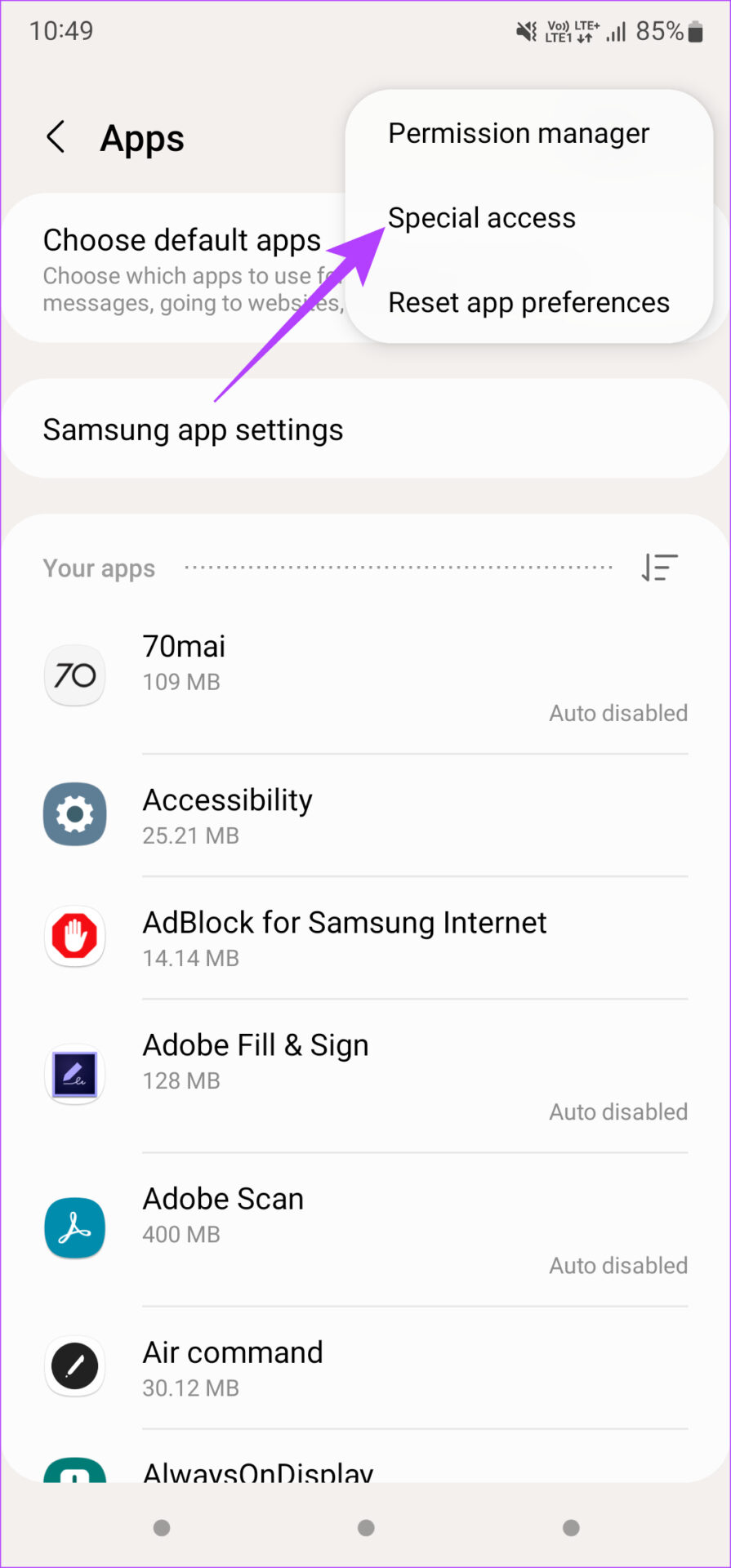
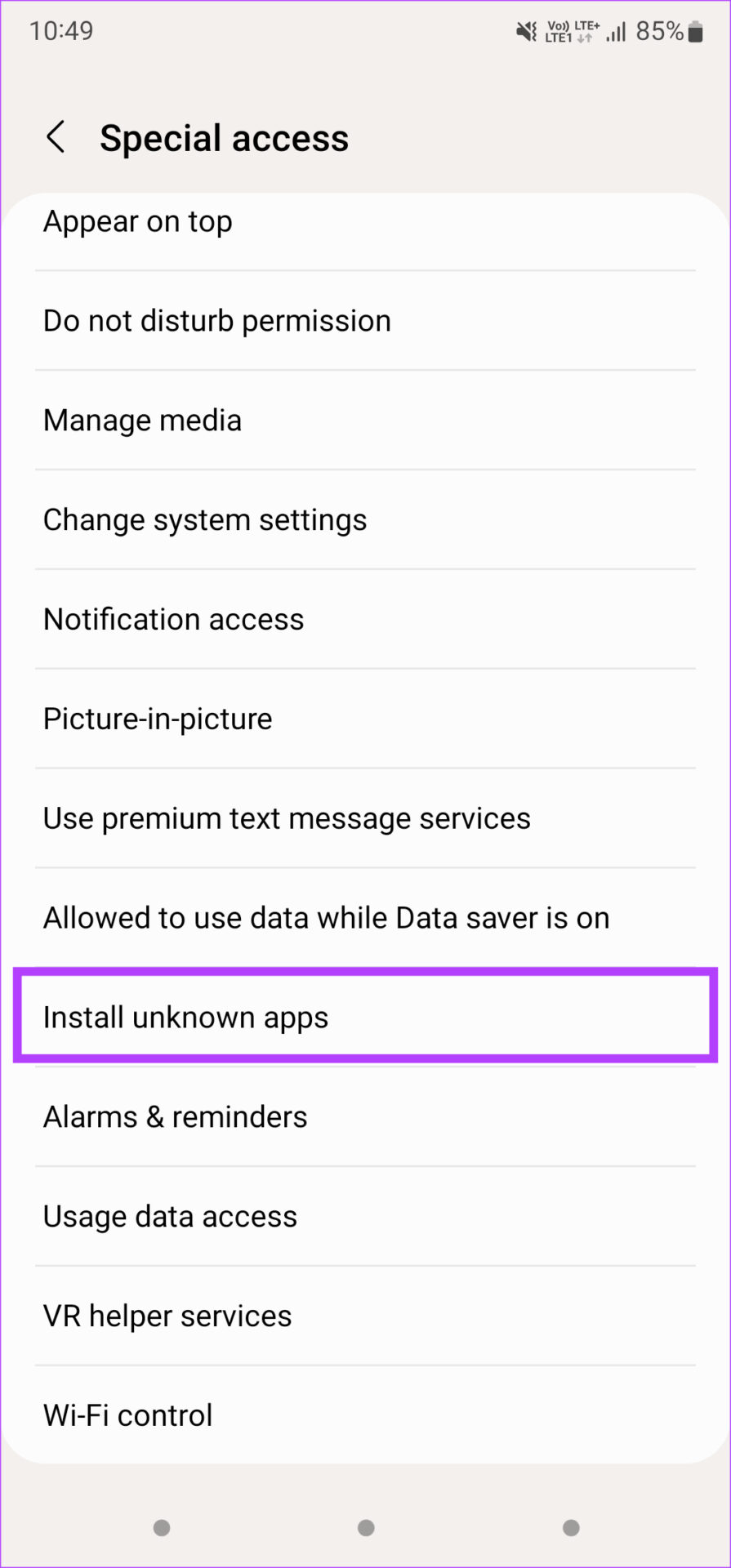
Step 2: Now, select Special access > scroll down and select Install unknown apps .
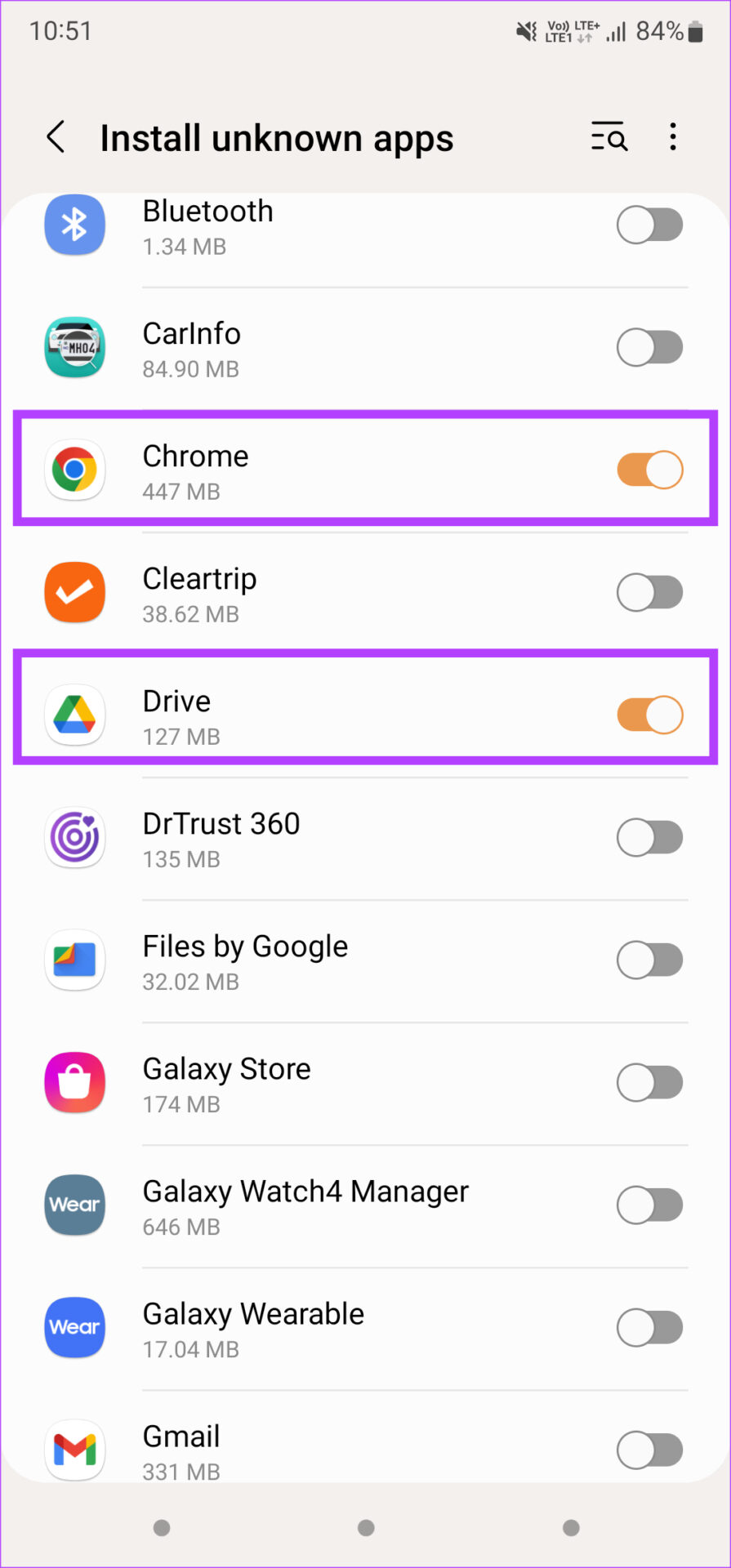
Step 3: Enable the toggle for the app you use to install the APK file. For example, select Chrome if you downloaded the APK using the browser.
Step 4: Install the APK file .
Tip: If you downloaded an XAPK file, here’s how to install XAPKs on your phone .
Fix 2: Download the APK From a Different Source
If you downloaded a natively corrupted APK file, your phone will throw a parsing error. This can happen if the source you’re downloading the APK file from is not reputed or an incomplete version of the APK has been uploaded. Try looking for the APK file from an alternate source and install that version.
APKMirror is a reliable source to download any APK of your choice.
Also Read: How to install APKs on Wear OS smartwatches
Fix 3: Find an Alternative to the App on Play Store
This solution might not make sense, but if none of the above solutions work, this might be a viable option. Similar apps from the Google Play Store are easier to install. If you face any issues while installing apps using this route, look at the best ways to fix apps not installing on Android .
Was this helpful?
Submit Cancel
Thanks for your feedback!
Keep reading