Android
4 Ways to Fix Wireless Charging Not Working With Phone
Is wireless charging not working with your smartphone? If the answer is yes, here are some quick and easy solutions to fix the problem.
By Sumukh Rao
Quick Fixes
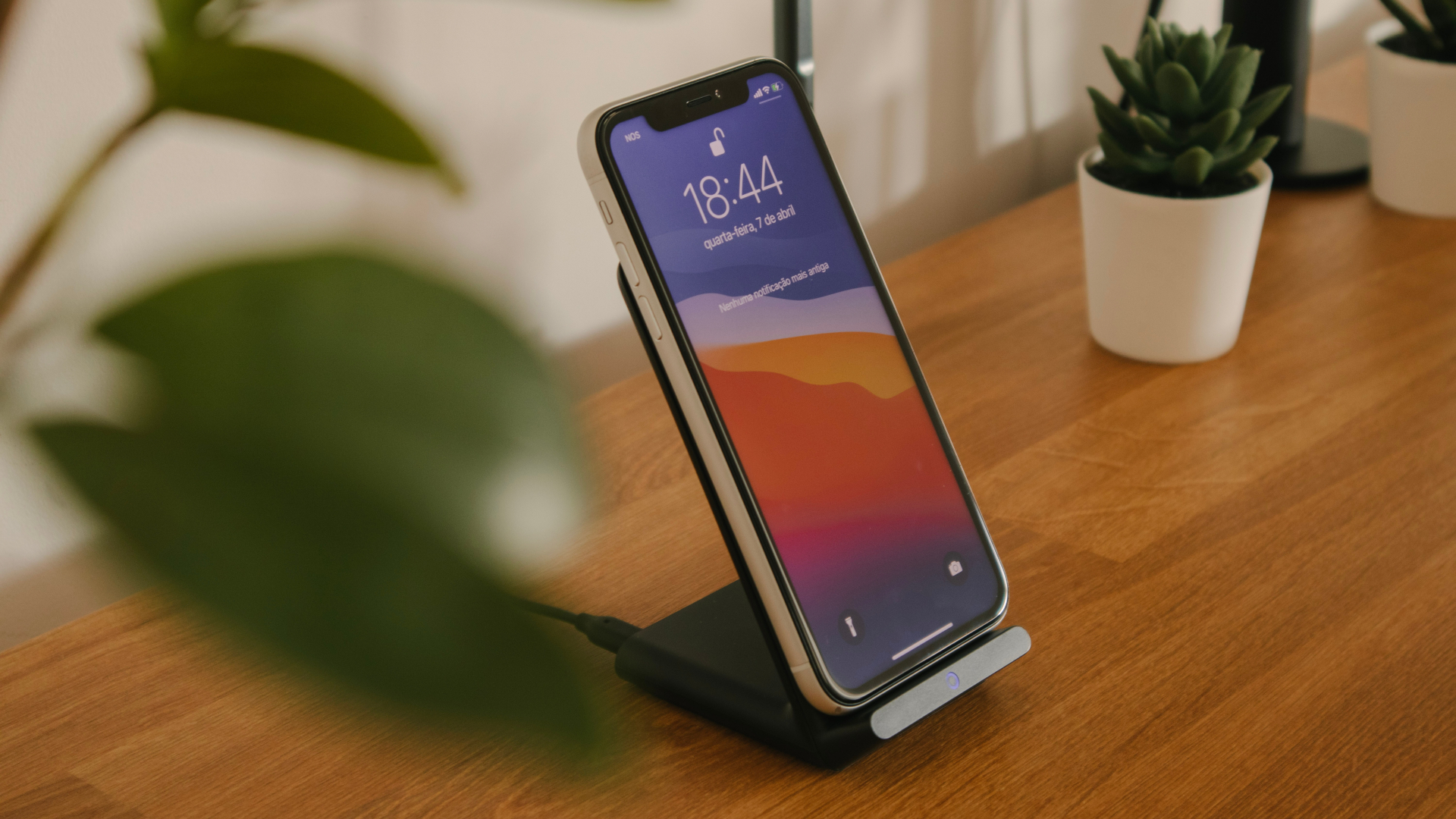
Wireless charging may not work if you’re not using a compatible, high-power adapter.
It’s also a good idea to cool down your phone if it’s hot before charging it wirelessly.
Always use a Qi-certified wireless charger for the best compatibility and efficiency.
Fix 1: Try a Different Cable
The cable you use to attach the charging brick to the wireless charger plays an important role. A bad cable can stop the wireless charger from working completely or cause intermittent disconnections that can pause wireless charging. Try switching your existing cable with a high-quality one.
Fix 2: Remove Your Phone’s Case and Charge
Wireless charging relies on coils present on the smartphone and the wireless charging pad. For wireless charging to work properly, these coils need to align on top of each other without any obstructions between them. If you use a thick protective case on your smartphone, there’s a good chance it’ll interfere with wireless charging.
Also, some materials like metal don’t play well with wireless charging. So, if your case is too thick or has metal in it, get rid of it.
Fix 3: Reposition the Phone on the Wireless Charger
One drawback of wireless charging is that you must position your phone in a specific way. If the coils do not align properly, wireless charging will stop working or keep disconnecting. To avoid this, ensure the center of your phone aligns with the center of the wireless charger.
Fix 4: Enable Fast Wireless Charging on Some Phones
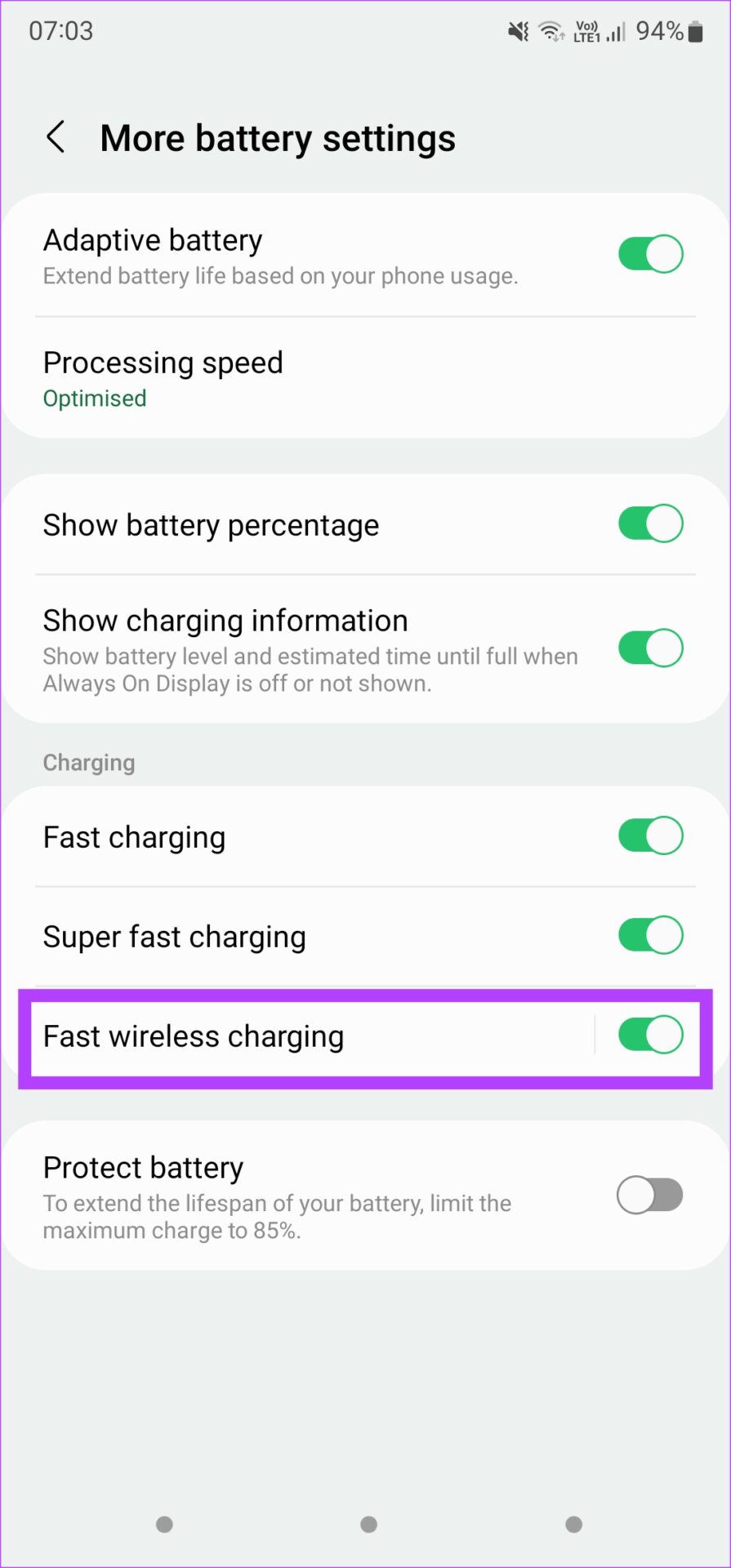
Some phones integrate support for fast wireless charging that you can enable manually. Here’s how to enable it on Samsung devices, for example.
Step 1: Open the Settings app and go to Battery and device care . Here, select Battery .
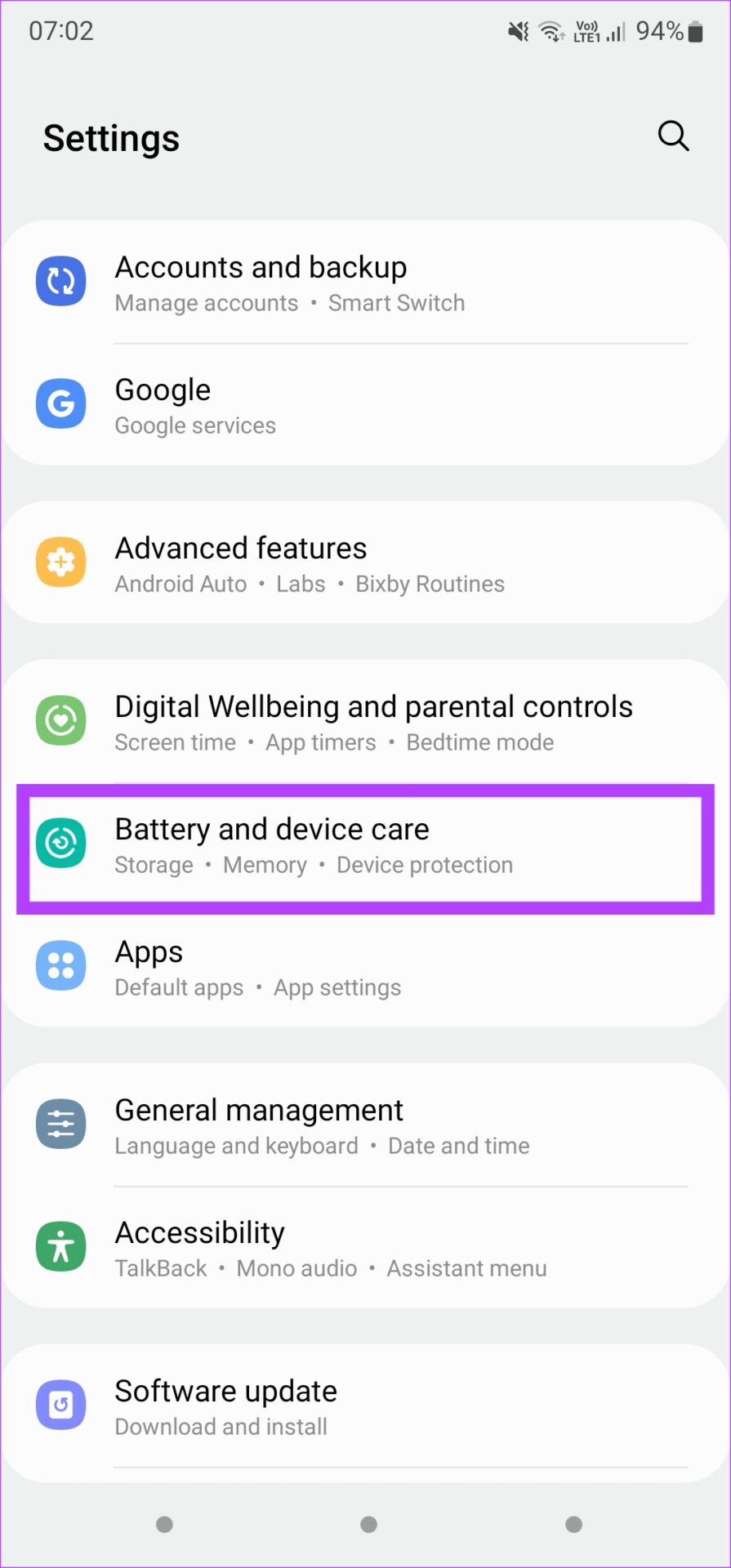
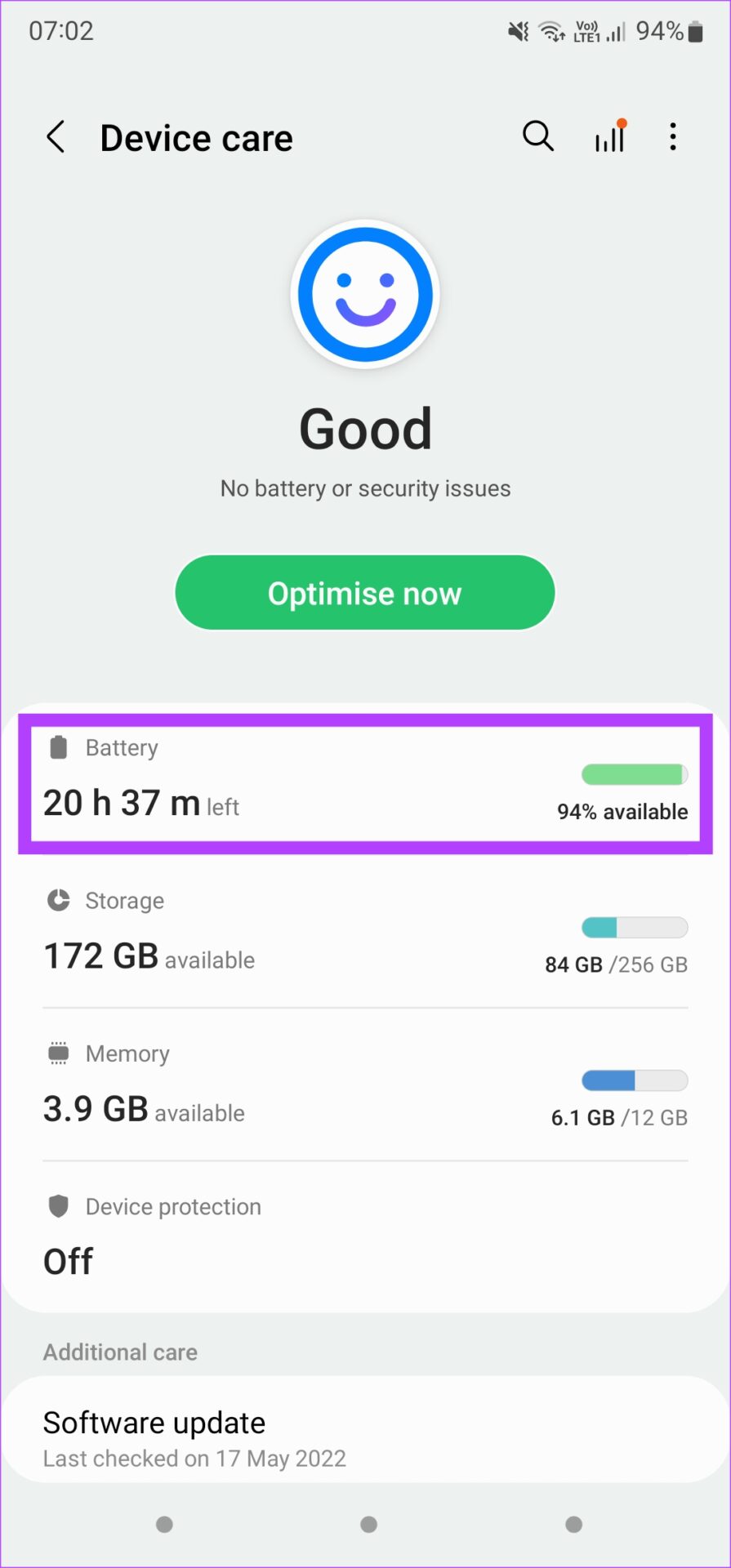
Step 2: Under More battery settings, enable the toggle for Fast wireless charging .
Was this helpful?
Submit Cancel
Thanks for your feedback!
Keep reading