Android
3 Ways to Reduce Video Size on Android
You don't need dedicated software to compress videos. Here are the best ways to reduce video size on Android.
By Parth Shah
Quick Tips
You can use Google Photos to compress and upload a video. Now, download the compressed video from the web app.
Alternatively, you can also use a third-party app called Compress Video Size on Play Store to do the same.
You can also upload a video to a chat on WhatsApp since it compresses the size and then save the video to your gallery.
Method 1: Use Google Photos to Compress Video Size
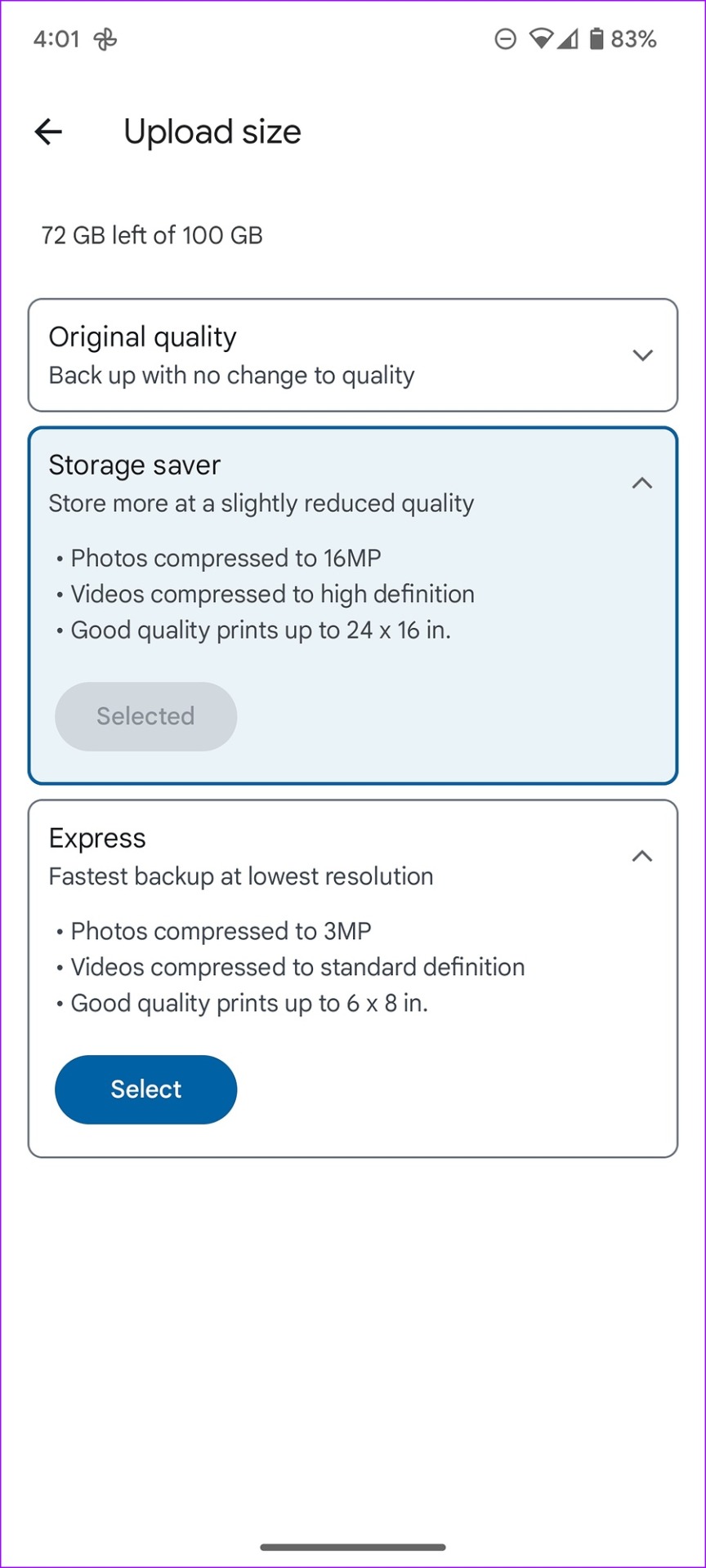
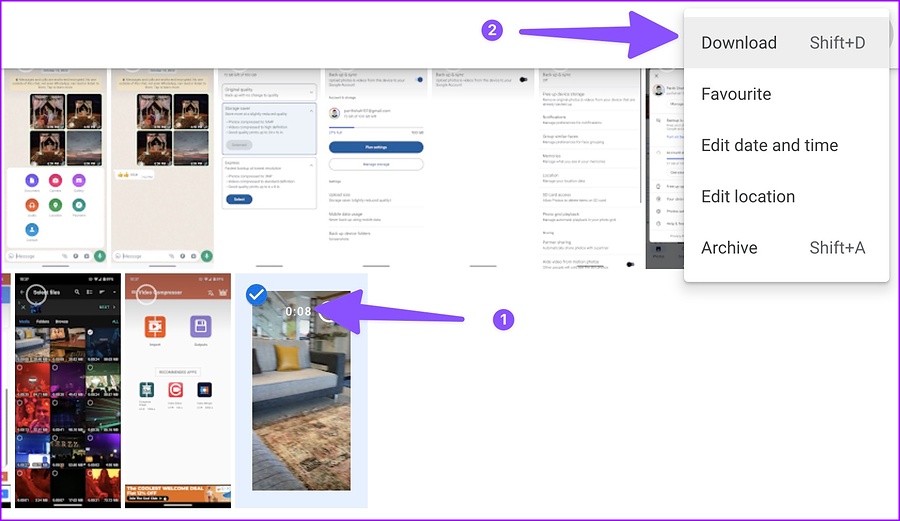
When you select Storage Saver or Express, Google Photos compresses your videos to high- or standard-definition resolution. Once you upload a compressed video file to Google Photos on Android, you can use Google Photos web to download the compressed file.
Note: Changing the upload Size will affect the backup quality for all forthcoming uploads. Once you download the compressed video, ensure you revert to your preferred setting.
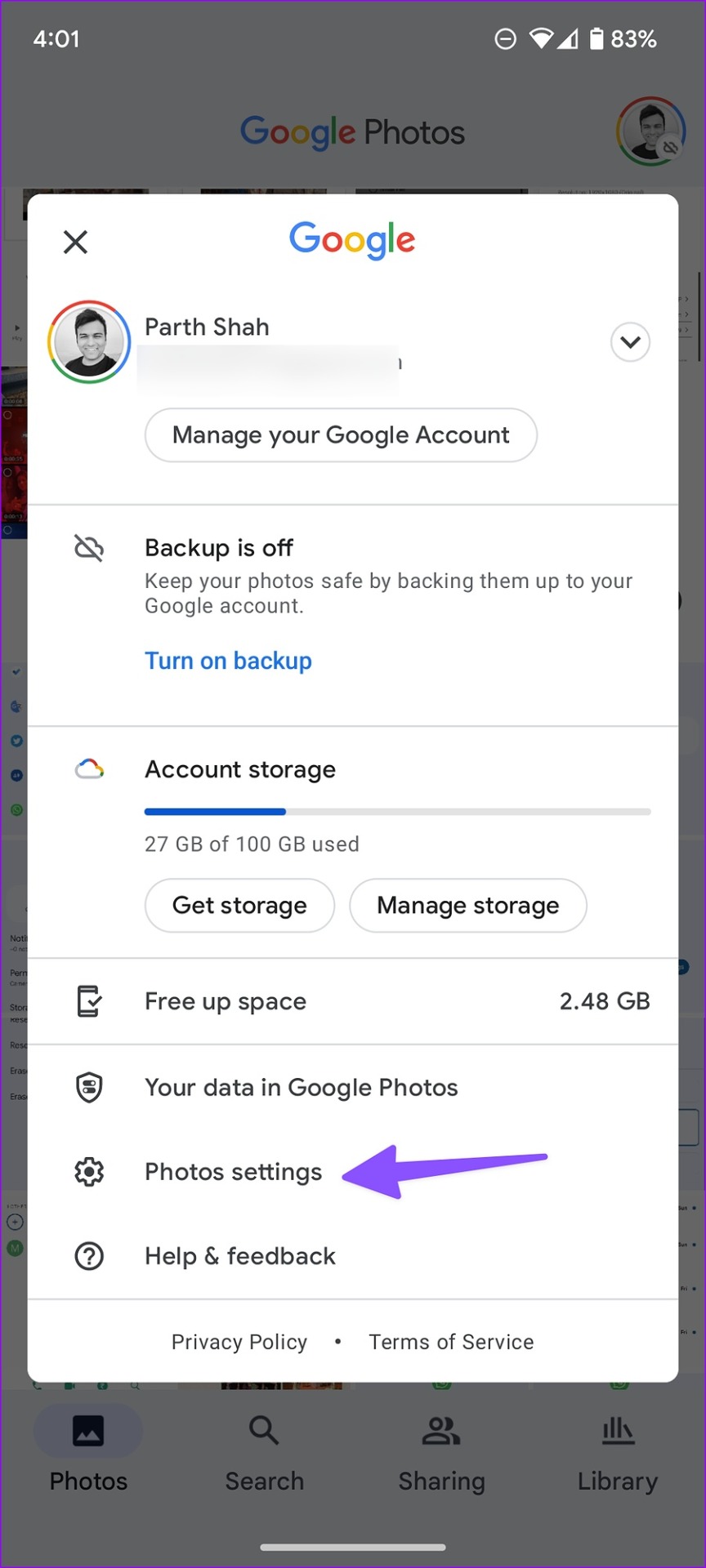
Step 1: Open Google Photos on Android. Tap on your profile icon in the top right corner.
Step 2: Select Photos Settings > tap Back up & sync .
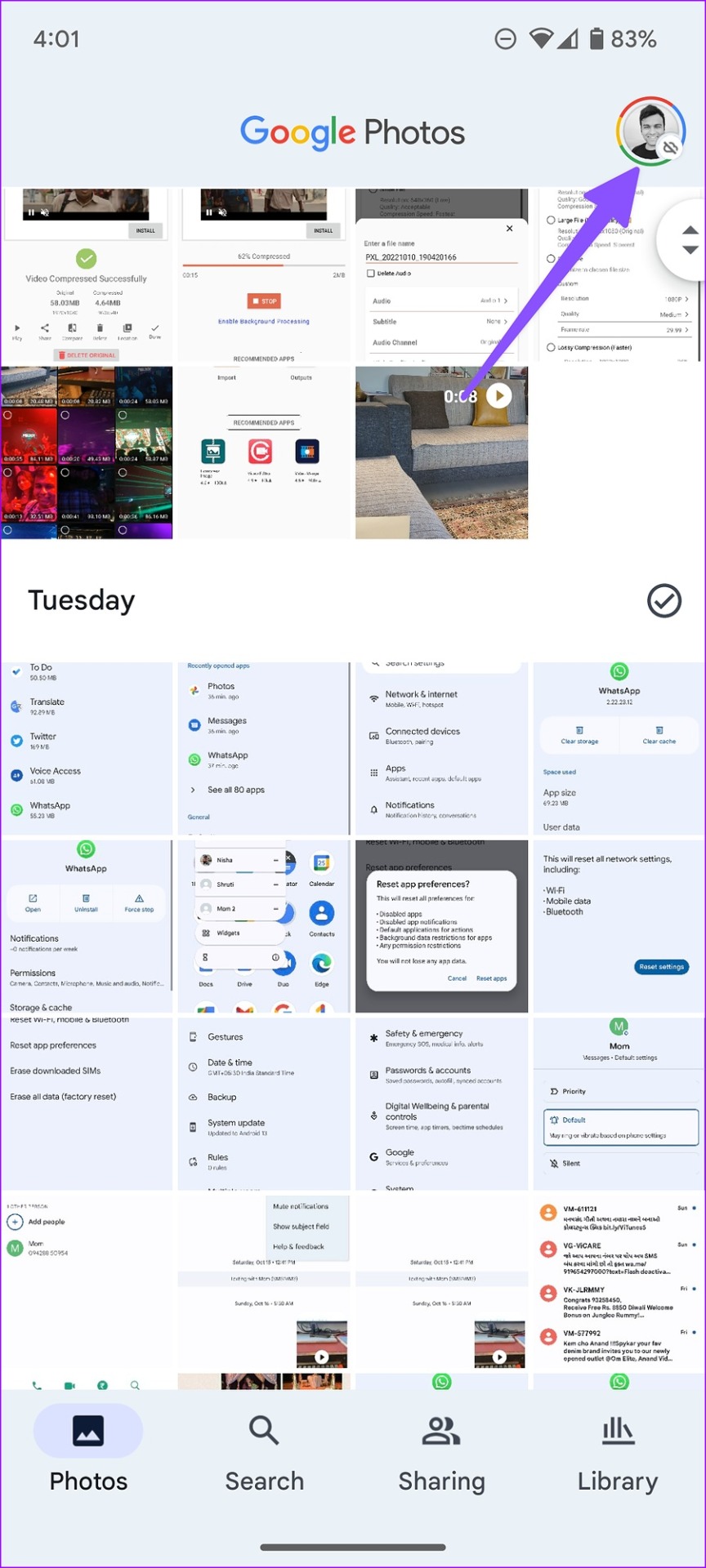
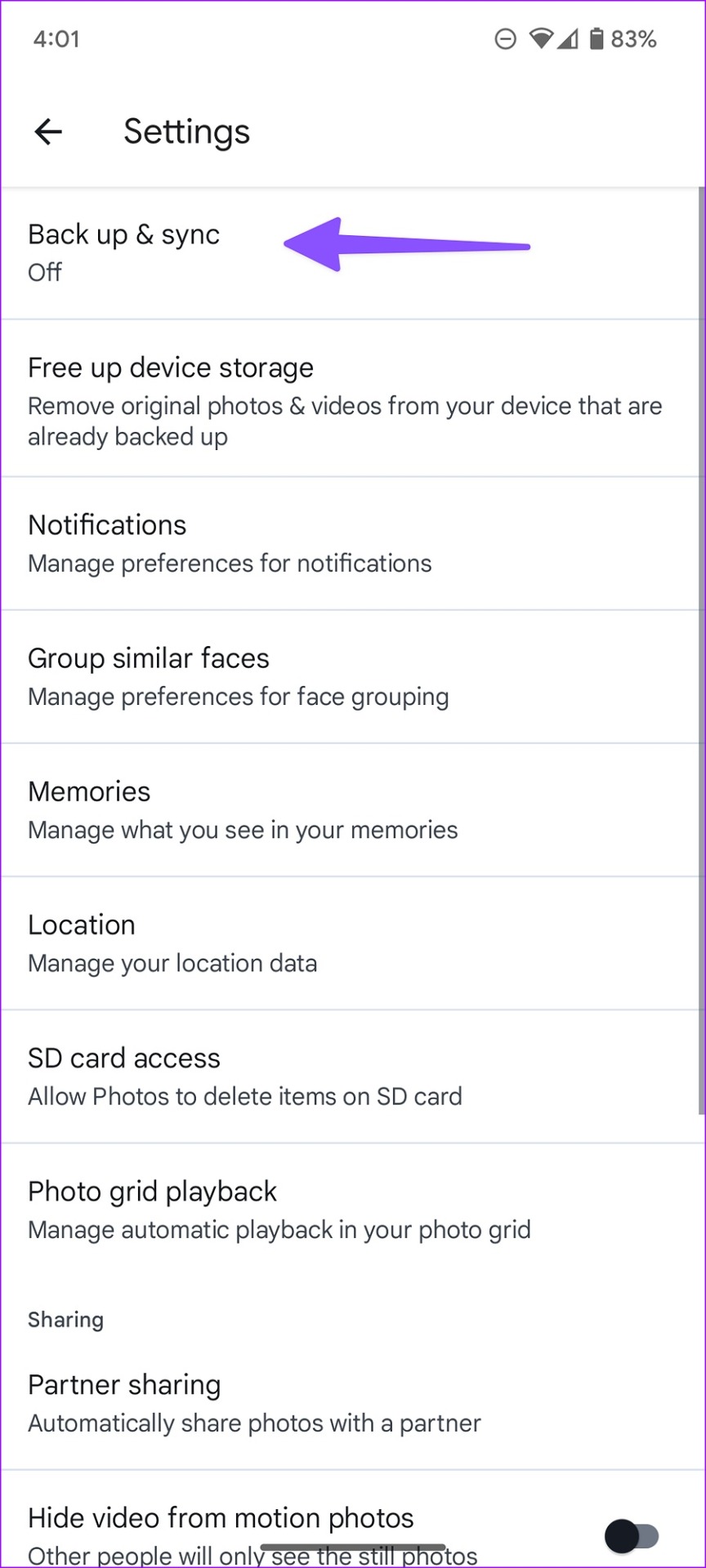
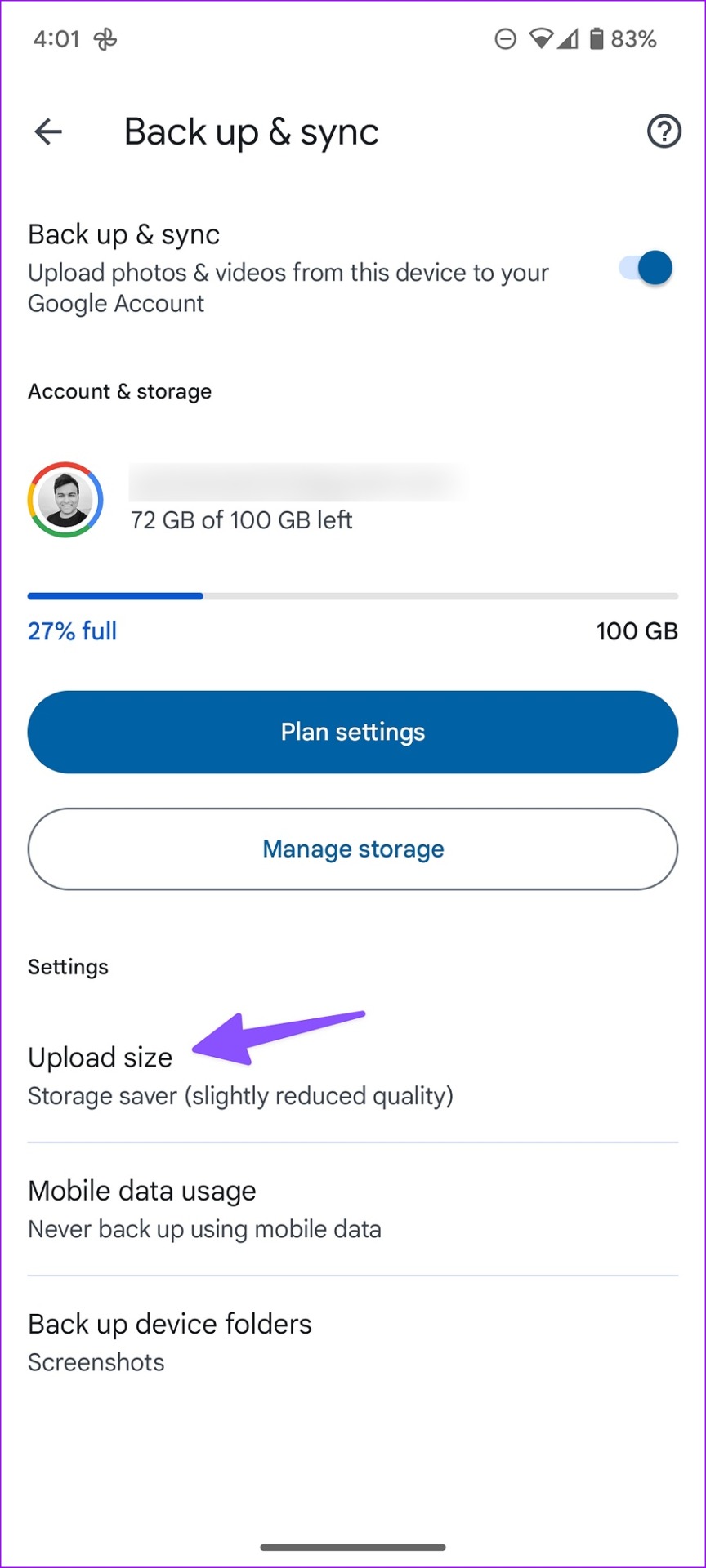
Step 3: Enable backup and sync > select Upload size under Settings. Now, select Storage Saver or Express from the menu.
Storage saver compresses videos to high definition, while Express offers the fastest backup at the lowest resolution. It uploads videos in standard definition.
When Google Photos completes uploading videos, head to Google Photos on the web and download the compressed file.
Method 2: Use a Third-Party App
You can download Compress Video Size on Play Store to reduce the size of the video.
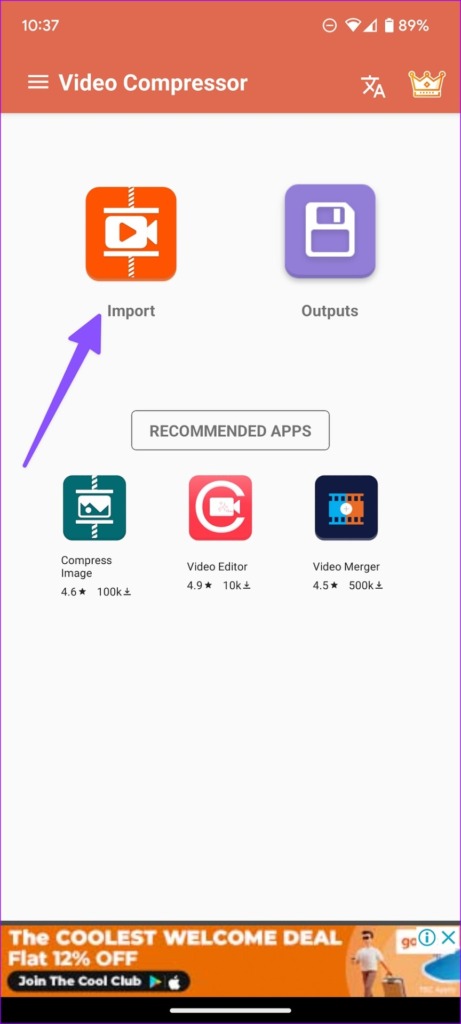
Step 1: Open the app once it is installed. Select Import from the home page.
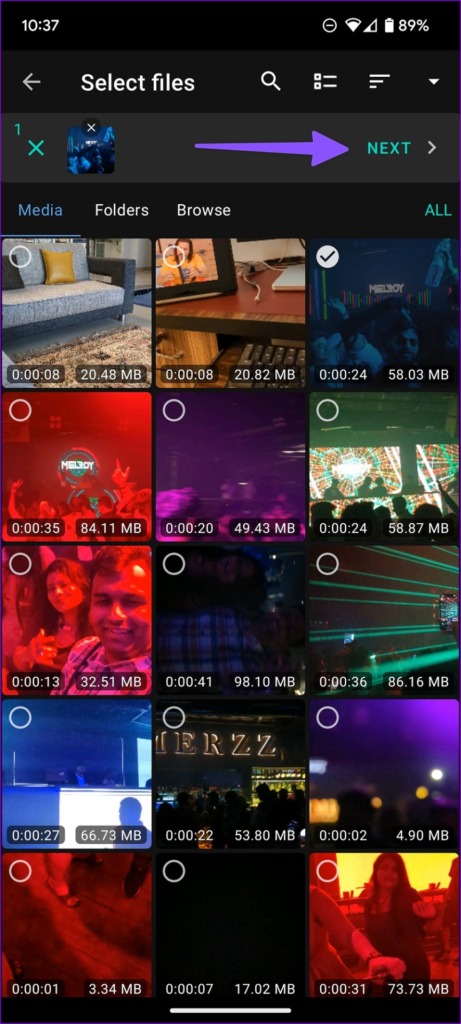
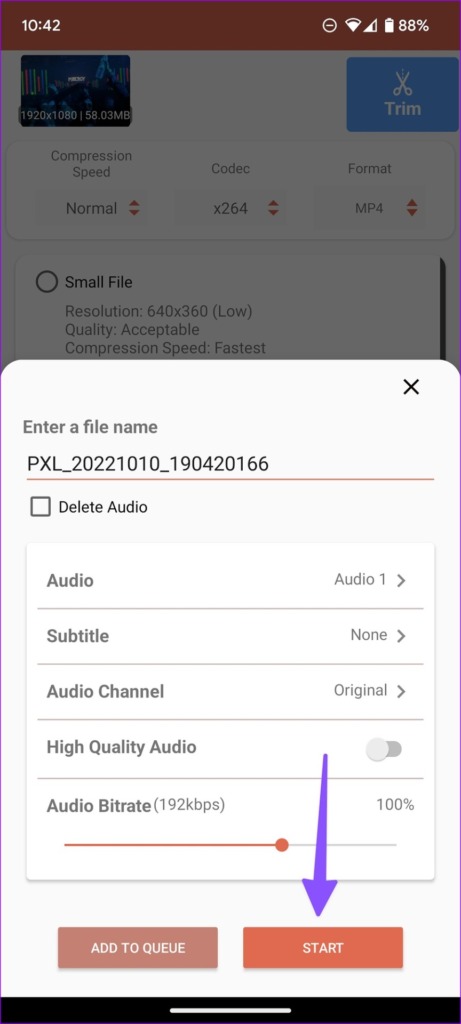
Step 2: Tap the radio button at the video’s top left corner and tap Next . You have several options to compress a video file.
Small File: 640×360 resolution
Medium File: 960×540 resolution
Large File: 1920×1080 resolution
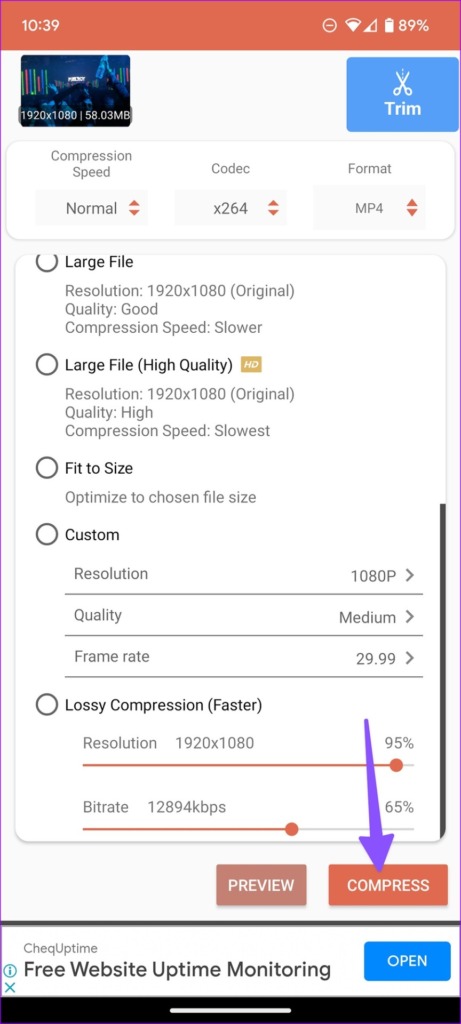
You can also select a custom resolution, quality, or frame rate from the same menu.
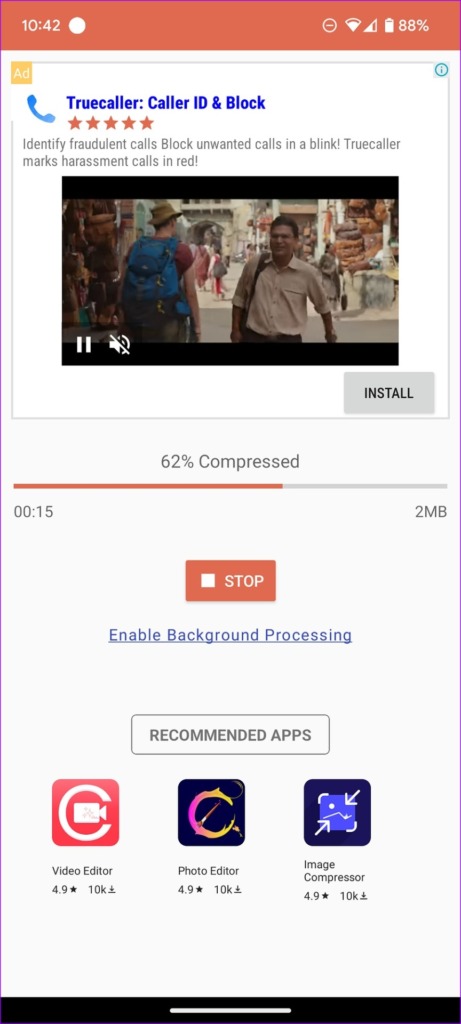
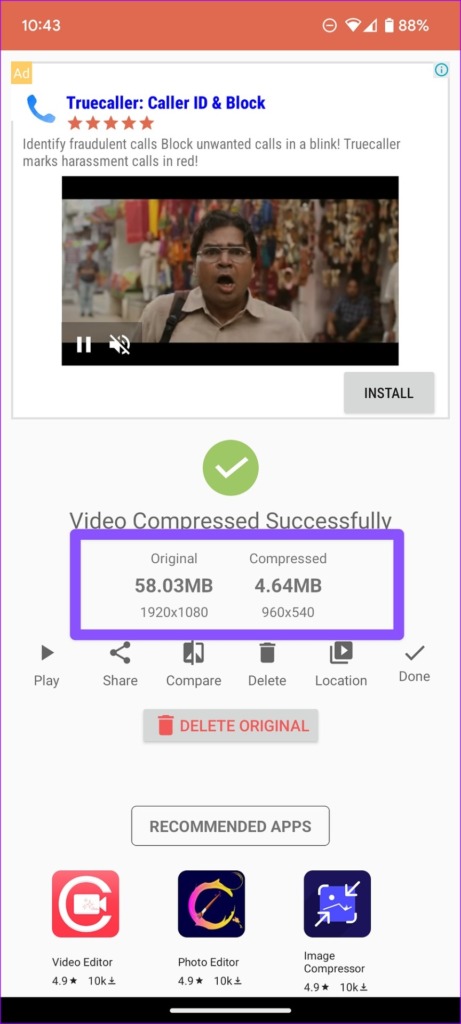
Step 3: We selected Medium File and hit Compress. We imported a 58MB video file, and the app compressed it to 4.64MB.
Method 3: Use WhatsApp to Compress Videos on Android
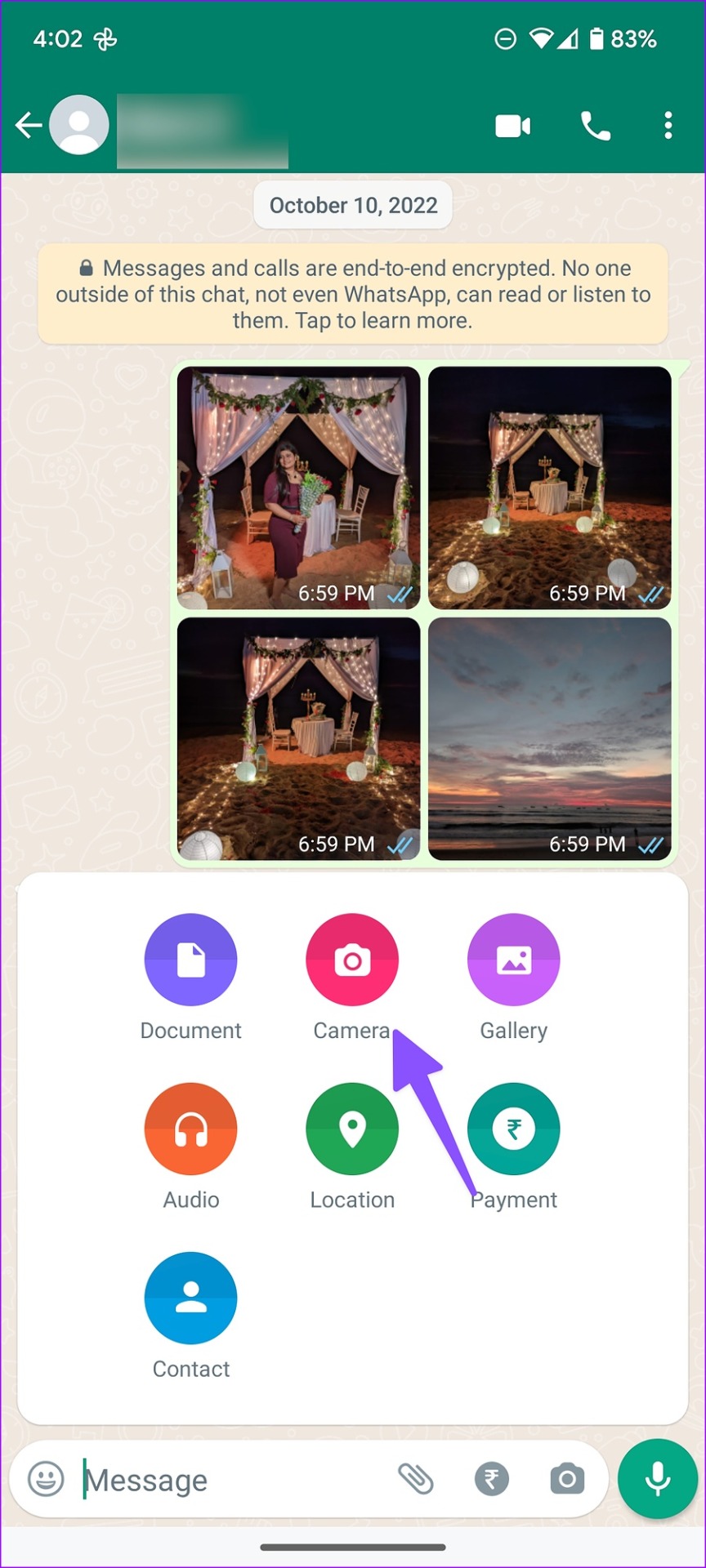
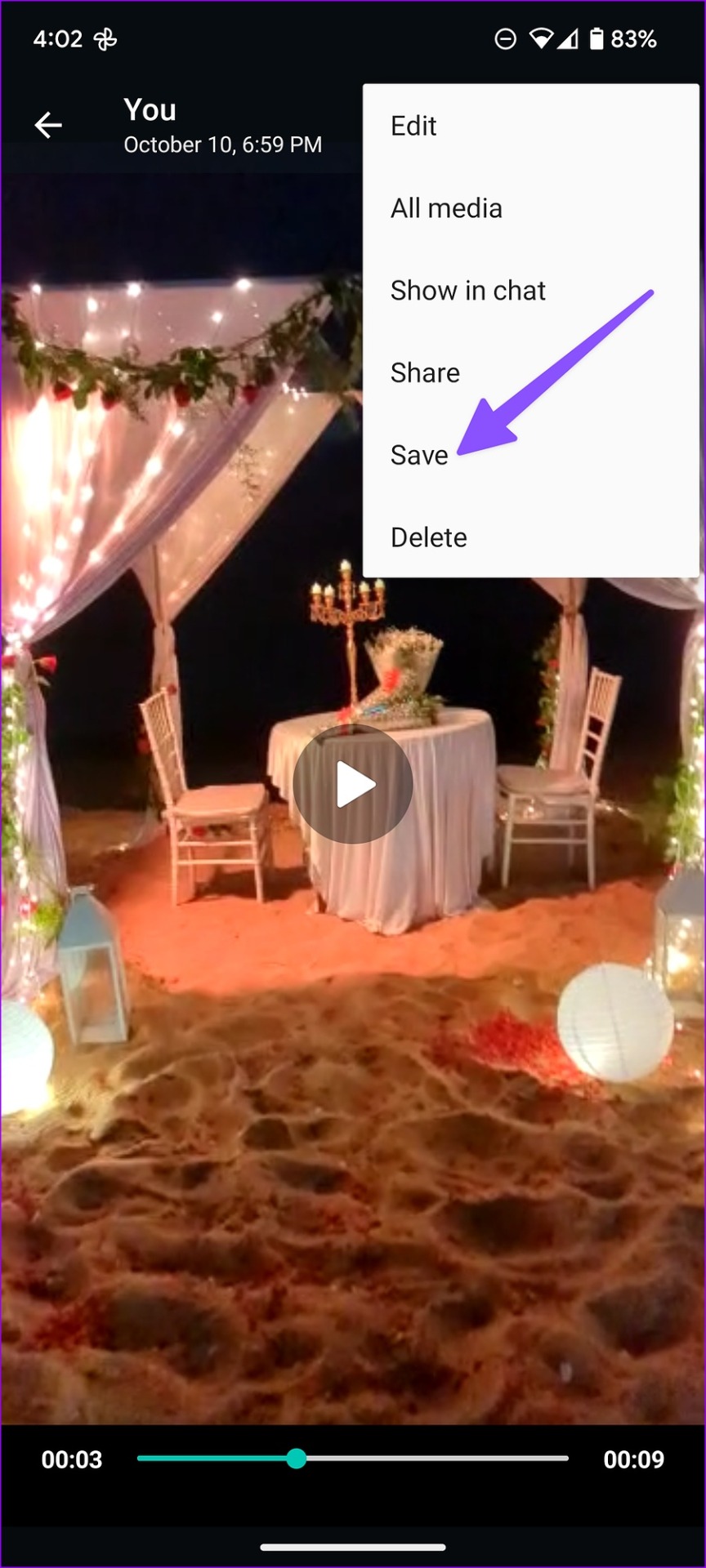
You can create a WhatsApp group with yourself and send large videos to it. Since WhatsApp reduces the size of video uploads, you can then save the compressed video.
Open the group, tap the attach icon, and send the video. Once uploaded, open it, tap on the three dots icon at the top right corner, and Save .
Also Read: How to compress videos on Windows
Was this helpful?
Submit Cancel
Thanks for your feedback!
Keep reading