Android
2 Ways to Remove Ads from Samsung Galaxy Phone Lock Screen
Do you see ads frequently on your Galaxy phone's lock screen and home screen? Here are two ways to remove ads from your lock screen.
By Parth Shah

Quick Tips
Samsung phones can display ads on the lock screen in the form of Glance wallpapers.
You may also see ads on the home screen or on top of other apps that are displayed by third-party apps.
Disable both kinds of apps by following the steps below.
Method 1: Disable Lock Screen Services
Lock screen services like Glance will display ads and even promote apps and games directly on the lock screen. This will take over your Galaxy phone’s lock screen experience, and you will no longer see the wallpaper you select. Thankfully, Samsung offers an option to disable the add-on. The option is buried in the Settings menu. Here’s how you can access and use it.
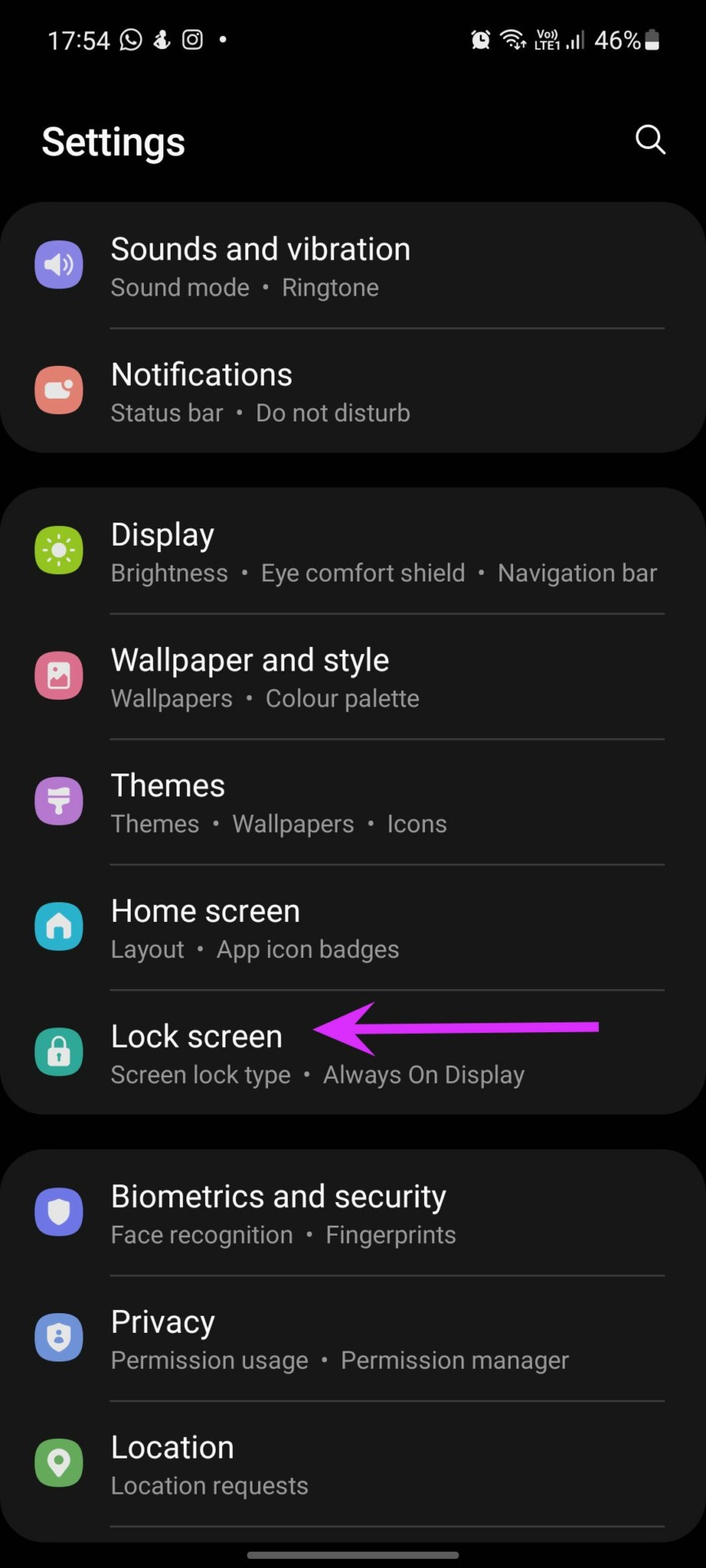
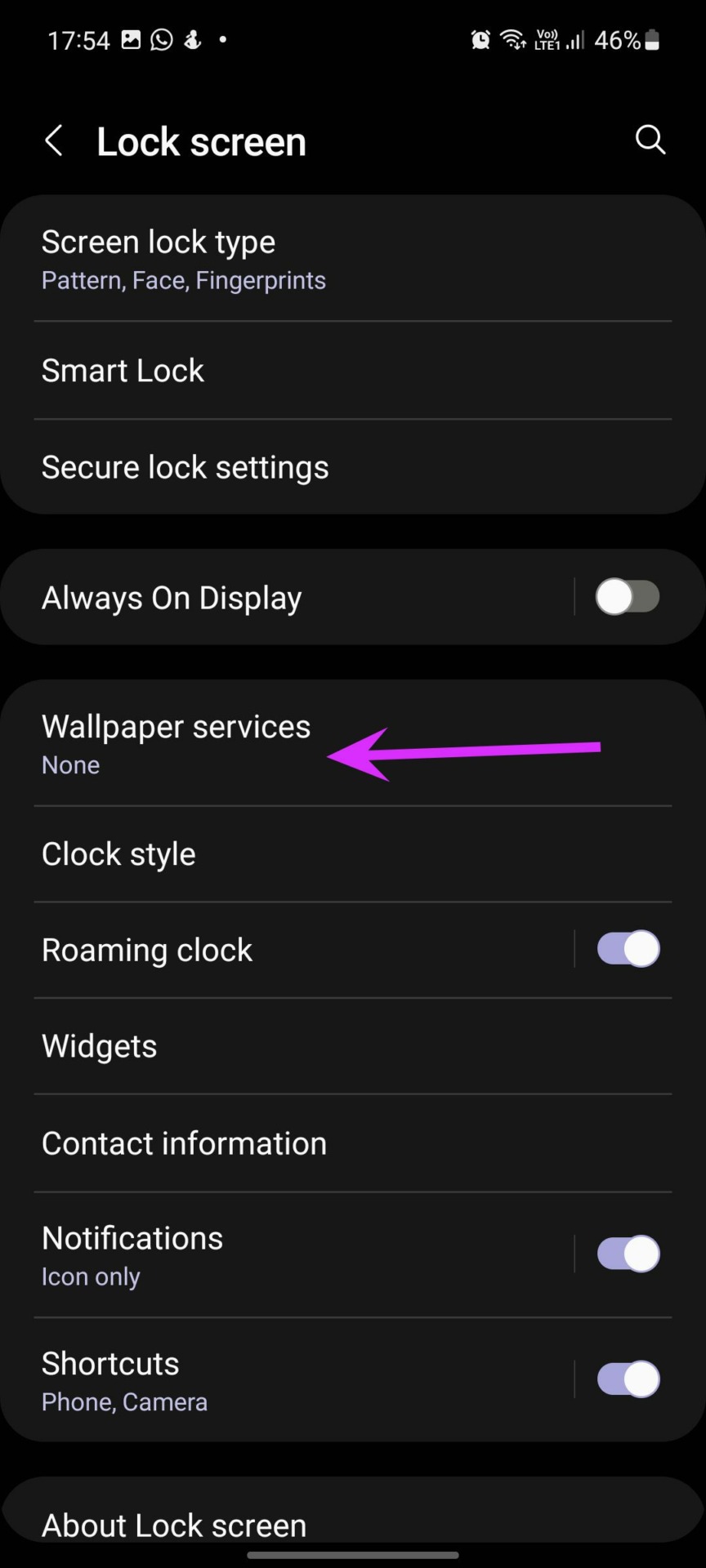
Step 1: Open the Settings app on your Samsung Galaxy phone. Select Lock screen > Wallpaper services .
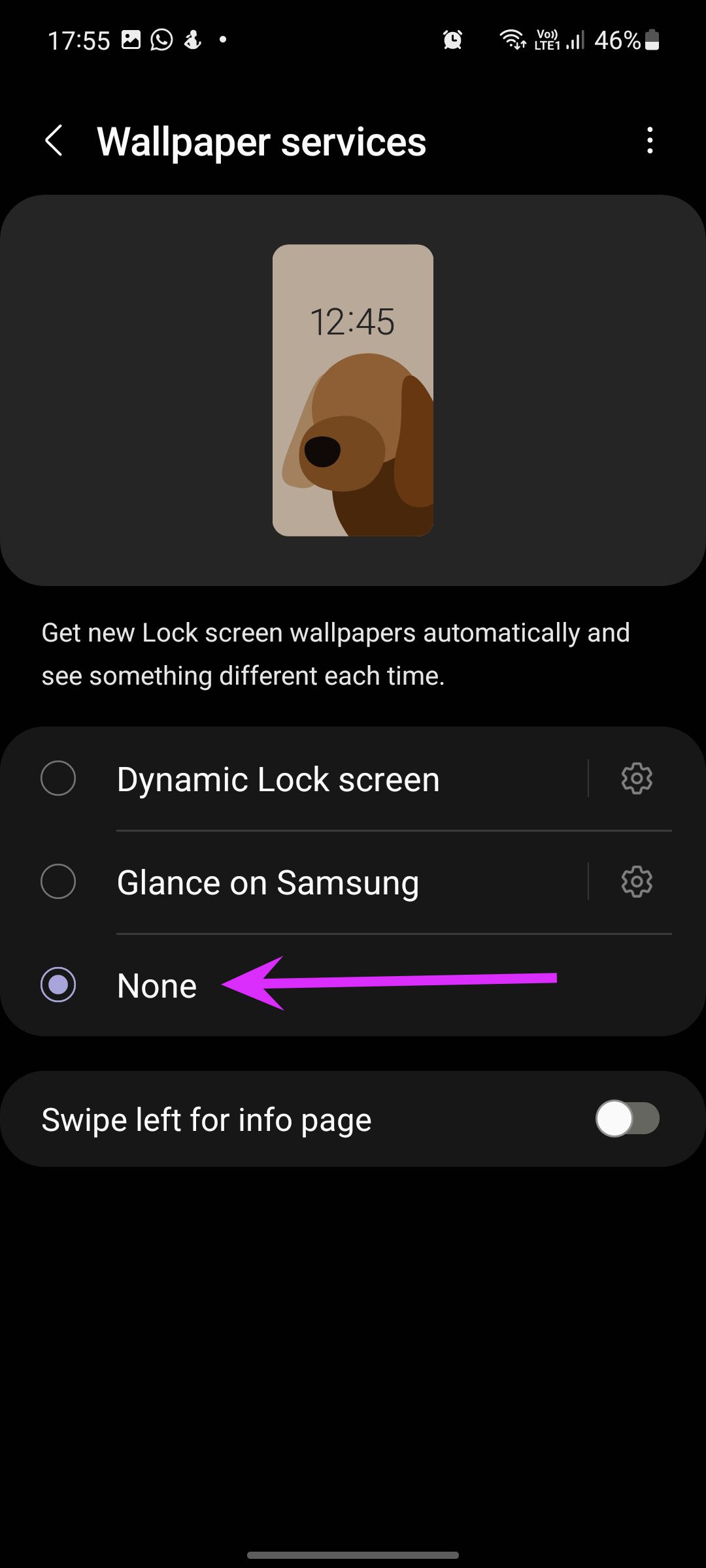
Step 2: Select None and you are good to go.
Method 2: Disable Appear on Top Permission
Android OS allows developers to implement Appear on top functionality, which lets apps showcase banners on top of other apps and the lock screen. While this permission is primarily designed for messaging apps, some developers use it to display ads on Galaxy phones.
These developers also trick you into allowing permission when you launch the app for the first time. And after that, you start getting ads. You must find out such apps and disable the required permission.
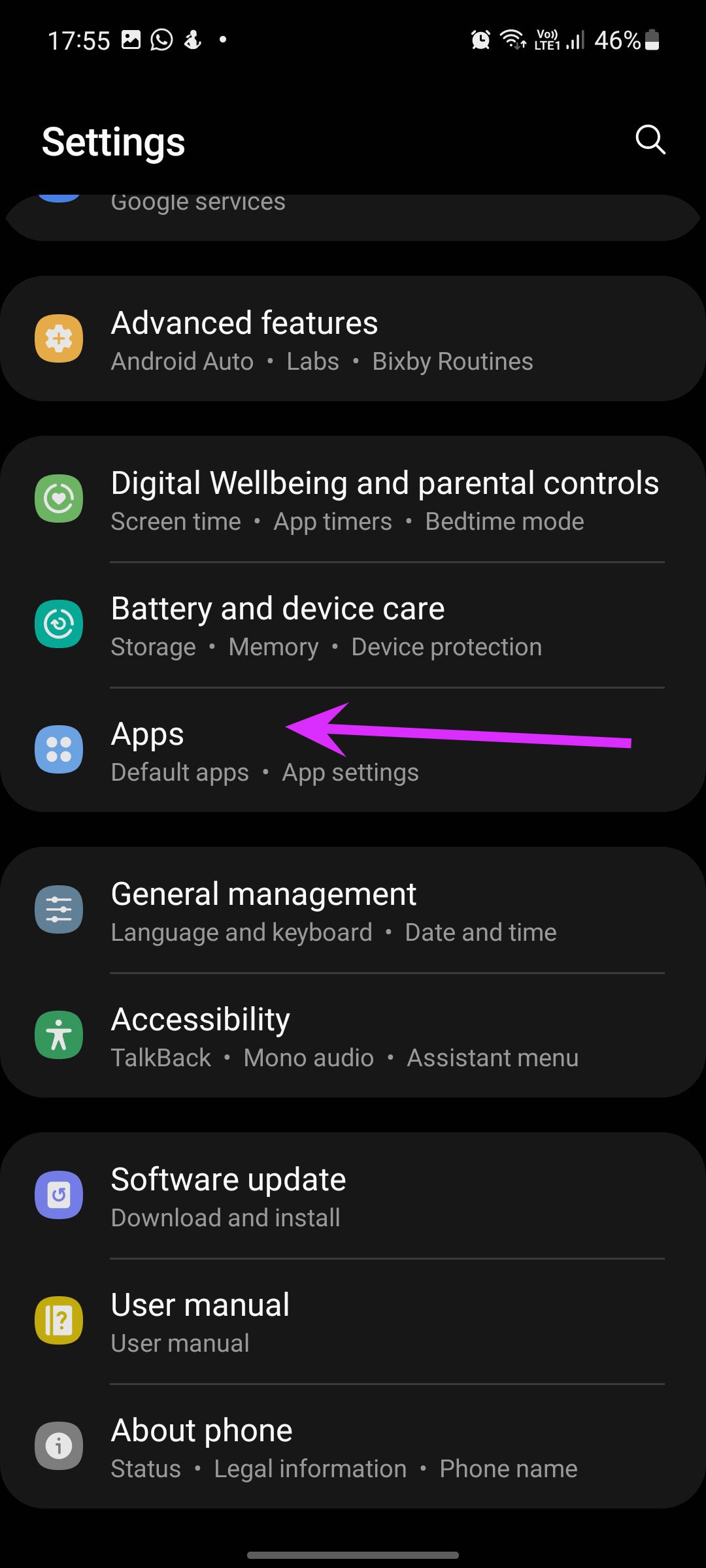
Step 1: Swipe down from the top to reveal the notification center . Tap on the Settings gear to open the Settings menu > scroll down to the Apps section.
Step 2: Identify and select apps sending these ads. If you started seeing ads recently, pick an app you recently installed.
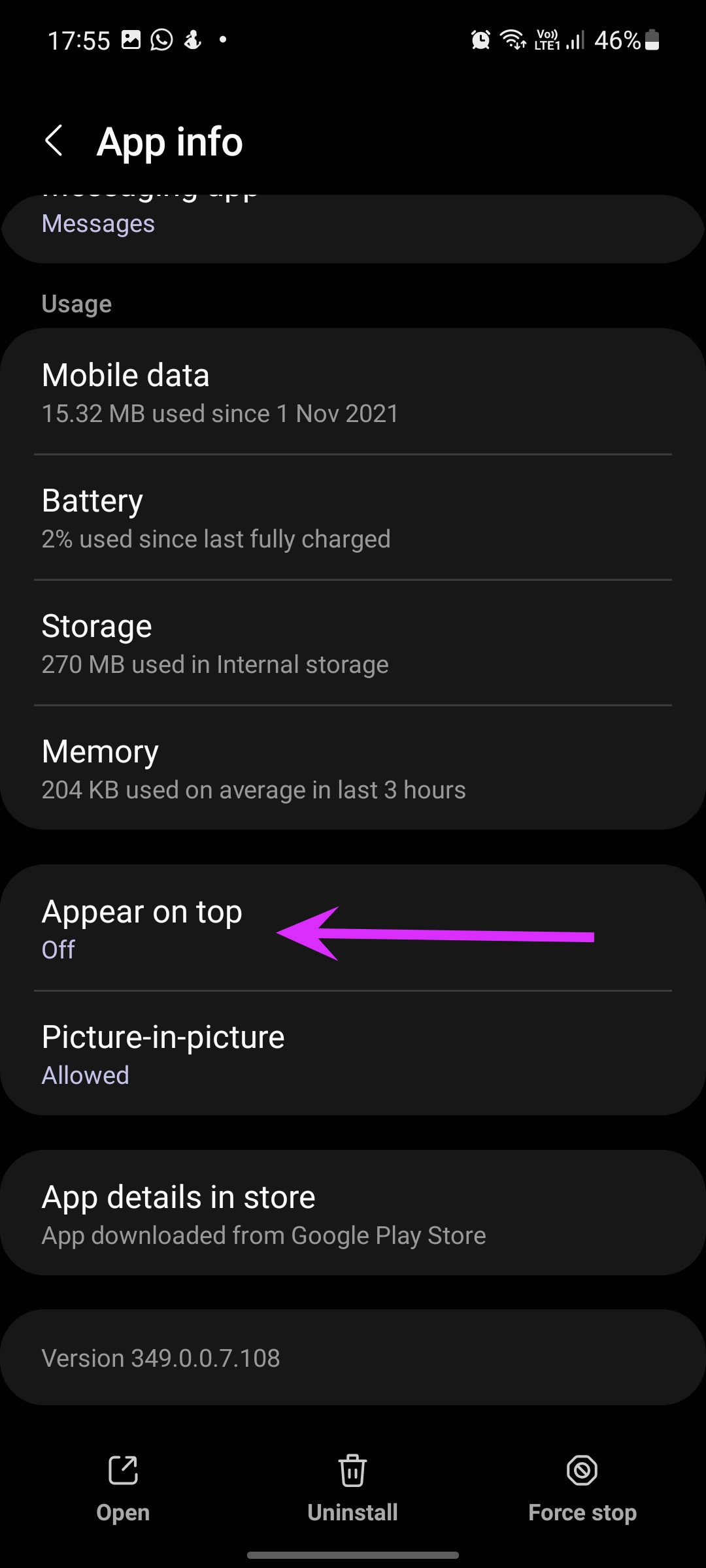
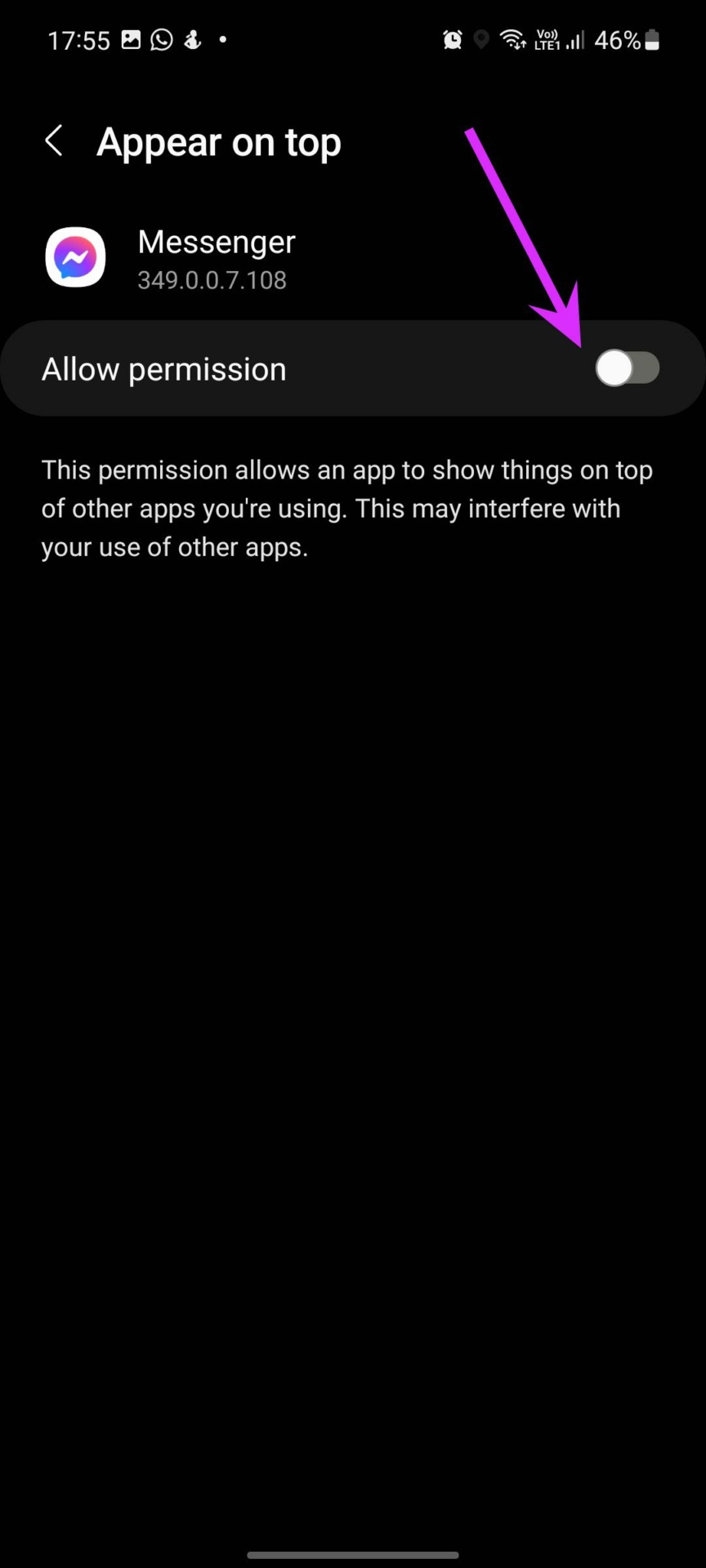
Step 3: You will find the Appear on top permission from the app info menu. Disable the toggle.
If the app isn’t useful and you can live without it, you might as well uninstall it since it might also contain other forms of malware.
Was this helpful?
Submit Cancel
Thanks for your feedback!
Keep reading