Android
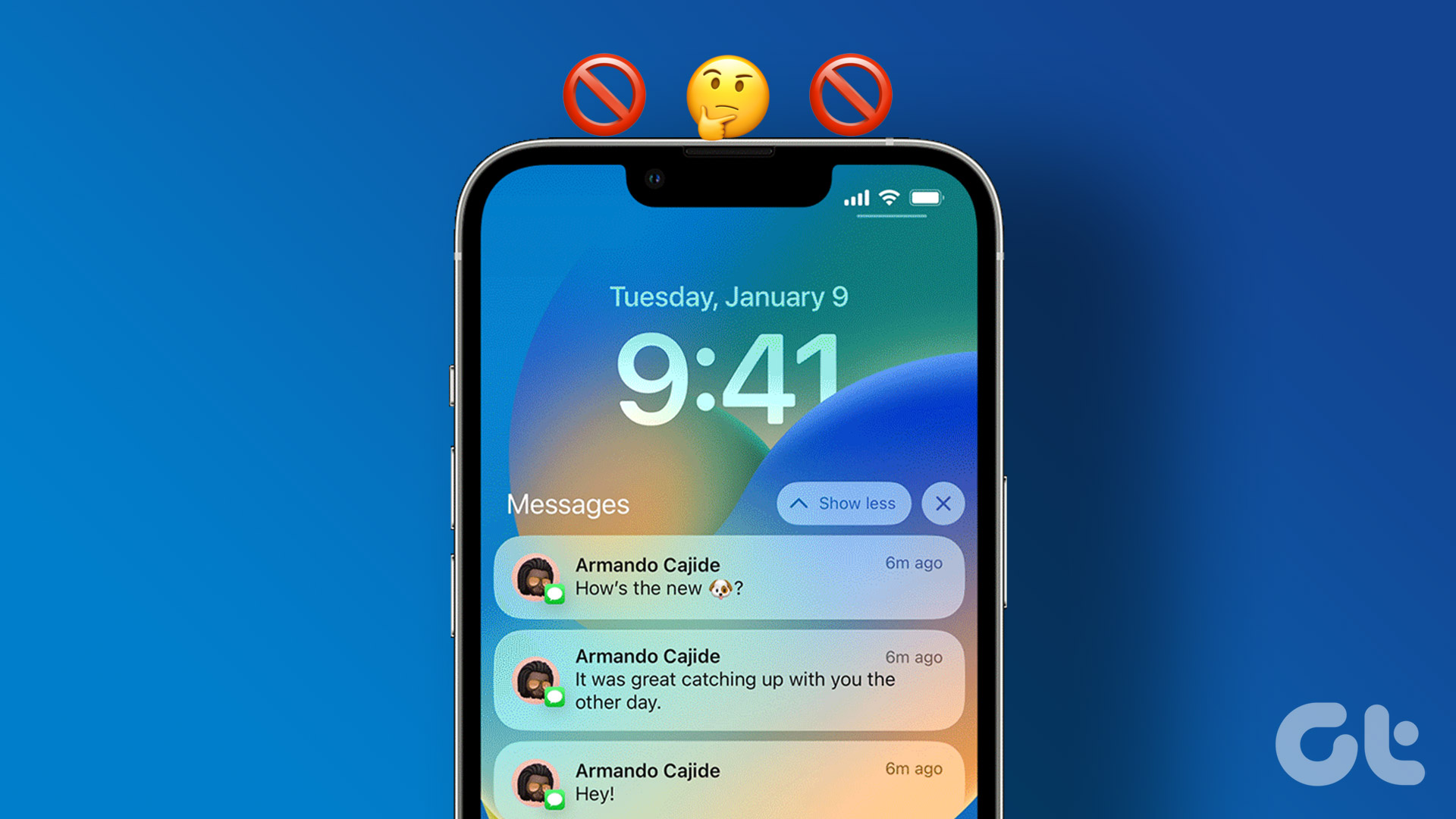
Why Am I Getting Notifications When Do Not Disturb Is On?
Getting notifications in an active do not disturb mode? Here's why you get notifications when DND is on and the steps to stop the behavior.
By Parth Shah
Quick Tips
It might be because the app or the contact has been added as an exception under the active Do Not Disturb setting. Go to DND/Focus settings and remove exceptions.
If you’re using an iPhone, the Share Across Device setting might be the culprit. Go to Settings → Focus → toggle off the setting.
On Android, the app might have an override permission, go to app info → Notifications → select channel → toggle off Override Do Not Disturb.
On iPhone
Apple has incorporated DND under Focus (an extended version of Do Not Disturb). So, the fixes below concentrate on Focus as a whole.
Fix 1. Toggle off Share Across Devices
Focus is an essential part of the Apple ecosystem. When you disable Focus on your iPad or Mac, the system disables the same on your iPhone. Due to this, you may start receiving alerts from your iPhone.
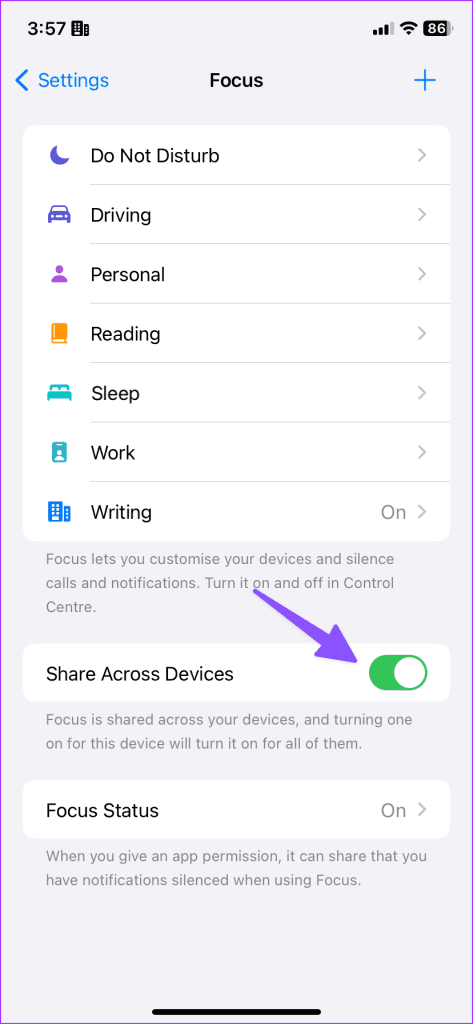
You can disable the Share Across Devices toggle so that your iPhone’s focus status remains unaffected.
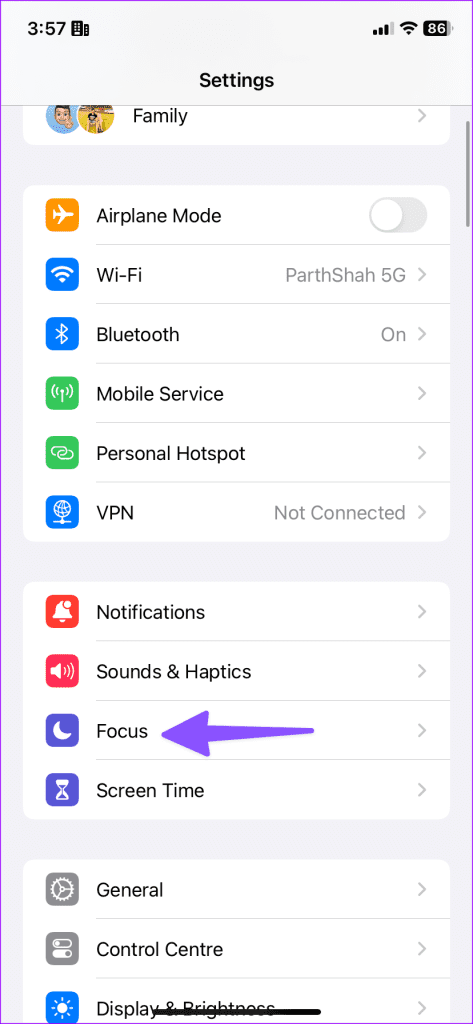
Step 1: Open Settings and go to Focus .
Step 2: Disable the Share Across Devices toggle.
Fix 2. Remove App or Contact Exception
Maybe the application or contact you received notification from is added as an exception in DND (Focus mode). Check and remove the apps or contacts from the Focus profile.
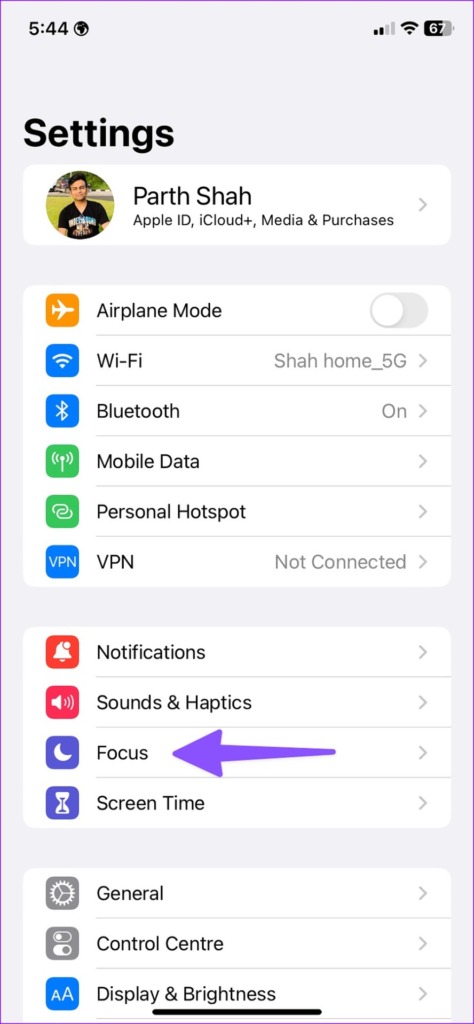
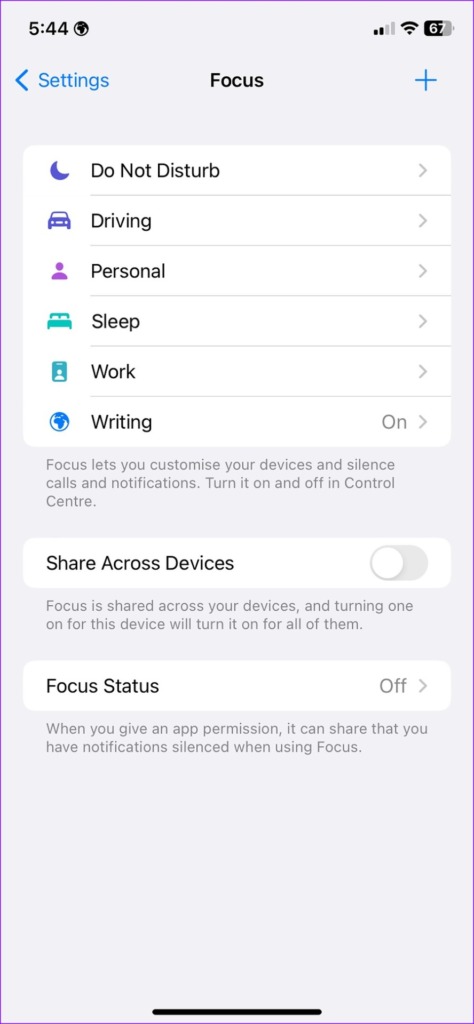
Step 1: Open Settings on your iPhone. Select Focus .
Step 2: Select the active Focus profile .
Step 3 : Tap Apps . Select the – icon on the app to remove it from the list.
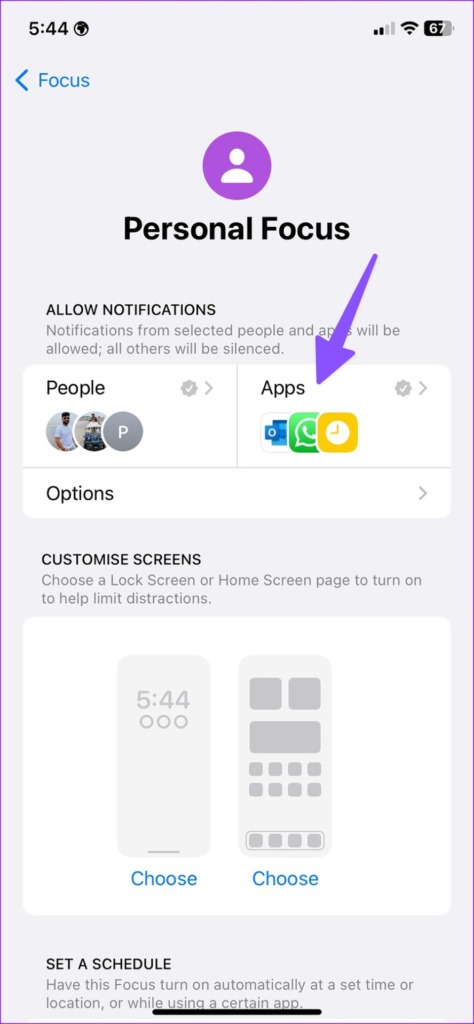
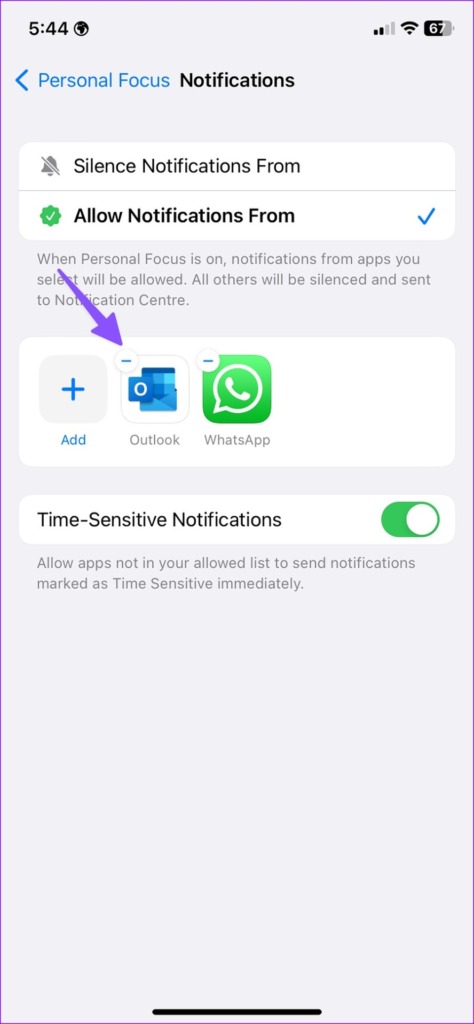
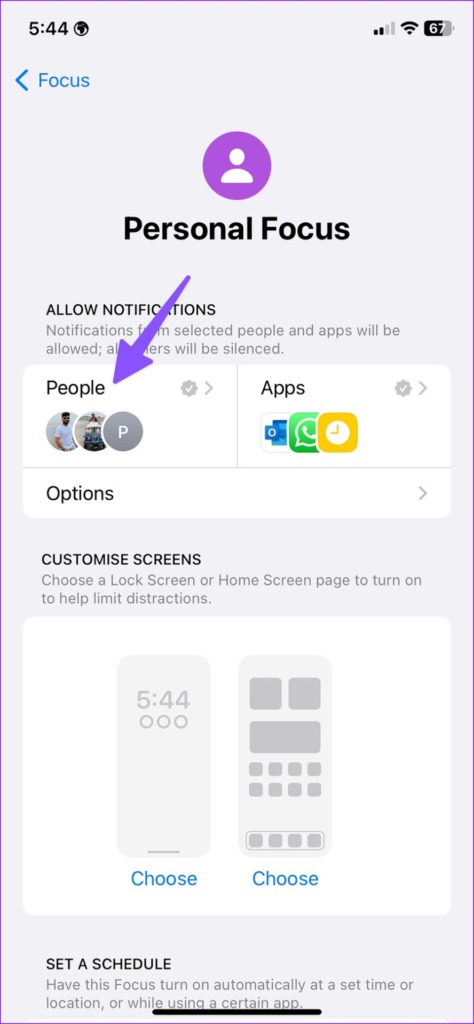
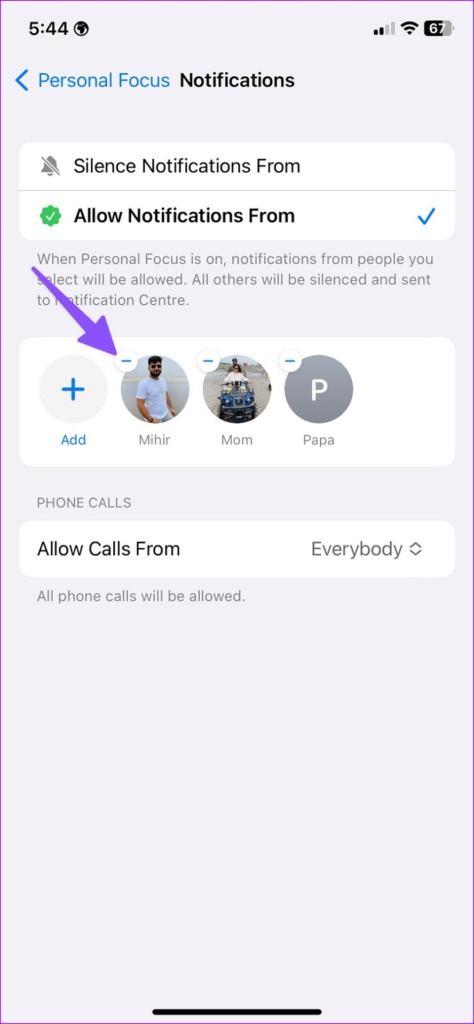
Step 4 : Tap People . Tap the – icon above the people you want to remove.
No one prefers to be disturbed while their phone is in active DND mode. If you frequently get calls when Do Not Disturb is on, read our dedicated post to learn how to fix the problem .
Fix 3. Disable Time-Sensitive Notifications on iPhone
The iOS system will send notifications marked as Time Sensitive to your iPhone. So, you’ll get alerts even from the apps that aren’t in your allowed list. Here’s how to stop the behavior on your iPhone.
Step 1: Launch Settings on iPhone. Move to Focus and select a focus profile .
Step 2: Select the Apps menu. Disable the Time-Sensitive Notifications toggle.
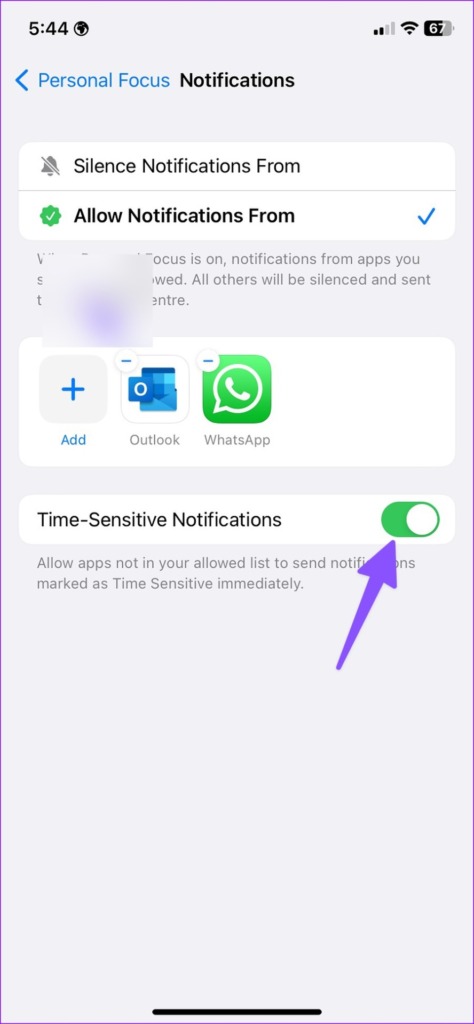
Tip : If you’re facing trouble turning off Do Not Disturb on iPhone , follow the linked guide.
On Android Devices
While the overall fixes are similar to those we followed for the iPhone, the steps differ slightly. Moreover, the exact steps may vary depending on the Android version being used.
Fix 1. Remove App or Contact Exception
Step 1: Open Settings . Go to Notifications .
Step 2: Tap Do Not Disturb under the General menu.
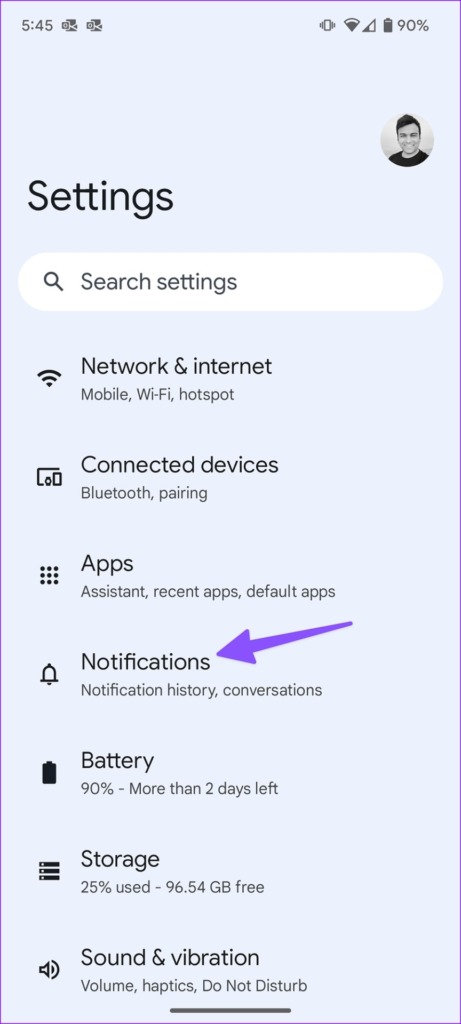
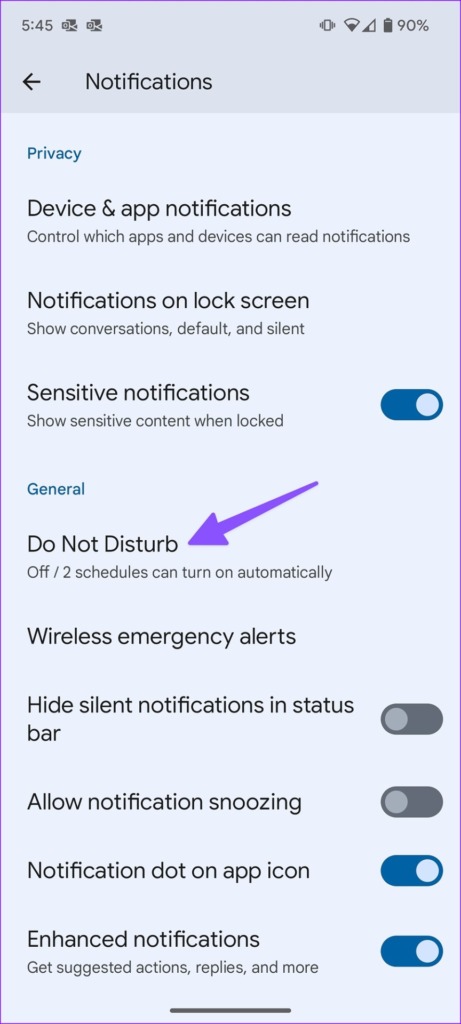
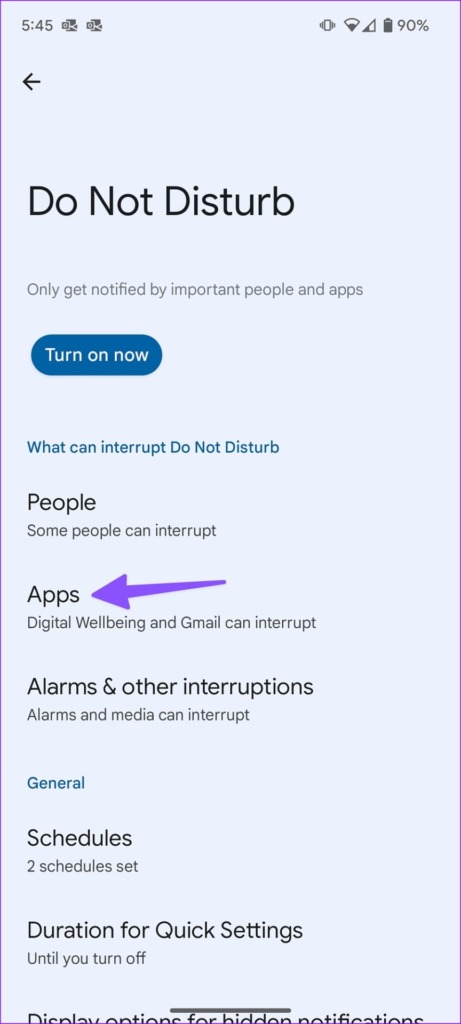
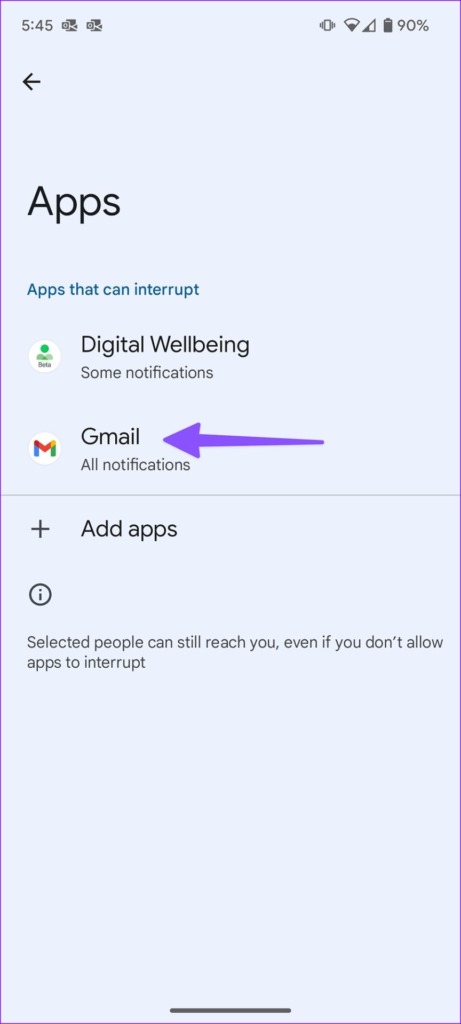
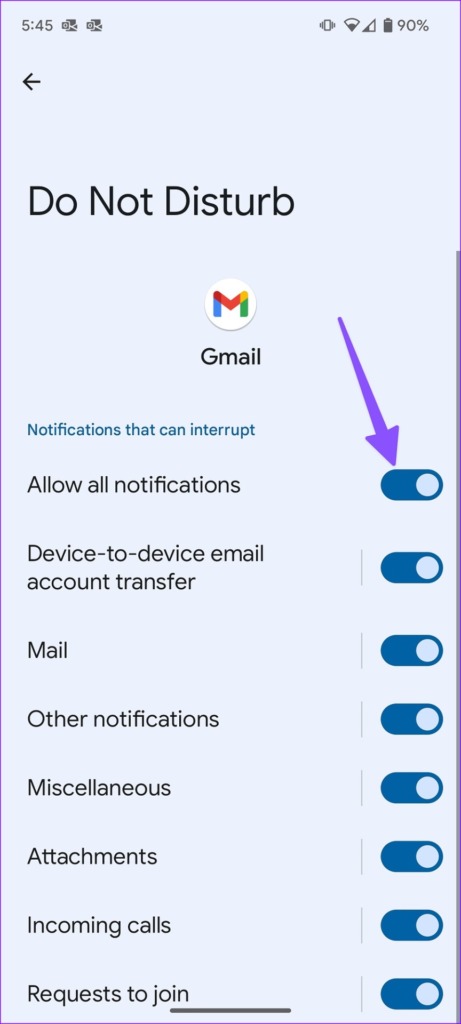
Step 3: Select Apps . Check the list of apps that can interrupt in an active DND mode. Open an app and disable all notifications from the following menu.
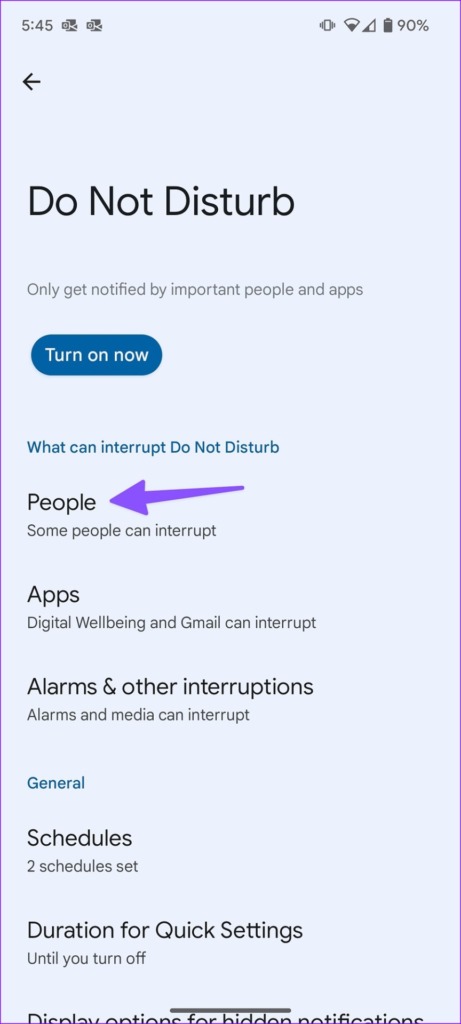
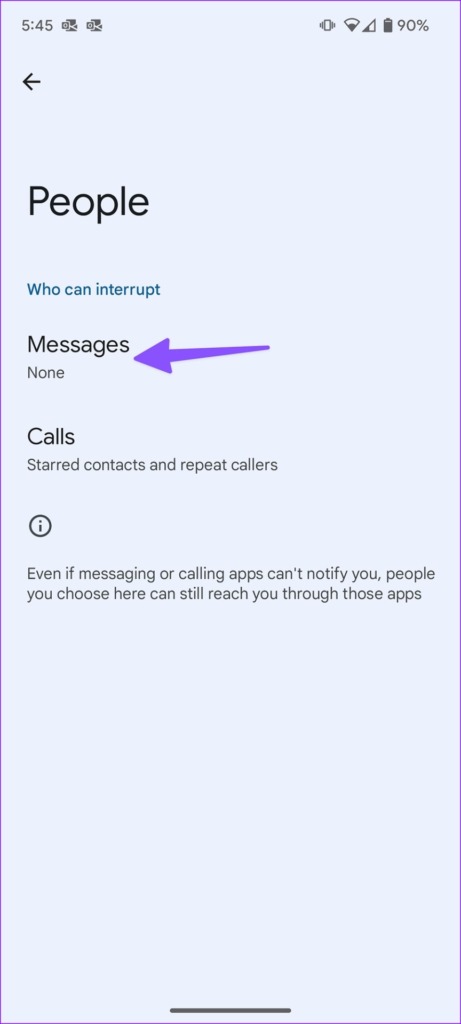
Step 4: Select People . Tap Messages and check the box for None . Repeat the same for the Phone, and you should be good to go.
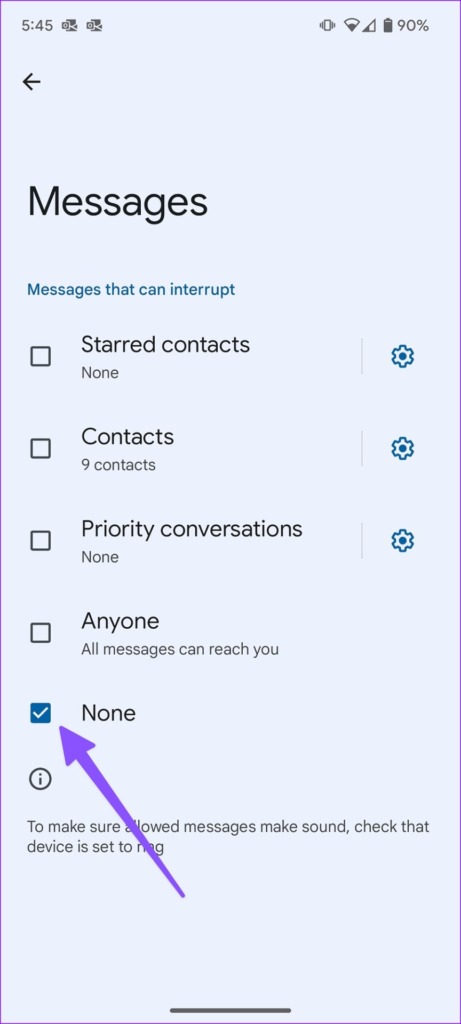
Fix 3. Disable Override Do Not Disturb
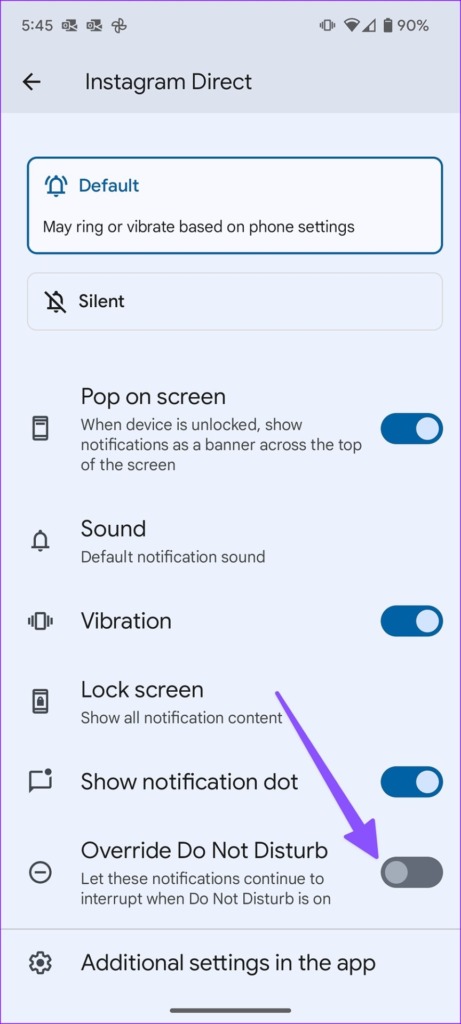
Android users can override do not disturb for specific app notification channels. Here’s how to stop such notifications from appearing in an active do-not-disturb mode.
Step 1: Long-tap the app. Select i to open the app info menu.
Step 2: Select Notifications .
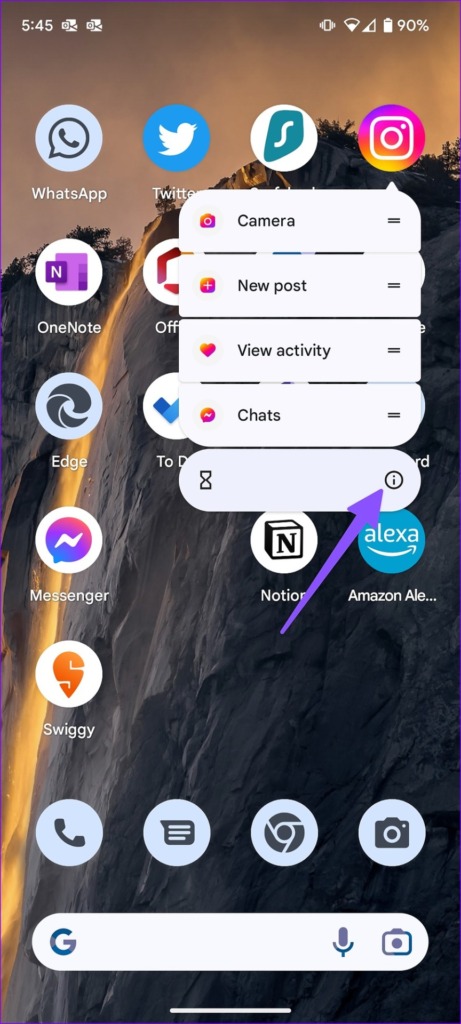
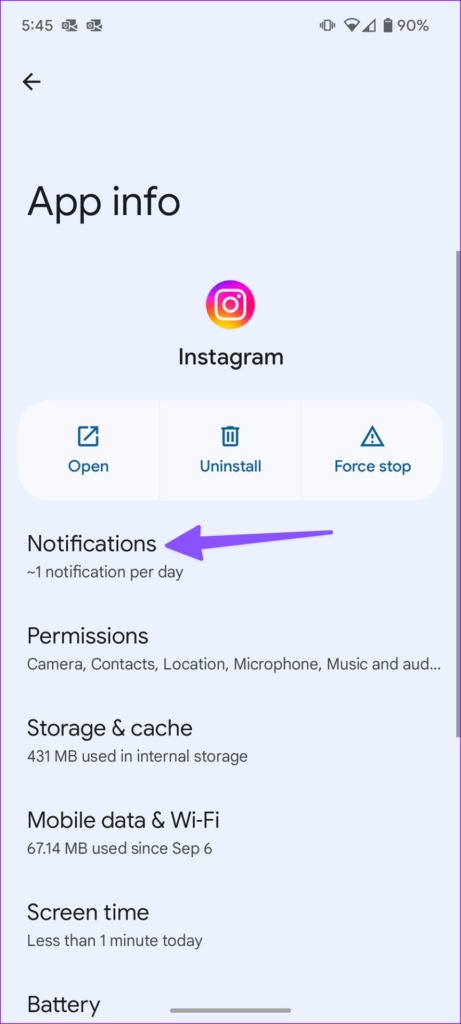
Step 3: Select a notification channel. Scroll down to disable Override Do Not Disturb .
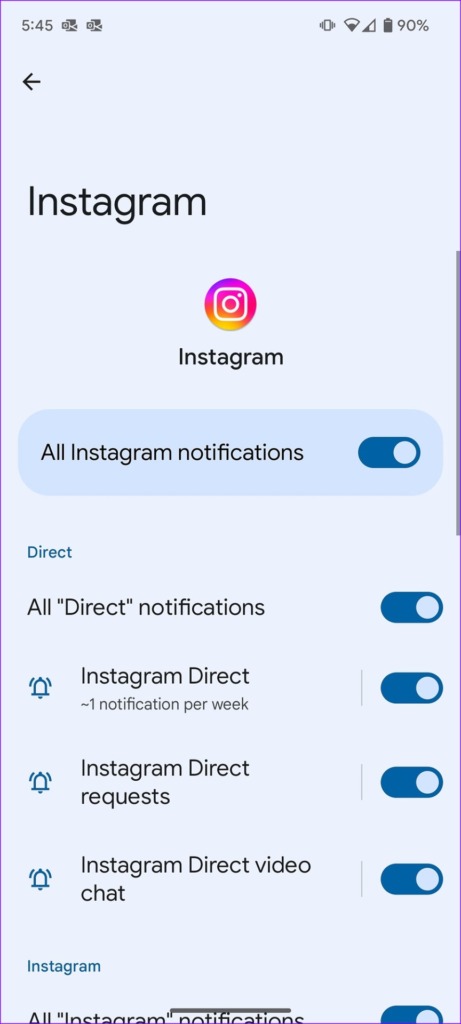
Tip : If you’re facing trouble turning off Do Not Disturb on Android devices , follow the linked guide.
Fix 3. Disable Wireless Emergency Alerts
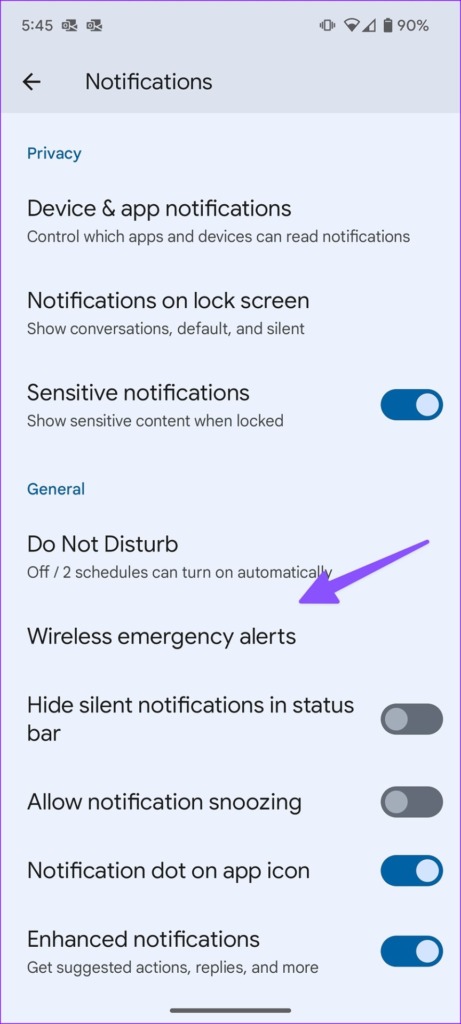
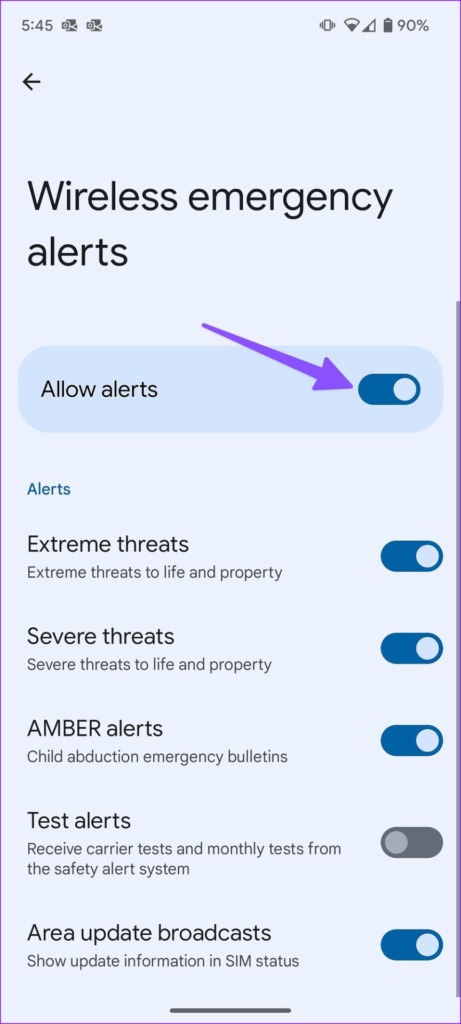
Wireless emergency alerts will overcome do-not-disturb mode on your Android phone. Here’s how to disable such alerts on Android.
Step 1: Open Notifications in Android Settings. Go to Wireless Emergency Alerts .
Step 2: Disable Allow alerts from the following menu.
Was this helpful?
Submit Cancel
Thanks for your feedback!
Keep reading