Android
How to Stop Getting Calls From Blocked Numbers
Do you still receive calls from blocked numbers? Here's how to top receiving calls from blocked numbers.
By Parth Shah

Quick Tips
Double-check the list of blocked numbers.
Provide Unrestricted Usage to call-blocking apps such as Truecaller.
Silence unknown calls on your device.
Method 1: Review the Blocked Numbers List
Before you delve deeper, double-checking the list of blocked numbers on your phone should fix calls from blocked contacts. If you haven’t added the number to the list, block it now.
On Android
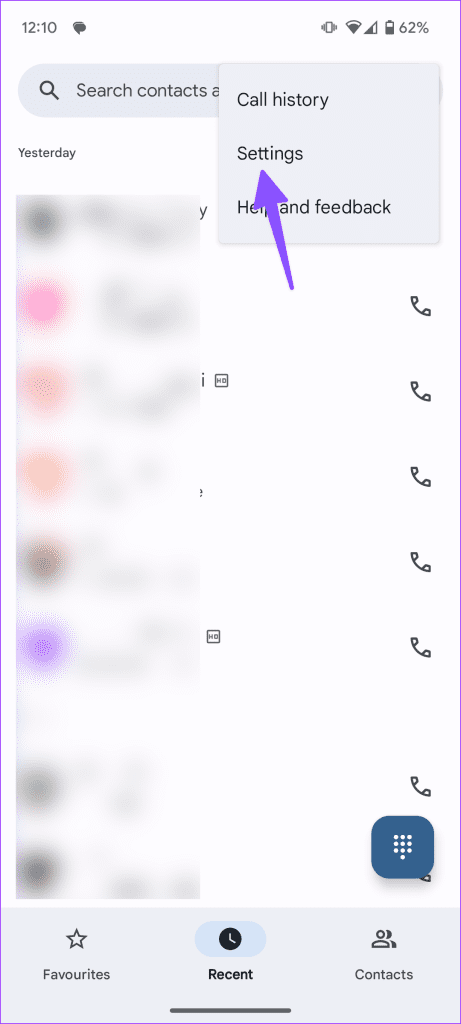
Step 1: Open the Phone app, tap the three vertical dot menu in the top-right, and press Settings .
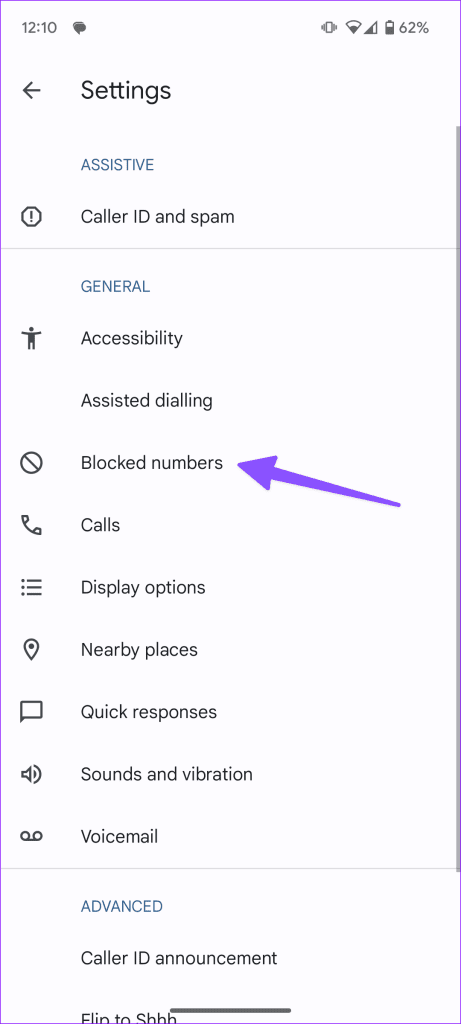
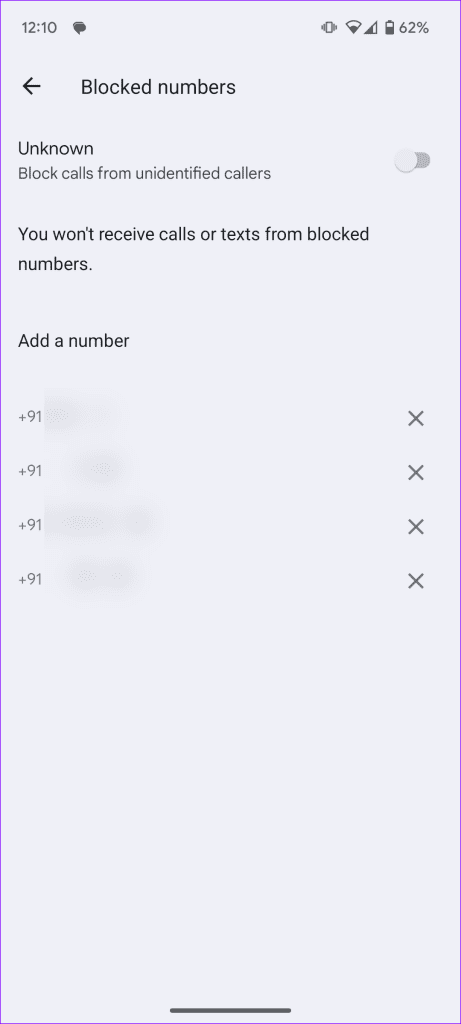
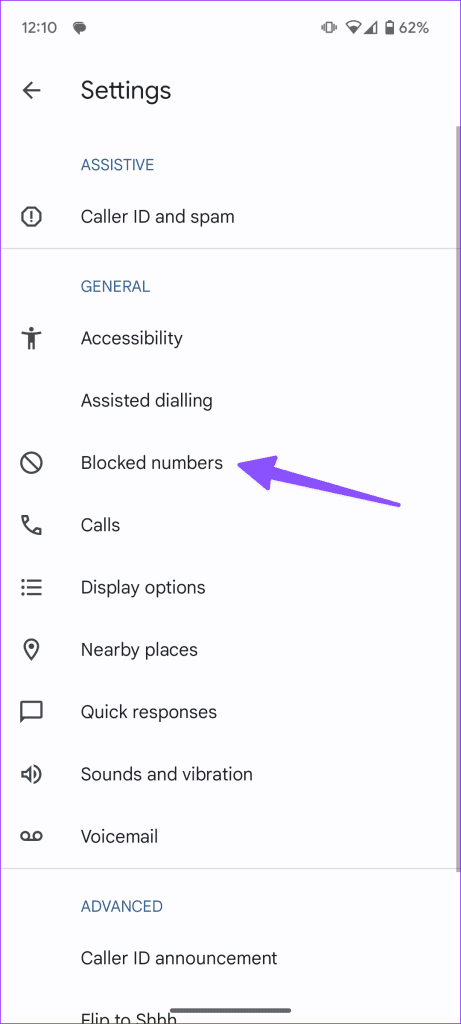
Step 2: Select Blocked numbers and check the list of the contacts you’ve blocked earlier.
On iOS
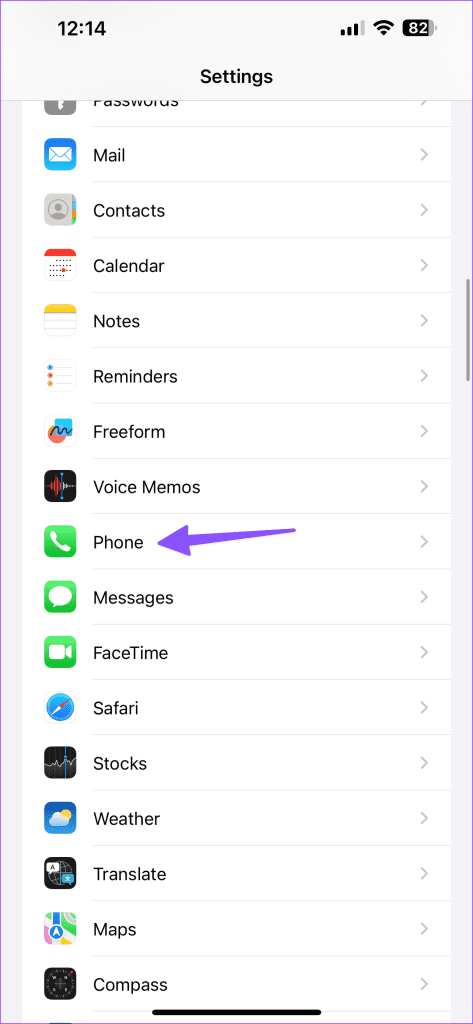
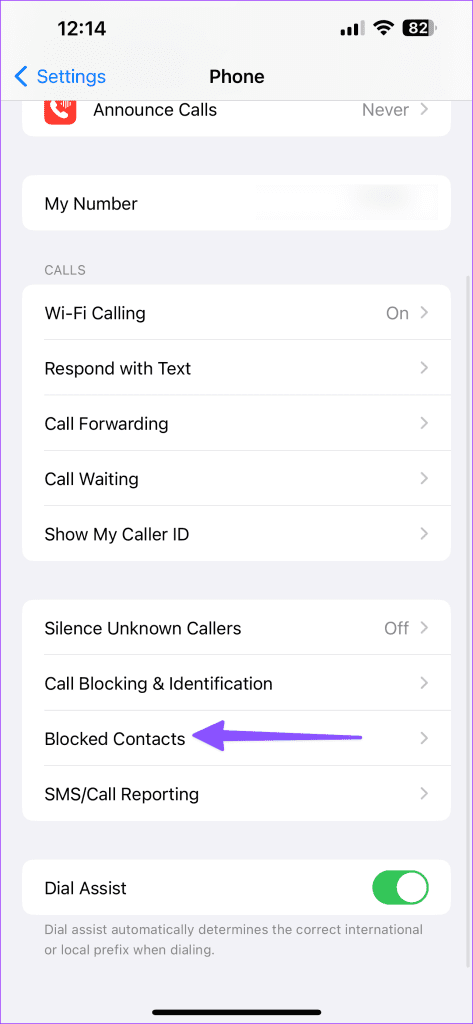
Step 1: Launch the Settings app, scroll to select Phone , and tap Blocked Contacts .
Step 2: Review the list of blocked contacts.
Method 2: Block Similar Series Numbers
If calls from telemarketers and advertisers keep arriving despite blocking their numbers, blocking similar series numbers should help. For instance, if you’ve blocked 9876543210, blocking slightly modified numbers in the series, such as 9876543211 or 987654322, should fix getting calls from them.
If you live in the U.S., register your phone number to the National Do Not Call Registry to block telemarketing calls.
Method 3: Provide Unrestricted Usage to Call Blocking Apps
The native call-blocking feature on your phone isn’t as effective as certain third-party call-blocking apps like Truecaller. If you use it, ensure to provide unrestricted battery usage for best results.
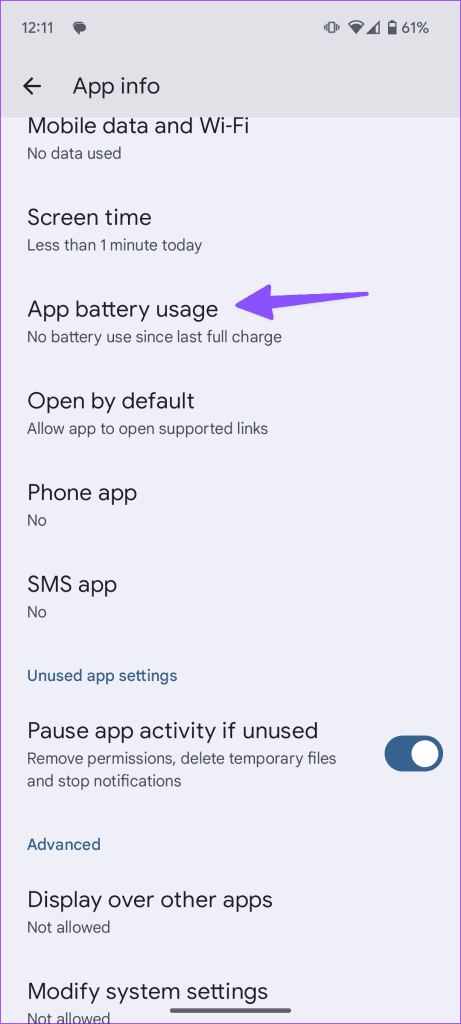
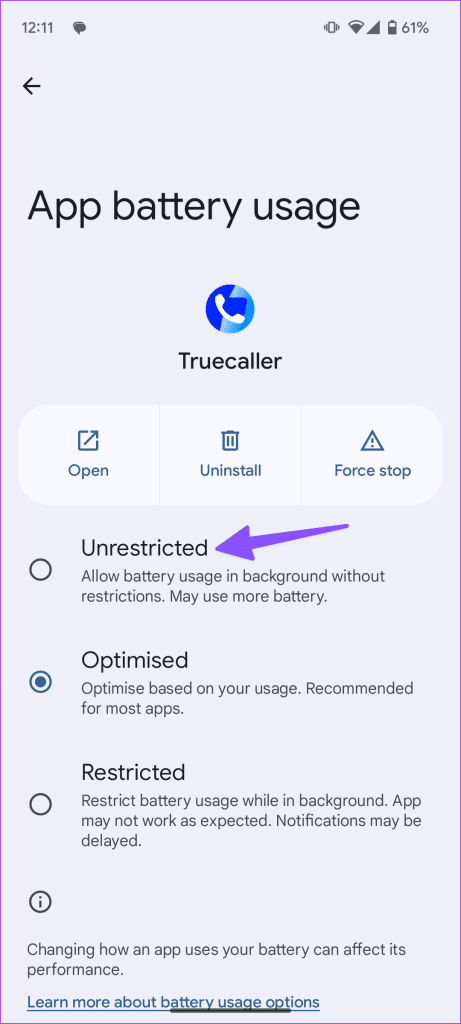
Long-press the app icon to open App info , tap App battery usage , and set it to Unrestricted .
Method 4: Silence Unknown Calls on Phone and WhatsApp
If you don’t want to spend most of your time blocking unknown callers, you can silence unknown calls on iPhone, Android, and third-party apps like WhatsApp.
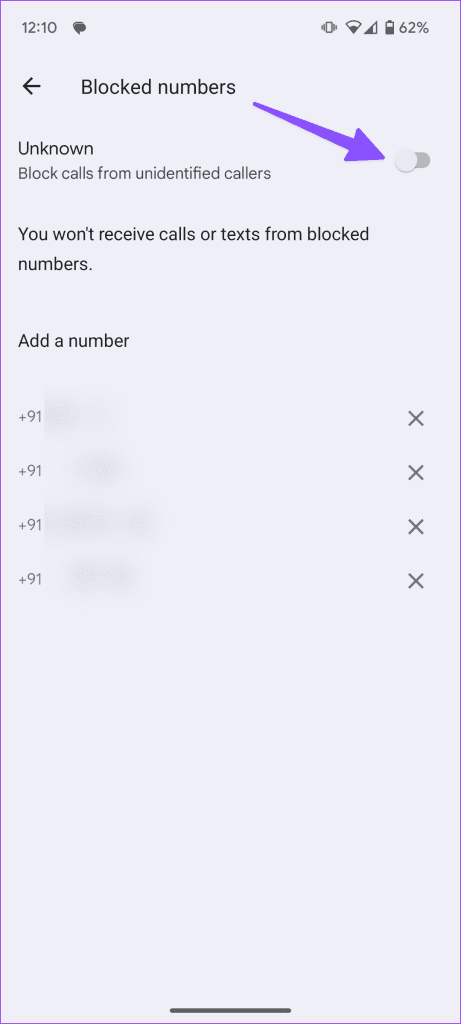
On Android: Open the Phone app settings > tap Blocked numbers > toggle on Unknown .
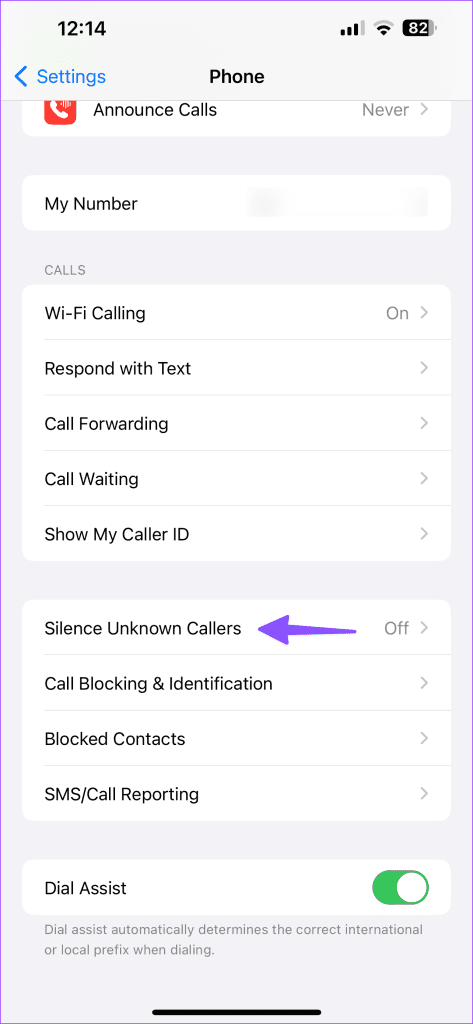
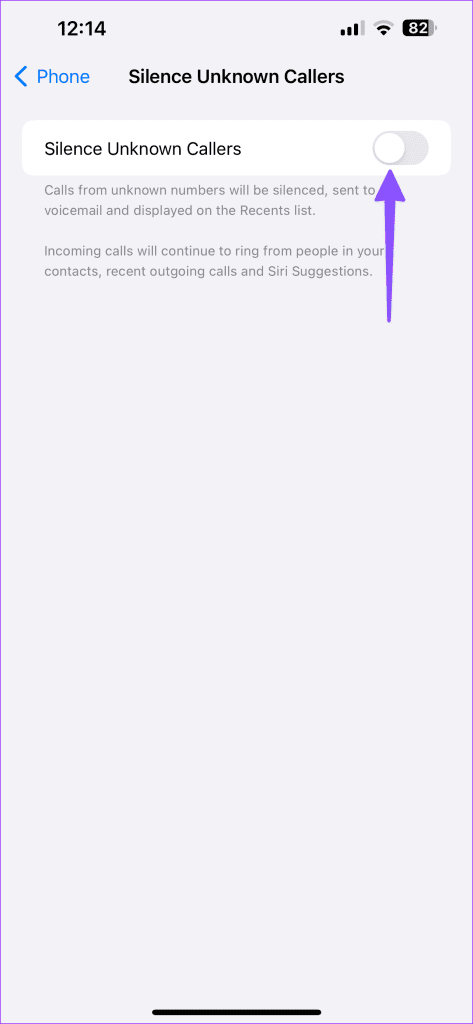
On iOS: Open the Settings app, tap Phone , select Silence Unknown Callers , and toggle it on.
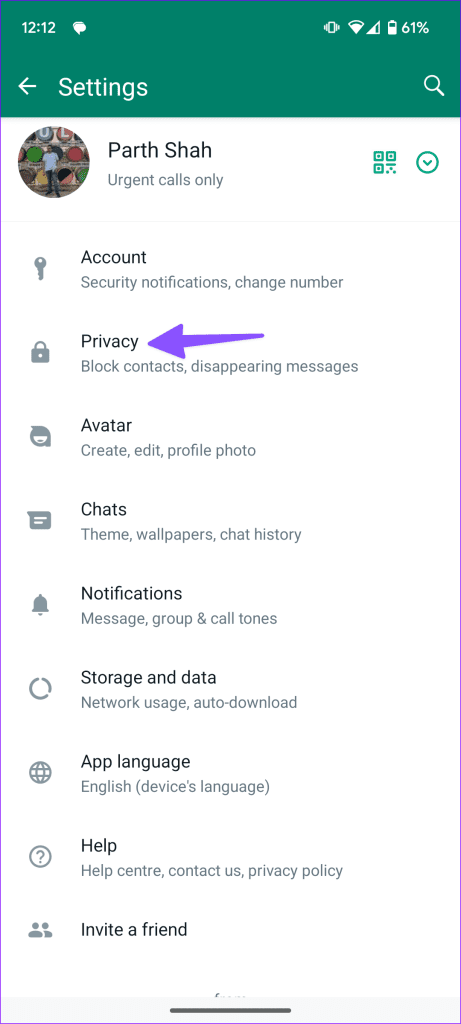
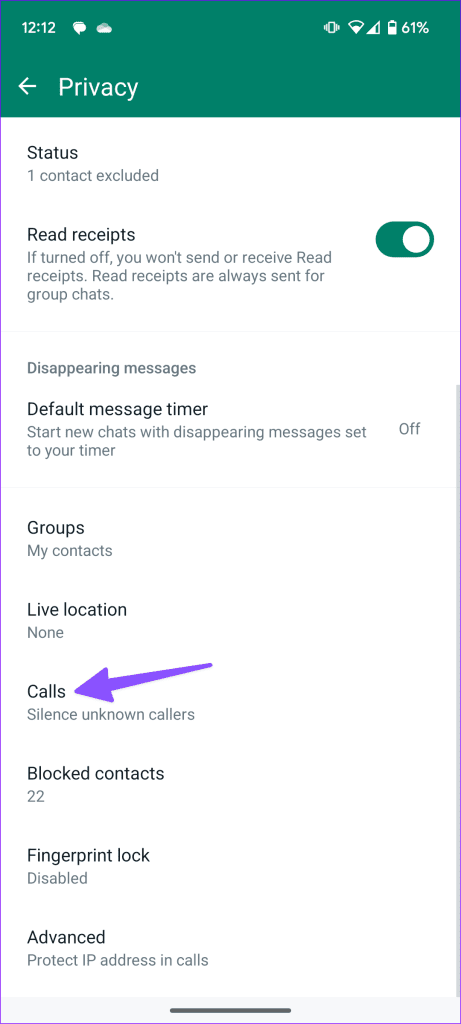
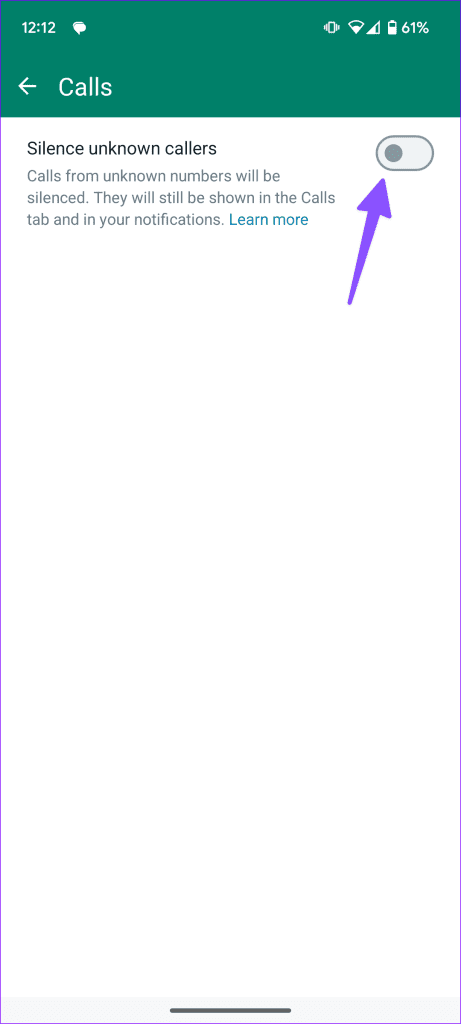
On WhatsApp: Open WhatsApp > tap three vertical dots at the top right corner > select Settings > Privacy > Calls > toggle on Silence unknown callers .
Was this helpful?
Submit Cancel
Thanks for your feedback!
Keep reading