Android
4 Ways to Fix Lock Screen Notifications Not Showing on Android
Is your Android failing to display app notifications on the lock screen? Here are a few tips that will help you fix the problem in no time.
By Pankil Shah
Quick Tips
Enabling battery or data saver mode on your Android can prevent notifications from appearing on the lock screen, so it’s best to disable them.
Ensure lock screen notifications are enabled on your Android phone.
If lock screen notifications are not working for a specific app, update it and ensure you haven’t imposed any background restrictions.
Try Basic Fixes
Disable battery and data saver mode: When you enable battery saver mode, your Android suspends background app activities to conserve battery power. Similarly, data saver mode can also prevent notifications from working correctly. Hence, it’s best to disable the battery and data saver mode on your Android.
Turn off Do Not Disturb mode: If you’ve set Do Not Disturb mode to activate automatically on a schedule, your Android will pause notifications for that time. To avoid this, make sure the Do Not Disturb mode isn’t configured to turn on by itself.
Install app and Android updates: Using an outdated version of an app or an outdated Android version can also cause problems. Hence, it’s a good idea to update all your apps and install any pending software updates on your phone.
Fix 1: Ensure Lock Screen Notifications Are Enabled
This may seem obvious, but it’s worth ensuring you haven’t mistakenly disabled lock screen notifications on your Android. Here’s how to check.
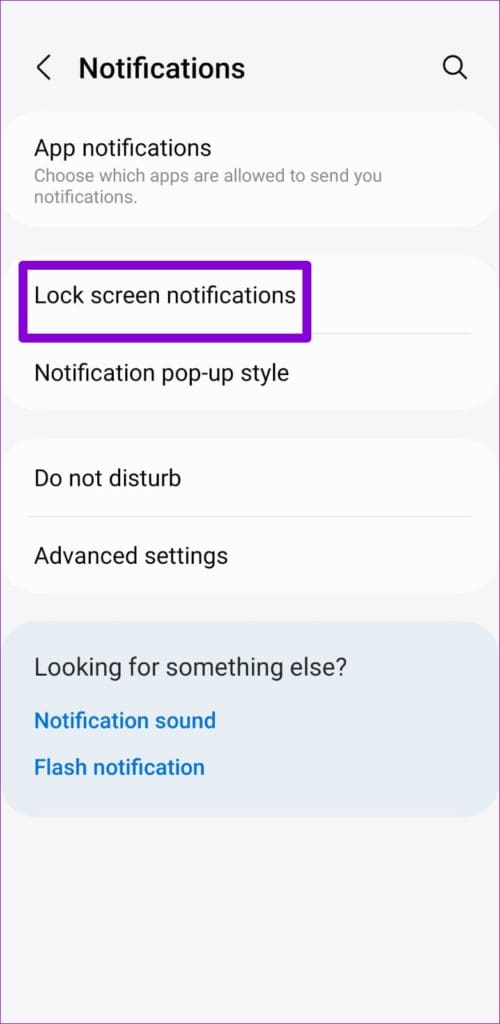
Step 1: Open the Settings app > head to Notifications > Lock screen notifications .
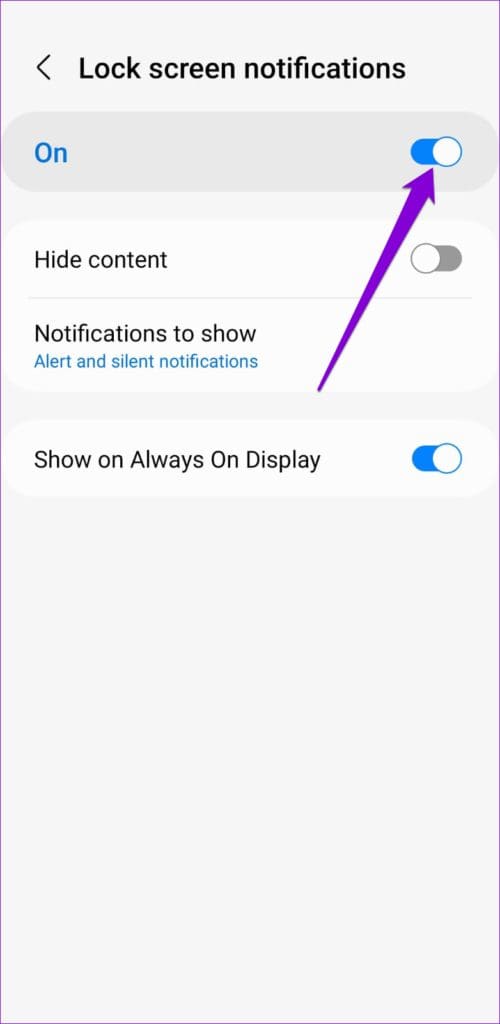
Step 2: Enable the toggle for On if not already.
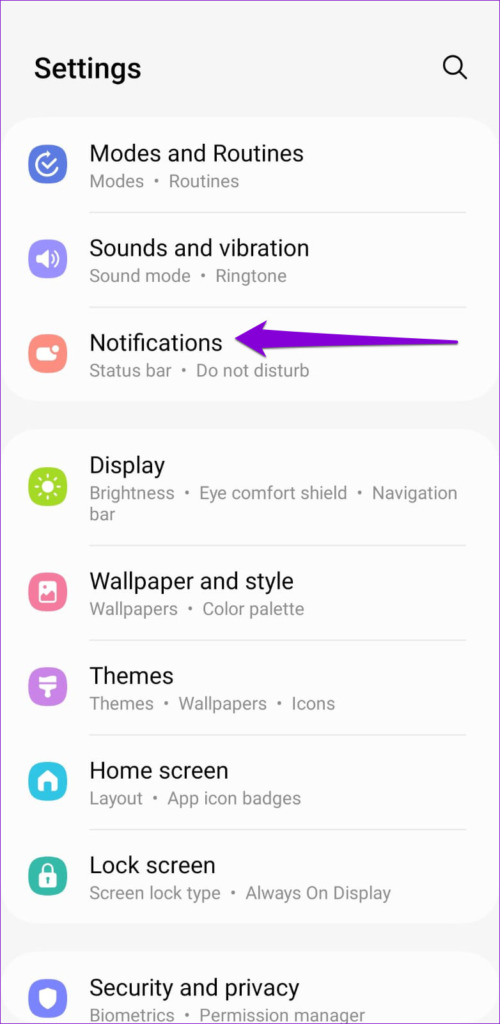
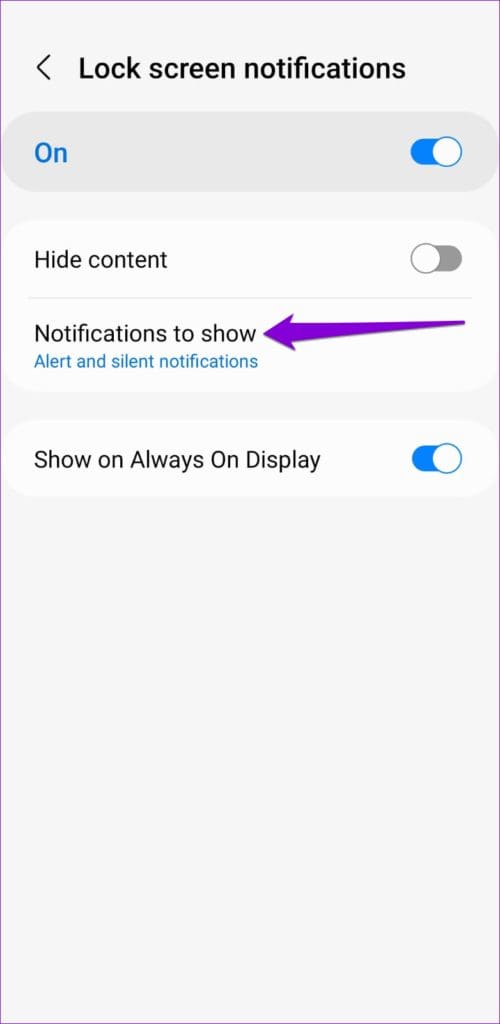
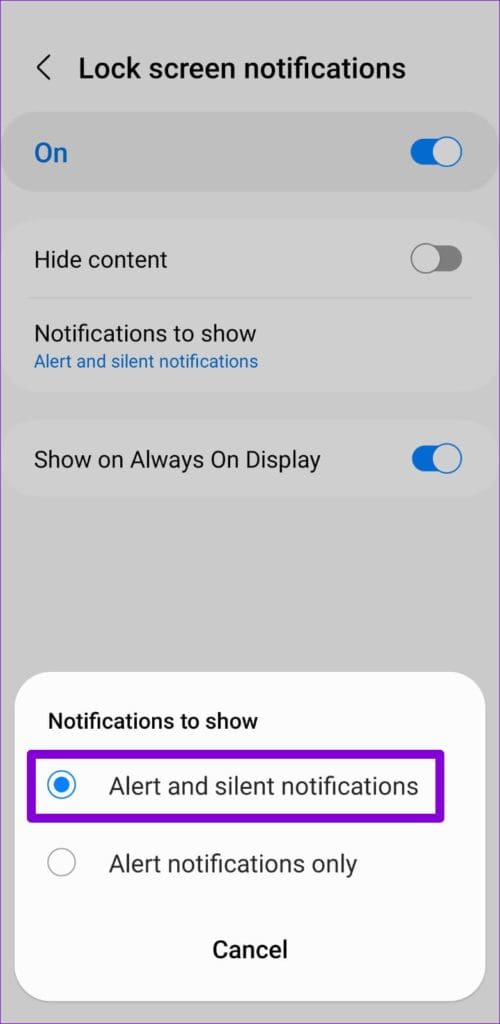
Step 3: Tap on Notifications to show > select Alert and silent notifications .
Fix 2: Check Notification Settings for Individual Apps
On your Android phone, you can enable or disable lock screen notifications on a per-app basis. So, if lock notifications are not working for a specific app, check its notification settings by following the steps below.
Step 1: Open the Settings app > scroll down to tap on Apps .
Step 2: Scroll through the list to find the app that isn’t displaying lock screen notifications and tap on it.
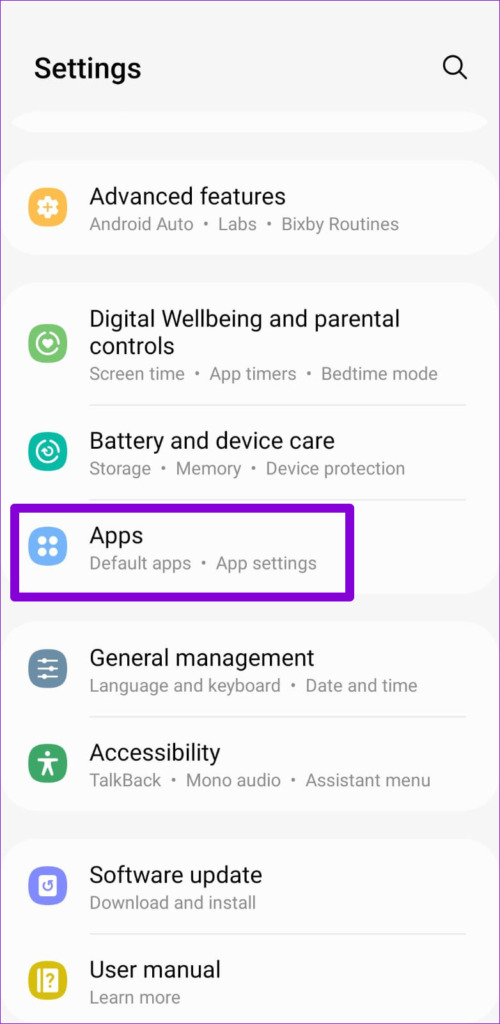
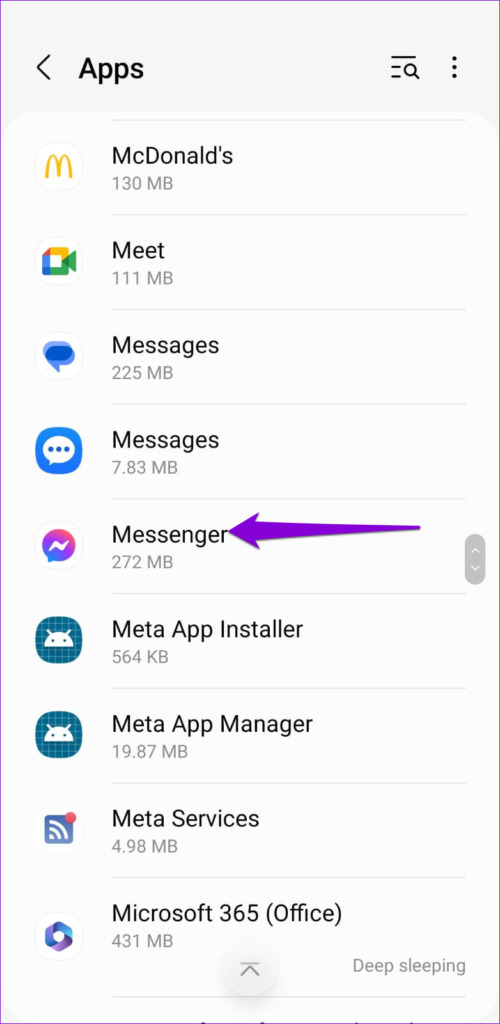
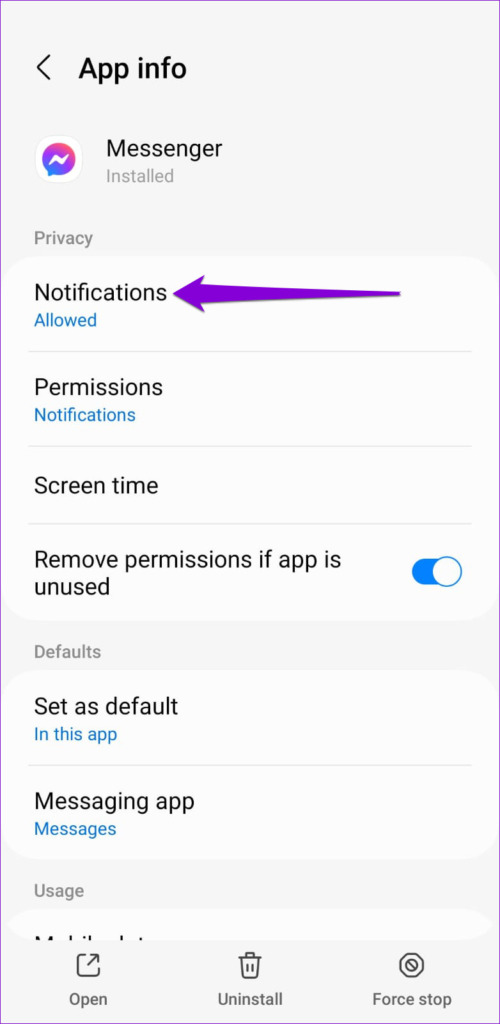
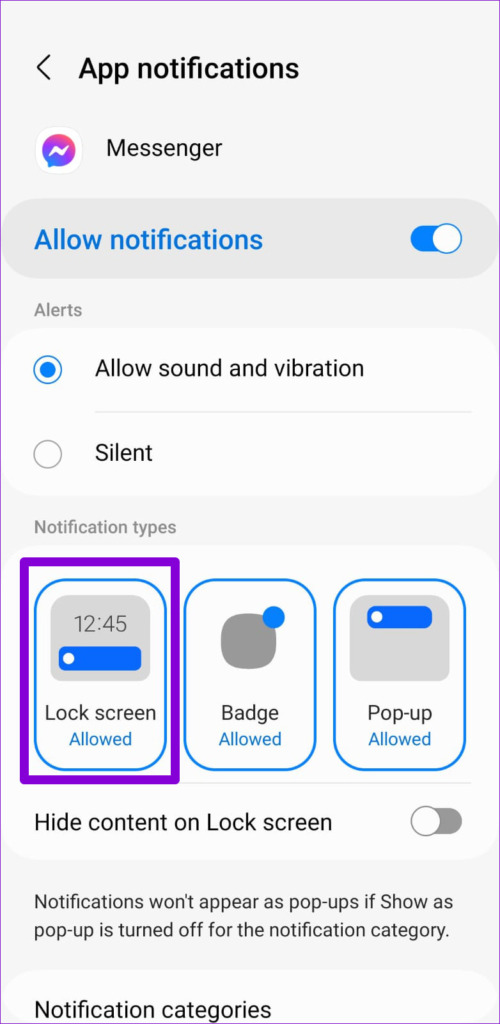
Step 3: Tap on Notifications . Under Notification types, select Lock screen if it isn’t already.
Fix 3: Disable Adaptive Battery
Adaptive battery optimizes battery usage by analyzing your usage patterns and only allowing your frequently used apps to run in the background. While this improves your Android’s battery life, it can cause notifications from some apps to arrive late.
It’s best to disable this feature if you’re not receiving notifications from your important apps.
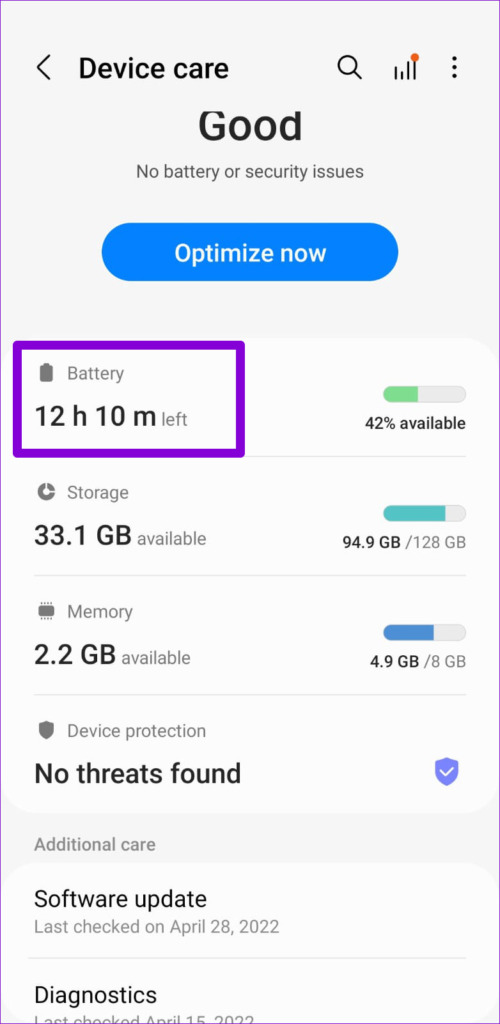
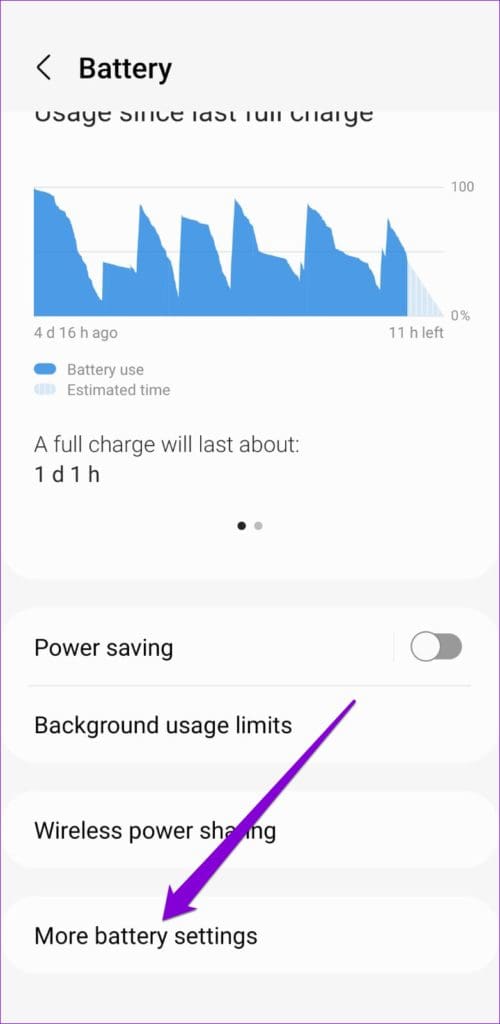
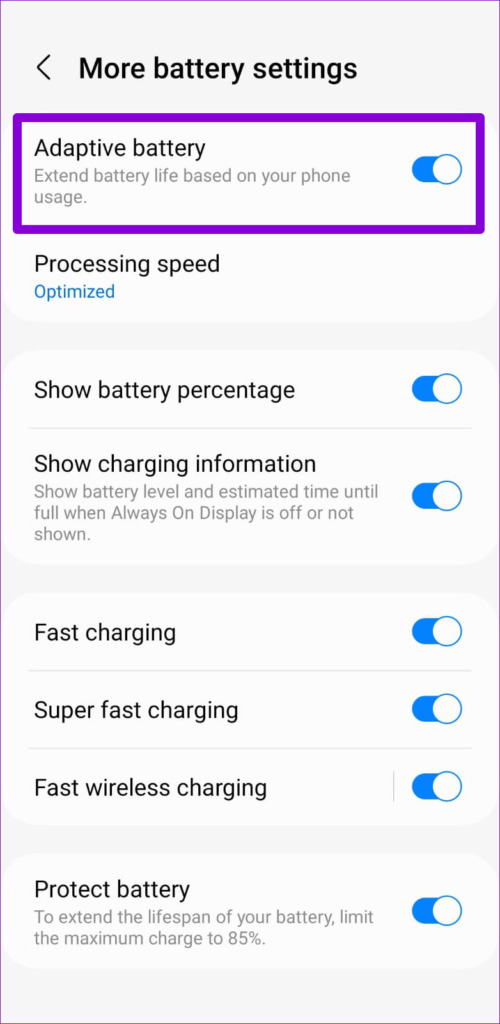
Step 1: Open the Settings app > navigate to Device care > Battery > More battery settings .
Step 2: Toggle off Adaptive battery .
Fix 4: Remove Background Restriction for Apps
Have you imposed any background data or battery restrictions on your apps? That could prevent them from running in the background and displaying notifications. Here’s what to do to fix it.
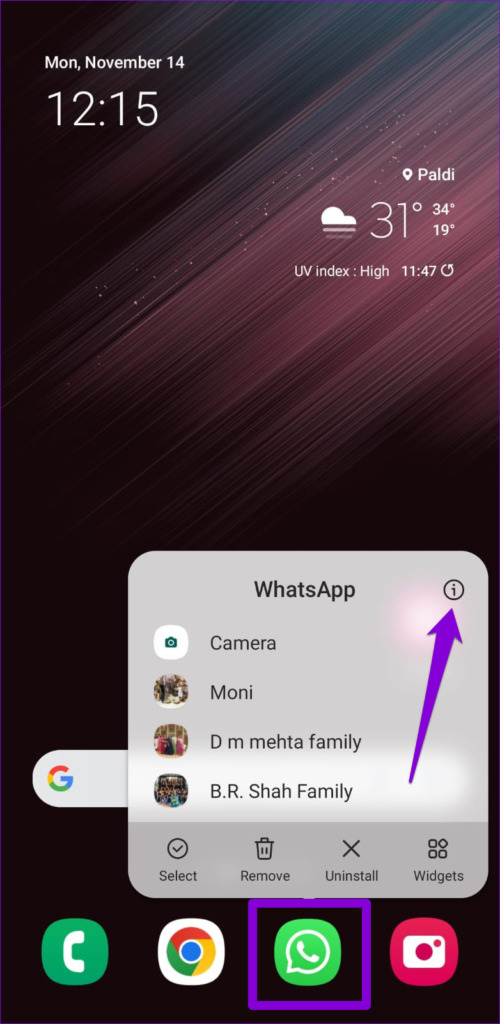
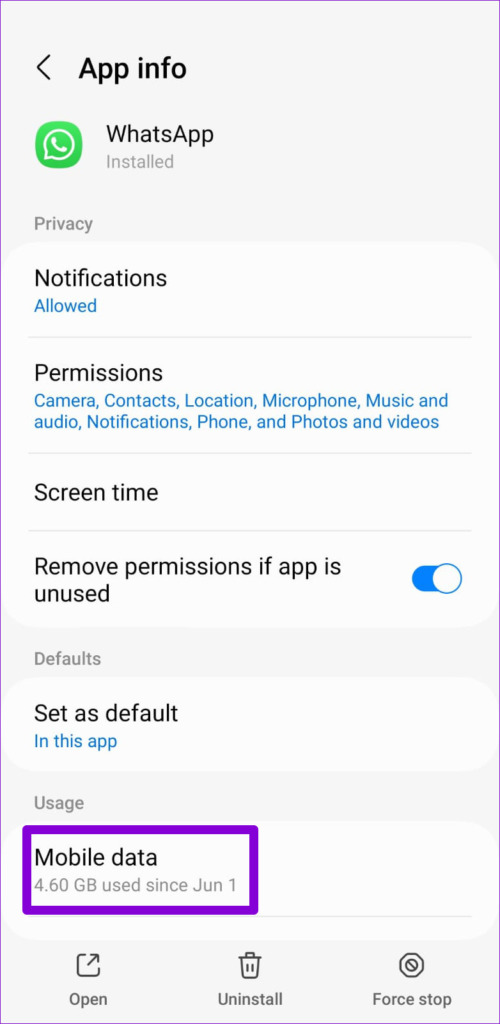
Step 1: Long-press the app that isn’t showing lock screen notifications and tap the info icon from the menu.
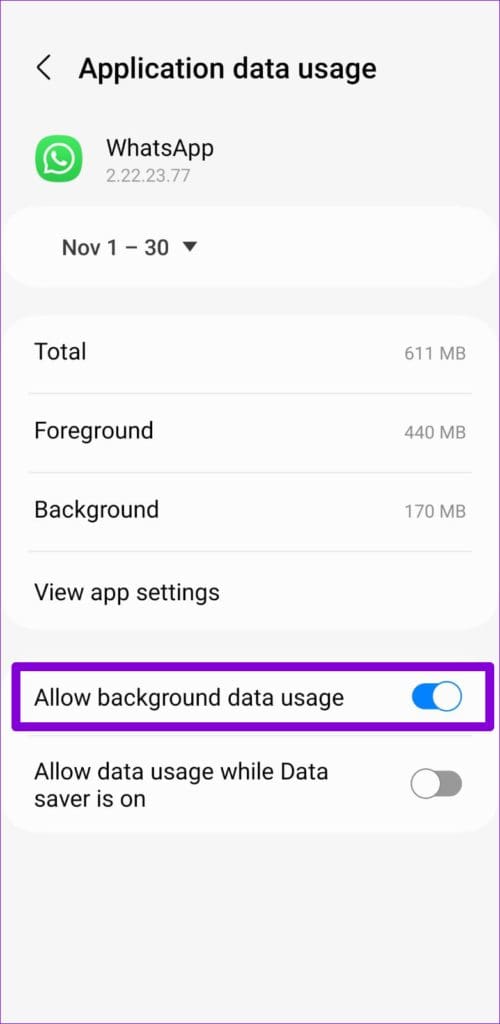
Step 2: Go to Mobile data > turn on the toggle for Allow background data usage .
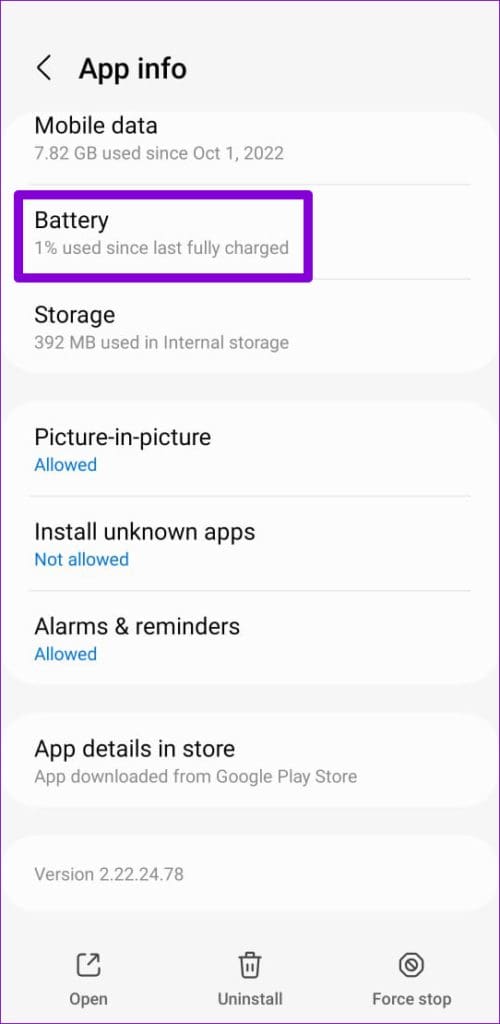
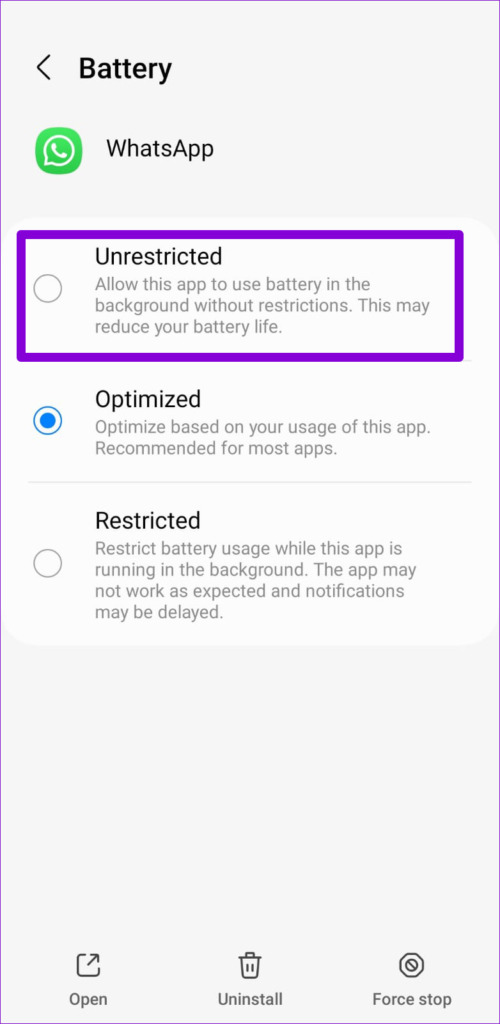
Step 3: Return to the app info page > tap on Battery > select Unrestricted .
Was this helpful?
Submit Cancel
Thanks for your feedback!
Keep reading