Android
5 Ways to Fix Microsoft Authenticator Not Working on Android and iPhone
Has the Microsoft Authenticator app stopped working on your Android or iPhone? Here are some tips for fixing the problem.
By Pankil Shah
Quick Tips
Enable notification permissions for Microsoft Authenticator and ensure your phone is set to the correct date and time.
Turn off battery optimization for Microsoft Authenticator to allow the app to run smoothly on your Android or iPhone.
If you are facing issues with a specific account in Microsoft Authenticator, try removing it and adding it back.
Try Basic Fixes
Update the app: The Microsoft Authenticator may not work properly if you are using an outdated version of the app. Head over to the Play Store (Android) or App Store (iPhone) to check if a newer version is available. Tap the Update button to install the update and see if that fixes your problem.
Force close and reopen the app: Microsoft Authenticator may act up on your phone if one of its app processes encounters issues while running. In that case, you’ll need to close the app entirely and open it again.
Fix 1: Enable Notification Permission for Microsoft Authenticator
Like any other app, the Microsoft Authenticator app requires permission to display notifications on your Android or iPhone. If you have previously declined this permission, Microsoft Authenticator won’t show any login approval requests on your phone.
On Android
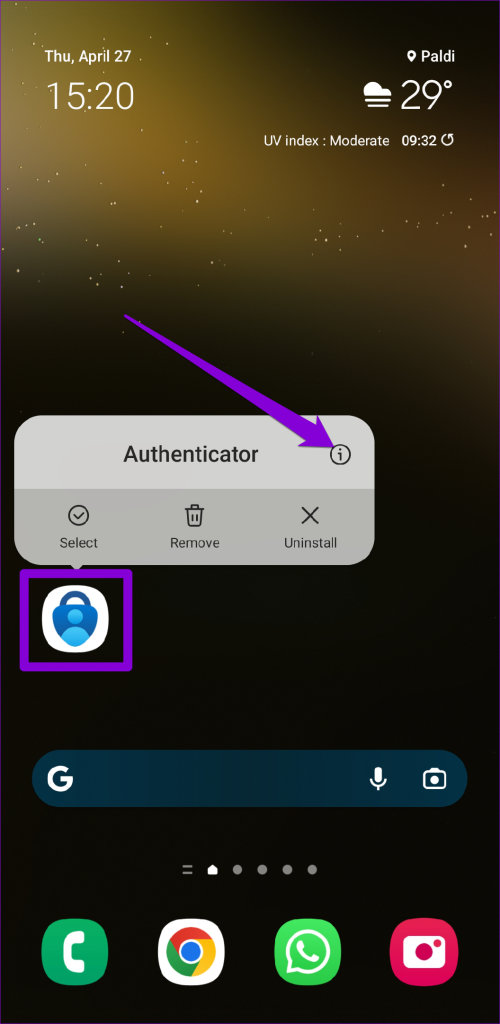
Step 1: Long-press on the Microsoft Authenticator app icon and tap the info icon from the menu that pops open.
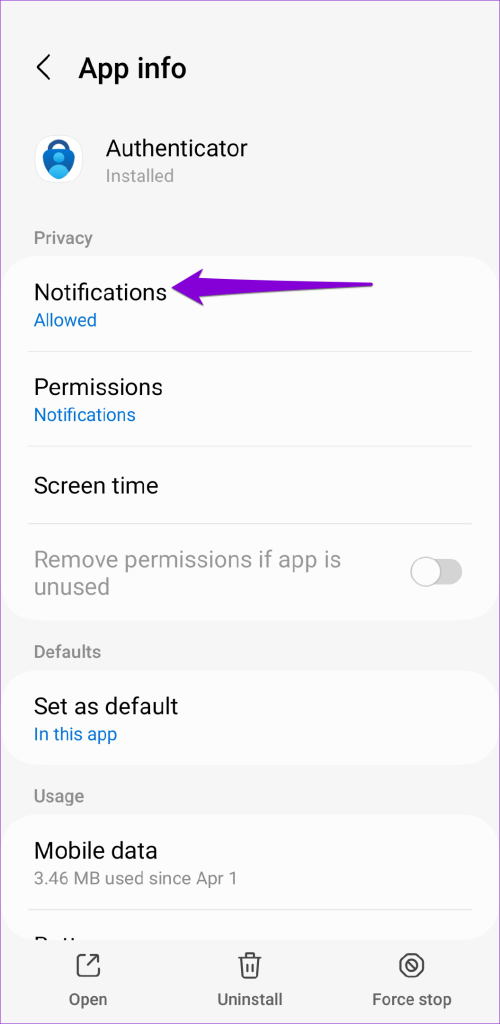
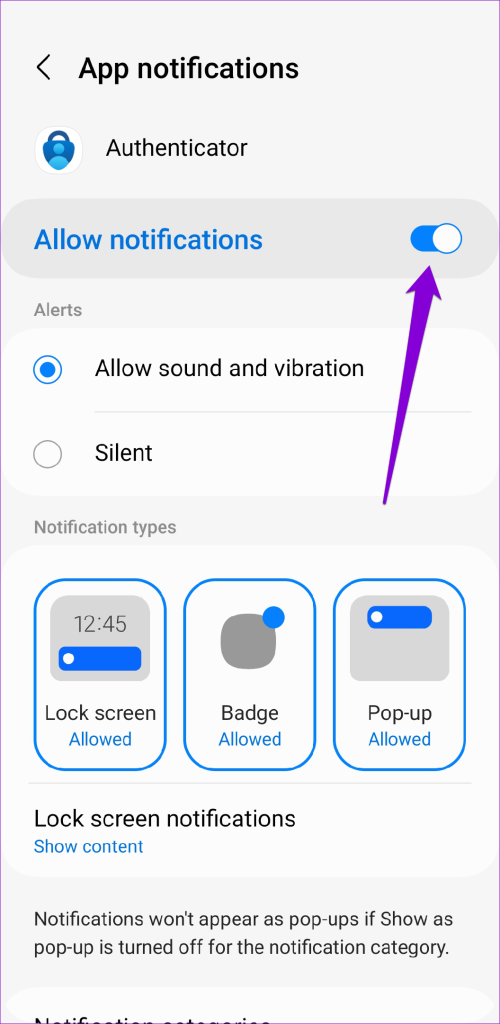
Step 2: Tap on Notifications and enable the toggle next to Allow notifications in the following menu.
On iPhone
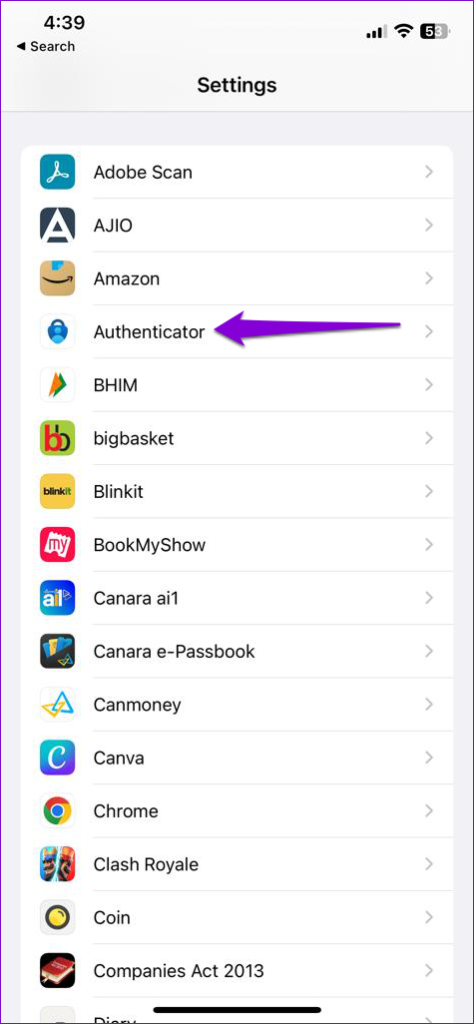
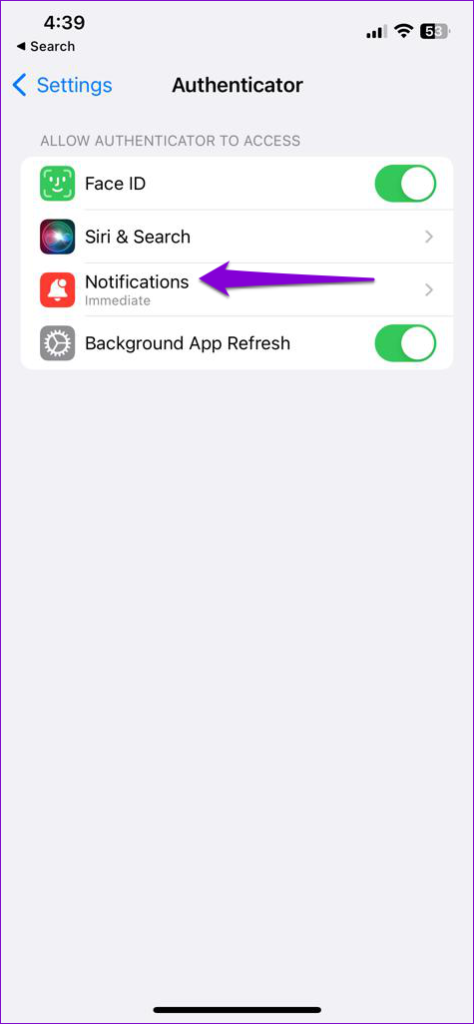
Step 1: Open the Settings app and scroll down to tap on Authenticator .
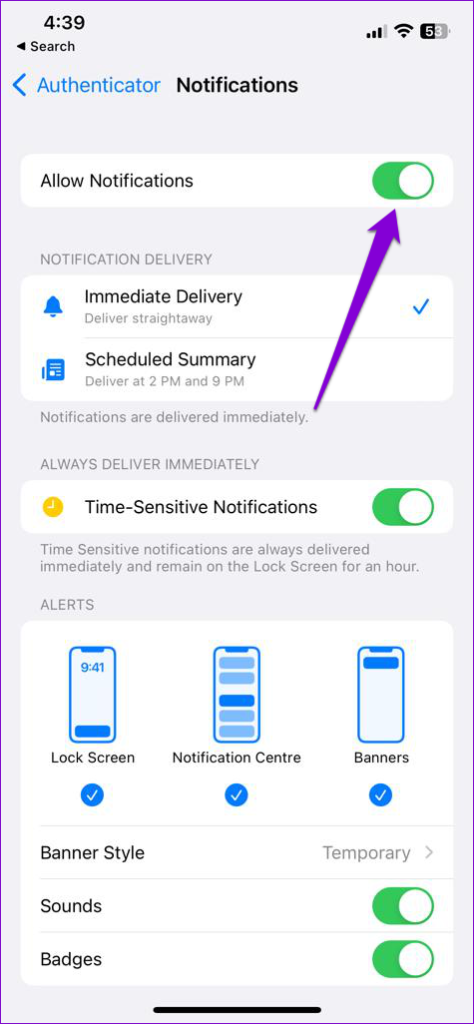
Step 2: Tap on Notifications and enable the toggle next to Allow Notifications .
Fix 2: Enable Automatic Date and Time
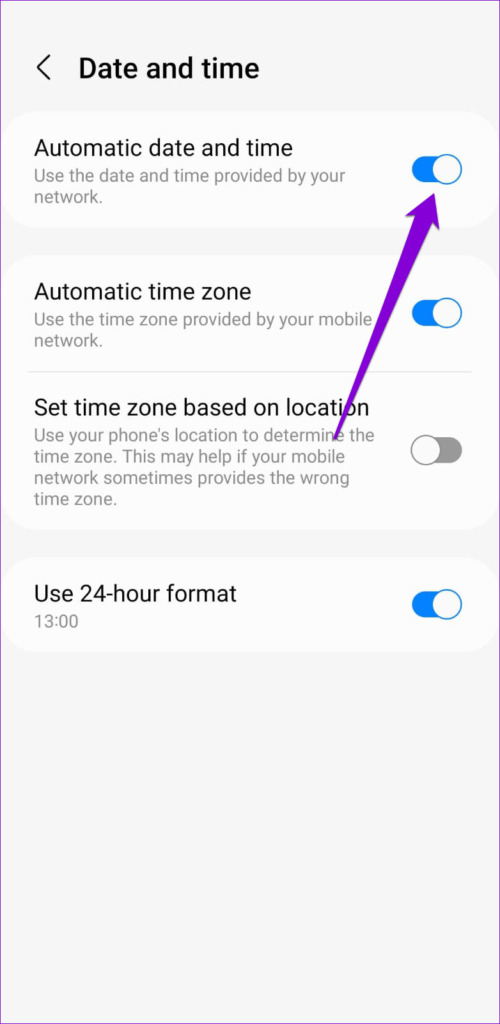
Microsoft Authenticator relies on your device’s current time and a locally stored secret key to generate codes. If your phone’s clock is not in sync , Microsoft Authenticator won’t work. To fix this, you can enable your phone’s automatic date and time feature by following the steps below.
On Android
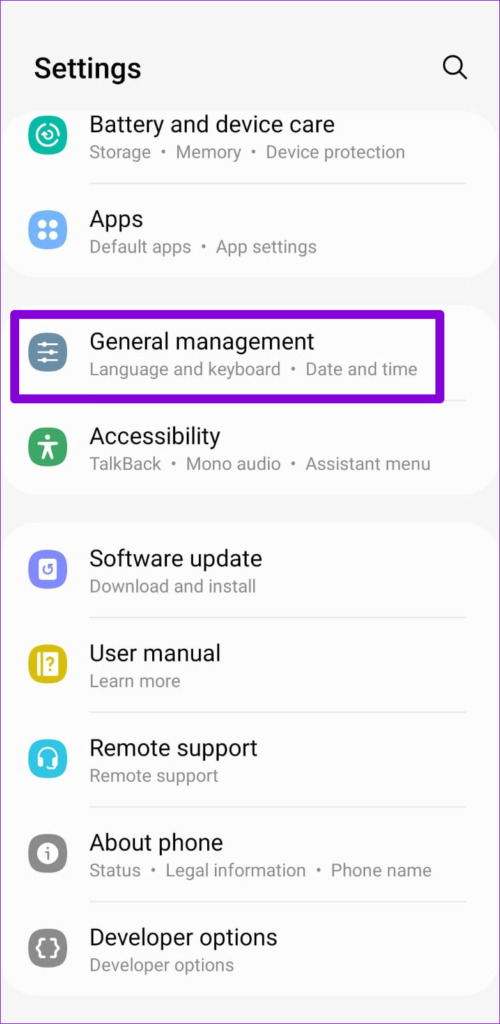
Step 1: Open the Settings app on your phone and go to General management .
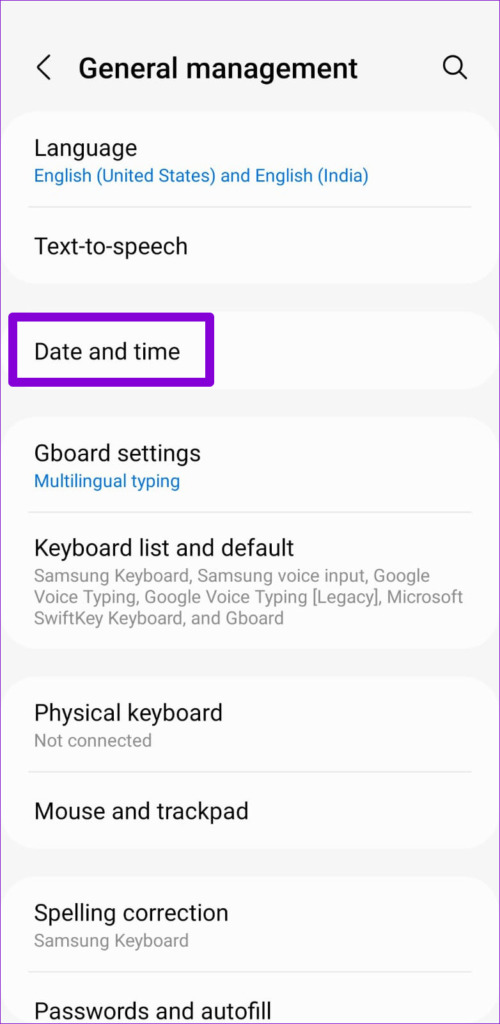
Step 2: Tap on Date and time and enable the toggle next to Automatic date and time .
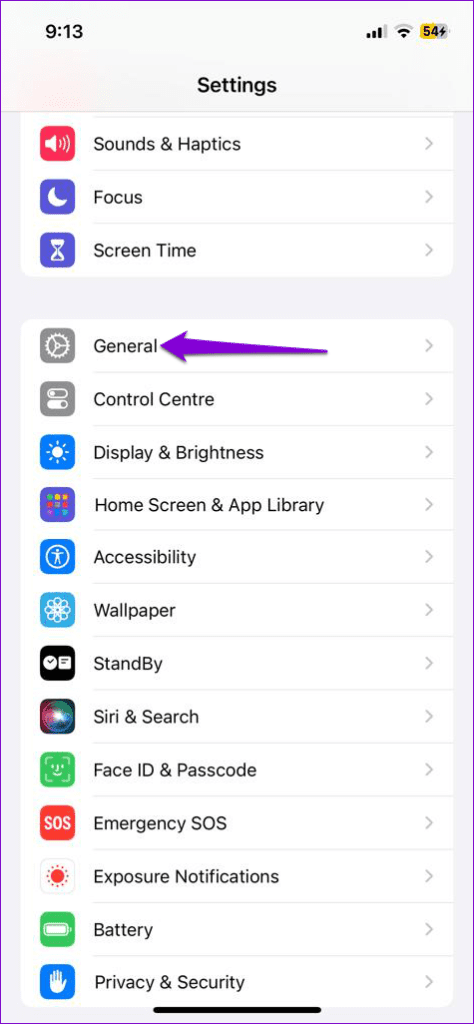
On iPhone
Step 1: Launch the Settings app on your iPhone and navigate to General .
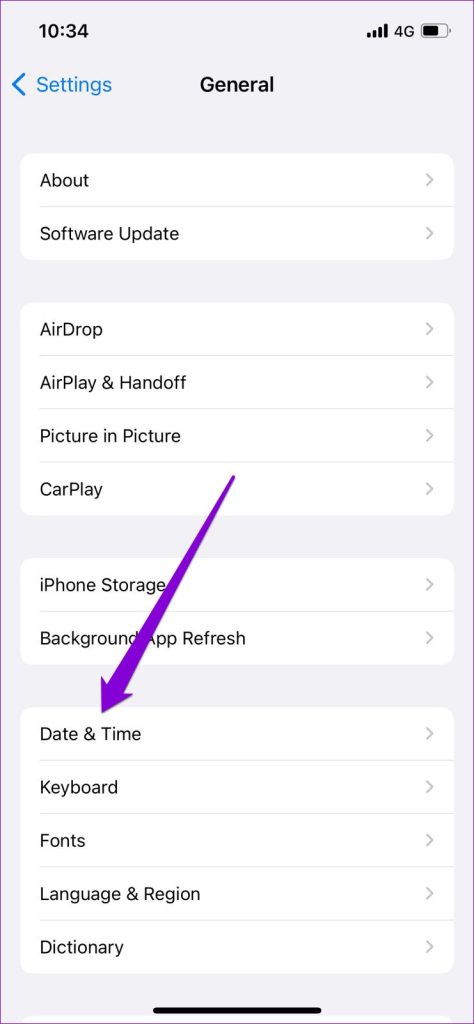
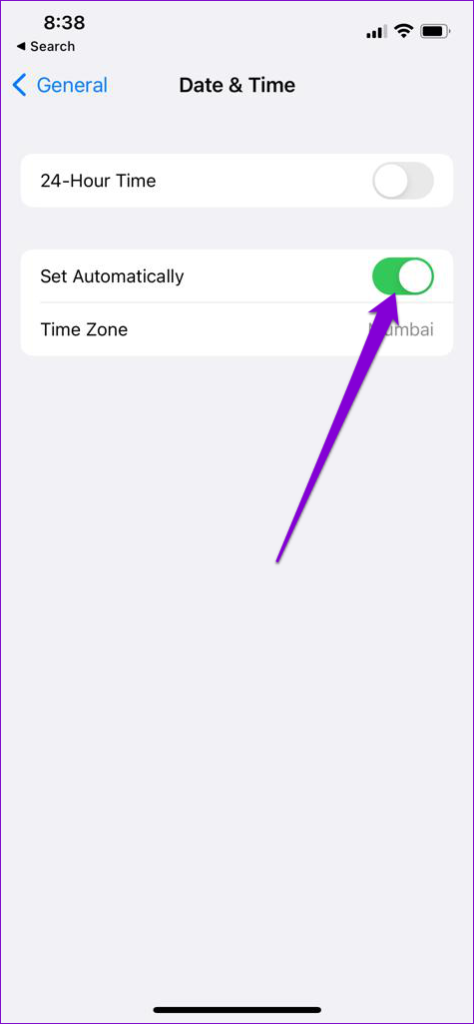
Step 2: Tap on Date & Time . Then, turn on the toggle next to Set Automatically .
Fix 3: Turn Off Battery Optimization for the App (Android)
Enabling battery optimization for Microsoft Authenticator can prevent the app from receiving necessary updates in the background and working properly. Hence, it’s best to remove any battery restrictions for the app to ensure optimal performance.
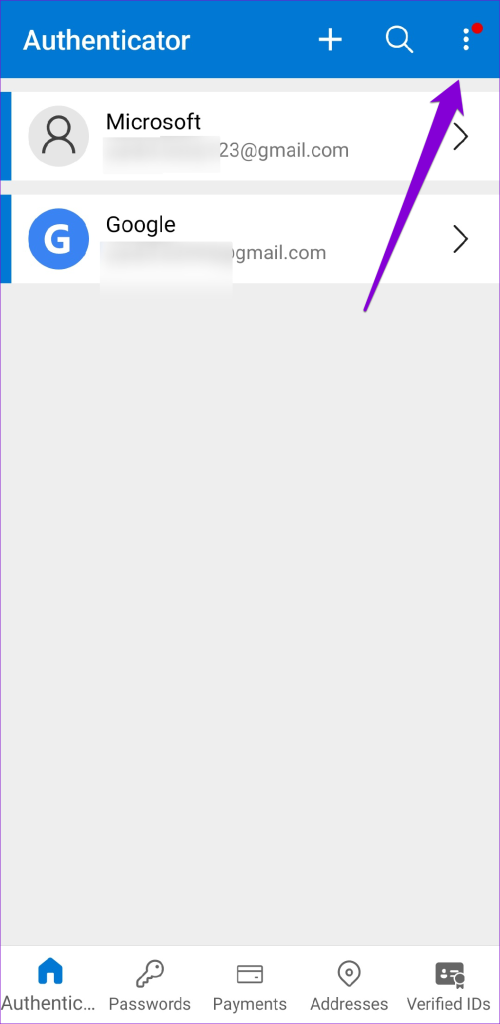
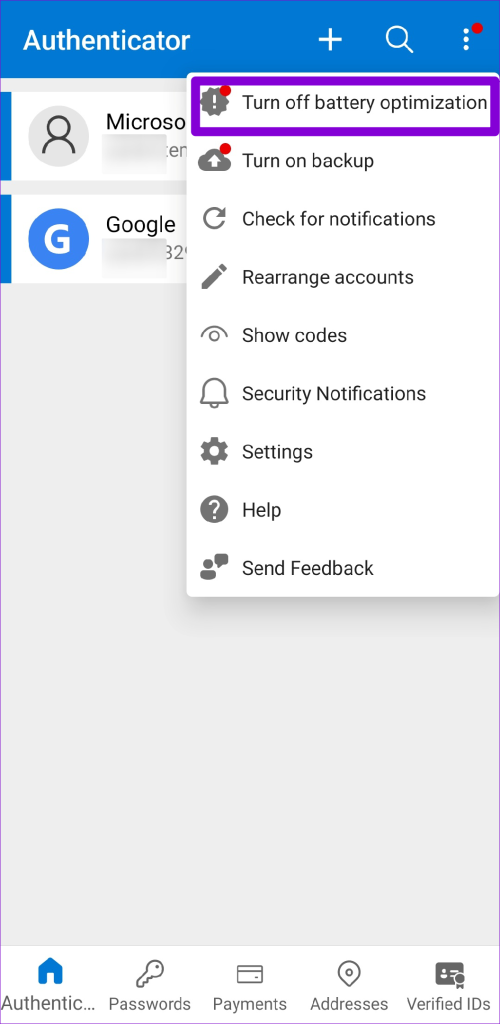
Step 1: Open the Microsoft Authenticator app on your phone. Tap the three-dot menu icon in the top right corner and select Turn off battery optimization .
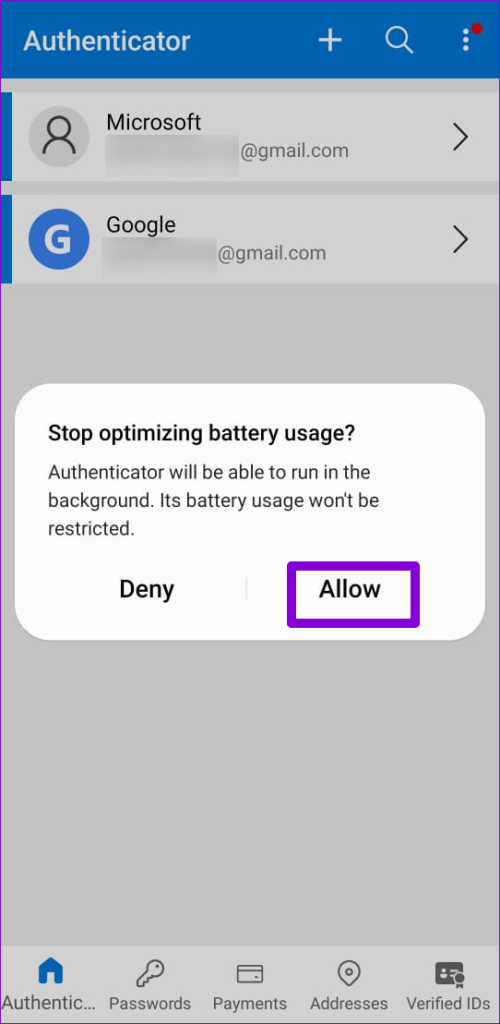
Step 2: Select Allow to confirm.
Fix 4: Remove and Re-Add Your Accounts
If Microsoft Authenticator is not showing codes only for a specific account, you may need to re-authenticate your account to start receiving codes again. You will have to remove your account from the app and add it back.
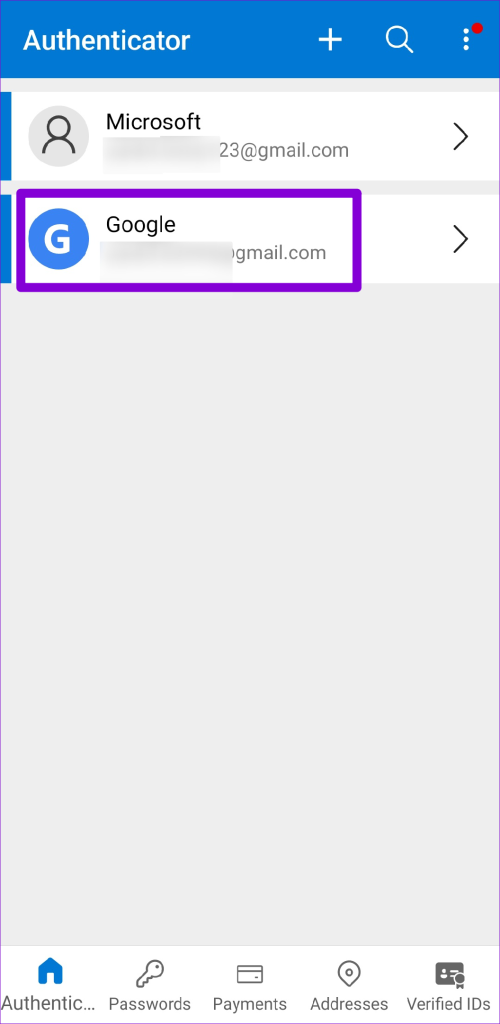
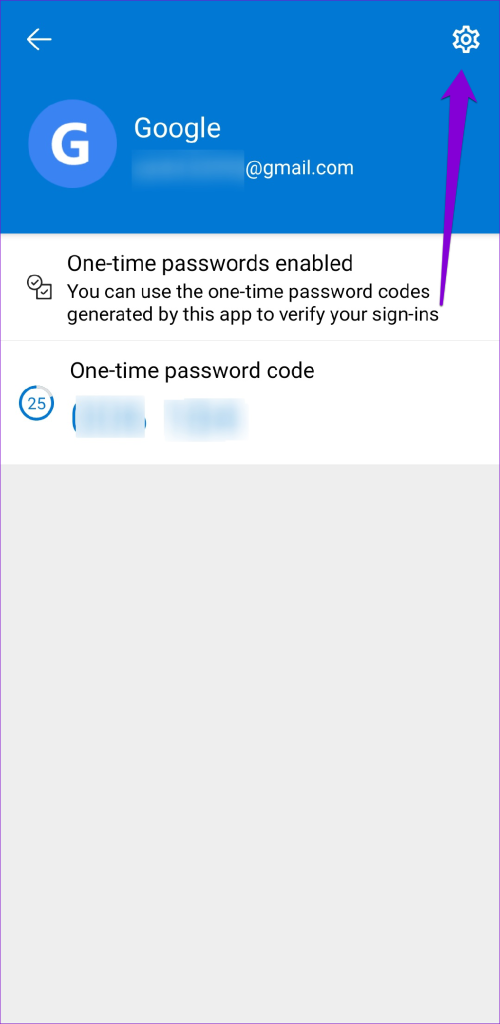
Step 1: Open the Microsoft Authenticator app on your phone and select the problematic account from the list.
Step 2: Tap the gear icon in the top right corner and select Remove account .
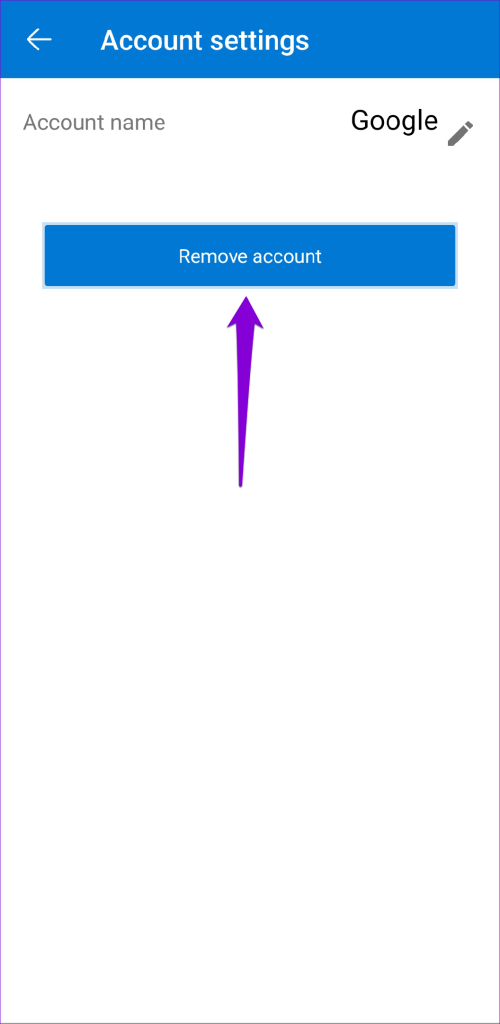
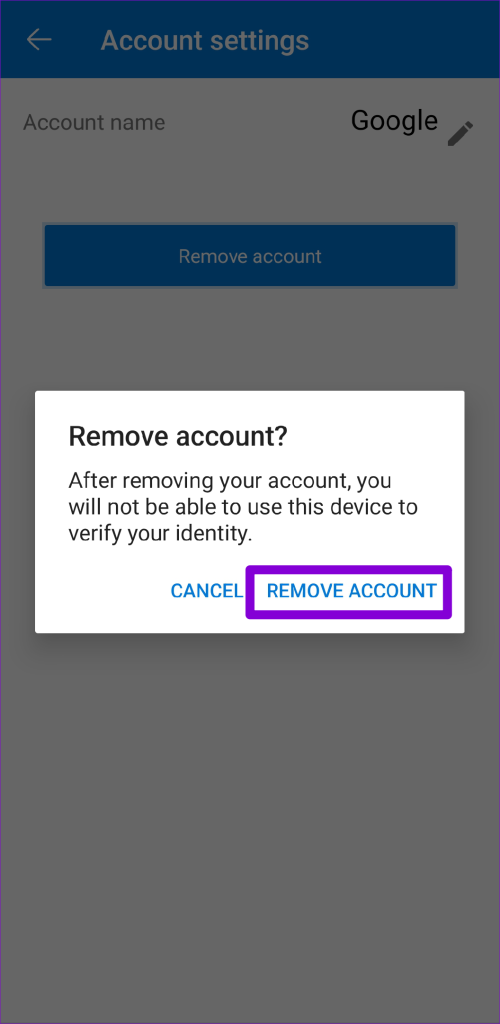
Step 3: Select Remove Account to confirm.
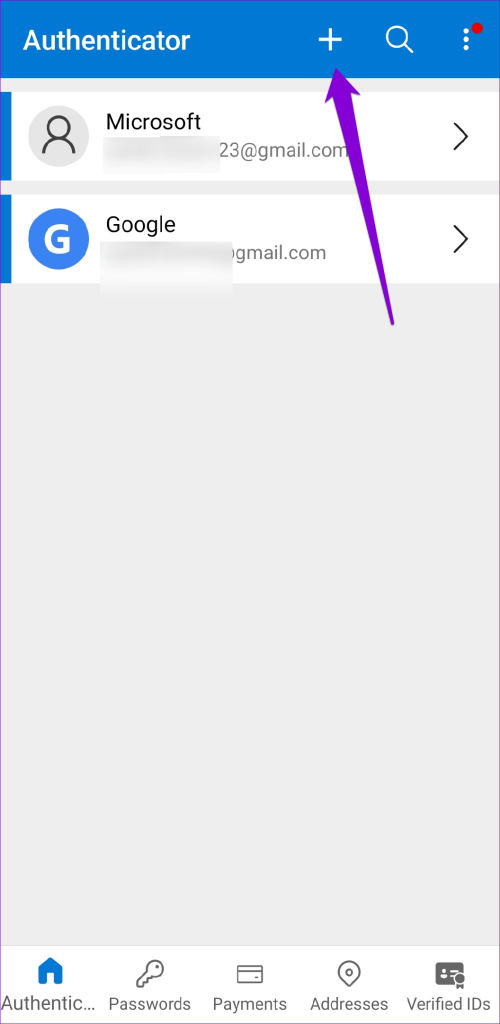
Step 4: Tap the plus icon at the top and follow the on-screen prompts to add your account again.
Fix 5: Clear App Cache (Android)
Outdated or corrupt cache files can also cause the Microsoft Authenticator to malfunction on your Android. You can try purging the existing app cache to see if that restores normalcy. Since clearing the Microsoft Authenticator cache does not remove any of your accounts, there’s no reason not to try it.
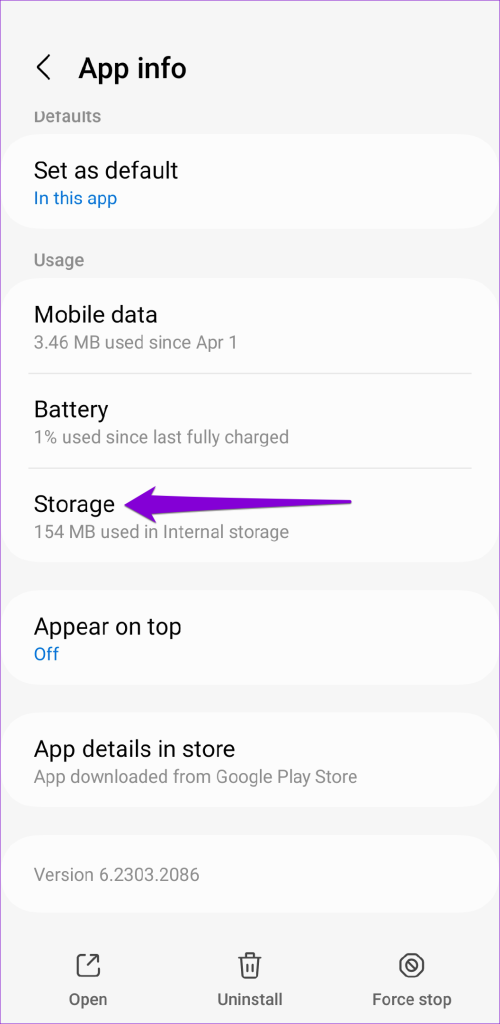
Step 1: Long-press on the Microsoft Authenticator app icon and tap the info icon from the menu that pops open.
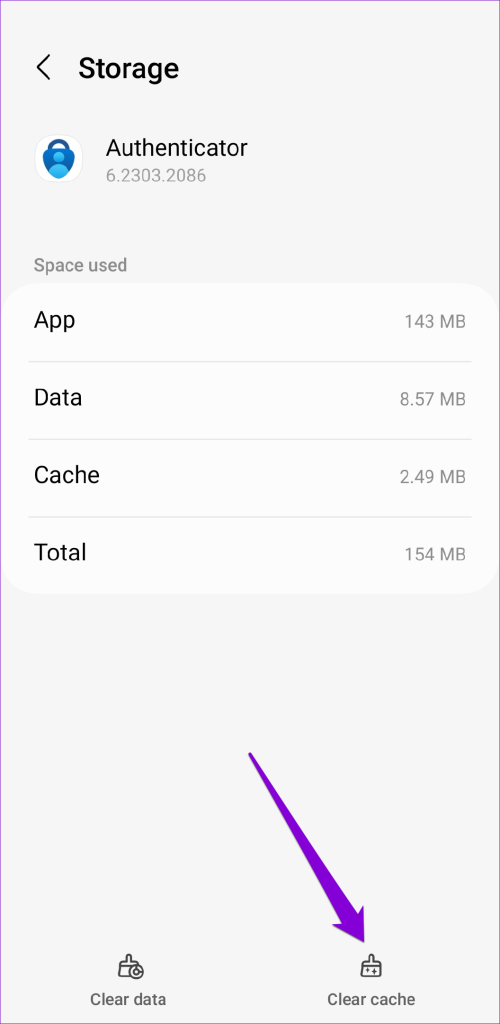
Step 2: Go to Storage and tap the Clear cache option.
Was this helpful?
Submit Cancel
Thanks for your feedback!
Keep reading