Android
3 Ways to Fix WhatsApp Checking for New Message Notifications on Android
Is WhatsApp always showing "Checking for new messages" even if you don't have any? Try these troubleshooting tips to solve the issue.
By Parth Shah
Quick Tips
Ensure your device is connected to the internet; this usually solves WhatsApp notification issues.
Disable battery saver mode and enable background data usage in the settings menu.
Basic Fixes
Connect your device to the internet: In most cases, the notification disappears as soon as the device connects to the Internet.
Restart your device: A simple restart often resolves technical glitches, so restart your device and see if this works.
Update WhatsApp: Outdated versions may have notification bugs. Ensure you have the latest WhatsApp version installed on your device.
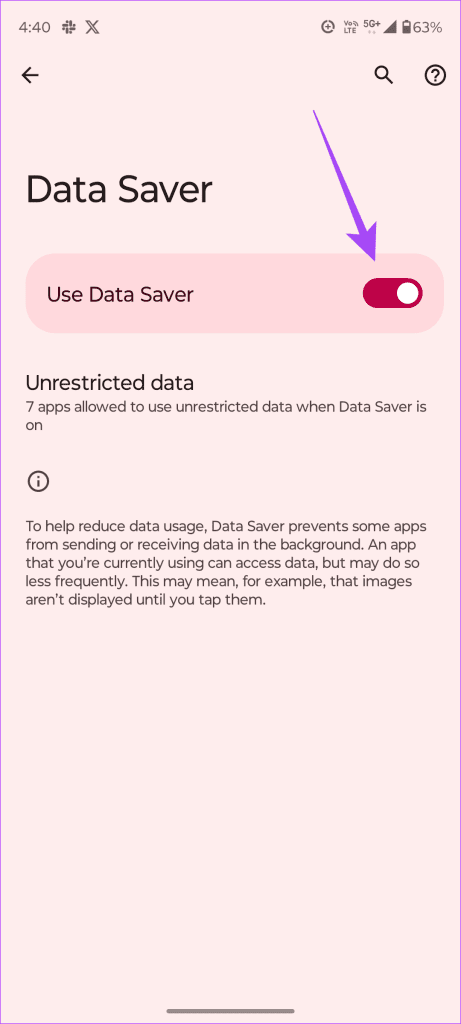
Fix 1: Turn Off Data Saver
If you have data saver enabled on your device, it may restrict WhatsApp from receiving notifications.
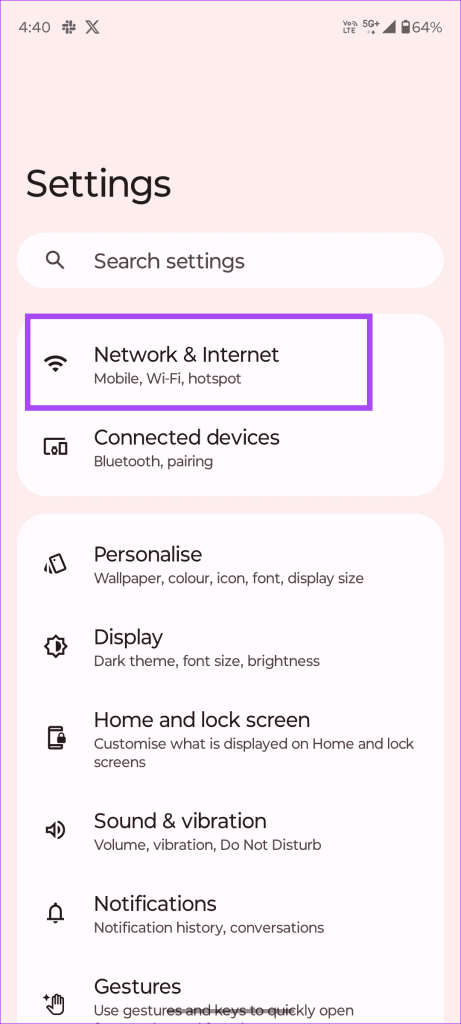
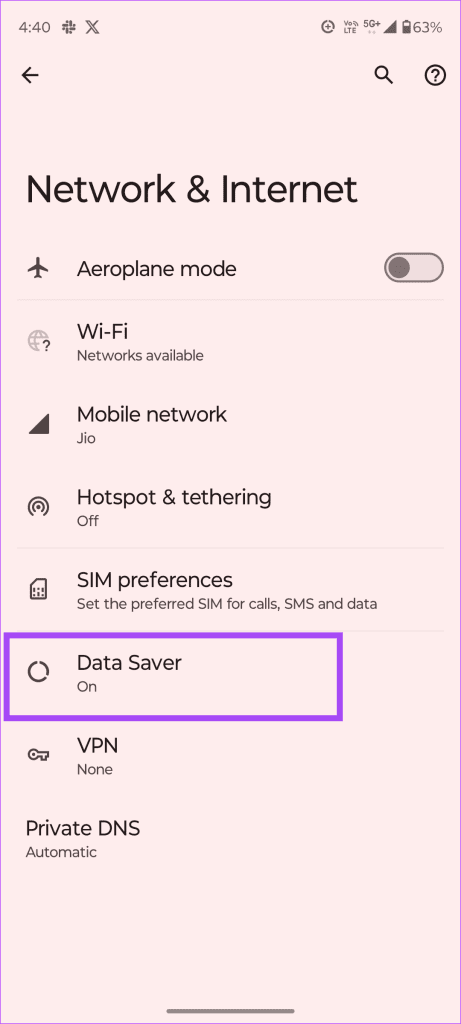
Step 1: Go to Settings > Network & Internet > Data Saver .
Step 2: Toggle off Use Data Saver .
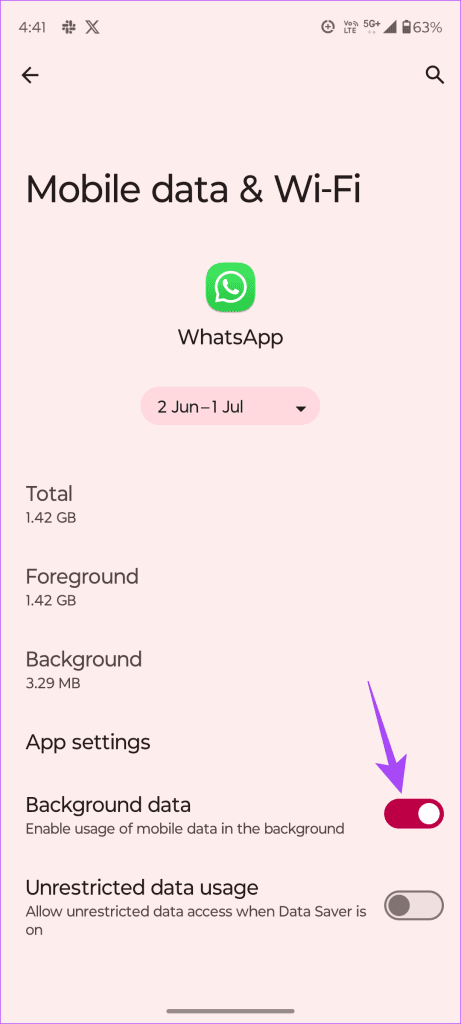
Fix 2: Enable Background Data Usage
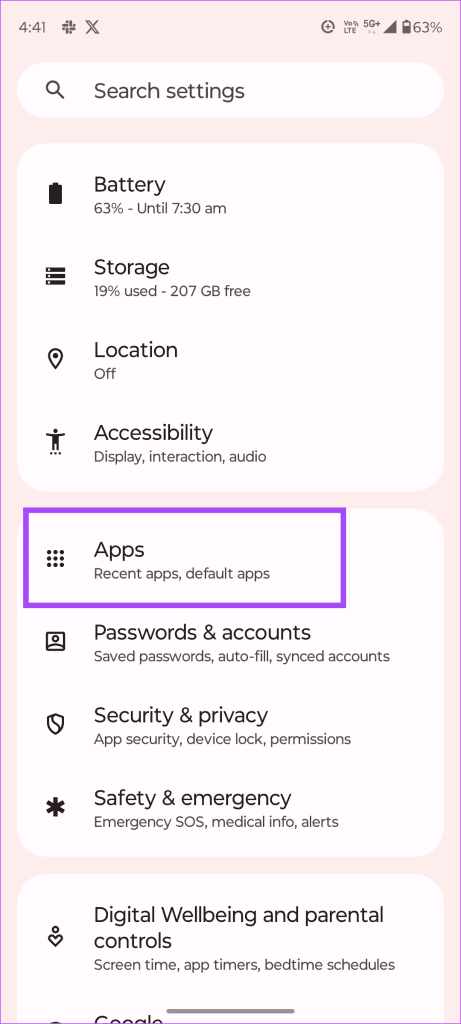
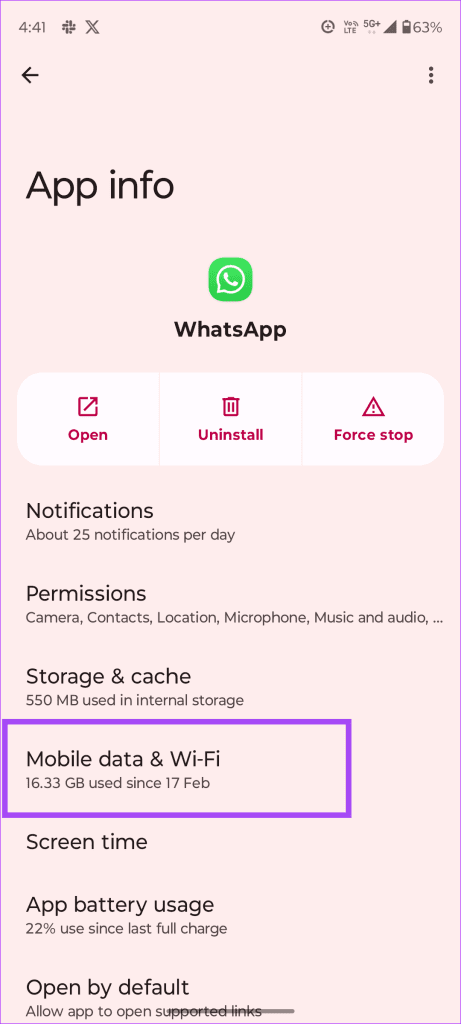
Step 1: Go to Settings > Apps > WhatsApp > Mobile data & Wi-Fi .
Step 2: Toggle on Background data .
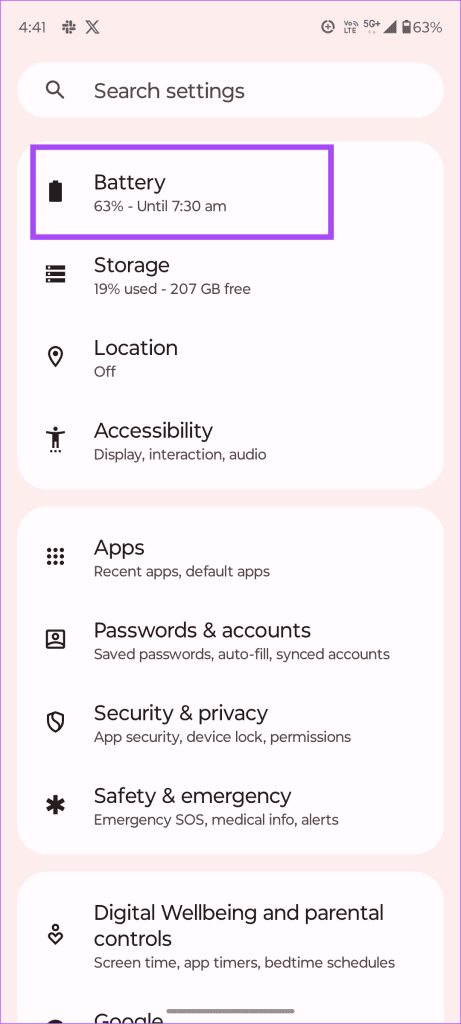
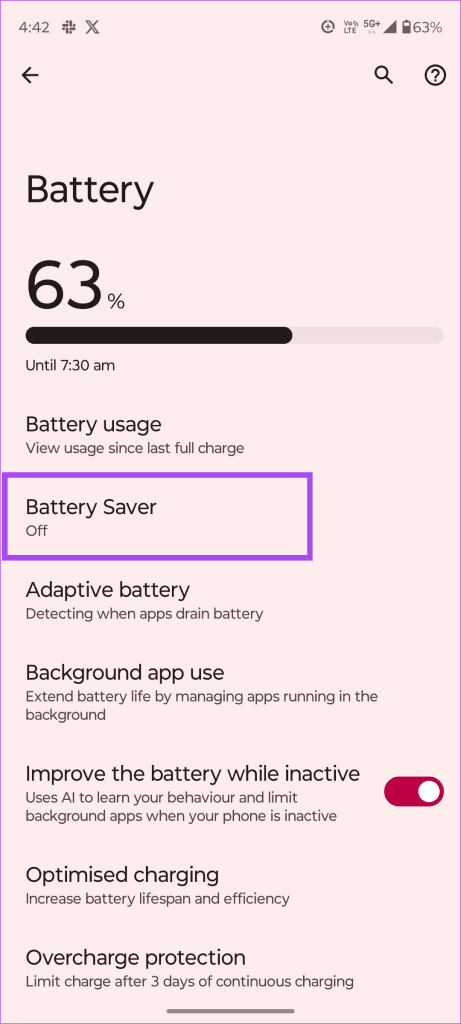
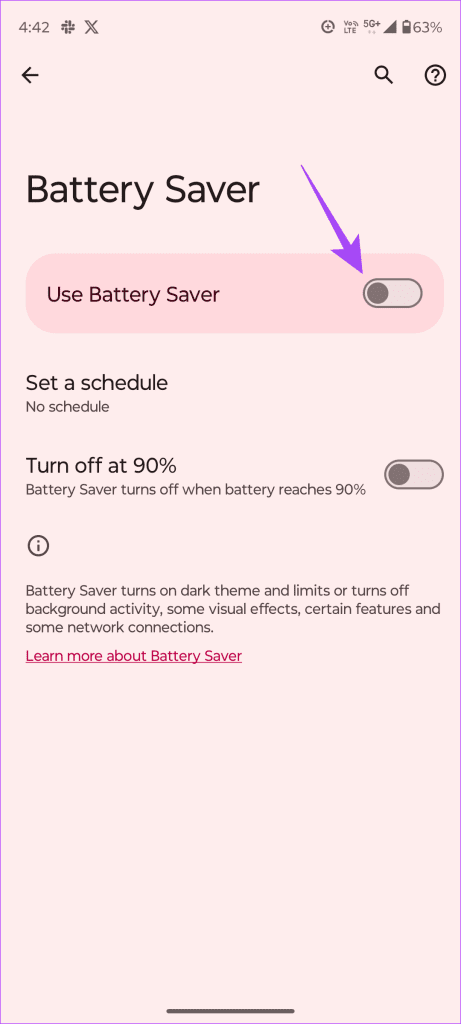
Fix 3: Turn Off Battery Saver Mode
Battery saver limits background app activity to save battery power. If this feature is enabled, WhatsApp won’t function properly, causing it to constantly check for new messages.
Step 1: Navigate to Settings > Battery > Battery Saver .
Step 2: Toggle off Use Battery Saver .
Also Read: How to Fix “Waiting for this message” error on WhatsApp
Why Does WhatsApp Say Checking for New Messages?
WhatsApp says, “Checking for new messages,” even if there are no new messages to display. This could be due to a slow or unstable internet connection .
Another reason could be an outdated app version. If you haven’t updated your WhatsApp, it may struggle with checking for new messages, triggering this notification.
Additionally, if your device has background data restrictions, this could also cause the persistent “Checking for new messages” notification.
Was this helpful?
Submit Cancel
Thanks for your feedback!
Keep reading