Android
4 Ways to Fix ‘Your Device Isn’t Compatible With This Version’ on Android
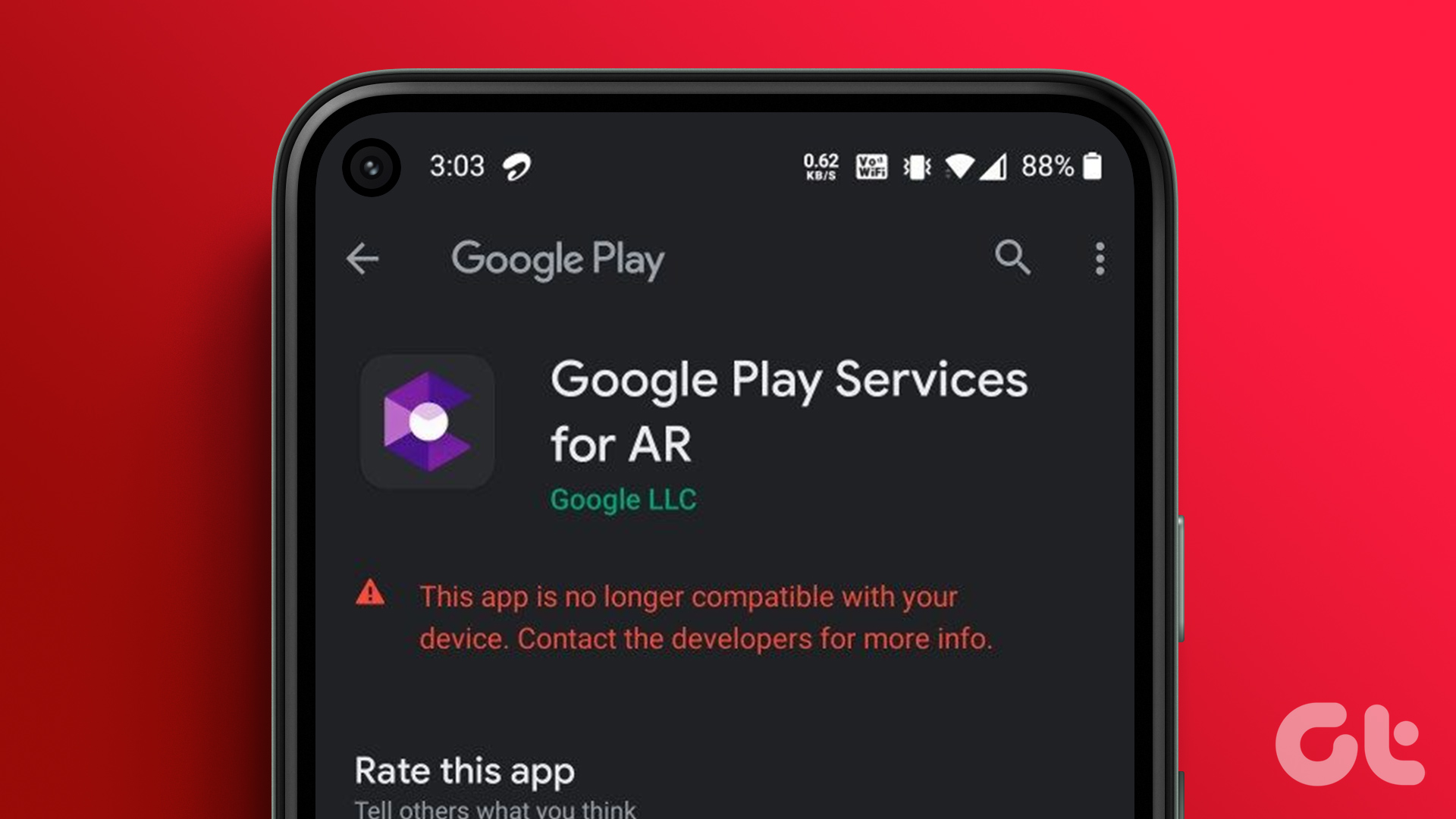
Errors like your device isn't compatible with this version on Android may frustrate users. Here are the top ways to fix the issue.
By Parth Shah
Quick Tips
Try clearing the cache from Google Play Store and Google Play Services.
Update your Android device to the latest version.
Try downloading the app from a third-party app store.
Fix 1: Update Android Version
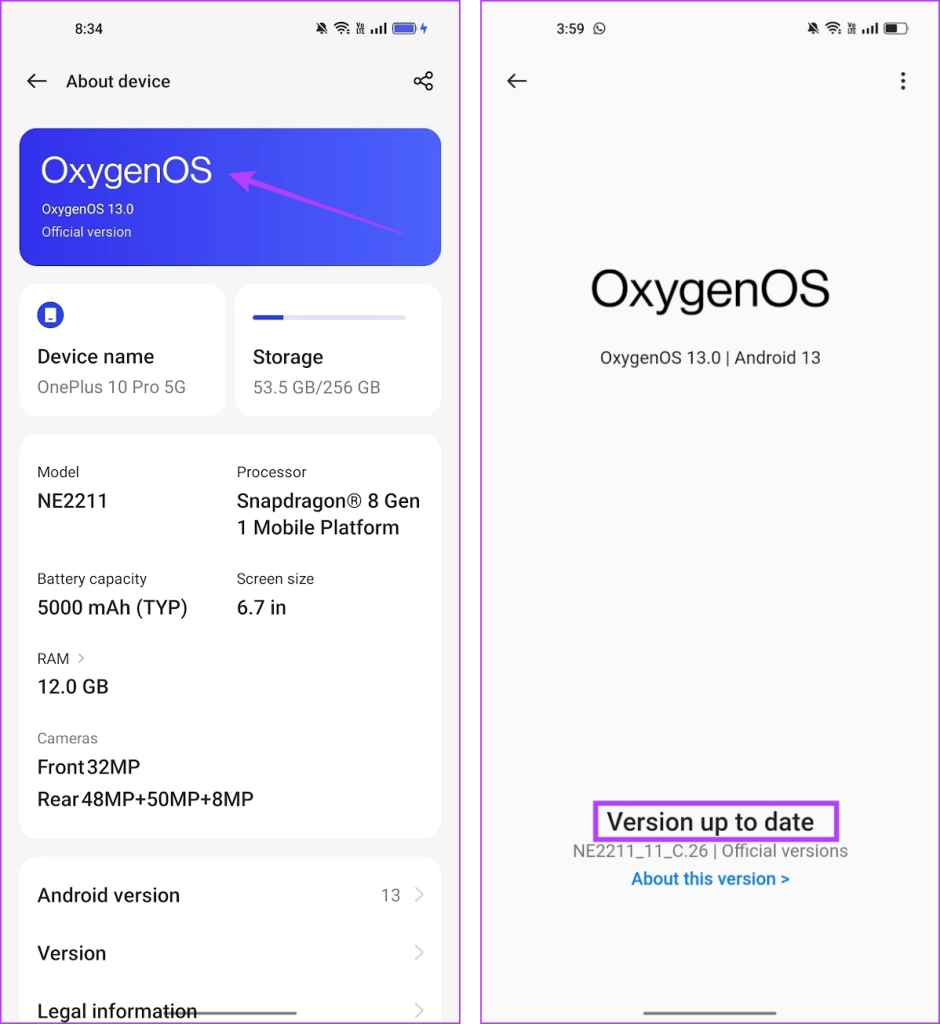
The app you are trying to download may not be compatible with an older version of Android OS. Check and update your Android device to the latest available version.
Go to Settings > About device and check for any available updates.
Fix 2: Fix Issues With Google Play Store, and Play Services
Downloading apps from the Play Store uses several other companion system apps. If there are any issues with these apps, you won’t be able to download apps.
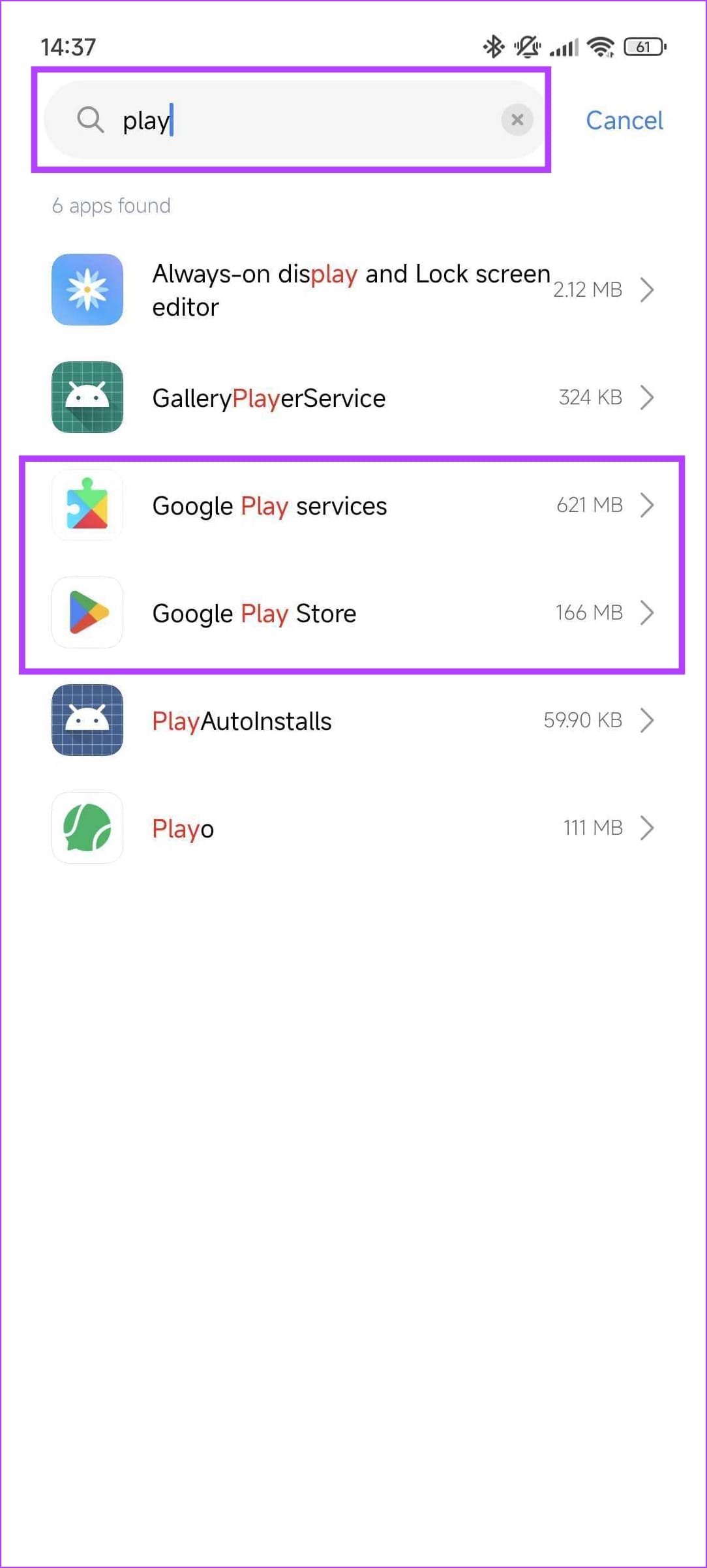
Step 1: Open the Settings app. Go to Apps > Manage apps . Find Google Play Store and Google Play Services from the list.
Note : If you don’t find them, open the list that says System Apps.
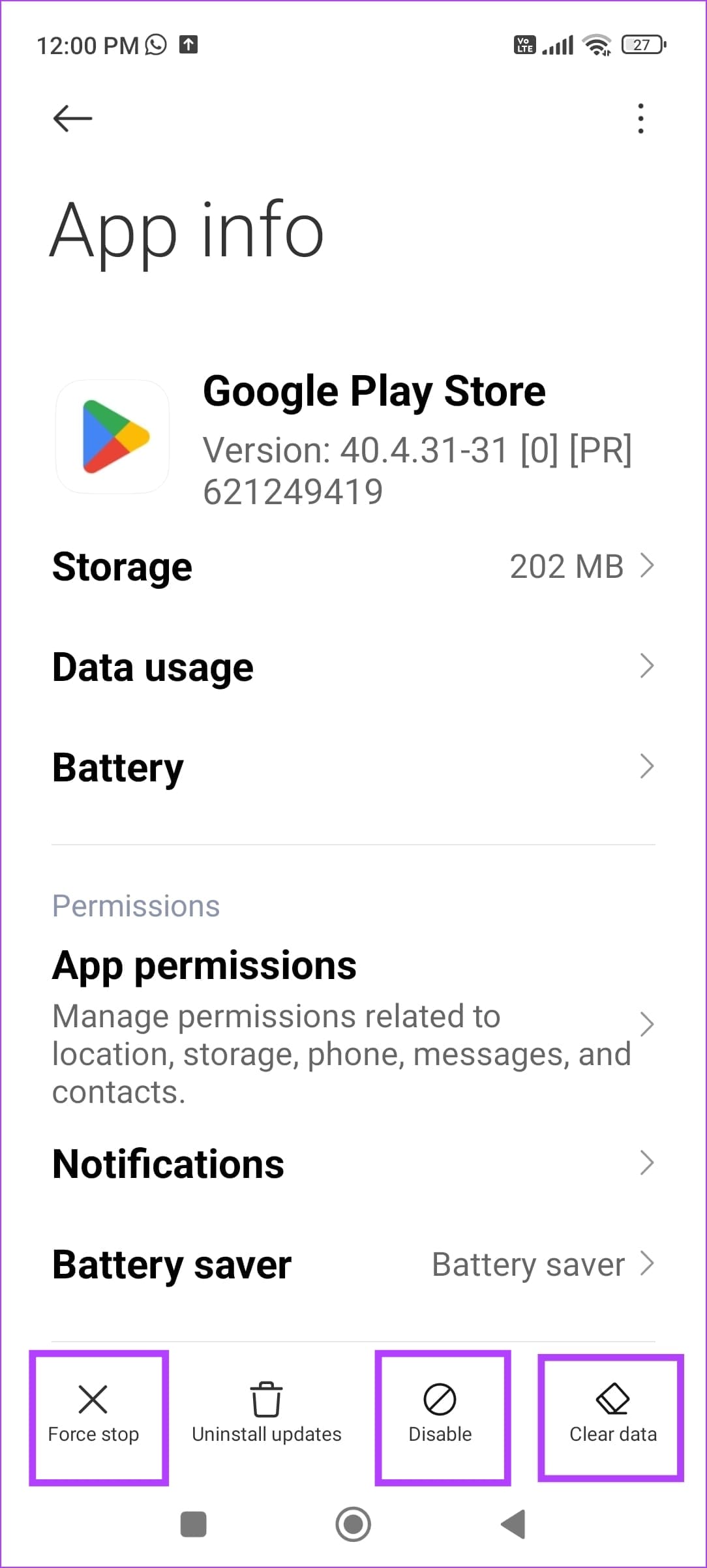
Once you open the app settings, here’s what you can try doing for both of these apps.
Clear Cache: This removes all the junk files from the app.
Force Stop: This stops the app from running, and can get rid of temporary bugs and glitches.
Uninstall Updates: If the issue stems from a recent update, reverting back to the factory version can help you fix the issue.
Also Read 2 Ways to manually update Google Play Services .
Fix 3: Install APK File From a Third-Party Source
If downloading the app from the Google Play Store does not seem to work, try doing it from a third-party app store.
Proceed with caution, as apps that aren’t downloaded from the Play Store might cause issues. Further, download from trusted sources like Apkmirror .
You can try downloading an older version of the app, which may be compatible with your Android device.
Fix 4: Exit Beta Program
Before releasing the major Android OS to the public, Google tests the software with developers and early adopters. If you are one of such enthusiasts testing an early build of Android, some of the apps may become incompatible on your phone.
You should either wait for Google to fix such issues in the upcoming Android builds or roll back to the stable Android version on your phone.
Was this helpful?
Submit Cancel
Thanks for your feedback!
Keep reading