Android
How to Stop Texts From Unknown Numbers on Your Phone
Tired of receiving texts from unknown numbers? Here's how to stop texts from unknown numbers on your phone.
By Parth Shah
Quick Tips
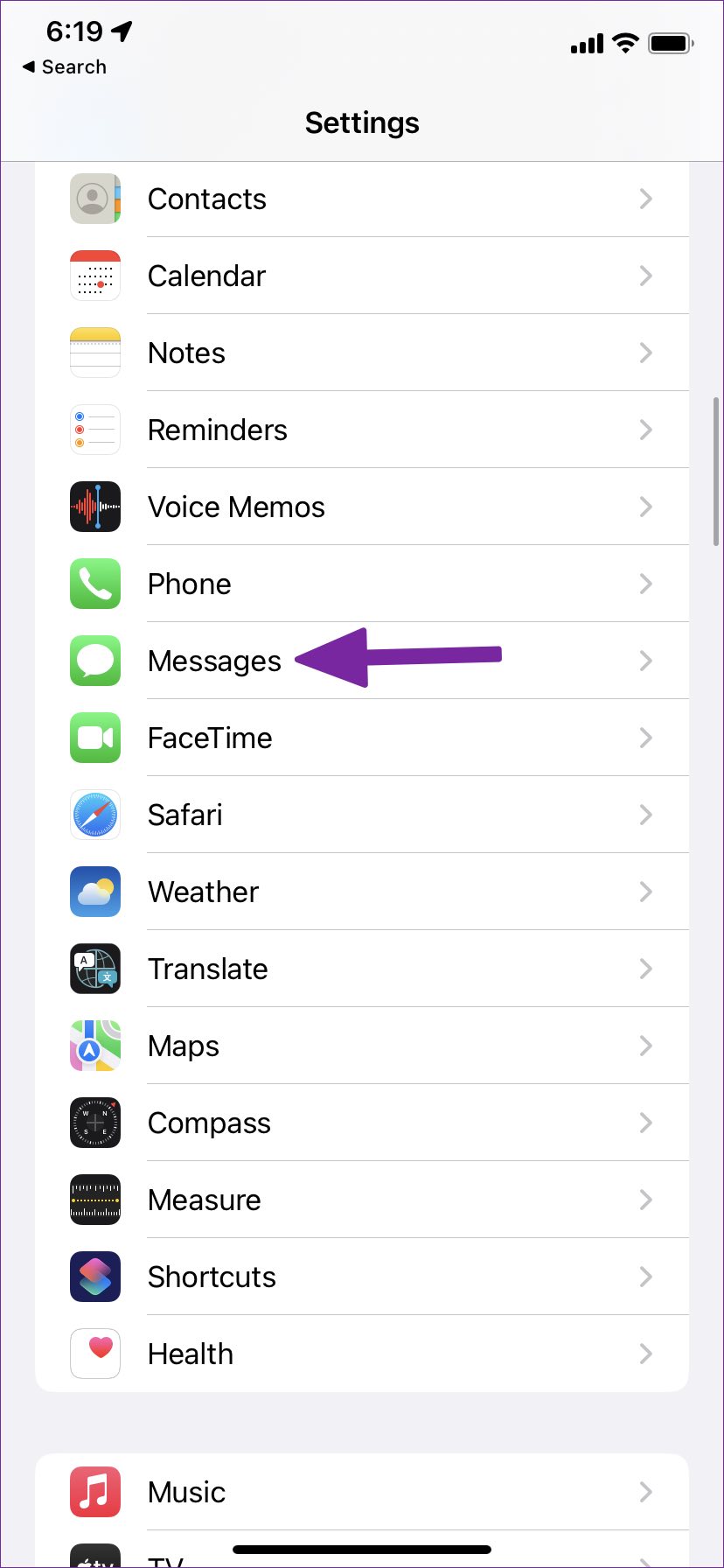
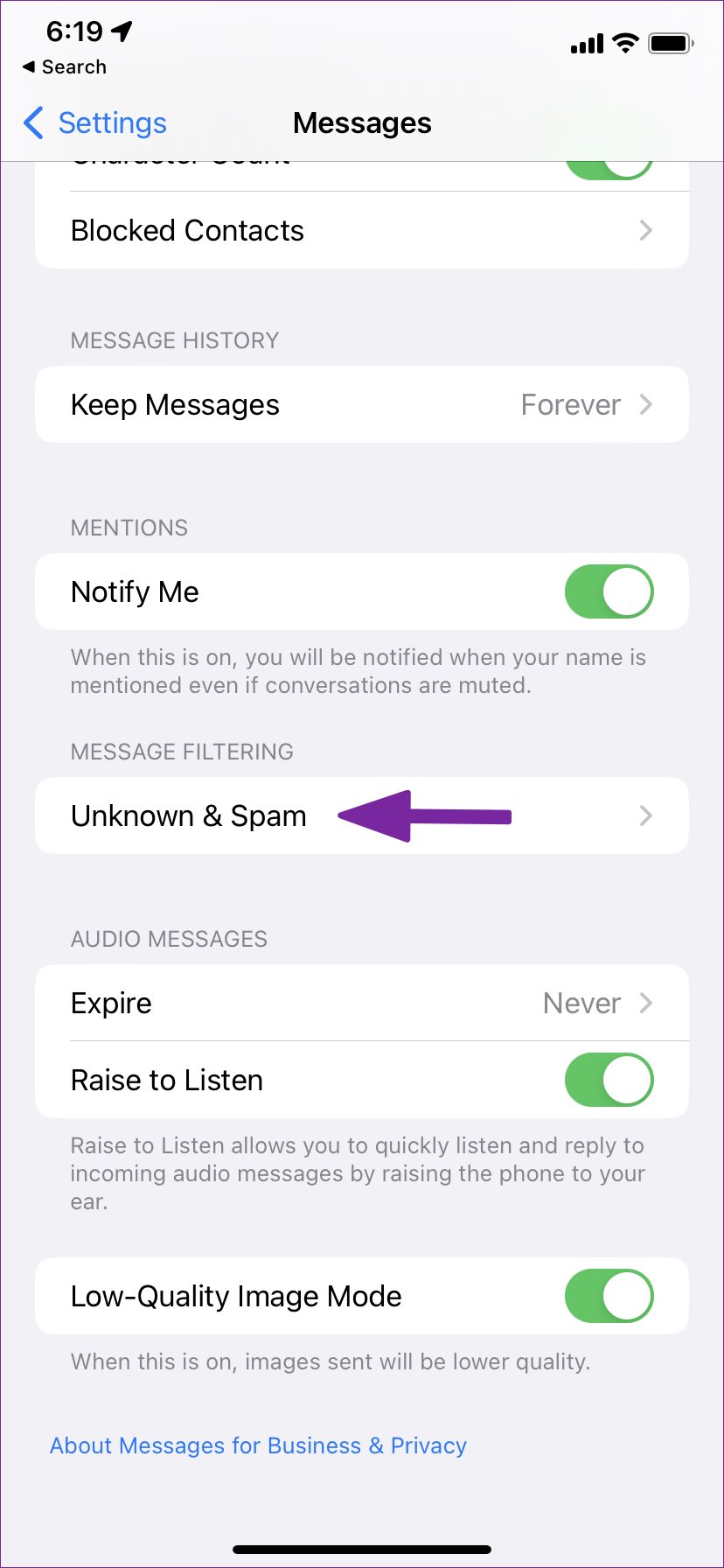
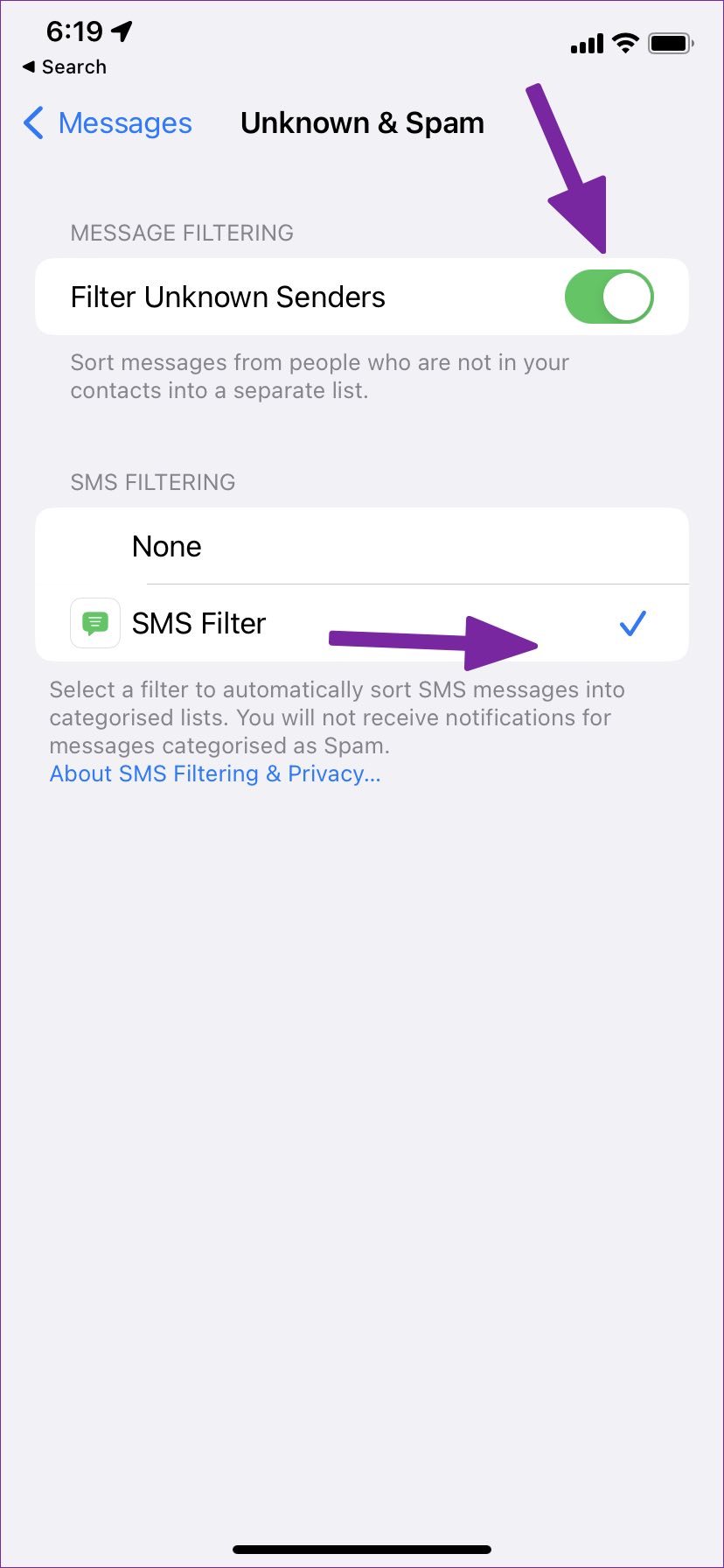
You can block messages from unknown numbers on an iPhone by going to Settings > Messages > Unknown & Spam .
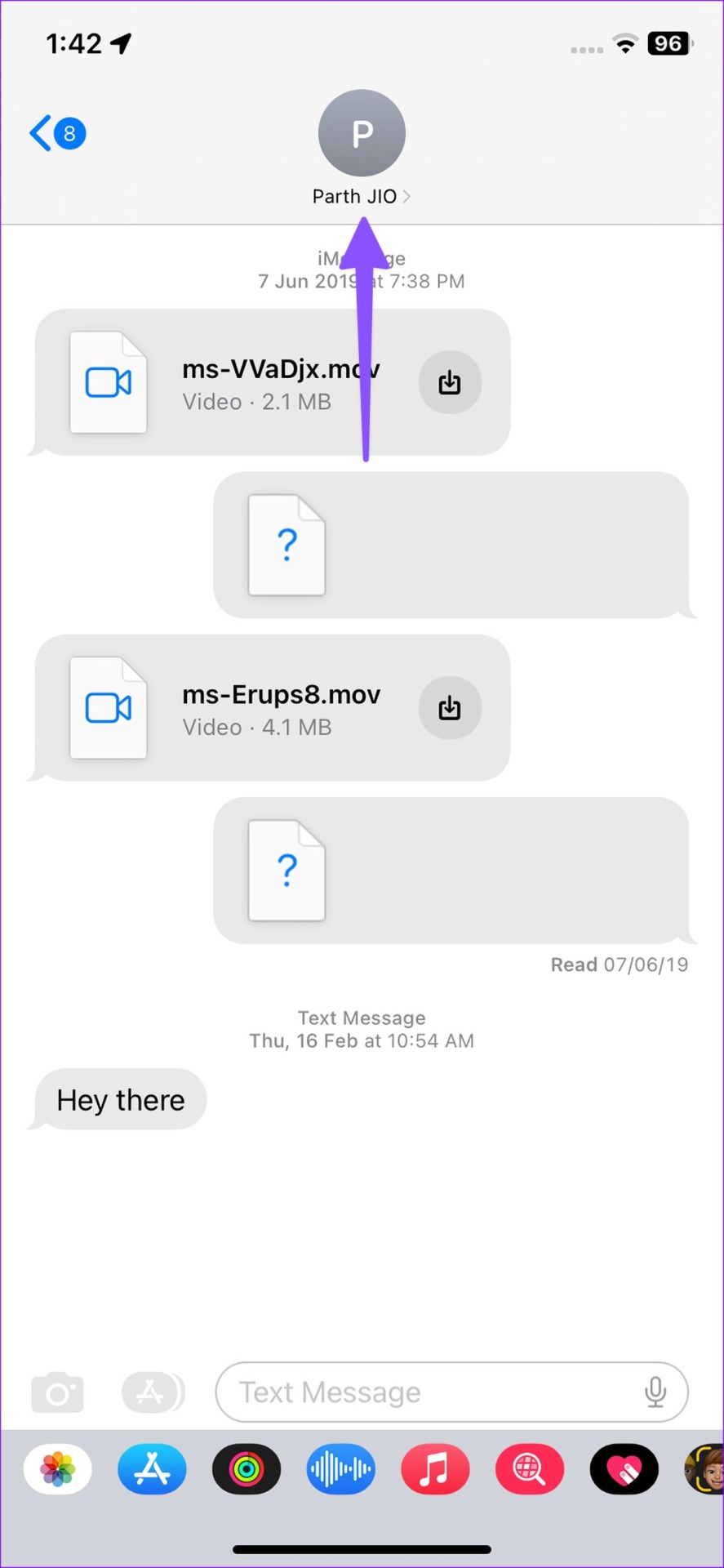
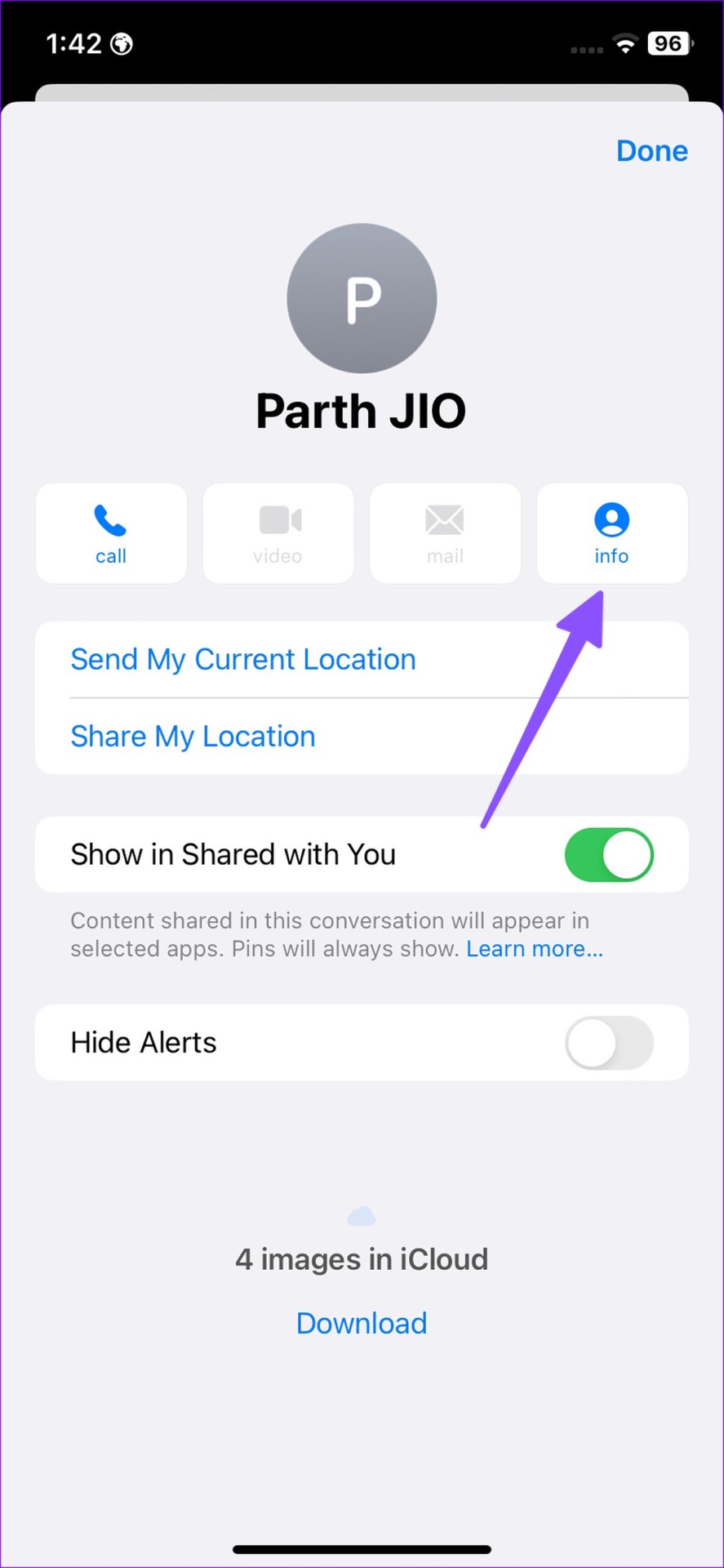
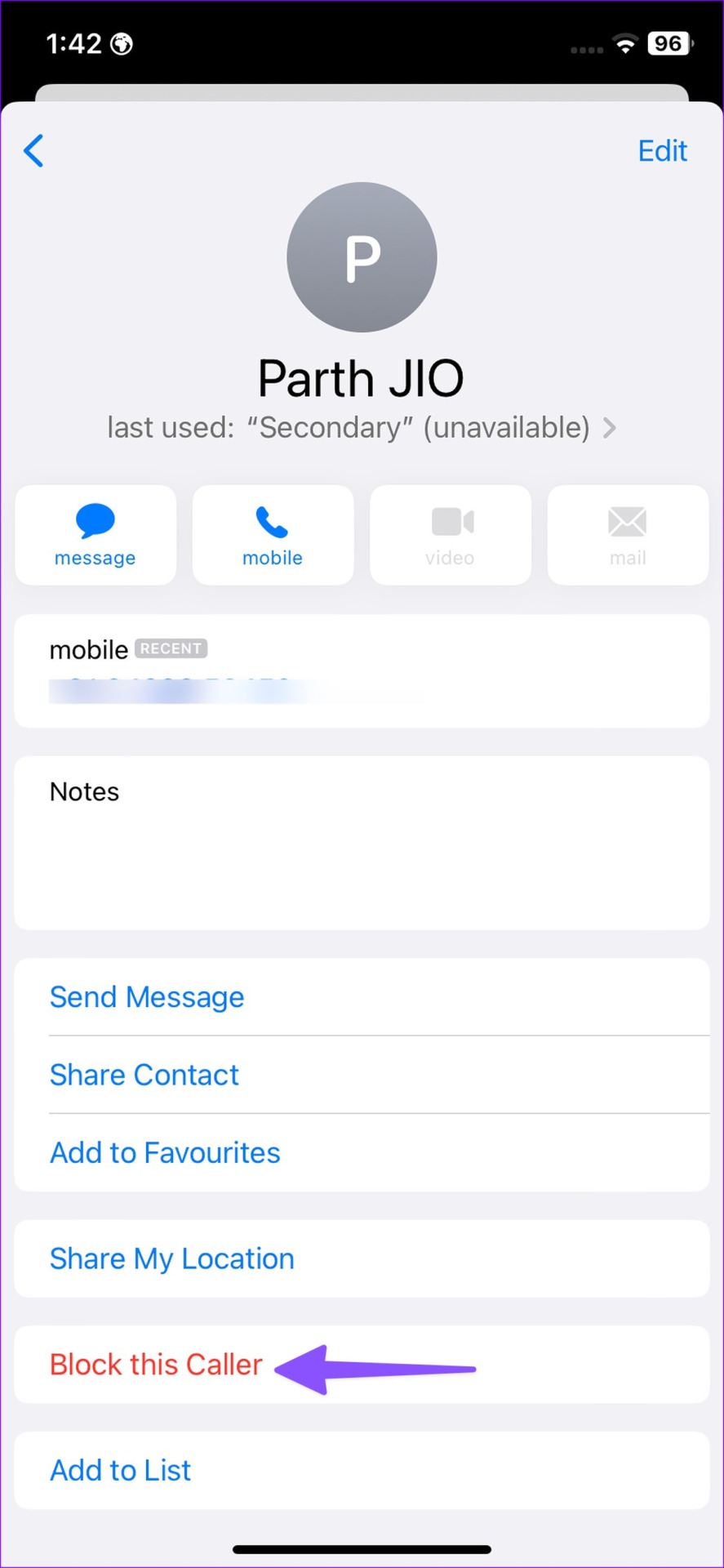
Text messages can also be blocked via Messages > Contact > Info > Block this caller .
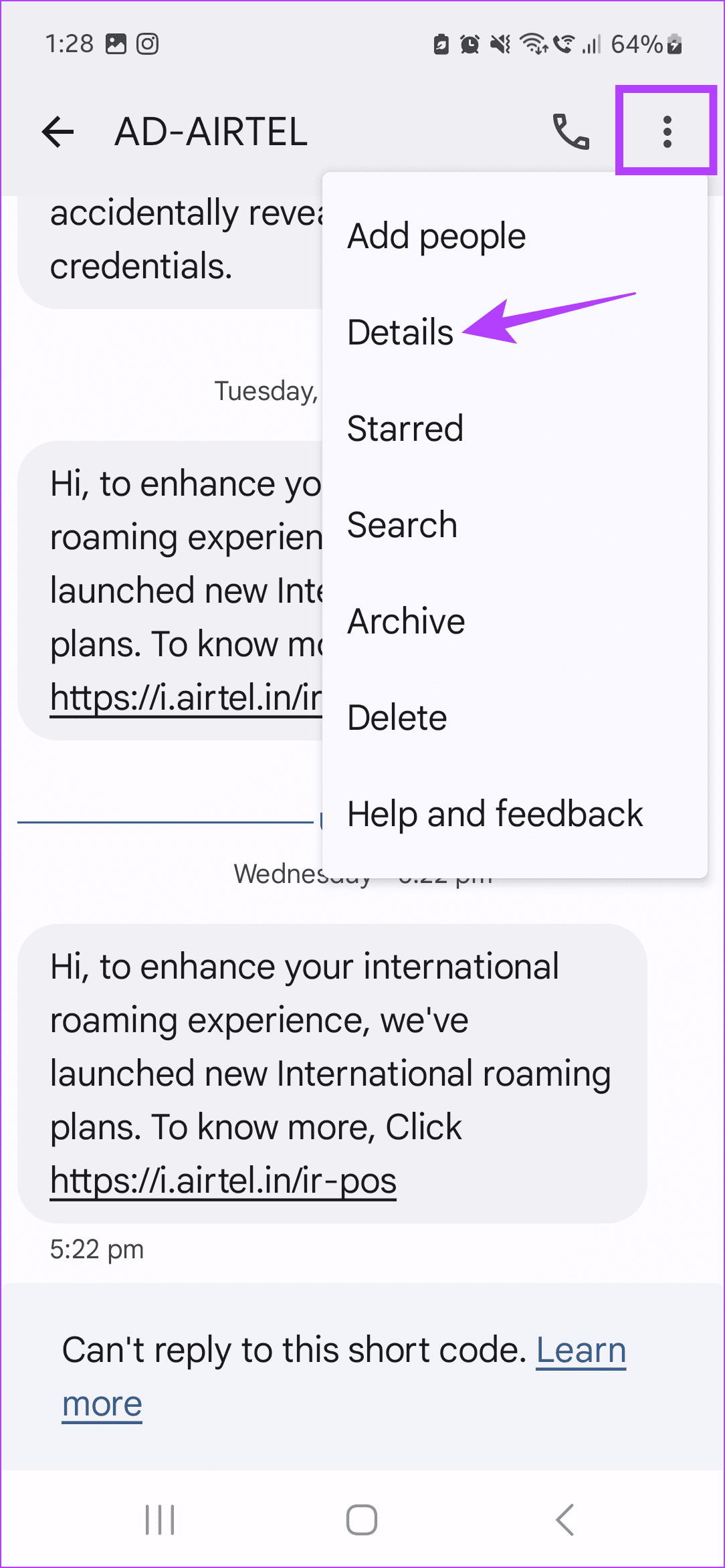
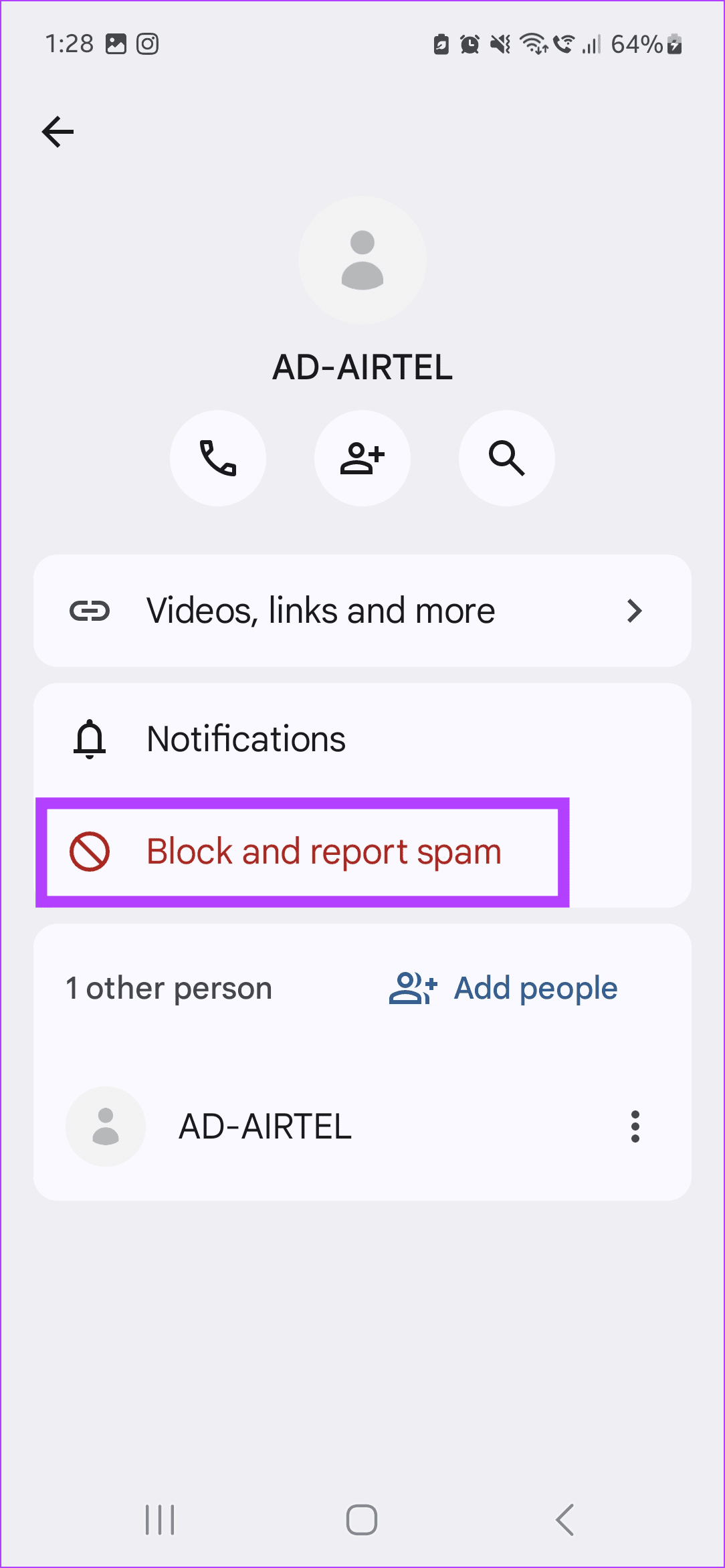
On Android, open the text message and go to the three-dot menu > Details > Block and report spam .
How to Block Messages From Unknown Numbers on iPhone
Apple allows you to block spam texts sent from unknown numbers. Or, if required, you can also block senders directly from the Messages app. Once done, either these messages will be sorted separately or blocked altogether. For more details, here’s a step-by-step look.
Method 1: Block Spam Text Messages From Unknown Numbers
Step 1: Open Settings and tap on Messages . Here, tap on Unknown & Spam .
Step 2: Turn on the toggle for Filter Unknown Senders . Additionally, check the option for SMS Filter .
Method 2: Block Spam Numbers From the Messages App
Note: Doing this will block phone calls and FaceTime calls along with the texts from the selected user.
Step 1: Open the Messages app and tap on the relevant conversation . Then, tap on the contact name . Here, tap on info .
Step 2: Scroll down and tap on Block this Caller . When prompted, tap on Block Contact .
How to Block Unknown Texts on Android
The default Messages app on Android has built-in spam protection to save you from endless unnecessary text messages. Here’s how you can enable it to block unknown spam messages in the Google Messages and Samsung Messages app.
Method 1: Block SMS From Unknown Numbers on Android
Step 1: Open the Messages app and tap on the relevant conversation. Here, tap on the three-dot icon in the top right corner and tap on Details .
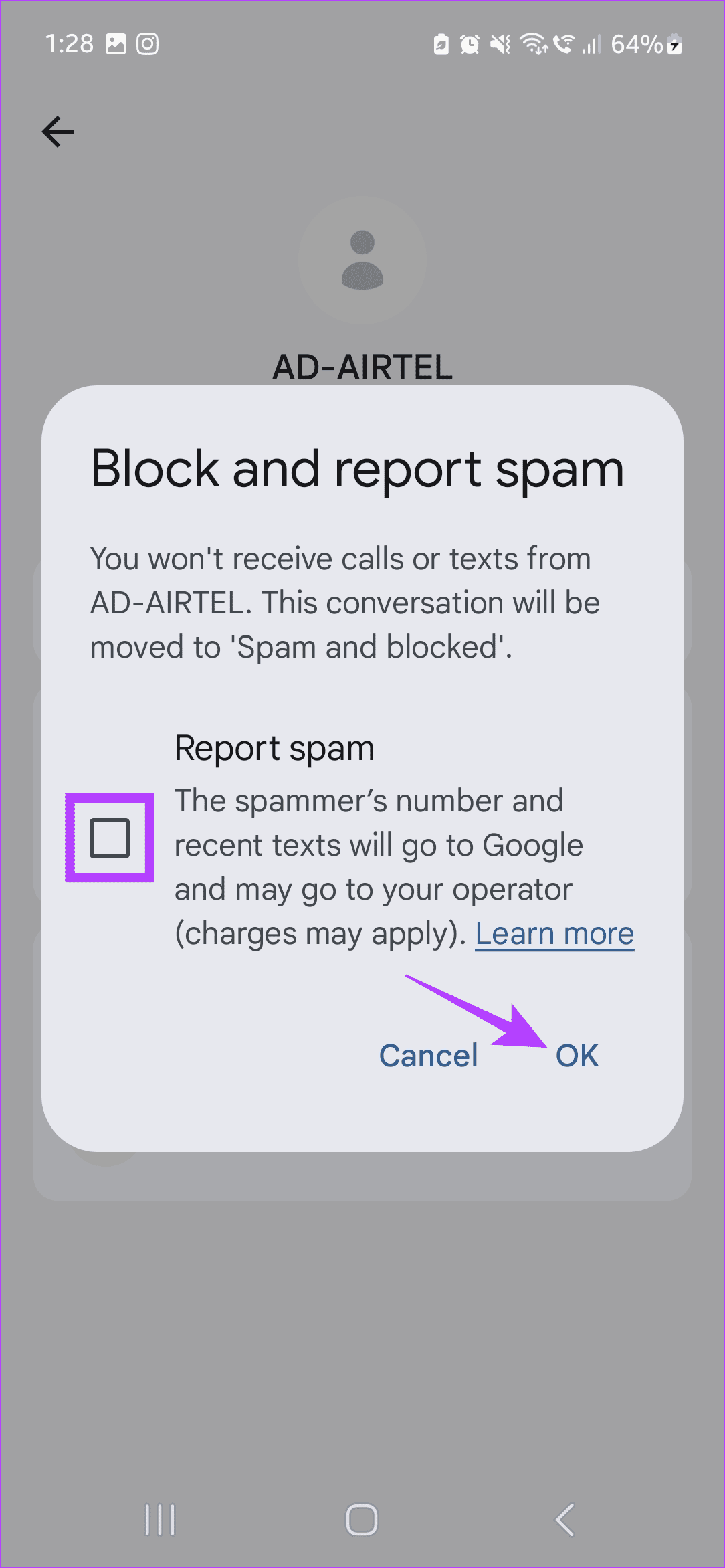
Step 2: Then, tap on Block and report spam . When prompted, select the Report spam option and tap on OK .
Method 2: Block Unknown Texts on Samsung Galaxy Phones
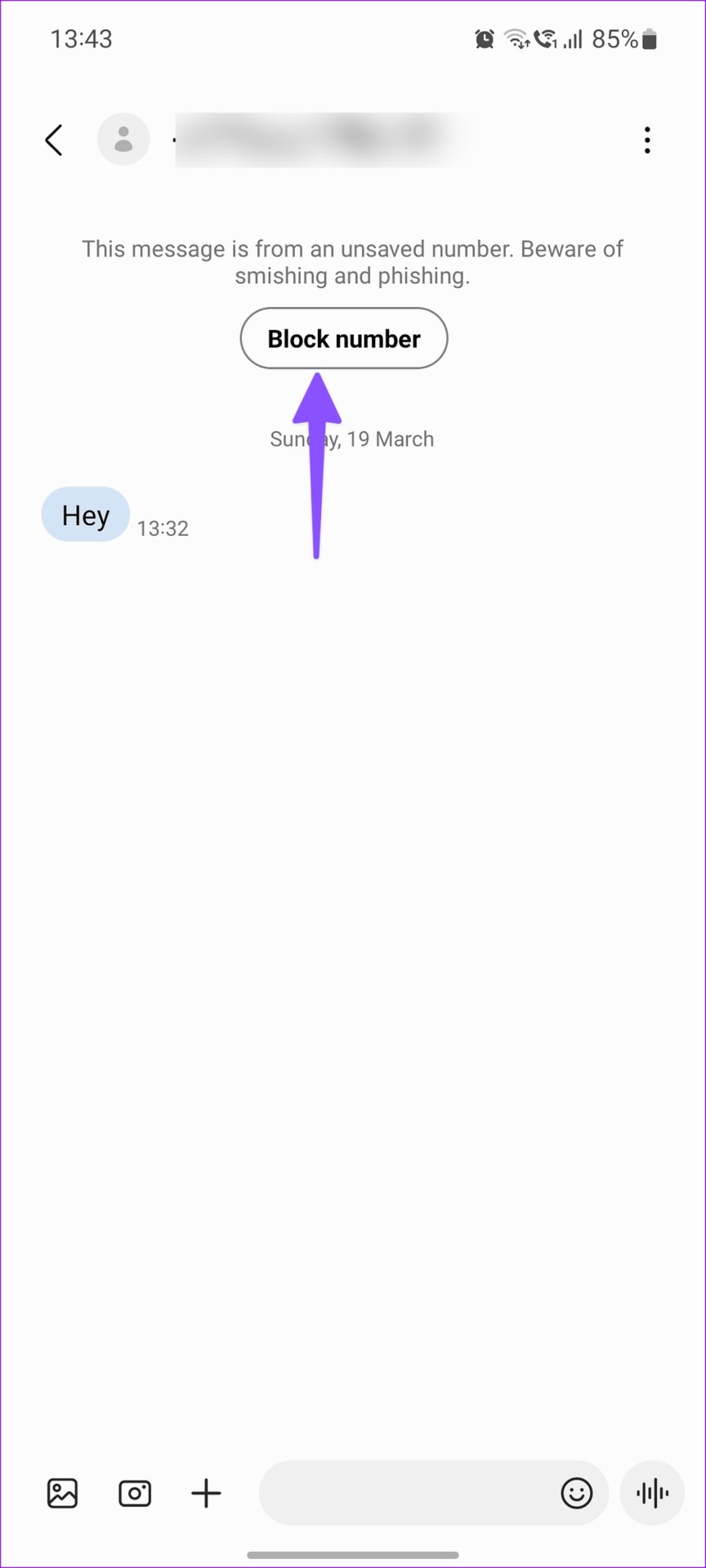
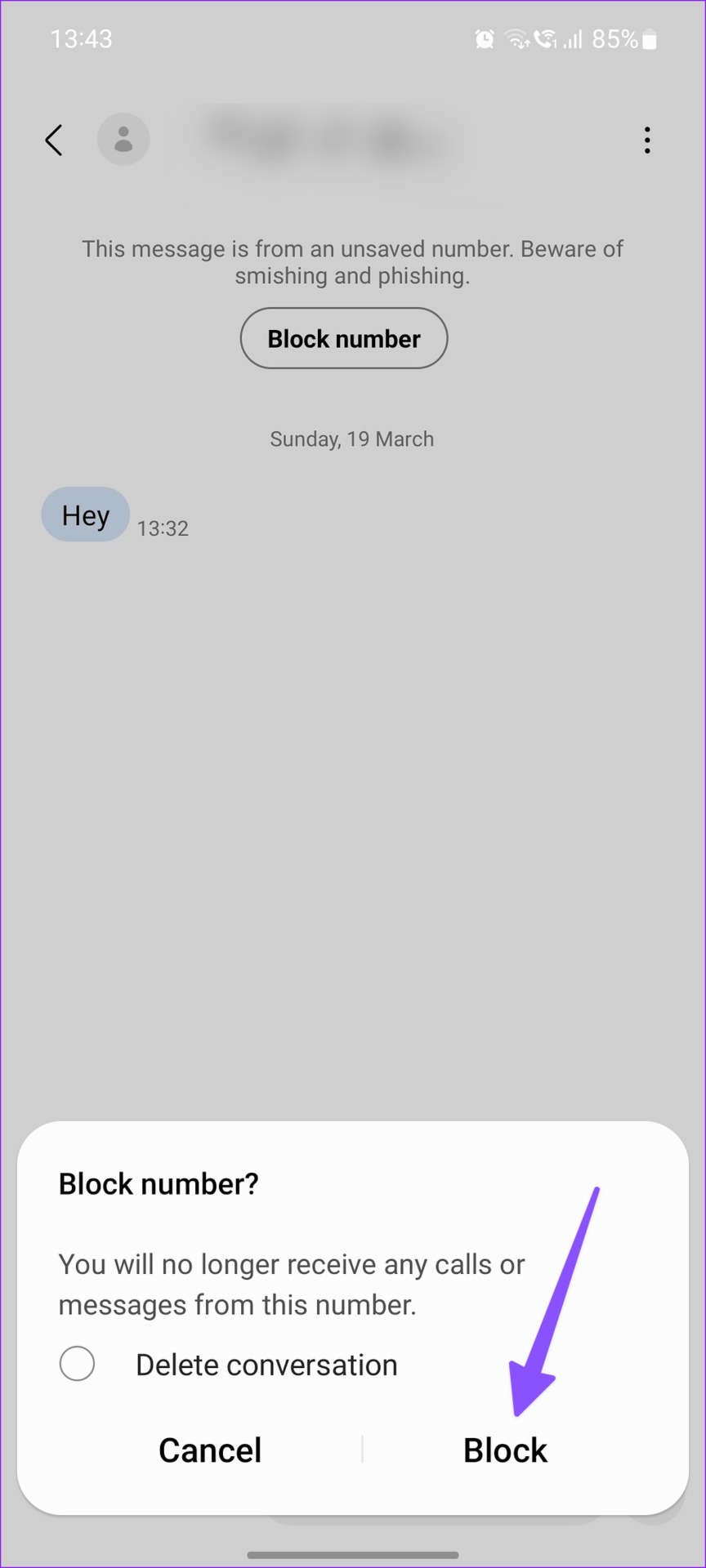
Step 1: Open the Samsung Messages app and tap on the relevant conversation. Here, tap on Block number .
Step 2: When prompted, check the Delete conversation option and tap on Block .
Method 3: Enable Spam Protection in the Messages App
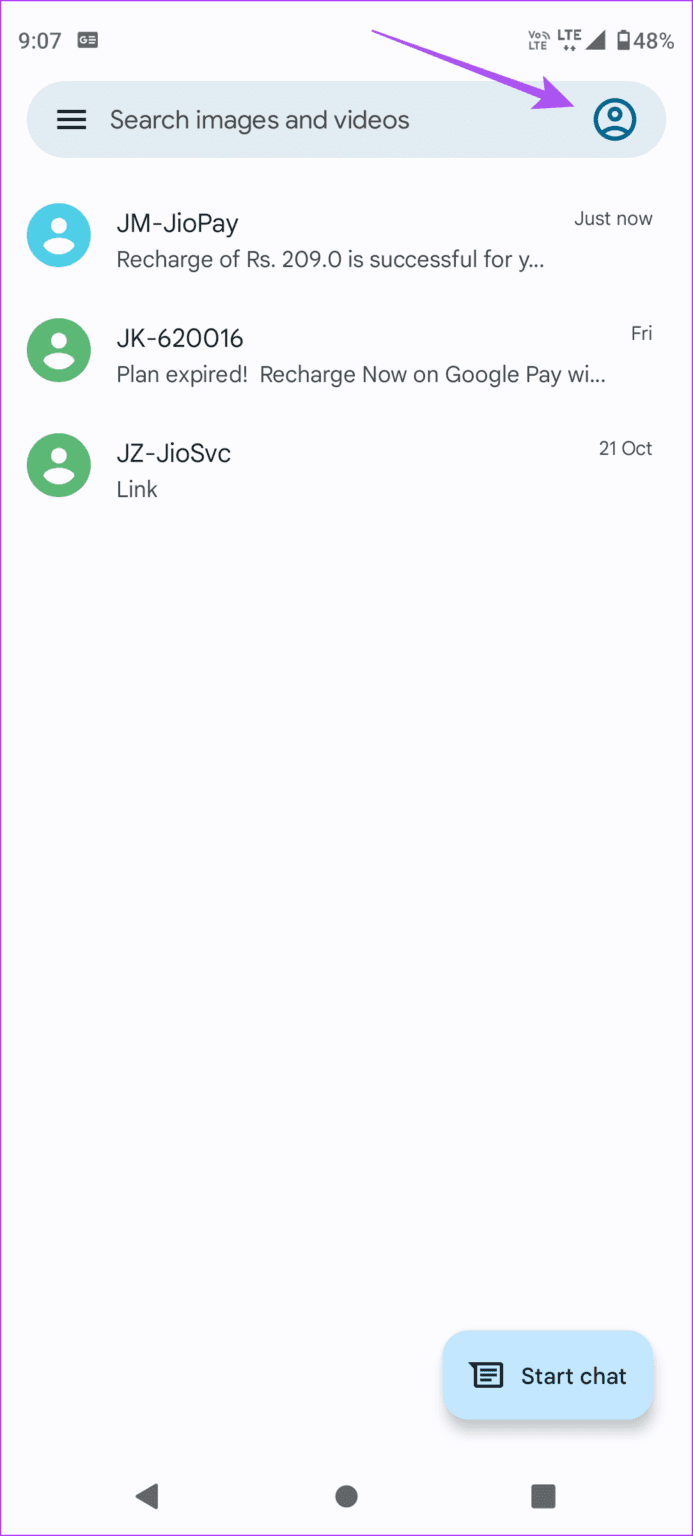
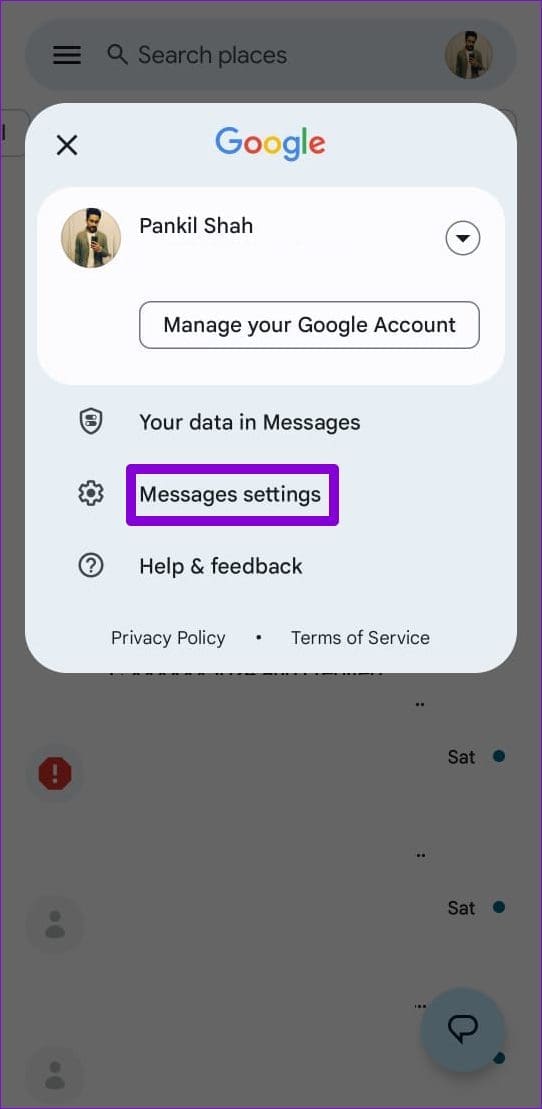
Step 1: Open the Messages app and tap on your profile icon in the top-right corner. Tap on Messages settings.
Step 2: Scroll down and tap on Spam protection . Turn on the Enable spam protection toggle .
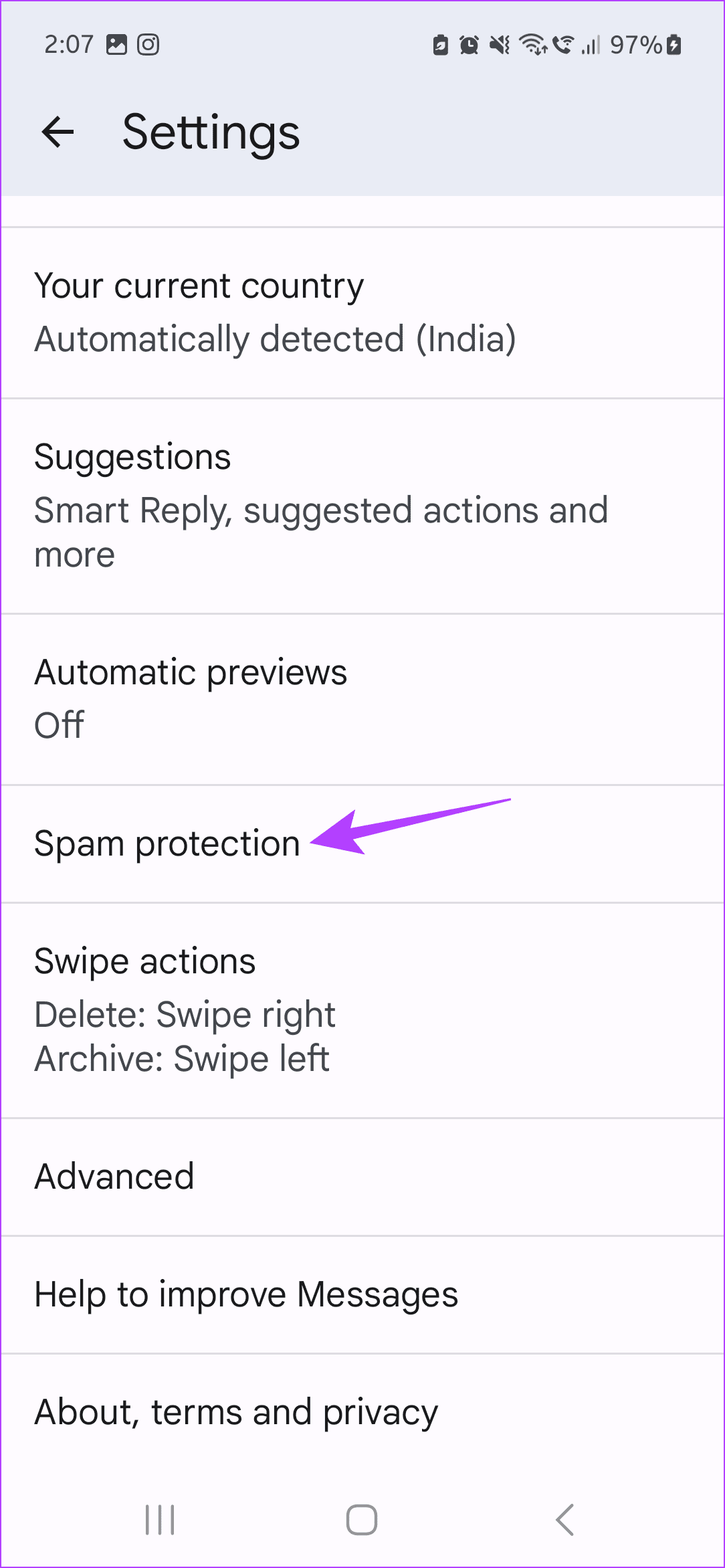
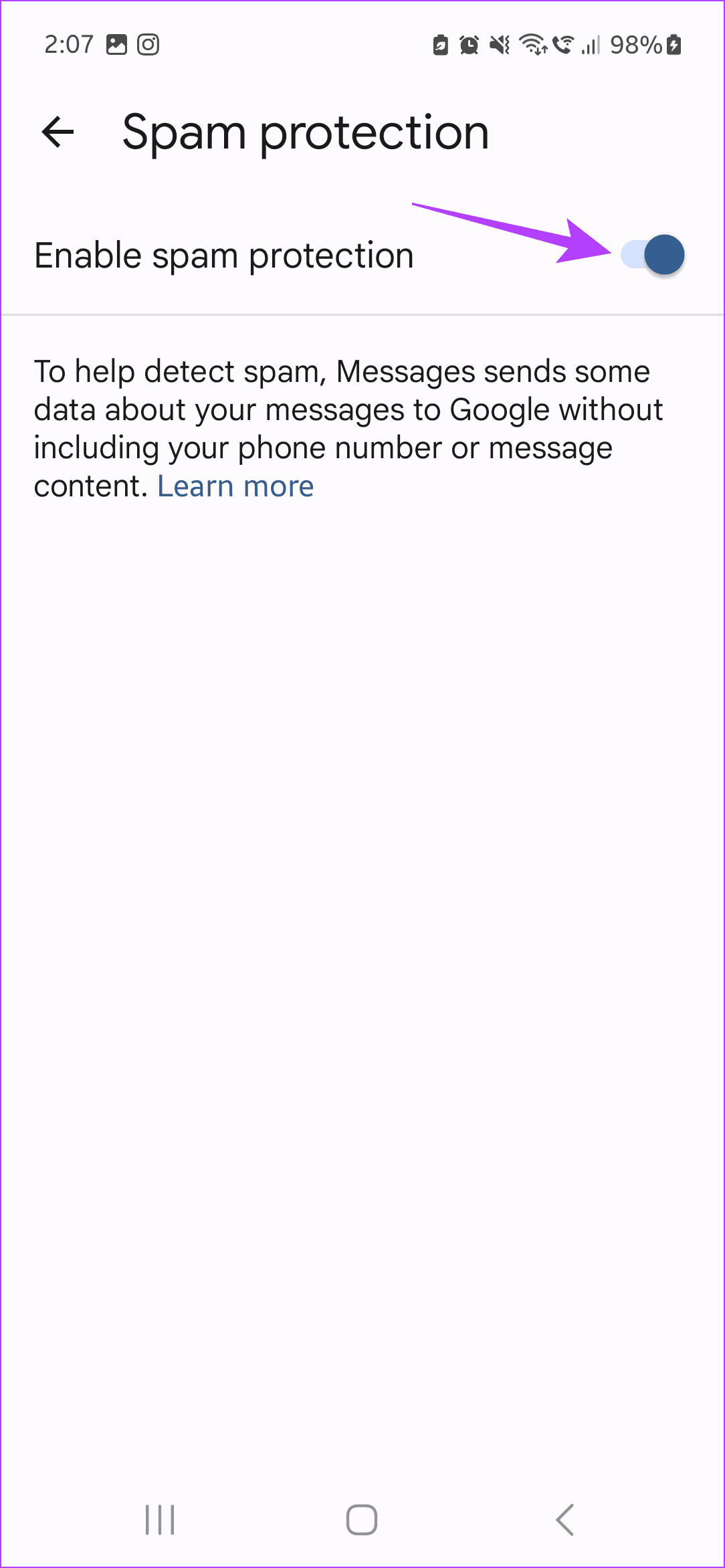
This will automatically filter and sort the spam messages in the Messages app on your Android phone.
Was this helpful?
Submit Cancel
Thanks for your feedback!
Keep reading