Android
How to Check Call Duration on iPhone and Android
Are you finding it difficult to check the call duration with a specific number? Here's how to check call duration on Android and iPhone.
By Parth Shah

Quick Tips
Open the Google Phone app > Recent > contact name or number > History > call duration.
Go to the Samsung Phone app > Recents > relevant contact > menu icon > duration of the relevant call.
Open the iOS Phone app > Recents > i icon before the relevant contact > recent call duration.
How to Check Call Duration on Google Phone App on Android
Most Android devices use the Google Phone app as the phone’s default dialer app. And even if that’s not the case, you can always install the Google Phone app and make it your default phone app. Once done, follow the steps below to check the call duration on the Google Phone app.
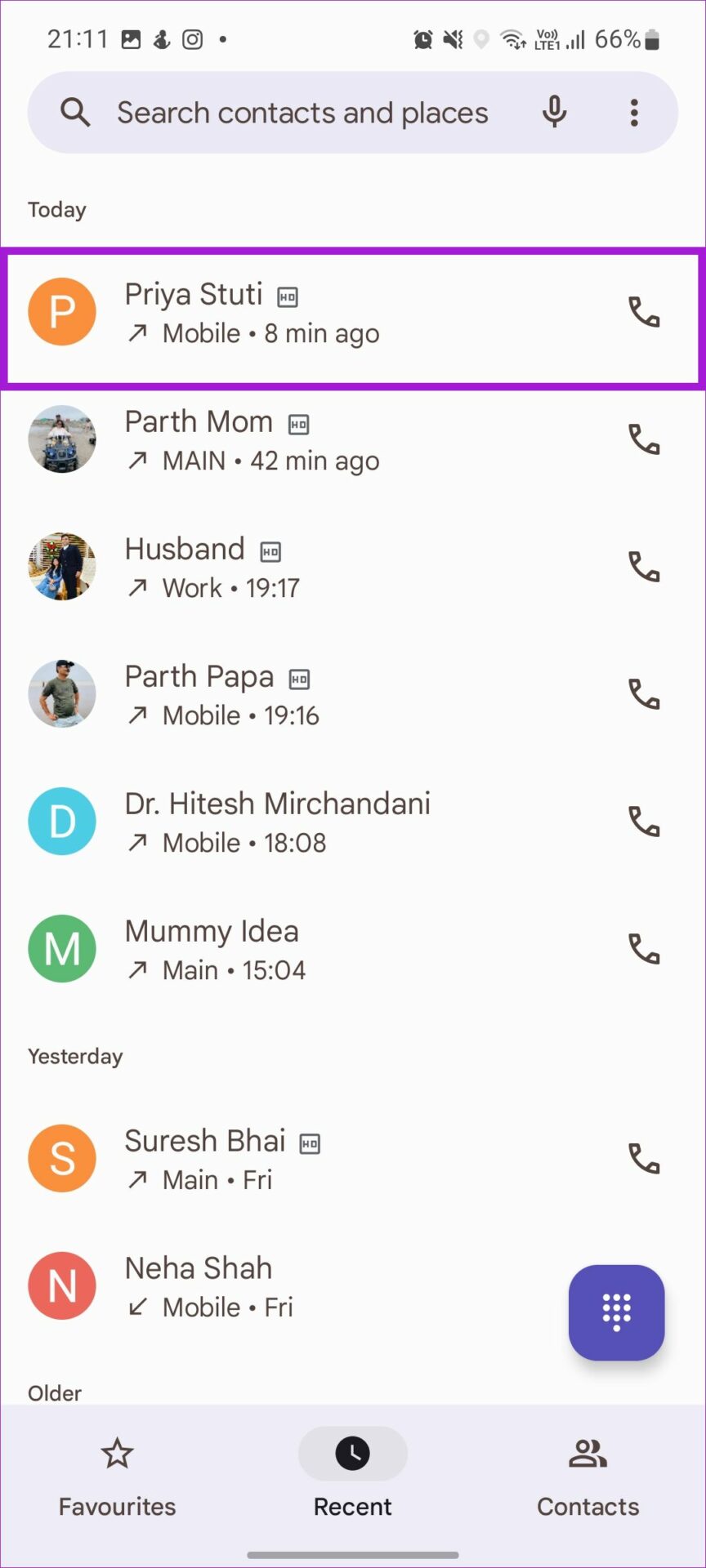
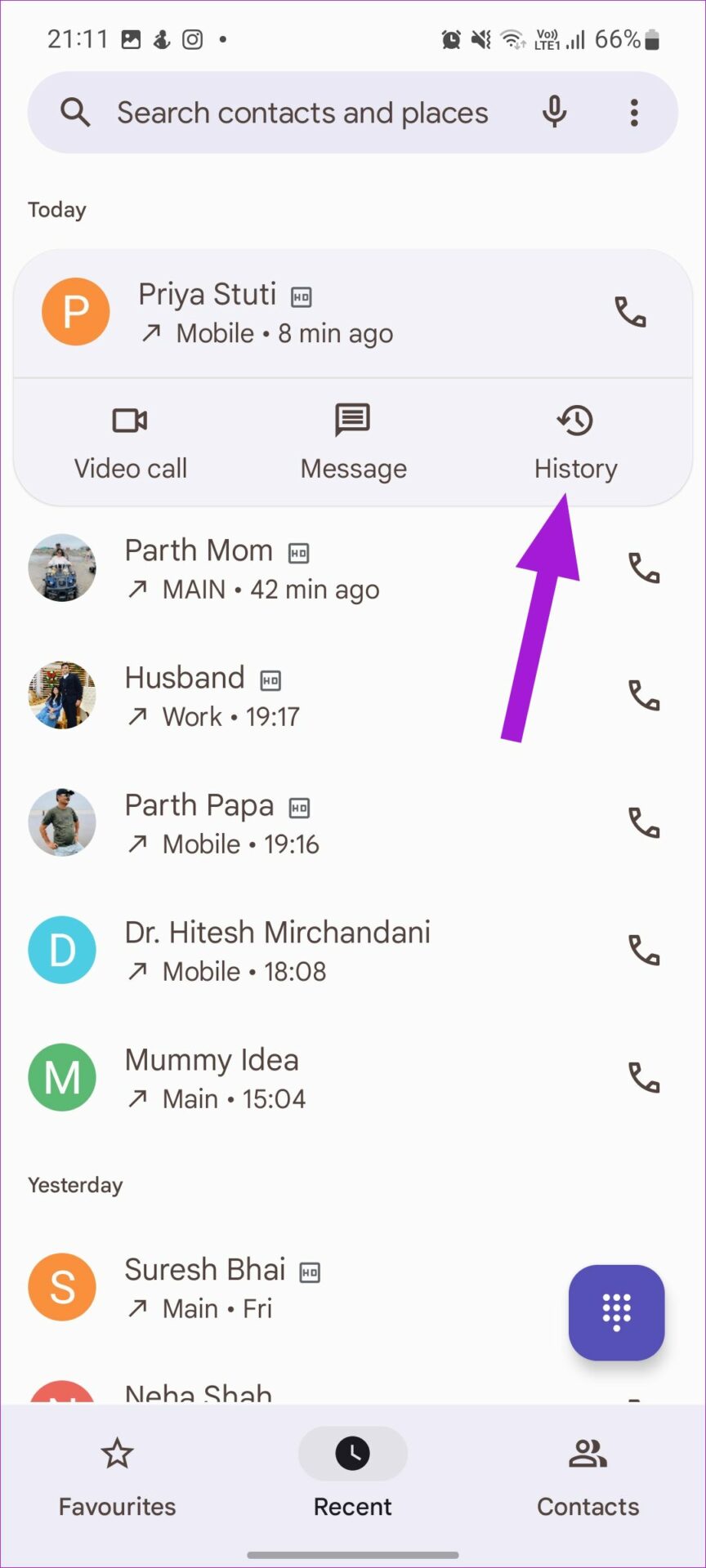
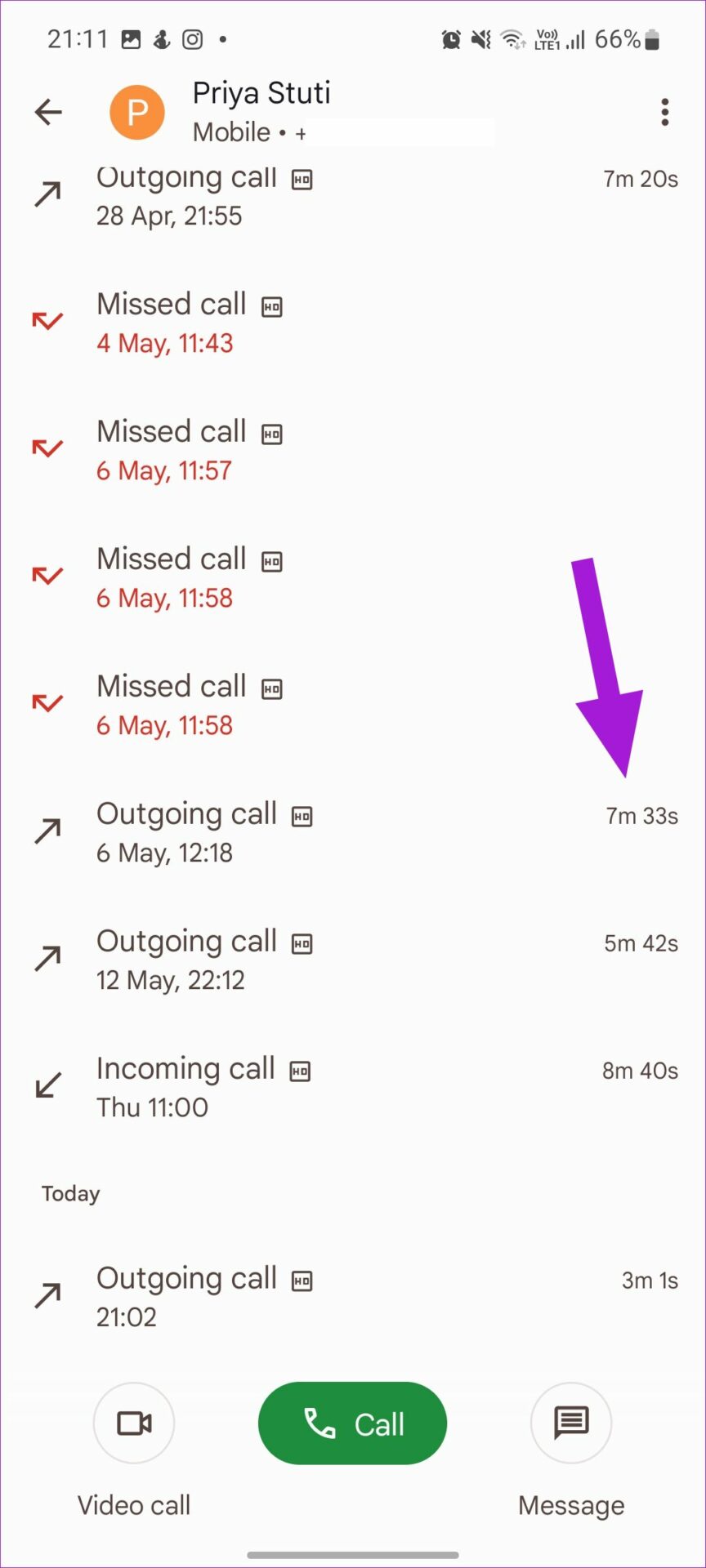
Step 1: Open the Phone app and go to Recent . Tap on a contact name or number .
Step 2: Tap on History and see the call duration for the relevant call.
Also Read: Samsung apps vs Google apps: Should you switch
How to Check Call Duration on Samsung Galaxy Phones
Samsung users can enjoy a customized experience with the native Samsung app. This includes the Samsung Phone app. Using this, you can also check your previous calls and their corresponding durations. Here’s how to do it.
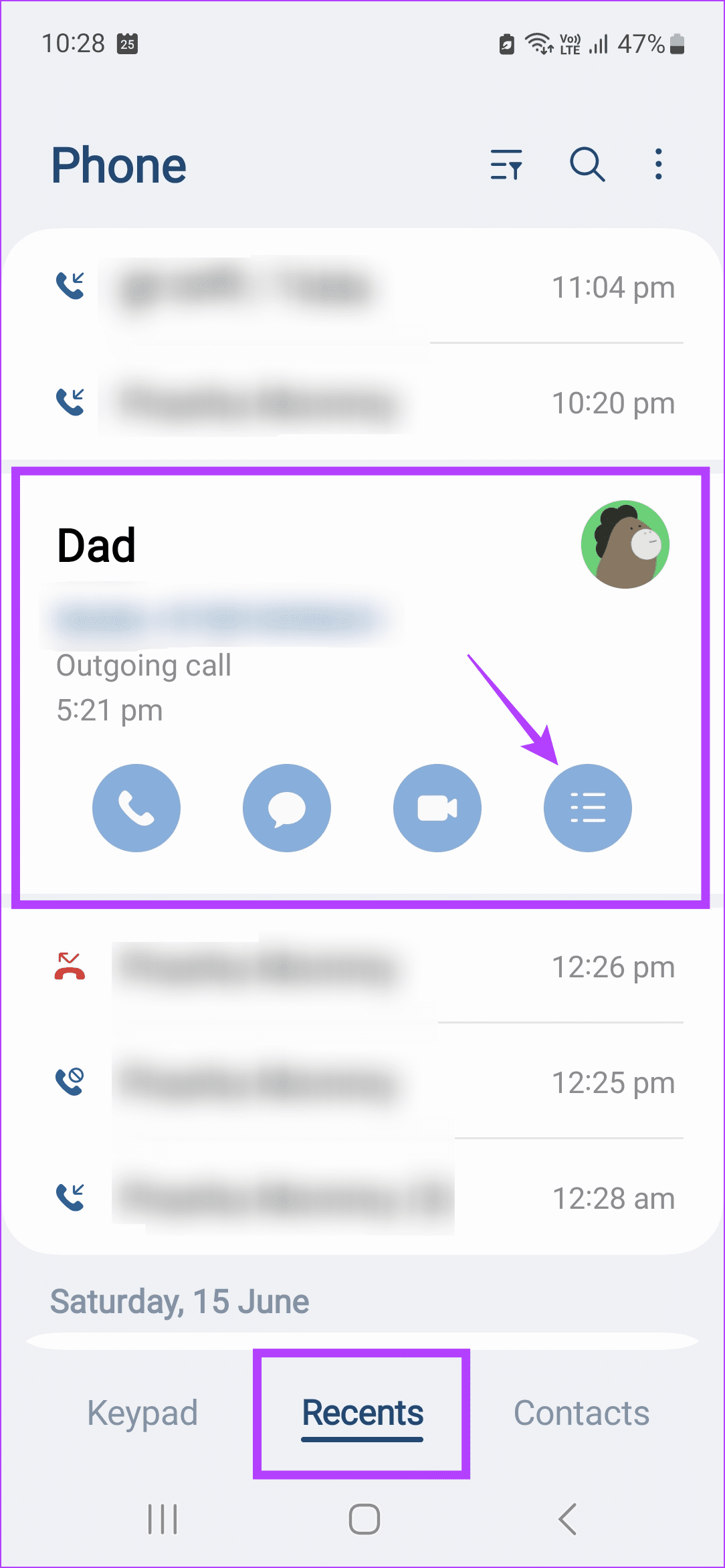
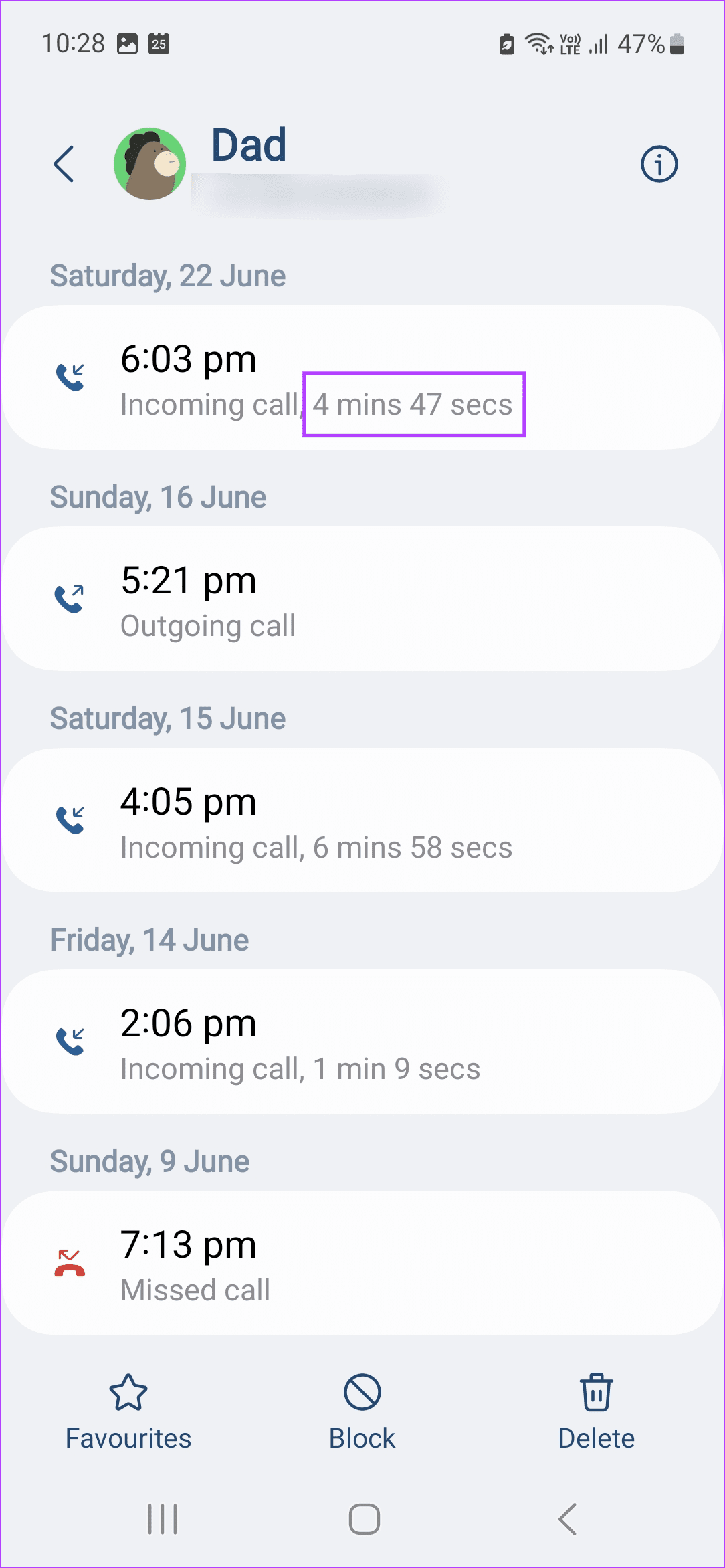
Step 1: Open the Samsung Phone app and tap on Recents . Tap on the relevant contact .
Step 2: Once visible, tap on the menu icon . Check the duration of the relevant call .
How to Check Call Duration on iPhone
Similar to Android, the iPhone also comes with its Phone app. Using this app, you can check the call duration. However, note that you will have to go to the relevant contact listing from the main Recents tab to see the duration of that particular call. Here’s how to do it.
Tip: You can also use the Recents tab to see and delete call history on your iPhone .
Step 1: Open the Phone app and tap on Recents . Tap the i icon before the relevant contact.
Step 2: Check the recent call duration for recent calls.
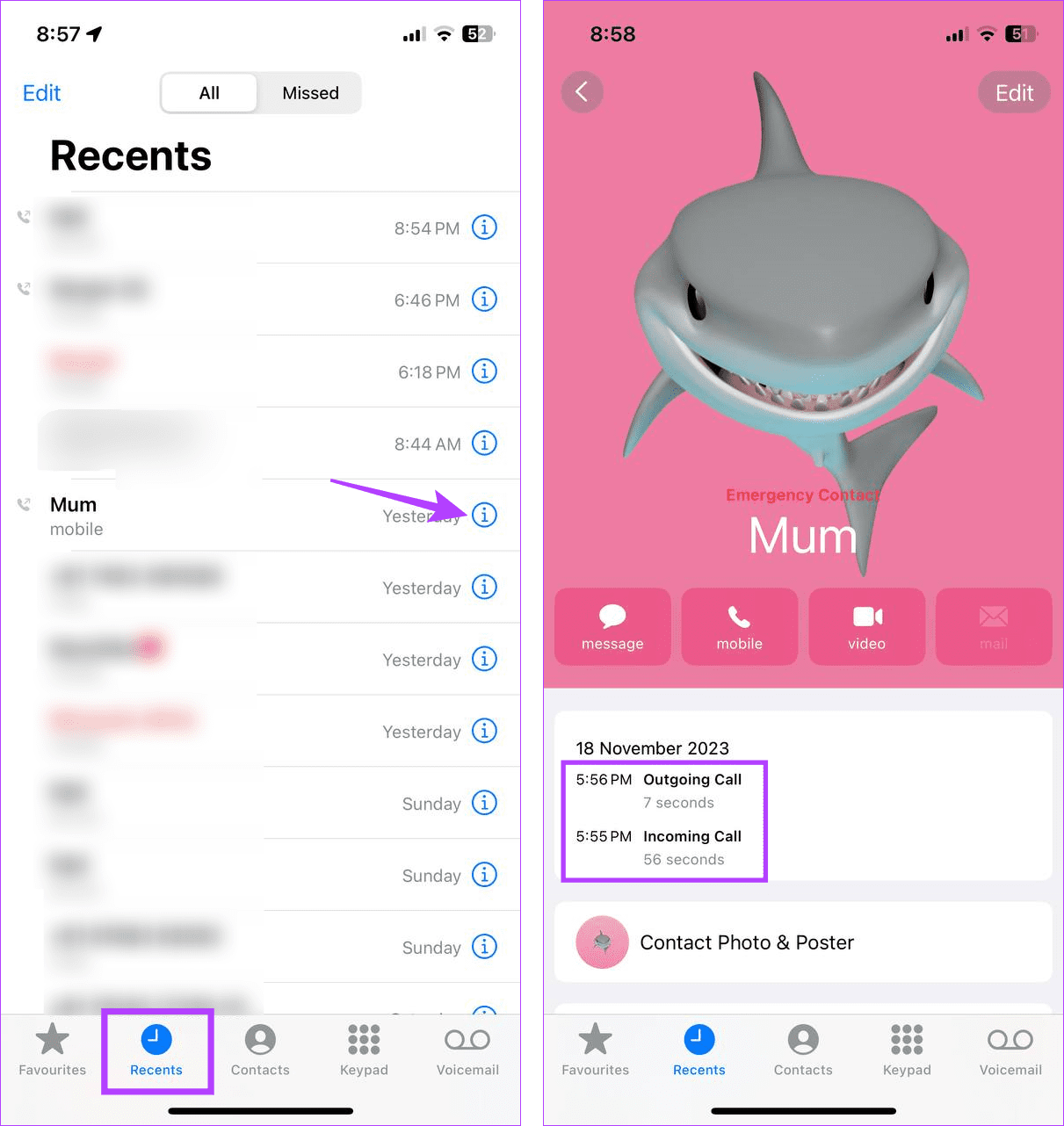
Now, if you want to see the duration for other calls from the same contact, go back to the Recents page and open the call info for the relevant listing.
Was this helpful?
Submit Cancel
Thanks for your feedback!
Keep reading