Android
How to Disable Apps on Android and What Happens When You Do
Don't use an app? Here is a complete guide to disable unwanted apps on your Android phone and what happens when you do so.
By Pankil Shah
Quick Tips
Disabling unwanted pre-loaded apps on your Android phone can help free up system resources.
If you are unsure whether an app is safe to disable, search for it online before proceeding.
Disabling an app does not remove its data from your phone. So, if you re-enable the app later, you won’t have to reconfigure it.
How to Disable Apps on Android
On Android, you can disable an app from your phone’s Settings menu . Here’s how:
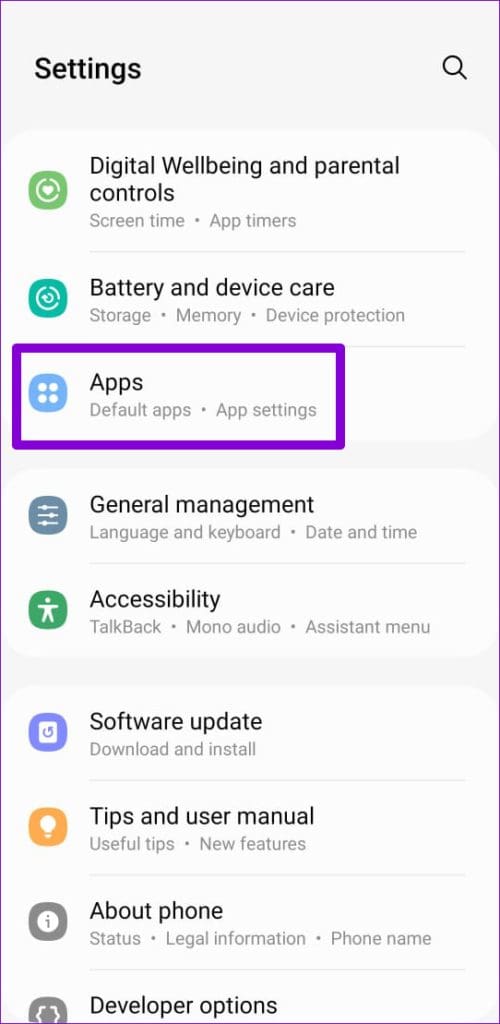
Step 1: Open the Settings app on your phone and scroll down to tap Apps .
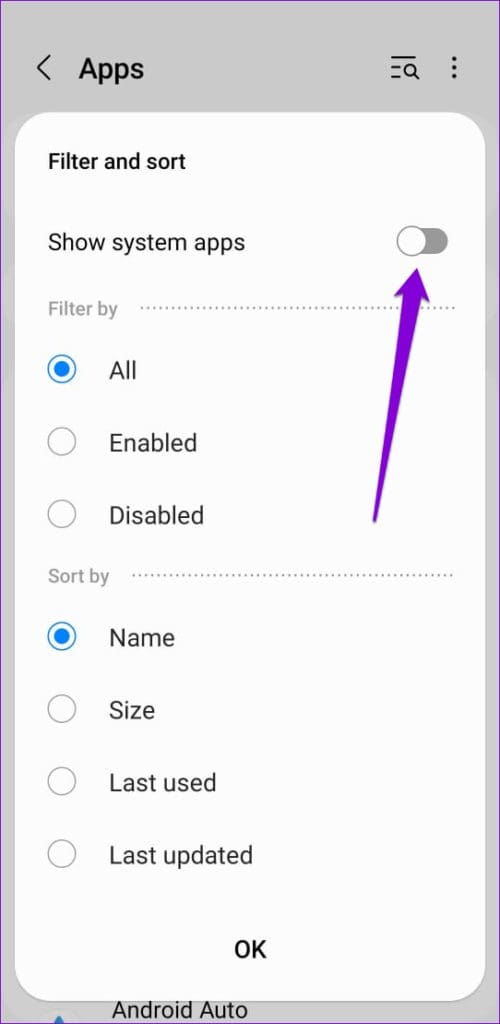
Step 2: Tap the Filter and sort icon and enable the toggle for Show system apps .
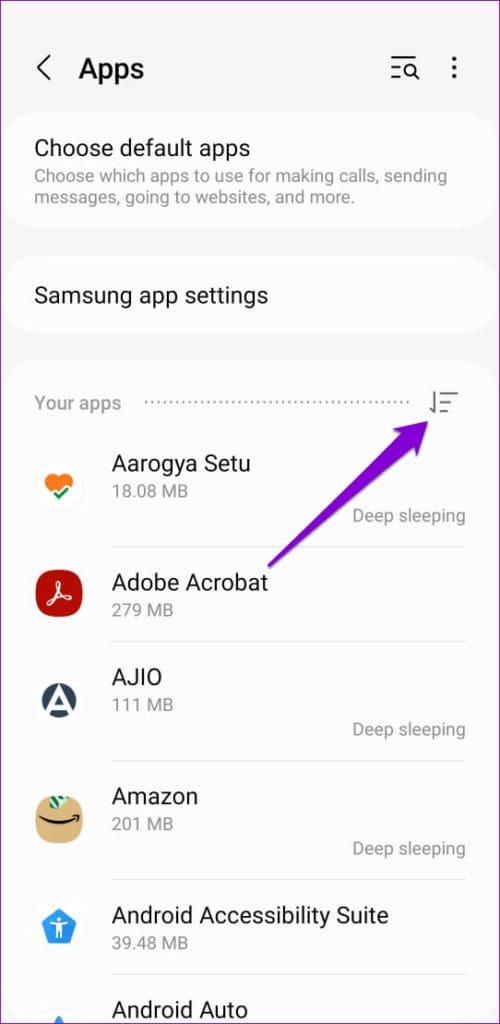
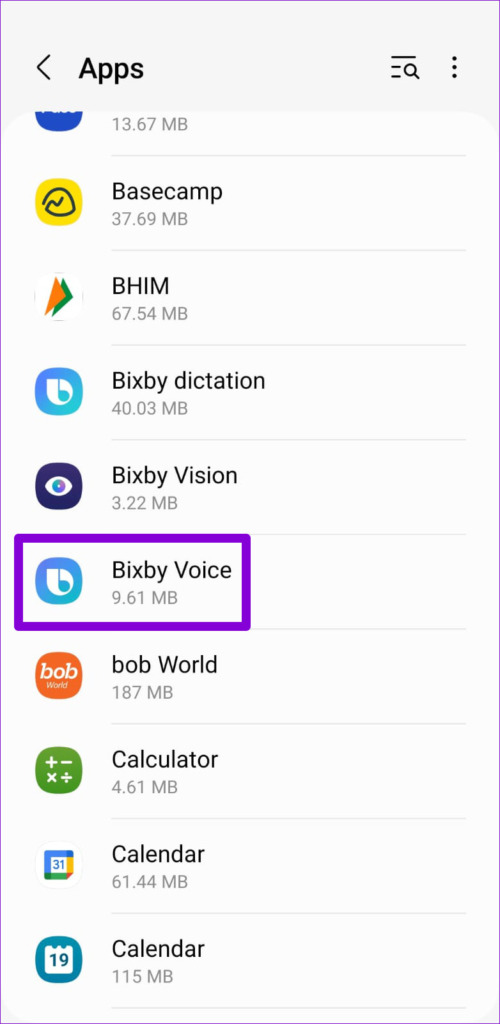
Step 3: Scroll through the list or use the search tool at the top to locate and tap the app you want to disable.
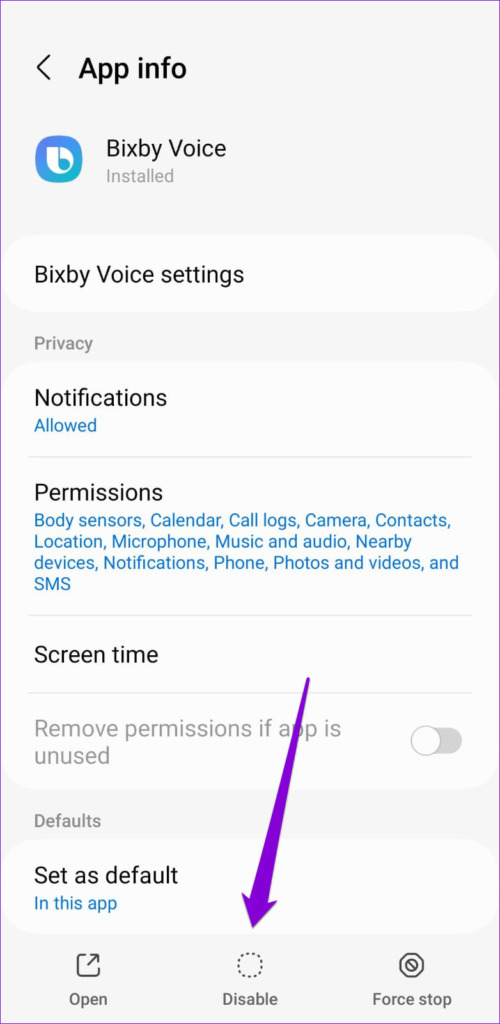
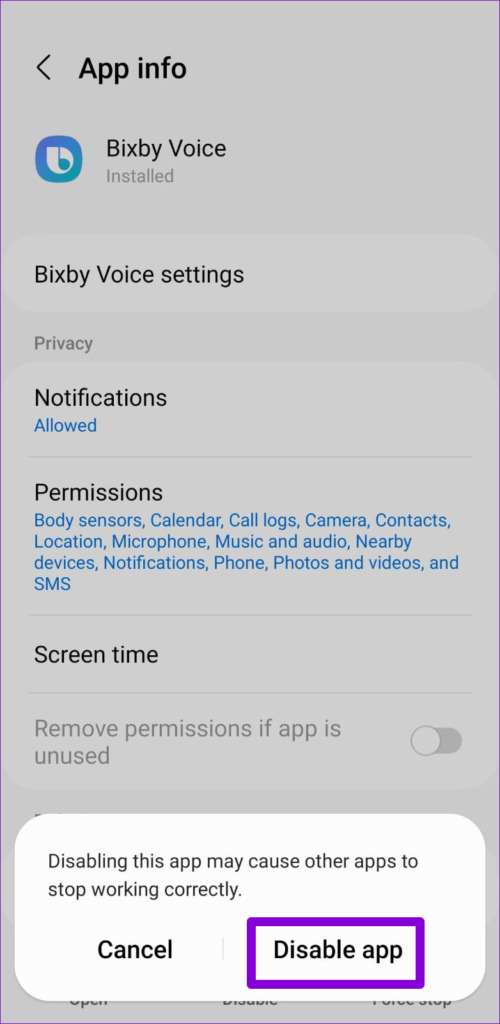
Step 4: Tap on Disable at the bottom and select Disable app when prompted.
You can repeat the above steps to disable more apps. Unfortunately, there’s no way to disable multiple apps at once. It’s worth noting that the Disable option will be grayed out for some apps that are critical to the functioning of your phone.
What Happens When You Disable an App on Android
Once you disable an app on Android, its app icon will disappear from your home screen and app drawer . As a result, you can’t open the app or use it anyway. This will also prevent the app from using your phone’s system resources. So, you don’t have to worry about a disabled app using your phone’s internet , battery, RAM, and other resources.
Disabling an app does not remove any of the app’s data from your phone. That way, when you re-enable the app later, you won’t have to go through the trouble of reconfiguring it.
How to Find and Revive Disabled Apps on Android
If you change your mind and decide to re-enable some of your apps, the process is simple. Here’s how to go about it.
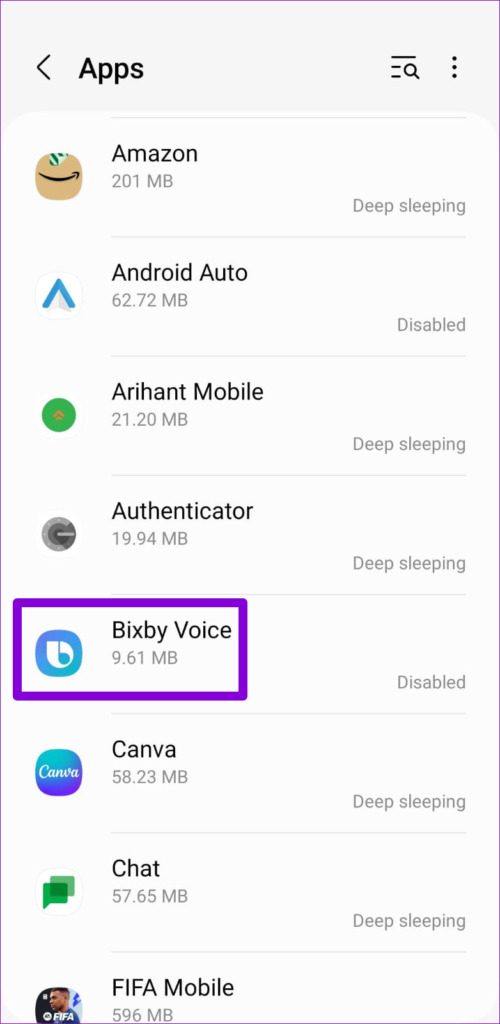
Step 1: Open the Settings app on your phone and scroll down to tap Apps .
Step 2: Tap the Filter and sort icon and enable the toggle for Show system apps .
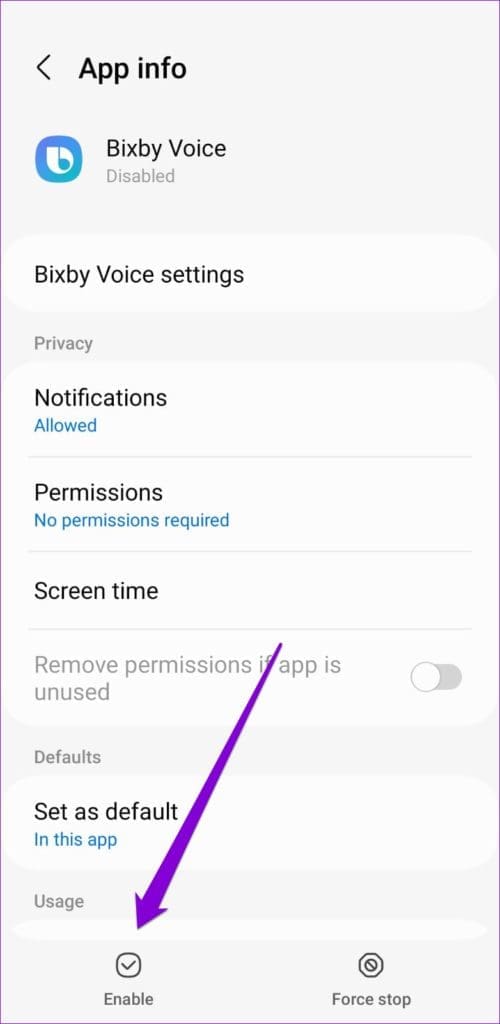
Step 3: Select the app you want to enable. Then, tap on Enable at the bottom.
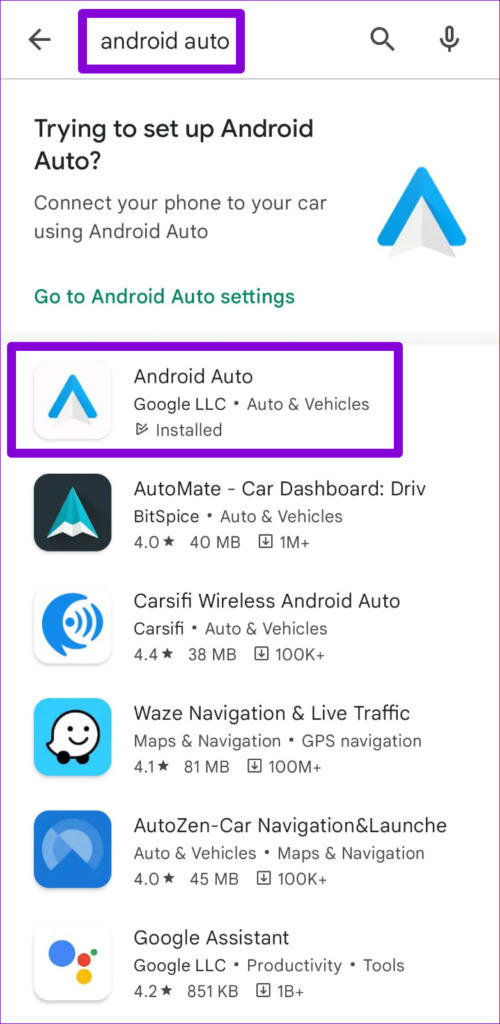
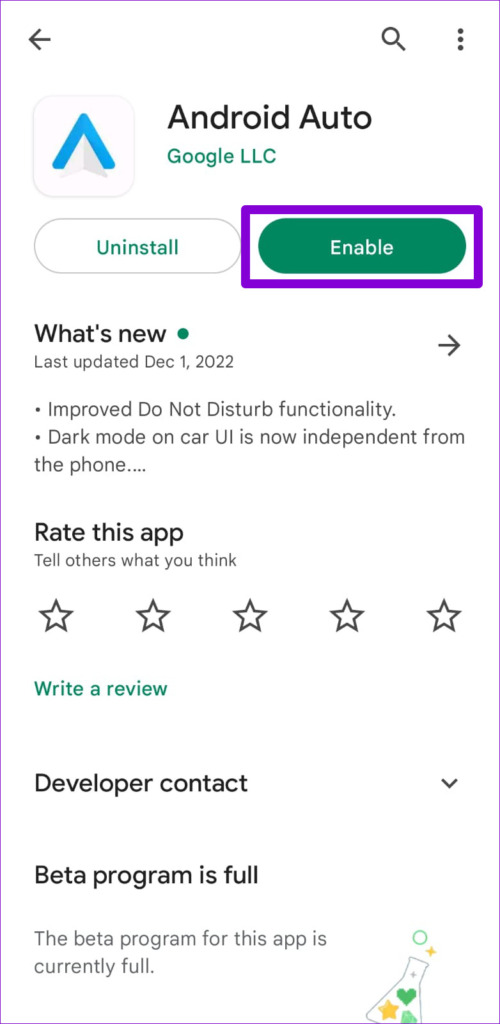
You can also restore disabled apps on your phone using Play Store. To do so, open the Play Store on your phone and search for the app you want to enable. Open it and tap on Enable.
Was this helpful?
Submit Cancel
Thanks for your feedback!
Keep reading