Android
5 Ways to Limit Mobile Data Usage on Android
Here are some effective ways to limit your mobile data usage on your Android phone, especially if you have daily data limits.
By Paurush Chaudhary
You can use Mobile Data on your Android phone especially while being outdoors to cater to your needs. But with tonnes of apps and services being used, sometimes you might wonder that why is my Android phone using so much of data?
This is concerning for a lot of users because mobile carriers set daily data limits. Plus, with the advent of 5G, there’s a high chance to exhaust your daily data limit quickly. This post will share some effective ways to limit your mobile data usage on your Android phone.
1. Set Data Limit
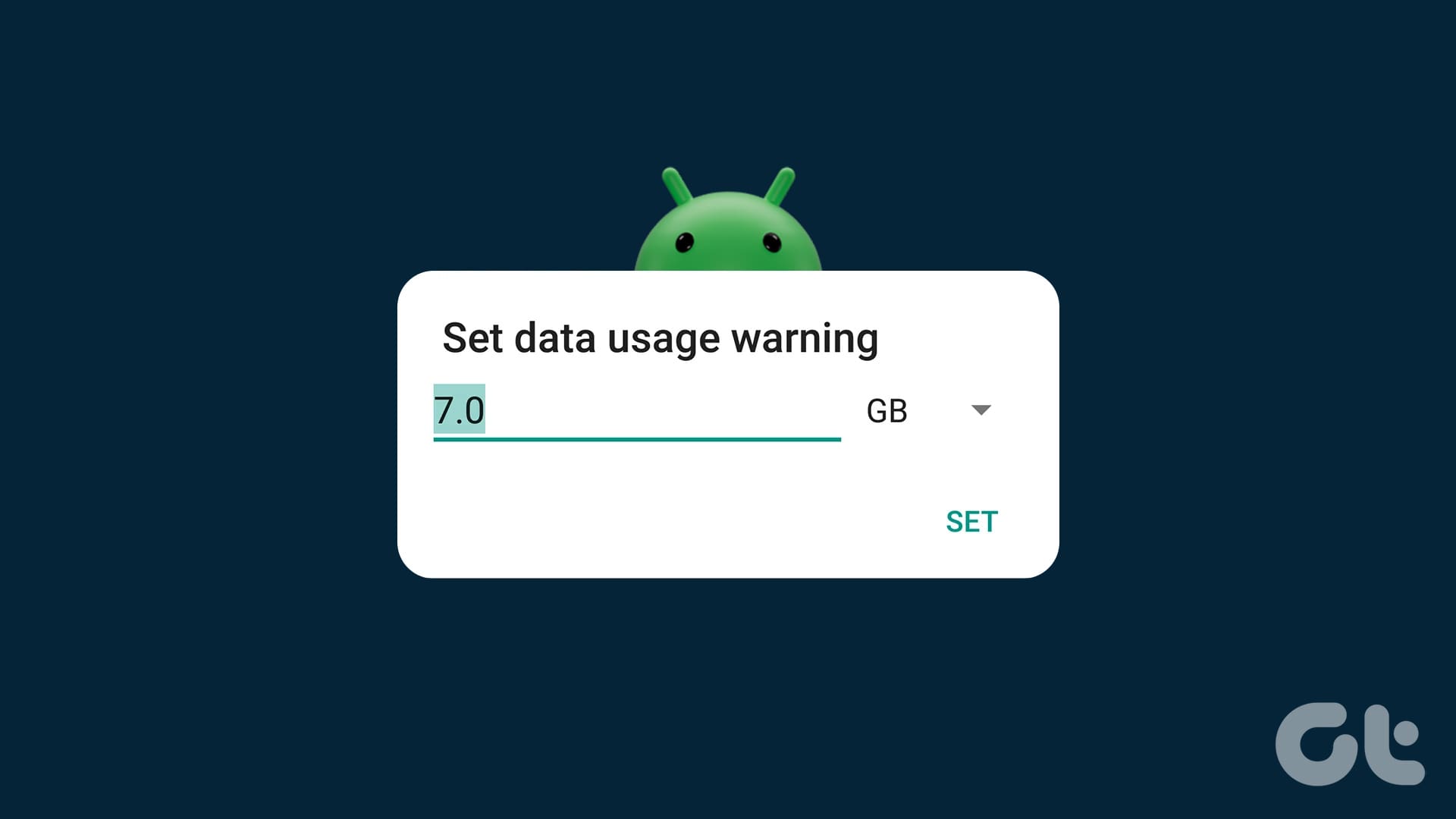
The first best way to reduce data usage on your Android phone is by setting a data limit. This feature is helpful in almost all Android phones, especially for regular mobile data users. You can set a data limit even using a Dual-SIM Android phone. Here’s how to set the data limit.
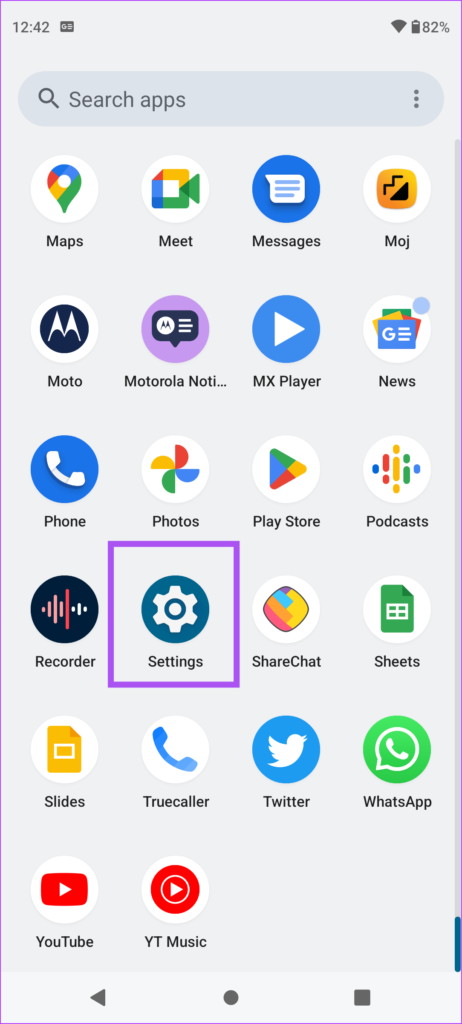
Step 1: Open the Settings app on your Android phone.
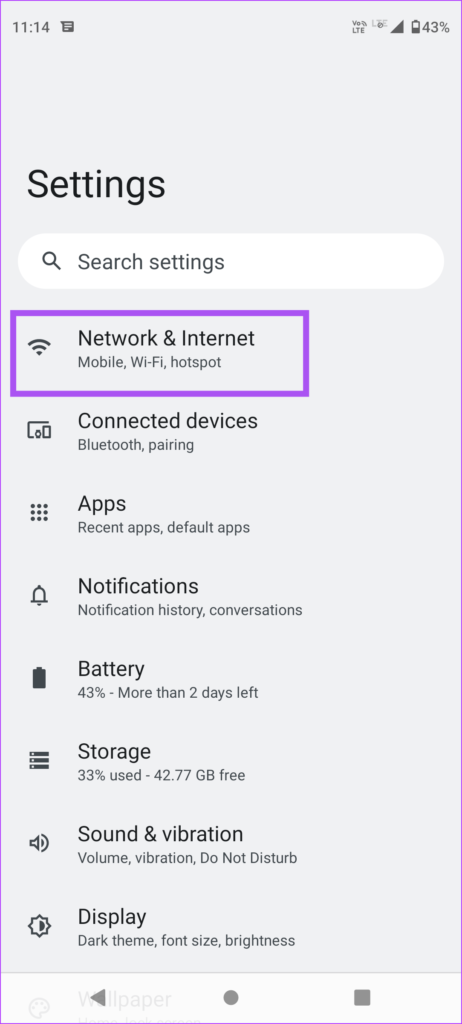
Step 2: Tap on Network and Internet.
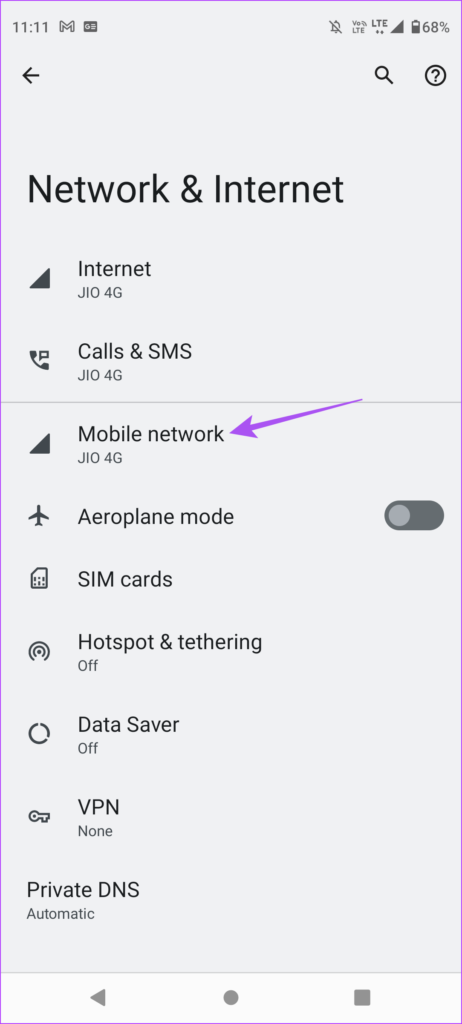
Step 3: Select Mobile Network.
Step 4: Tap on Data Warning & Limit.
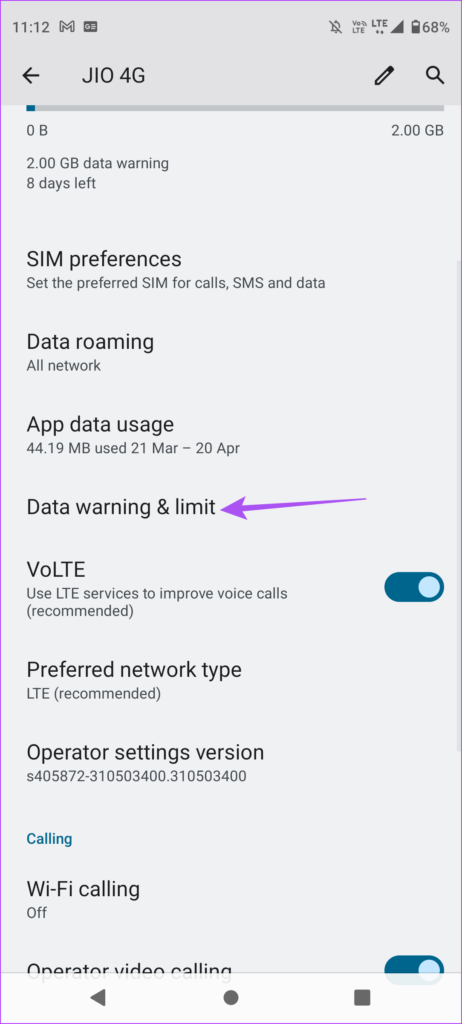
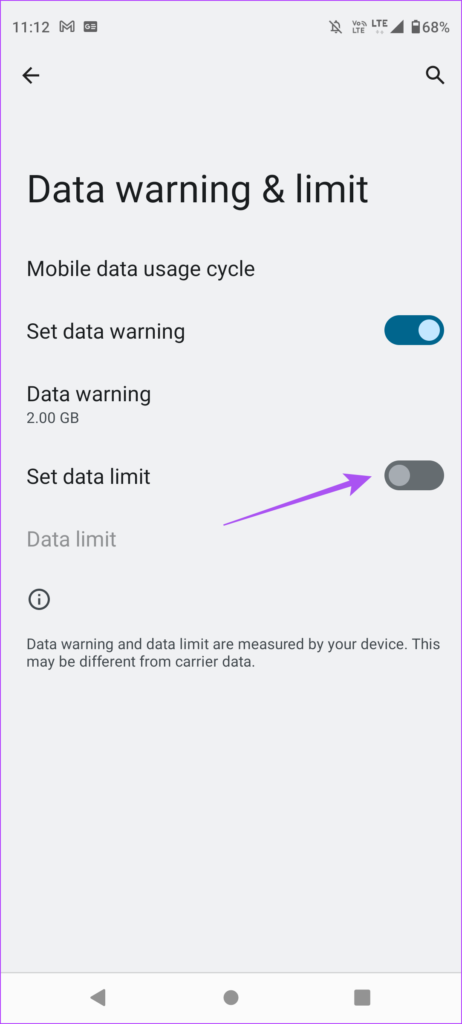
Step 5: Tap the toggle next to Set Data Limit.
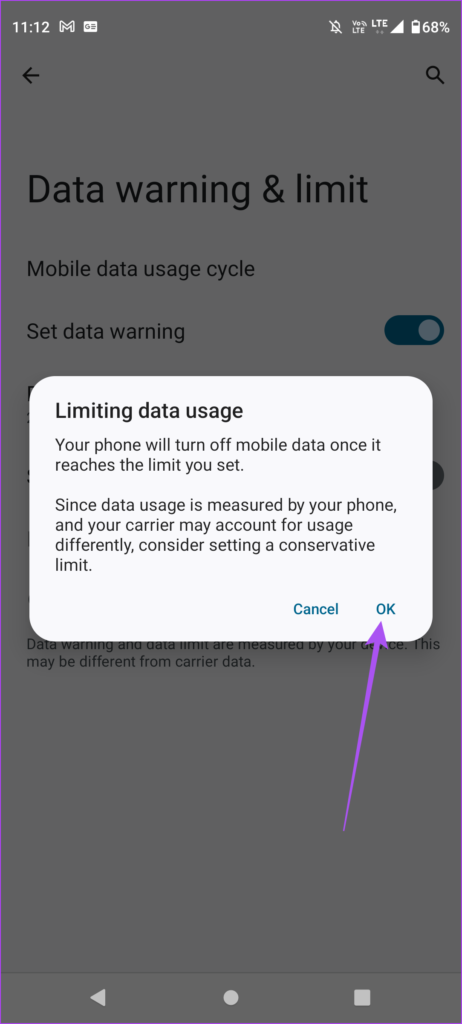
Step 6: Tap on Ok.
Step 7: Tap on Data Limit.
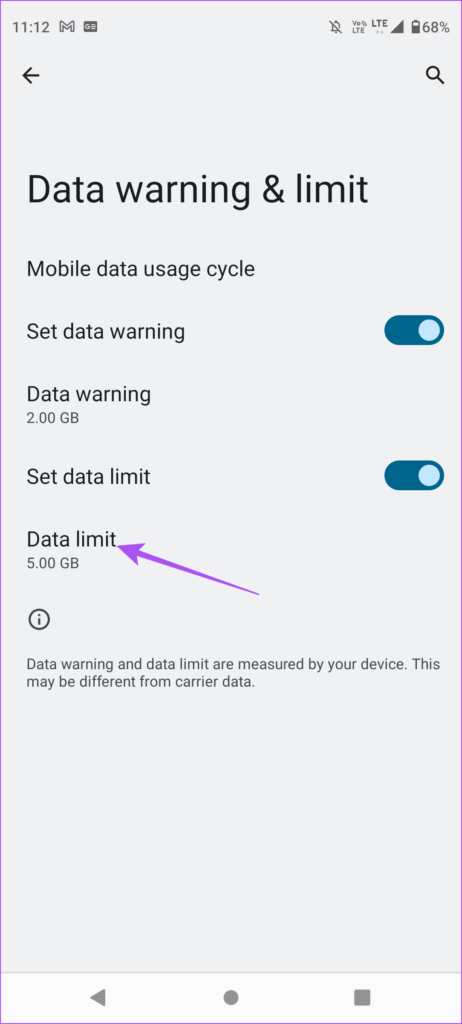
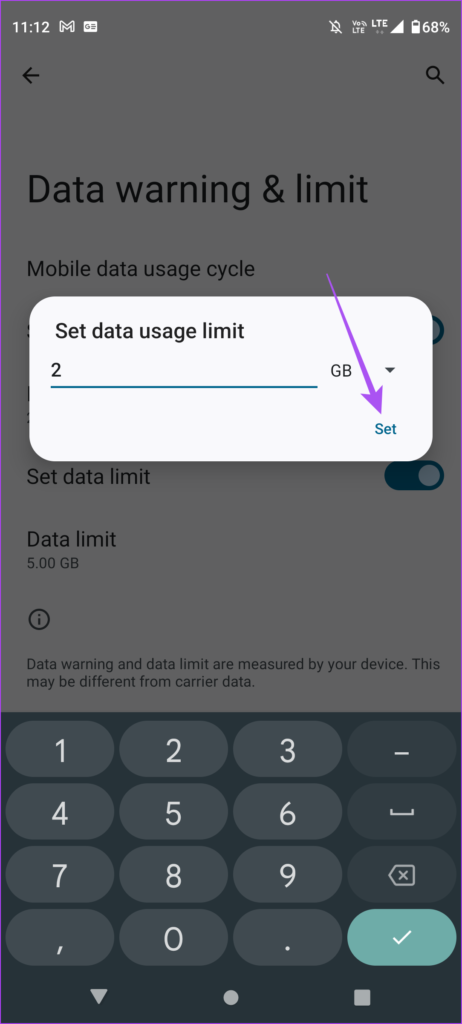
Step 8: On the prompt, type the data limit you want to set. You can also choose between MB and GB in terms of data usage.
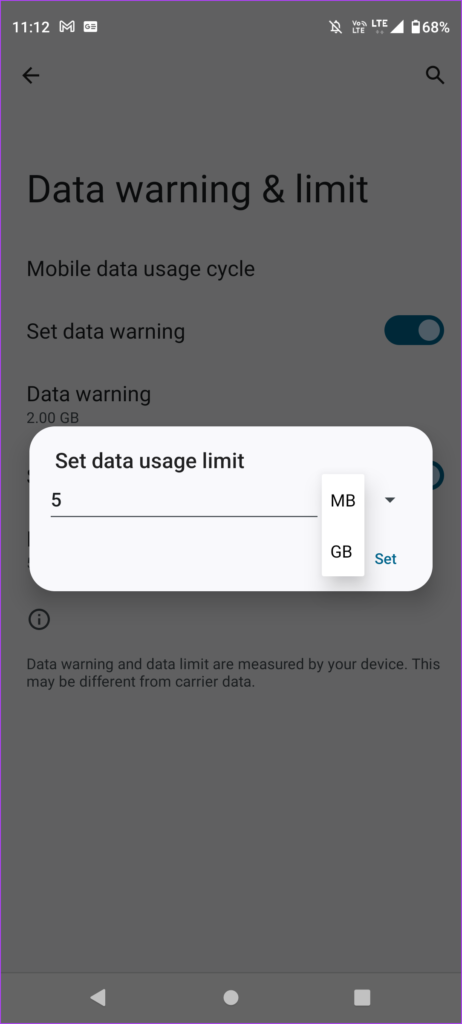
Step 9: Tap on Set to confirm.
2. Use Data Saver
As the name suggests, Data Saver on your Android phone helps in reducing mobile data usage while you browse the web or use any apps like YouTube. Data Saver prevents some apps from sending or receiving data in the background. This also applies to your connected Wi-Fi network and prevents your phone from using a lot of data all of a sudden. Here’s how to use this second effective method of limiting mobile data usage on your Android phone.
Step 1: Open the Settings app on your Android phone.
Step 2: Tap on Network and Internet.
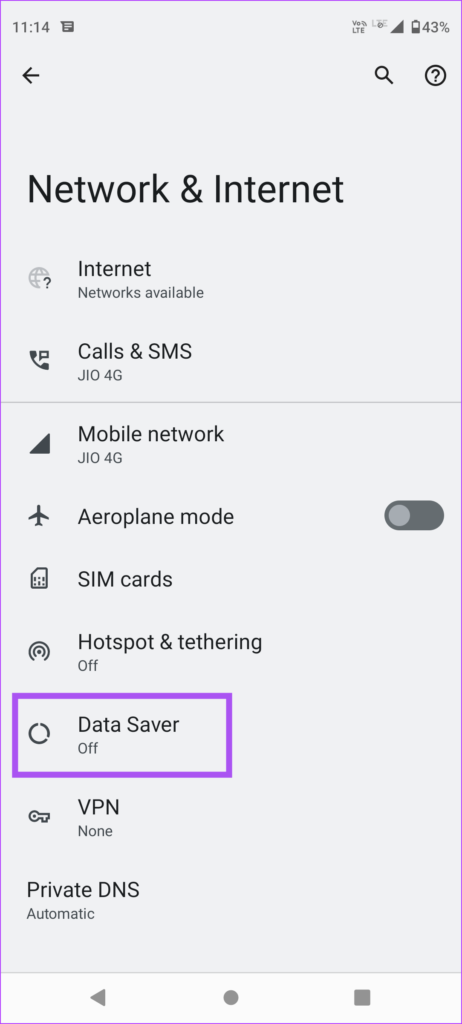
Step 3: Scroll down and tap on Data Saver.
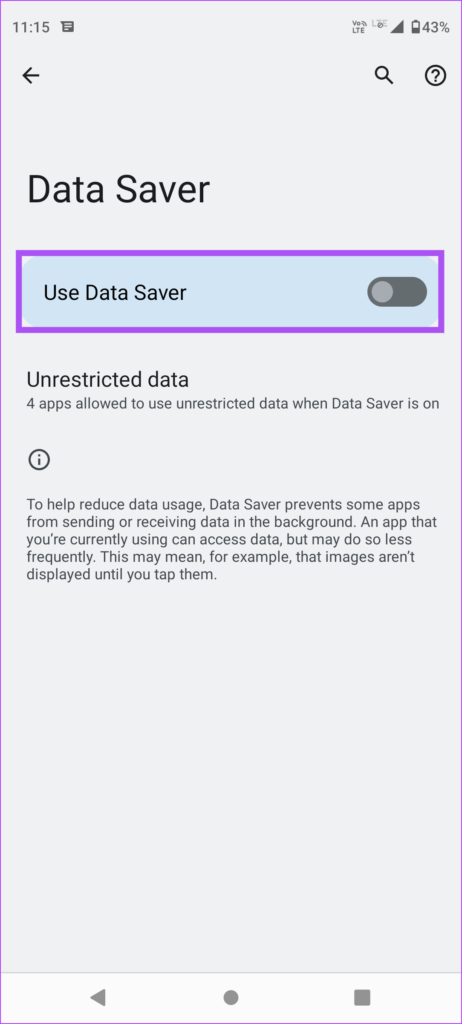
Step 4: Tap the toggle next to Use Data Saver to enable it.
You will also see a Data Saver icon at the top-right on the status bar.
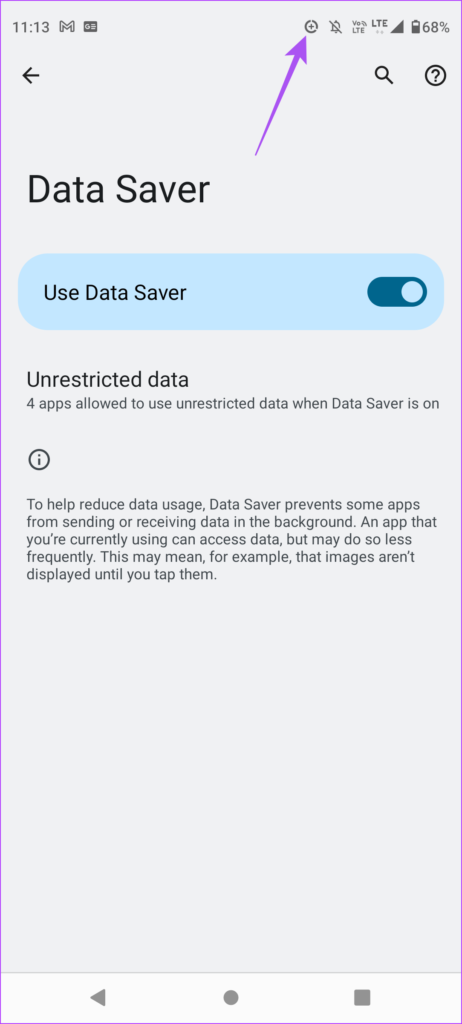
Step 5: To avoid restricting data usage on certain apps, tap on Unrestricted Apps.
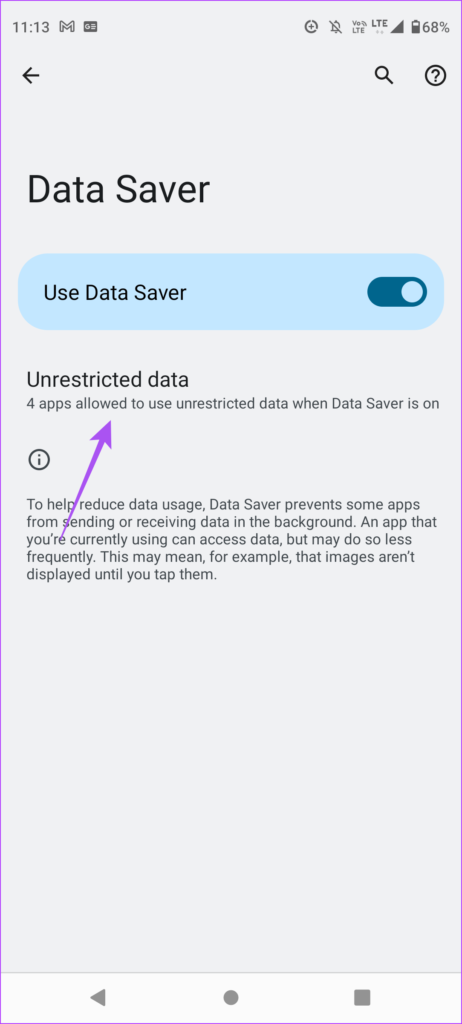
Step 6: Tap the toggle next to the app of your choice that should be allowed unrestricted data usage.
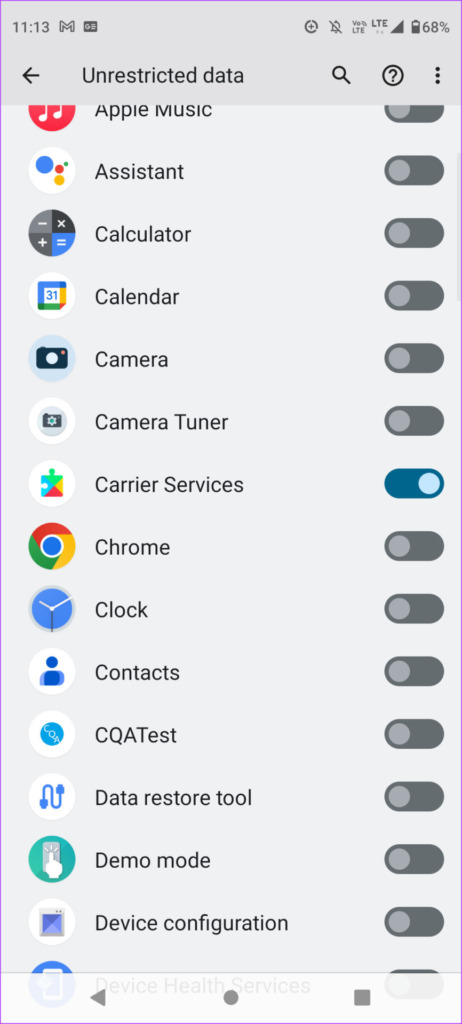
3. Disable Background Data Usage
Apps running in the background can eat up a lot of your mobile data. But you can restrict data usage for specific apps on your Android phone. You can do this for apps like WhatsApp, Facebook, and Instagram that run in the background to give you updates. Here’s how.
Step 1: Long-press on an app icon on your Android phone.
Step 2: Tap on ‘i’ App Info icon.
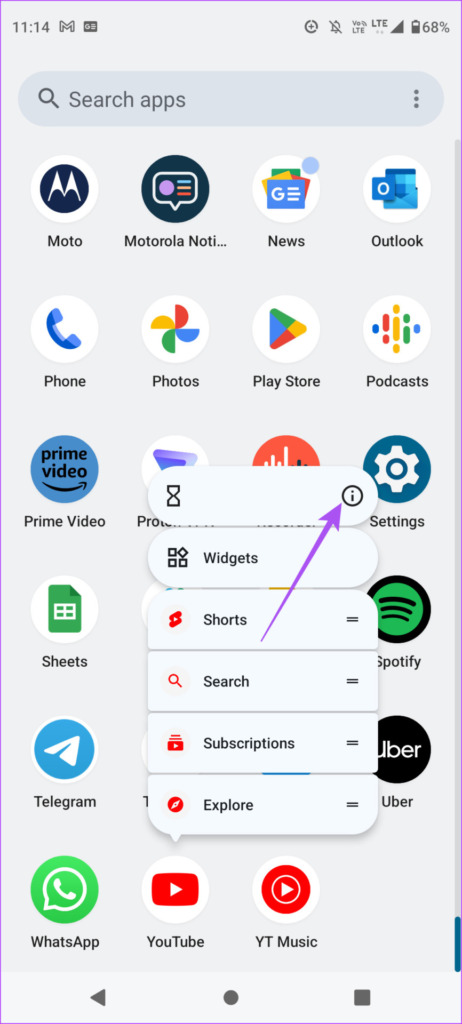
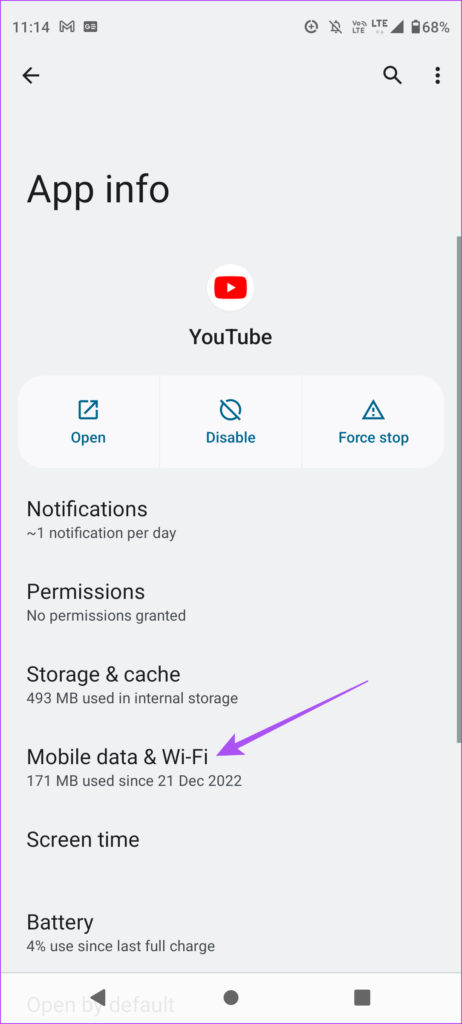
Step 3: From the App Info menu, scroll down and tap on Mobile Data & Wi-Fi.
Step 4: Tap the toggle next to Background Data to disable it.
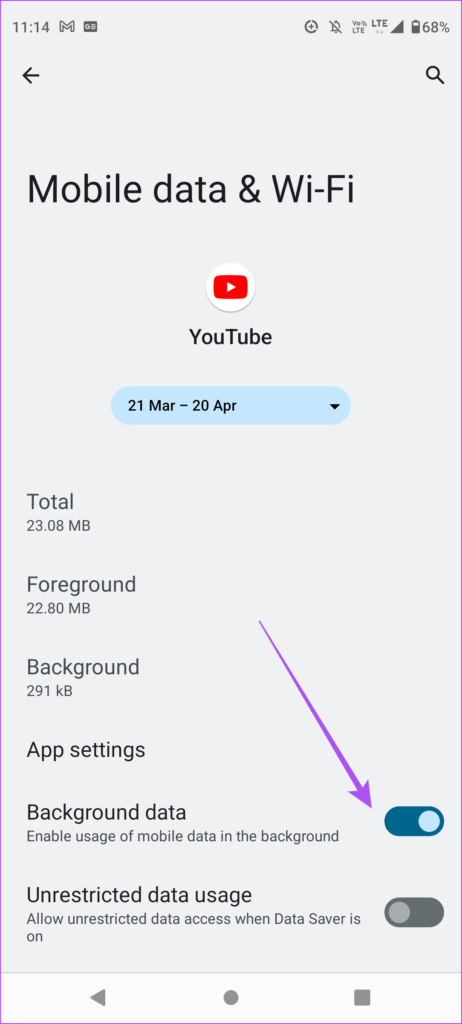
If you are using Data Saver, you can enable Unrestricted Data Usage for certain apps on your Android phone.
4. Switch to Wi-Fi Whenever Possible
While you might have to rely on Mobile Data to access internet outdoors, you can choose to connect to a Wi-Fi network at your home. You can also connect to a public Wi-Fi network while you are sitting in a cafe or just waiting for someone at any public place. You can check out our post where we suggest the best tips to use public Wi-Fi safely . This is a good way to stop your mobile data from running out quickly.
5. Disable Automatic App Updates
Lastly, we suggest you disable automatic updates for software and apps on your Android phone. Checking for multiple app and software updates can potentially eat a significant portion of your mobile data. Since it happens in the background, these update checks happen without your knowledge. This is a great way to limit data usage on your Android phone.
Disable Automatic Software Update
Step 1: Open the Settings app on your Android phone.
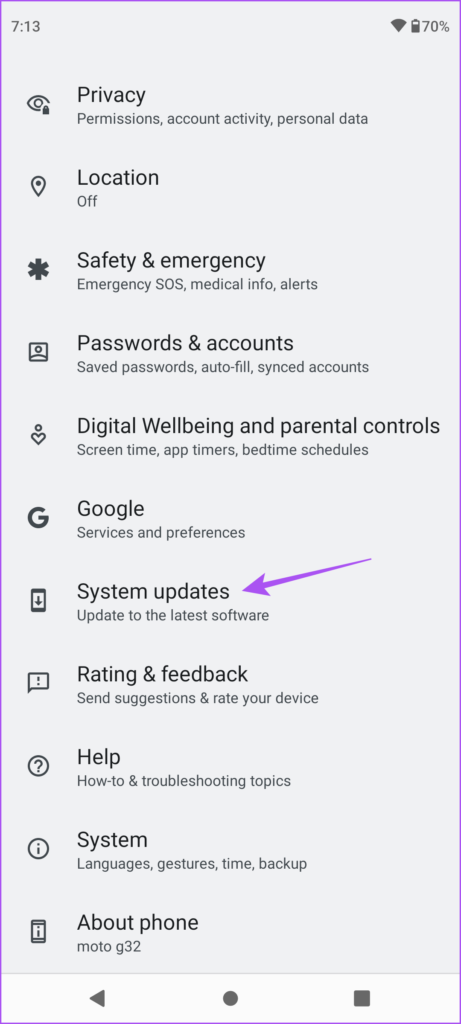
Step 2: Scroll down and tap on System Updates.
Step 3: Tap the toggle next to Smart Updates to enable the feature.
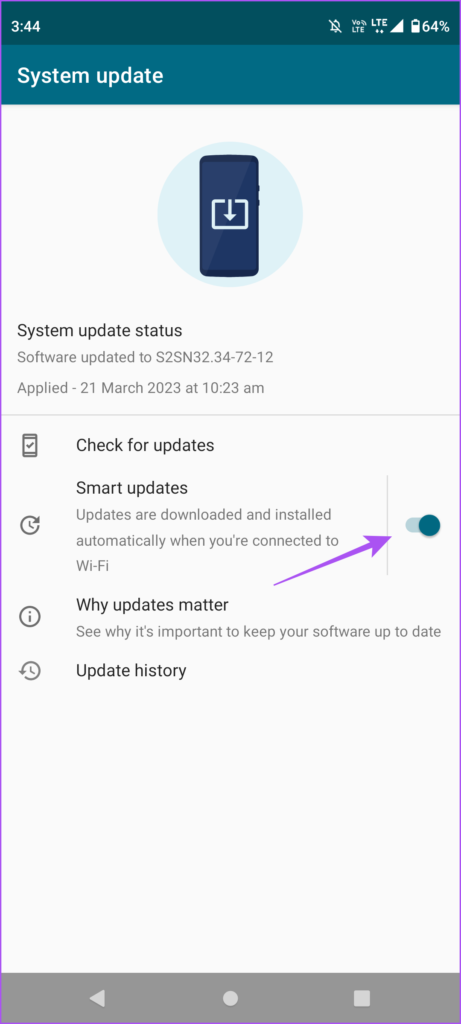
This will ensure software updates checks will happen only on when you connect your Android to a Wi-Fi network and not on mobile data.
Disable Automatic App Updates
Step 1: Open the Google Play Store on your Android phone.
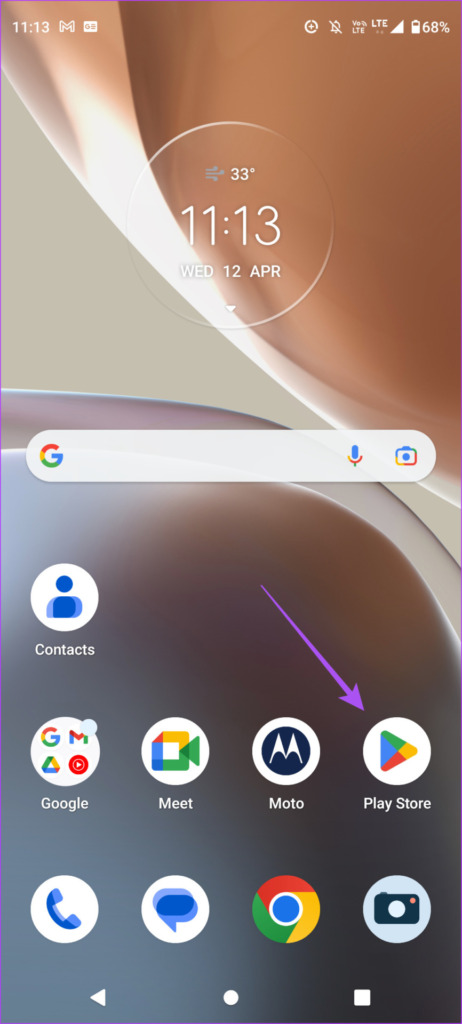
Step 2: Tap on your profile icon at the top-right corner.
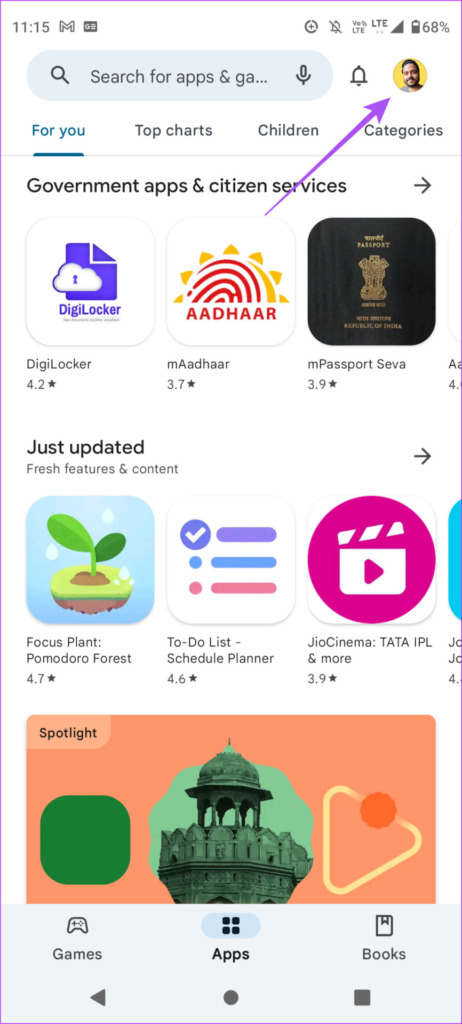
Step 3: Select Settings from the list of options.
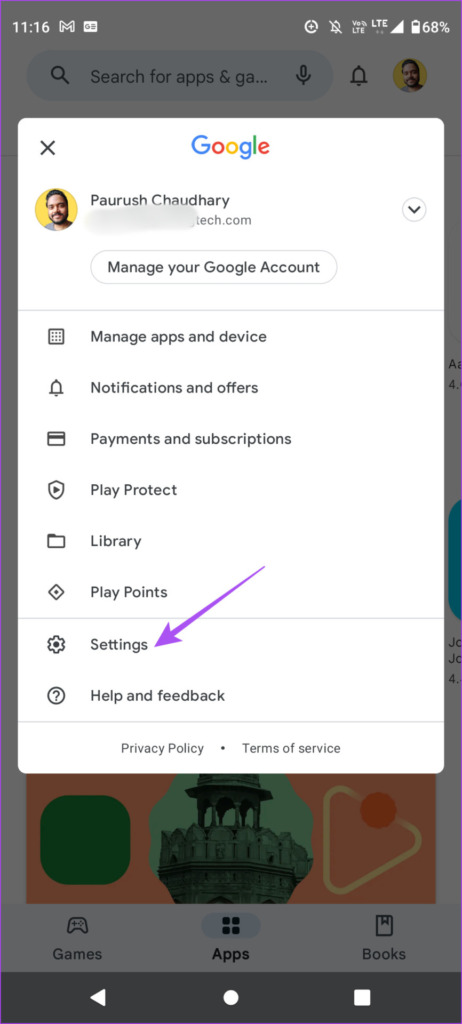
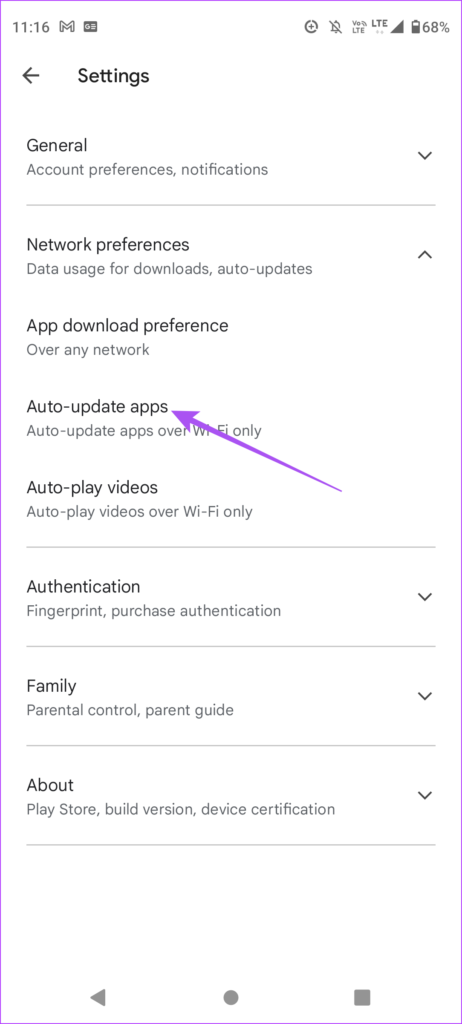
Step 4: Tap on Network Preferences.
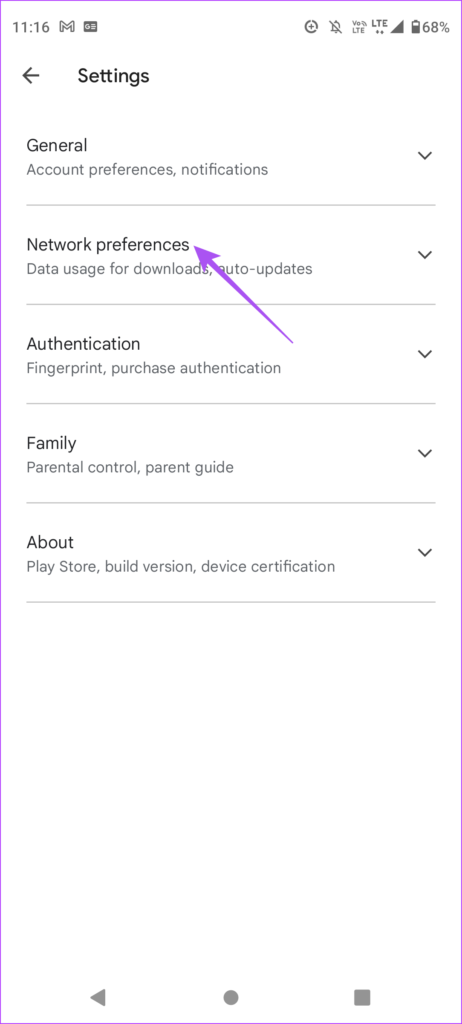
Step 5: Tap on Auto Update Apps.
Step 6: Select Over Wi-Fi Only or Don’t Auto-Update Apps. We recommend choosing – Over Wi-Fi Only to ensure that the apps are always updated whenever you connect your Android phone to a Wi-Fi network.
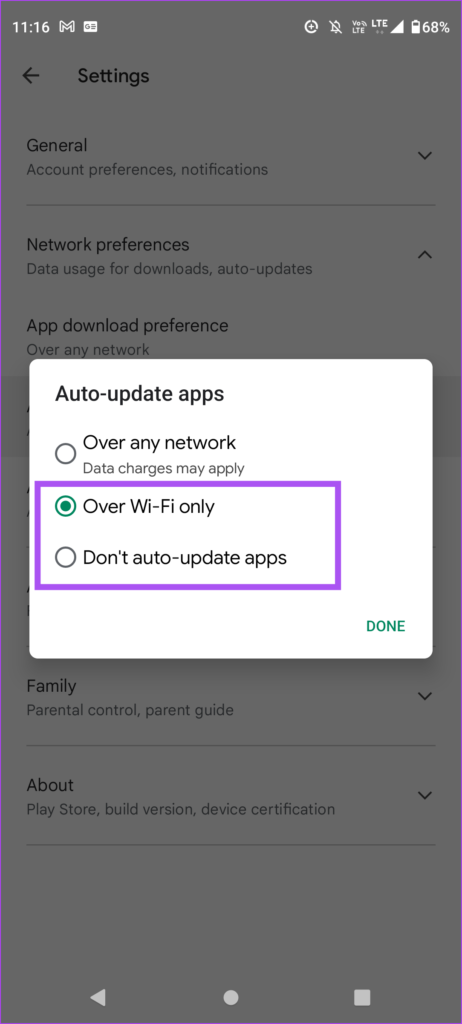
You can also choose to avoid App Downloads and Auto-Play Videos on your Android phone to save your mobile data.
How to Check Your Data Usage on Android
Before we wrap up, let us quickly show you the steps to check your data usage on Android. This helps to keep a track of how much data is being consumed by your device while being on Mobile Data.
Check on Most Android Devices
Step 1: Open Settings on your Android phone.
Step 2: Select Network and Internet.
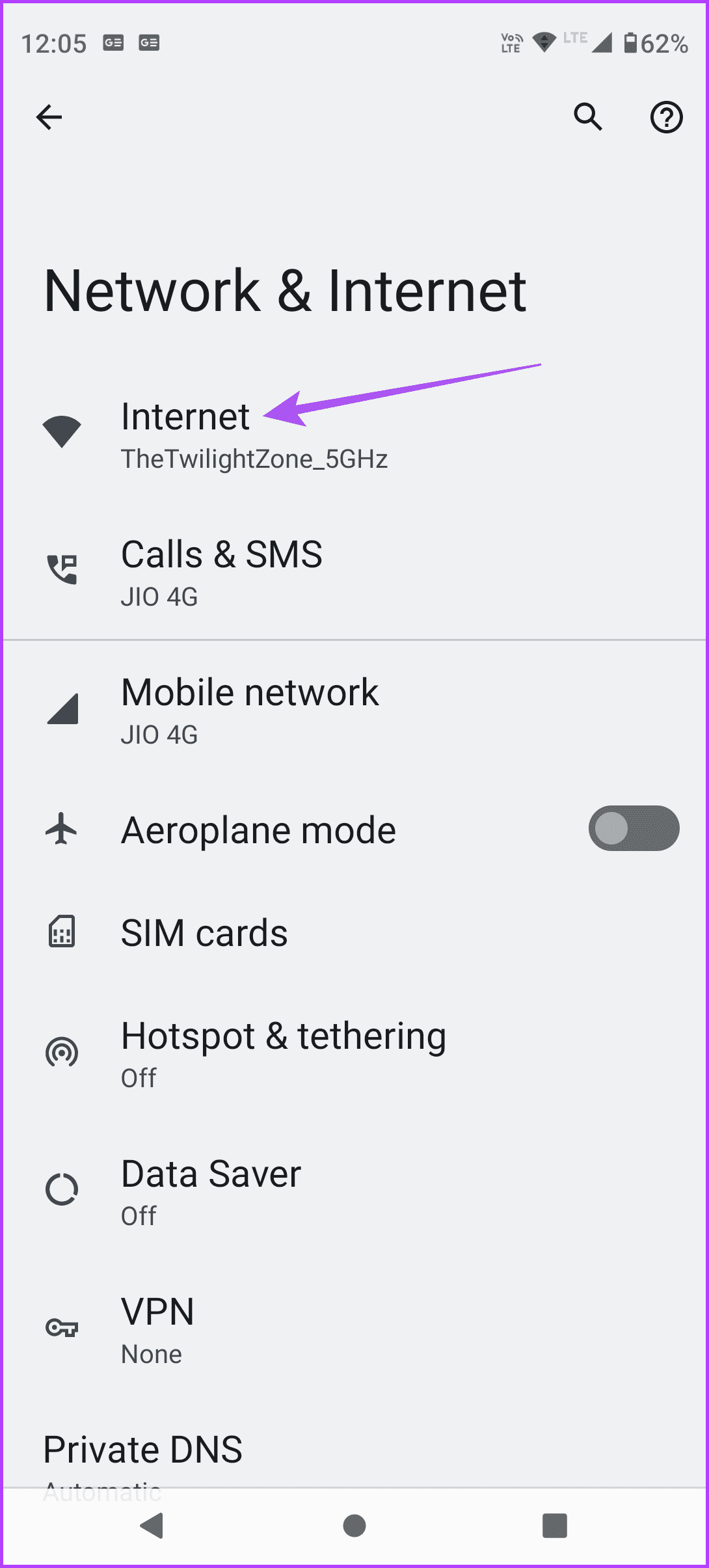
Step 3: Select Internet.
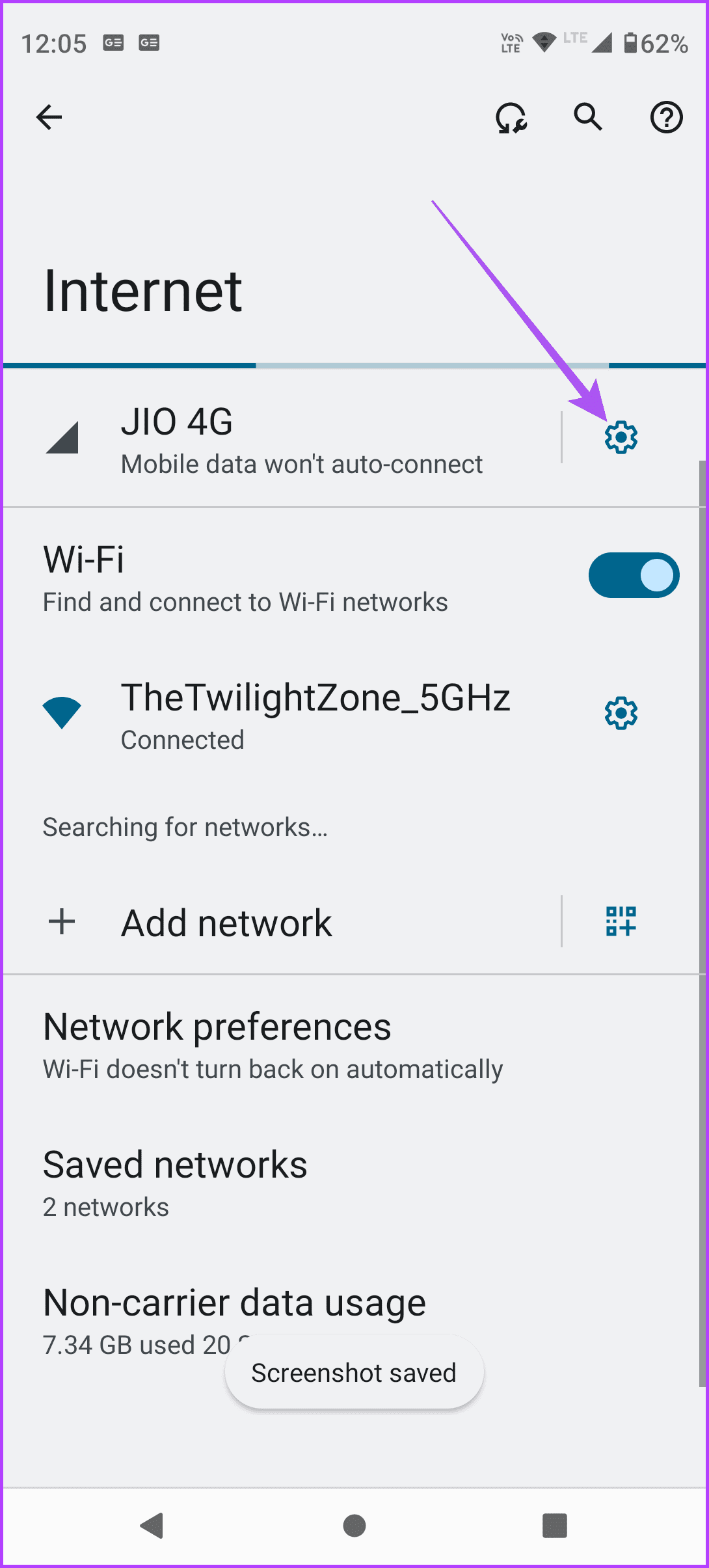
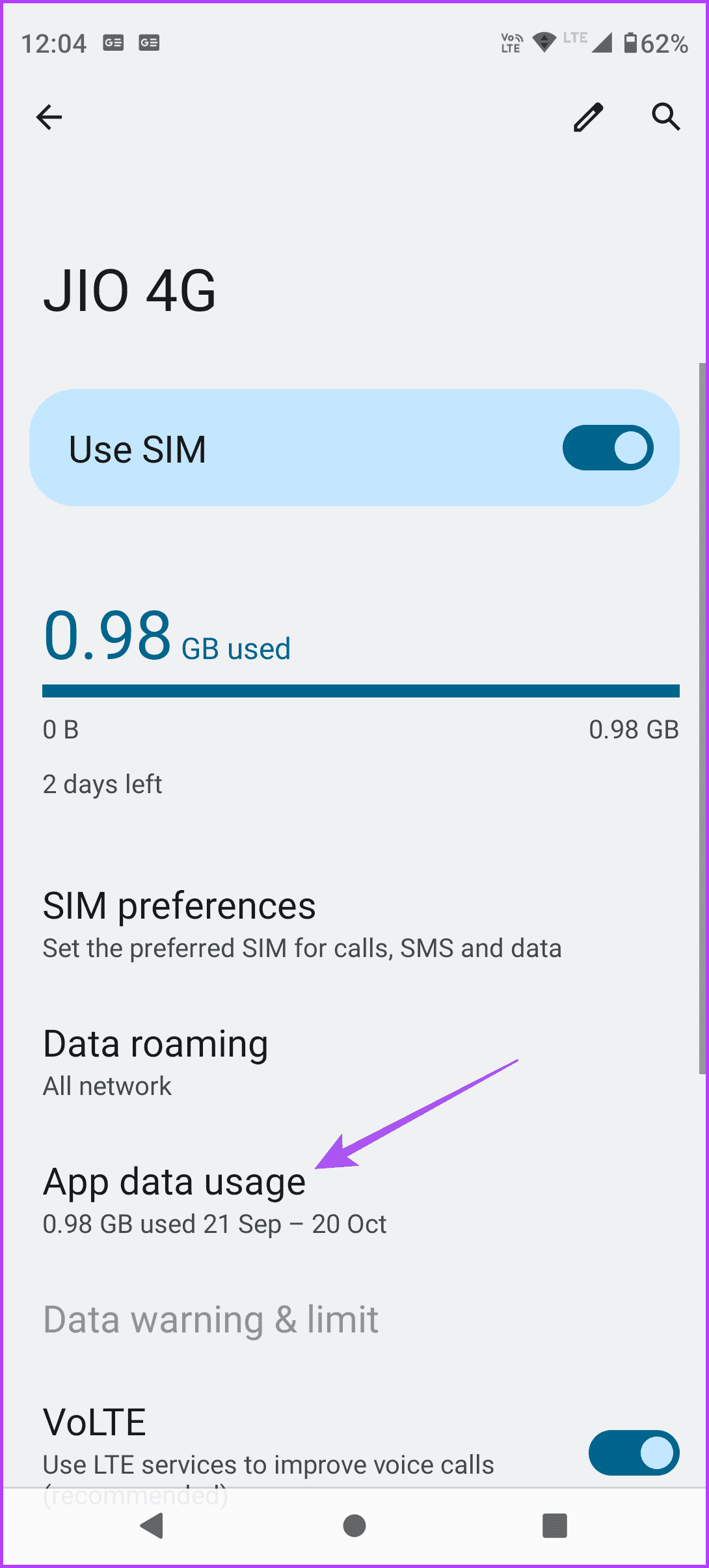
Step 4: Tap the settings icon next to your Mobile Network Operator name.
Step 5: Select App Data Usage to see all the stats.
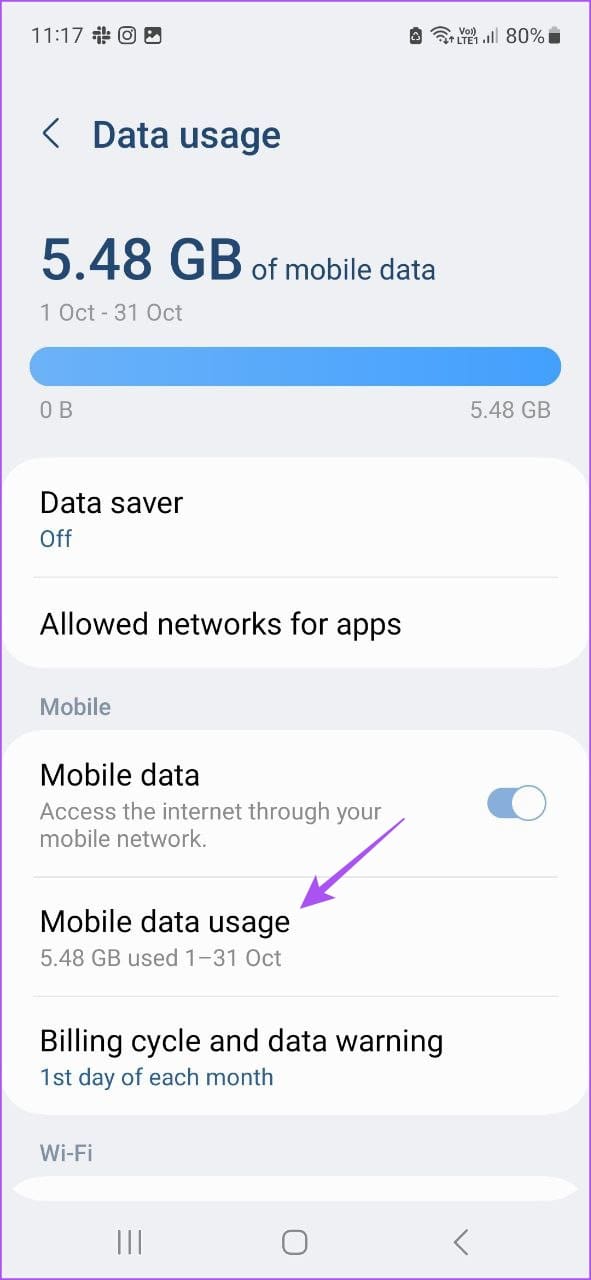
Check on Samsung Devices
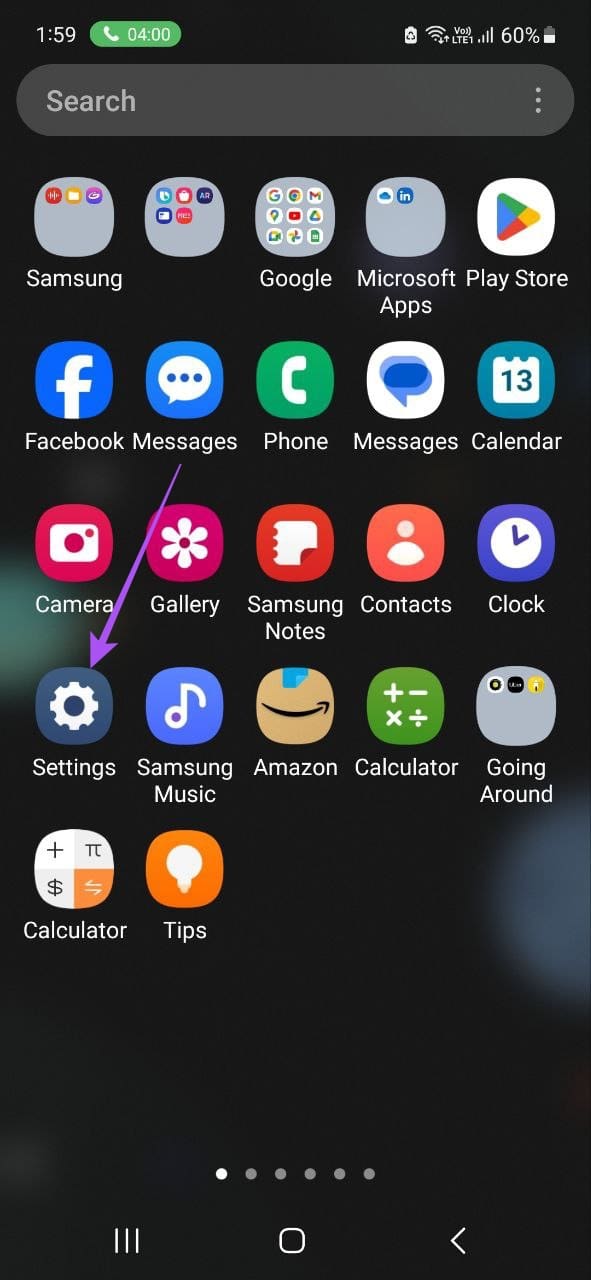
Step 1: Tap on Settings on your Samsung phone.
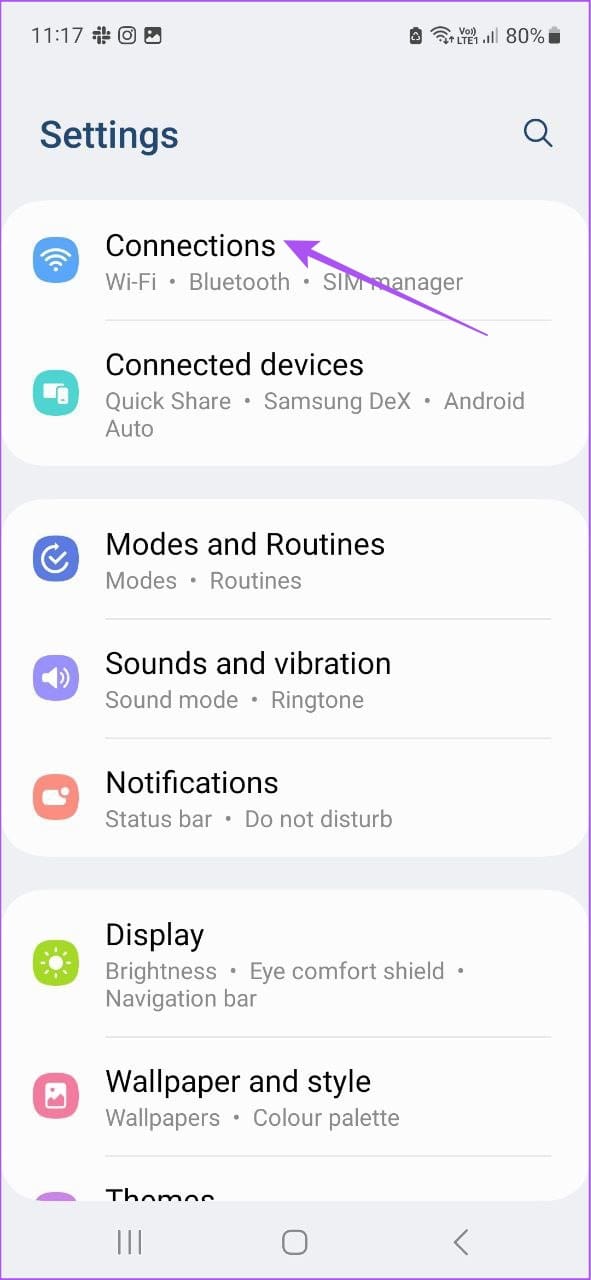
Step 2: Tap on Connections.
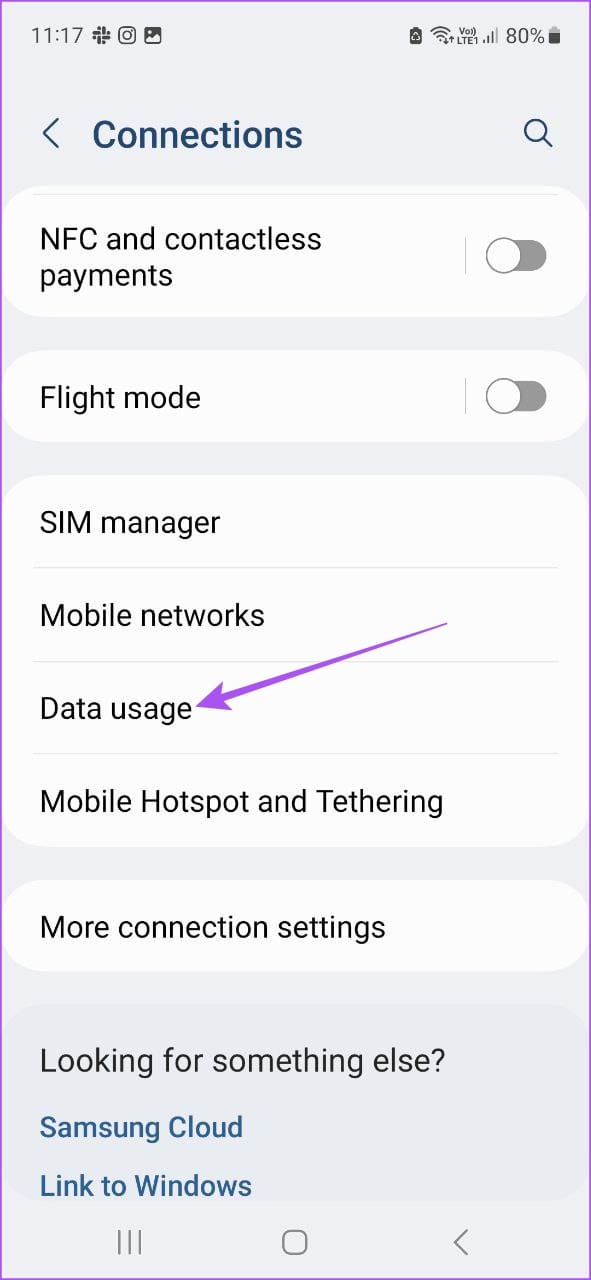
Step 3: Select Data Usage.
Step 4: Tap on Mobile Data Usage to see how much data has been used.
Limit Mobile Data Usage
These solutions will help you understand and answer the question of why is my Android phone using so much data. If Wi-Fi is unavailable, mobile data becomes your only option to use your apps, browse the web and make video calls to your contacts. You can restrict mobile data usage, especially to avoid roaming charges. But has it ever occurred that mobile data stopped working altogether on your Android phone? If this sounds familiar, refer our post to fix mobile data not working on Android .
Was this helpful?
Submit Cancel
Thanks for your feedback!
Keep reading