Android
How to Play Steam Games on Android and iOS
A step-by-step guide explaining how you can play your favorite Steam games on Android and iOS using the Steam Link app.
By Ayush Patel
Key Takeaways
Before playing Steam games on your smartphone, it’s important to enable the Remote Play setting inside the Steam app.
You can use the Steam Link app on both Android and iOS to easily remote play games on your Windows PC.
It’s worth noting that not all games support Steam Remote Play.
How to Enable Remote Play Inside Steam
The Steam Link app’s Remote Play toggle lets your computer communicate wirelessly with your phone over the internet, thereby letting you to play your favorite computer games remotely.
If you don’t have Steam already installed on your computer, you might want to look at our complete guide on installing Steam on Windows 11. Then, follow the steps listed below to enable Remote Play inside Steam.
Note: The steps for opening Steam and enabling Remote Play can differ on macOS.
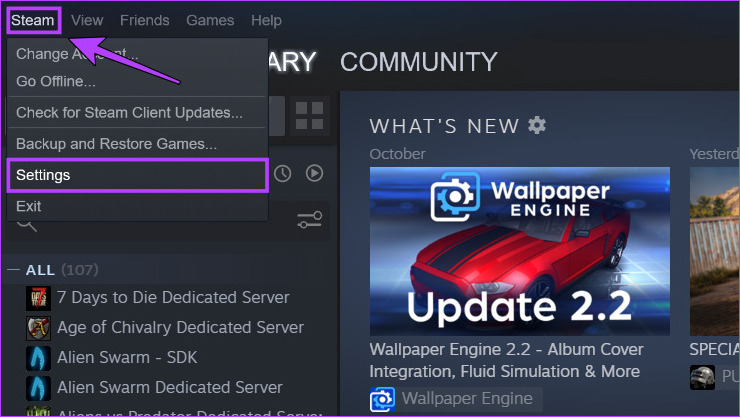
Step 1: Open the Steam app on your Windows PC. Inside, navigate to Steam > Settings .
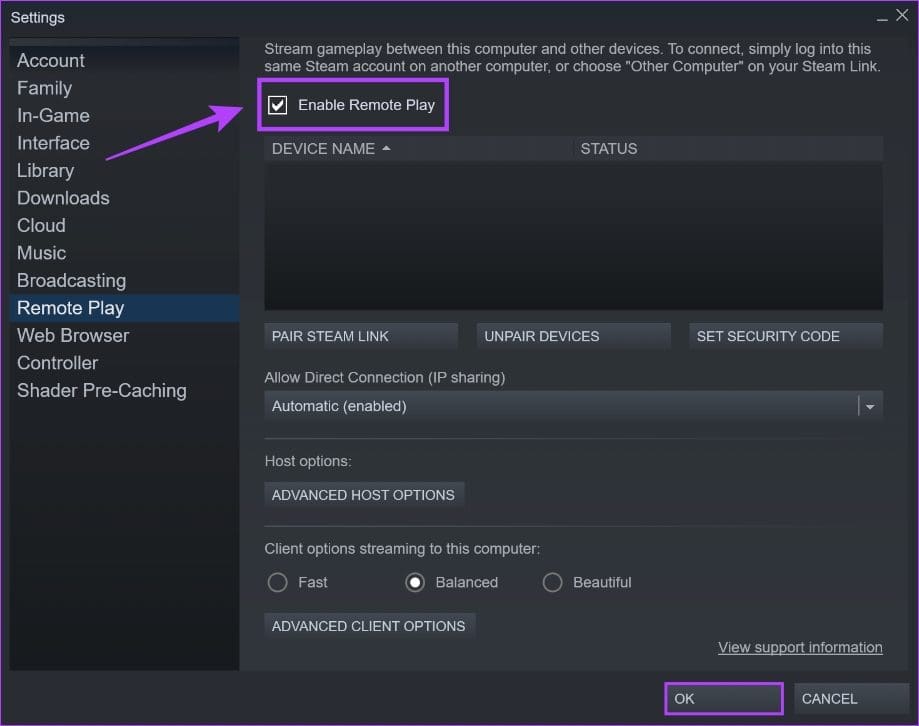
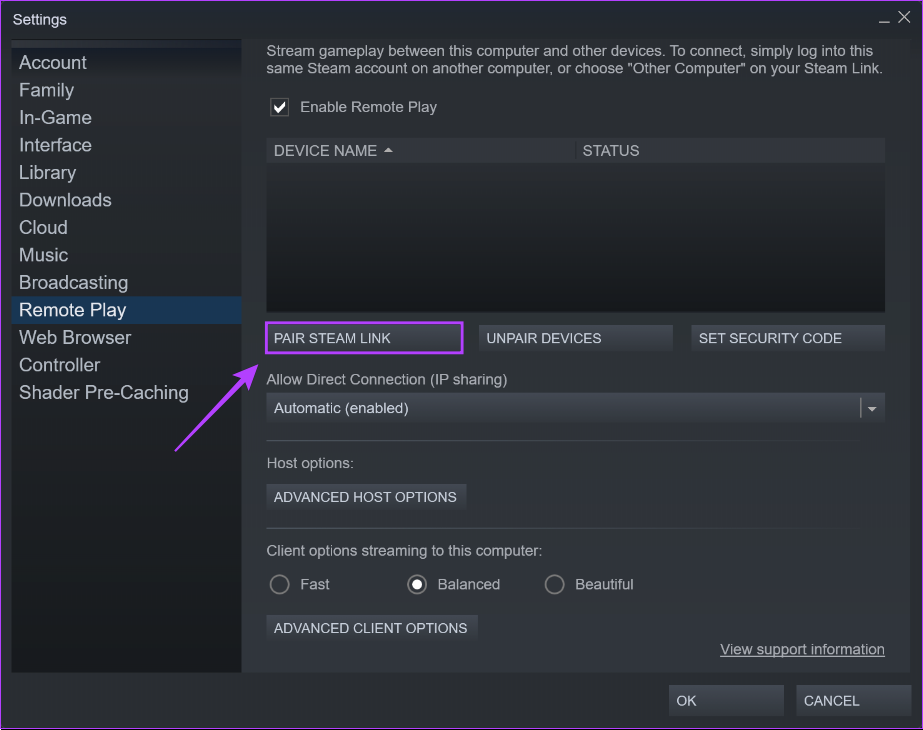
Step 2: In the Settings page, switch to the Remote Play section from the left pane. Then, click the checkbox that says Enable Remote Play . Finally, click on OK to save the changes.
After that, you can pair your phone with Steam via the Steam Link app. Keep reading further as we explain more about it.
Play Steam Games on Android and iOS Using the Steam Link App
With the Remote Play toggle enabled you’ll need to download the Steam Link app for your Android or iOS phone. After the app finishes downloading, you’ll need to connect your phone to a computer running Steam, as detailed in the steps below:
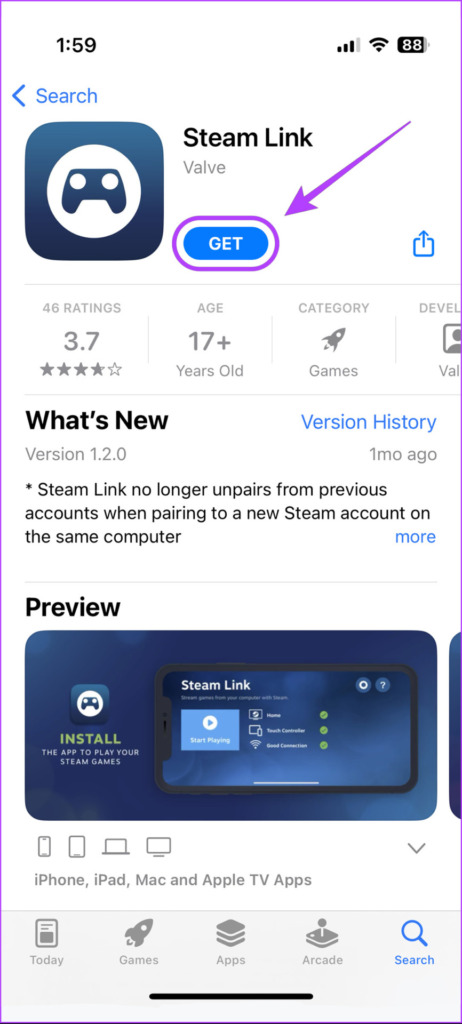
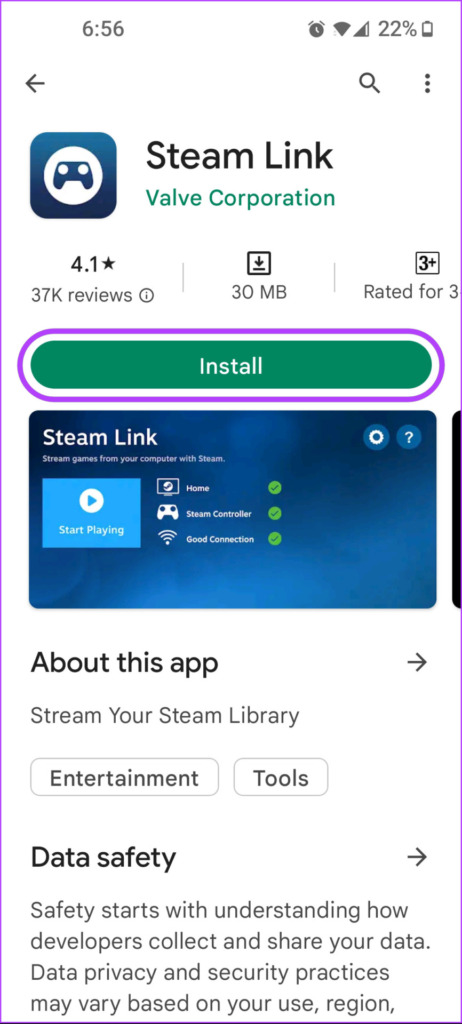
Step 1: Download the Steam Link app from the Play Store on your Android phone or App Store on your iPhone. After the app is downloaded, tap on the Steam Link app to open it.
Step 2: Accept the permissions that appear on the phone’s screen. Once done, tap on Get Started .
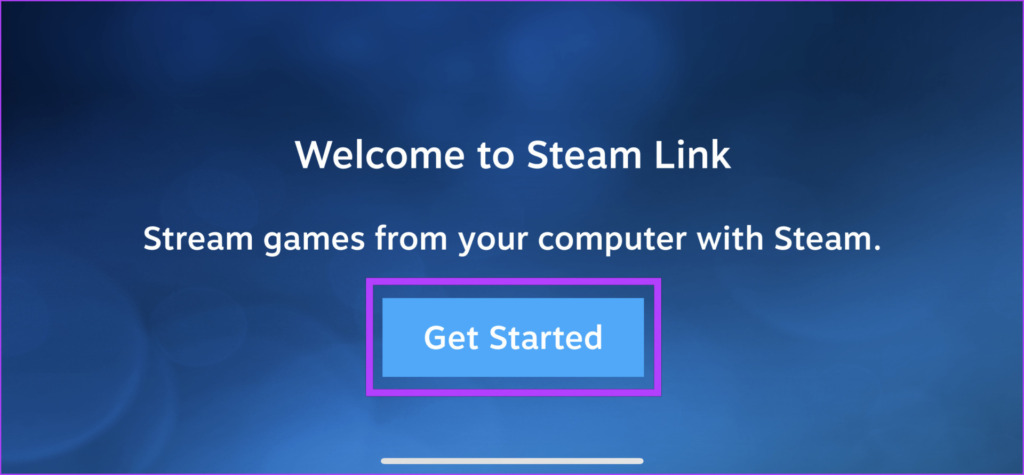
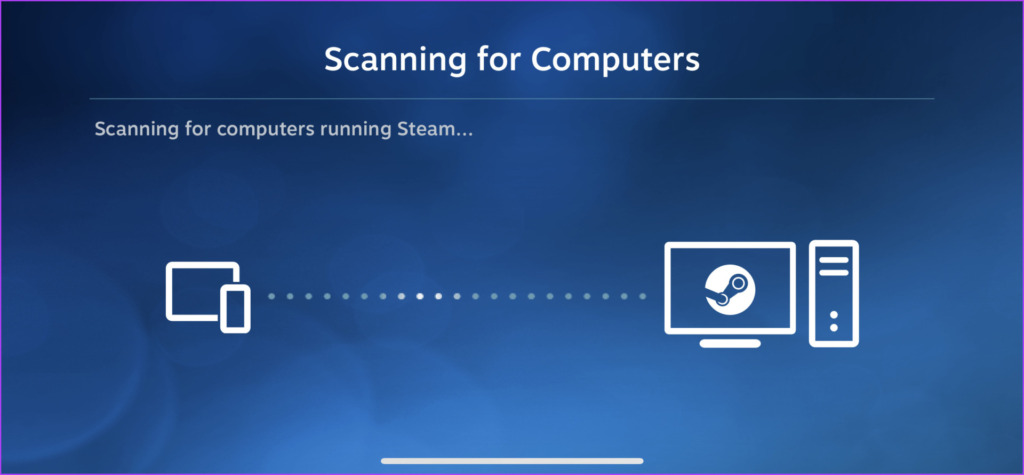
Step 3: Steam Link will scan for computers running Steam connected to the same Wi-Fi network.
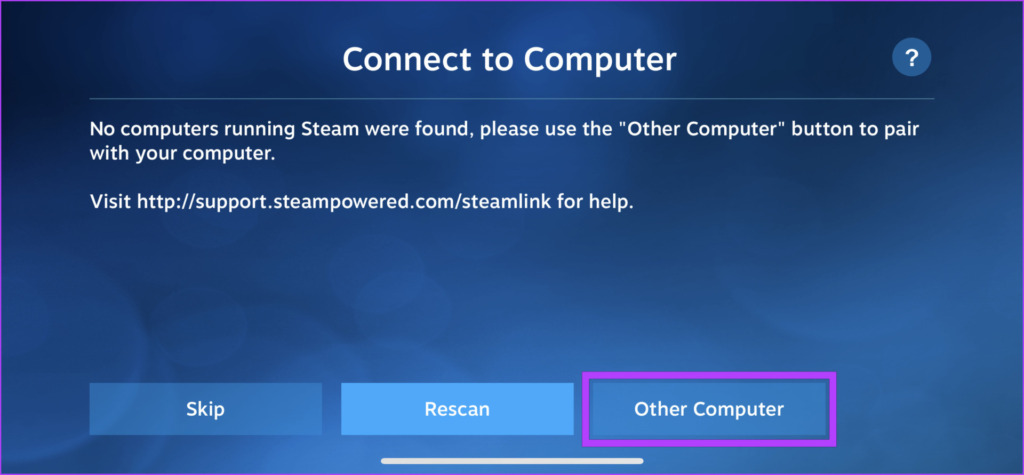
Steam Link will automatically discover your computer if your phone and computer are connected to the same Wi-Fi network. However, automatic discovery won’t work if you try discovery on the mobile data, and you need to pair your phone to Steam manually, as detailed in Steps 4 to 7.
Step 4: If a computer isn’t discovered, tap on Other Computer .
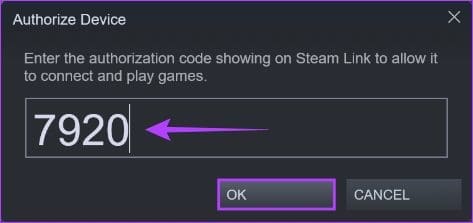
Step 5: Note down the four-digit code that appears on the screen and open Steam on your computer.
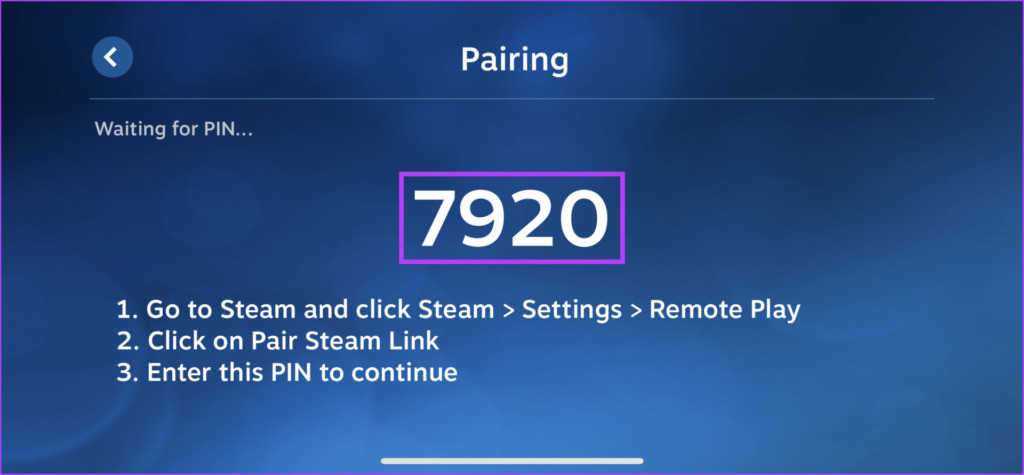
Step 6: On your computer running Steam, navigate to Settings > Remote Play > Pair Steam Link .
Step 7: Here, type the four-digit code you noted down earlier (in Step 5) into the text box and click OK .
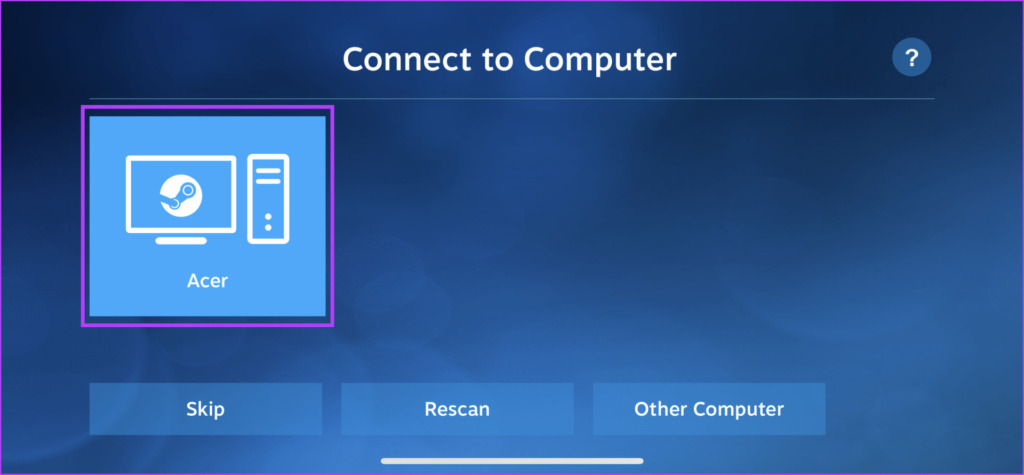
Step 8: Tap on your computer’s name when it appears on your phone.
Step 9: With Steam Link successfully connected to your computer, tap on Start Playing .
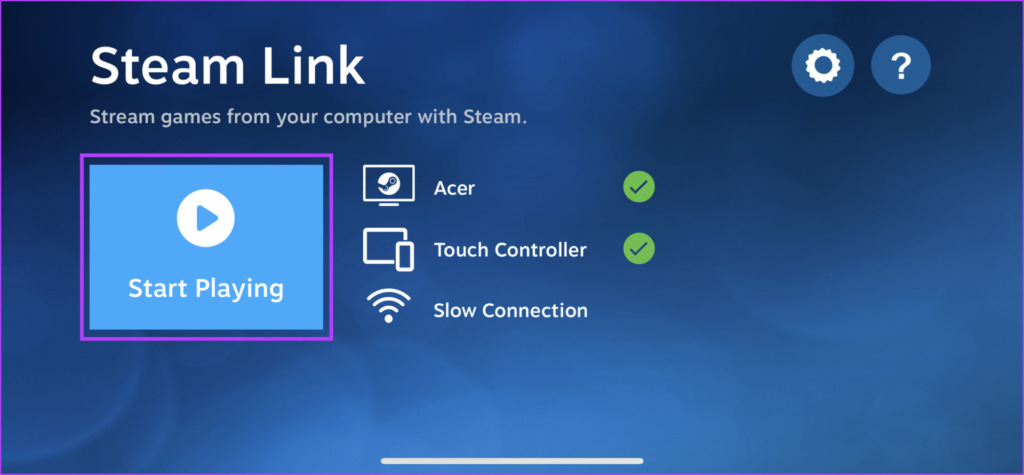
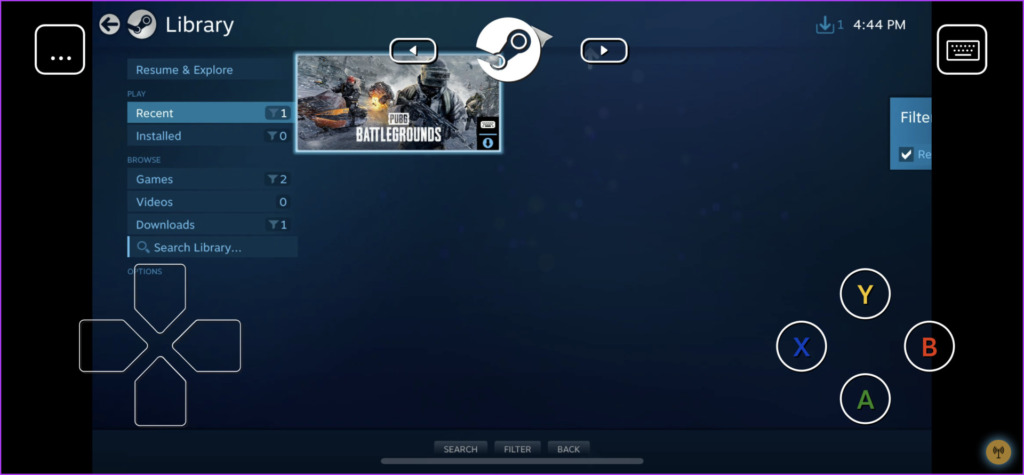
Step 10 : After this, you will see your computer running Steam appear on your phone’s screen. You can now use your phone as a wireless controller to navigate menus and play your favorite games.
FAQs
1. Do I need a strong internet connection to use Steam Link? Yes, a strong and stable internet connection, preferably over 5 GHz Wi-Fi and Ethernet (for PC) is recommended for smooth gameplay.
2. Can I use a controller with Steam Link on my mobile device? Yes, you can connect a compatible Bluetooth controller to your mobile device for a better gaming experience.
3. Can I play all my Steam games on mobile with Steam Link? Most Steam games are compatible. However, it’s important to check individual game listings for confirmation.
4. Can I use Steam Link on mobile data? While possible, using Steam Link on mobile data is not recommended due to potential latency and high data usage.
Was this helpful?
Submit Cancel
Thanks for your feedback!
Keep reading