Android
How to Turn Off Glance Lock Screen on MIUI
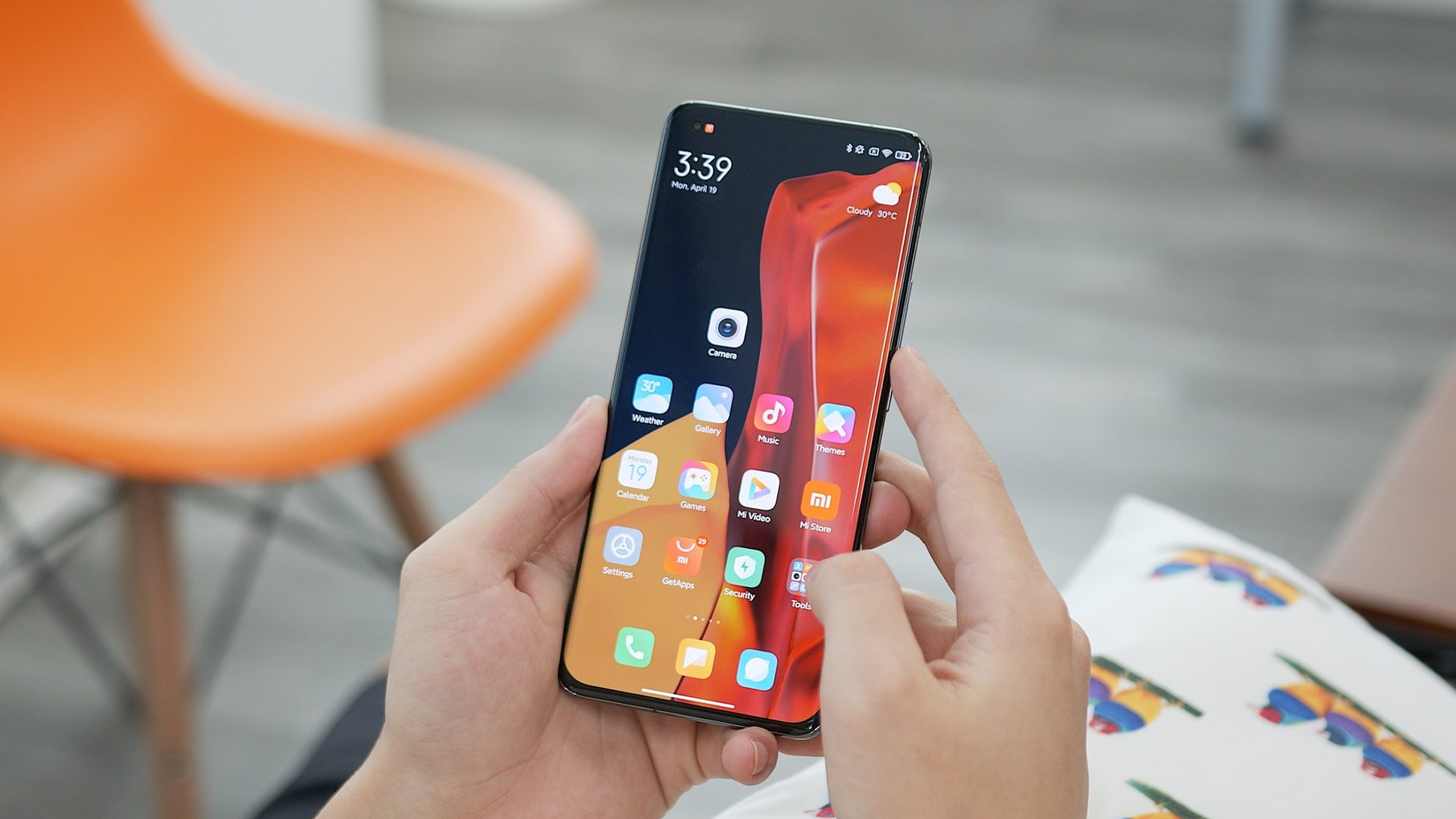
If you're using a phone from Xiaomi, Redmi, or POCO running MIUI, here's how you can disable Glance lock screen to avoid seeing ads.
By Sumukh Rao
Quick Tips
If you want a clean and ad-free lock screen, disable Glance for Mi.
The steps are similar for all devices running MIUI.
Once you’ve turned this feature off, disable Glance again whenever you set up a new device.
Disable Glance Lock Screen on MIUI
If you’ve knowingly or unknowingly enabled the Glance lock screen while setting up your Xiaomi, Redmi, or POCO smartphone running MIUI, the process to turn it off is simple. This method applies to all versions of MIUI.
Step 1: Open the Settings app on your smartphone and tap on the Lock screen option.
Step 2: Tap on the Glance for Mi option under the Lock Screen section.
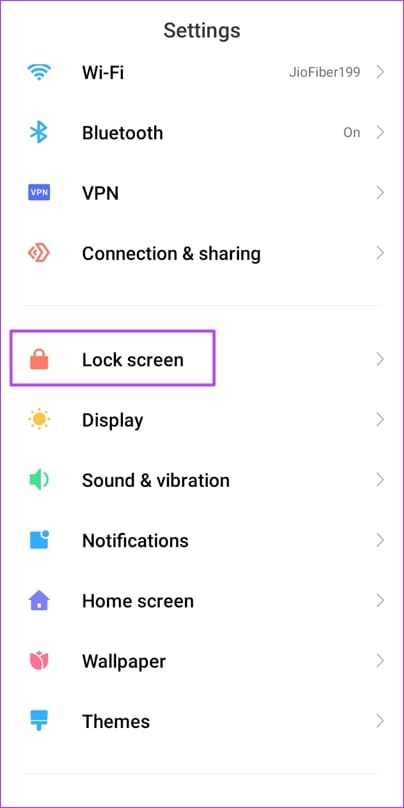
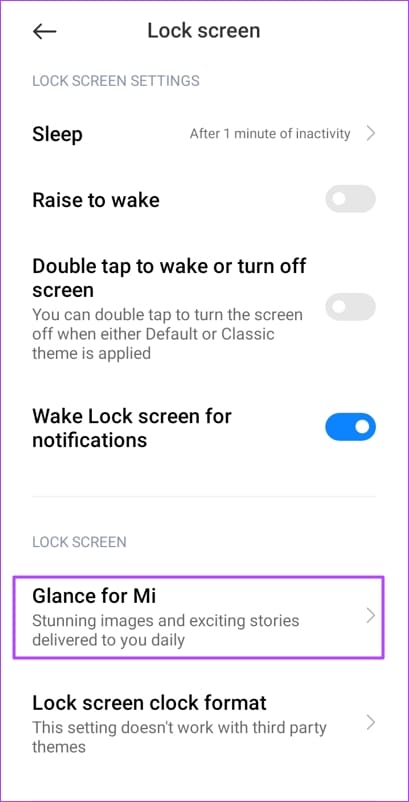
Step 3: Disable the Turn On toggle. Then, choose Turn off to confirm your decision.
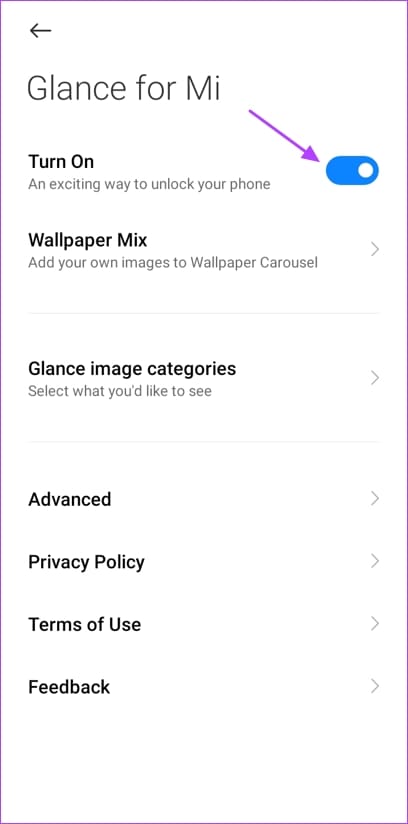
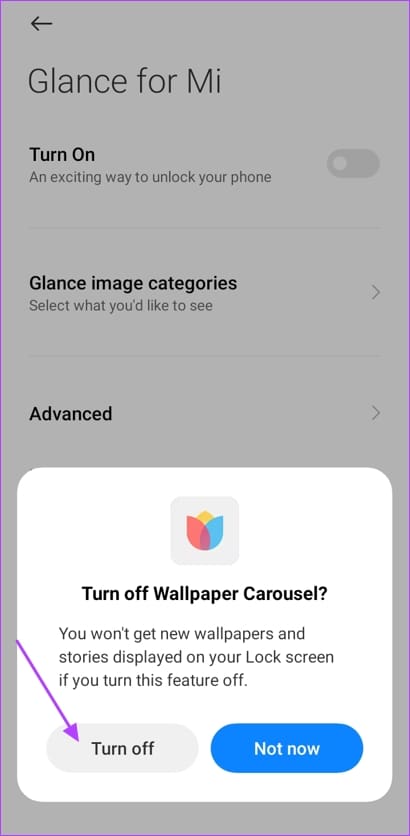
That’s pretty much it. You’ve successfully disabled the Glance lock screen. Note that this will also disable the automatic changing of lock screen wallpapers. However, you can always get a third-party wallpaper app like Backdrops and set a custom wallpaper for the lock screen.
Also Read : How to clear storage on MIUI for more space
Was this helpful?
Submit Cancel
Thanks for your feedback!
Keep reading