Android
3 Ways to Put Emojis on a Picture on Android
Adding emojis to pictures on Android doesn't take more than a couple of minutes. Here are the top ways to put emojis on pictures.
By Parth Shah
Quick Tips
You can use the Edit option on the Google Photos app to add emoji to a picture.
Alternatively, use a text messaging app like WhatsApp to add an emoji to an image and share it in a conversation.
For more features, you can download a third-party photo editing app like PicsArt to add emojis to pictures.
Method 1: Use Google Photos
Step 1: Open the Google Photos app > select a photo you want to edit > tap Edit at the bottom.
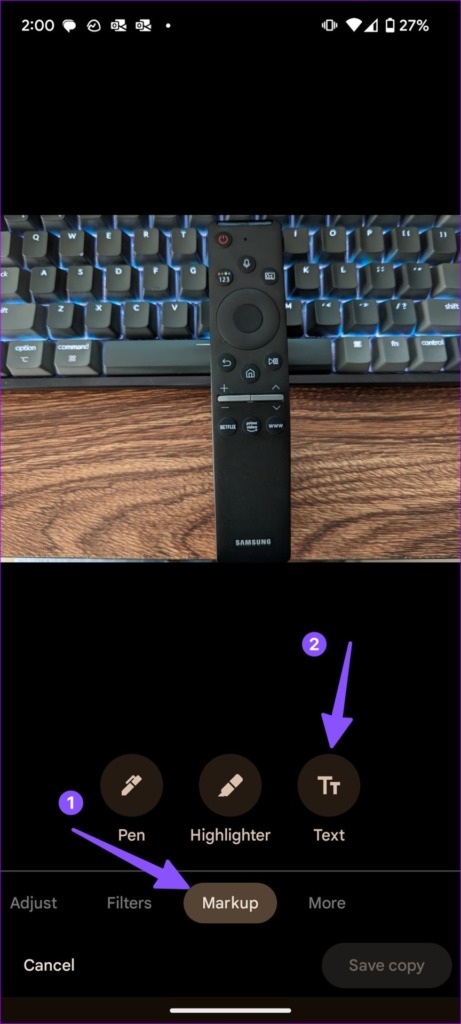
Step 2: Scroll to Markup > select Text > select the emoji icon beside the spacebar.
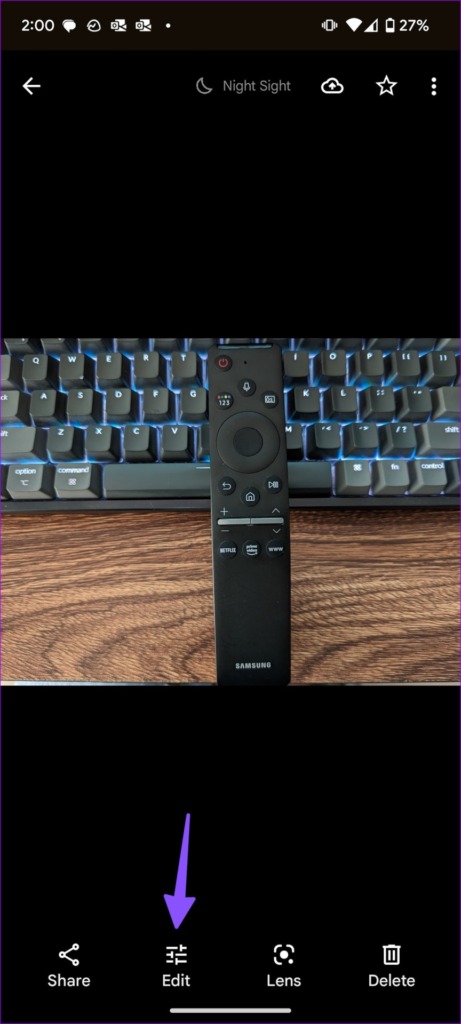
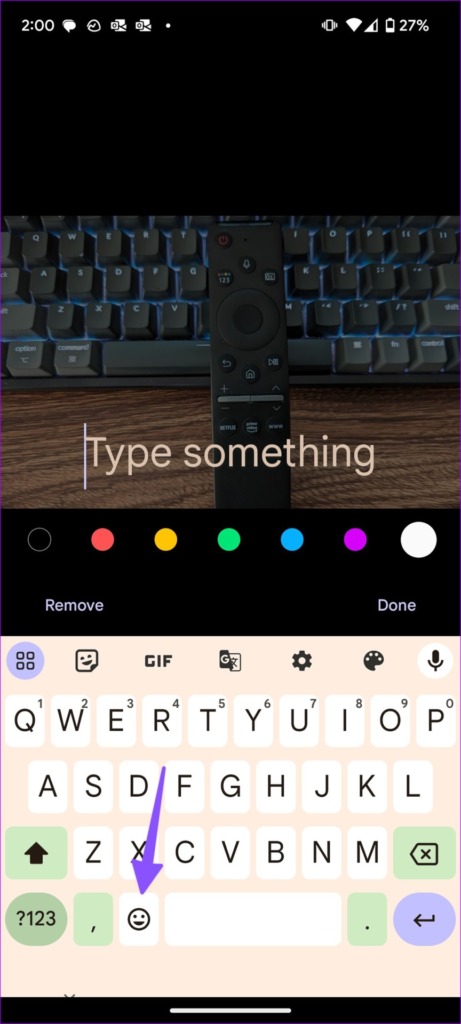
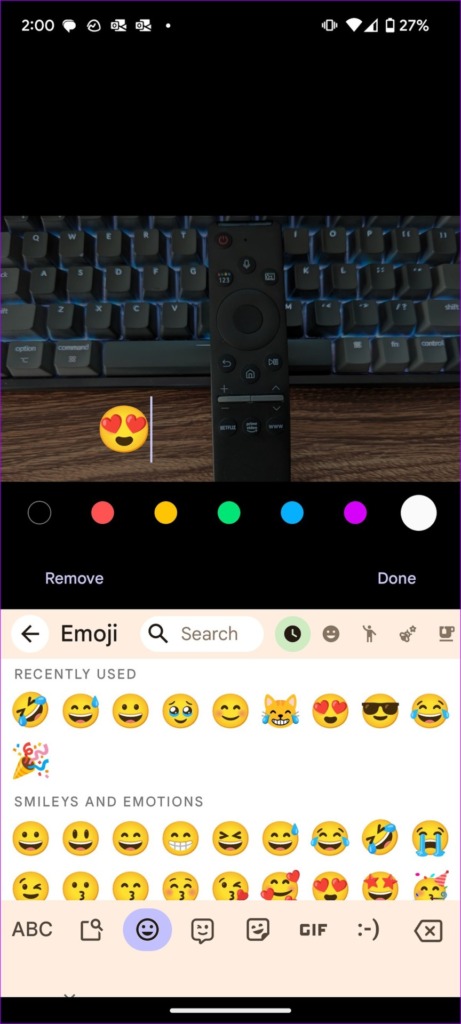
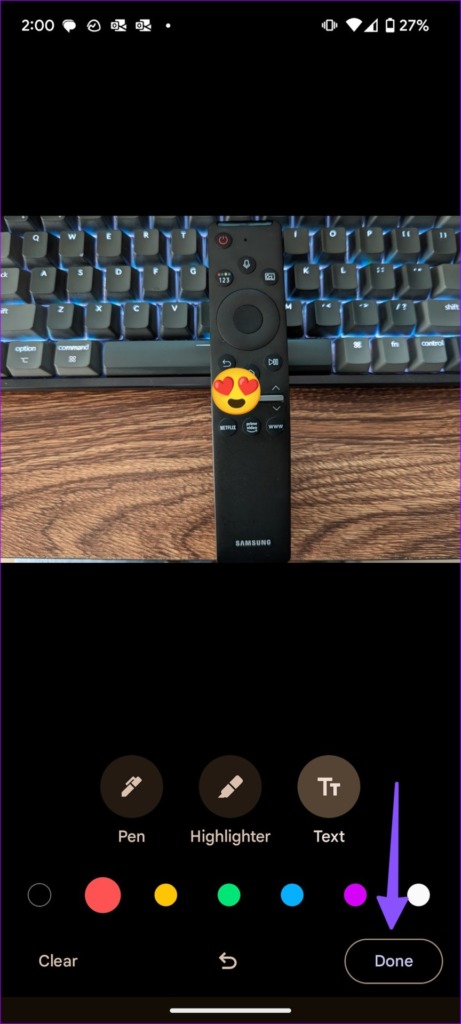
Step 3: Add emojis and hit Done . You can tap and move the emojis to a specific place. Tap Done at the bottom-right corner. Save a copy, and your photo is ready for sharing.
Also Read: How to get new emojis on Android
Method 2: Use Messaging Apps
Most messaging and social media apps offer tools to edit photos and add emojis. Let’s take WhatsApp as an example here.
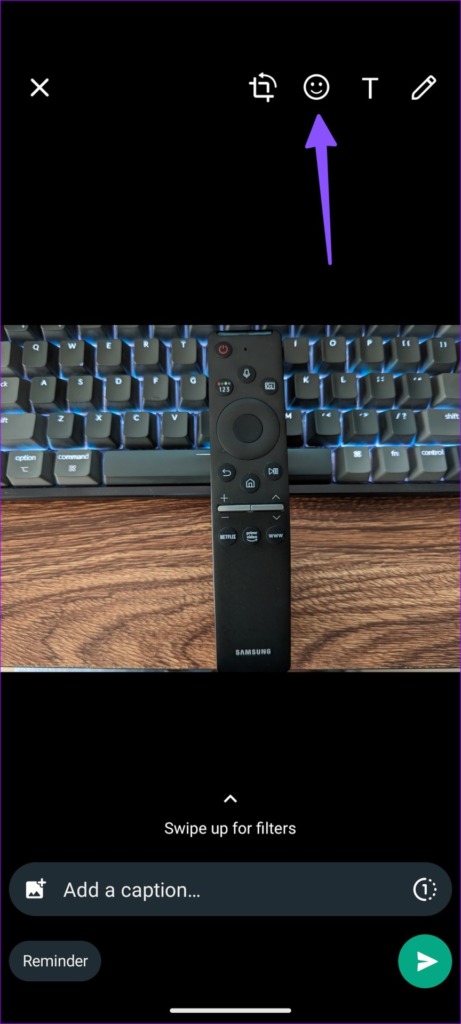
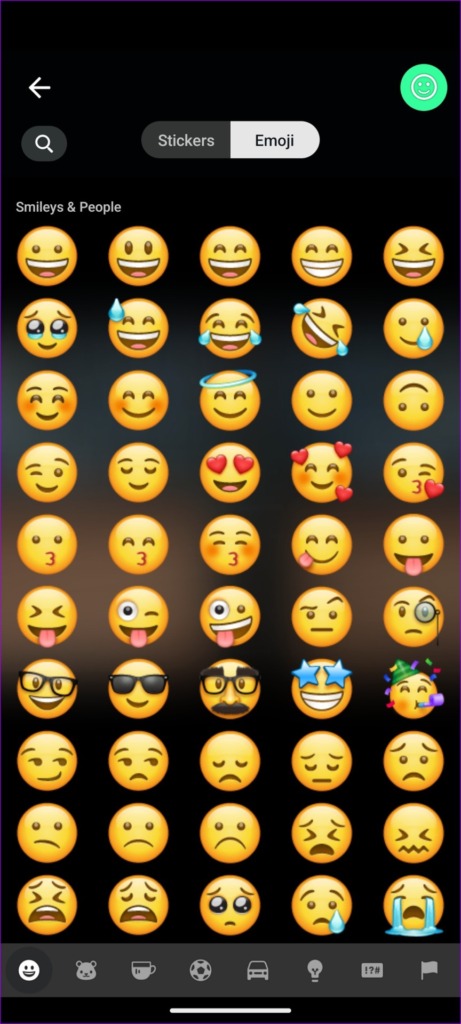
Step 1: Select an image you want to edit and share > tap the emoji icon at the top > select stickers and emojis you want to add.
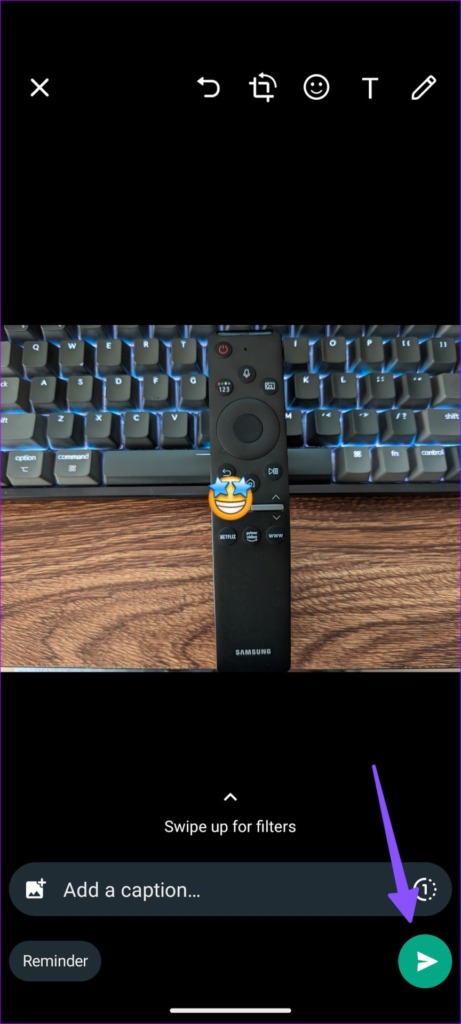
Step 2: Hit the send button.
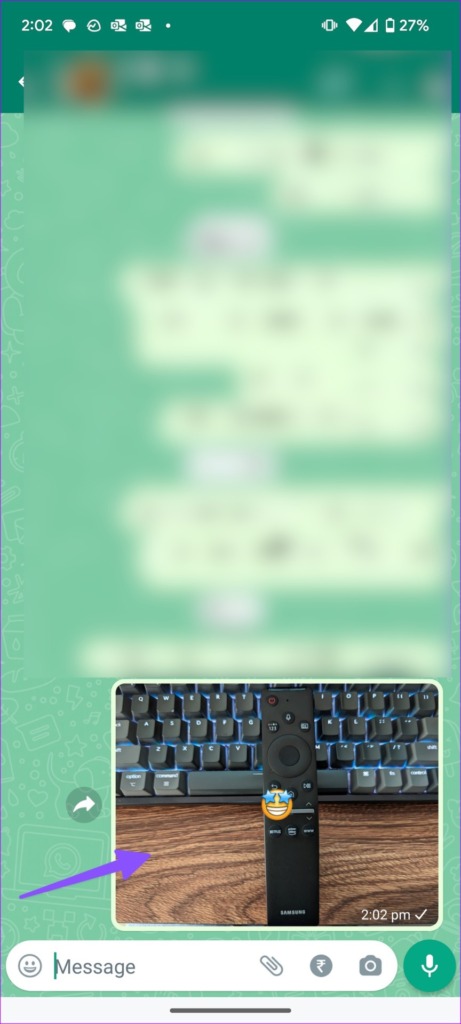
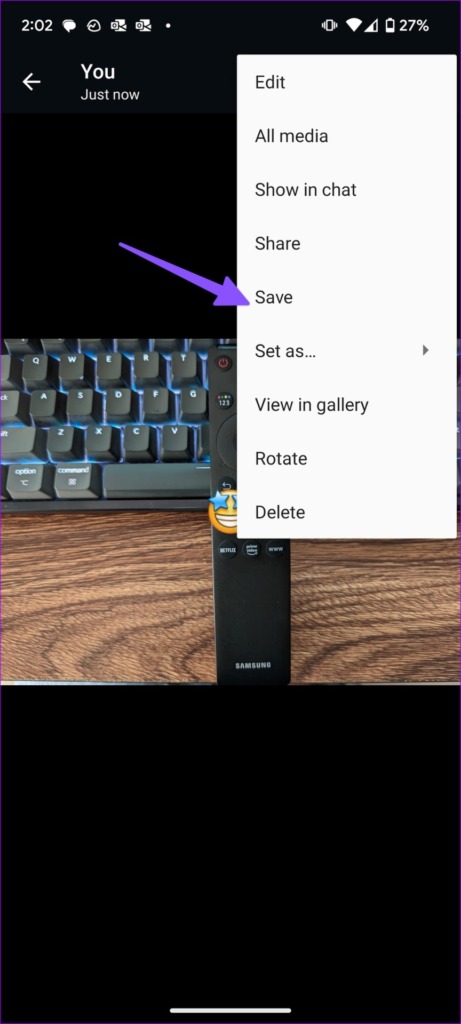
After sending edited photos to a personal conversation or group, open the photo and hit the three vertical dots menu at the top right > Save .
Method 3: Use Third-Party Apps
Step 1: Download the Picsart photo editor from Google Play Store.
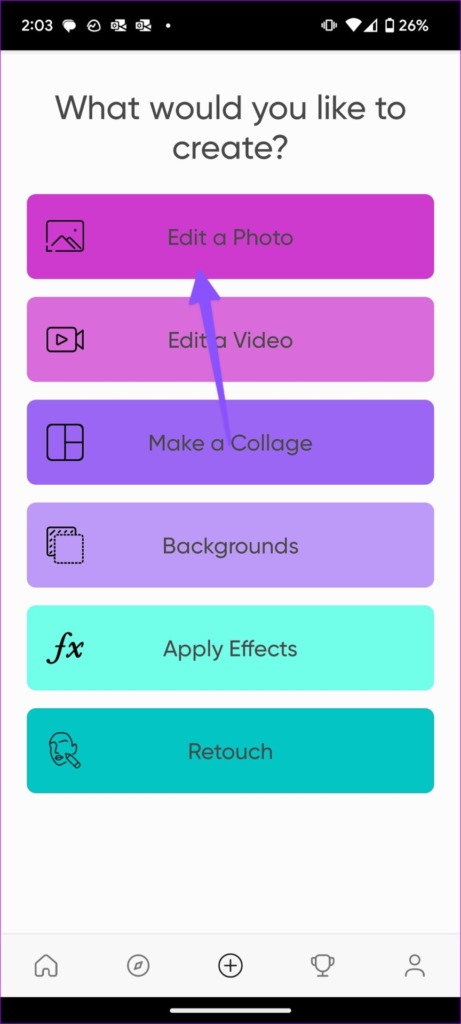
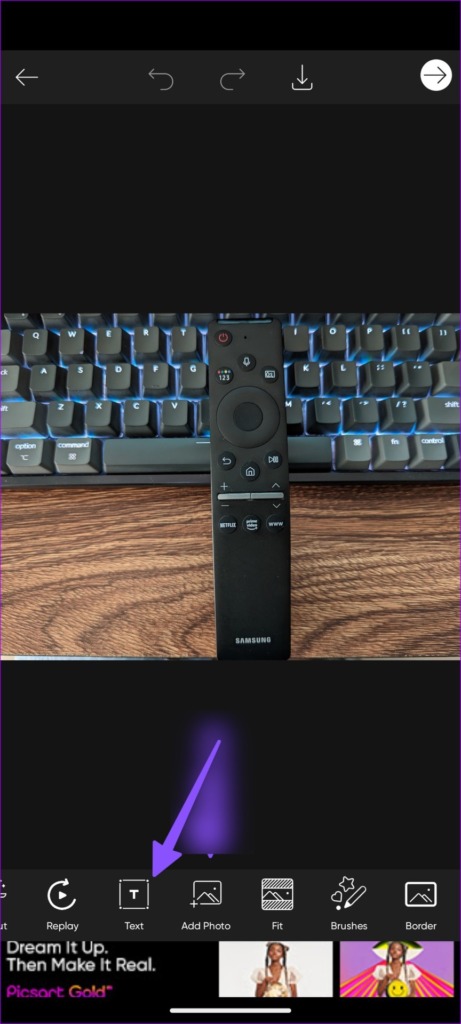
Step 2: Tap Edit a Photo > pick an image from the following menu > scroll to the Text menu.
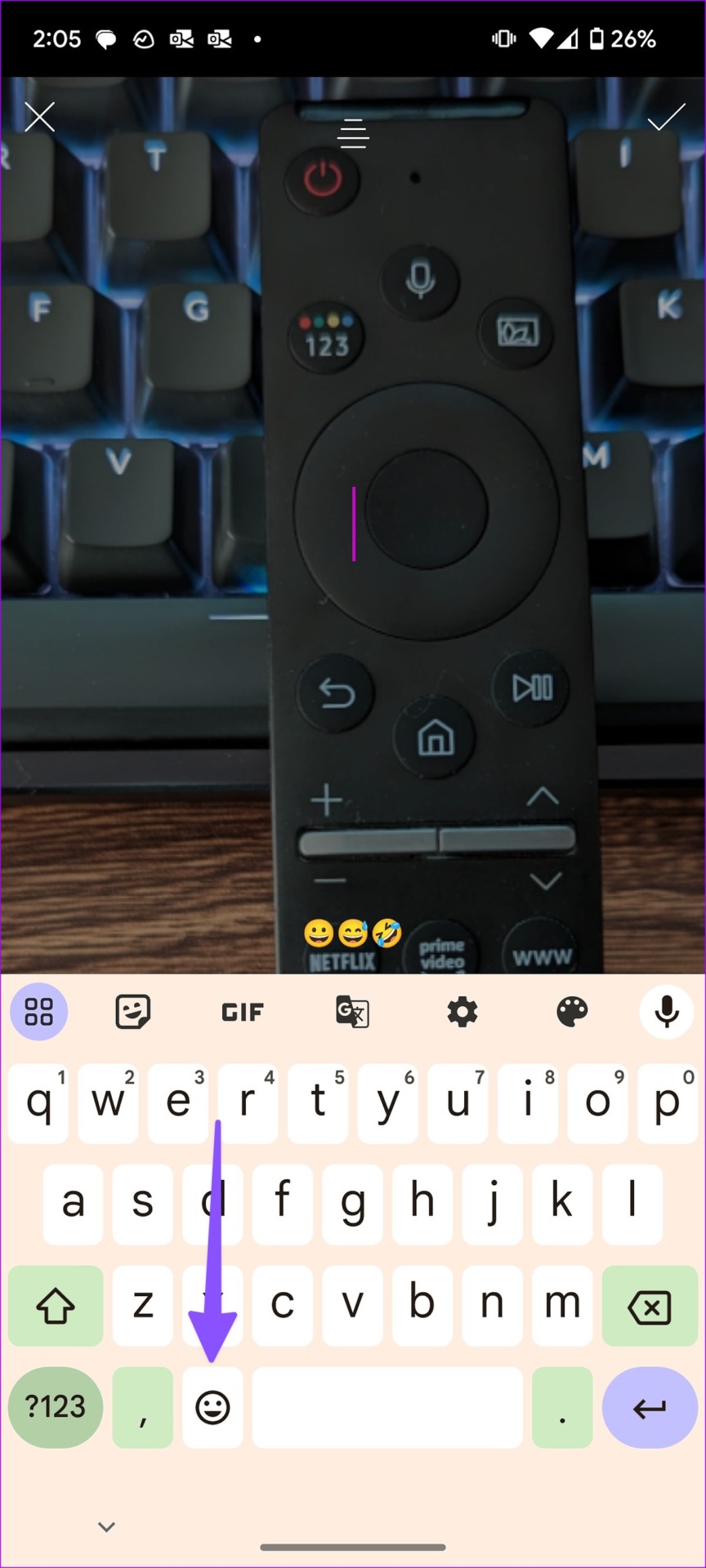
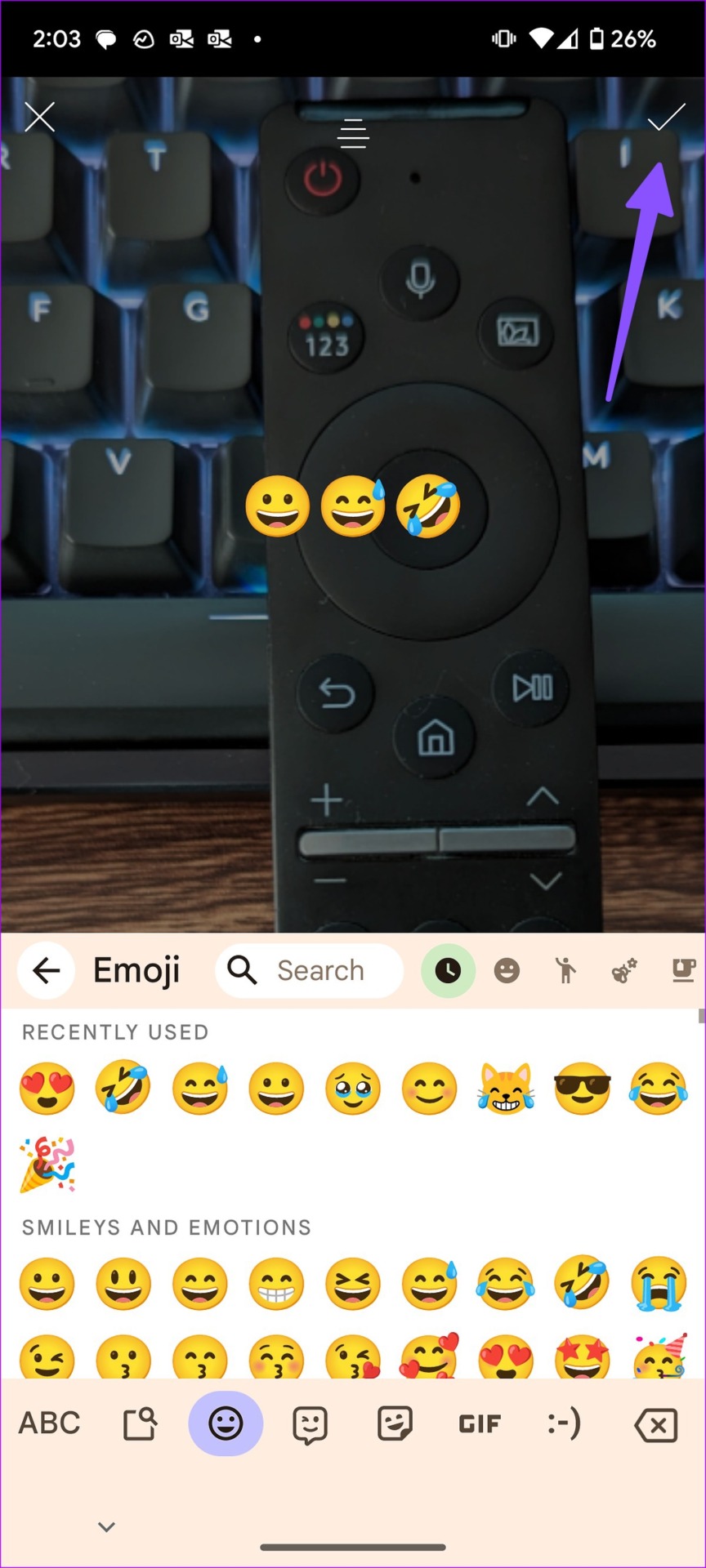
Step 3: Select the Emoji menu on your keyboard > insert emojis into the picture > tap the checkmark at the top-right corner.
Step 4: You can resize emojis , place them in a relevant position, and save the image from the top menu.
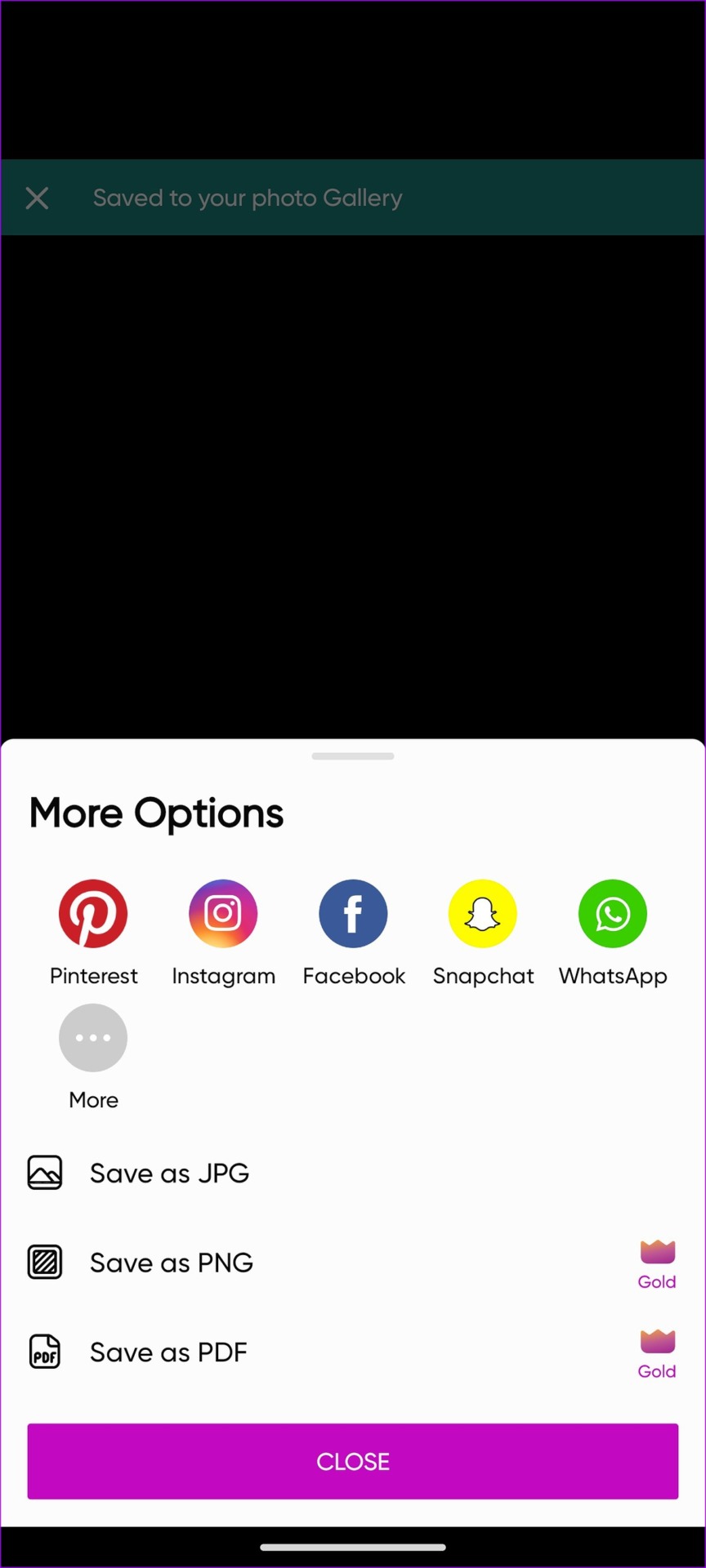
Step 5: Then, share the edited photo to a social media platform or save it to device storage in JPG, PNG, or PDF format.
Also Read: How to insert emojis in Google Docs
Was this helpful?
Submit Cancel
Thanks for your feedback!
Keep reading