Android
How to Add or Remove App Timer on Android
You can set app time limits on Android to control your daily usage and reduce screen time. This post explains the same.
By Paurush Chaudhary
Quick Tips
Set app limit from Settings > Apps > App Timer.
Configure App Timer under Settings > Digital Wellbeing and parental controls > Dashboard.
Method 1: Use App Settings to Add or Remove App Timer
To limit your screen time, you can configure a timer for individual apps through the app settings.
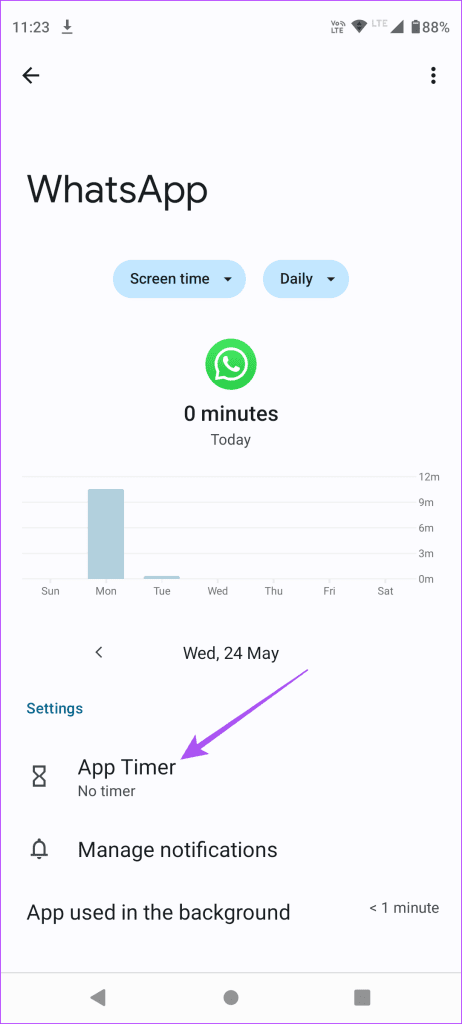
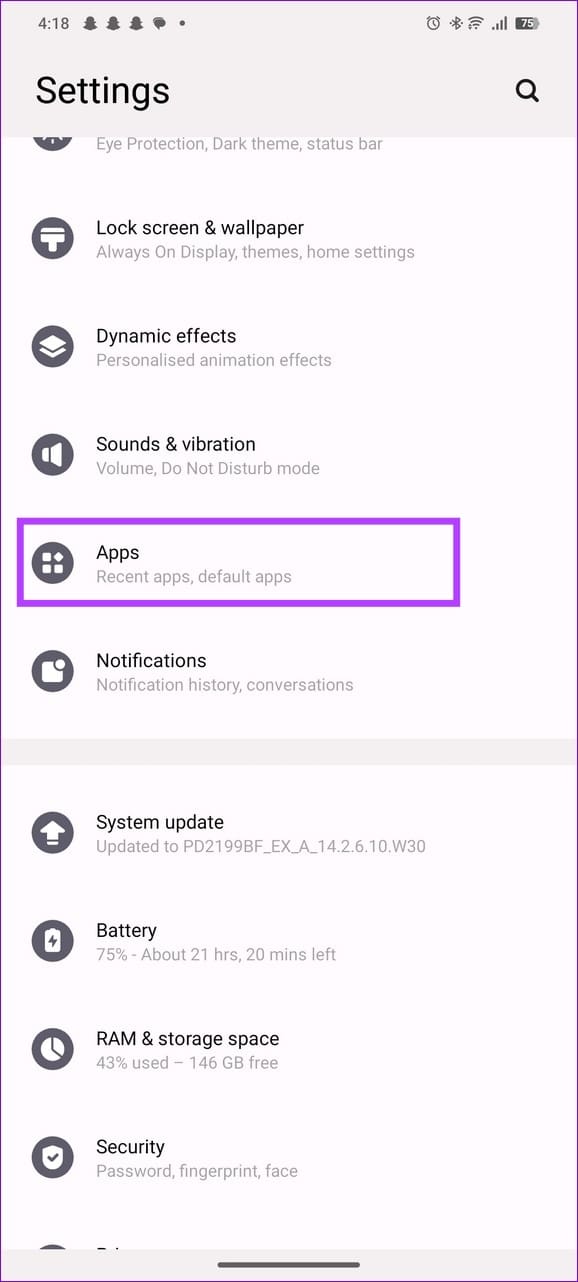
Step 1: Open the Settings app > tap Apps > expand your desired app settings.
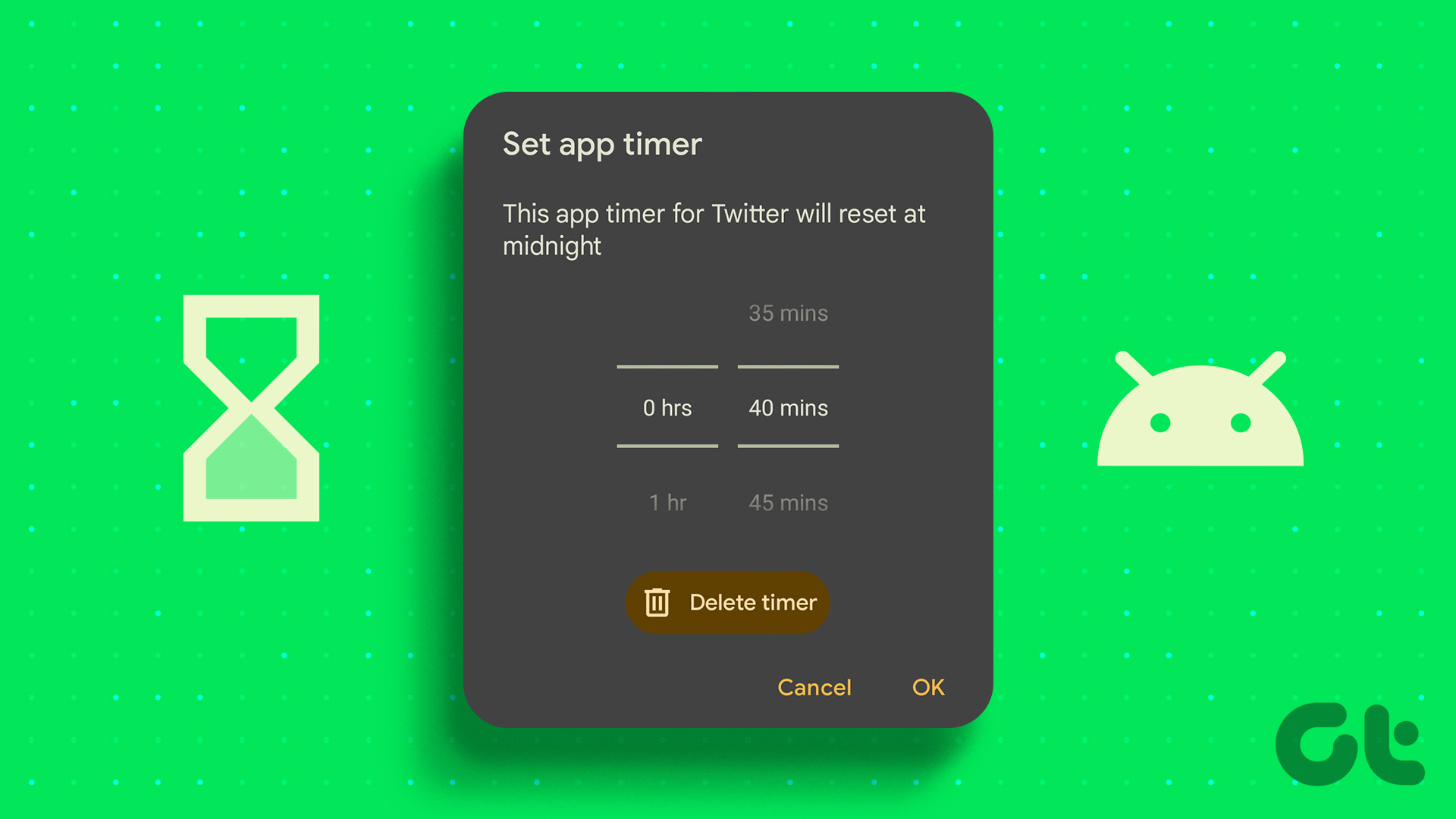
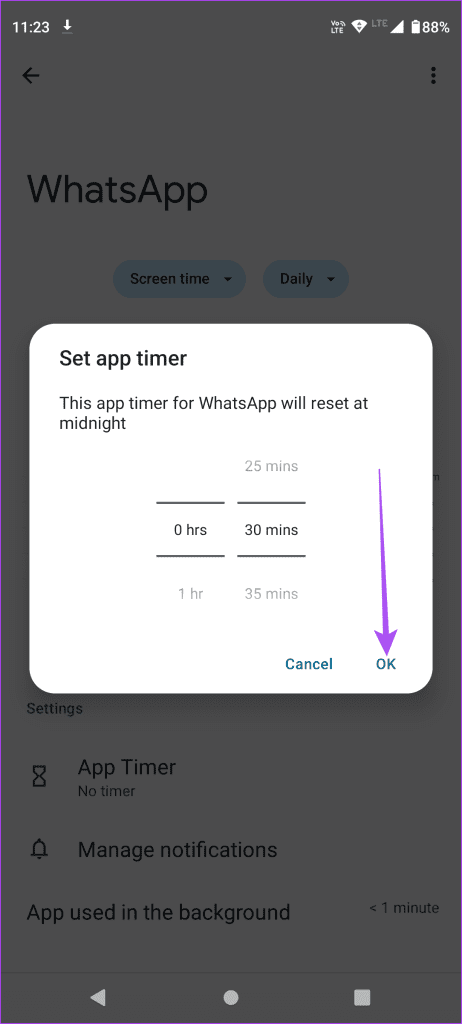
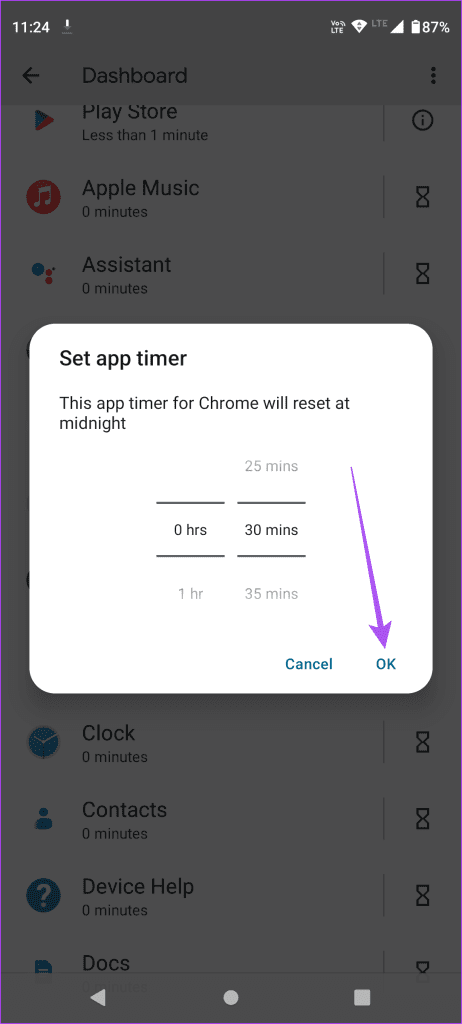
Step 2: Select App Timer , set your preferred time limit, and tap OK . Once the time limit expires, your Android phone will instantly notify you.
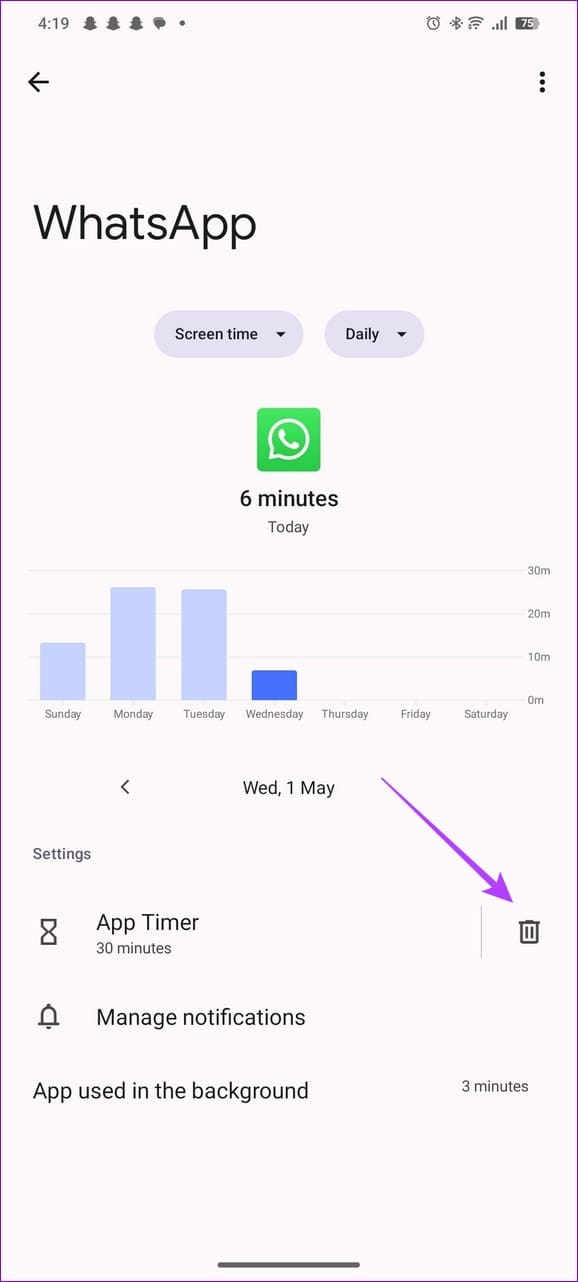
Step 3: To remove the timer, open the app settings and select the Trash icon next to it.
Method 2: Utilize Digital Wellbeing and Parental Controls
Besides configuring app settings , the Digital Wellbeing and parental controls menu on your Android phone lets you set timers on apps you use excessively.
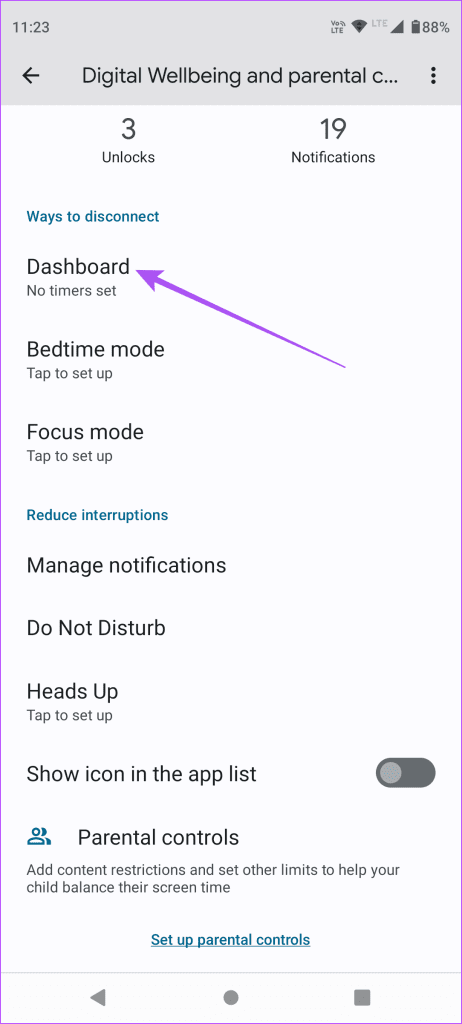
Step 1: Open Android settings, tap Digital Wellbeing and parental controls , and select Dashboard .
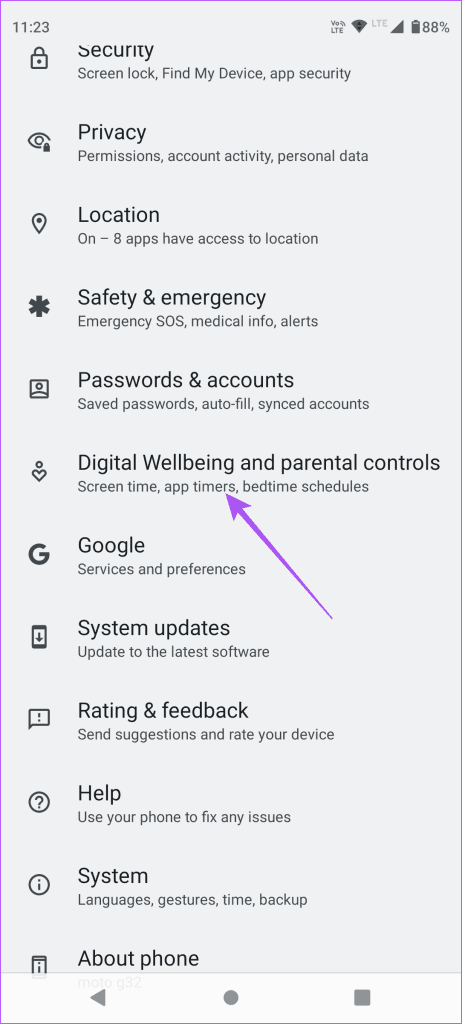
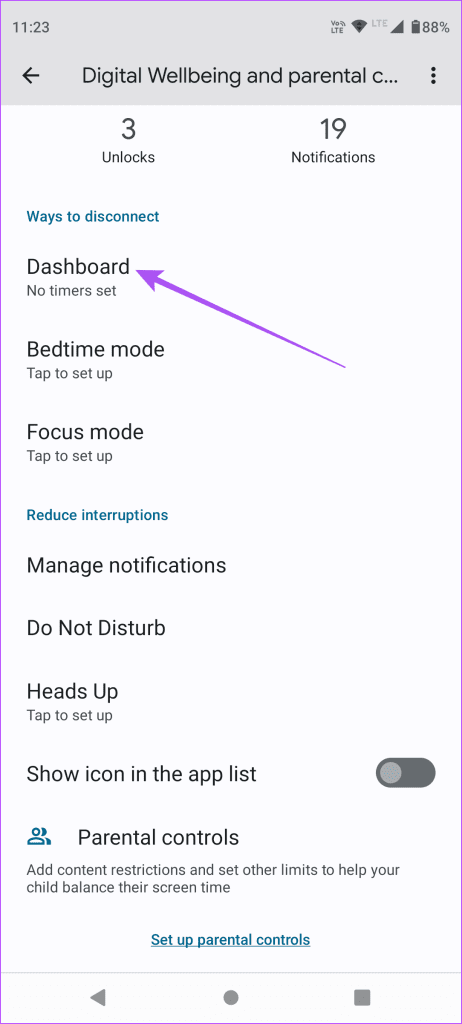
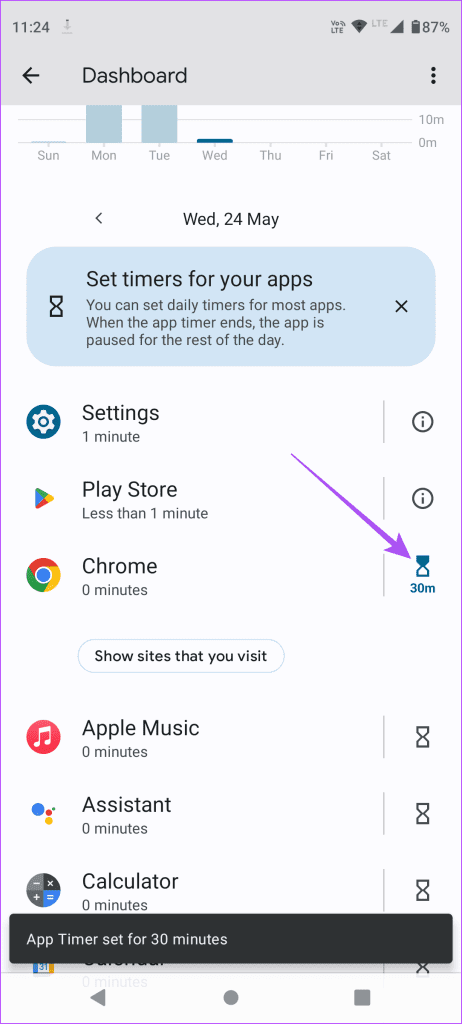
Step 2: Tap Show all apps , select the Timer icon next to the desired app, and configure the app timer. Tap OK to save changes.
Tip: On Samsung phones, you can locate App Timer under the Digital Wellbeing and parental controls feature in settings.
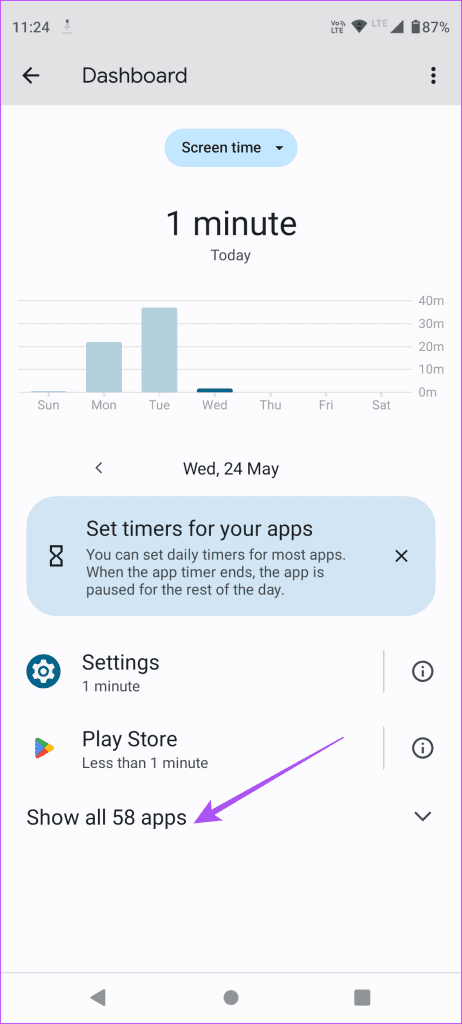
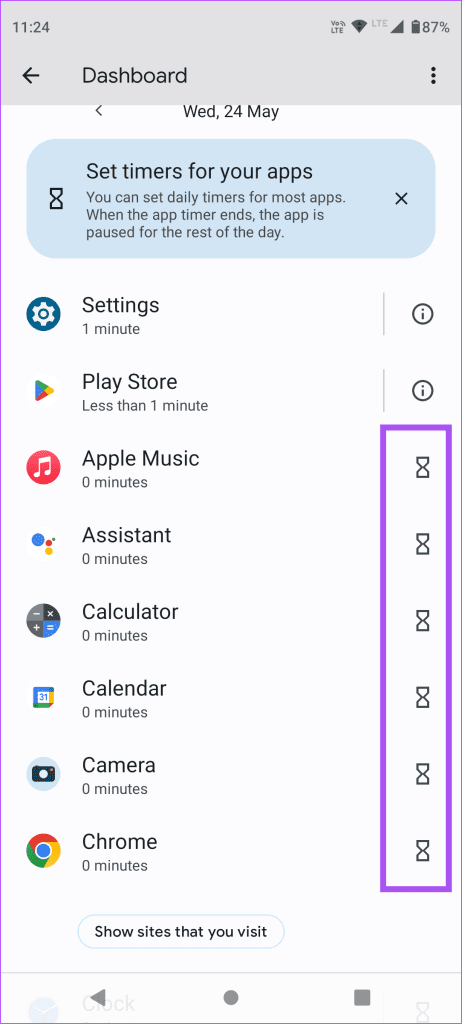
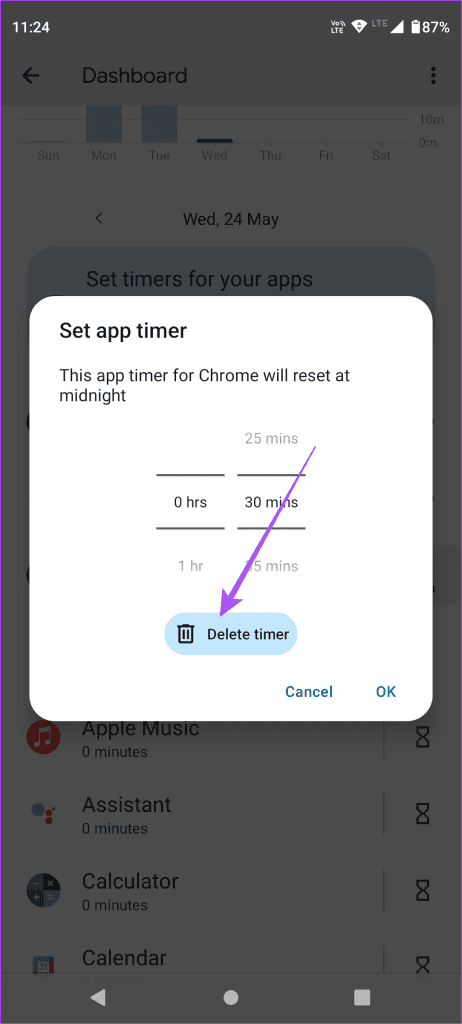
Step 3: To remove the app timer, open the Digital Wellbeing and parental controls Dashboard , select the configured app, and tap Delete timer .
Was this helpful?
Submit Cancel
Thanks for your feedback!
Keep reading