Android
4 Ways to Stop Chrome From Opening Apps in Android
Does Chrome keep redirecting links to the apps on your Android phone? Find out how to stop Chrome from opening apps from the links.
By Mehvish

Quick Tips
If Chrome opens an app instead of the link, go to the app settings and change the preferences for Open Supported Links.
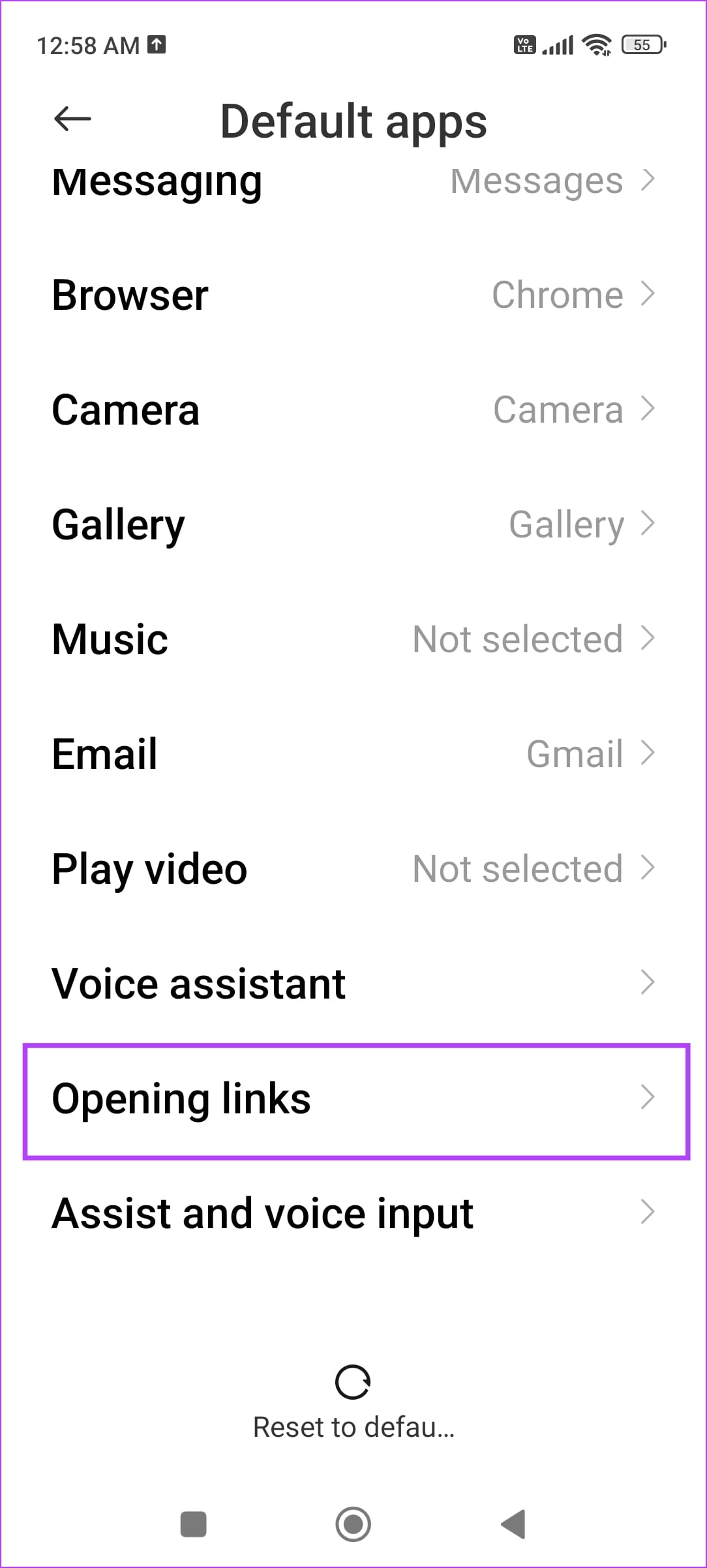
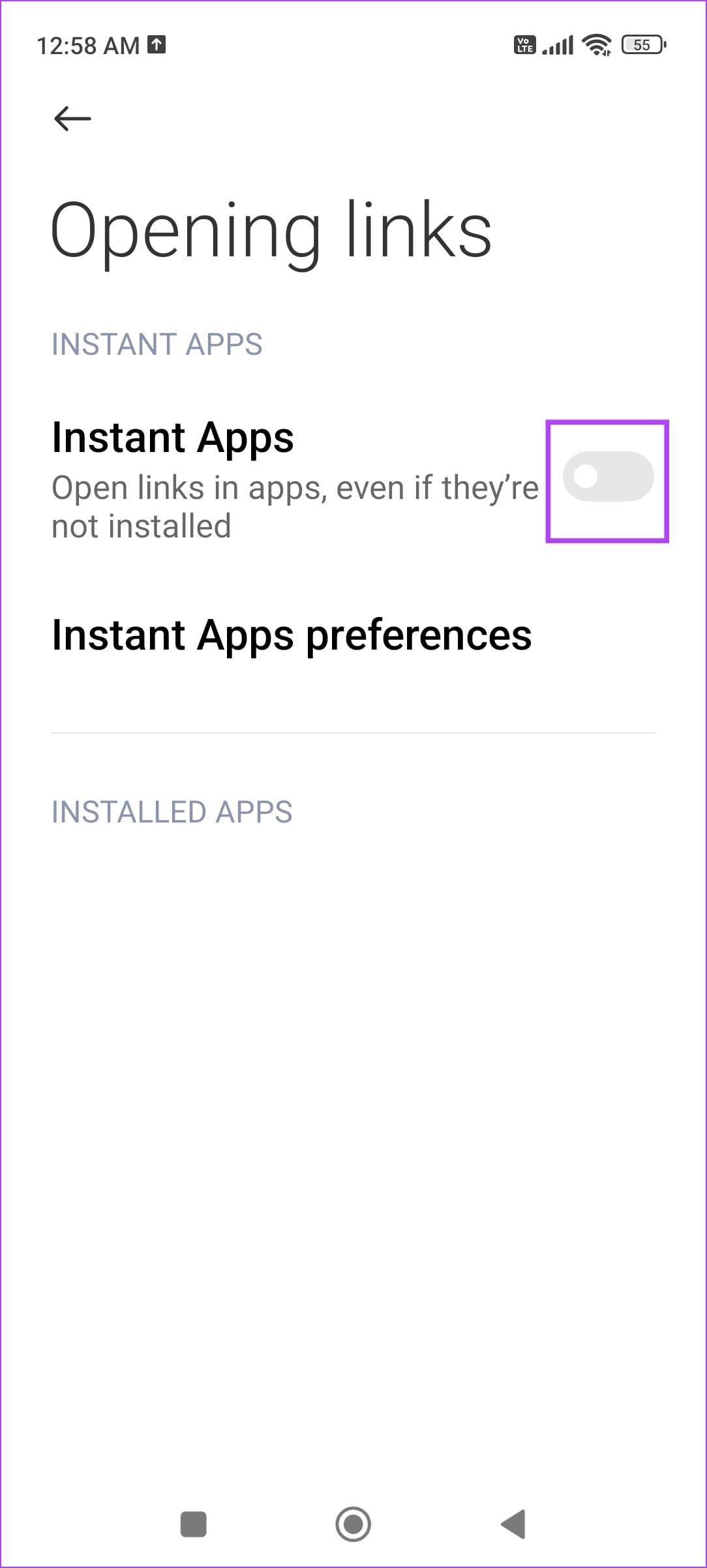
Chrome may open links as an Instant App. Open Settings > Apps > Default Apps > Opening Links > Turn off Instant Apps.
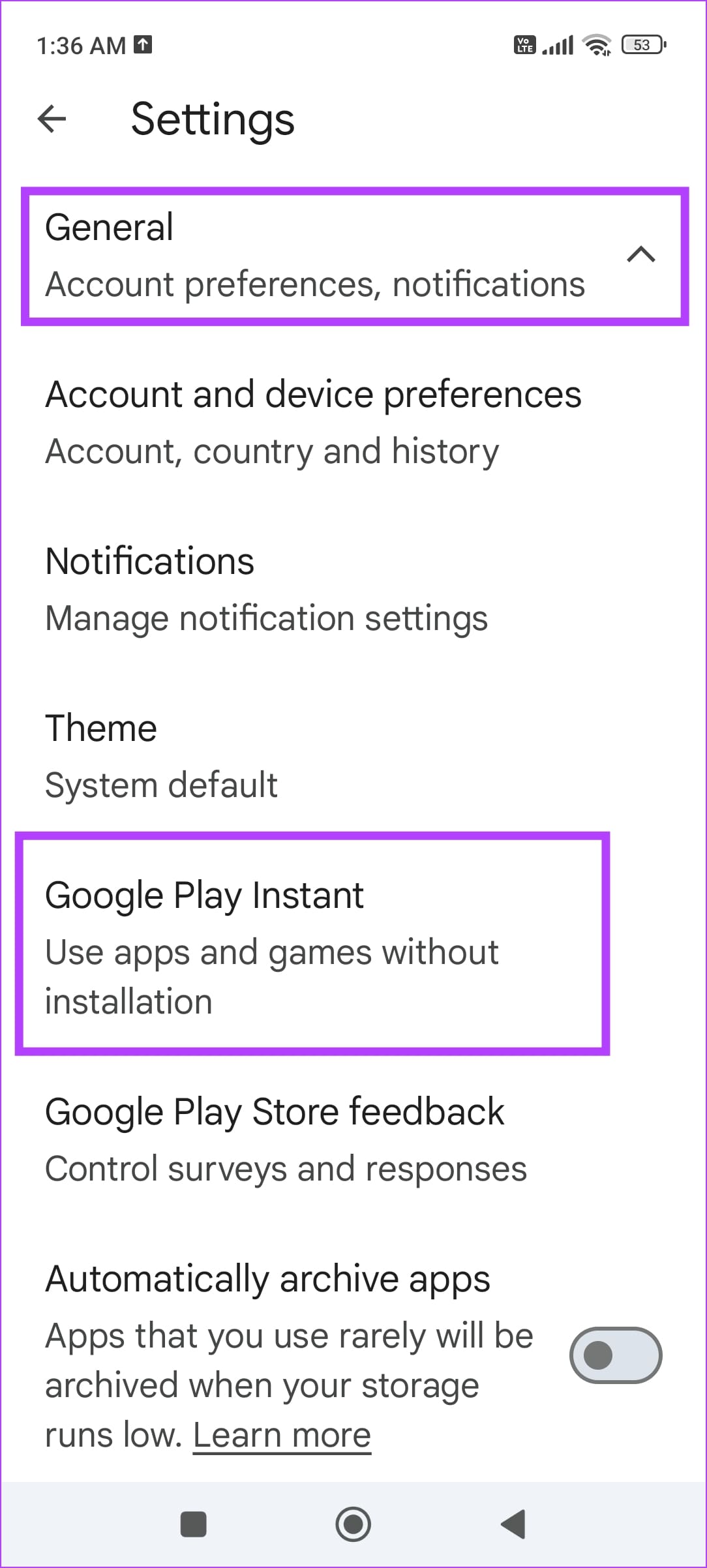
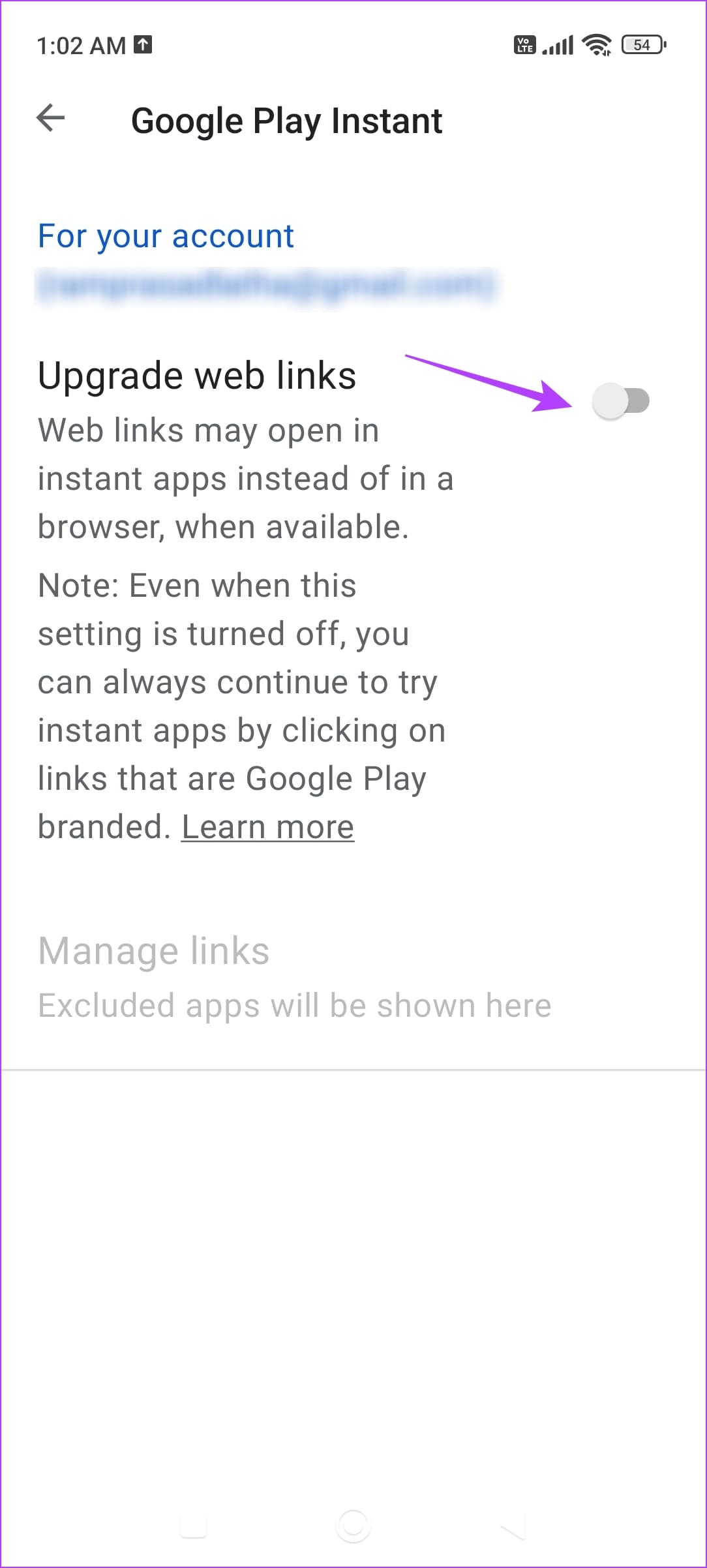
Additionally, go to Google Play Store settings > General > Google Play Instant > turn off Upgrade Web Links.
Fix 1: Turn off Instant Apps
When you click on a link in Chrome , it may open as an Instant app. This means that the link will open in an app’s environment instead of letting you view it on Chrome.
Step 1: Open Settings > Apps , tap on the three dots menu icon , and go to Default Apps.
Step 2: Tap on Opening Links and turn off Instant Apps.
Fix 2: Disable Open Link in Apps
If Chrome finds supported links that can be opened in an app, it will open that website in the app. That behavior can be changed from settings.
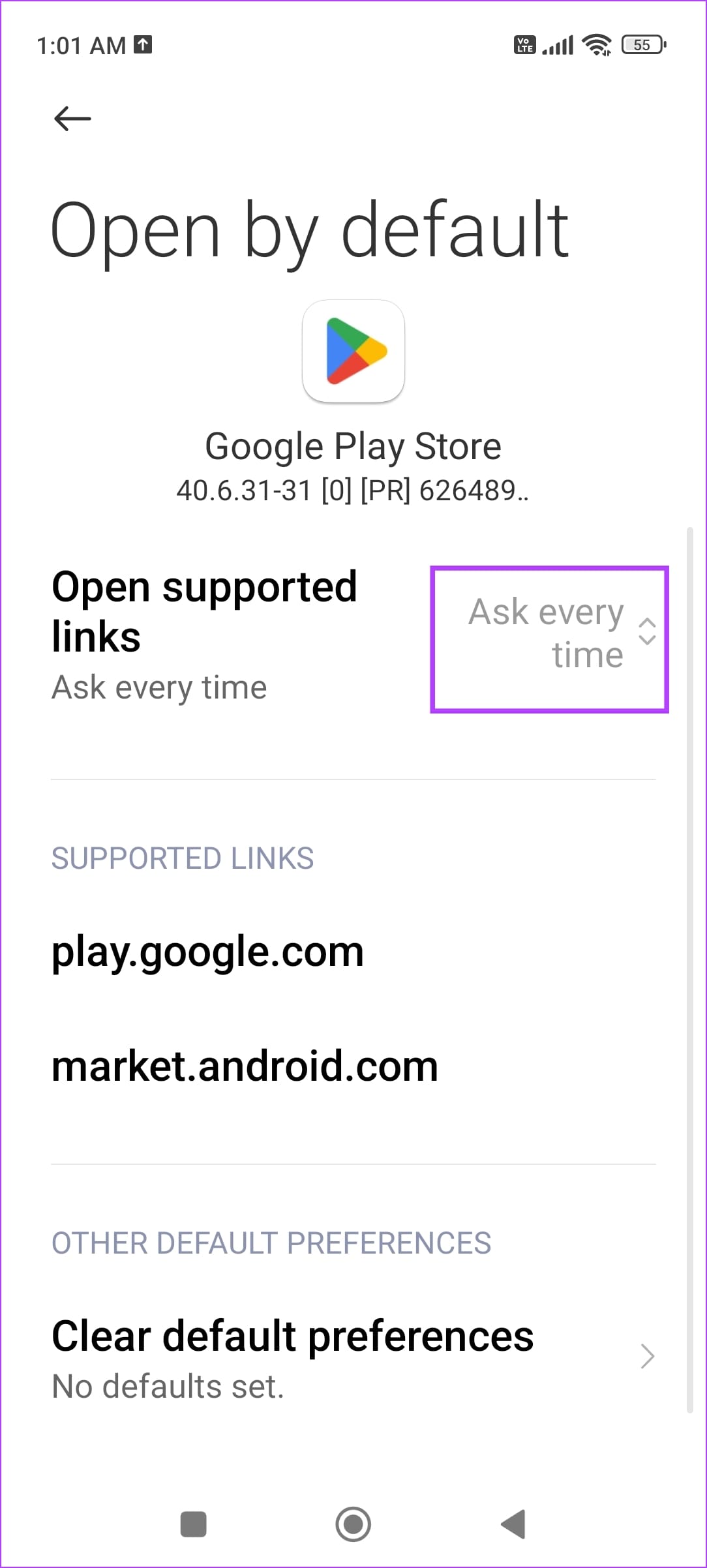
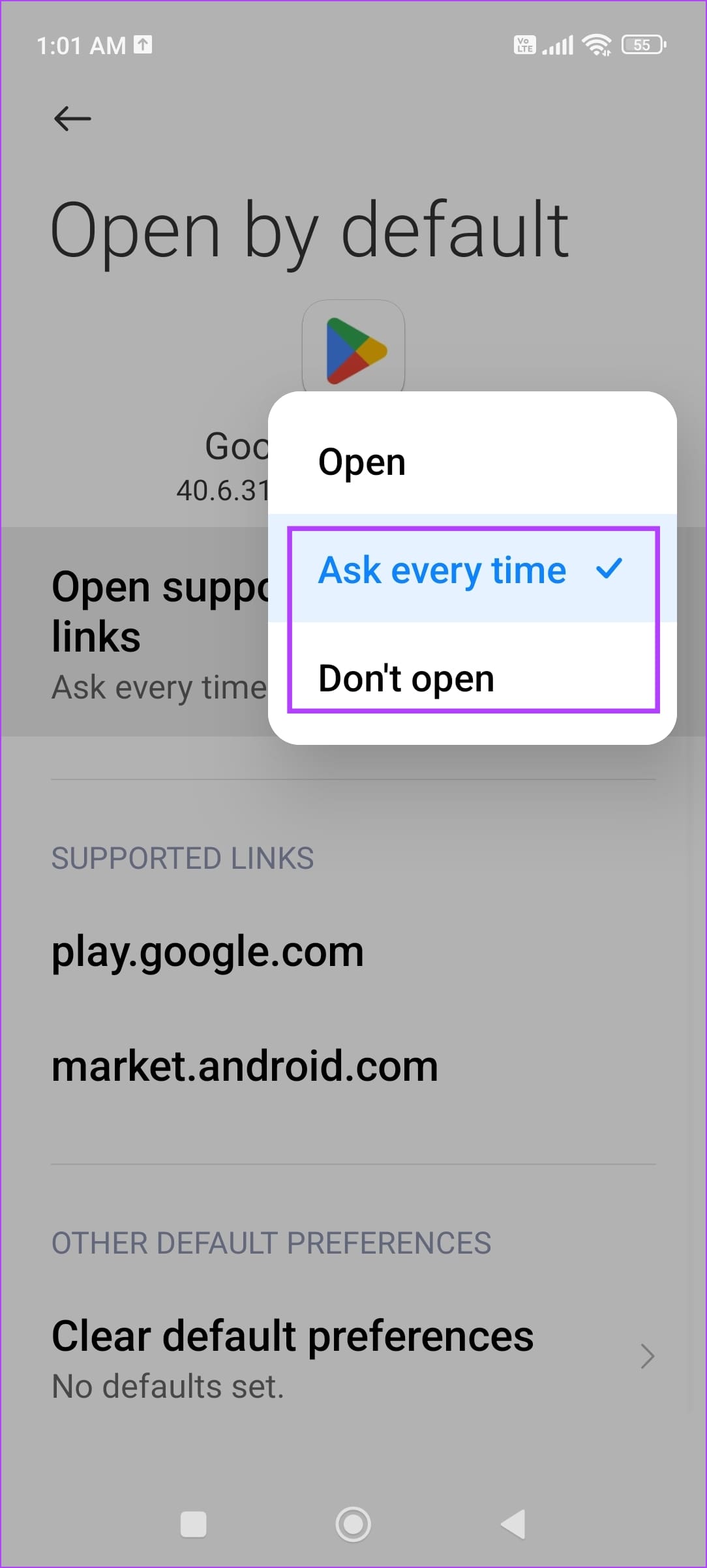
Go to Settings > Apps > Manage apps and select the app you want to stop Chrome from opening links in. Tap on the drop-down menu next to Open supported links and select Ask every time or Don’t open.
Note: If you don’t find the option, go to Settings > Apps > Default Apps > Opening Links and select the app from the list.
Also Read: How to enable the pop-up blocker on Google Chrome
Fix 3: Disable Upgrade Web Links
If you’ve enabled Upgrade Web Links, the web links you are trying to open from Chrome might open in an app. Here’s how to turn it off.
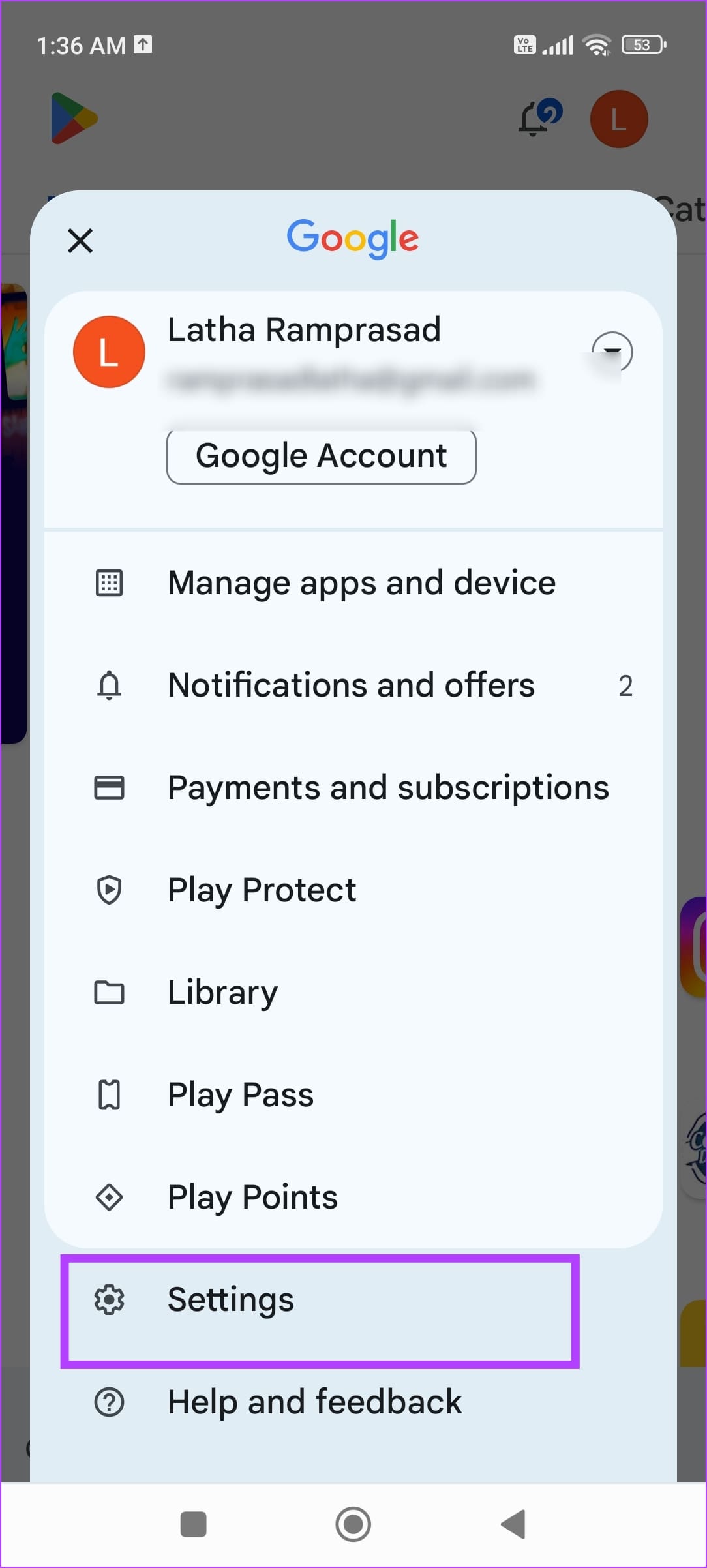
Step 1 : Open the Google Play Store and tap your profile icon at the top right.
Step 2 : Select Settings > tap on General > select Google Play Instant .
Step 3 : Now, turn off Upgrade Web Links .
Also Read: How to leave beta program on Google Play Store
Fix 4: Use Another Web Browser
If you continue to face problems despite following the above methods, use a third-party web browser. We recommend Mozilla Firefox or Microsoft Edge .
Was this helpful?
Submit Cancel
Thanks for your feedback!
Keep reading